

Admin dashboard
Verify staff email addresses
Staff members and account owners now verify their email addresses to help keep their Memberful accounts secure. When an email address changes, the new address must be confirmed before the change takes effect.Existing staff are prompted to verify when they sign in. If your organization uses single sign-on, your provider continues to confirm staff email addresses.Read the docs →Admin dashboard
Manage staff access more securely
Invite staff by email and choose which Memberful dashboard sections they can access. Each staff member sets up their own login and verifies their email when they accept the invitation. Invitations expire after 7 days, and you can resend or delete pending invitations. Verified email addresses are required for sensitive actions.Read the docs →Hosted member site
Automatic SEO and sharing previews for your pages
Your member website now automatically uses page-specific titles, descriptions, and share images to give your content clearer search results and link previews. Descriptions only use publicly readable content, keeping anything behind the paywall protected.If you use a custom domain, Memberful identifies it as your preferred address for search engines.Read the docs →WordPress plugin
Set up a metered paywall in WordPress
Give readers access to a limited number of public posts before showing your paywall. You can set different limits for anonymous visitors and free members, choose which public content is metered, and customize the messages readers see as they approach their limit.Read the docs →WordPress plugin
Build a custom WordPress paywall without code
The new visual paywall builder lets you create a branded paywall without writing HTML or CSS. Choose an Inline or Card layout, customize the message and benefits, adjust the colors and button style, and preview your changes as you work.Read the docs →WordPress plugin
Choose how many paragraphs appear before your paywall in WordPress
You can now control how much of a protected post readers see before they reach your paywall. Choose the number of paragraphs to display to give readers a preview of your content and encourage them to subscribe.Read the docs →WordPress plugin
Control Beaver Builder component visibility
Plans are now available as a visibility option for Beaver Builder components. You can show or hide components, such as rows, based on a member’s plan to create more personalized pages and layouts.Read the docs →WordPress plugin
Protect WP Recipe Maker recipe cards by plan
You can now control which plan members can access a WP Recipe Maker recipe card. This lets you protect the recipe itself while keeping introductions, photos, and other content in the post visible.Read the docs →Member experience
Add a sign-up link to your sign-in form
You can now add a “Don’t have an account? Sign up” link beneath your sign-in form, giving visitors without an account a clear next step.Go to Website → General settings and choose an option from Call to action under sign-in form. The link appears on both the email and password steps wherever the sign-in form appears.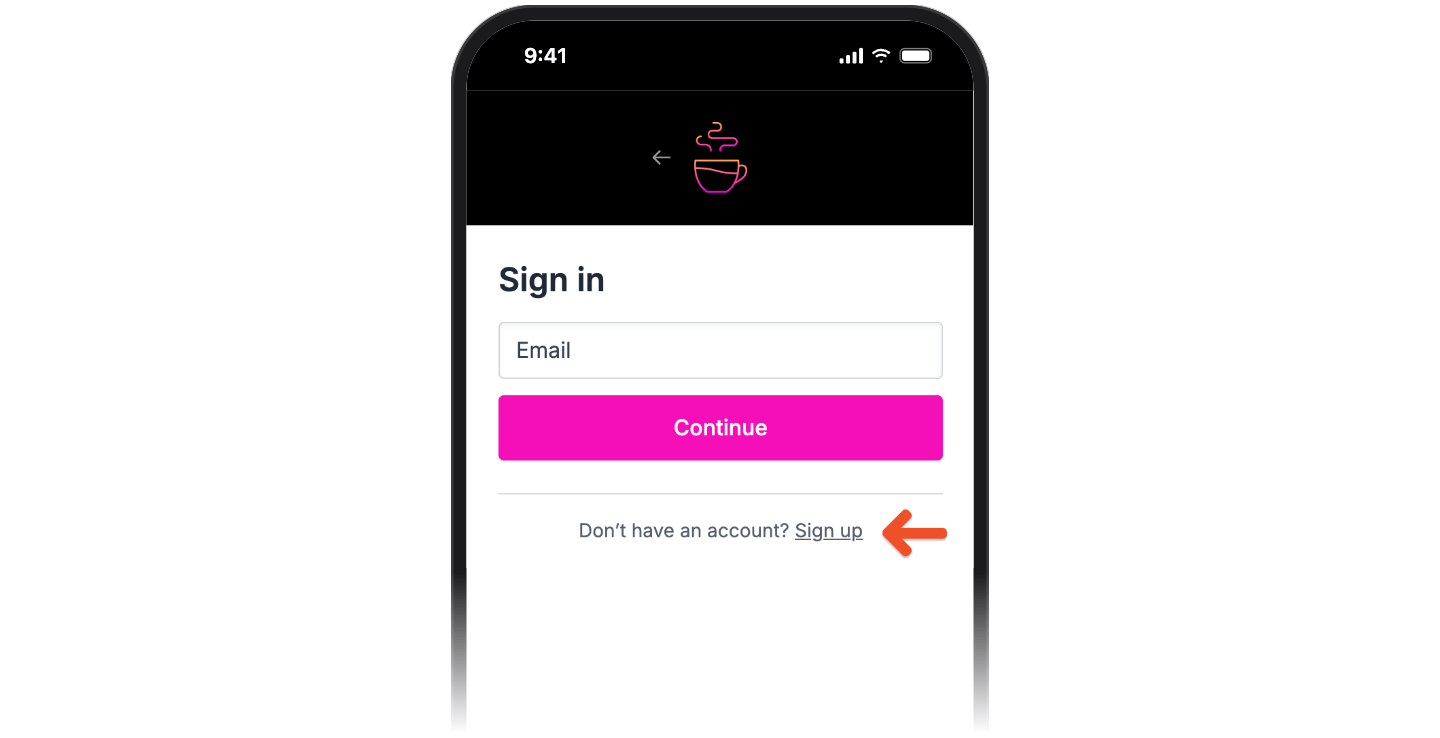
Hosted member site
Add testimonials with the new Quote block
Add a Quote block to any page on your member website to highlight testimonials or member feedback. Include a name and subtitle, upload a photo, add a link, and customize the background color and spacing.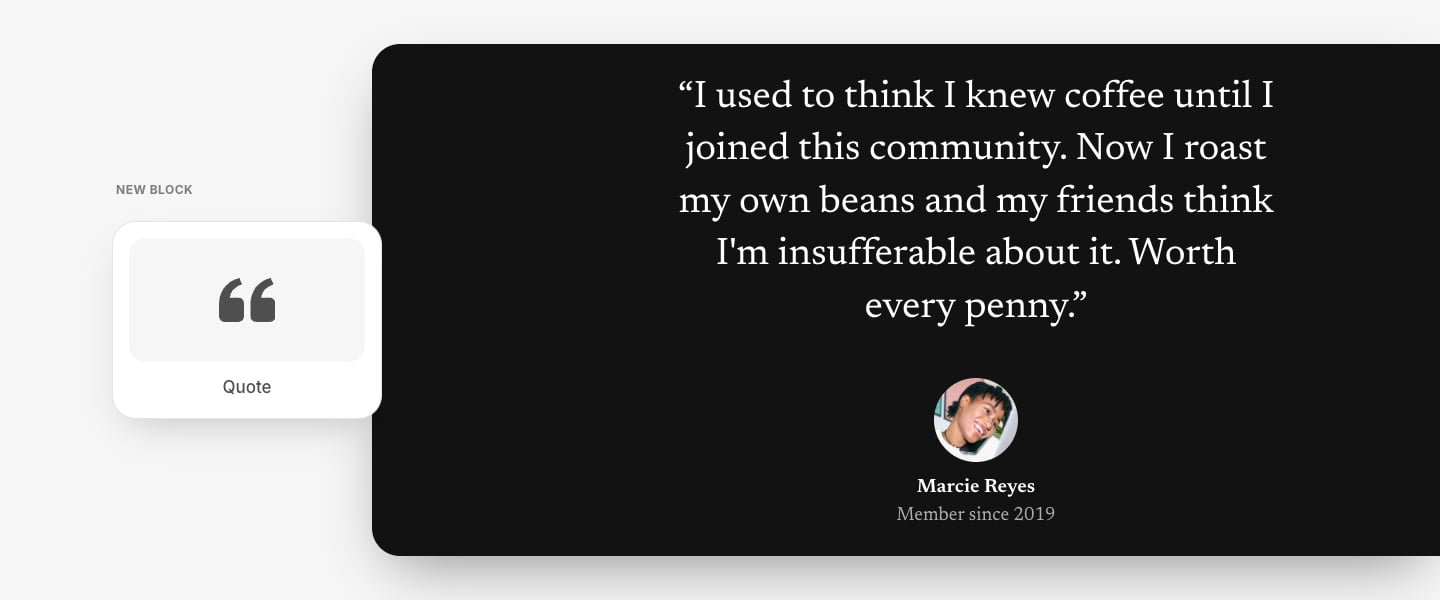
Website Builder
More fonts for your member website
You can now choose from 12 font families when customizing your member website, including Inter, DM Sans, Merriweather, Playfair Display, and more. Choose different fonts for body text and titles to give your site a look that better matches your brand.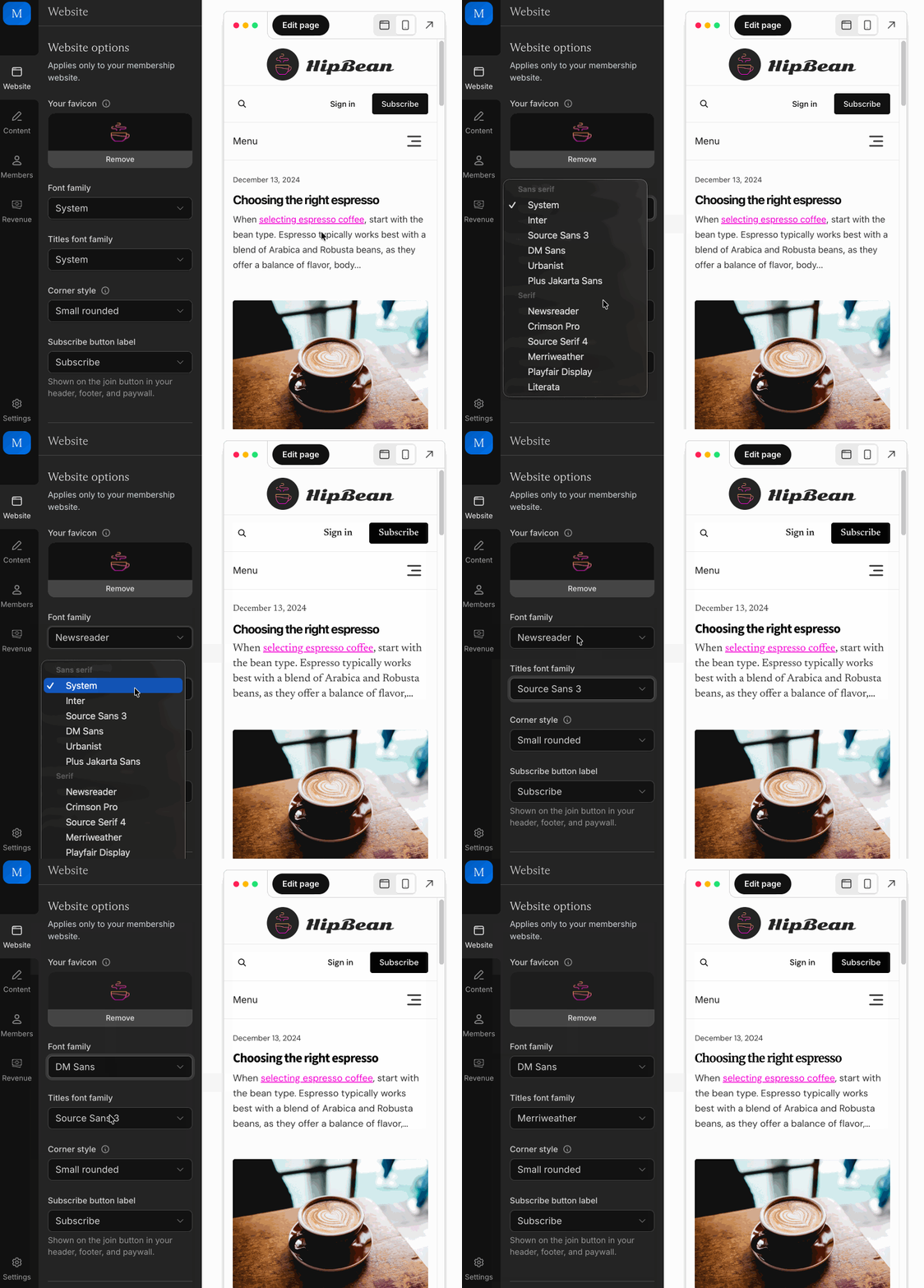
Checkout and paymentsAdmin dashboard
Create and manage coupons more easily
Coupons now have a separate internal label and list of codes, making it easier to organize your offers and track how each code performs. You can add up to 1,000 codes at once directly from the Memberful dashboard, which previously required the API, and view the redemption count and most recent redemption date for each code.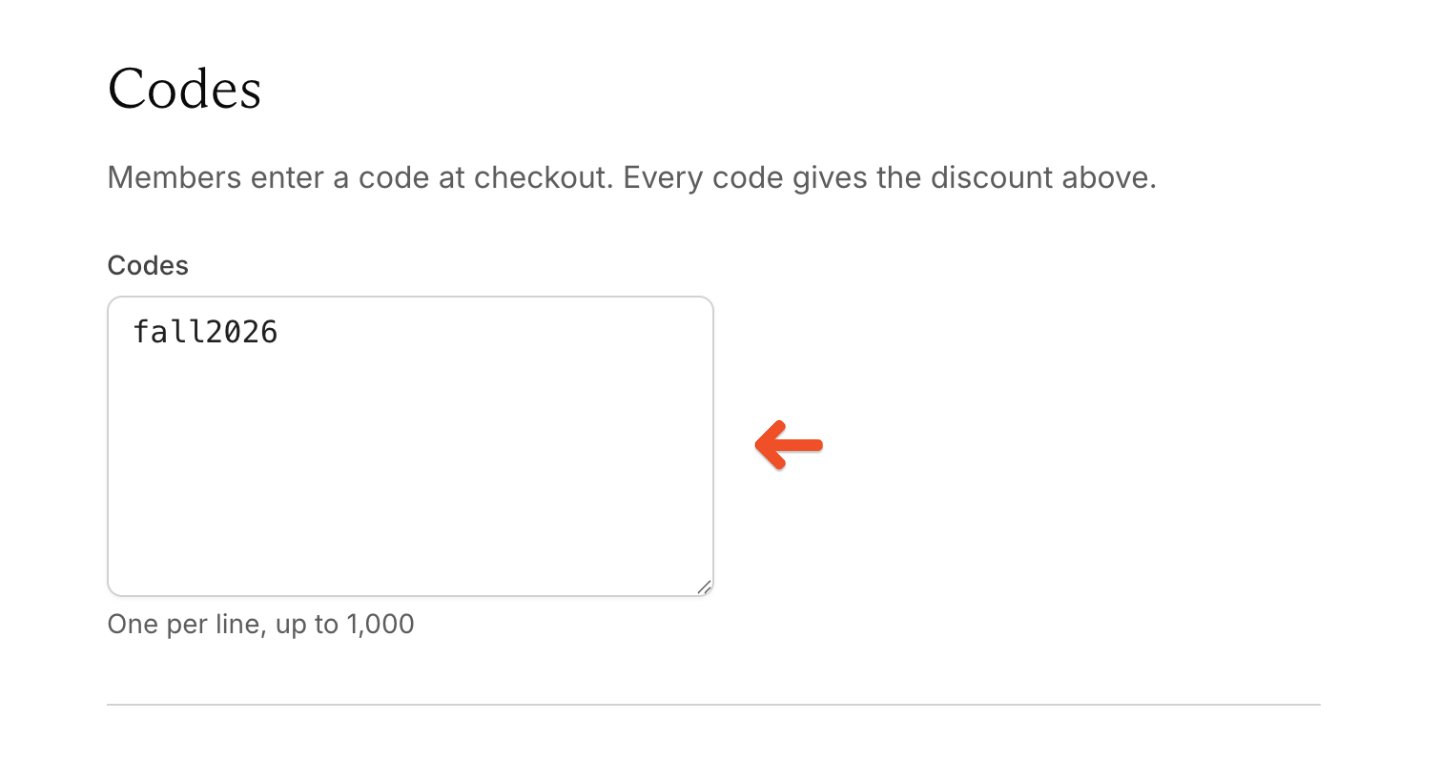
Admin dashboard
Hide revenue figures with Privacy Mode
You can now hide revenue figures and other sensitive metrics throughout your Memberful dashboard. Open your profile menu and toggle on Privacy Mode before sharing your screen or working in public.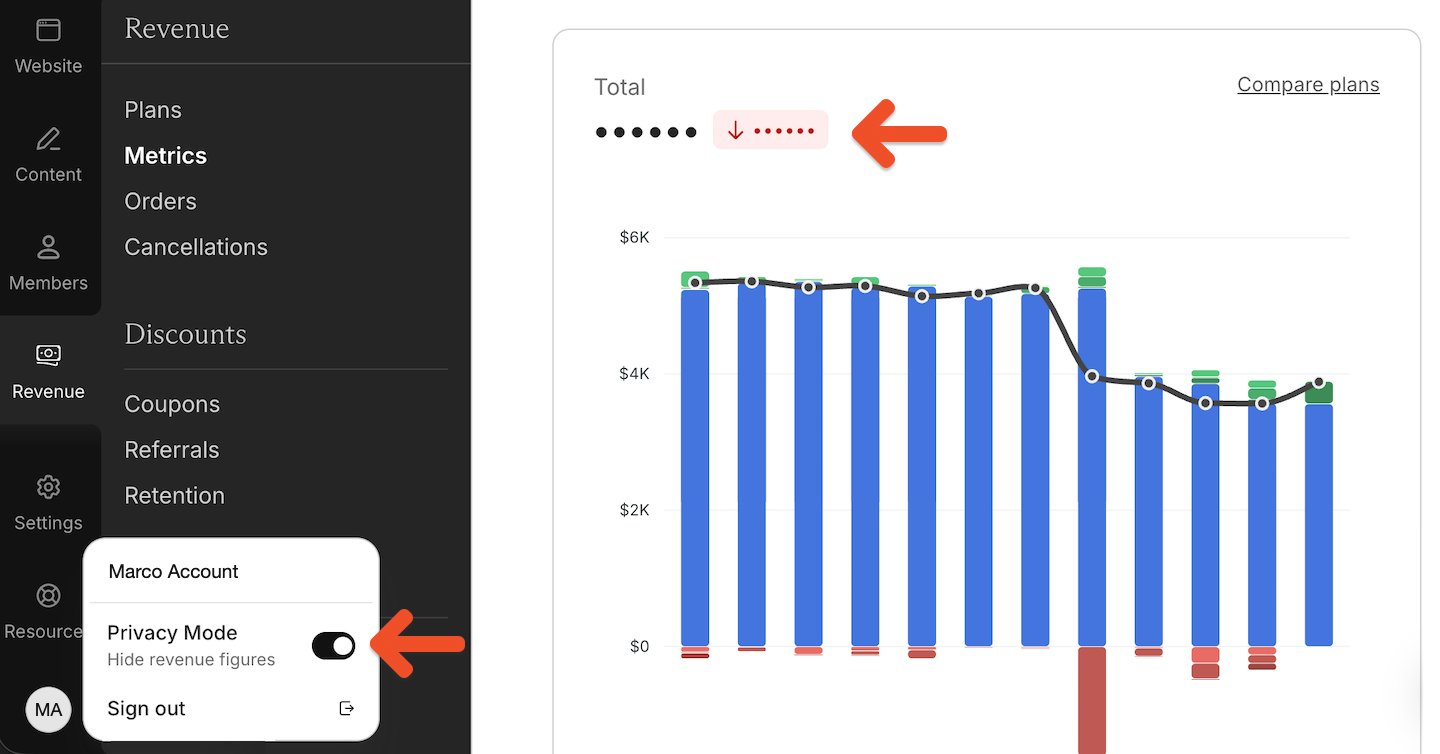
Website Builder
Choose your subscribe button label
You can now choose the label used on join buttons throughout your member website. Choose from Subscribe, Join, Donate, Support, or Become a Member to better match how you describe your membership.Your selected label appears on join buttons in the member website header, footer, and paywall.Read the docs →Website Builder
New Downloads block for member website pages
You can now add a Downloads block to pages on your Memberful member website, making it easy to share files like PDFs, MP3s, and other resources for members to download.Read the docs →WordPress plugin
Link members directly to their subscriptions
You can now use thememberful_subscriptions_link shortcode to add a link anywhere on your WordPress site that takes members directly to their subscriptions page.
Hosted member site
Publish pages without adding them to your navigation
Pages on your member site can now be set to Unlisted. The page stays live at its URL, but is removed from your navigation menu, making it easy to share through emails, external websites, or direct links.A new copy button in the page settings lets you quickly copy the page URL and share it wherever you need.Read the docs →Hosted member site
Add an announcement banner to your member site
You can now display a dismissible announcement banner at the top of your member site hosted by Memberful. Use it to share important updates, promote new content, or direct members to a specific page.Read the docs →Member experience
Upload a profile image directly to Memberful
Members can now upload and update their profile image directly from their member account. They no longer need to use Gravatar to add a photo.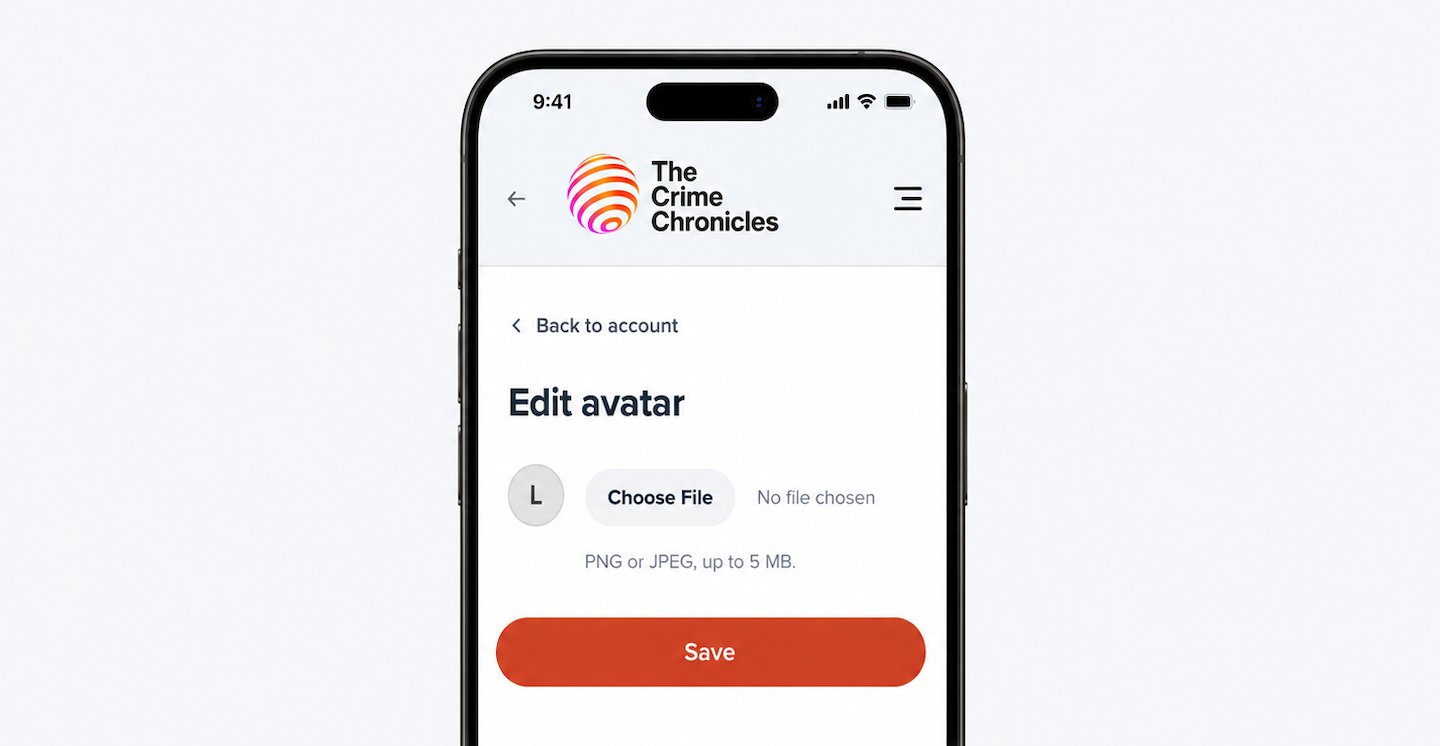
Website BuilderPlans
Add gift buttons to your subscription page
You can now add customizable gift buttons to eligible plans on your Memberful-hosted subscription page, making it easier for visitors to purchase a membership for someone else.Read the docs →IntegrationsDevelopers
Identify subscription reactivations
Webhooks and Zapier can now distinguish when a lapsed member reactivates their subscription from a regular renewal.Use the newsubscription.reactivated webhook event or Subscription Reactivated Zapier trigger to create automations specifically for returning members. For example, restore their access to Slack or Circle, or notify your team to follow up.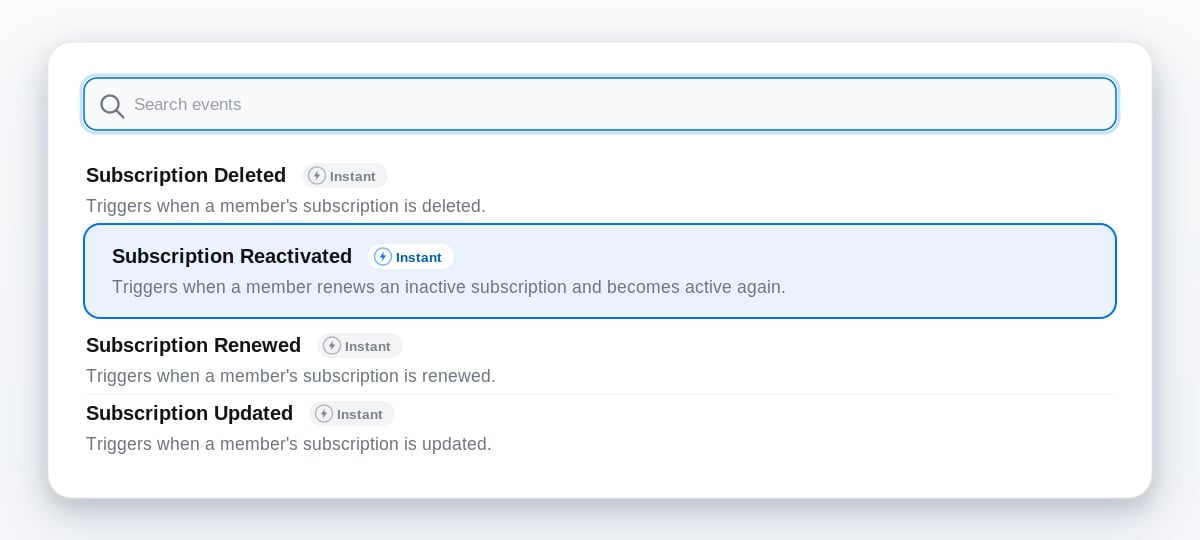
Member experienceMemberships and plans
Renewal reminders for more membership terms
Renewal reminder emails now go to members on plans lasting three months or longer, including quarterly and semi-annual memberships.Members on these plans receive the reminder 14 days before renewal, helping reduce surprise charges and avoidable refund requests. Members on annual plans will continue receiving their reminder 31 days before renewal.
Website Builder
Customize spacing on your member website
New spacing controls let you adjust the space around titles and content blocks. Choose from four options to create tighter or more open page layouts.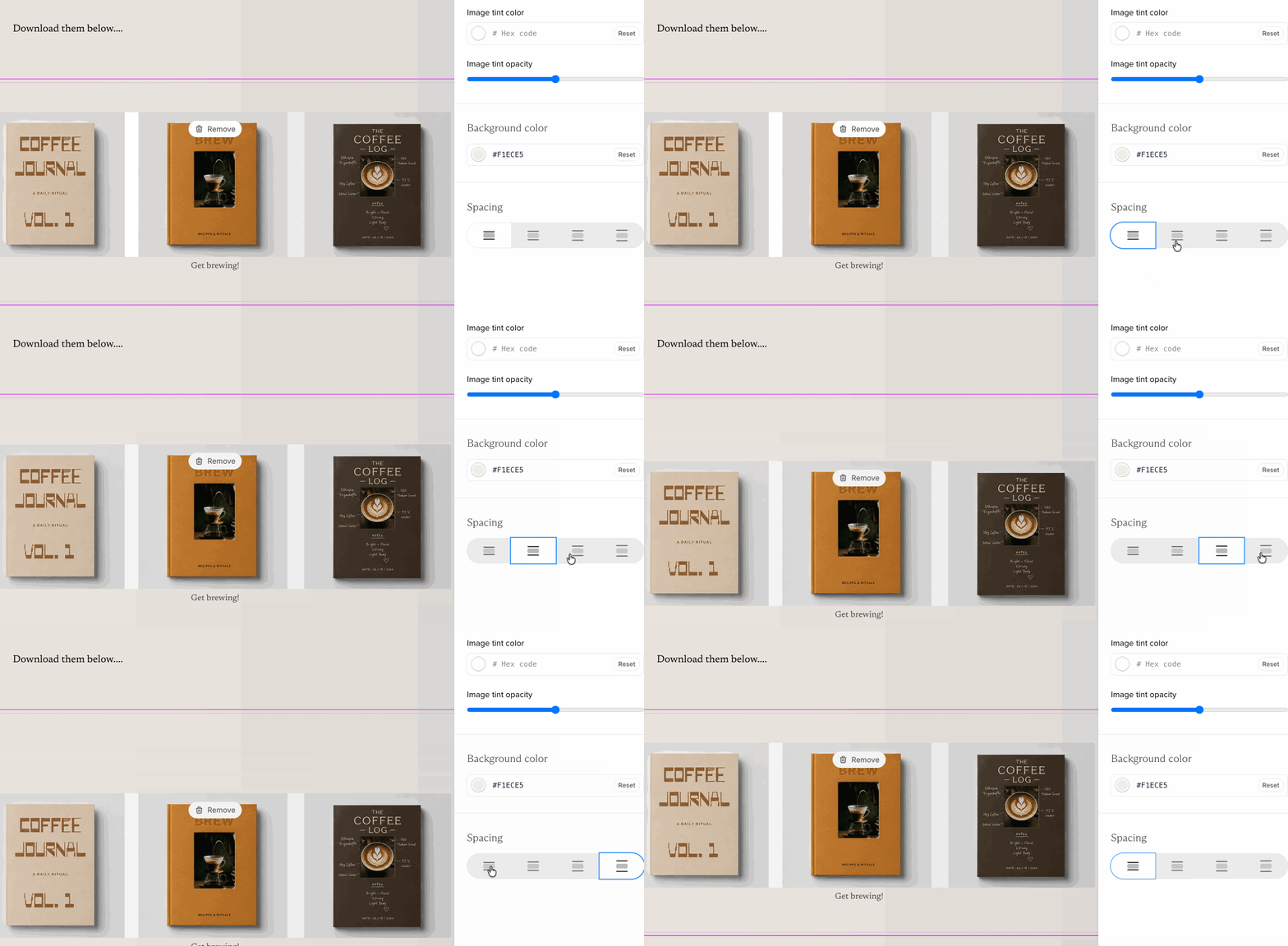
CheckoutPlans
Gift group subscriptions
Members can now purchase group subscriptions as gifts, making it easy to give access to a team, family, or community.Offer and manage gifts →Website Builder
Content blocks now support background colors
Content blocks now support background color settings, bringing them in line with the other block types in the Website Builder. Use background colors to make sections stand out and create more visually engaging page layouts.Read the docs →Checkout
Set a custom redirect after standalone download purchases
Standalone downloads can now have their own after checkout redirect. Instead of sending members back to your site’s default page, you can choose a custom URL for each downloadable product.This makes it easier to guide members to a thank-you page, onboarding instructions, or anywhere else you want them to go immediately after completing their purchase.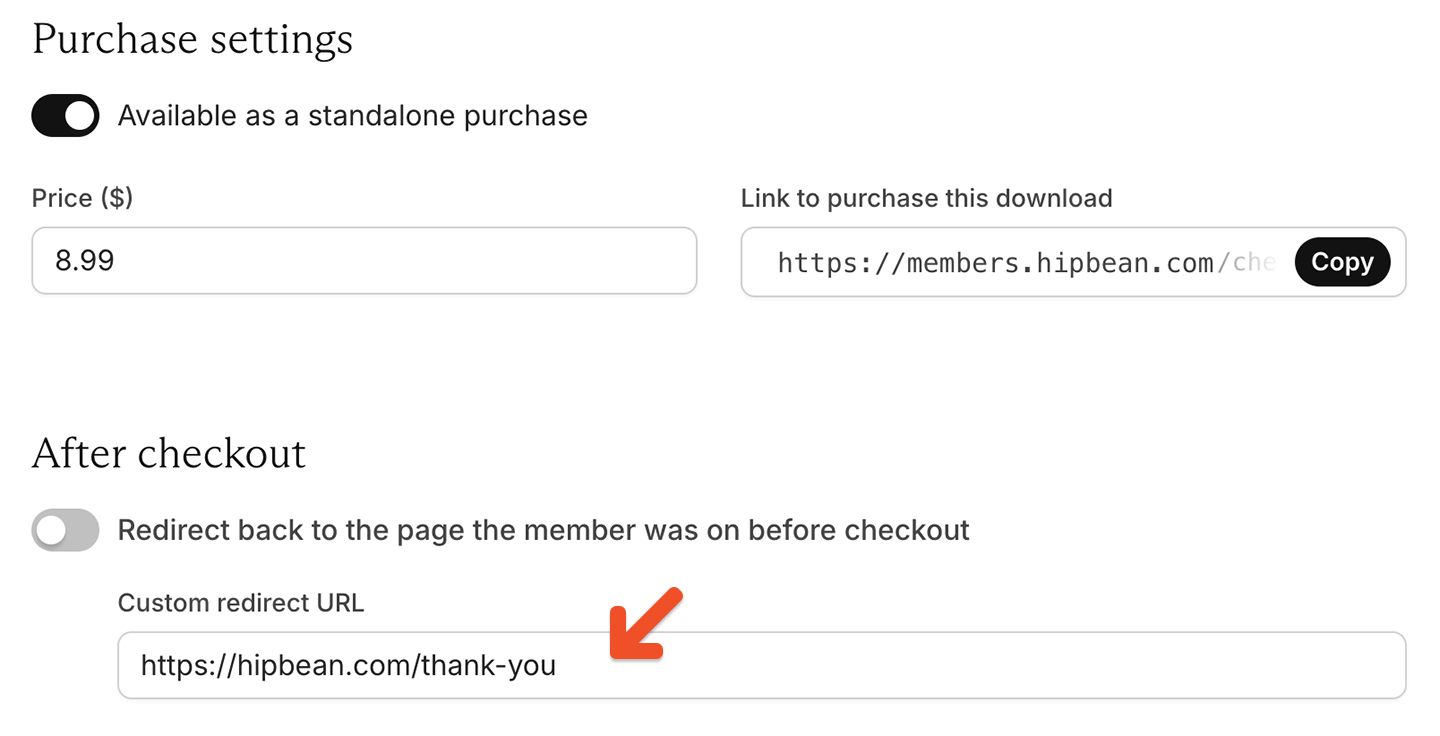
Memberships and plans
Choose how plan price changes affect members
Plan price changes now work differently to help you avoid unexpected billing changes for existing members.When updating a plan’s price, you’ll choose whether the change applies only to new signups or also affects existing members. This gives you more flexibility when introducing new pricing while maintaining the experience you want for current members.Read the docs →WordPress plugin
Membership expiry warning banner in WordPress
The Memberful WordPress plugin can now display a banner to members whose memberships are expiring soon or have already expired, making it easier for members to renew and maintain access.Read the docs →Admin dashboardMemberships and plans
Filter and sort plans by plan changes
You can now filter plans by their plan change settings and sort plans based on available plan changes, making it easier to review and manage upgrade and downgrade paths.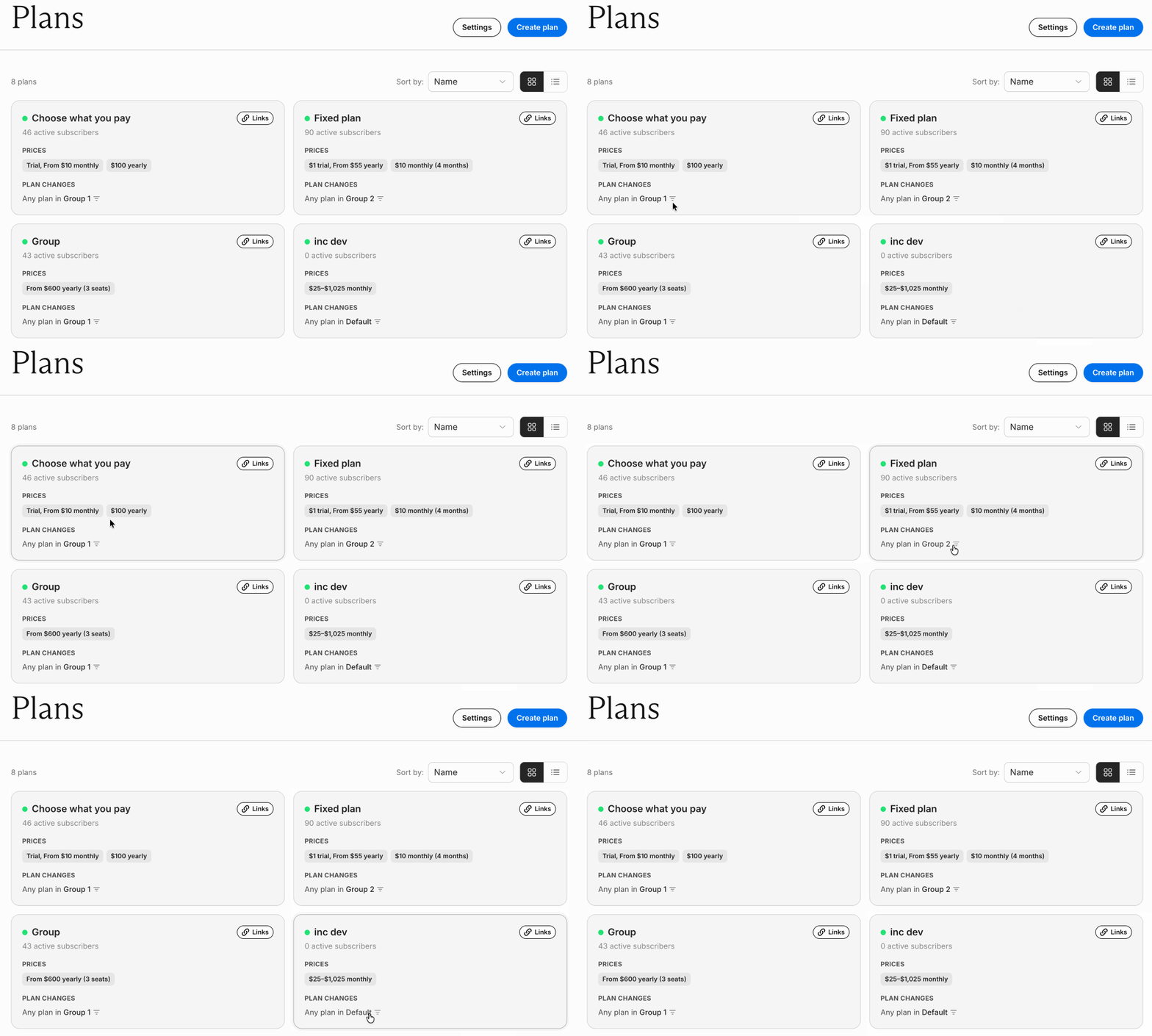
Hosted member site
Add a post archive to your member website
You can now add a post archive link to your member website’s navigation, making it easier for members to discover and explore posts beyond your latest updates.The archive works alongside your existing post categories, helping members find more of the content they’re looking for.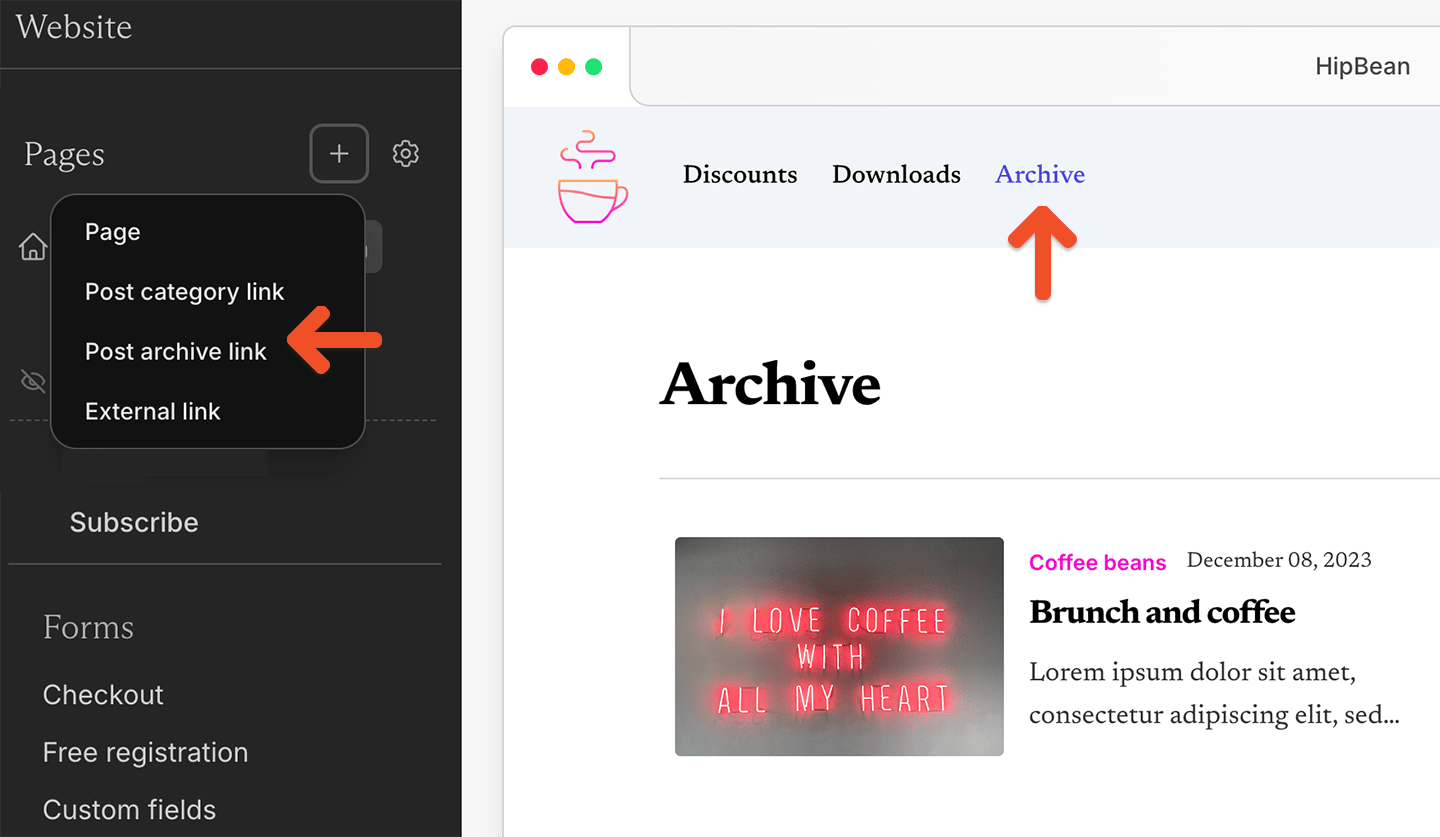
IntegrationsMember experience
Separate Discord roles for trial and paid members
Assign different Discord roles based on a member’s subscription status, so trial members and paying members can get different community access and permissions.Read the docs →Admin dashboardMemberships and plans
Move prices between plans with bulk moves
Bulk moves now support moving a price between plans without changing what members pay, making it easier to consolidate plans and update member access. We’ve also improved how scheduled plan changes are handled during moves.Read the docs →Checkout and paymentsMember experience
Stripe Link support
Members can securely save and reuse their payment details across sites that use Stripe, autofilling at checkout for faster returning purchases.Admin dashboardMemberships and plans
Import custom fields
Bring custom field data along when importing members, so member records arrive complete.Read the docs →WordPress plugin
Choose exactly where protected content begins
You can now use Memberful’s Paywall Divider to control exactly where protected content starts within a post or page.Content above the divider remains visible to visitors, while content below it is protected and available only to members. Place the divider where you want the preview to end and members-only content to begin.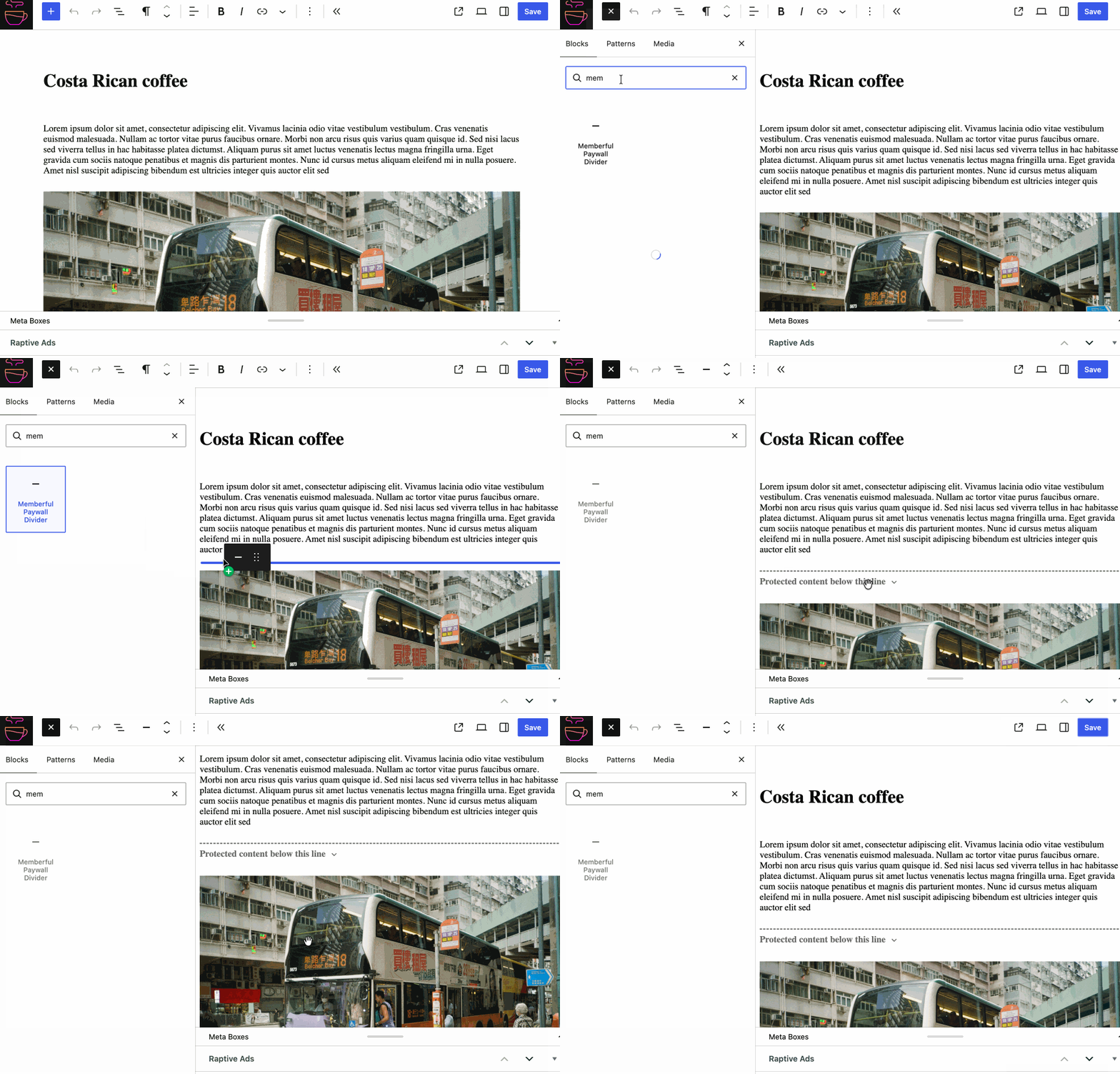
Memberships and plansCheckout and payments
Multiple prices in a single plan
Offer monthly, annual, or alternative pricing within one plan instead of duplicating plans — same member benefits and access rules.Read the docs →WordPress pluginMember experienceIntegrations
Hide ads for members
Automatically hide ads for paying members by integrating with popular ad platforms — an ad-free experience as a membership benefit, with no custom development. Members get fewer distractions while ad revenue from non-members stays intact.Read the docs →Integrations
ActiveCampaign integration
Keep ActiveCampaign contacts in sync as memberships change, so you can automate segmentation and campaigns based on membership activity.Read the docs →Admin dashboardMember experience
A new Memberful experience
A refreshed brand identity, an updated Memberful dashboard, and a redesigned website that better reflect how customers use Memberful at scale.Read more →WordPress pluginDevelopers
User roles by plan
Assign different WordPress user roles based on a member’s plan for finer-grained control over permissions and access.Read the docs →WordPress pluginDevelopers
Control block visibility
Show or hide individual blocks by membership status, login state, or plan — build mixed public and member-only pages without shortcodes.Read the docs →WordPress pluginDevelopers