- Staff member: Has their own login and can use only the dashboard sections you choose. In Settings, they can only open Account, where they can update their name, avatar, notification options, and email address.
- Unrestricted admin: A staff member with access to everything except Memberful billing, the Stripe connection, and closing the account. This includes settings, staff, integrations, and taxes. Only unrestricted admins can invite staff, resend or delete invitations, change permissions, remove staff, and send password reset emails.
- Account owner: Has access to everything and is the only one who can access Memberful billing, manage the Stripe connection, or close the account. Their permissions can’t be changed.
Invite a staff member
1
Open staff settings
Go to Settings → Staff, then click Invite staff member.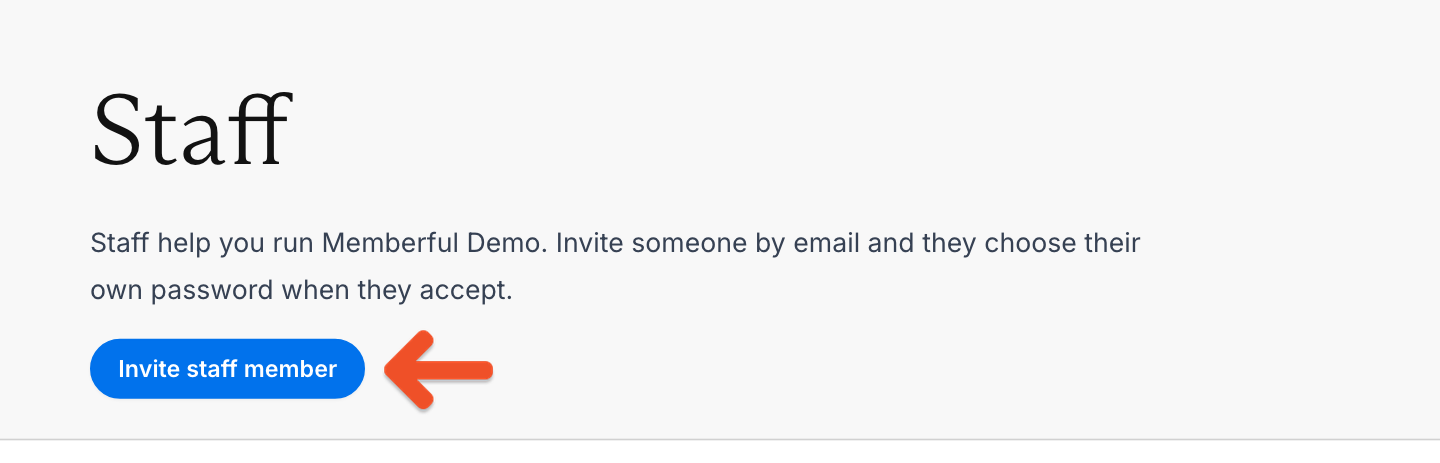
2
Enter the staff member's details
Enter the staff member’s email address. Their name is optional, and they can change it when they accept the invitation.
A staff account can’t use the same email address as an existing Memberful member. To fix this, invite the staff member with a different email address, or edit the member’s profile and change the member’s email address first. If the staff member uses Gmail, they can add a ”+” to their address to create a separate one, such as jamie+staff@gmail.com.
3
Choose staff permissions
Under What can they open?, choose one of these options: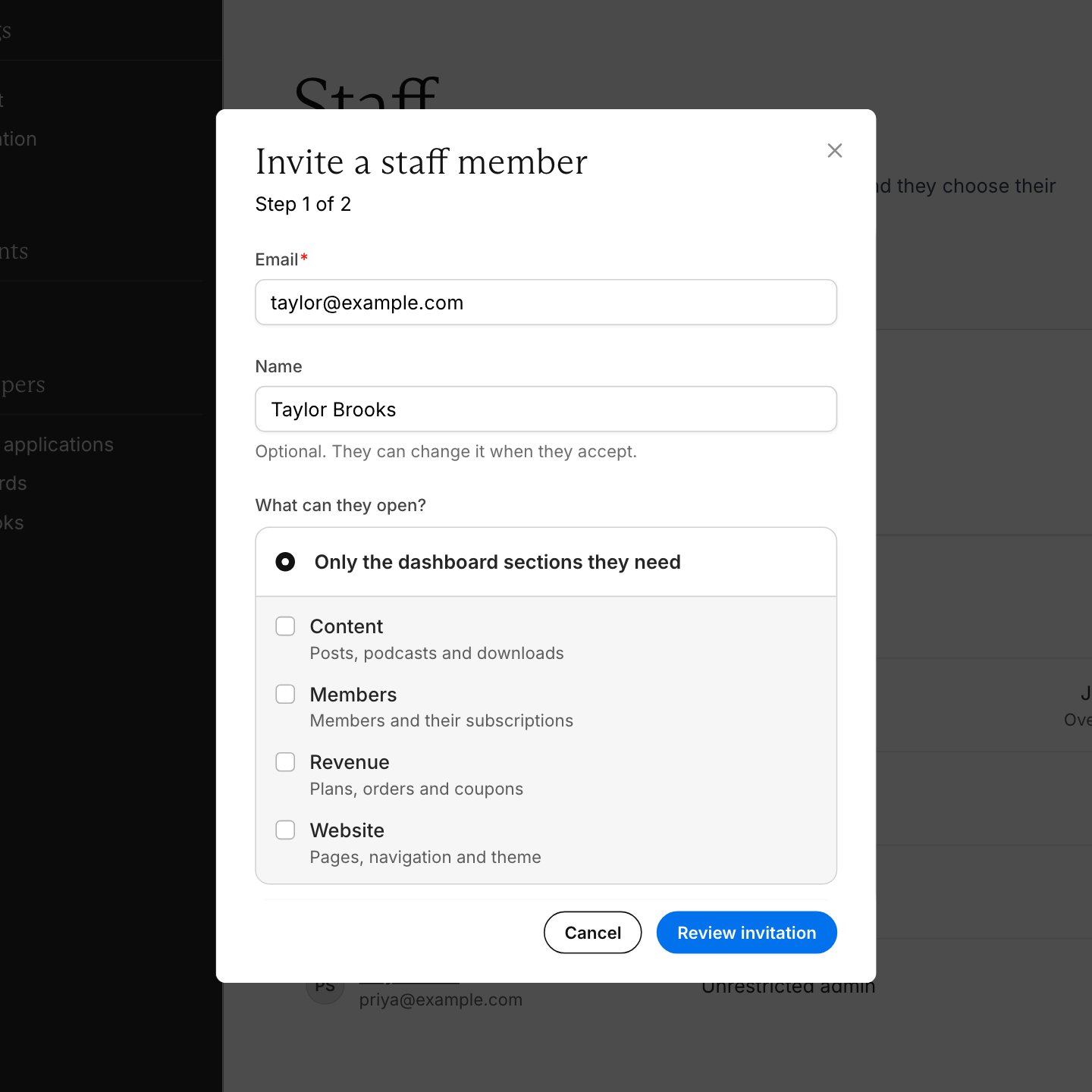
- Only the dashboard sections they need: Choose which areas they can use:
- Content: Posts, podcasts, and downloads.
- Members: Members and their subscriptions.
- Revenue: Plans, orders, and coupons.
- Website: Pages, navigation, and theme.
- Unrestricted admin: Give them access to everything except Memberful billing, the Stripe connection, and closing the account, including settings, staff, integrations, and taxes.
Only the account owner can access Memberful billing, including when staff have unrestricted admin access.
4
Review the invitation
Click Review invitation and check the details. To make changes, click Back. Your entries are kept.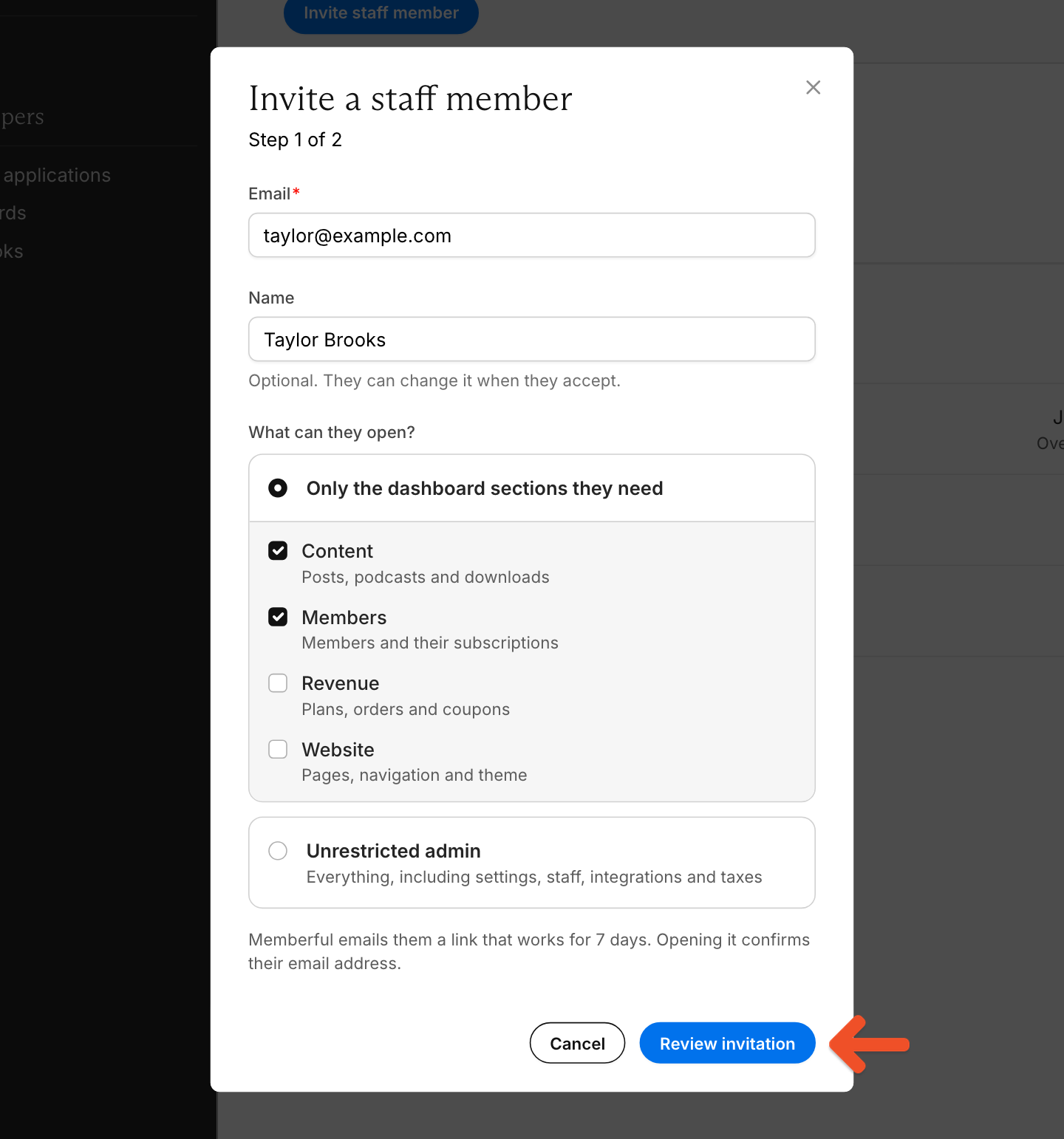
5
Send the invitation
Click Send invitation.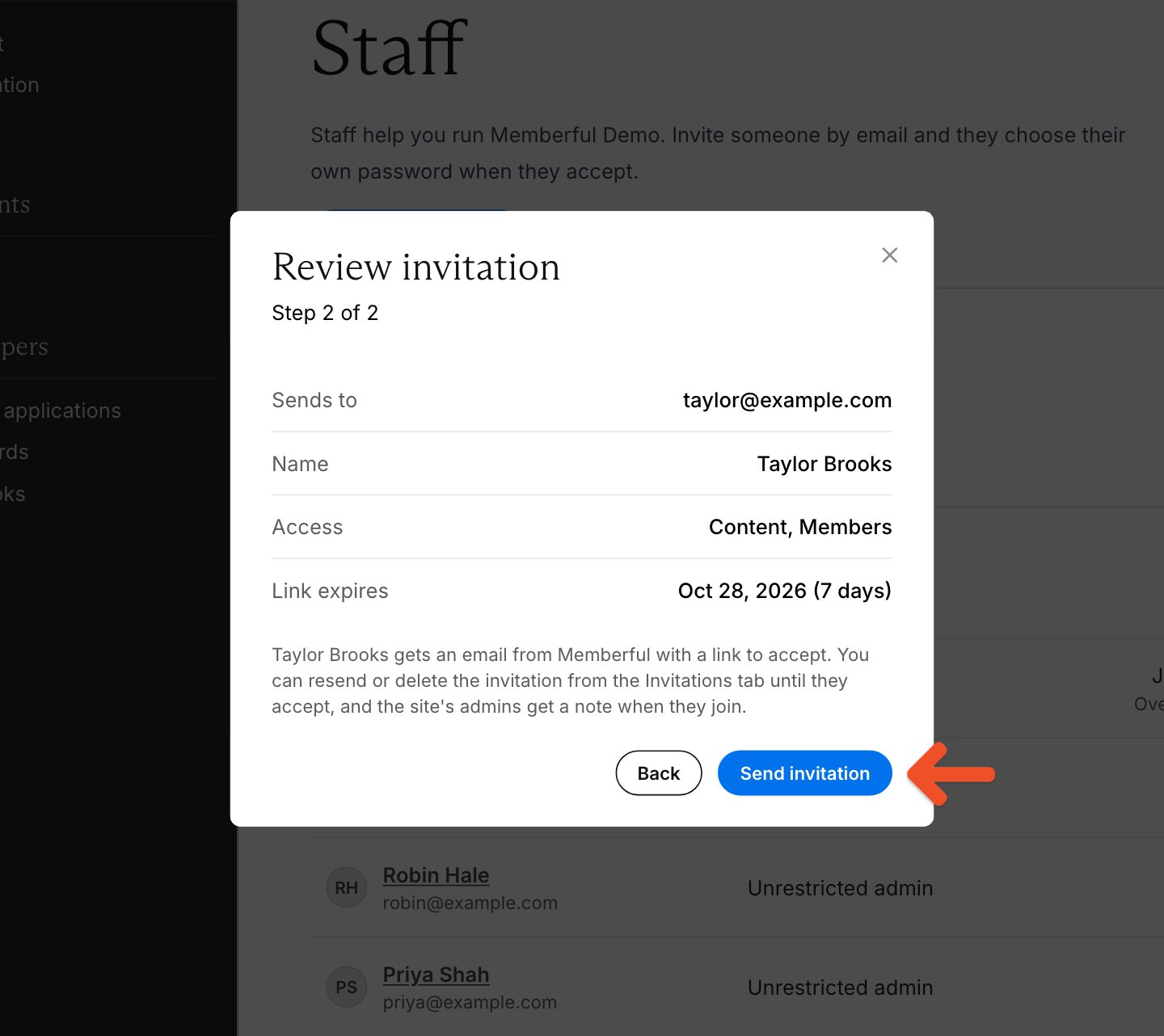
Accept a staff invitation
To accept an invitation:1
Open the invitation
Click the link in your invitation email.
2
Review your access
Review who invited you, the site, and which sections you’ll be able to open. Click Accept invitation.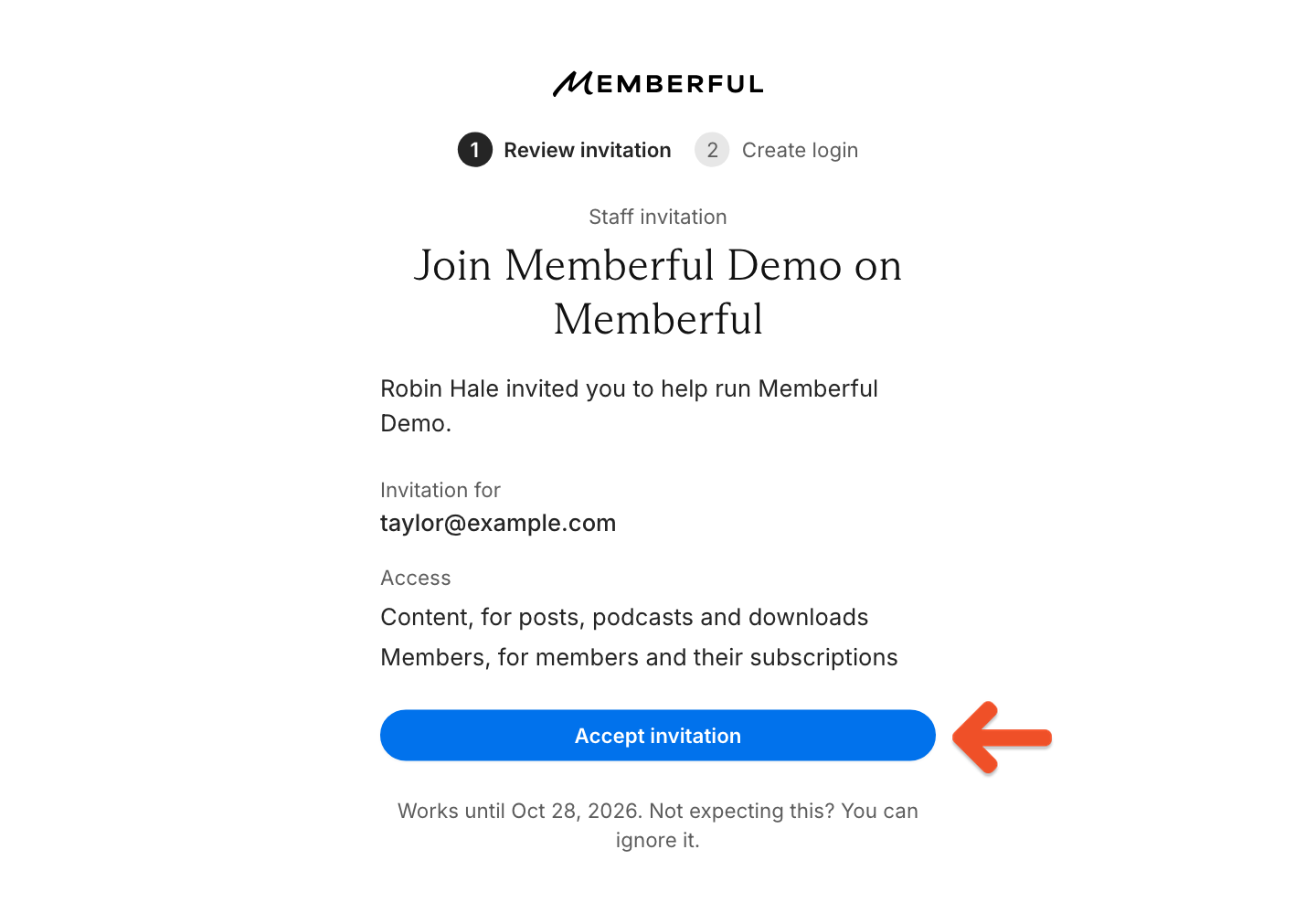
3
Create your login
Check your name, then choose a password. Your name is prefilled with what the inviter entered, is required, and can be up to 50 characters.If your organization uses single sign-on, sign in through its provider instead. Memberful uses the name from your provider, or the name the inviter entered. If neither is available, it uses the part of your email address before the @. You can change your name later in Settings → Account.
Staff sign-in
Sign in to the Memberful dashboard with your email address and password. If your organization uses single sign-on, sign in through its provider instead.Verify your email address
Staff members and account owners who sign in with an email address and password must verify their email address. Accepting a staff invitation or resetting your password verifies it. If you haven’t done either, for example as the account owner, you’ll see a security check when you sign in. Staff who joined or changed their email address before email verification was introduced may also see it. If you’re asked to verify when you sign in, click Send verification link on the security check, then open the link in your inbox. Each link is valid for 24 hours.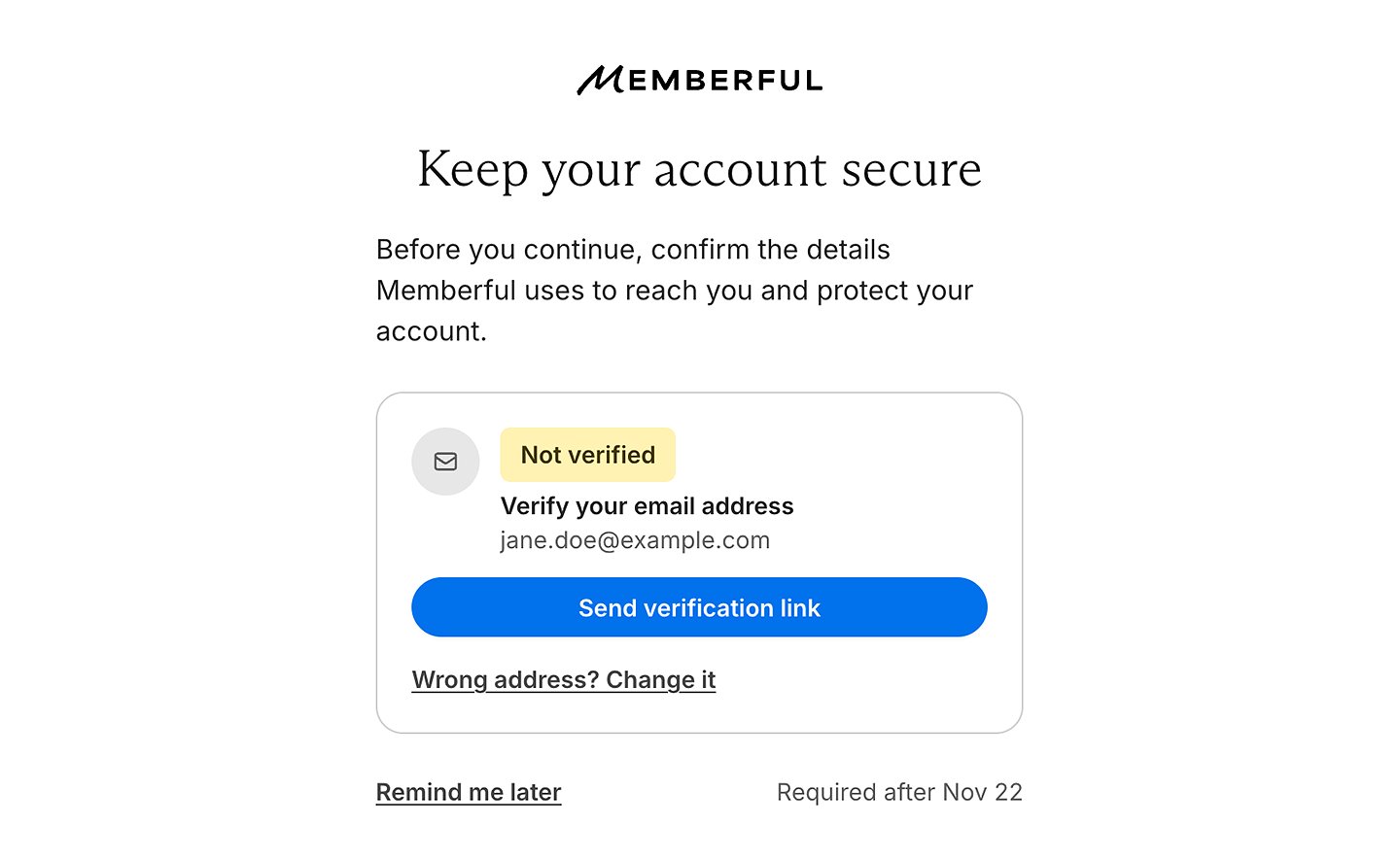
Sign in with single sign-on
Your organization’s single sign-on provider confirms staff email addresses, so you won’t see the security check. Staff email addresses in Memberful must match those in your provider, and staff members can’t change their own email address in Memberful. To check whether your site uses single sign-on, look at the Memberful dashboard sign-in page. If it shows a Sign in with [provider] button instead of a password field, your site uses single sign-on. Single sign-on is in beta. To set it up, for a link to the identity provider setup page. Only unrestricted admins can open it. Then follow the guide for your provider: Okta, Microsoft Entra ID, or another OpenID Connect provider. Google is also supported and doesn’t need a separate guide. If a staff member’s email address changes in your provider, an unrestricted admin can update it in Memberful:1
Open the staff member's account
Go to Settings → Staff and click the staff member’s name.
2
Change the email address
Click Change email next to their email address. Enter the address from your provider under New email, then click Change email.
Manage staff invitations
Go to Settings → Staff and click the Invitations tab to view pending invitations. When invitations are pending, the tab shows how many, such as Invitations (2). Only unrestricted admins can see this tab. If Memberful can’t deliver an invitation, its status shows Not delivered and its email address shows a red Invitation not delivered link. Click the link to troubleshoot it. To resend or delete a pending invitation, click the ⋯ menu on its row and select Resend invitation or Delete invitation. If an invitation wasn’t delivered, only Delete invitation is shown.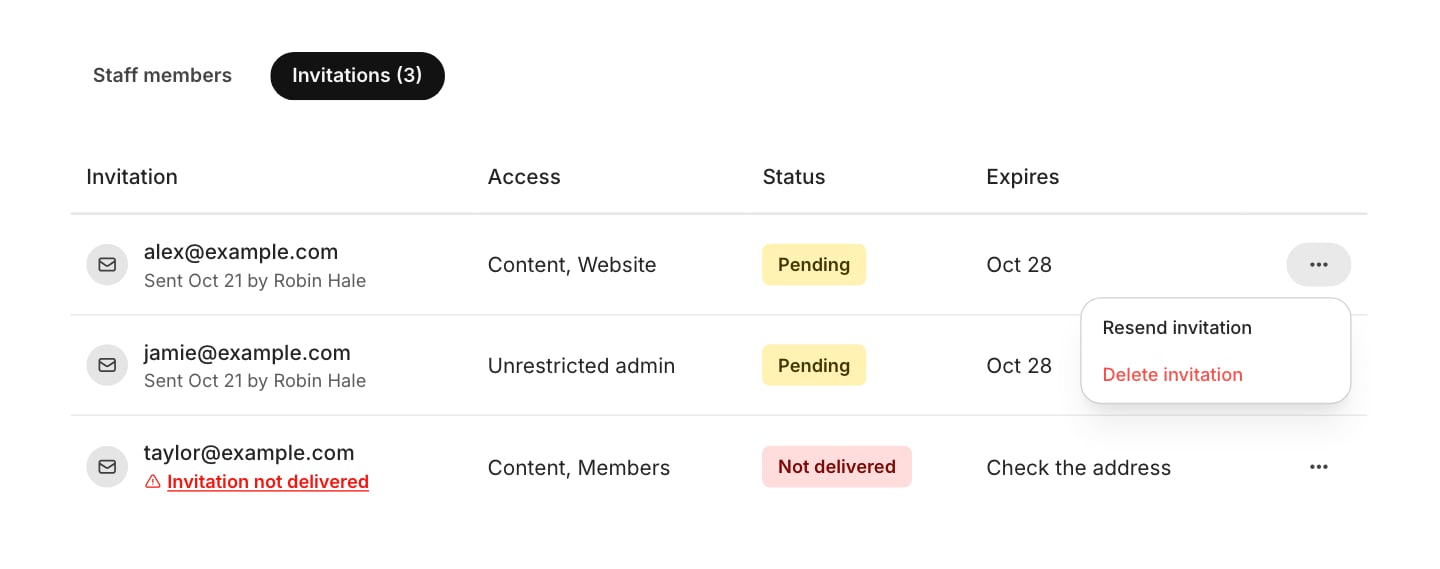
Manage staff members
Change a staff member’s permissions
Update a staff member’s permissions when their role or responsibilities change.1
Open the staff member's page
Go to Settings → Staff, then click the staff member’s name.
2
Choose what they can open
Under What [name] can open, select Only the dashboard sections they need and choose their sections, or select Unrestricted admin.
3
Save your changes
Click Save changes.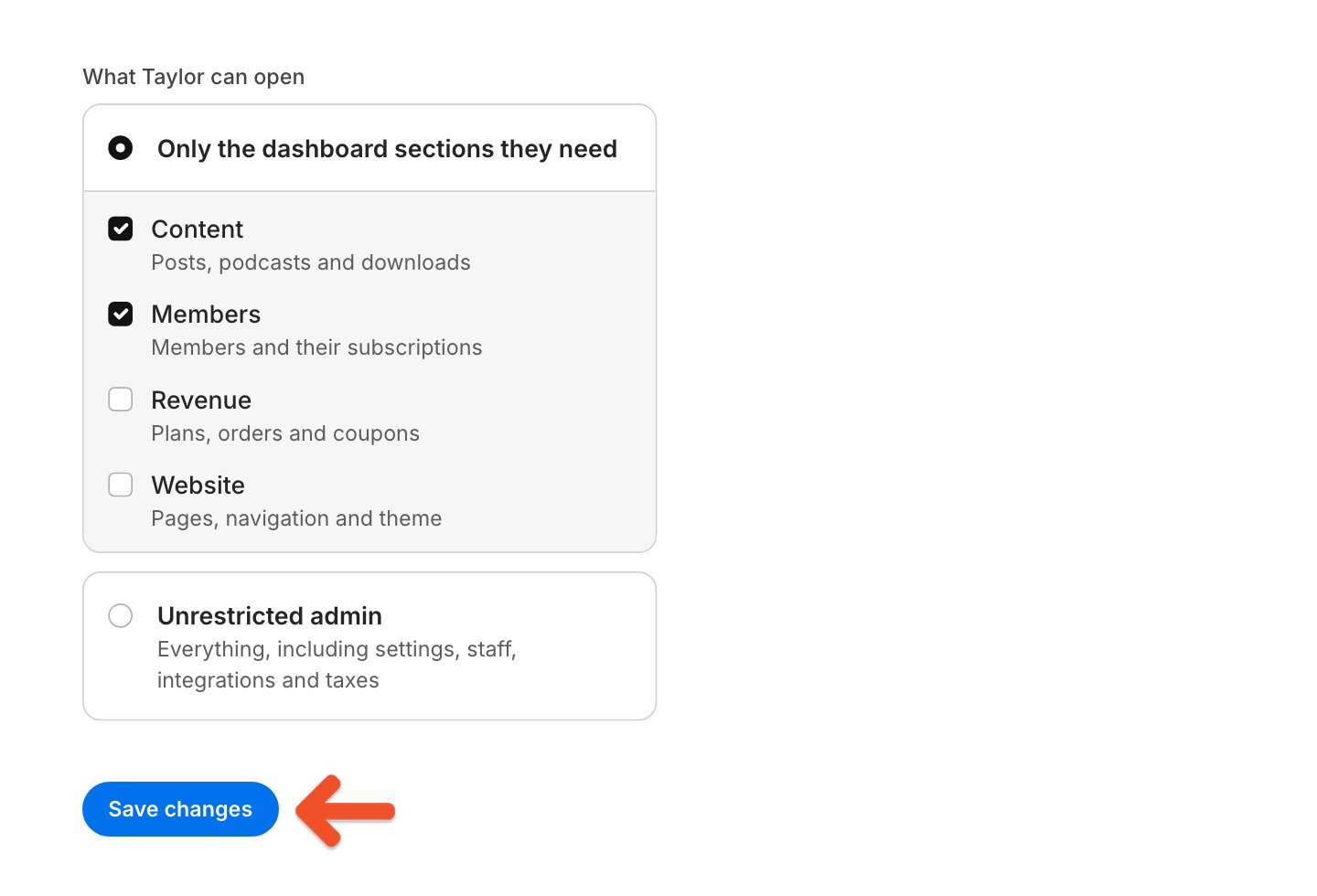
You can’t change the account owner’s permissions. The account owner always has access to everything.
Change email addresses
These steps apply if your organization doesn’t use single sign-on. If it does, follow the single sign-on steps. With these steps, an email address changes only after the person confirms it from their new inbox.Unrestricted admins can’t change the account owner’s email address. If your organization uses single sign-on and the owner’s address changes in your provider, for assistance with updating it.
Change another staff member’s email address
If your organization uses single sign-on, follow the single sign-on steps instead. Unrestricted admins can change a staff member’s email address only if it hasn’t been verified or if the email isn’t delivering. The Change email button doesn’t appear for your own account, for the account owner, or while another email change is pending.1
Open the staff member's page
Go to Settings → Staff, then click the staff member’s name.
2
Send a confirmation link
Click Change email, enter the new address, then click Send confirmation link.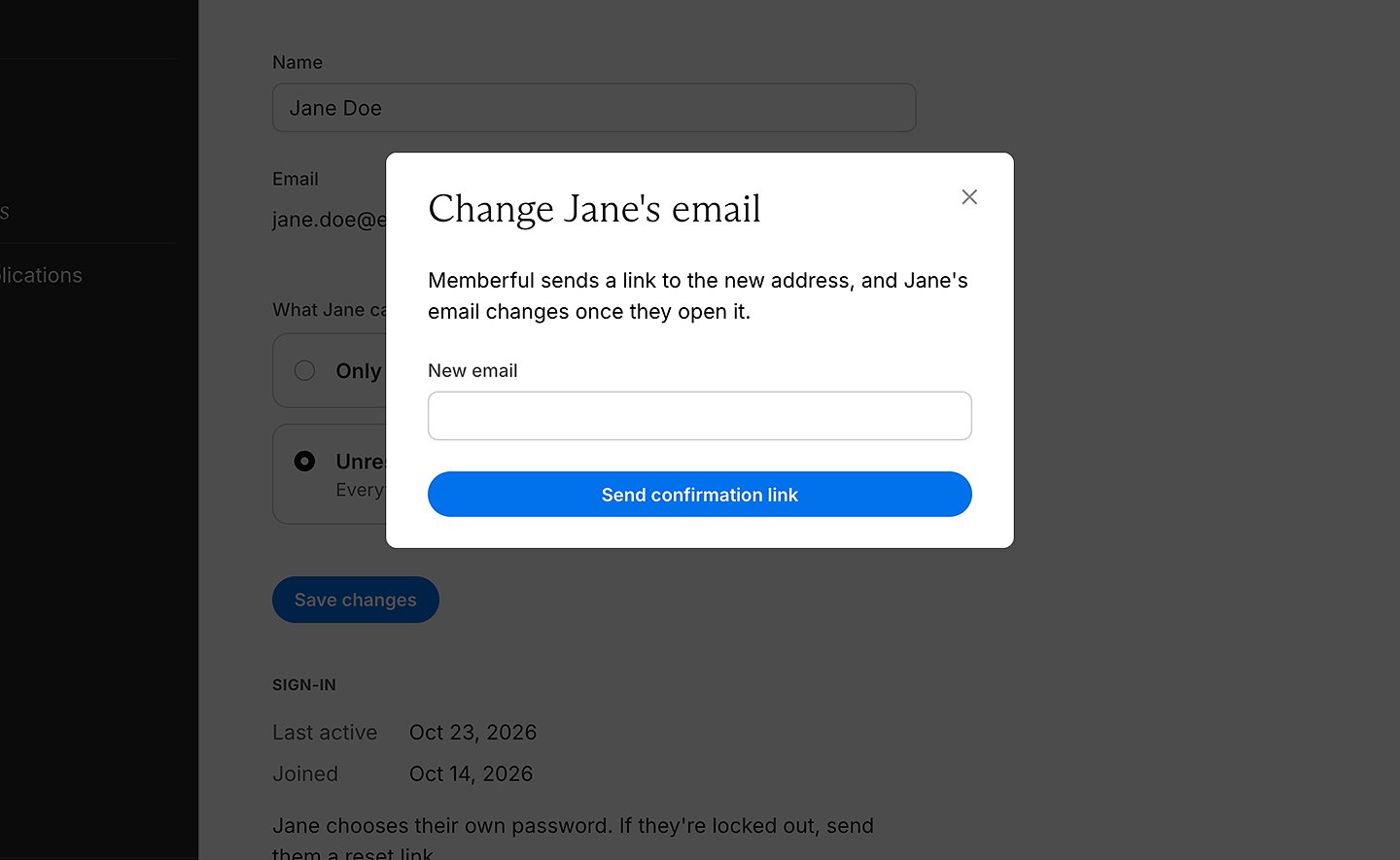
3
Confirm the new address
Ask the staff member to open the link sent to their new inbox. Their email address changes only after they confirm it.
Change your own email address
If your organization uses single sign-on, you can’t change your own email address in Memberful. Follow the single sign-on steps instead. Staff members and account owners can change their own email address, unless they haven’t used the dashboard for over a year and still need to verify their email address:1
Open your account settings
Go to Settings → Account, then click Change email.
2
Send a confirmation link
Enter your new email address and current password, then click Send confirmation link.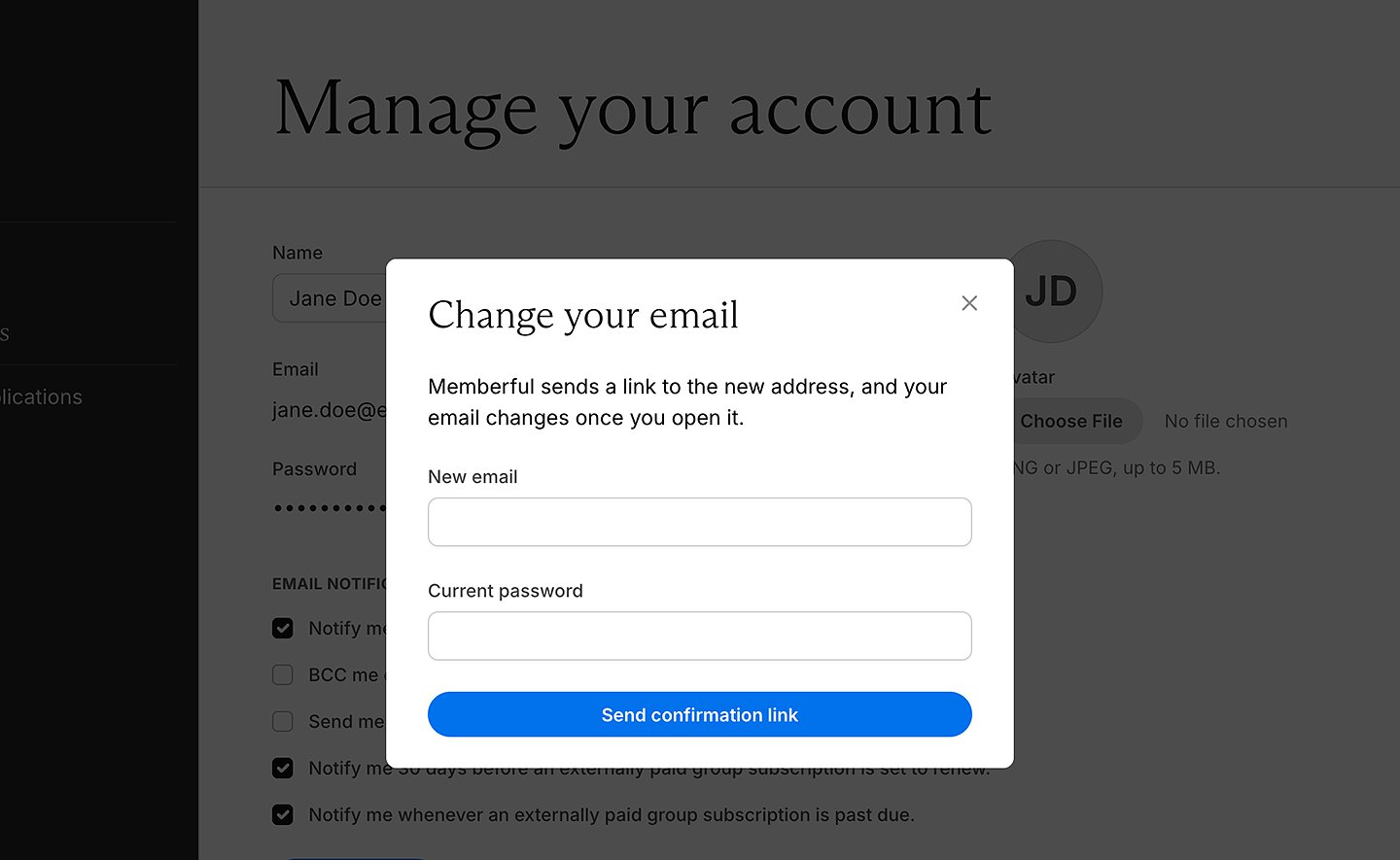
3
Confirm the new address
Open the link sent to your new inbox. Your email address changes only after you confirm it.
Remove a staff member
1
Open the staff member's page
Go to Settings → Staff, then click the staff member’s name.
2
Remove them from staff
Under Remove from staff, click Remove [name].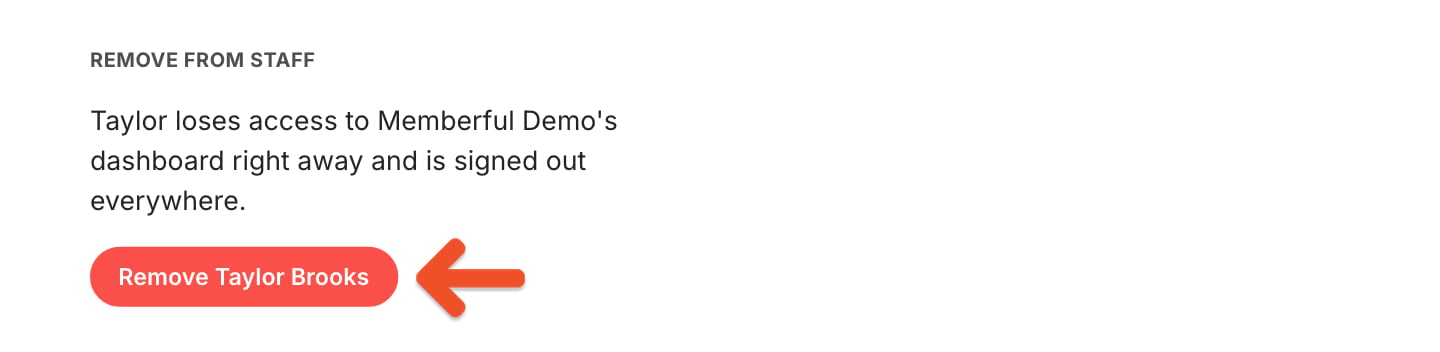
3
Confirm the removal
Click OK to confirm that you want to remove them.
Troubleshoot staff access
If your invitation expired
If an invitation expires before it’s accepted, the recipient can click Ask [name] for a new invitation on the expired invitation page. Memberful then emails the person who sent the invitation, or the account owner if there’s no sender. Any unrestricted admin can send the new invitation.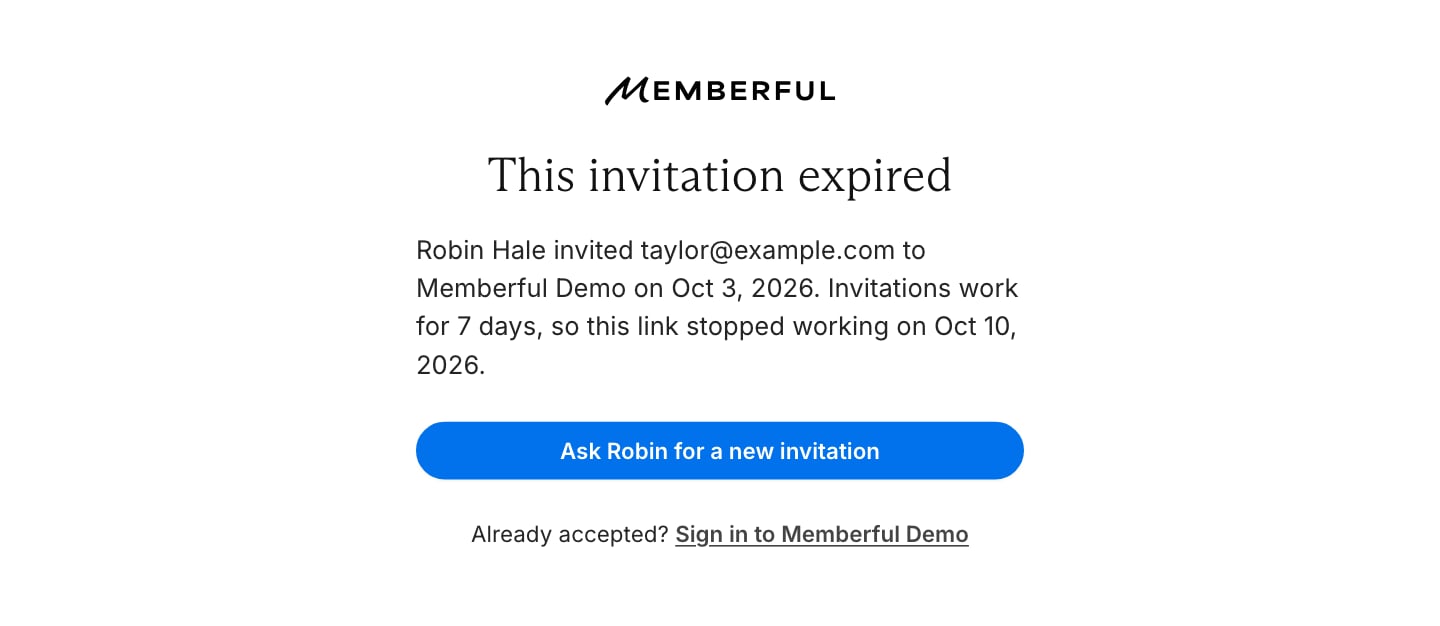
1
Open staff invitations
Go to Settings → Staff and click the Invitations tab.
2
Show expired invitations
Click Show next to Expired invitations.
3
Open the invitation menu
Click the ⋯ menu on the invitation’s row.
4
Send a new invitation
Click Send new invitation. The new invitation is valid for 7 days, and you become its sender.You need a verified email address to send it. If the invitee’s address isn’t delivering, this option isn’t shown. See Troubleshoot email delivery.
Troubleshoot email delivery
If an email hasn’t arrived, check your spam folder first. You can request a new verification link from the security check after a minute. For a pending invitation, resend it from staff invitations. If Memberful can’t deliver email to an address, invitations and the security check show Not delivered, while Settings → Staff shows Email isn’t delivering. Sign-in links, password resets, and notifications won’t reach the affected address. Click Invitation not delivered on a pending invitation, or the delivery warning on the staff member’s page, and check the address.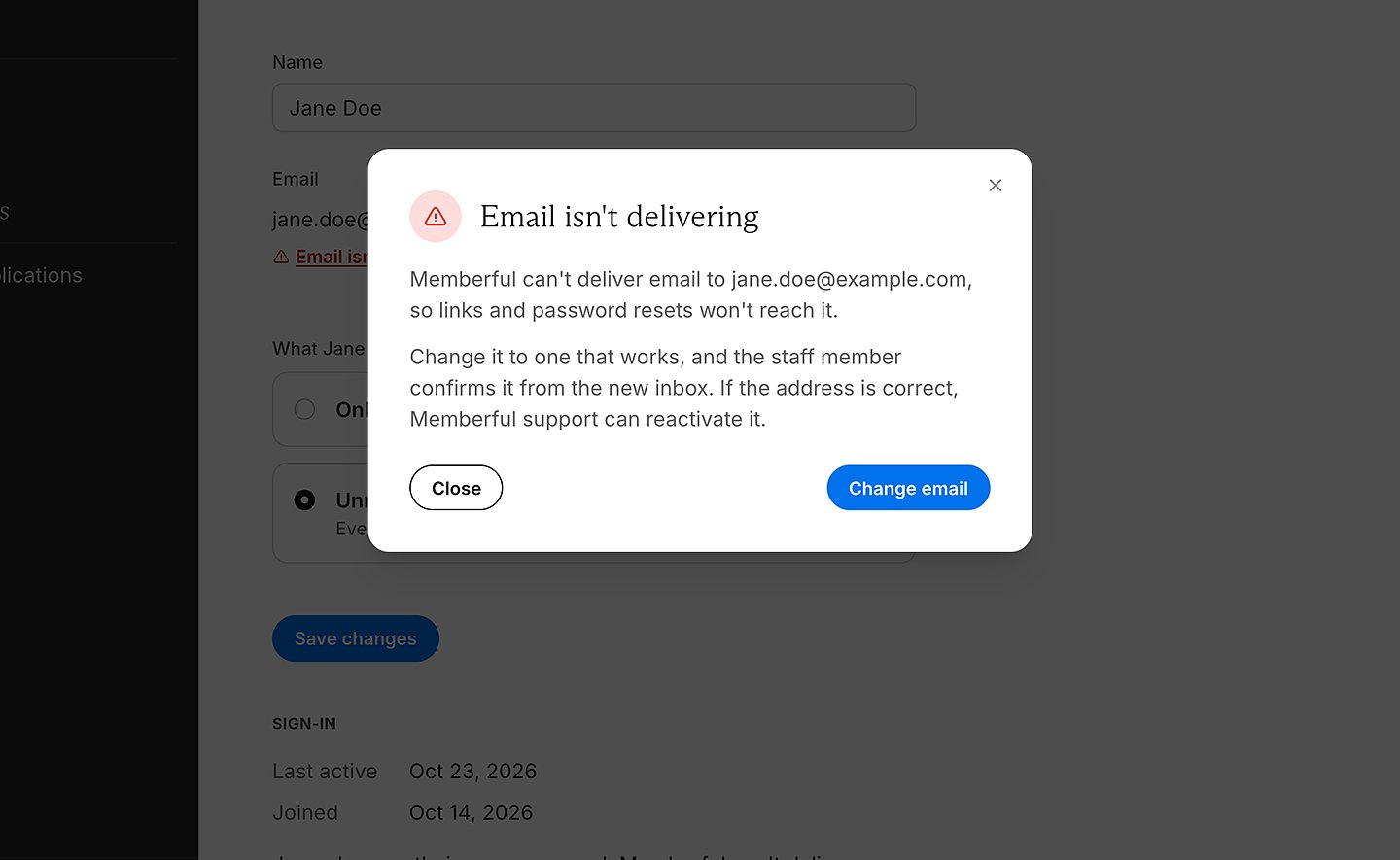
- If the address is correct, click Yes, it’s correct for a pending invitation, then so we can assist.
- If the address on a staff member’s page is correct, to reactivate it. Only Memberful support can do this. If it’s wrong, click Change email.
- If a pending invitation has the wrong address, click No, it’s wrong, then Delete invitation, and invite the correct address.
- If your own address isn’t delivering, click Email isn’t delivering in Settings → Account. You can change it there, unless your organization uses single sign-on. In that case, ask an unrestricted admin to change it, or if you’re the account owner.
- If the security check shows the wrong address, click Wrong address? Change it and confirm the change from your new inbox. This link isn’t shown on single sign-on sites, or if you haven’t used the dashboard for over a year. An unrestricted admin can also change an unverified or undeliverable staff email address.
Reset a staff member’s password
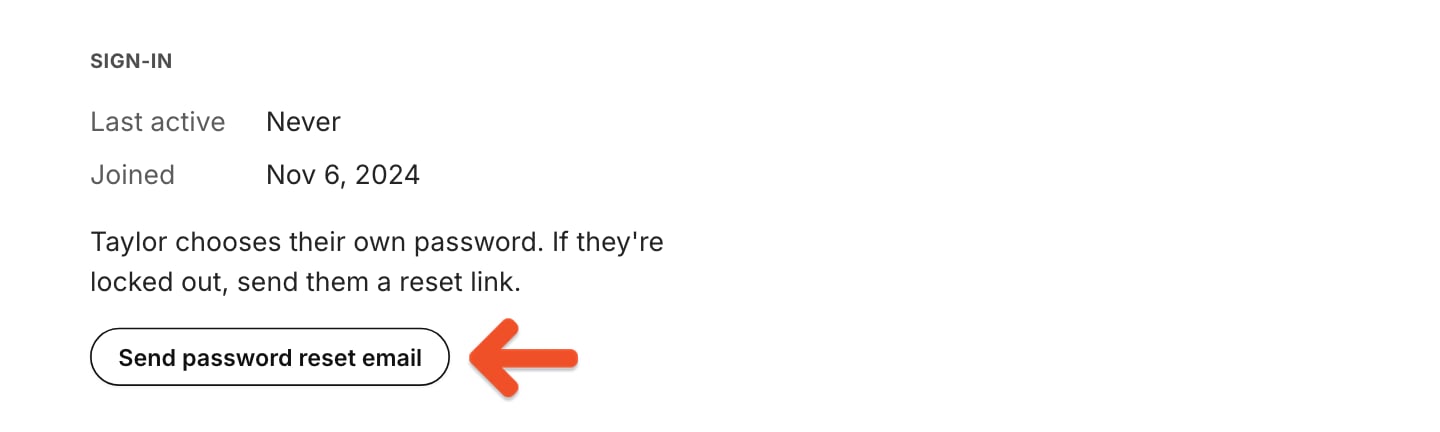
Staff members choose their own passwords, so you can’t set one for them. If a staff member is locked out, go to Settings → Staff, click their name, then click Send password reset email. Only unrestricted admins can do this. The button isn’t available if your organization uses single sign-on, or if the staff member’s email isn’t delivering.