

Change your website name
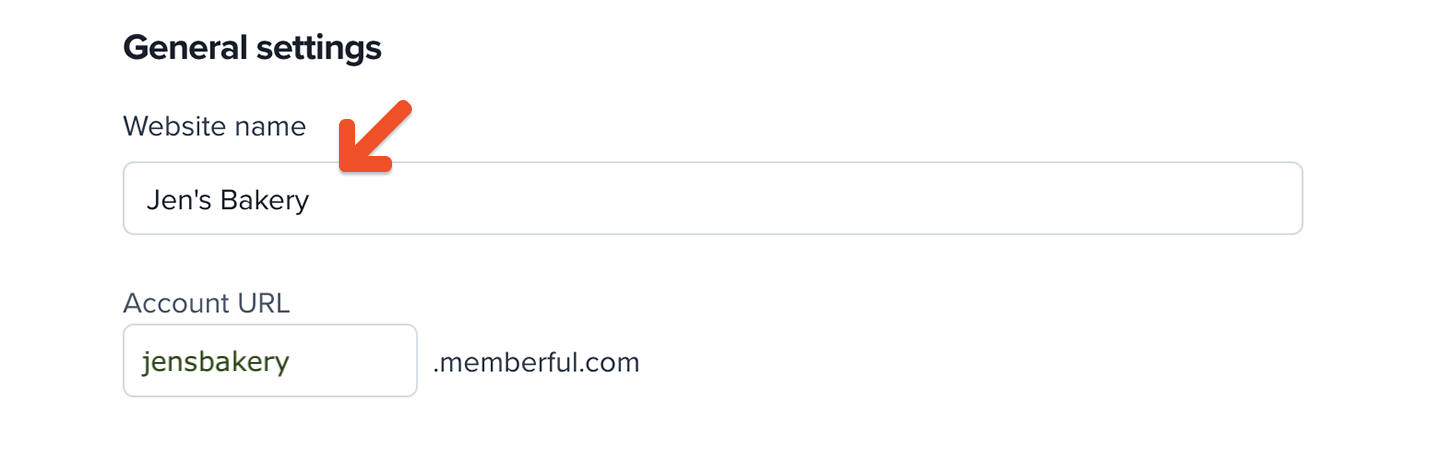
Go to Website → General settings. Enter your new website name in Website name, then save your changes. Changing your website name affects:- the From name in emails Memberful sends on your behalf
- all member website pages if you haven’t uploaded a logo
Change your account URL subdomain
Go to Website → General settings. Enter a new subdomain in Account URL, then save your changes.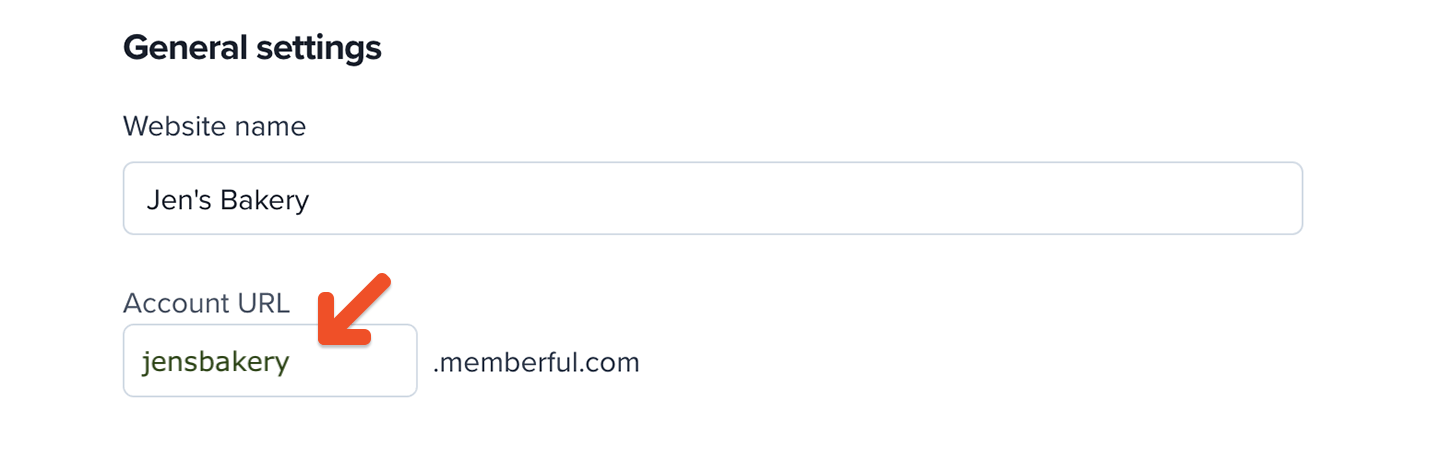
- plan purchase links
- member account management links
- custom subscription page links
- member website links
- Discord authorization links
- private podcast feeds
Update links that use your account URL anywhere you’ve shared them. Members must resubscribe to their private podcast feeds after the URL changes.
Change your external website URL
This setting is available only for non-WordPress sites. Go to Website → Redirects. Enter your new URL in Your website, then save your changes. For WordPress sites, Memberful automatically populates the website URL when you install the Memberful WordPress plugin. You don’t need to update it manually.
