Choose a video hosting platform for a WordPress site
A video hosting platform is the home for all your bandwidth-intensive videos. Wistia and Vimeo (Vimeo PRO or Vimeo Business) are two great options. Both platforms offer plenty of customization options, HD videos, and reliable playback. They also provide you with the option to restrict video embedding to specific websites. You can also check out Streamable, Cloudflare Stream, SproutVideo, and Vidyard. If you can’t commit to a paid hosting platform, you can create and embed unlisted YouTube videos on your site. However, keep in mind that this option makes it possible for non-members to discover your videos. Follow these steps to get started with SproutVideo:- Upload your videos to your SproutVideo account.
- Customize your video player and embed codes.
- Important: Configure your privacy settings and set allowed domains to restrict access.
- Upload your videos to your Wistia account.
- Configure your Wistia account and customize your video player.
- Important: Enable domain restrictions.
- Upload your videos to your Vimeo account.
- Customize your Vimeo video player.
- Important: Configure your Vimeo privacy settings and be sure to enable the Only on sites I choose embedding option.
Embed videos on protected WordPress posts
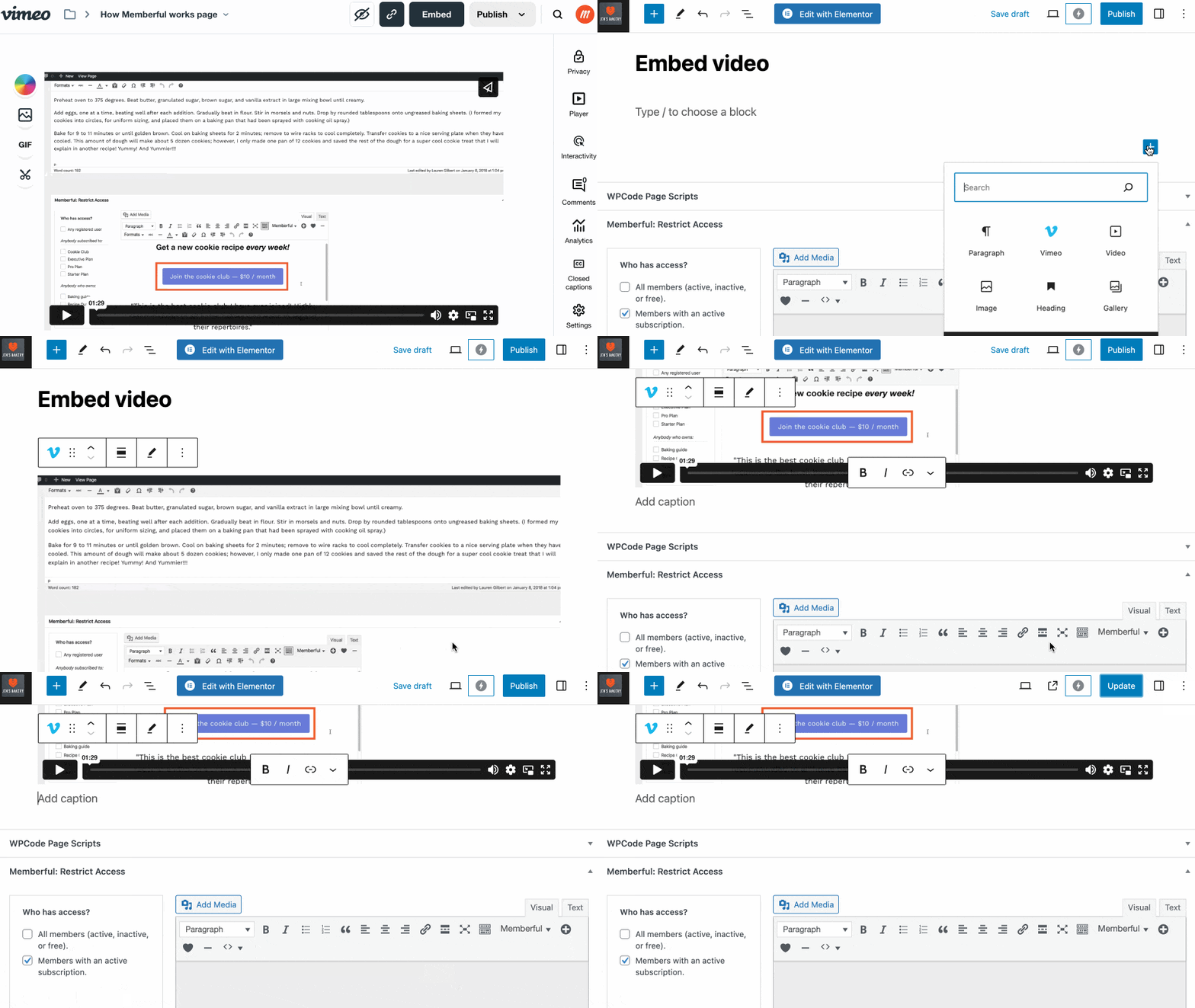
We recommend that you embed each video in a new WordPress post. Then, protect each post using the Memberful WordPress plugin.