

Weebly limitations
Weebly does not support single sign-on (SSO), so Memberful cannot protect pages or create a complete members-only area within your Weebly site. Members can still:- sign in to their member account
- manage their subscription and billing
- update their profile information
- access included downloads and podcast feeds
Insert the Memberful code
Go to Website → Custom website in your Memberful dashboard and copy the provided code. In Weebly, go to Settings → SEO and paste the Memberful code into Header Code. Save your changes.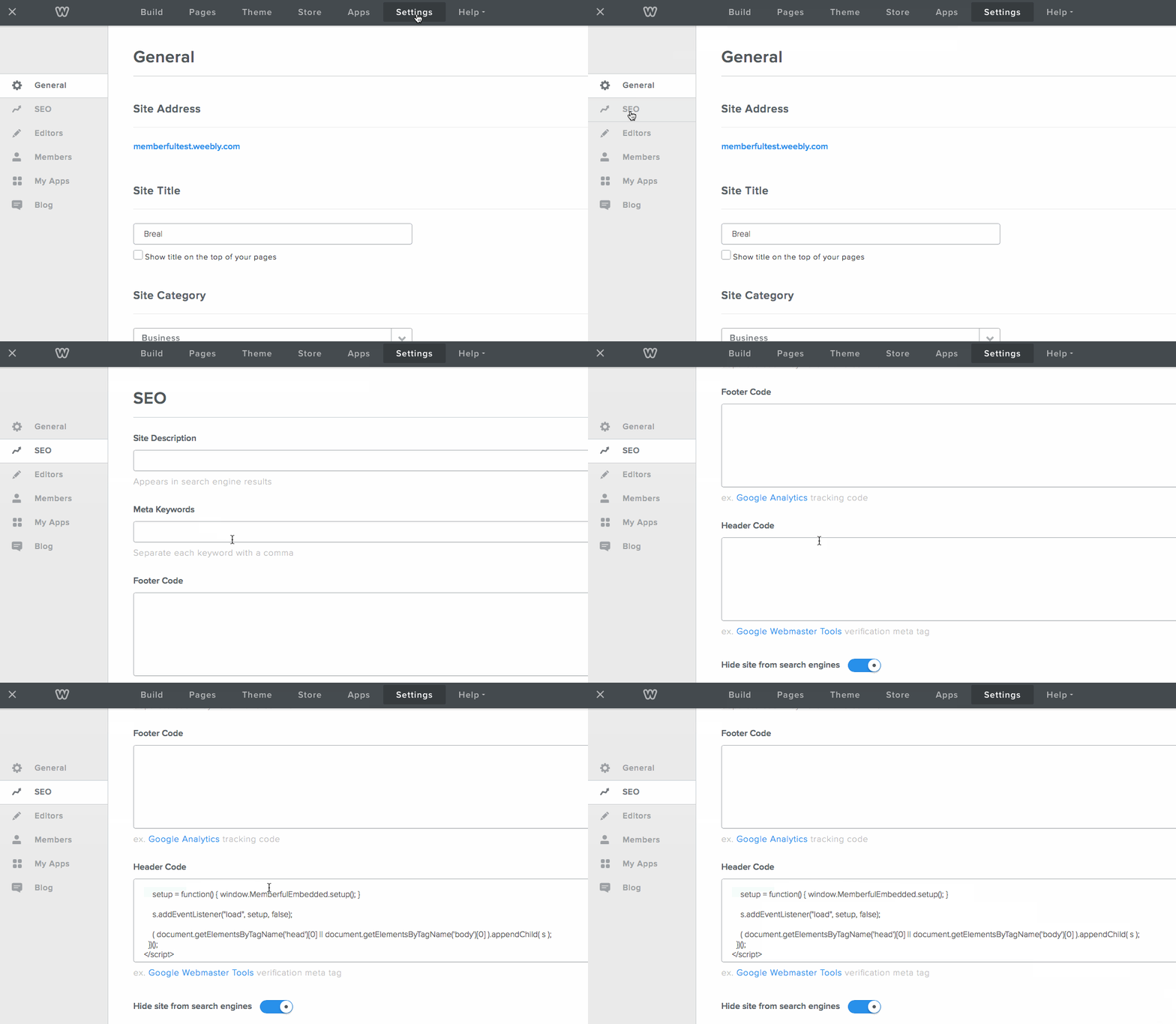
Create a plan and purchase button
1
Open the plan links
In your Memberful dashboard, go to Revenue → Plans, select the plan, and click Links.
2
Select a price
Select the price you want to create a purchase link for.
3
Copy a purchase link
Copy the plan purchase link or gift purchase link for the selected price.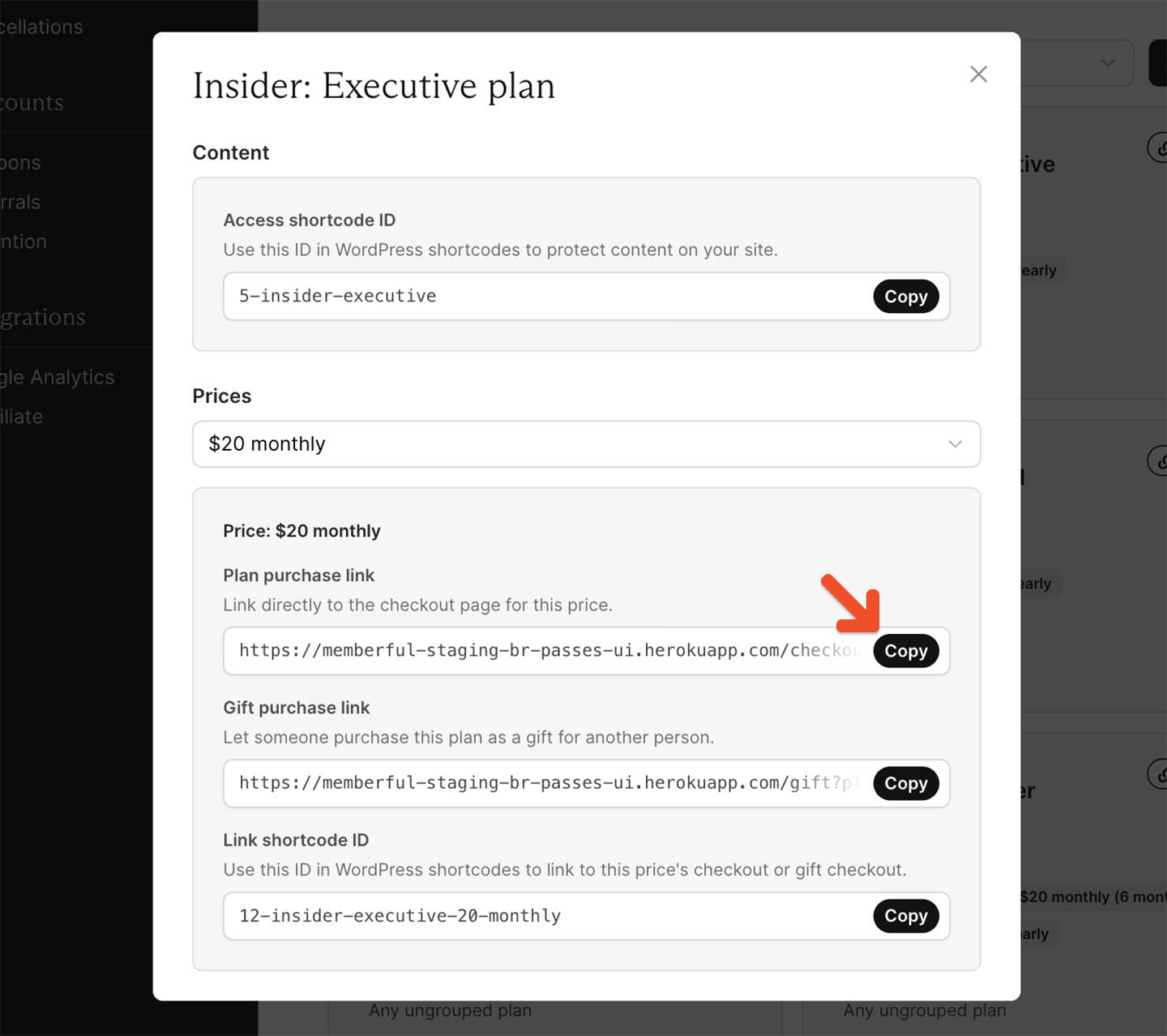
4
Add the link to Weebly
Add the purchase link to a button or text link on your Weebly site. Visitors can use it to open Memberful checkout and subscribe.
Place purchase links in visible areas such as your homepage or navigation. Use button text that clearly communicates the plan and price.
Add an account link
Add an account link to your site so members can manage their subscriptions, profile, and billing details.ACCOUNT-URL with your account subdomain. You can find this in Website → General settings in your Memberful dashboard.
For more detail, see How members access their account.