Group manager promotes a member
Group managers can select a group member to replace them in their role.1
Open the group subscription
The group manager should open the group subscription in their account.
2
Open member management
Click Manage members.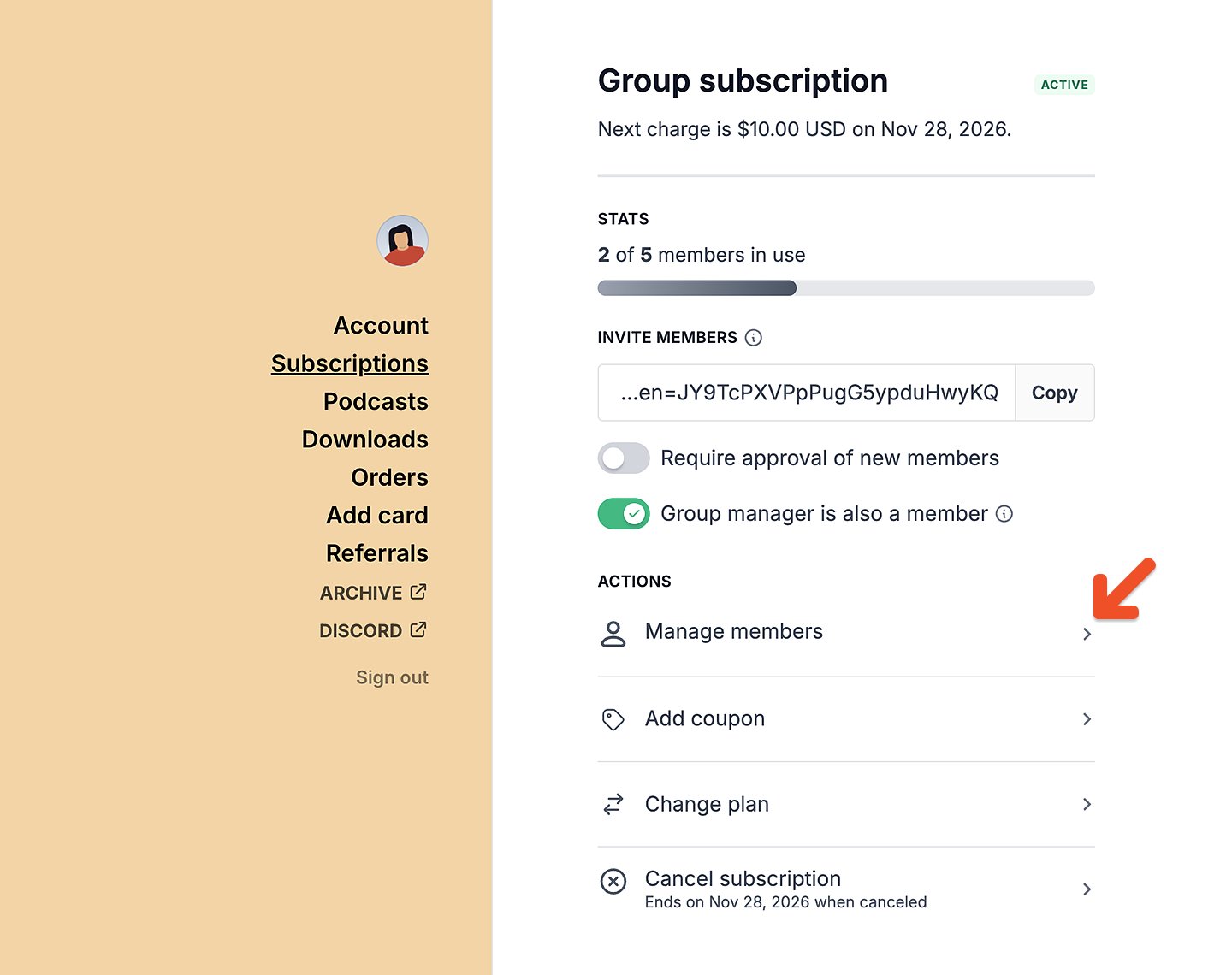
3
Open the member menu
Click the three-dot menu next to the member being promoted.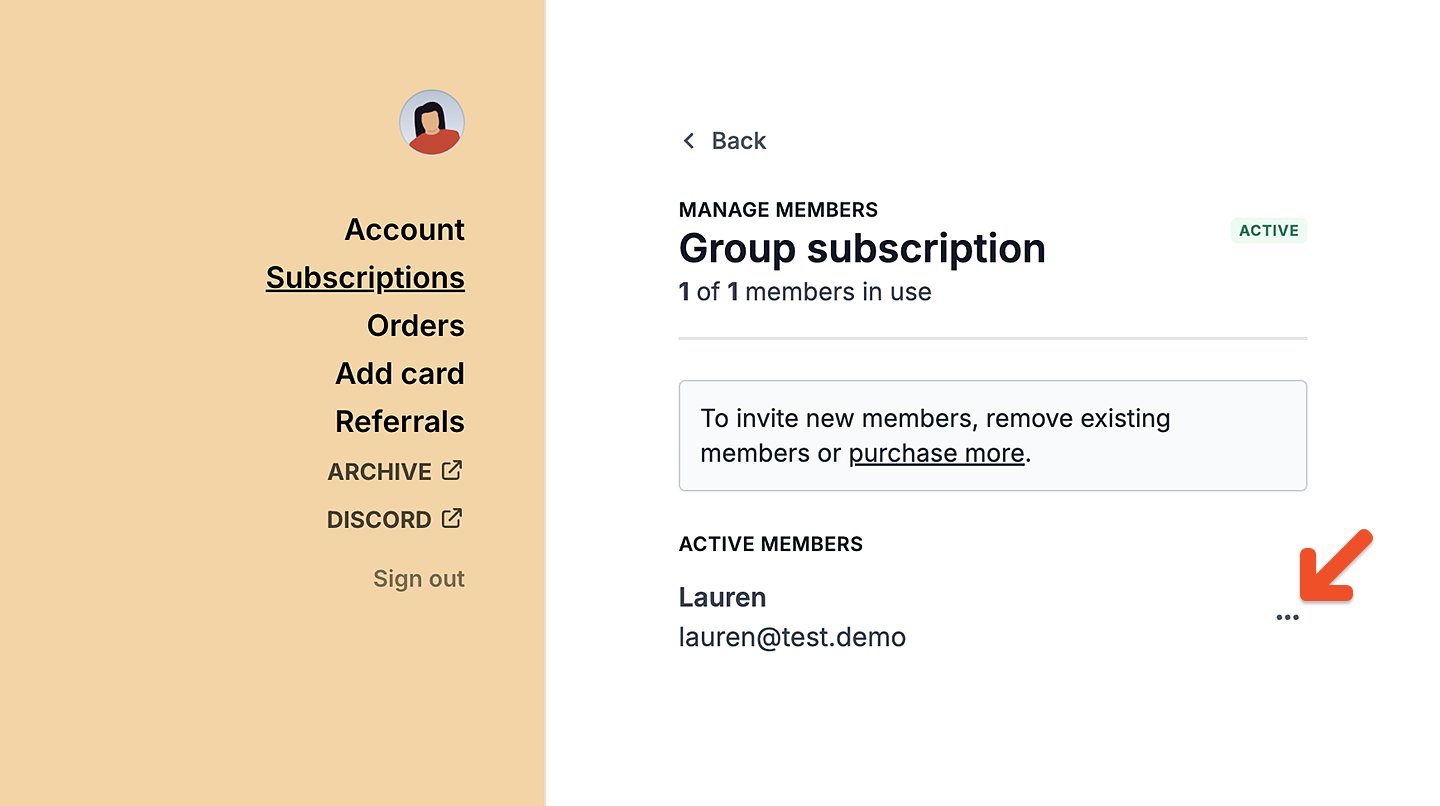
4
Promote the member
Select Promote to manager. The new group manager will be sent the group manager welcome email (if enabled).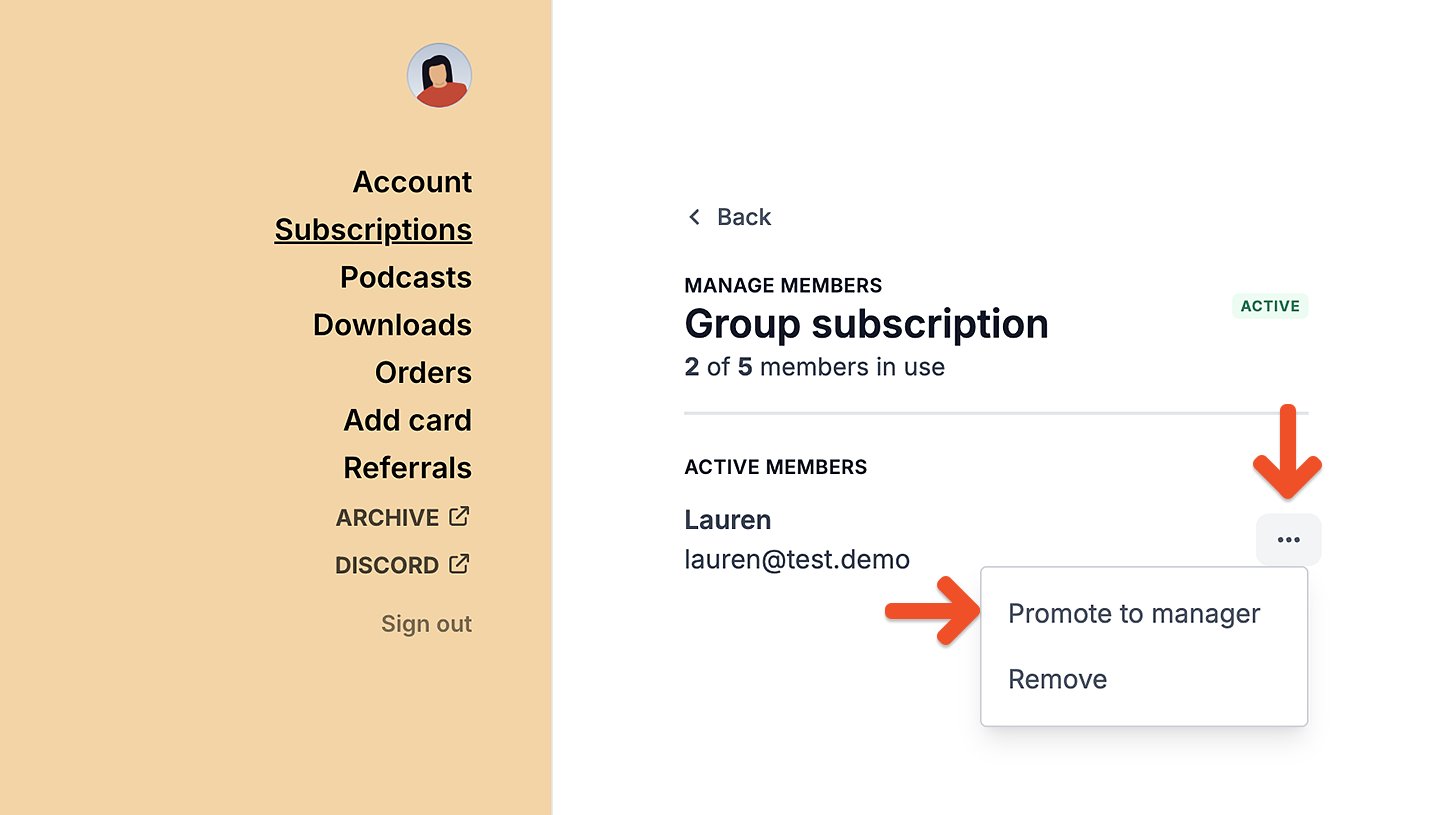
5
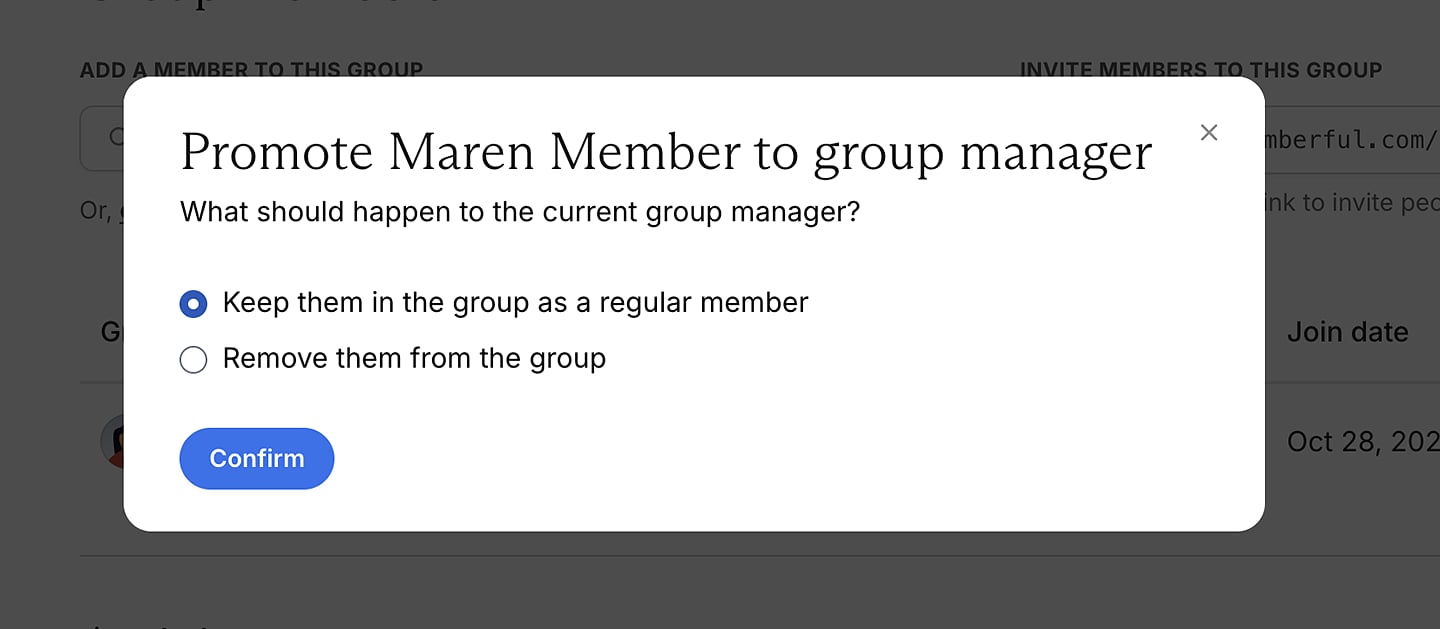
Choose whether to remain in the group
The group manager can choose to remain in the group as a regular member or remove themselves.
6
Confirm the change
Click Confirm.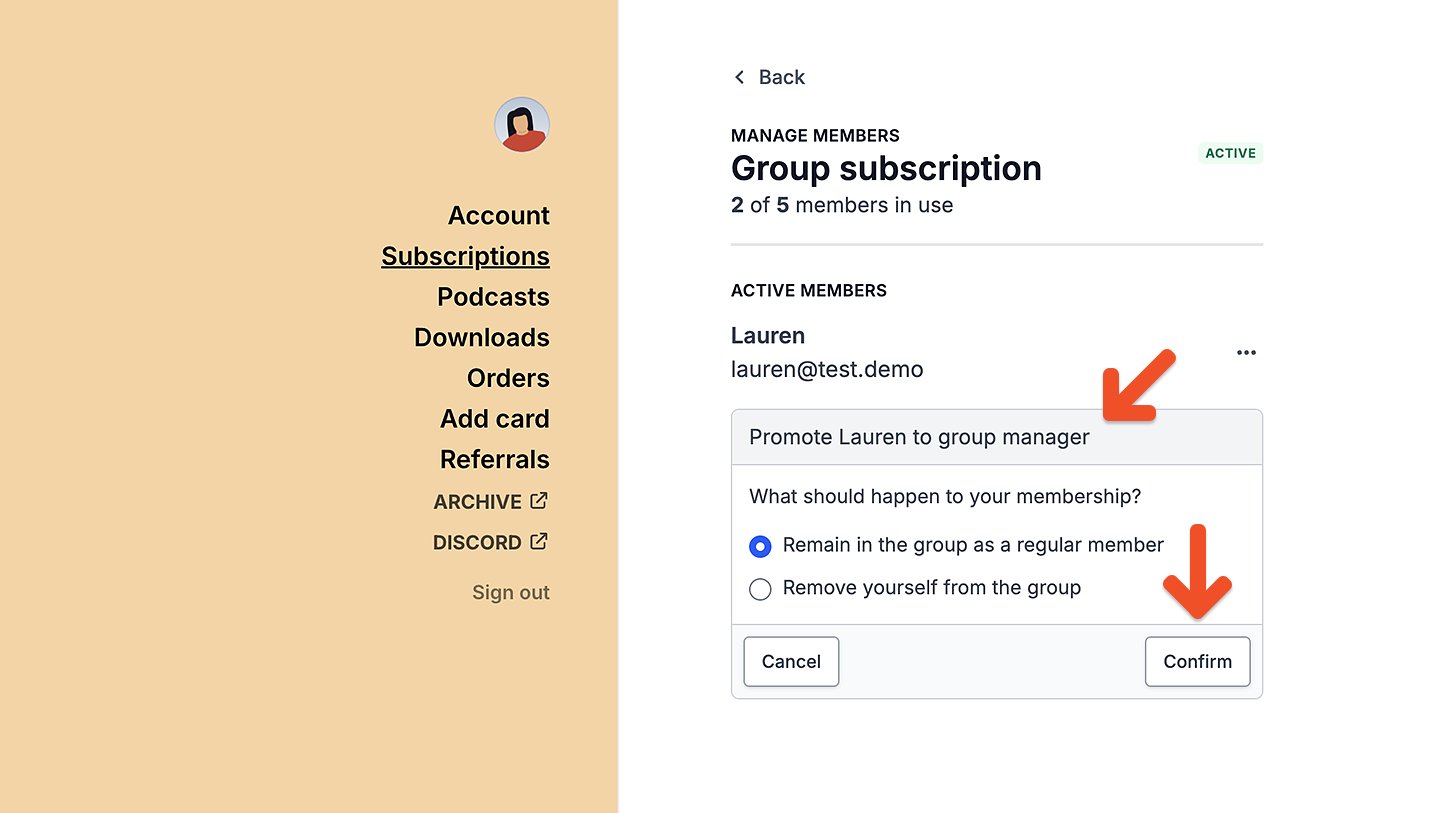
Admin promotes a member to group manager
1
Open the group subscription
To replace a group manager via the Memberful dashboard, go to the group subscription.
2
Open the member menu
Click the three-dot menu next to the member.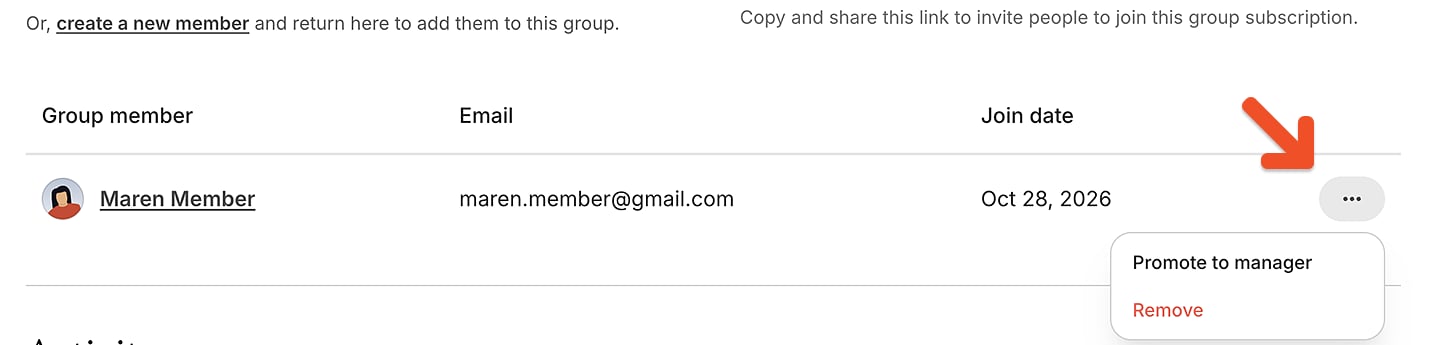
3
Promote the member
Select Promote to manager. The new group manager will be sent the group manager welcome email (if enabled).
4
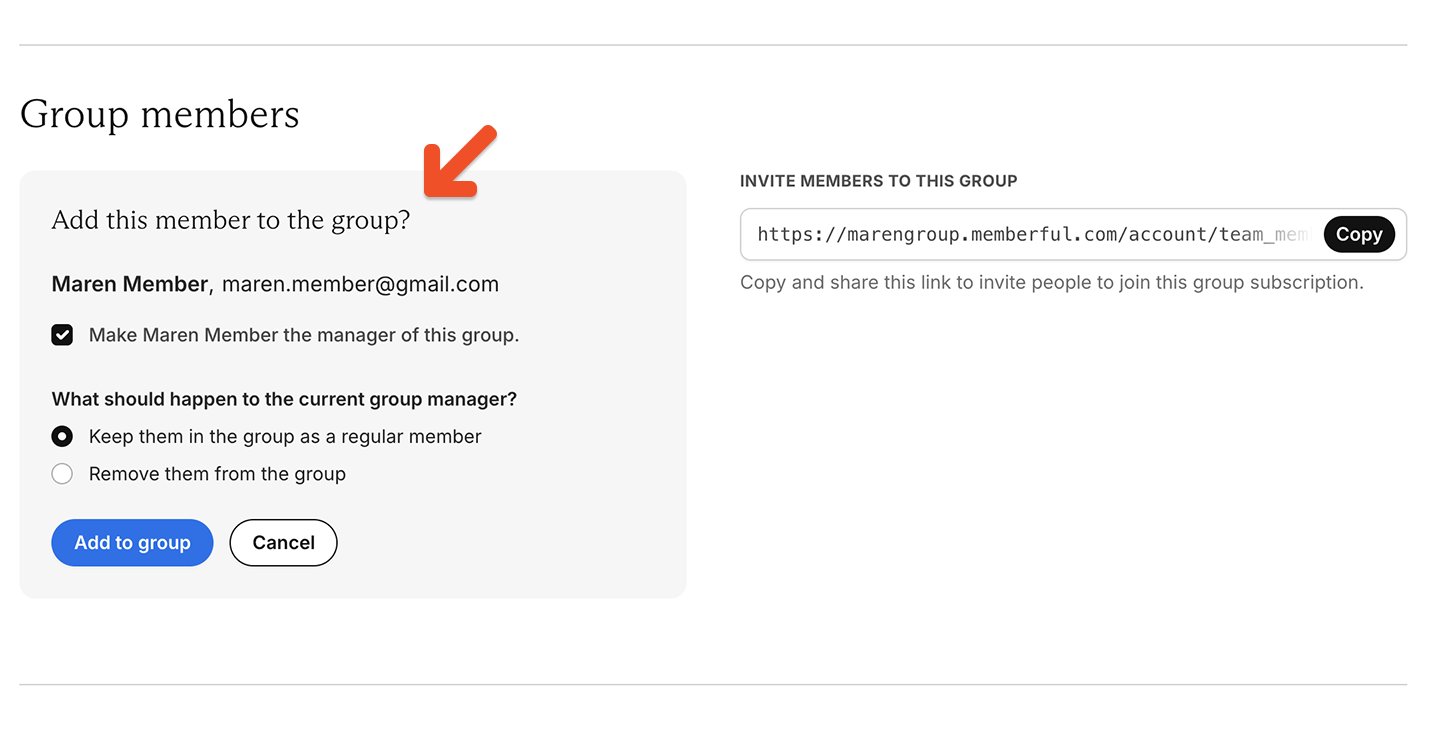
Choose what happens to the previous manager
Choose whether to keep the previous manager in the group as a regular member or remove them.
5
Confirm the change
Click Confirm. Removing them from the group will open a seat in the subscription. Keeping them in the group as a member will maintain the current seat count.