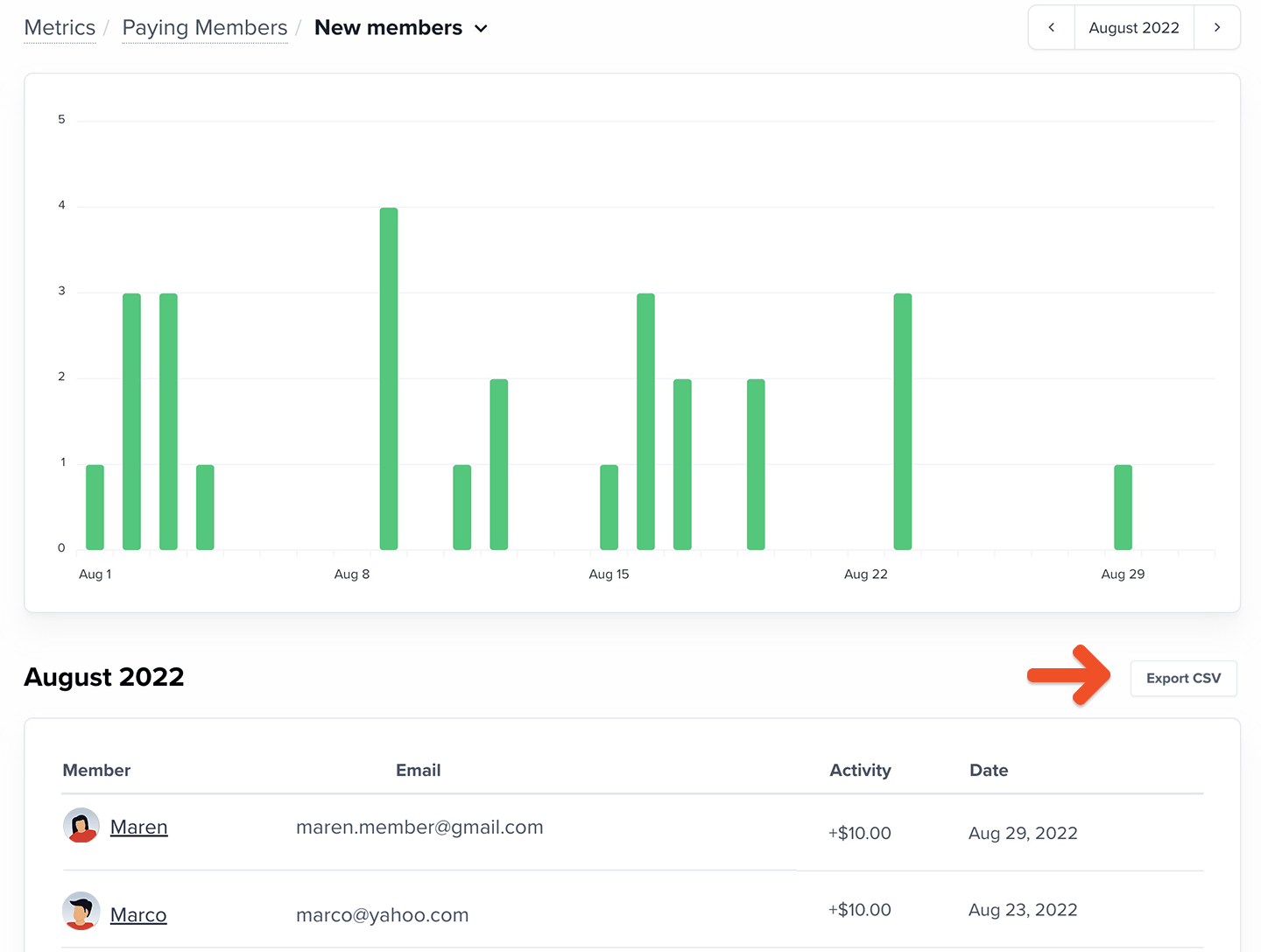
Where to find this metric
Go to Revenue → Metrics → Paying Members in your Memberful dashboard.Who is considered a paying member?
A paying member is a member who has a recurring payment that’s active at the end of the month.Not considered paying members until renewal
These members do not count toward Paying Members until their subscription renews and the payment is collected:- Members with an all-access pass
- Members with a 100% coupon
- Members on a free trial
- Admin-created subscriptions with no initial charge
- Gifted subscriptions
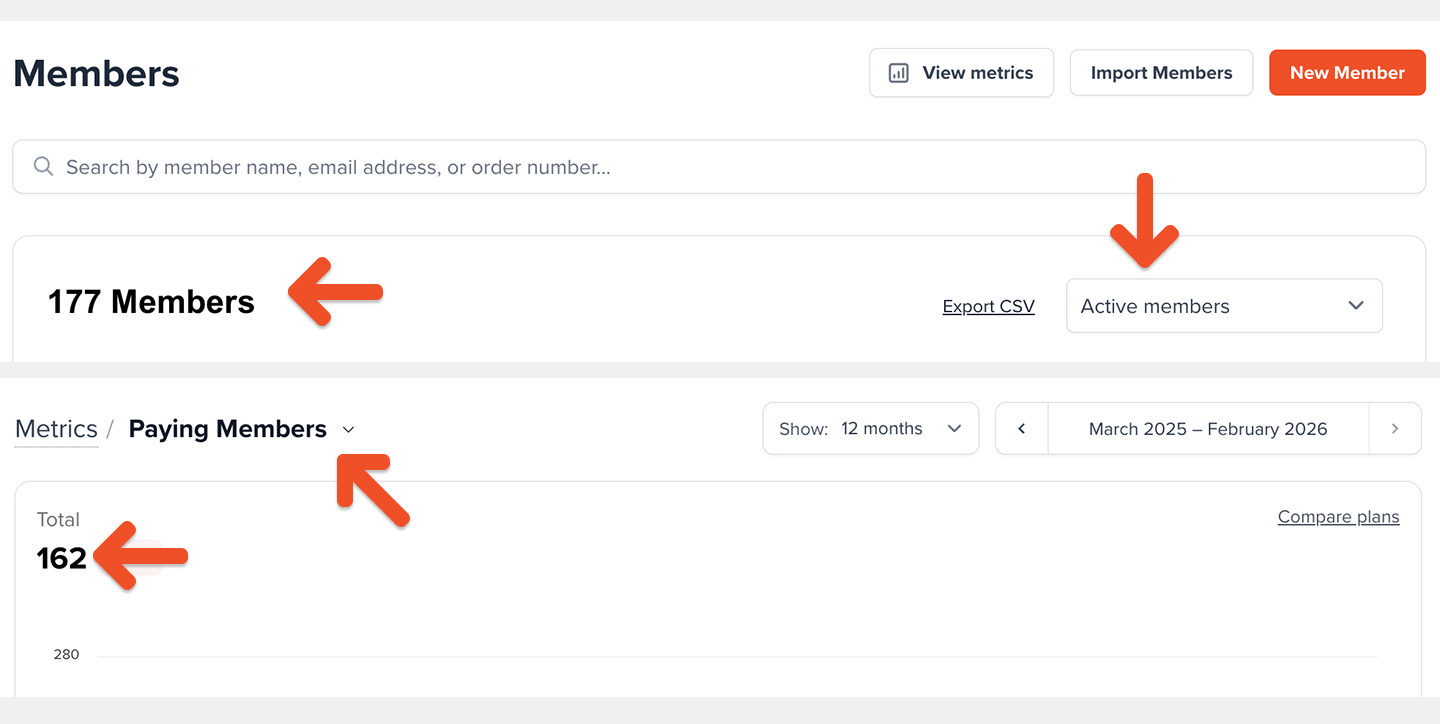
Because the Active Members count is calculated differently, it may include members from the categories above even if they aren’t counted as Paying Members yet. This is one reason the two metrics may not match.
Never counted as paying members
- Members who purchase one-time plans
- Members subscribed to plans with a fixed number of payments
How is the Paying Members metric calculated?
We count each unique member with at least one active recurring subscription at month-end. A member with multiple recurring plans still counts as one paying member.Metrics update daily at midnight UTC and reflect the previous calendar day.
What affects the Paying Members metric?
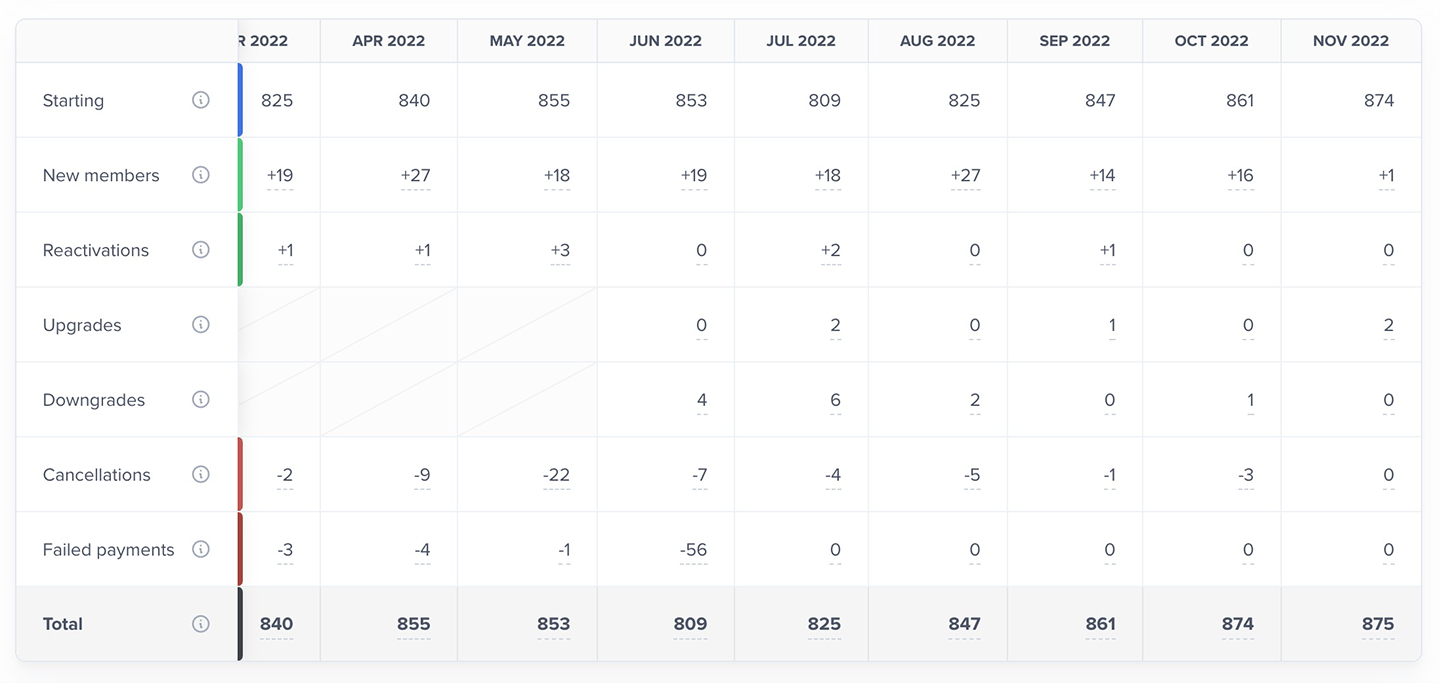
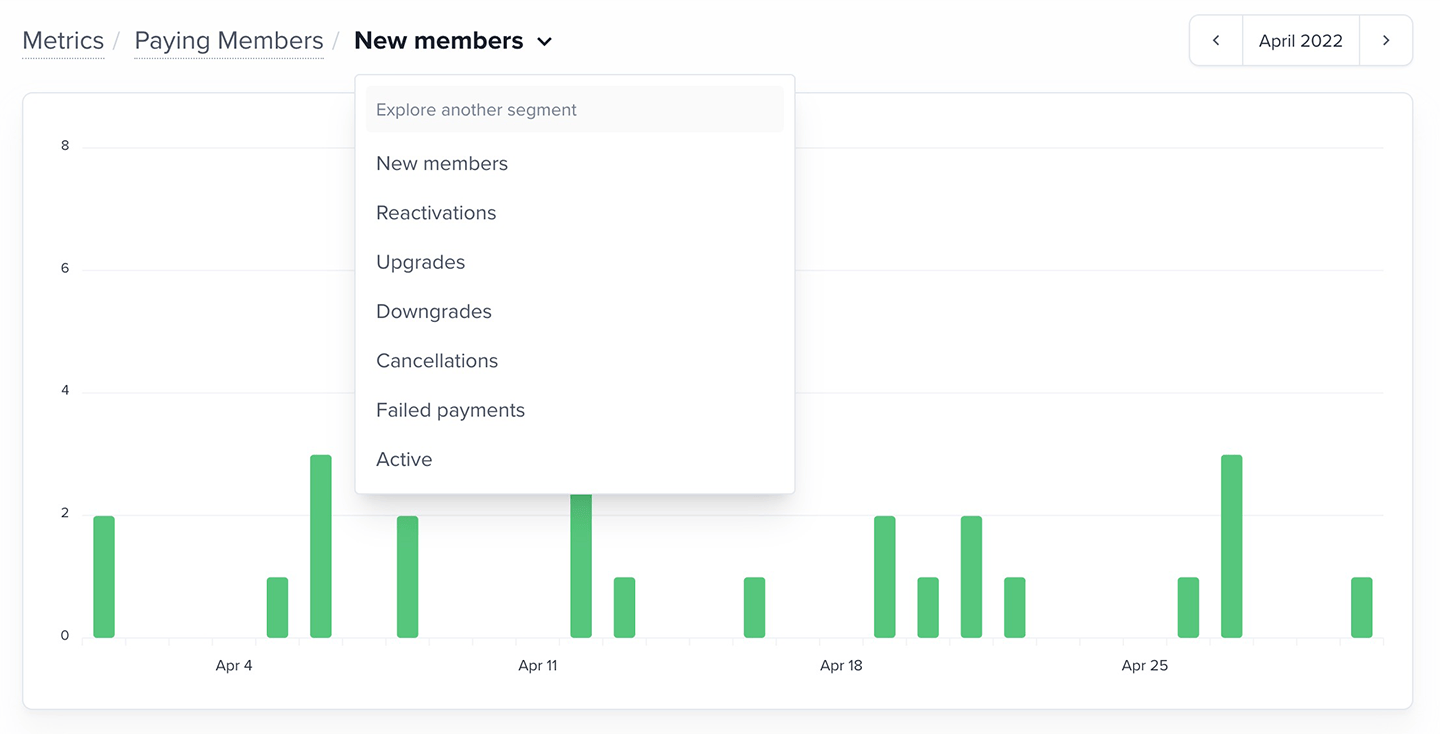
The Paying Members total is composed of the following segments:- New: Members who started a recurring subscription for the first time
- Reactivations: Members who returned after previously canceling
- Upgrades and downgrades: Members whose subscription changed and increased or decreased their normalized monthly revenue
- Cancellations: Members who ended their recurring subscription
- Failed payments: Members whose payment could not be collected within 30 days
Members whose payment fails are still counted as Paying Members for up to 30 days while we attempt to collect payment. If payment isn’t collected within 30 days, they’re removed from the Paying Members count.
How to explore your Paying Members data
The Paying Members chart shows your monthly totals (including the current, partially complete month). You can view the last 12 months by default, or switch to 3- or 6-month views.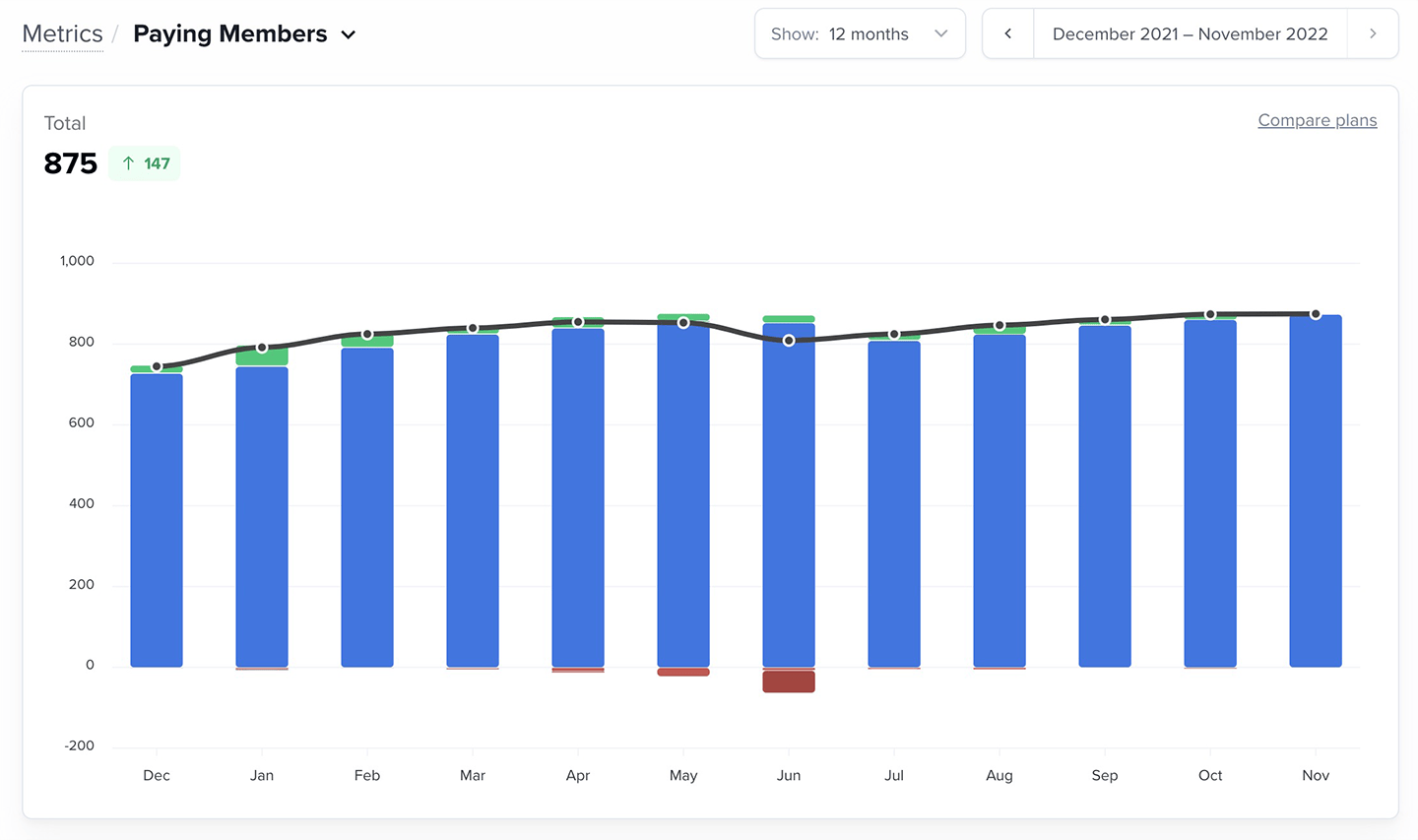
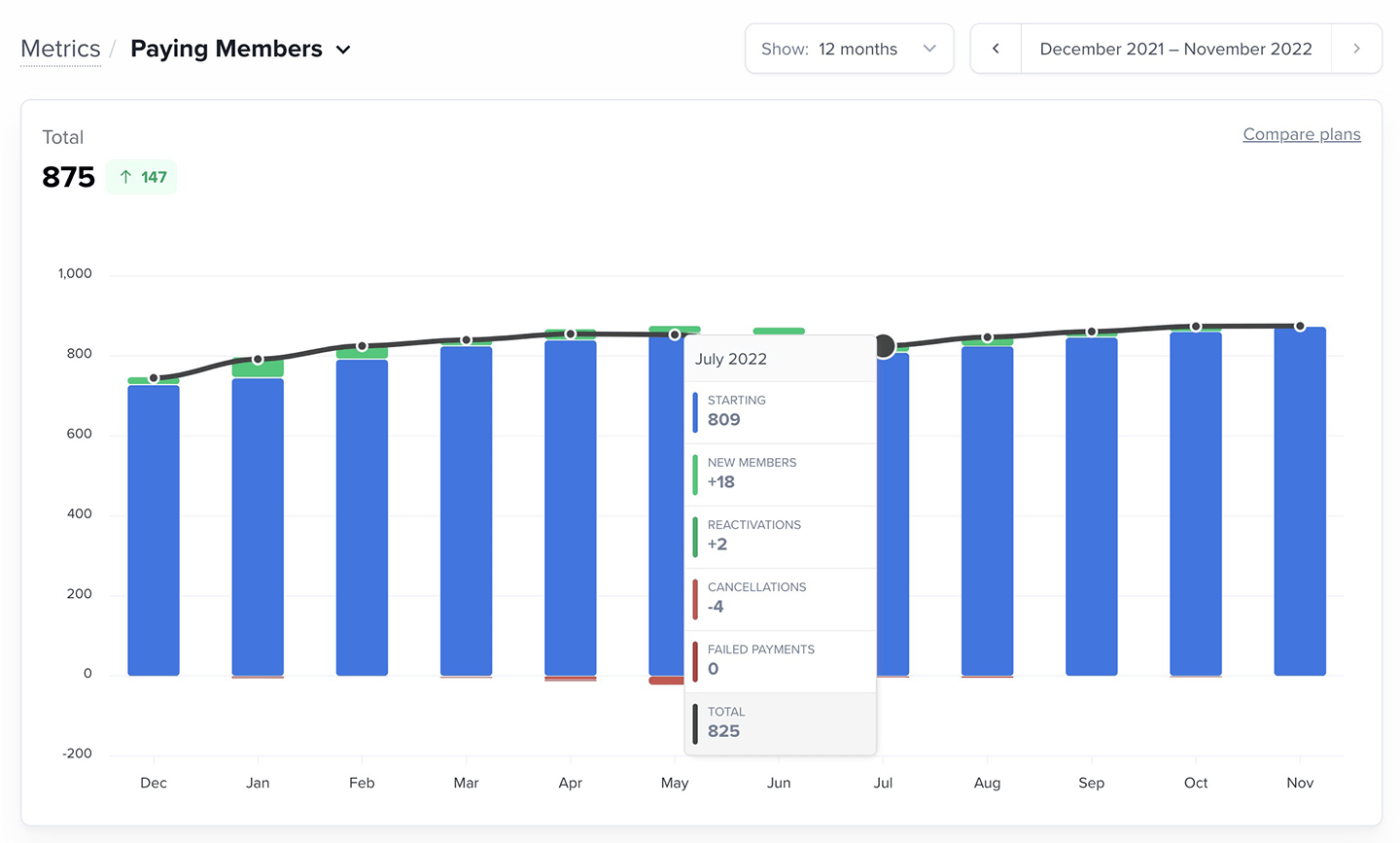
- The starting member count
- The segment values (new, reactivated, etc.)
- The total number of paying members for that month
Want to compare Paying Members across plans? Learn More.