

Where to find this metric
Go to Revenue → Metrics → Churn in your Memberful dashboard.What is churn?
Churn represents members or recurring revenue lost during a specific timeframe. This includes:- Members who cancel (voluntary churn)
- Members whose payments fail and can’t be collected within 30 days (involuntary churn)
How is churn calculated?
Memberful calculates revenue churn, not subscription count alone. The formula is:(Voluntary churn + Failed payments) / Starting value
We compare a member’s recurring payment amount at the start of the month to their value at the end of the month. For example: If a member’s 0, we determine whether that happened due to a cancellation or an uncollected payment.
Metrics update daily at midnight UTC and reflect the previous calendar day.
What affects my churn?
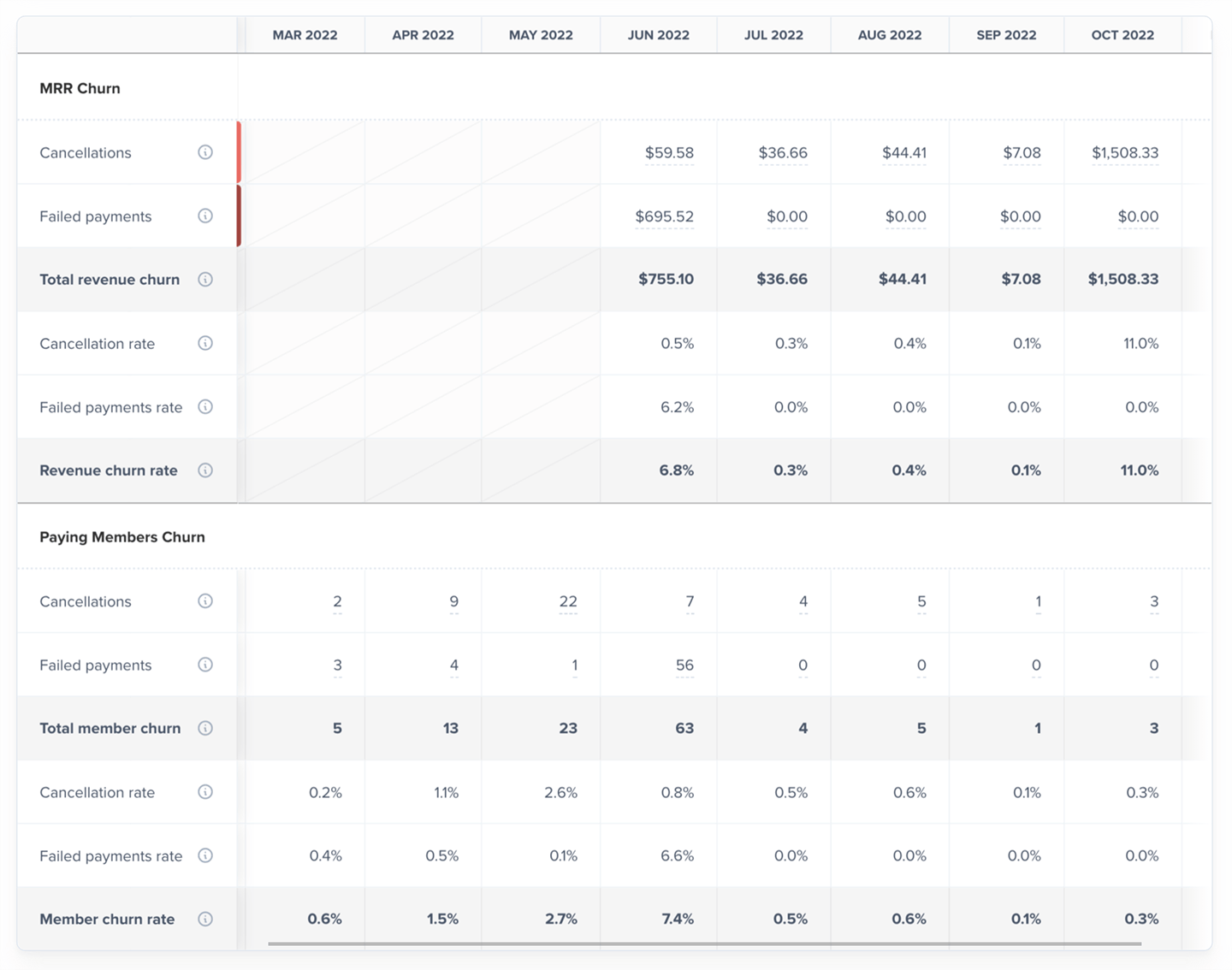
Churn is broken into two categories: MRR churn (revenue) and Paying Members churn (member count).MRR churn
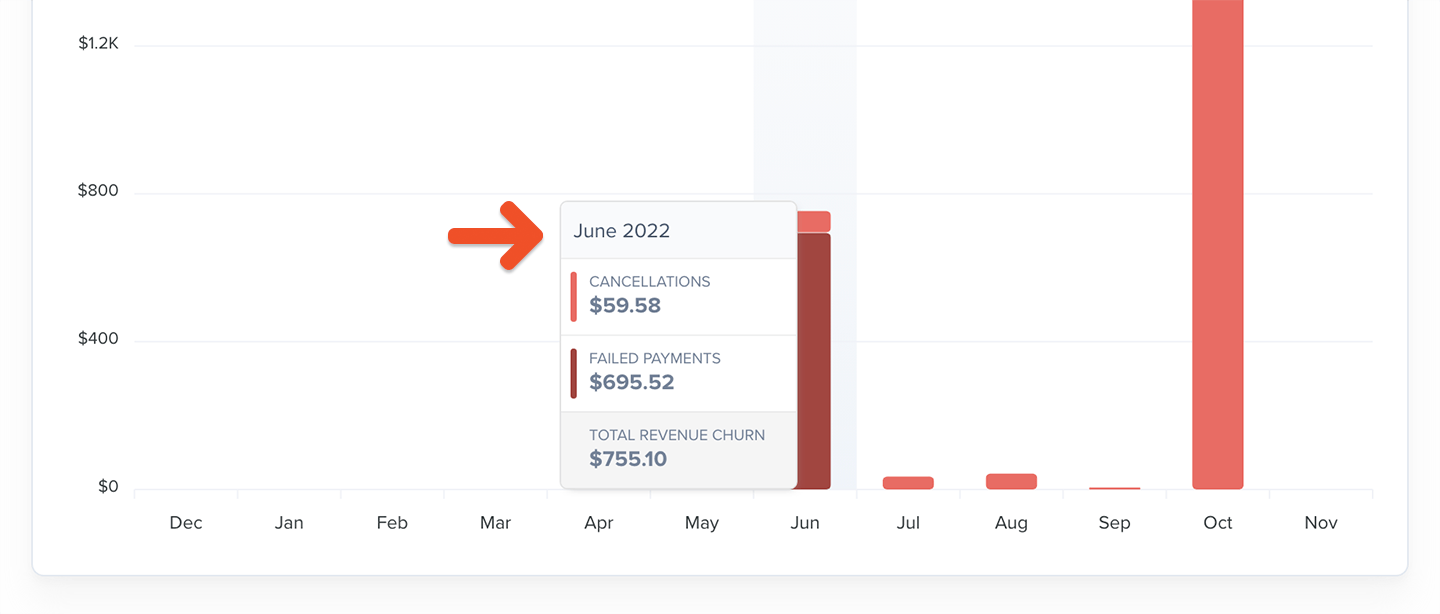
These metrics reflect only recurring subscription revenue, not one-time or fixed-term payments.- Cancellations: Recurring revenue lost when members cancel their subscription
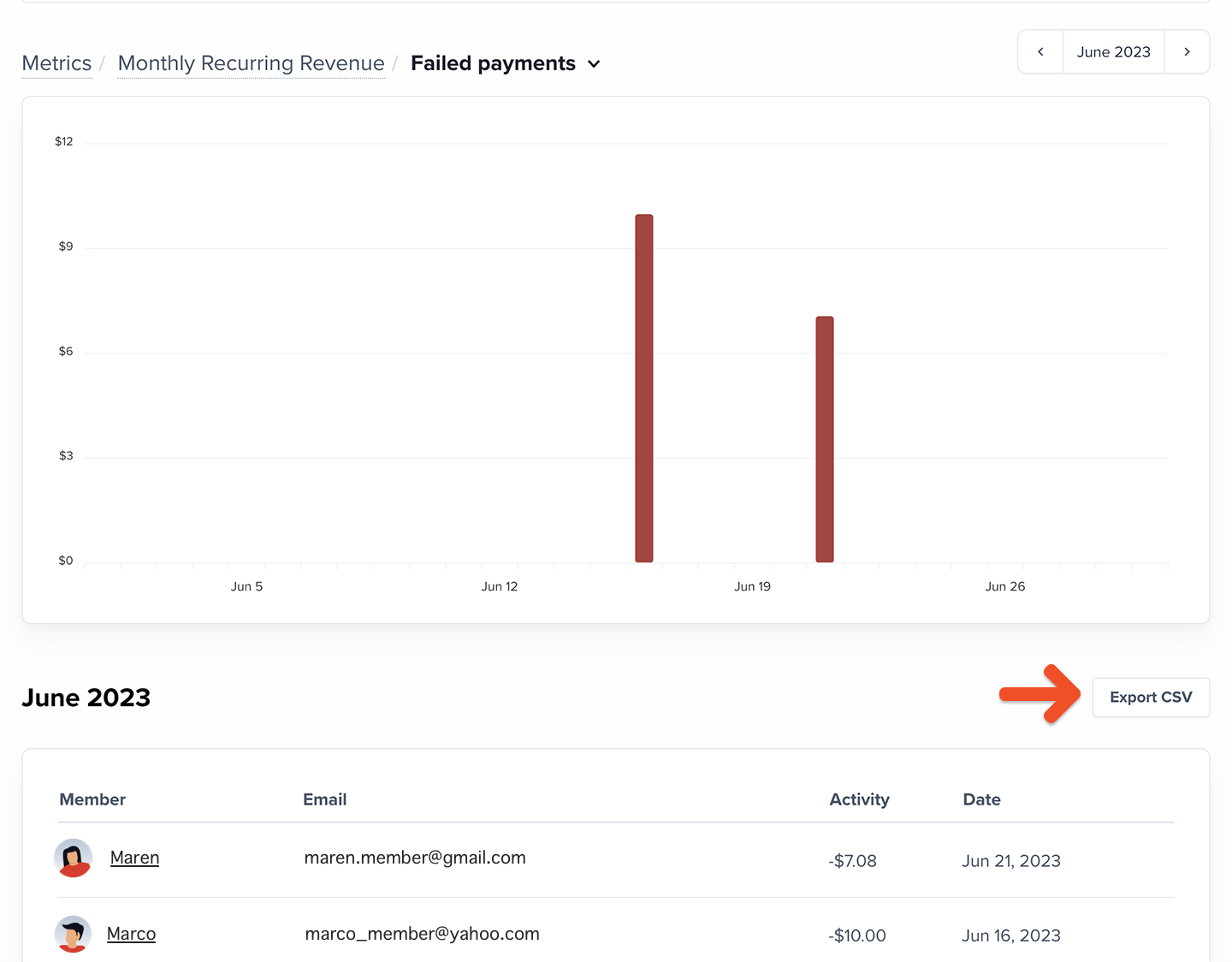
- Failed payments: Recurring revenue lost when renewal payments can’t be collected within 30 days of a failed charge
- Total revenue churn: Total recurring revenue lost from cancellations and failed payments
- Cancellation rate: Percentage of recurring revenue lost from cancellations
- Failed payments rate: Percentage of recurring revenue lost from uncollected renewal payments
- Revenue churn rate: Percentage of starting recurring revenue lost during the month
Paying members churn
- Cancellations: Members with recurring subscriptions who intentionally end their recurring payments
- Failed payments: Members with recurring subscriptions who lose access because renewal payments couldn’t be collected within 30 days
- Total member churn: Total number of recurring members lost to cancellations or failed payments
- Cancellation rate: Percentage of recurring members who canceled during the month
- Failed payments rate: Percentage of recurring members lost due to uncollected renewal payments within 30 days of a failed charge
- Member churn rate: Percentage of recurring members lost during the month
How to explore your churn data
The Churn chart shows data across previous months, including the current (partially complete) month. You can switch between the last 3, 6, or 12 months.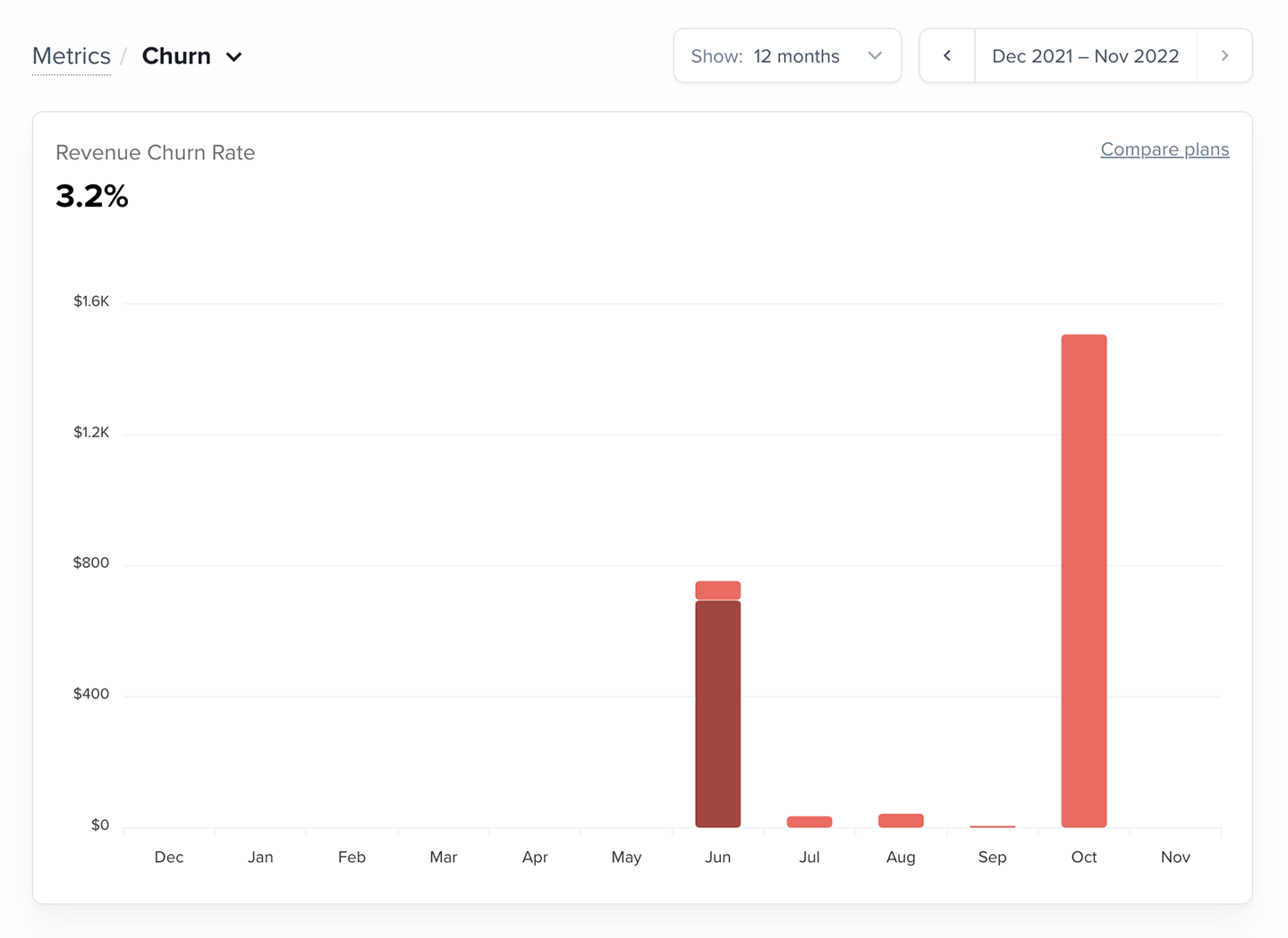
Want to compare churn across plans? Learn more.
How should I use this metric?
Churn is inevitable, but rising churn is a signal that something needs attention — pricing, content cadence, fulfillment, or member experience. The most important question to answer is: “Why are members churning?” Collecting direct feedback from canceling members (through email, surveys, or Memberful’s cancellation reasons) helps reveal patterns you can act on. Common reasons for churn:- Pricing concerns
- No longer interested
- Not using the membership enough to justify the cost