

Retention discounts are a way to keep members engaged by providing incentives to stay when they’re considering cancellation. These targeted offers can help reduce churn and increase member lifetime value. Check out Operator for best practices and real examples of effective discounts and incentives.
How Memberful retention discounts work
Memberful allows you to send out win-back offers to members who cancel their subscriptions. These offers can be delivered in two ways:- In-app: shown directly in the cancellation confirmation step.
- Email: sent automatically after cancellation.
Retention discounts are only compatible with recurring plans. Subscriptions with a fixed number of payments, one-time purchases, or members who registered for free are not eligible for retention discounts.
Enable retention discounts
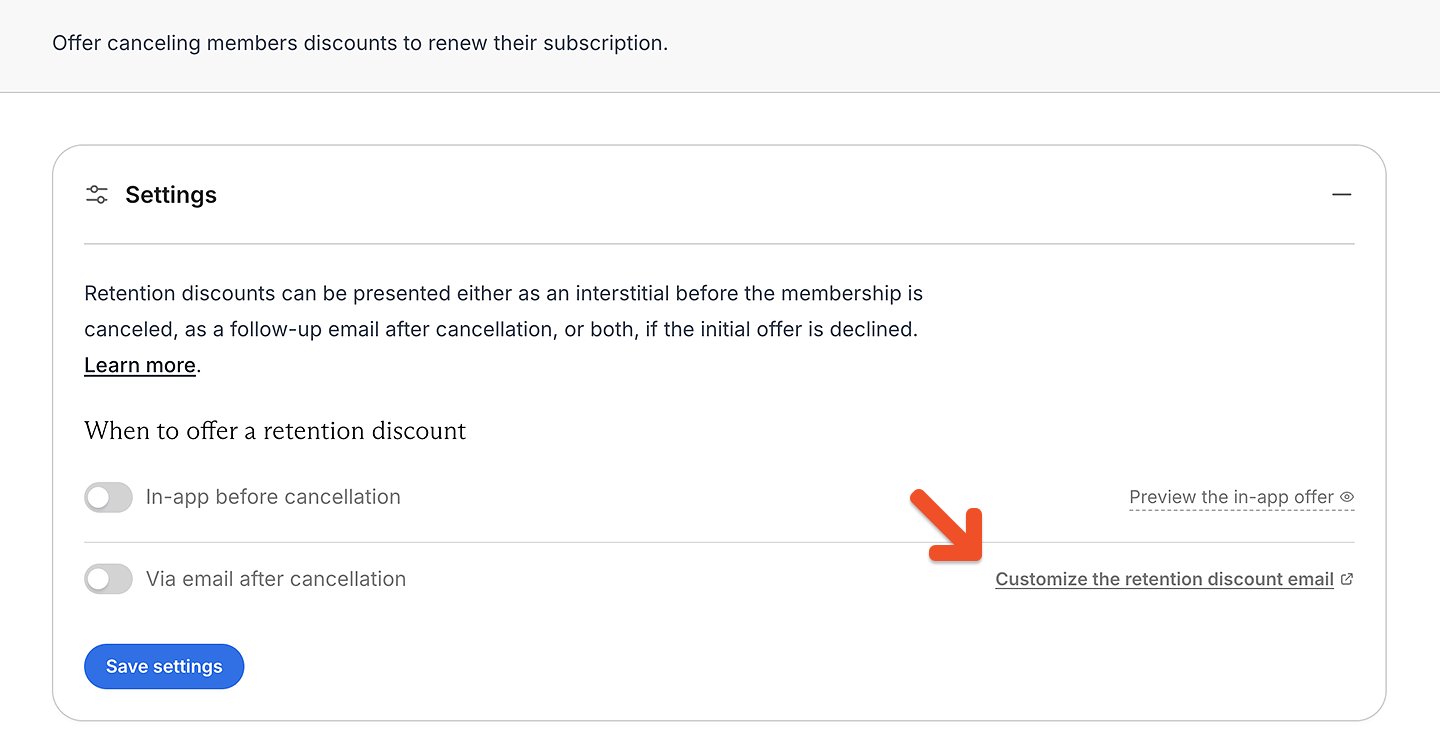
Retention discounts are off by default. Go to Revenue → Retention in your Memberful dashboard. Toggle on In-app before cancellation, Via email after cancellation, or both, then click Save settings.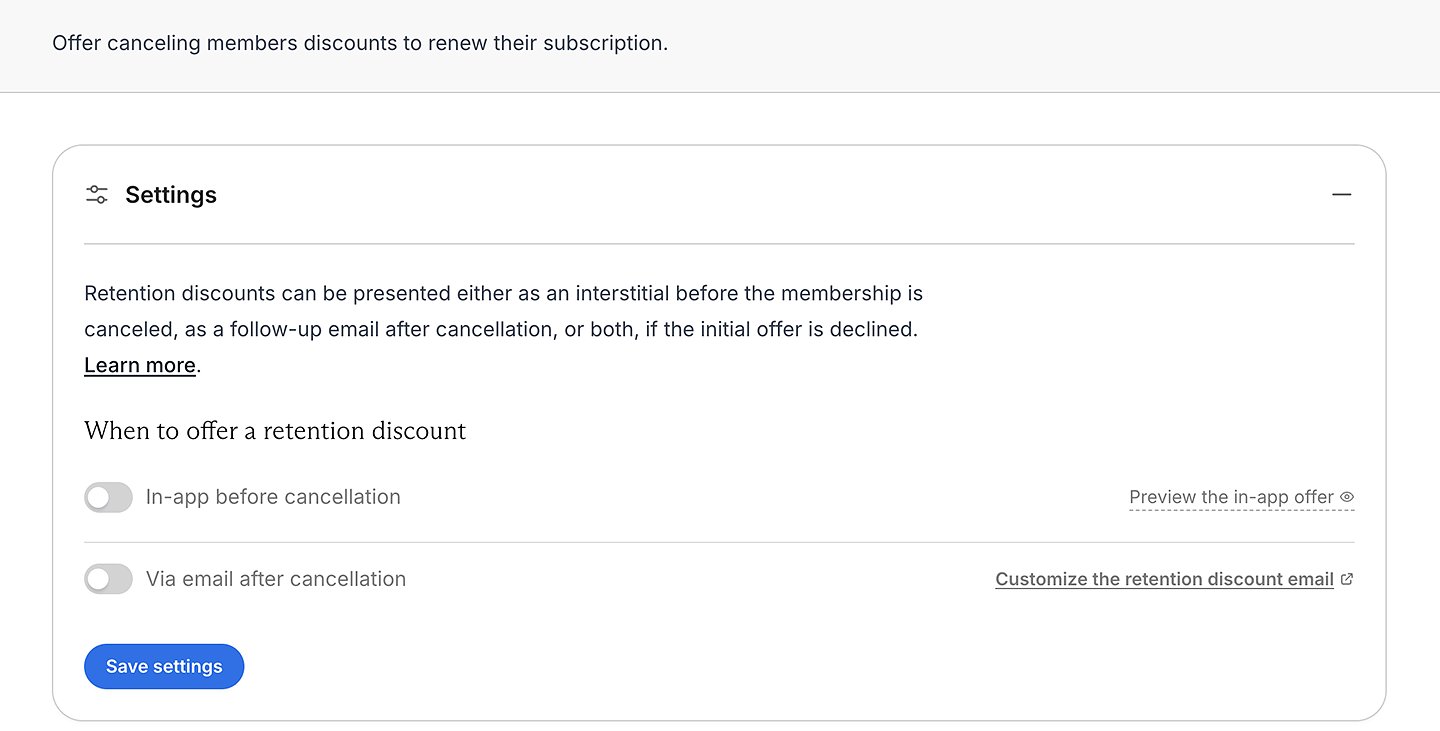
Set up a retention discount
To qualify for a retention discount, a member needs to have met the rules you’ve set in your discount settings. To create a discount, go to Revenue → Retention, then click Add discount.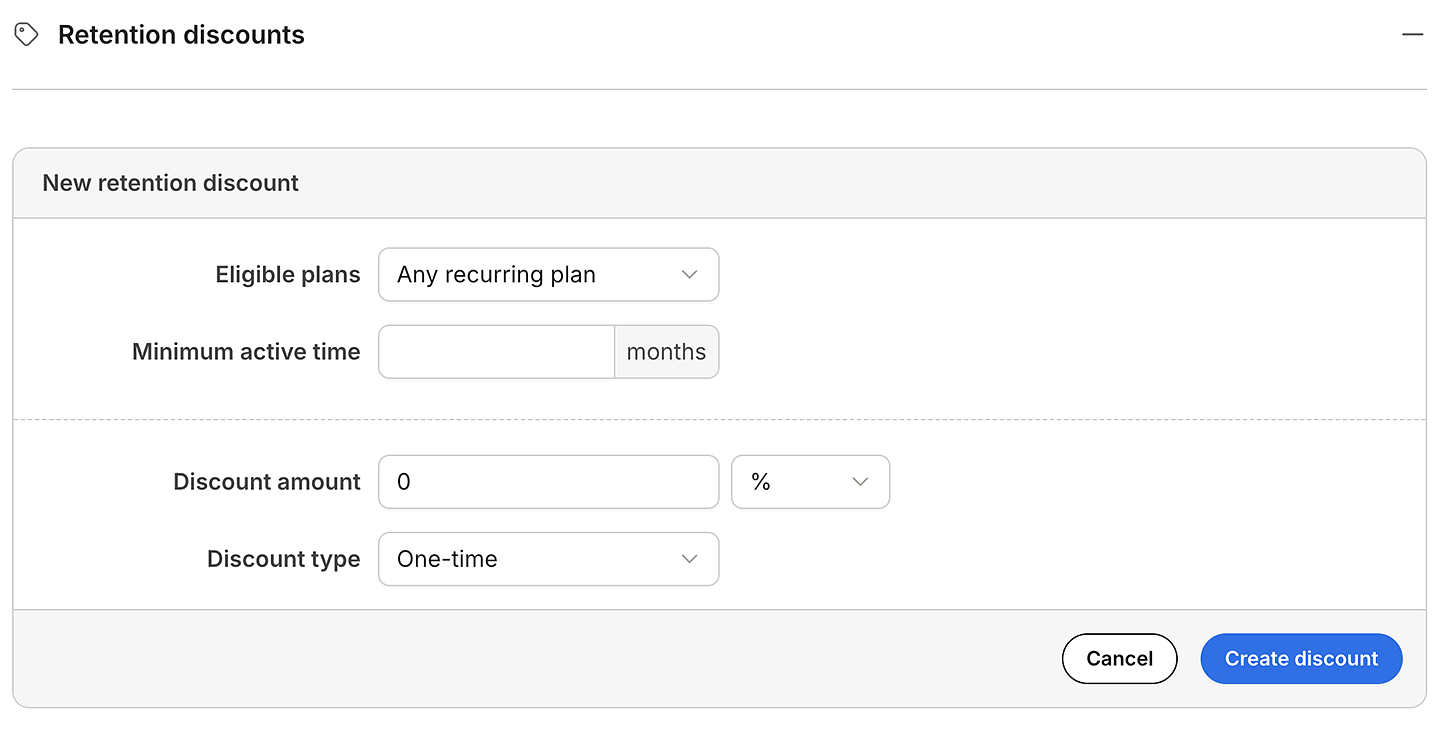
- Select the Eligible plans that will unlock this reward.
- Enter a value for the Minimum active time in months.
- Enter a Discount amount and select % or $ discount.
- Select the Discount type and click Create discount.
- One-time: Applied once, then removed (the member will pay full price for future renewals).
- Recurring: Applied to a subscription indefinitely (unless removed by staff).
- Limited: Applied to a subscription a limited number of times, then removed. (If applied at checkout, includes initial purchase and renewals.)
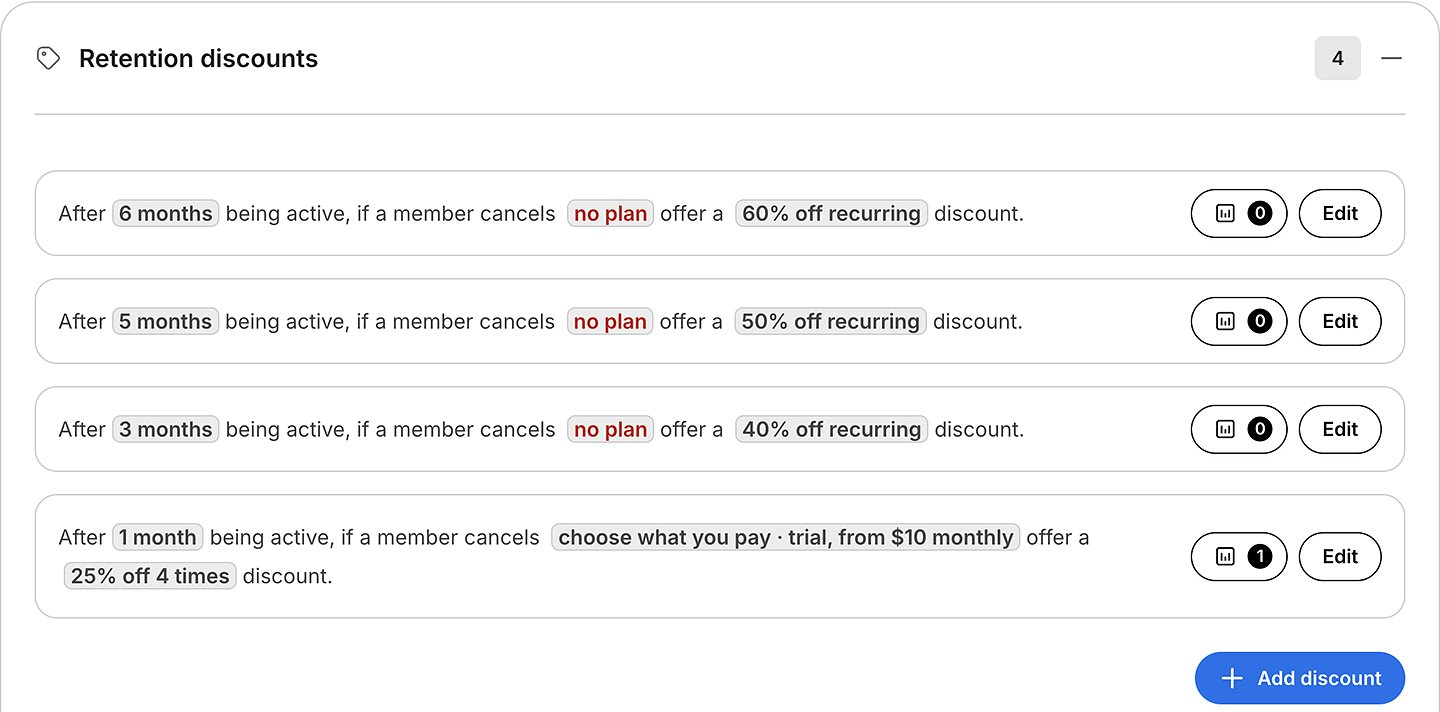
Discounts are ordered by months in descending order, and the first offer a member qualifies for is the one they will receive. If a member cancels without meeting the eligibility criteria for a discount (e.g., less than 2 months in the example above), they will instead receive the standard subscription cancellation email after two days.
Edit a retention discount
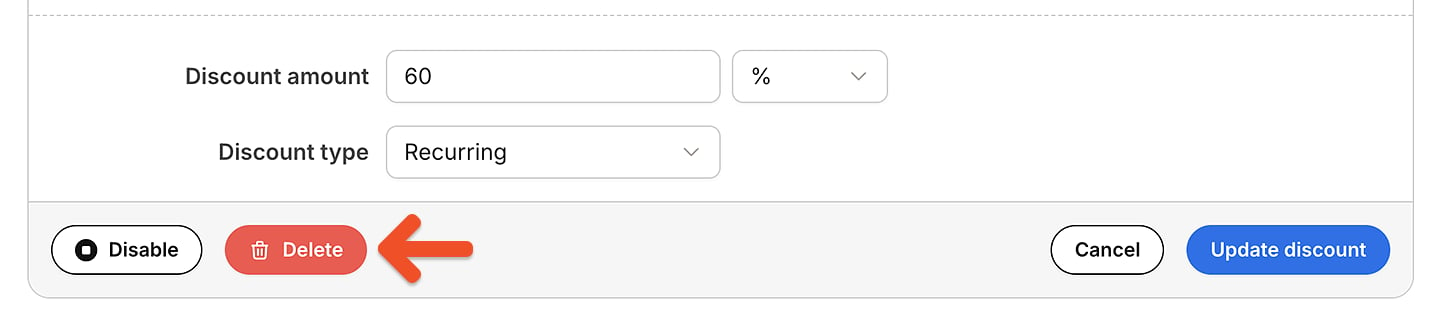
Once a member redeems a retention discount, you can’t change its discount amount, whether it’s a percentage or fixed amount, or how long it applies. To offer a different discount, disable the existing one and create a new one.
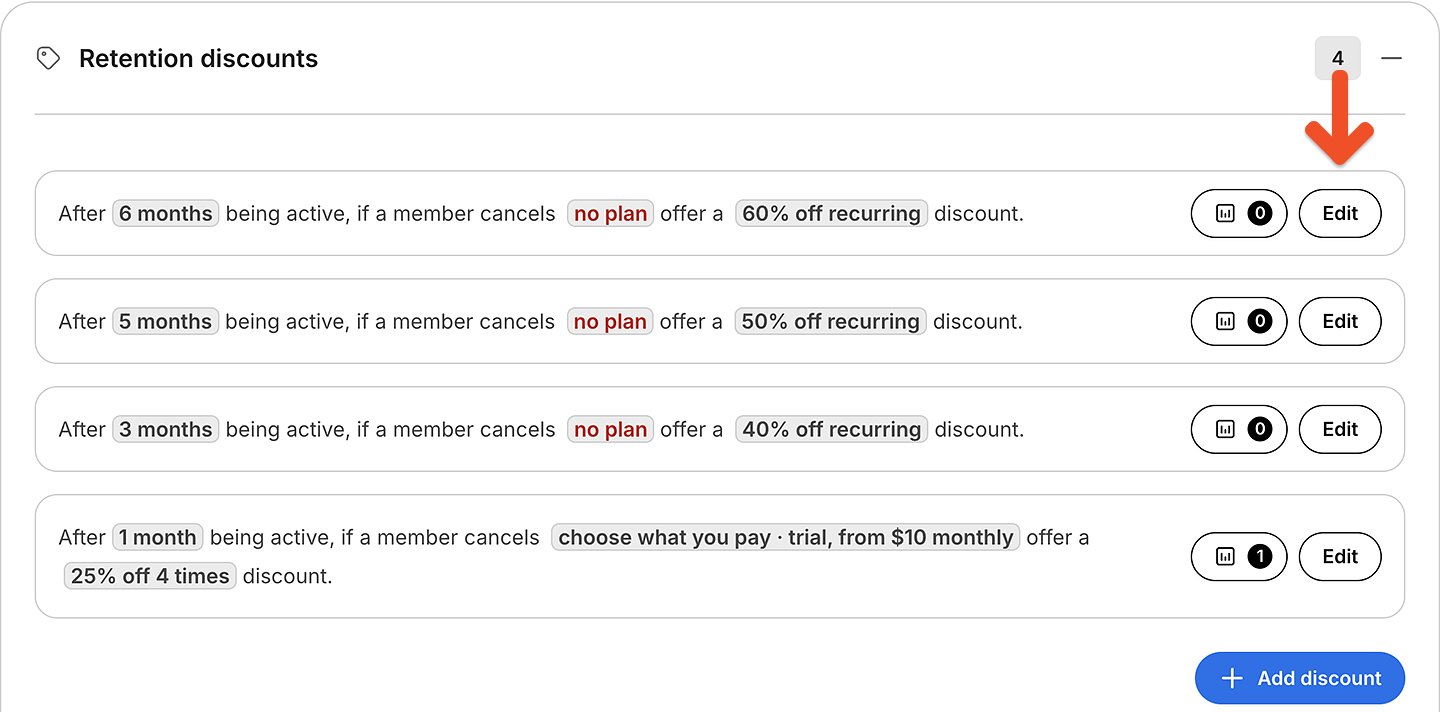
How does a member receive a retention discount?
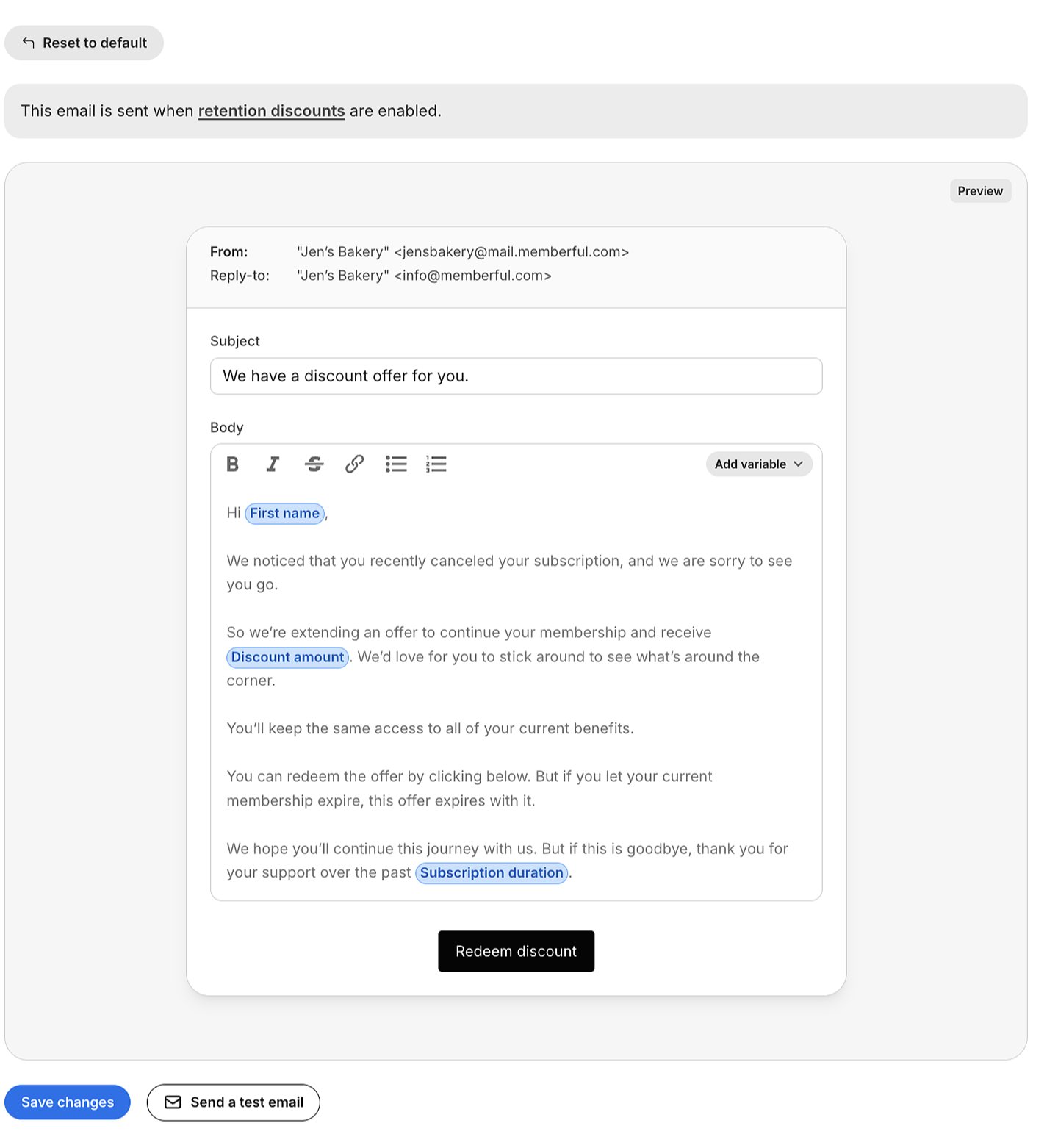
Eligible members will receive a Retention discount email after they cancel a subscription (if enabled). If a member cancels and is not eligible for a discount, they will receive the Subscription canceled email template 2 days later, assuming it’s enabled.How does a member apply a retention discount?
- In-app: If enabled, eligible members will see the discount during the cancellation confirmation screen. They can accept the offer instantly before finalizing cancellation.
- Email: If enabled, the retention discount email will be sent to eligible members one hour after cancellation.

Track retention discount usage
The statistics button for each discount displays a counter of how many members have applied the discount.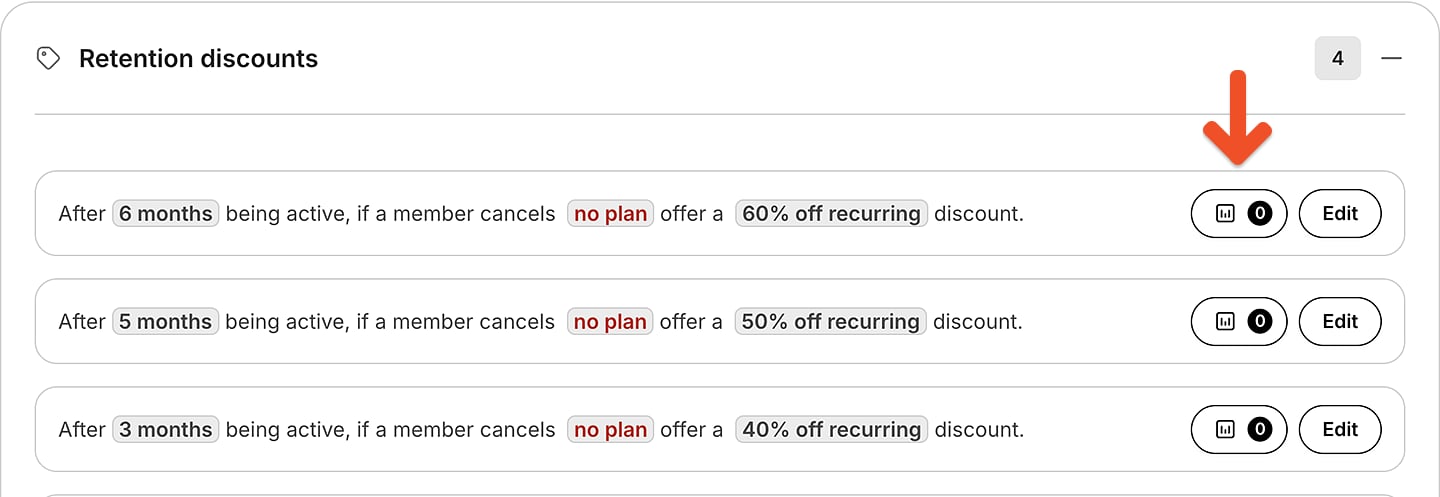

What happens to a retention discount if a member cancels?
The retention discount will only apply the rules while the current subscription is active. If the member lets their current subscription expire before applying the discount, the offer expires with it. If a member reaches out to request a replacement retention discount to renew their subscription, you can create a coupon and apply the code.Can members apply a coupon and a retention discount to the same subscription?
Members can simultaneously apply their retention discount along with any existing coupons or referral discounts.
If a member upgrades to another plan, they will be eligible for the discount offer of the new plan if they cancel and meet the discount rules.