

Where to find this metric
Go to Revenue → Metrics → Monthly Recurring Revenue in your Memberful dashboard.What is MRR?
Monthly Recurring Revenue (MRR) represents all active recurring subscription revenue normalized to a monthly amount. It includes:- Monthly recurring plans
- Quarterly or annual recurring plans (converted to a monthly equivalent)
- Recurring plans with ongoing discounts
- One-time payments
- Fixed-length subscriptions
- Gift purchases (unless the recipient renews into a recurring plan)
How is MRR calculated?
MRR increases when:- A member begins paying for a recurring plan
- A member upgrades to a higher recurring price
- A coupon ends and renewals increase
- A group subscription adds seats
- A choose-what-you-pay amount increases
- A member downgrades to a lower price
- A group removes seats
- A recurring discount is added
- A member cancels
- A renewal fails and cannot be collected within 30 days
In MRR reporting, upgrades/downgrades are based on normalized monthly revenue, not plan tier. For example, switching from a quarterly plan to an annual plan could show as a downgrade even though the member moved to a higher-commitment plan. This is because the annual price spreads out to less per month. A quarterly price of $64 normalizes to $21.33/month, while an annual price of $220 normalizes to $18.33/month.In contrast, the Activity feed uses “upgrade” to mean an actual plan tier change, not an MRR movement.
- $10/mo plan → contributes $10 MRR
- $100/year plan → contributes $8.33 MRR
- $10/mo plan with a $5 recurring coupon → contributes $5 MRR
Metrics update daily at midnight UTC and reflect the previous calendar day.
What affects my MRR?
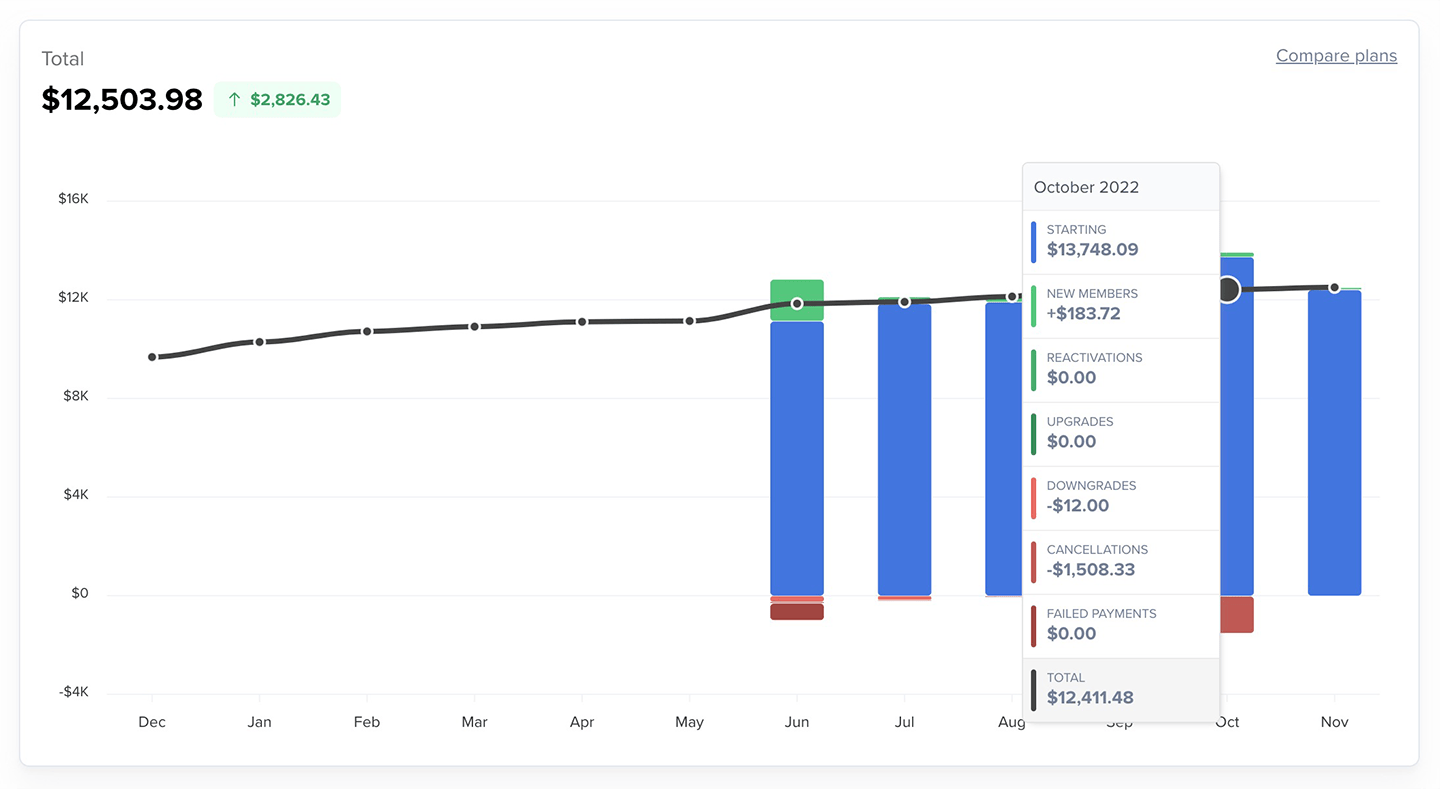
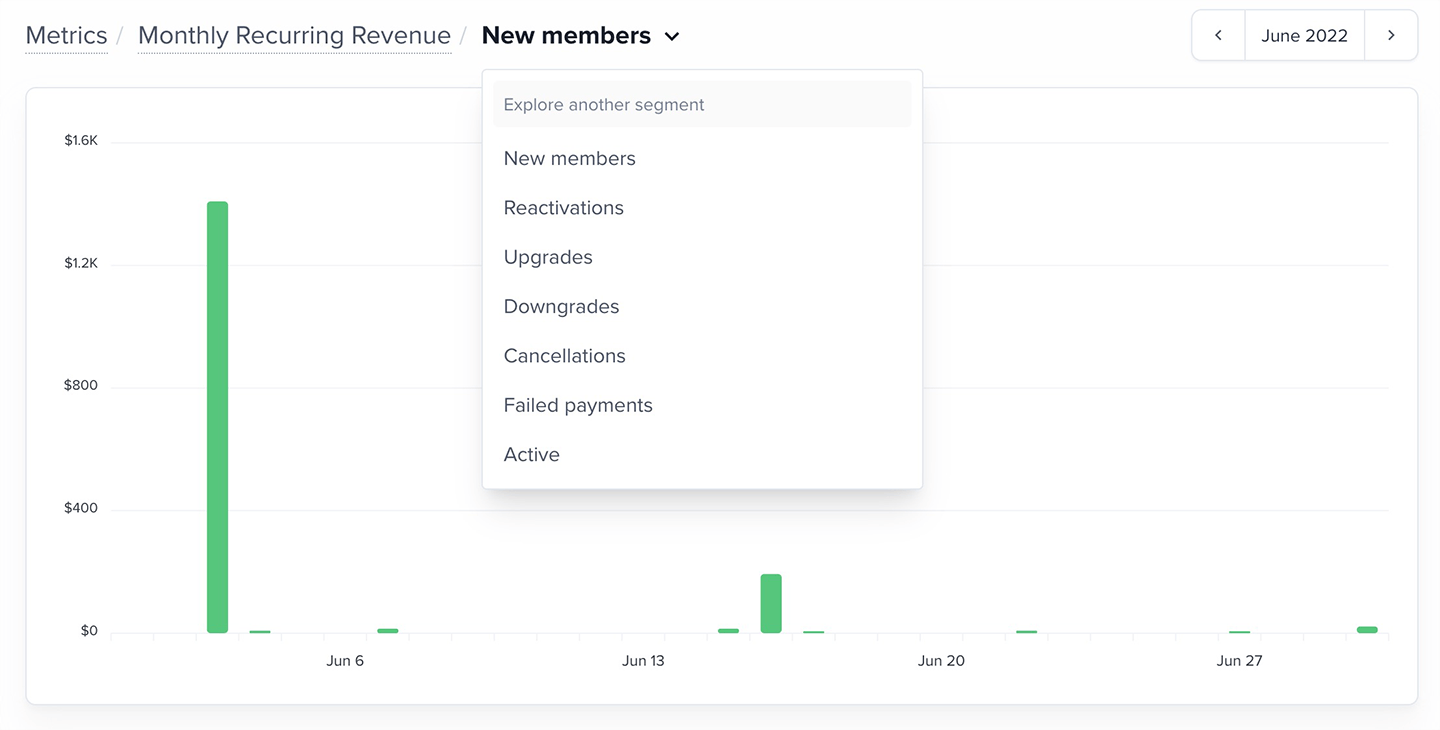
MRR is grouped into segments that show how recurring revenue changes throughout the month:- Starting: Recurring revenue active at the beginning of the month
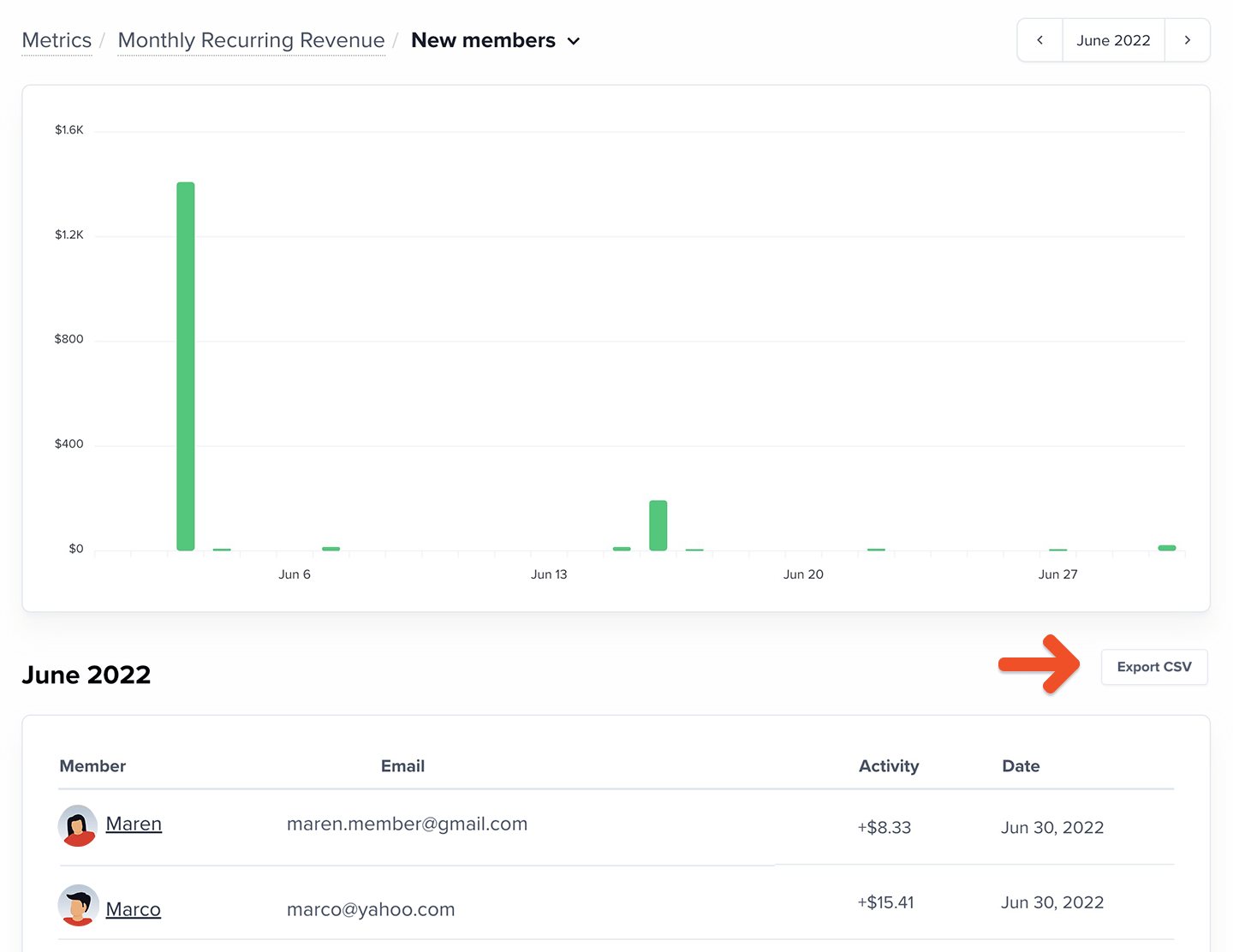
- New members: Members who began recurring payments for the first time
- Gift recipients count as “new” only when they renew into a recurring plan
- Reactivations: Members returning to a recurring plan after a prior cancellation
- Upgrades: Members whose recurring payments increased
- May be due to plan changes, added seats, coupon expirations, or increased choose-what-you-pay amounts
- Downgrades: Members whose recurring payments decreased
- May be due to fewer seats, added recurring coupons, or reduced choose-what-you-pay amounts
- Cancellations: Members who ended recurring payments
- Failed payments: Recurring revenue lost when payment could not be collected within 30 days
How to explore your MRR data
The MRR chart shows monthly changes in total recurring revenue, including the current (partially complete) month. You can view the last 3, 6, or 12 months.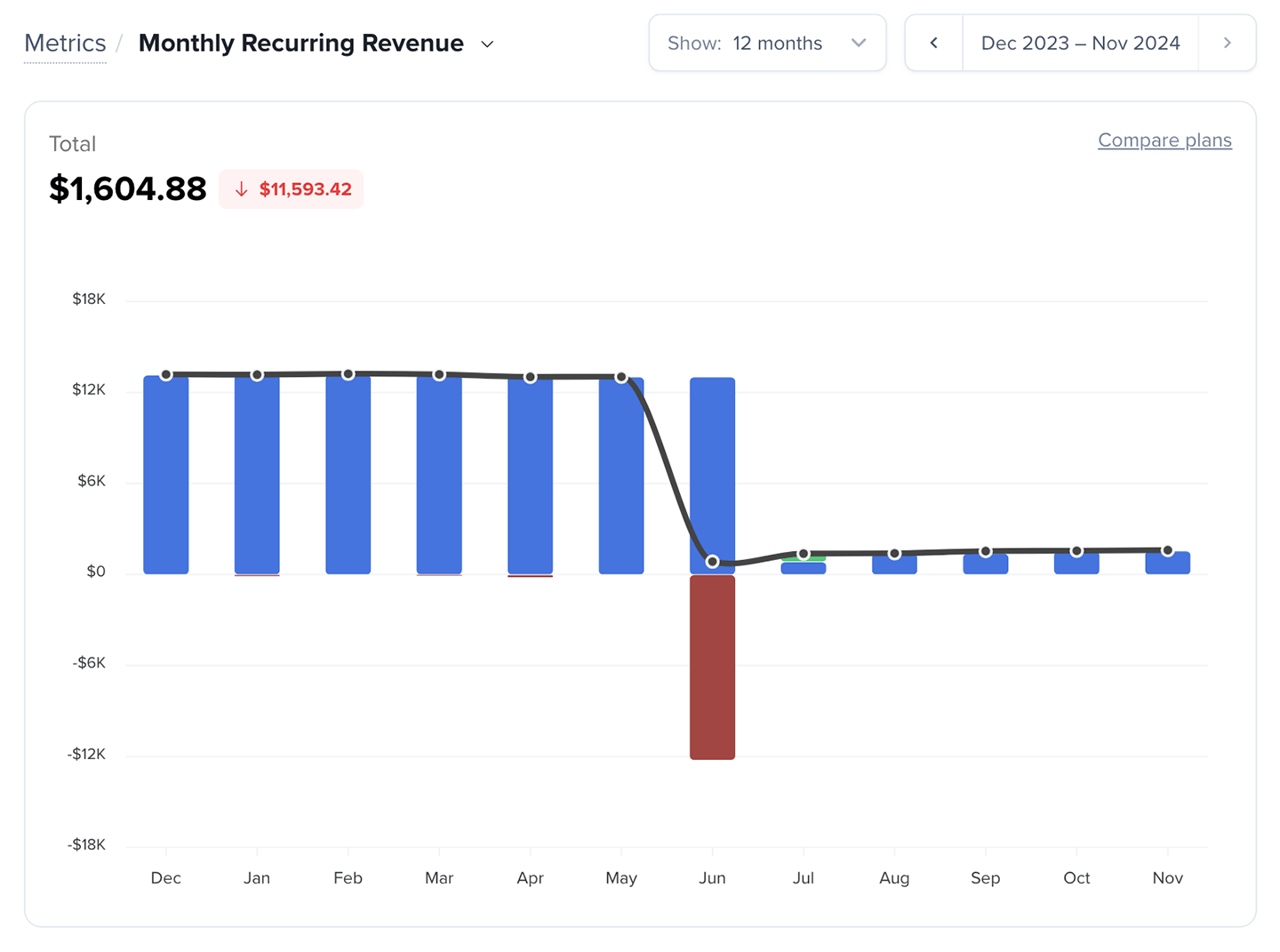
Want to compare MRR across plans? Learn more.
- Recurring payments active at month end
- Total paying members (members with recurring payments active)
- Average revenue per member (ARPM)
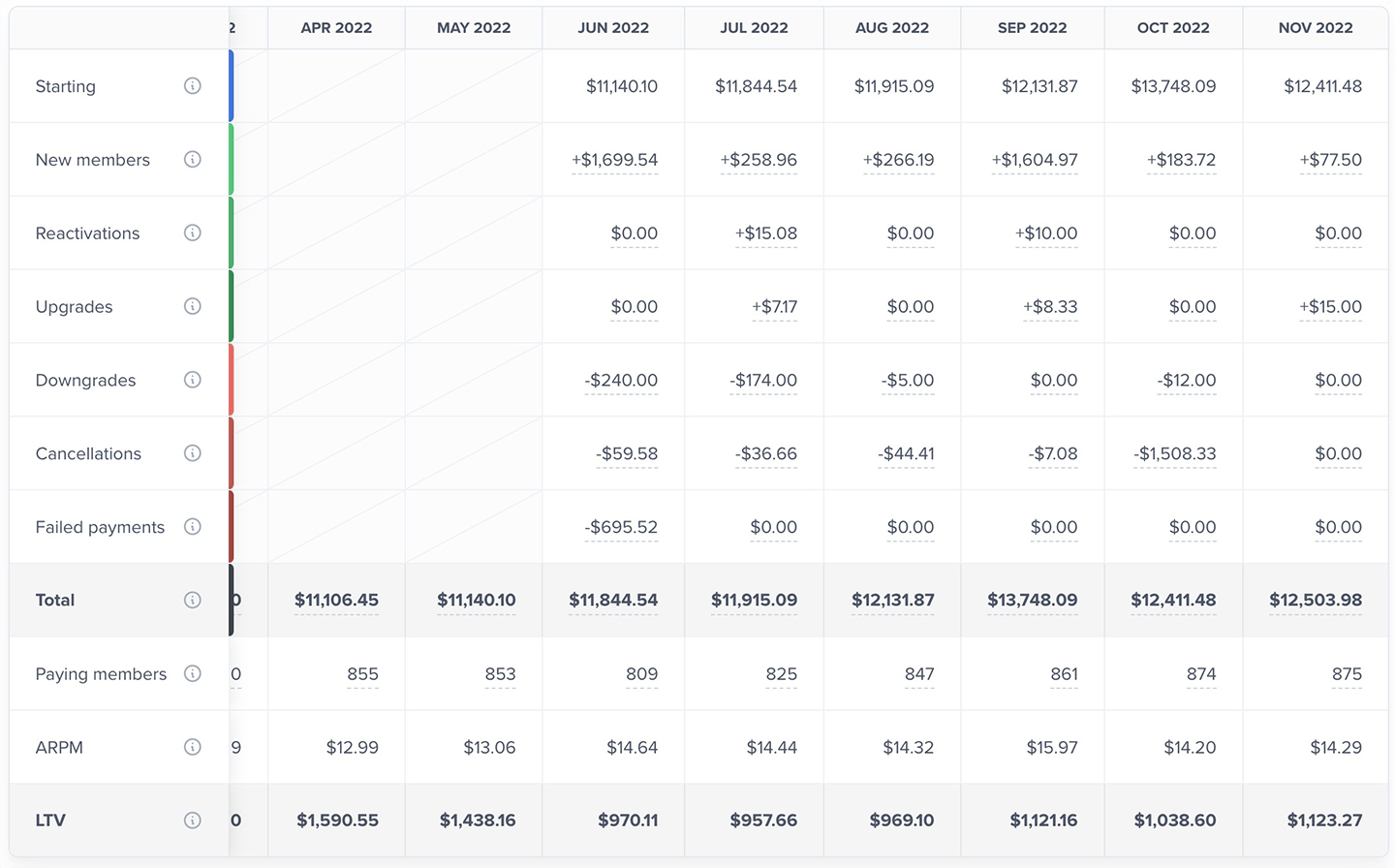
Lifetime value (LTV)
LTV helps you understand the long-term value of each recurring member and how much you can sustainably spend to acquire new members. LTV is calculated as:LTV = ARPM ÷ Trailing 12-month Average Member Churn Rate

How should I use this metric?
MRR helps you understand the long-term health of your subscription revenue. You can use MRR to:- See how much recurring revenue you can expect next month
- Understand whether revenue growth comes from new members or existing members
- Track the impact of pricing changes
- Monitor how cancellations and failed payments affect recurring revenue
- Identify when you’re over-reliant on a single plan or segment