Add a purchase link from Memberful to your website so visitors can subscribe to a plan. Memberful generates the link and handles checkout end to end.
Memberful generates purchase links for each of your plans, which you can add to any page or button on your website so visitors can subscribe.In this help article, we’ll show you how to create purchase links and add them to your website using WordPress or any website builder.
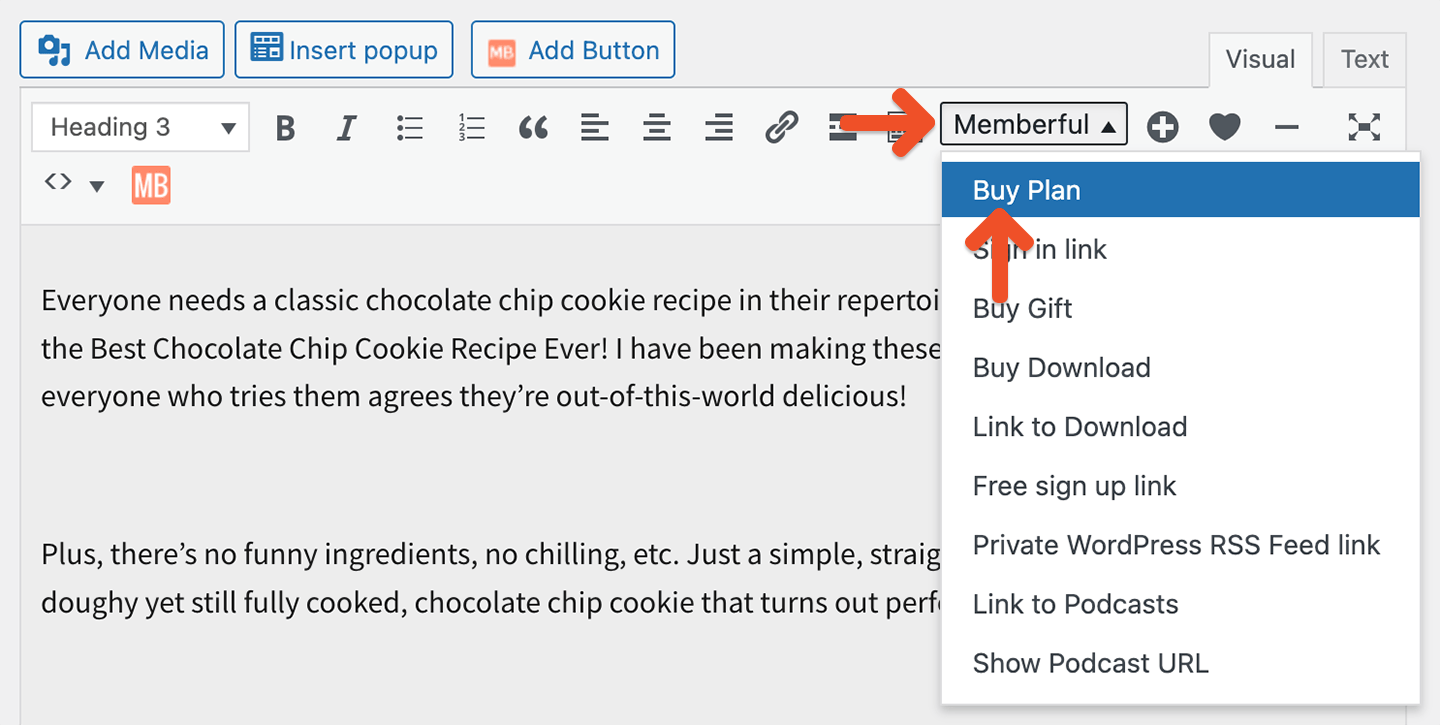
From your WordPress dashboard, go to any post or page and click the Memberful editor button in the WordPress editor.Select the Buy Plan shortcode, choose your plan from the dropdown list, and type your link text (e.g., Become a member - $15/month). Click OK.
If you’re writing HTML in the WordPress editor (Text tab), be sure to include the proper HTML link tag:
<a href="https://demo.memberful.com/checkout?plan=140">Become a member</a>
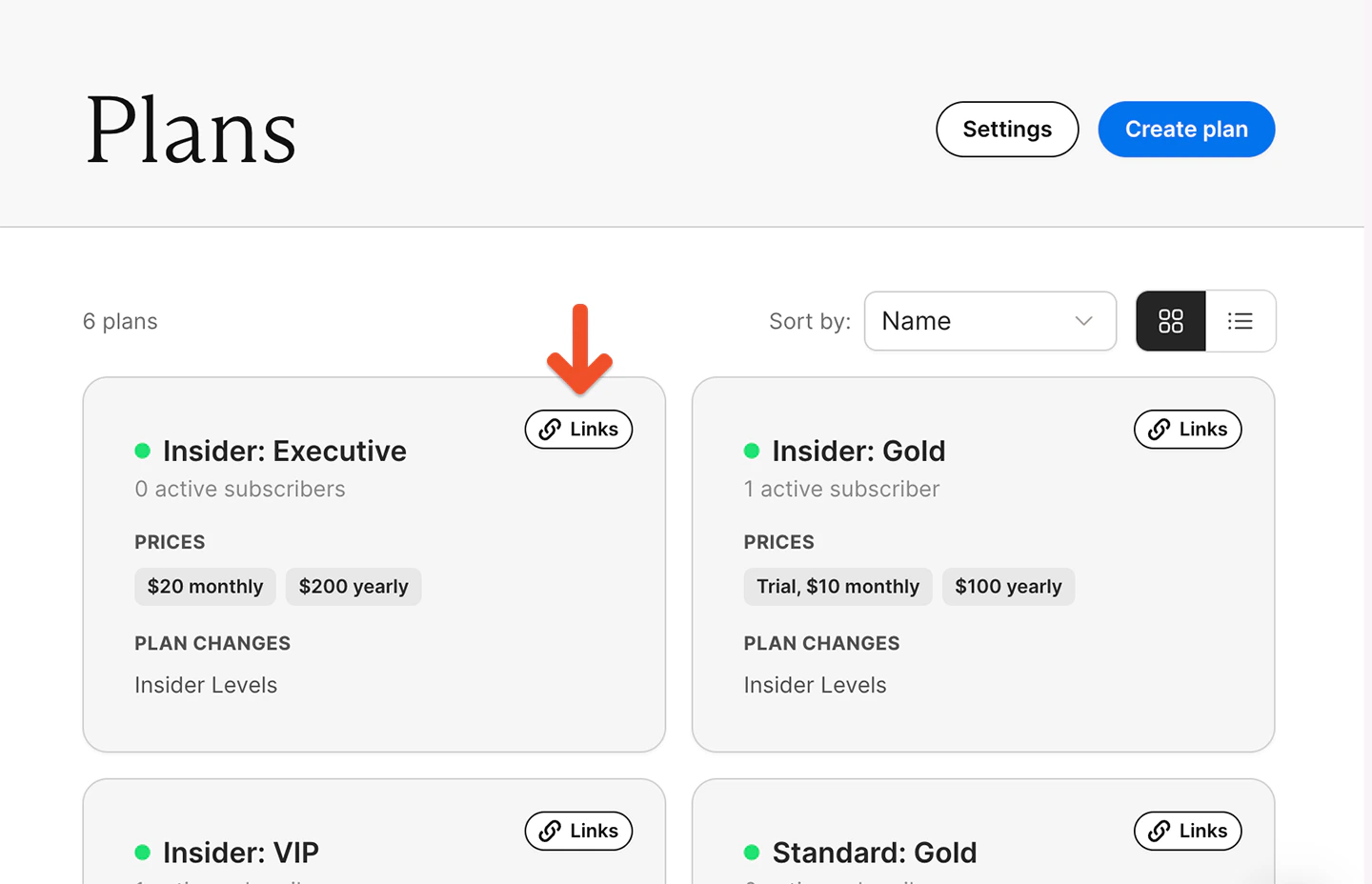
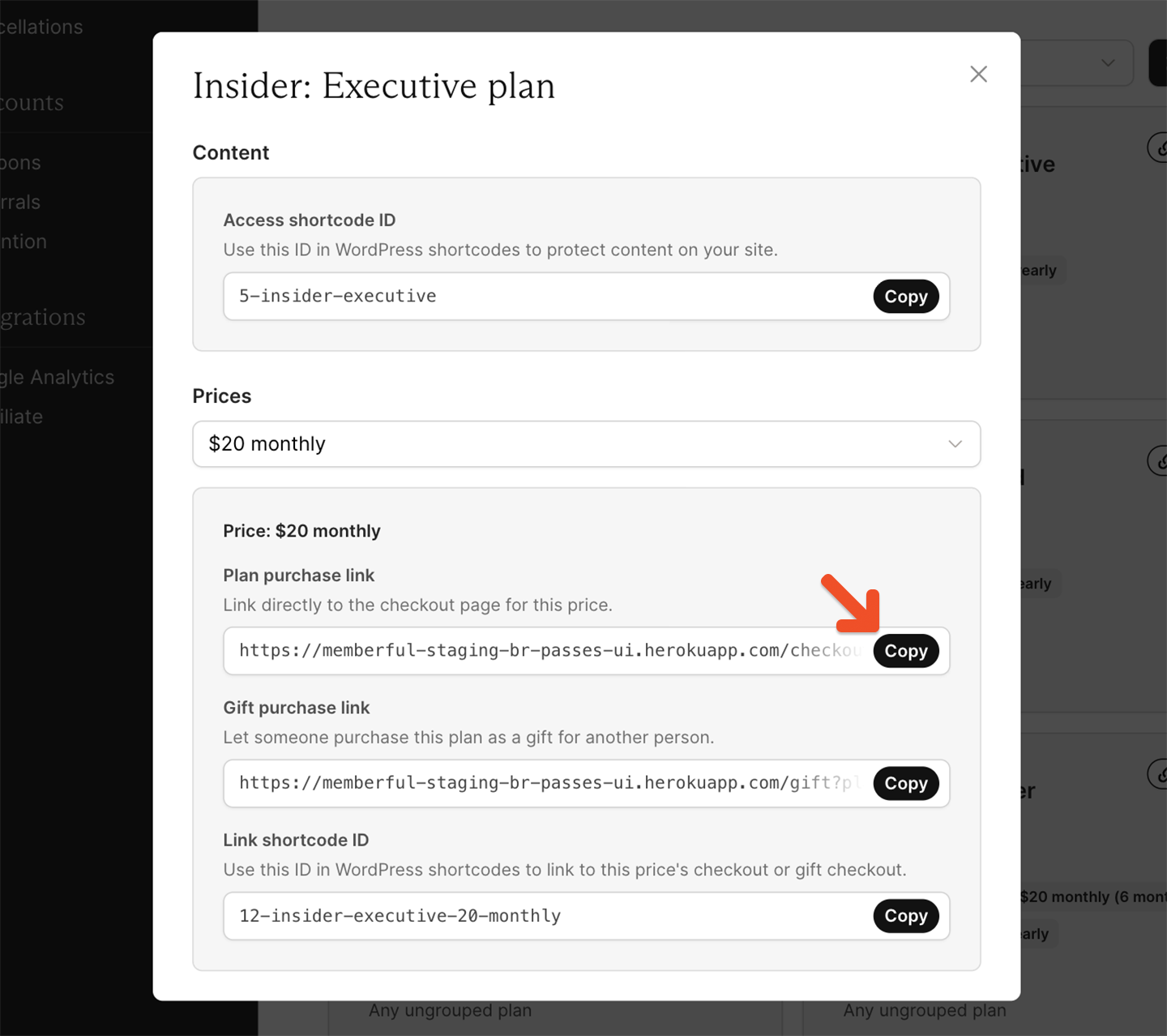
From your Memberful dashboard, go to Revenue → Plans. Select the plan and click Links.
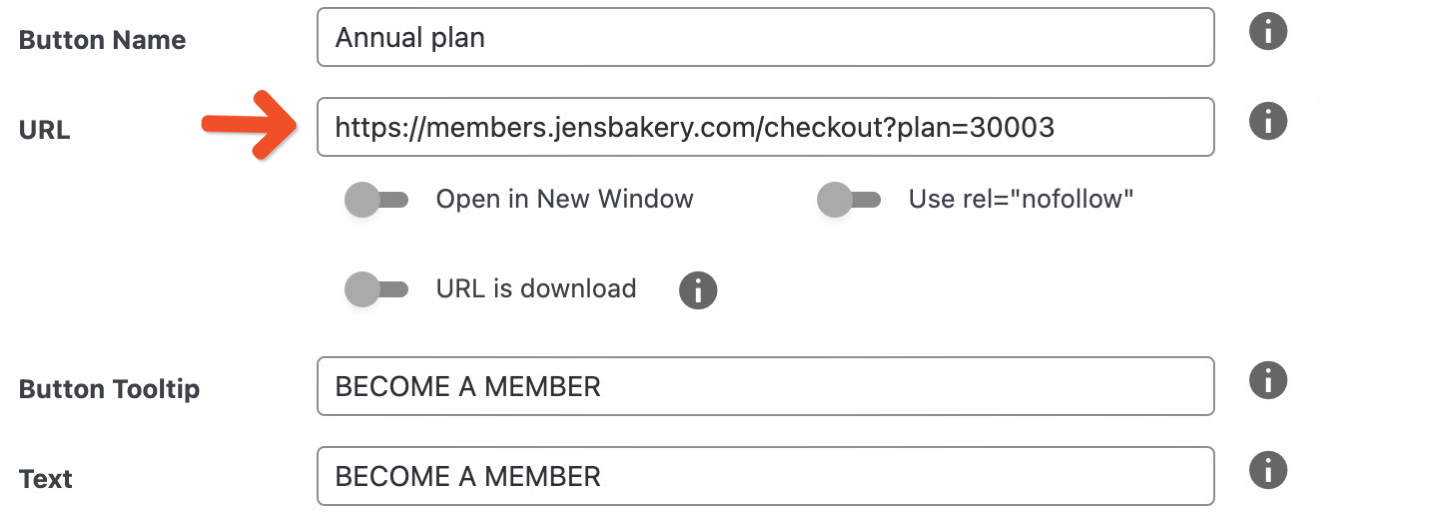
Click and copy the plan purchase link or gift purchase links and use them with the button options provided by your website builder.
If you’re using WordPress and your theme doesn’t have a button builder, install a plugin like MaxButtons.
Place links or buttons in high-visibility areas such as your homepage or navigation, clearly communicate pricing in the button text, and use consistent messaging across your site so it aligns with your plans.