

Where to find this metric
Go to Revenue → Metrics → Trials in your Memberful dashboard.How do trials work?
Memberful offers both free and paid trials.Free trials
Free trials let someone access your membership benefits for a set period at no cost (e.g., 30 days free). You can choose whether a credit card is required:- Credit card required: We automatically charge the card when the trial ends.
- No credit card required: Members will be prompted to add a card one week before their trial expires.
Paid trials
Paid trials charge a small upfront amount to begin (e.g., $1 for 30 days). They behave like free trials but require payment to start.What counts as a trial?
A trial is counted when a member starts a free or paid trial, the trial is attached to a recurring subscription plan, and the member has not had a paid subscription in the past. Trials on one-time plans do not count toward this metric because they don’t create ongoing subscription value.What counts as a trial conversion?
A conversion is counted when a member on a free or paid trial begins paying for any recurring plan after the trial ends. Conversions count even if the member moves to a different plan than the one they trialed.Metrics update daily at midnight UTC and reflect the previous calendar day.
How trials are tracked
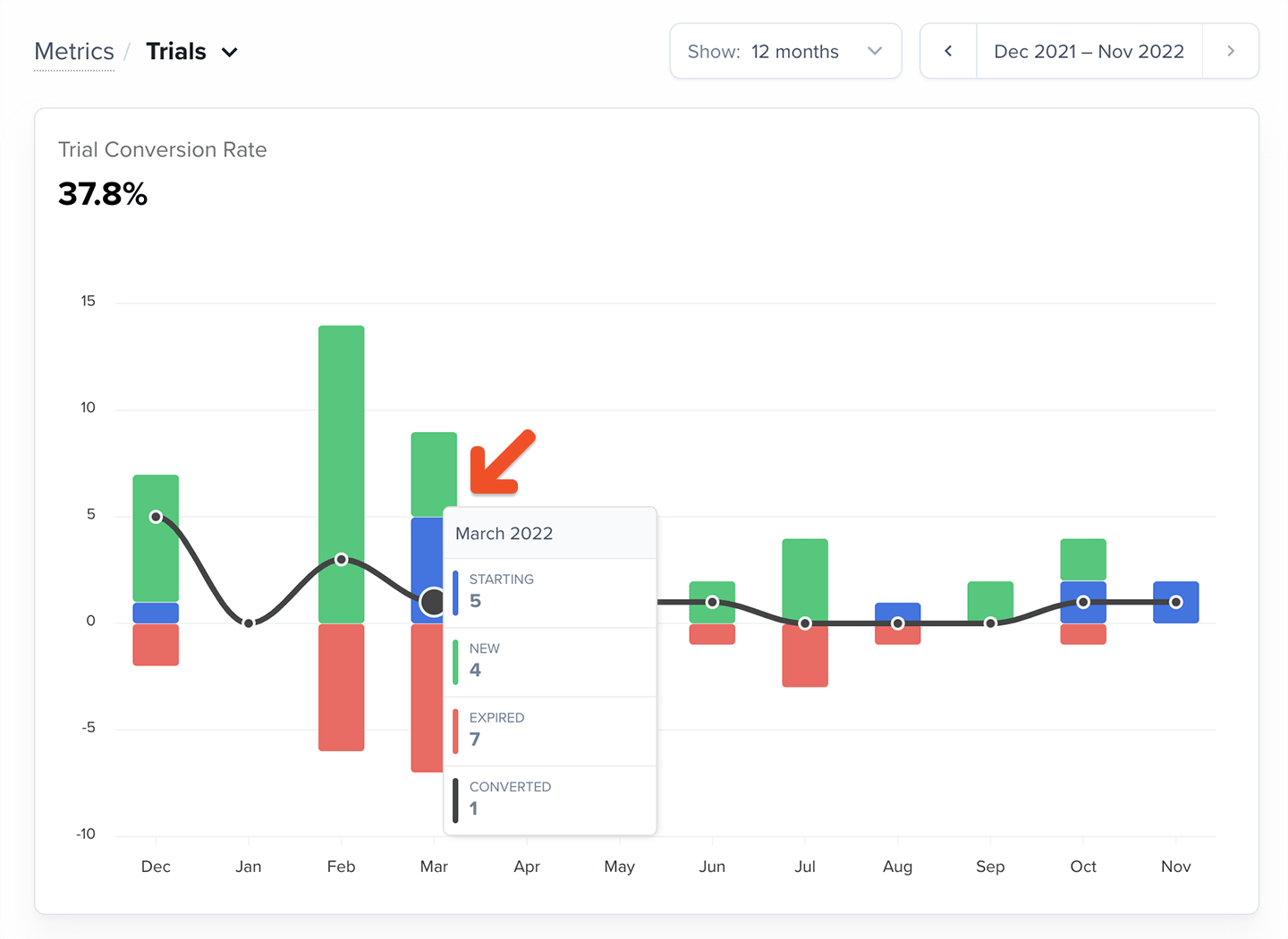
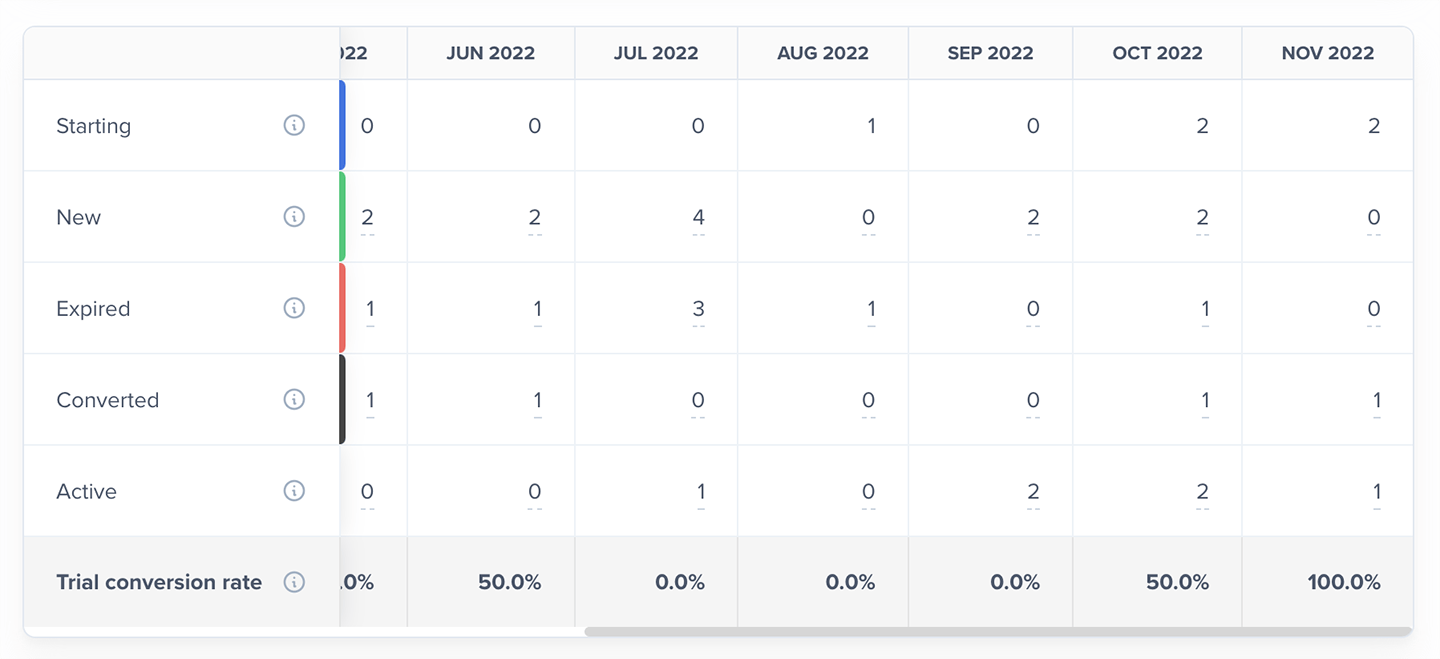
The Trials metric is made up of the following segments:- Starting: Members with an active trial at the start of the month
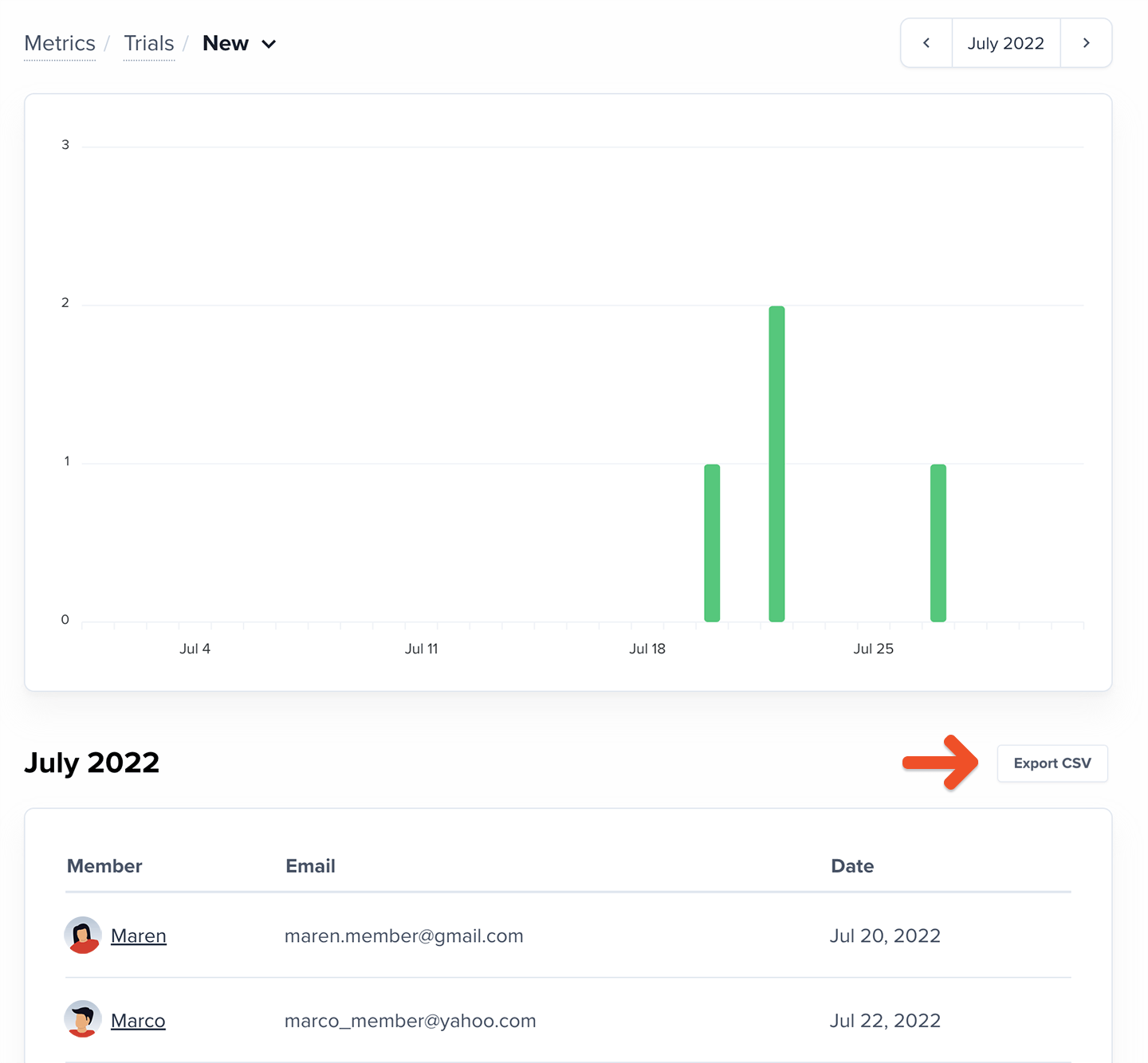
- New: Members who started a trial during the month
- Converted: Members who started a recurring payment when their trial ended
- Expired: Members who didn’t start a recurring payment when their trial ended
- Active: Members with an active trial at the end of the month
- Trial conversion rate: Percentage of ended trials that converted
How to explore your Trials data
The Trials chart shows month-over-month trial activity, including the current (partially complete) month. You can view the last 3, 6, or 12 months.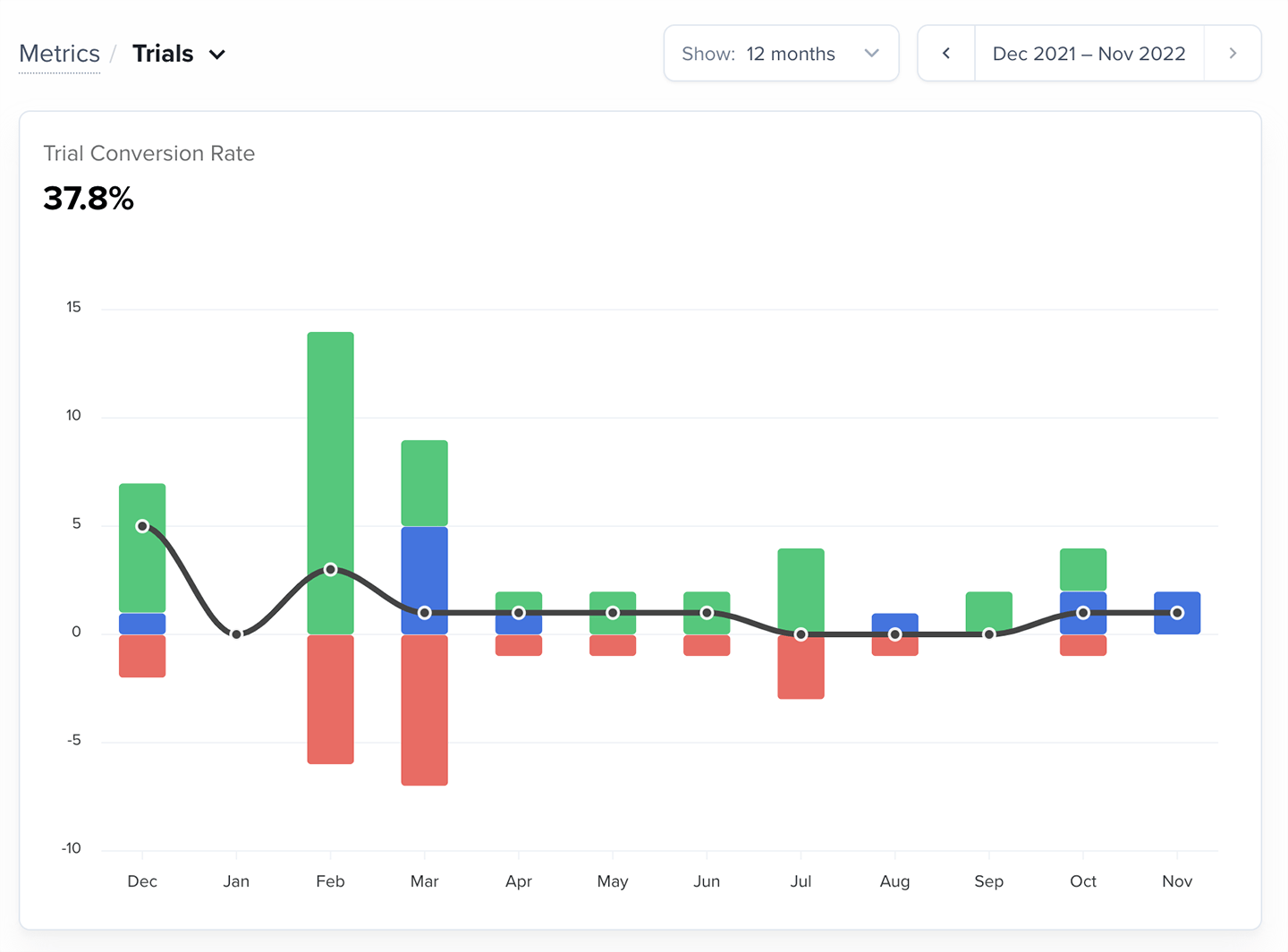
How should I use this metric?
Trials help you measure the effectiveness of your early-stage member experience. The most important number to monitor is your trial conversion rate — the percentage of trial members who continue with a paid recurring subscription. A strong conversion rate usually means:- Your trial delivers clear value
- Pricing aligns with expectations
- You’re attracting the right audience
- Trial members don’t see enough value
- Pricing or billing frequency feels too high
- Your marketing is attracting the wrong audience