Sell digital downloads such as PDFs or MP3s in Memberful as standalone products, or bundle them with your membership plans for paid members to access.
In this help article, we’ll show you how to include downloads with plans, sell downloads individually, and explain how members access their purchased files.
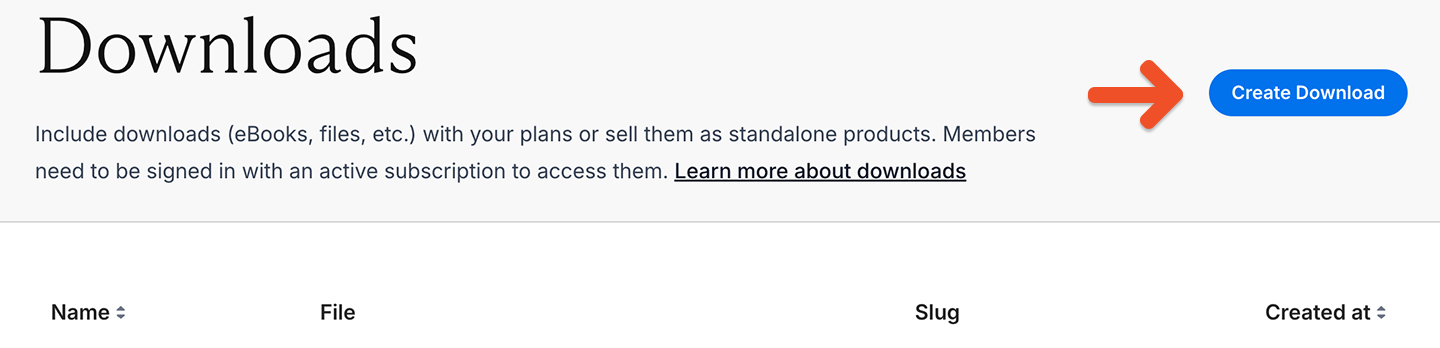
To begin, go to Content → Downloads and then click Create Download.
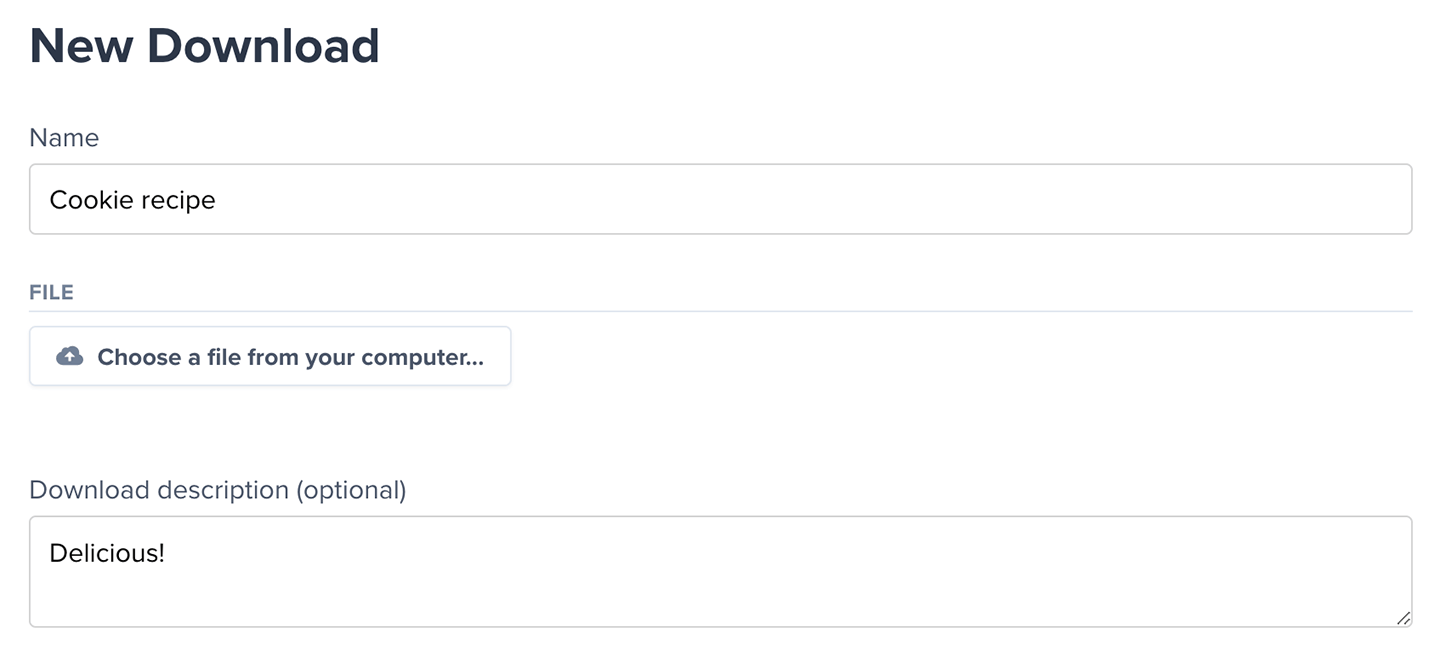
Name the download, choose the file from your computer, and add a description.
In the Which plans should include this download? section: select All plans to include the download with all current and future plans.Alternatively, choose Select from your list of plans to assign it to specific plans.
Then, click Create Download.You can also configure this for each plan via Revenue → Plans → Select a plan → Included content and click Edit.
Downloads are only available with plans and standalone purchases. Members who sign up through free registration can’t access private downloads.
Members can access all their downloads when they log in to their account. For ease of use, they can sort them alphabetically or by the date they were added.
You can use our WordPress shortcodes to directly link to downloads on your site. Alternatively, you can use the URL below, but make sure to replace the last four digits with the ones for your download found in the Downloads tab.
When a member clicks a download, Memberful generates a temporary link that expires after 10 minutes. This helps prevent unauthorized sharing. Members can click the download link again to generate a new link if needed.