

Sign-in problems
No one can sign in
If all of your members are having trouble signing in or are repeatedly asked to sign in again, your hosting provider may be interfering with cookies or serving cached pages to members who are signed in. To check whether a cookie survives on Memberful endpoint URLs, run the Cookies Test. In your WordPress dashboard, go to Settings → Memberful → Cookies Test and click Run Cookies Test.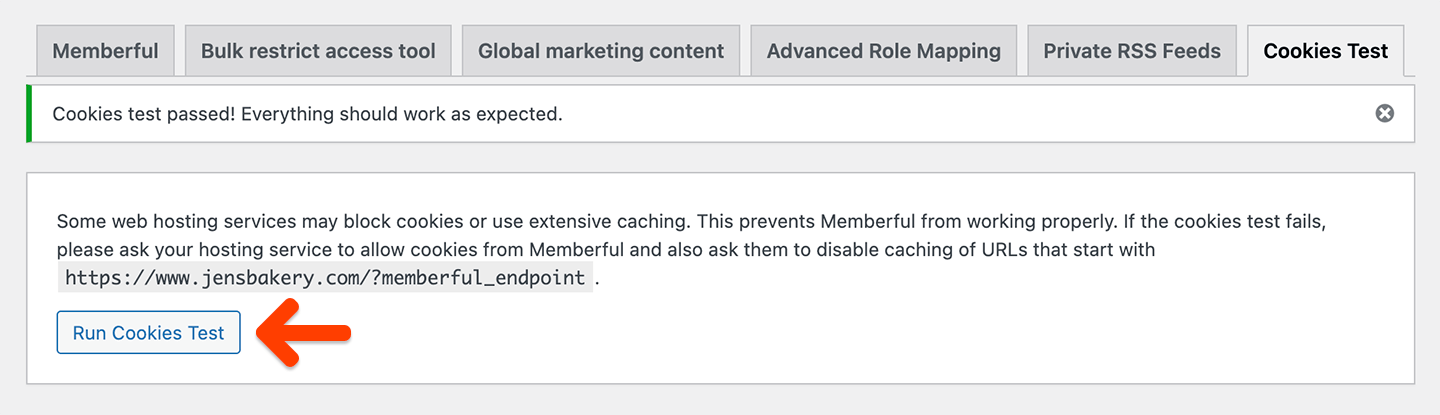
memberful_endpoint. It does not confirm that your host bypasses the cache for logged-in members or passes WordPress’s sign-in cookie to the browser.
If the test passes but members still can’t sign in, ask your hosting provider to check both of the following:
- The cache is bypassed for requests with a cookie whose name starts with
wordpress_logged_in_. WordPress adds a site-specific suffix to this cookie, so the rule needs to match the prefix. - The origin server passes WordPress’s sign-in cookie from the sign-in response through to the browser without filtering it.
A member is stuck in a sign-in loop
If most of your members can sign in successfully but one member is prompted to sign in repeatedly, their browser may be blocking third-party cookies. Memberful requires third-party cookies to work. Ask the member to check that they aren’t using Private or Incognito mode, which often blocks third-party cookies by default. Some browsers, like Brave, block third-party cookies by default, and browser extensions or add-ons can also block them. If that doesn’t resolve the issue, ask the member to try a different browser or device, or temporarily disable their browser extensions to find out whether one is blocking third-party cookies.A member was redirected to a WordPress form
After you integrate Memberful, delete your WordPress users so Memberful can recreate them. If you don’t, members may be asked to sign in with their existing WordPress credentials so Memberful can sync their WordPress and Memberful accounts.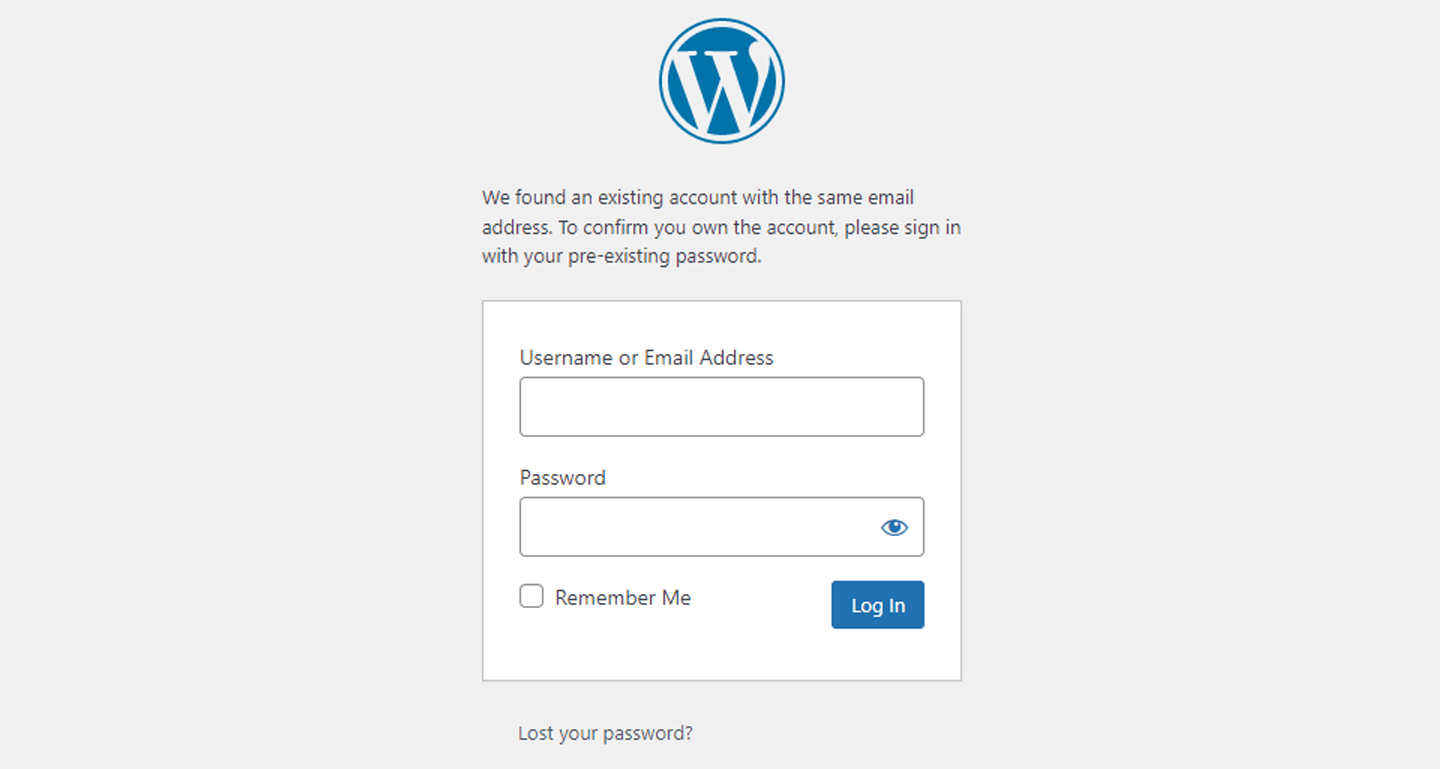
Be careful not to accidentally delete WordPress admins.
The sign-in link in my comments section isn’t working
After integrating with Memberful, update any member account management links in your theme, content, and plugins. The sign-in link in your comments section is a common example. Update these links.Memberful OAuth error
We had a problem signing you in, please try again later or contact the site admin. memberful_oauth_error If a member reports this error, Memberful couldn’t communicate with your WordPress site. Disconnect / reconnect the plugin. If that doesn’t resolve the issue, contact us.Memberful OAuth state mismatch
We had a problem signing you in, please try again later or contact the site admin. We couldn’t confirm this sign-in started in this browser. Make sure cookies are enabled for this site, then try signing in again. memberful_oauth_state_mismatch This error only appears when a member signs in with an email address that matches an existing WordPress user who isn’t linked to a Memberful account yet. Before we ask them to sign in with their existing WordPress credentials, the plugin checks that the sign-in finished in the same browser where it started. This protects your existing WordPress accounts from being linked to someone else’s Memberful account. If the plugin can’t confirm that, it shows the error above. The most common causes are:- The member started signing in on one device or browser and finished on another, for example by opening the sign-in email on their phone or in their email app’s built-in browser.
- The member’s browser is blocking cookies for your site.
- More than an hour passed between starting and finishing the sign-in.
Content access problems
The Memberful plugin isn’t protecting my content
Make sure your theme and page builder are compatible with Memberful.My members can’t access my protected content
This is generally caused by a caching issue. Common symptoms include:- A member signs in but can’t access protected content until they refresh the page.
- A member signs in but still sees the Sign in link instead of the Account and Sign out links until they refresh the page.
- Members can access some protected posts but not others.
Why this happens
During sign-in, Memberful loads URLs containing thememberful_endpoint query string. These URLs must not be cached, even when the query string appears alongside other parameters.
For example, these URLs should not be cached:
https://YOURSITE.com/?memberful_endpointhttps://YOURSITE.com/?utm_campaign=ads&memberful_endpoint&utm_source=fb
memberful_endpoint can still be cached:
https://YOURSITE.com/https://YOURSITE.com/?utm_campaign=ads&utm_source=fb
memberful_endpoint anywhere in the URL, rather than adding individual URLs as cache exceptions. Account for trailing slashes and other query parameters.
Set up a cache exception
The only way to solve any caching issues is to set up a cache exception with this exact criteria: “Any URL that contains memberful_endpoint anywhere in the URL” Set up the exception in every caching system on your site. This includes caching plugins and caching provided by your host. If you’re not sure which systems cache your site, ask your hosting provider.Kinsta
Ask Kinsta support to add this Nginx rule:memberful_endpoint, even when other query parameters appear before or after it. URLs with only tracking parameters, such as UTM parameters, can still be cached.
Rocket.net
Ask Rocket.net to whitelist these cookies:__cf_bmmemberful_sessionmember_referrerremember_member_tokenthird_party_cookie_supportedwordpress_logged_in_memberful_cookie_test
wordpress_logged_in_ cookie name includes a site-specific suffix. Ask Rocket.net to match the prefix, rather than treating it as an exact cookie name.
If sign-in still fails after these settings are in place, ask Rocket.net to confirm that its origin server passes authentication cookies from Memberful endpoint responses through to the browser without filtering them.
SiteGround
Add the custom cache exception through the SG Optimizer plugin.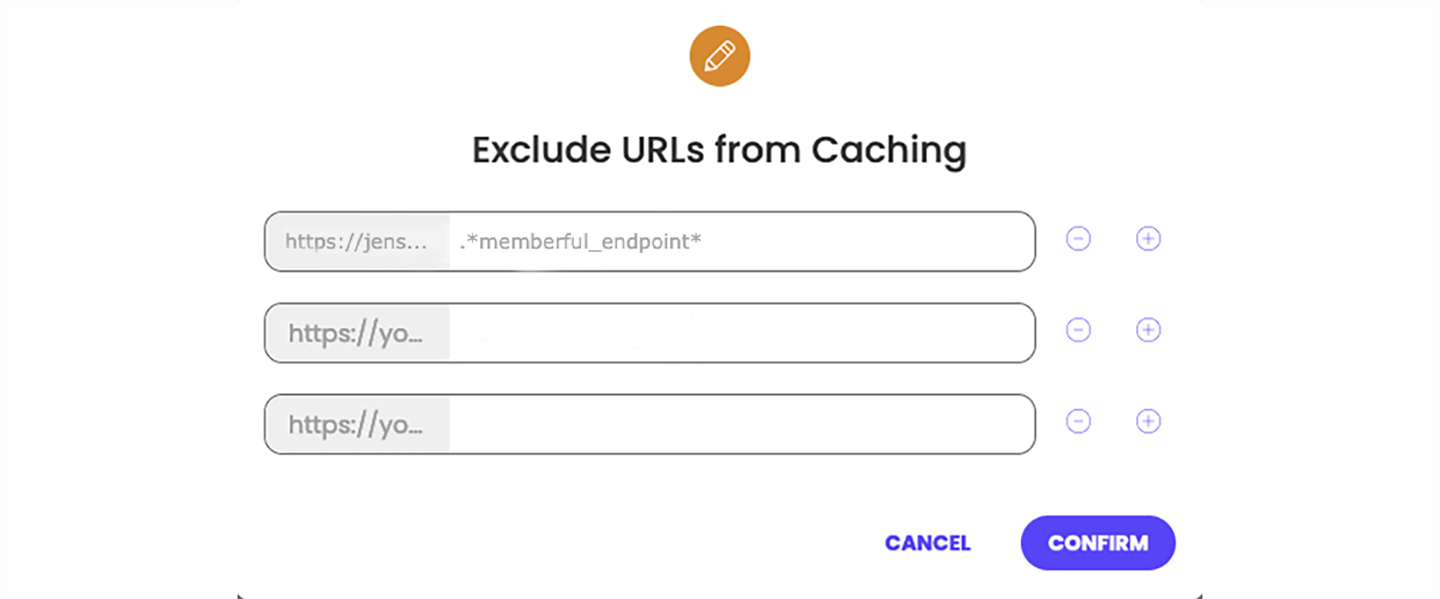
Pantheon
Update Pantheon’s regex pattern to includememberful_endpoint:
WordPress errors
Could not create the Memberful mapping table
Could not create the Memberful mapping table If you see this error after cleaning up your WordPress database, you may not have removed Memberful’s mapping table. Delete thewp_memberful_mapping table from your database, then reactivate the plugin. This assumes your database table prefix is wp_.
You can use a plugin like Advanced Database Cleaner to find the table, or ask your hosting provider for help.