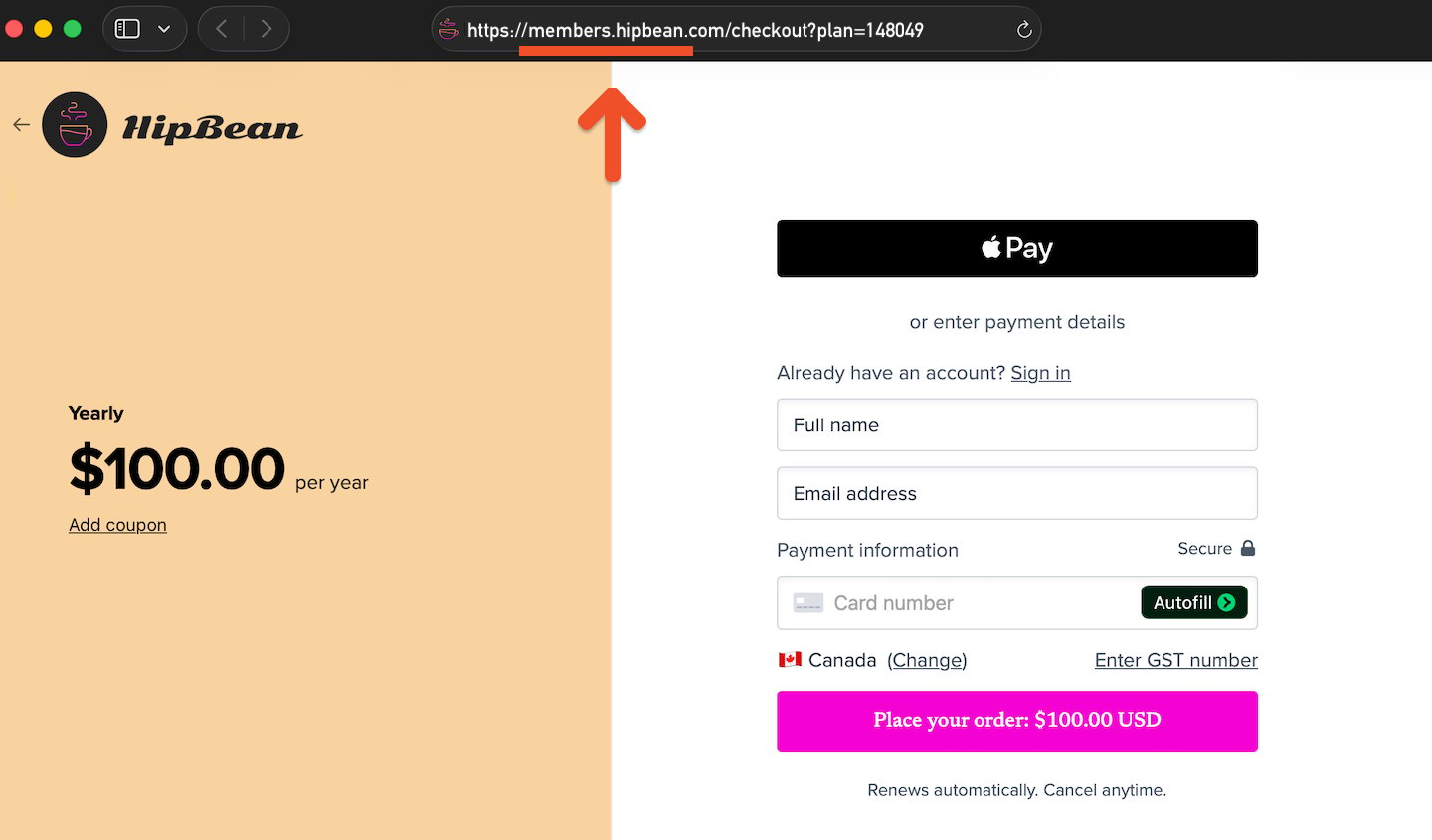
Use your own domain for Memberful-hosted sign-up, checkout, and account pages so members see a consistent, branded experience across your site.
A custom domain replaces your ACCOUNT-URL.memberful.com address with an address that uses your own domain. This creates a consistent experience when members purchase a subscription, sign in, manage their account, or browse your member website.In this help article, we’ll explain how custom domains work and how to contact us to set one up.
A custom domain only applies to pages hosted by Memberful. Pages hosted on your external website already use your own domain.
In most cases, your custom domain will be a subdomain of your main website domain. For example, if your website is example.com, you could use:
members.example.com
Using a subdomain connects your Memberful-hosted pages to your existing brand while keeping them separate from your main website.If you want to use a top-level domain instead of a subdomain, contact us to discuss your options.
If you use a custom domain for your member website, Memberful tells search engines to use that address instead of your Memberful subdomain. This helps prevent duplicate search results.For your member website, Memberful automatically identifies your custom domain as the preferred address for search engines, helping avoid duplicate listings under your Memberful subdomain.