Which plans are giftable?
Gift links are disabled for certain types of plans.Sell gifts on a non-WordPress website
1
Select a plan
From your Memberful dashboard, go to Revenue → Plans, select a plan, and click the Links button.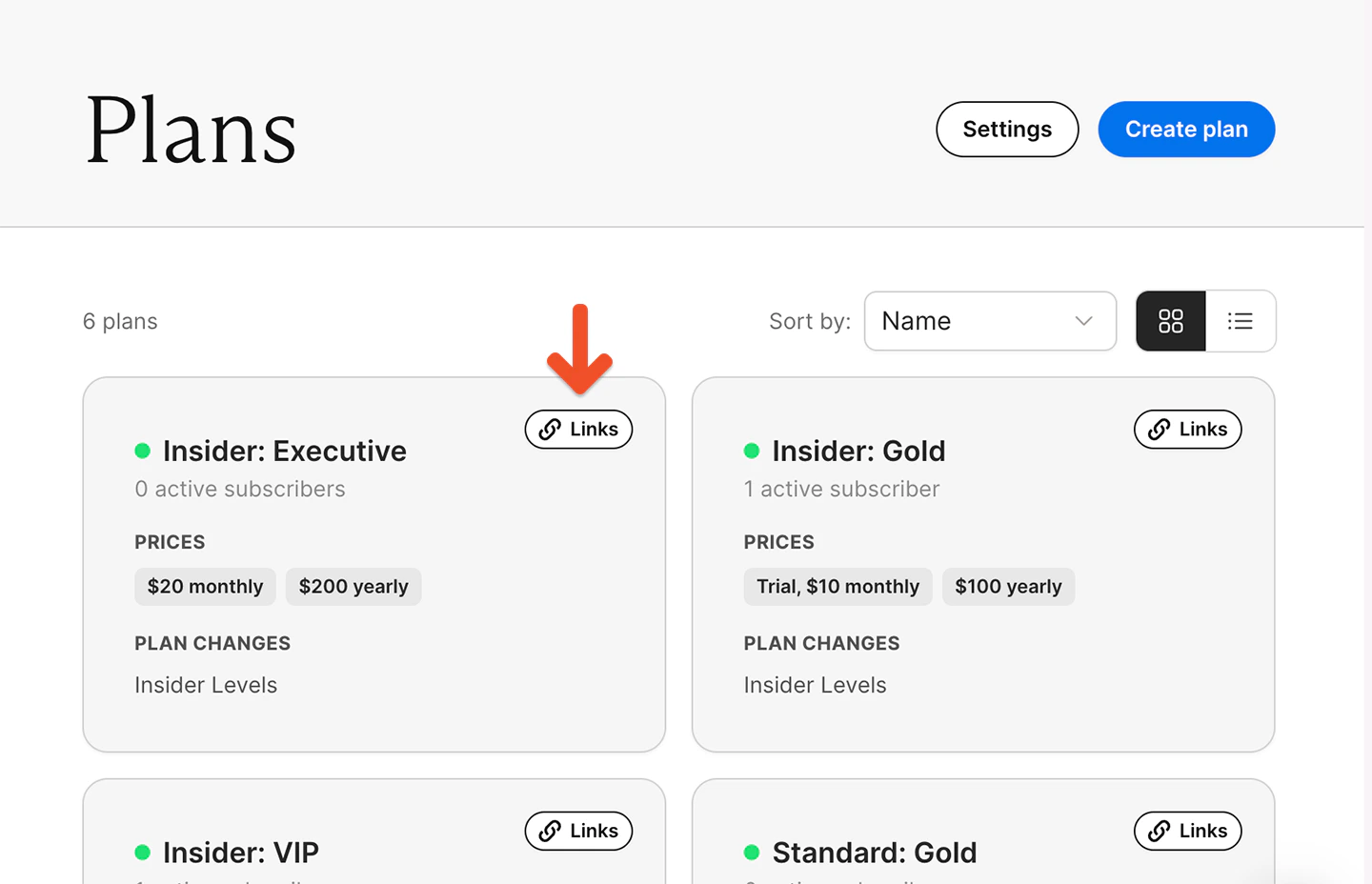
2
Copy gift purchase link
Go to the Gift purchase link field, and copy the gift purchase link.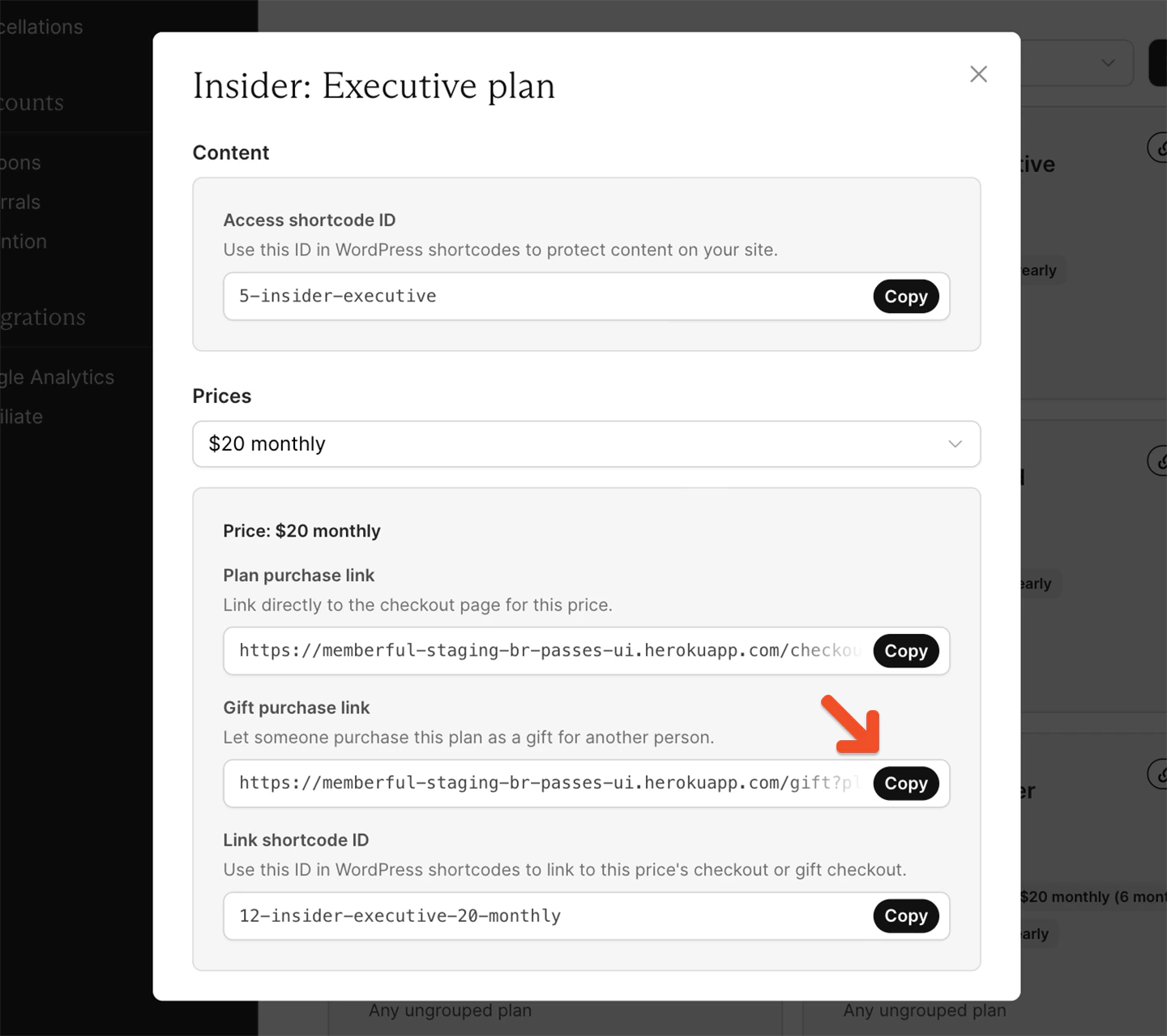
3
Add link to a button
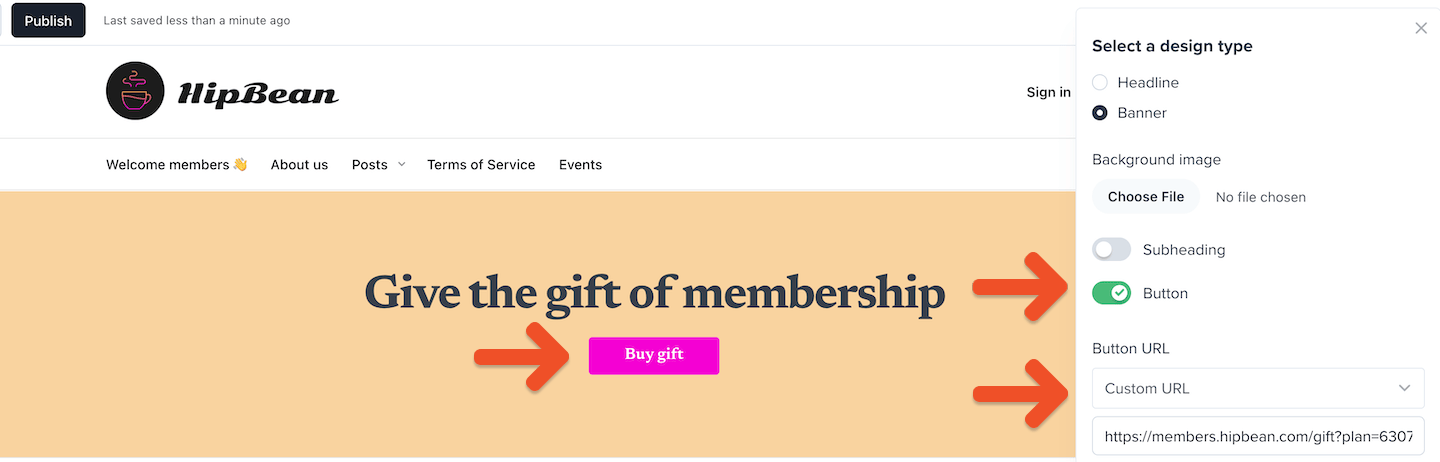
Add the link to a button on your site using your website builder.
Sell gifts on a WordPress site
1
Click Memberful editor button in WordPress dashboard
From your WordPress dashboard, open a post or page and click the Memberful editor button.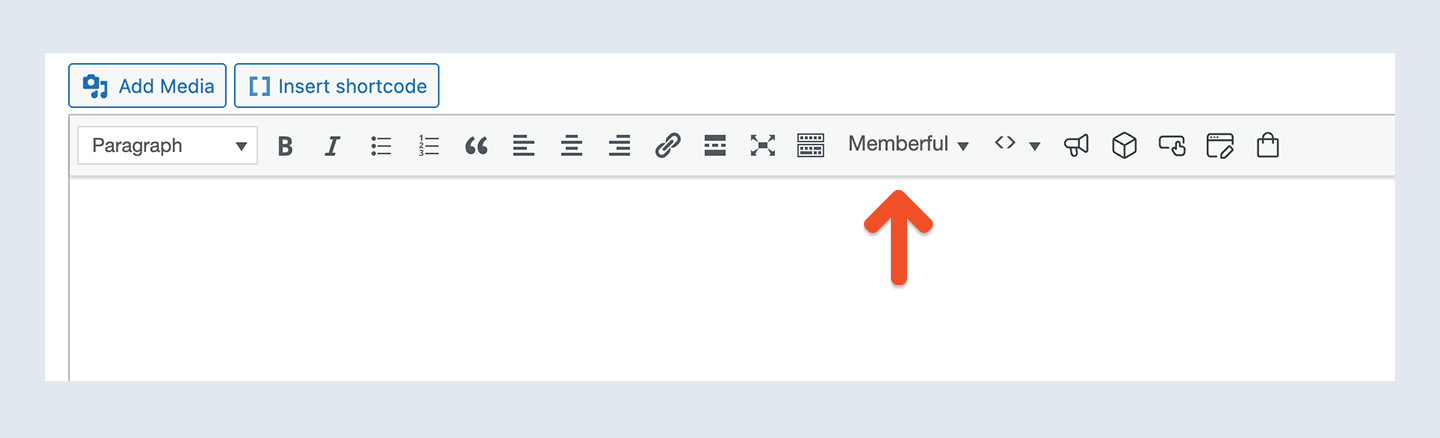
2
Select Buy Gift shortcode
Select the Buy Gift shortcode and choose your plan from the dropdown.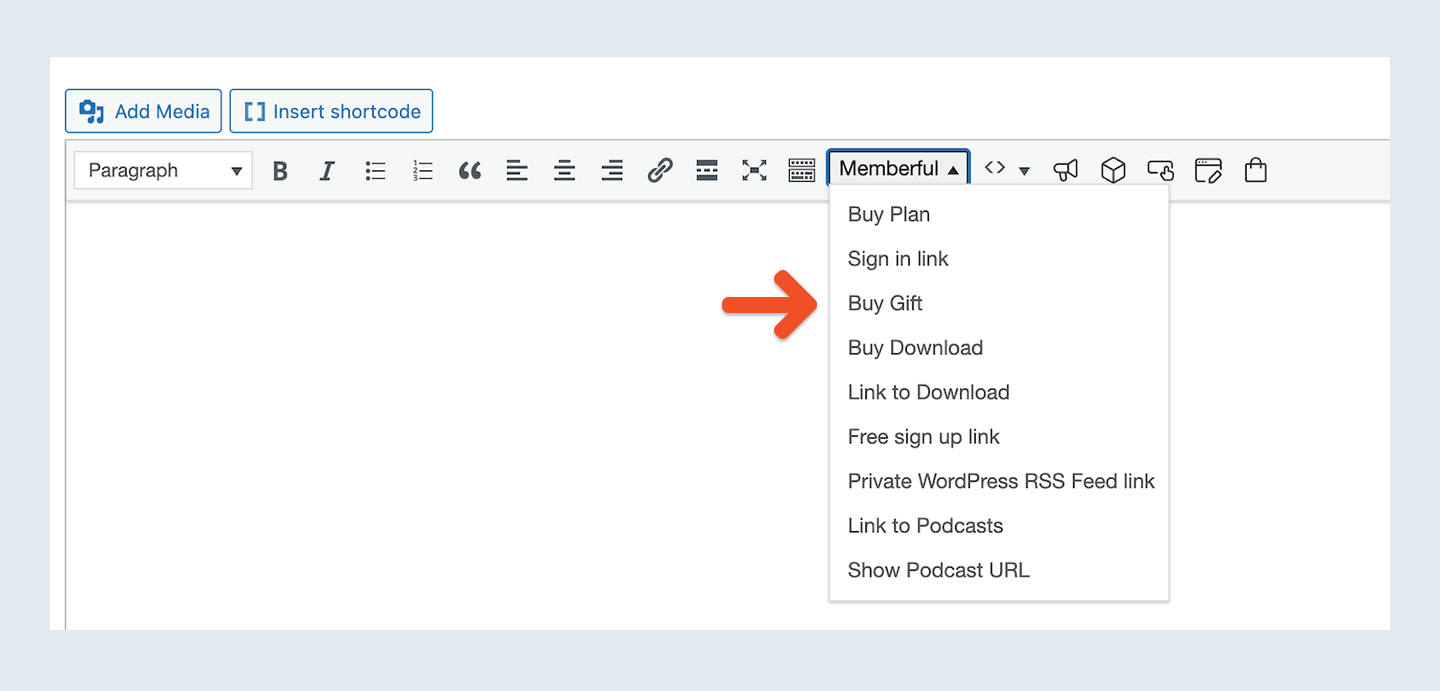
3
Enter link text
Enter your link text and click OK.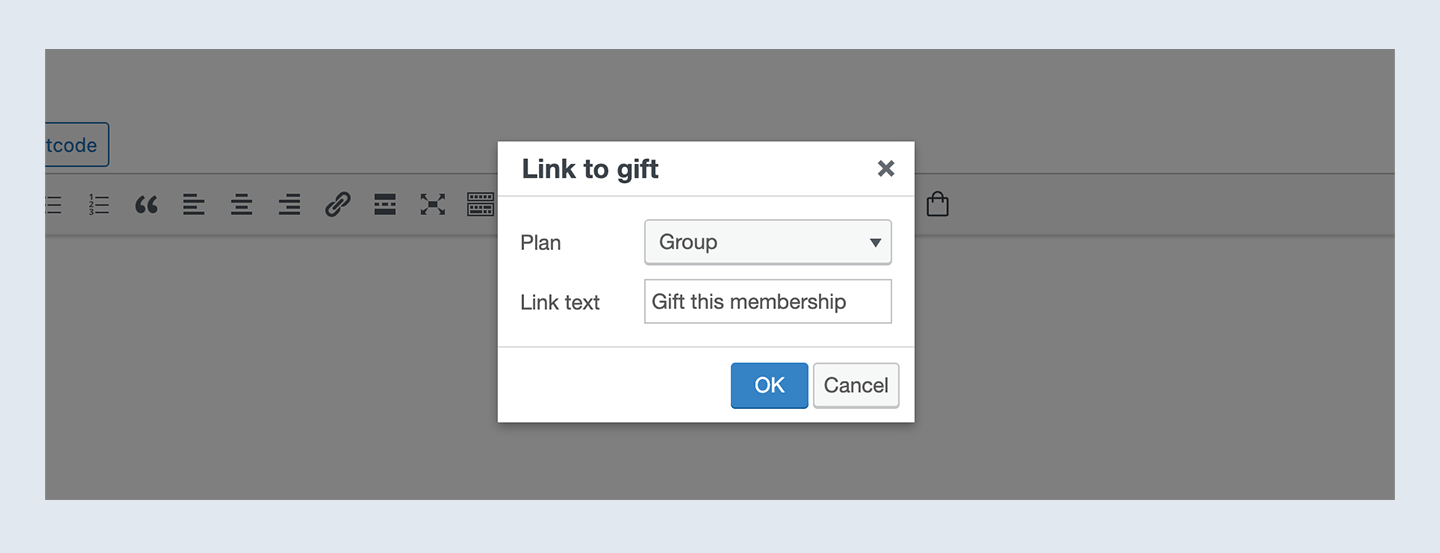
Sell gifts on your member website
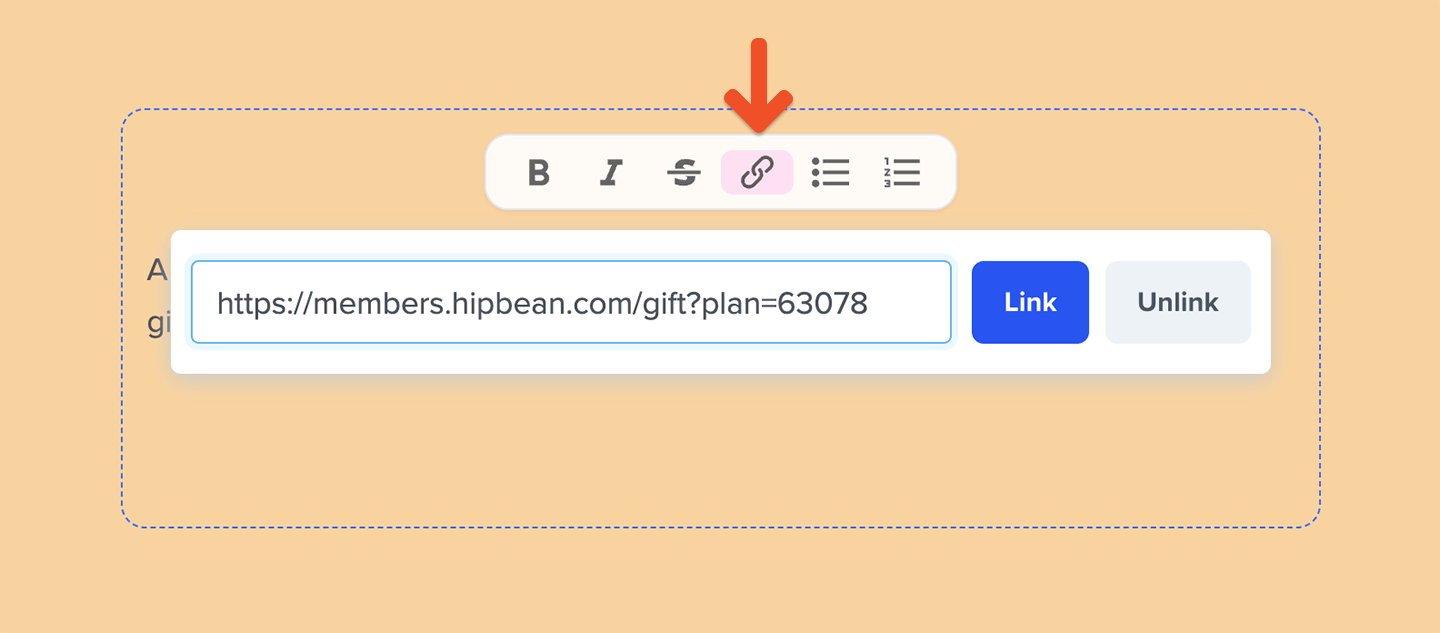
You can create a customized subscription page hosted by Memberful. In the additional content section of that page, you can add the gift purchase link (copied from your Memberful dashboard as described earlier).