Documentation Index
Fetch the complete documentation index at: https://memberful.com/docs/llms.txt
Use this file to discover all available pages before exploring further.
In this article, we’ll walk you through how to export member data, order data, metrics data, subscription data by plan, data by activity, and cancellation data.
Export member data
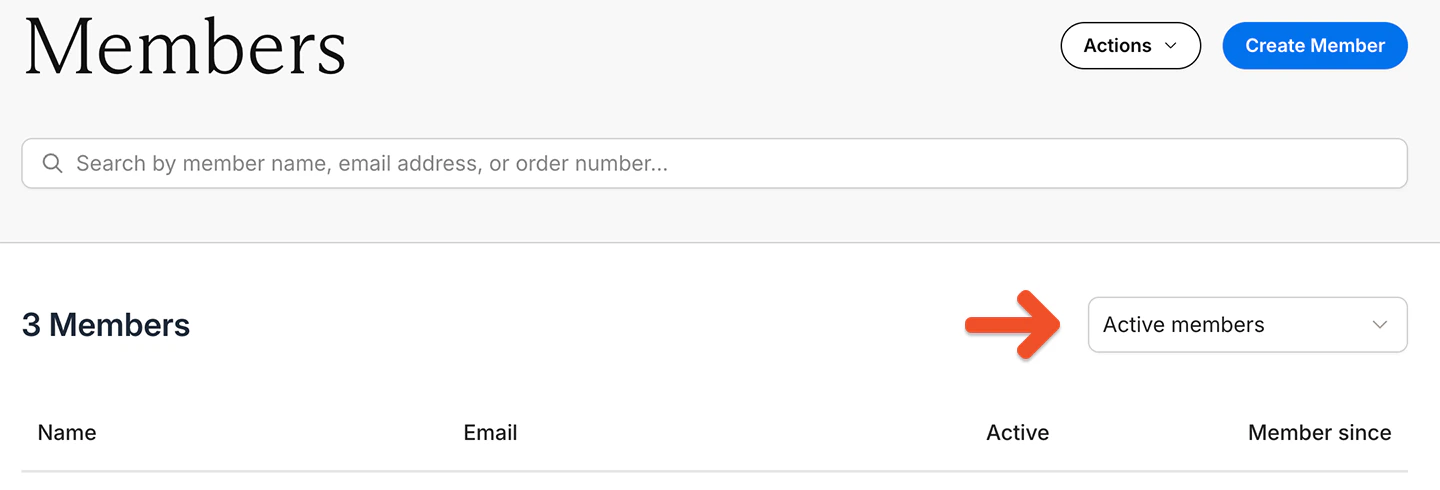
Go to the Members tab, and choose a filter:
- Active members: Includes members with 100% coupons and members who made one-time payments
- Inactive members: No active subscriptions
- Free signup: Signed up via free registration and never subscribed to a plan
- All-Access Pass members: Comped access to all plans and downloads
- All members: Active, inactive, or free
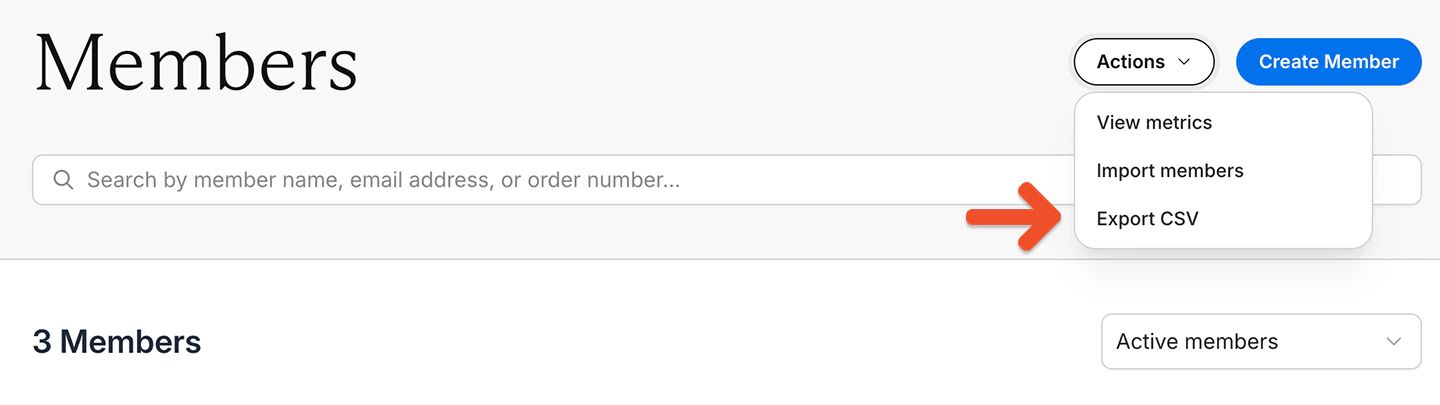
Go to Actions → Export CSV.
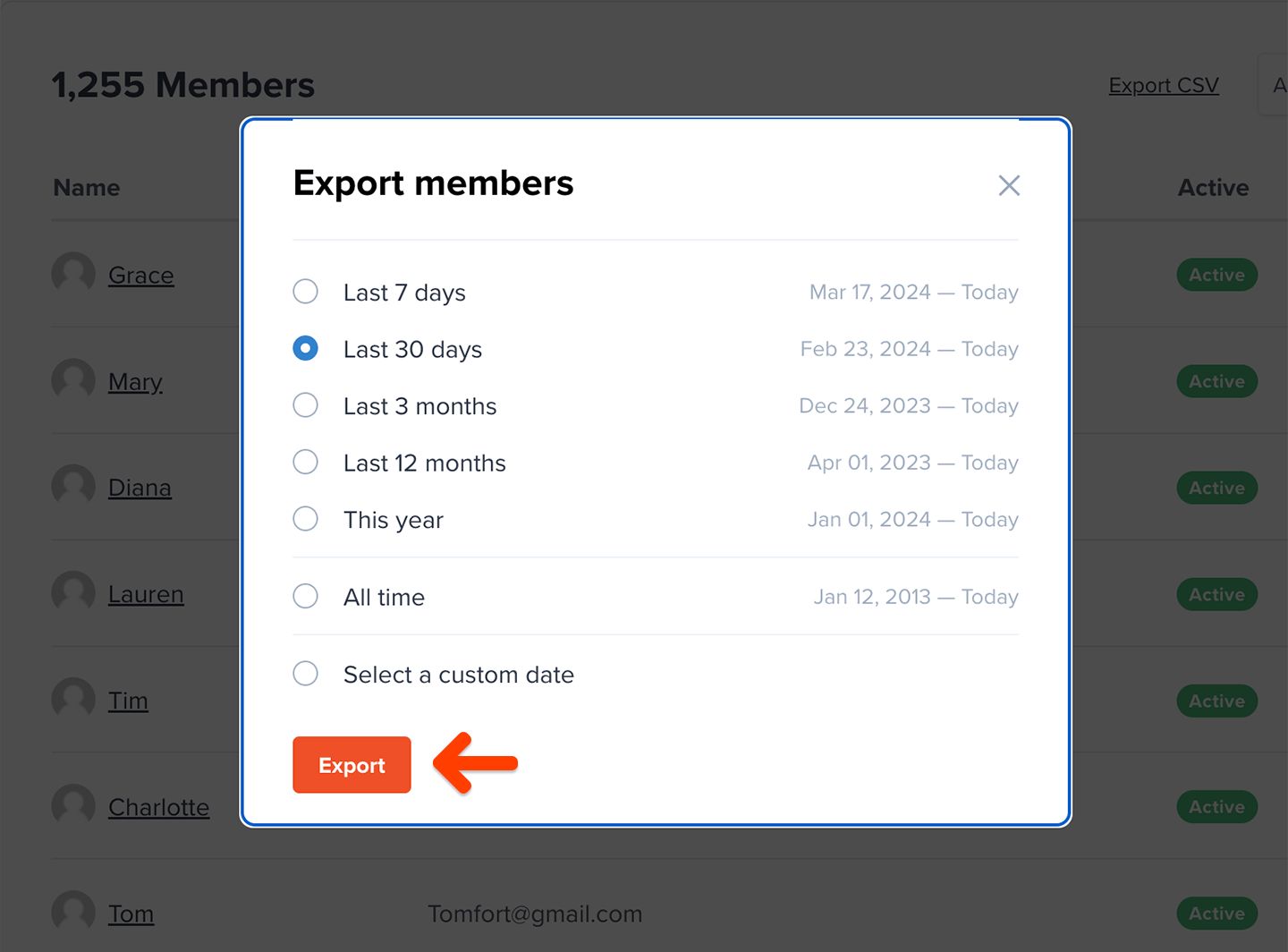
Select a date range for the export, and click Export.
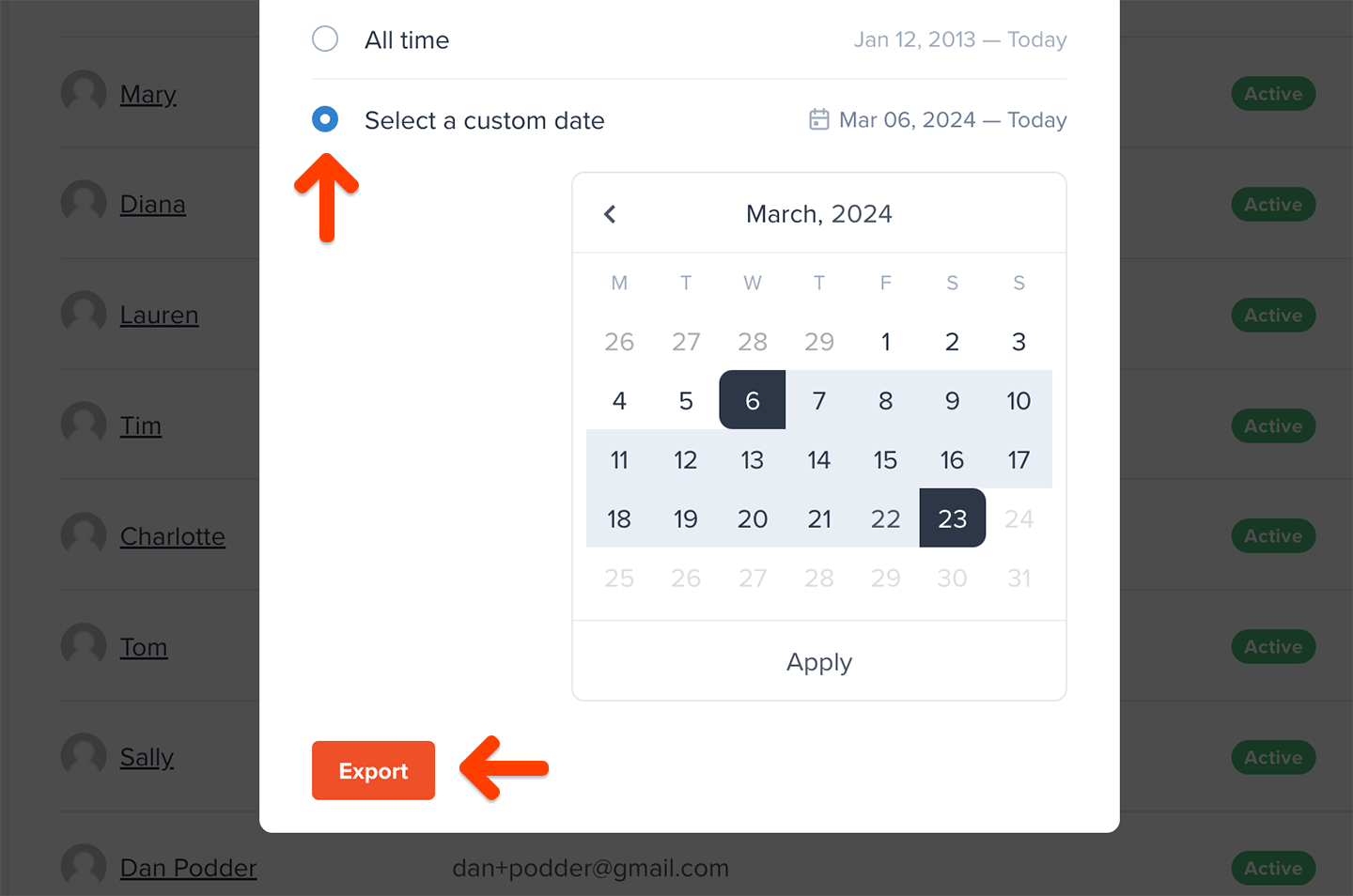
If you’d like to get more granular, click Select a custom date range and define your own start and end date for the export.
These are the fields we include in the export file:
| |
|---|
| Full Name | Email |
| Memberful ID | Created at |
| All access pass | Stripe Customer ID |
| Discord User ID | Address |
| City | State |
| Zip / Postal | Country |
| Phone number | Custom field |
| Total spend | Plan |
| Active | Auto-renew |
| Expiration date | Coupon |
| External payments | Download |
| Subscribed to Posts | Private note |
| Referrer | utm_campaign |
| utm_content | utm_medium |
| utm_source | utm_term |
| Custom field answers | |
- Memberful ID: Not member-facing
- All access pass: Refers to members who have free access to all plans and downloads
- Coupon: Only includes coupons currently in use; one-time coupons are not shown
Export order data
Navigate to Revenue → Orders and choose a metric:
- All orders
- New orders
- Renewals
- Refunds
Click Export CSV.
These are the fields we include in the export file:
| |
|---|
| Full Name | Email |
| Plan | Amount |
| Date | |
Active members versus paying members
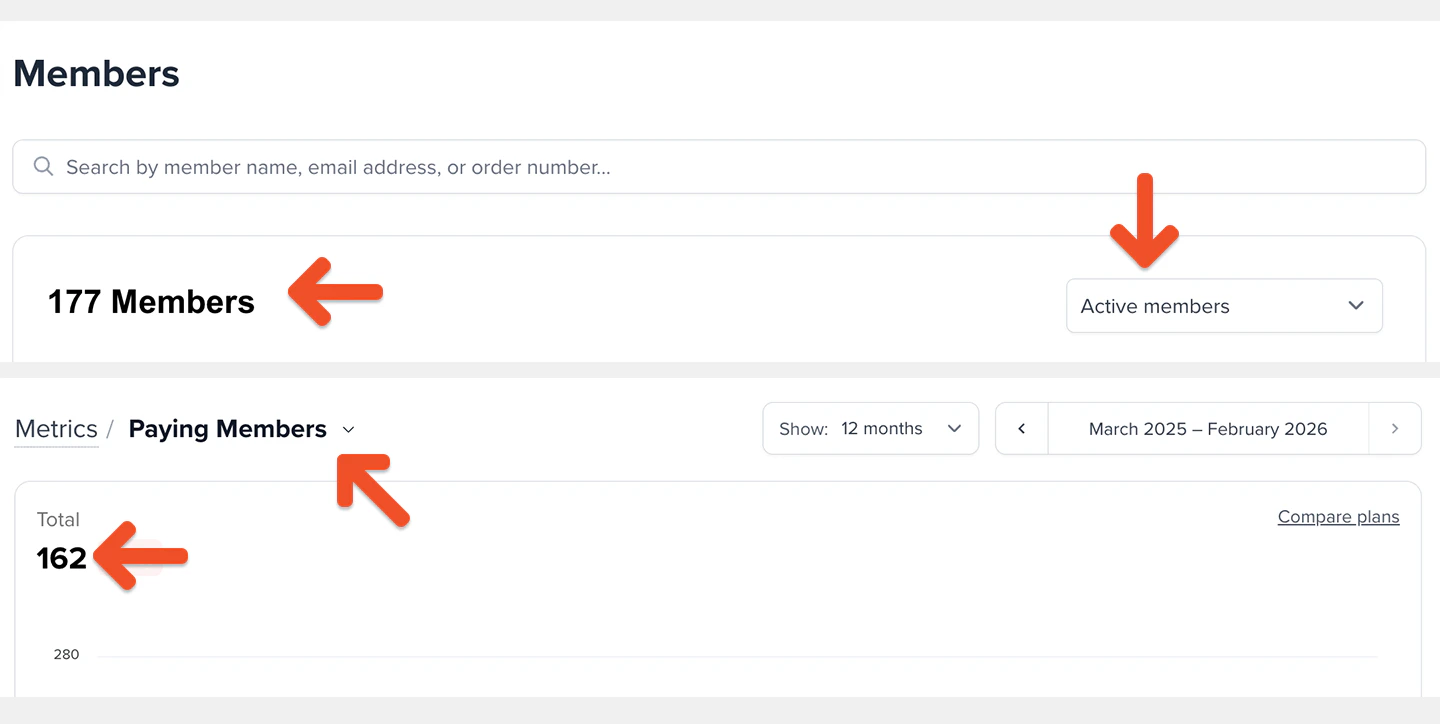
Active Members and Paying Members are calculated differently and therefore may not match.
These members do count toward Active Members, but do not count toward Paying Members until their subscription renews and payment is collected:
- Members with an all-access pass
- Members with a 100% coupon
- Members on a free trial
- Admin-created subscriptions with no initial charge
- Gifted subscriptions
In addition, members whose subscription expired due to a failed payment may still count toward Paying Members for up to 30 days after the failed payment.
Export metrics data
Navigate to Revenue → Metrics, and choose a metric.
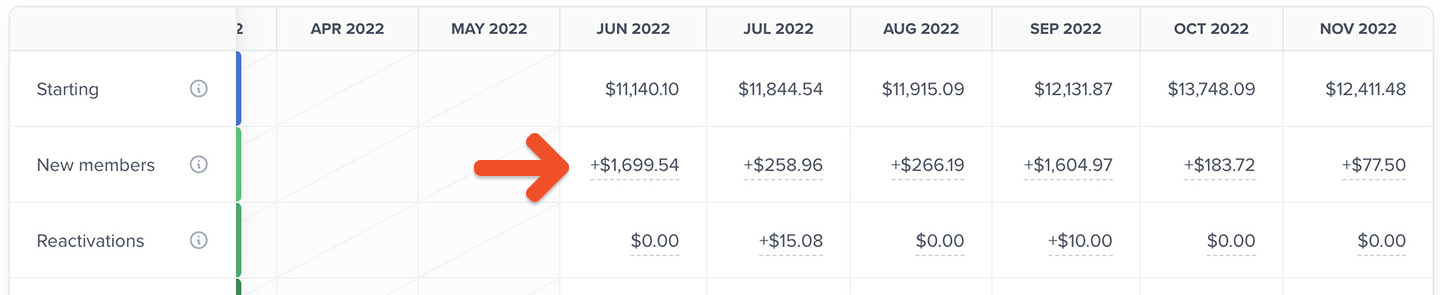
Underneath the graph, we display the same data on a table, showing individual data segments by calendar month.
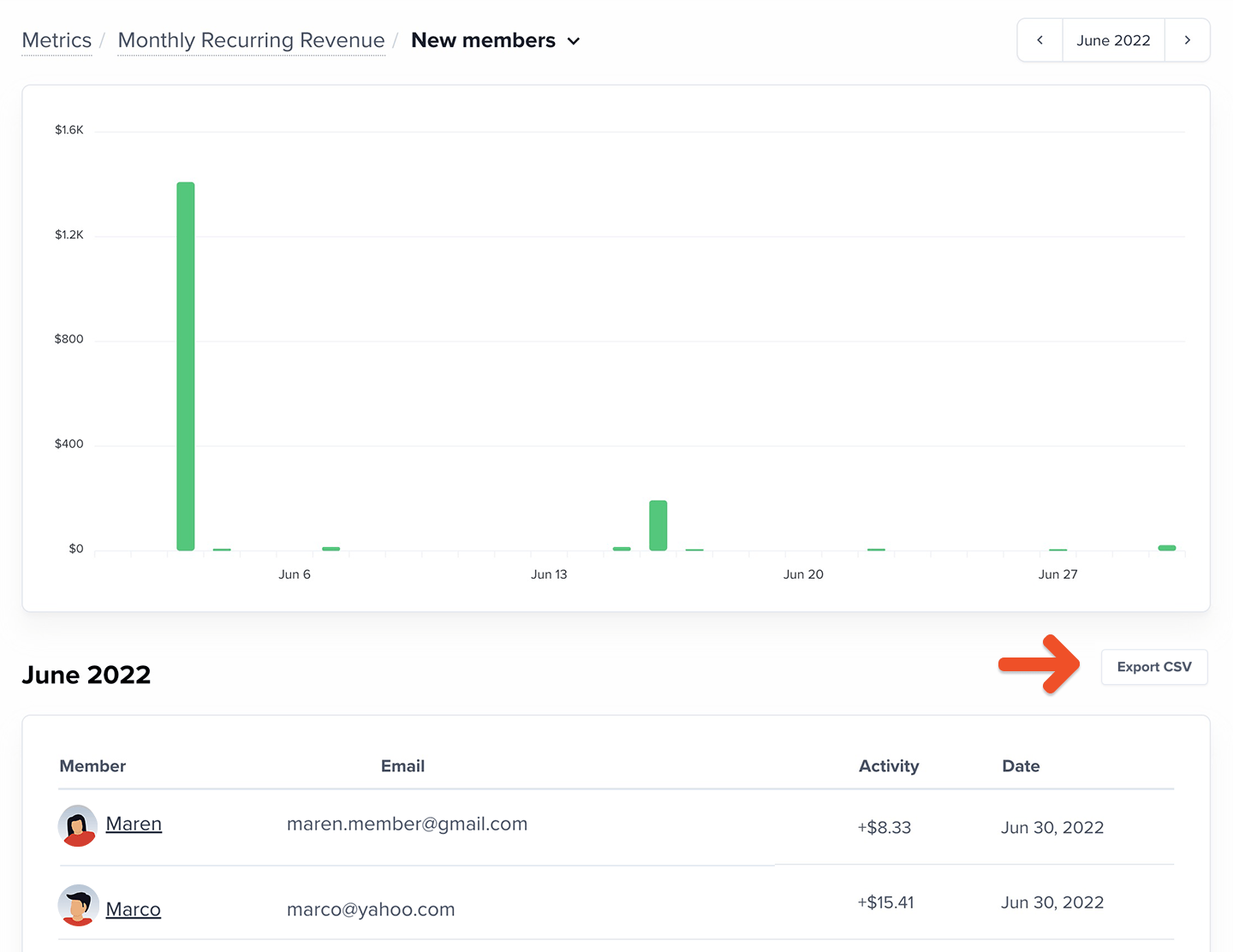
Click the value in any cell to view a list of the individual data points making up the total for that month and to export the list.
Export subscription data by plan
Navigate to Members → Subscriptions. Then choose a plan and a filter:
- Active subscriptions
- Inactive subscriptions
- Active but not renewing
- Past due
- On a trial
- All subscriptions
Click Export CSV.
These are the fields we include in the export file:
| |
|---|
| Full Name | Email |
| Group manager | Active |
| Auto-renew | First subscribed |
| Active since | Expiration date |
| External payment | Coupon |
| Address | City |
| State | Zip / Postal |
| Country | Phone number |
| Custom field | |
Export data by activity
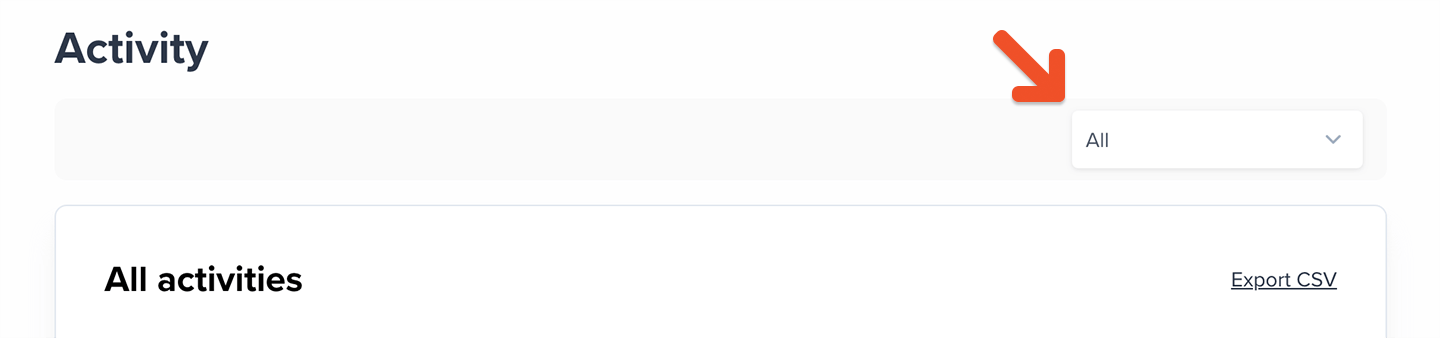
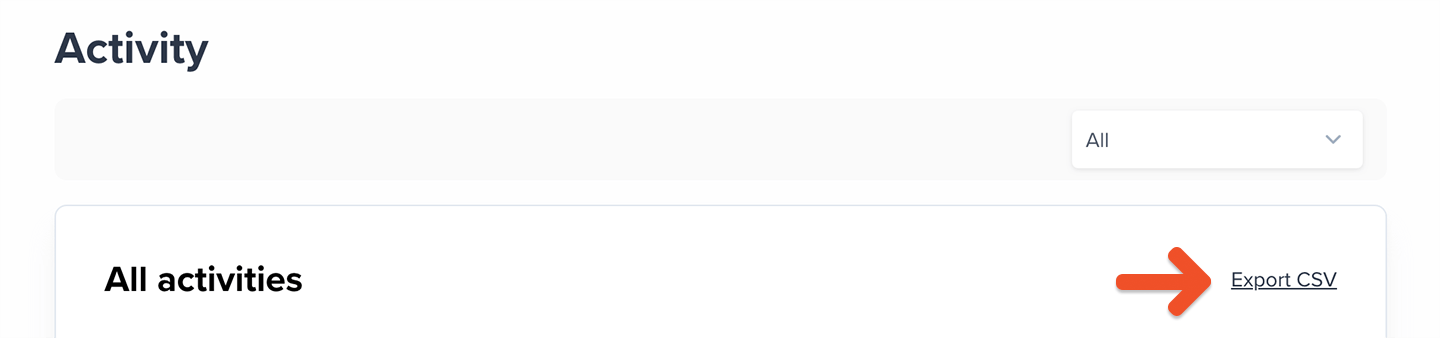
Navigate to Members → Activity, and choose a filter:
- Canceled subscription
- Enabled auto-renew
- Subscription moved
- External payment
- Externally paid renewal
- Free sign up
- Gift activated
- Member deleted
- New gift
- New order
- New group member
- Order completed
- Order refunded
- Order suspended
- Renewal
- Subscription deactivated
- Subscription deleted
- Group member delete
- Upgrade
Click Export CSV.
These are the fields we include in the export file:
| |
|---|
| Activity type | Member’s email |
| Description | Date |
Export cancellation data
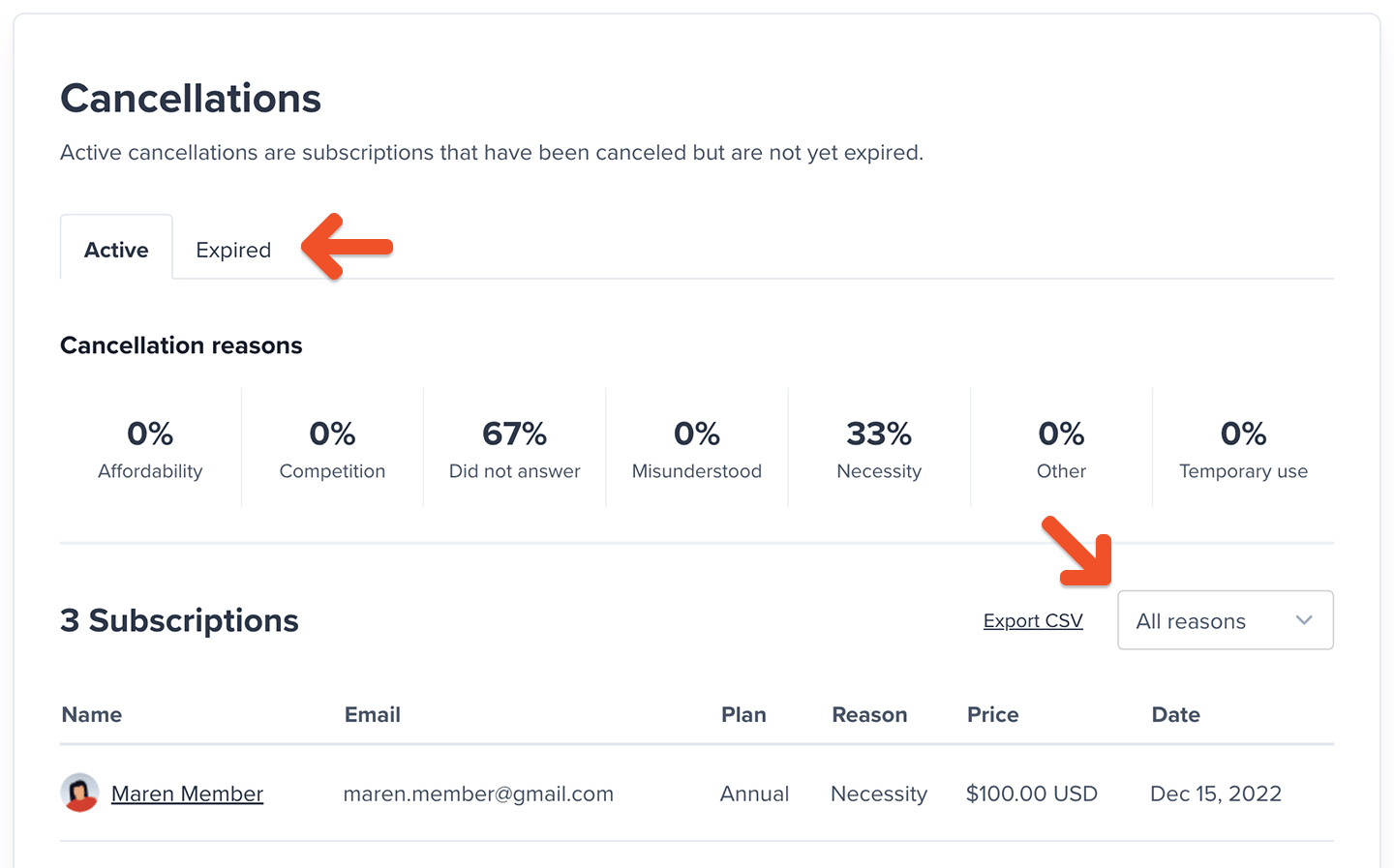
Navigate to Revenue → Cancellations, select the Active or Expired tab, and choose a filter:
- All reasons
- Necessity
- Affordability
- Misunderstood
- Temporary use
- Competition
- Other
- Skipped
Click Export CSV.
These are the fields we include in the export file:
| |
|---|
| Full Name | Email |
| Plan | Price |
| Date | Reason |
| Feedback | |