

When you use your own SMTP service, email delivery status is no longer available in Memberful’s member profiles. To check whether an email was delivered or investigate delivery issues, use your SMTP provider’s email logs.
Connect an SMTP service
1
Open the email settings
In your Memberful dashboard, go to Members → Settings.
2
Enable white-label emails
Select Send white label emails using my own SMTP service or server.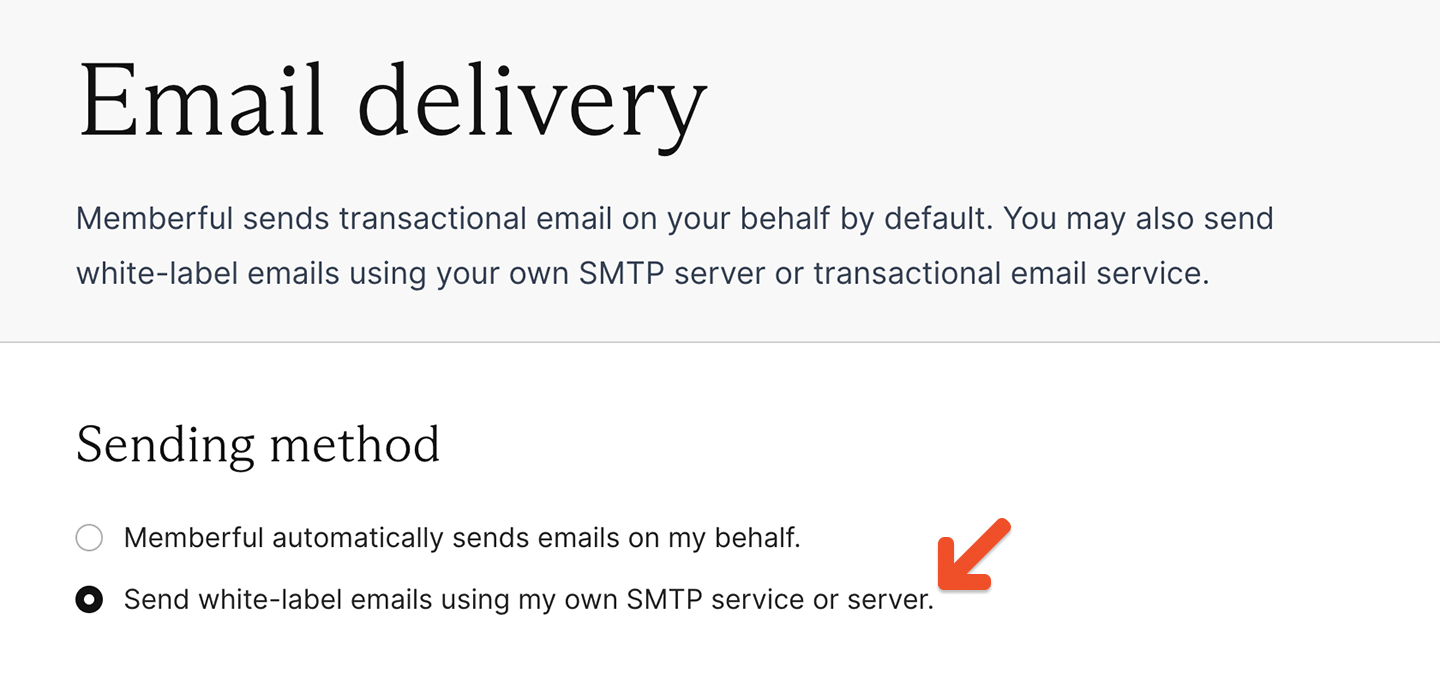
3
Enter your SMTP details
Enter the server, port, username, password, and sender information provided by your SMTP service. You can’t use Gmail as your SMTP server.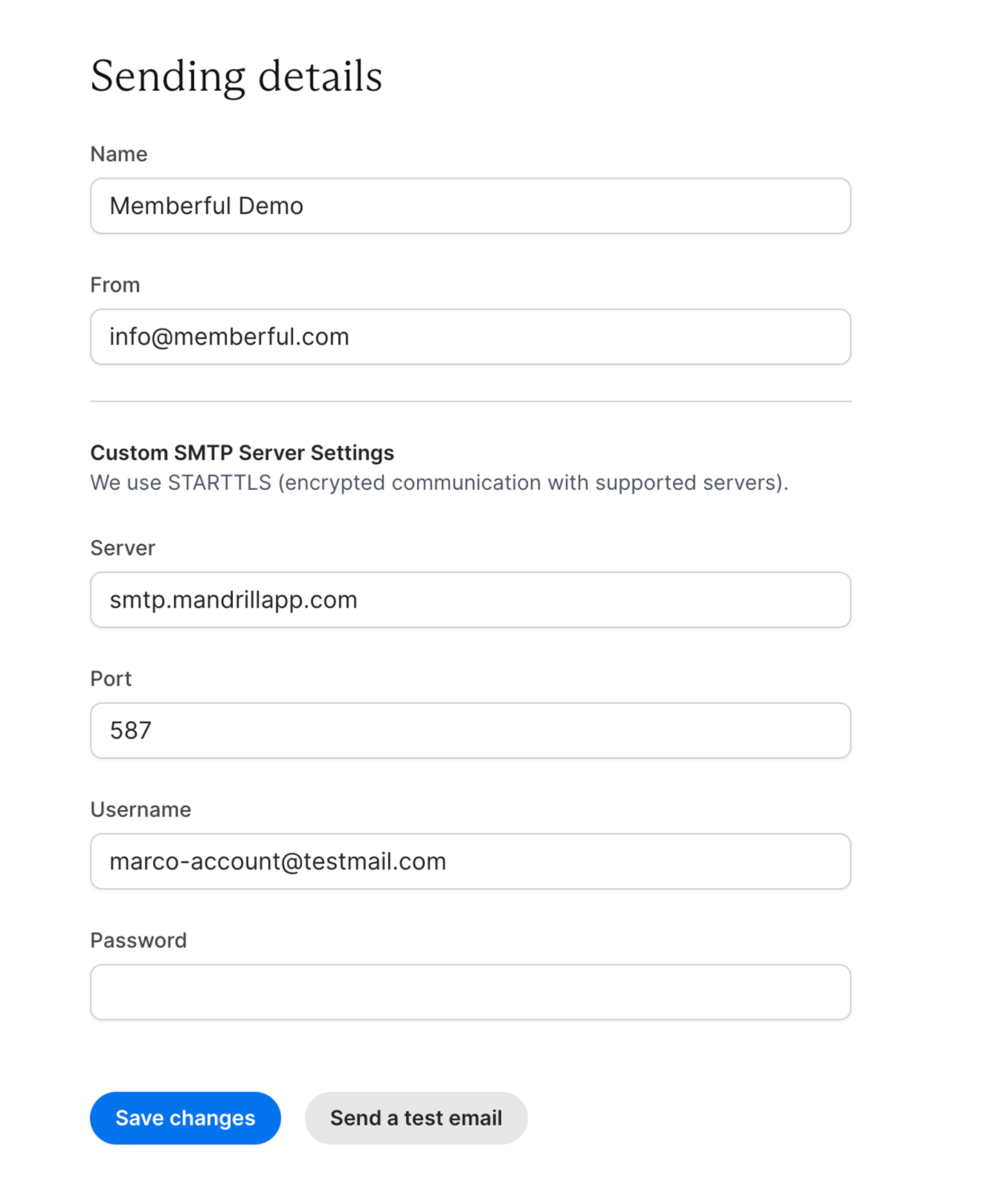
4
Save the settings
Click Save Changes.
Test your settings
After saving your settings, click Send a test email.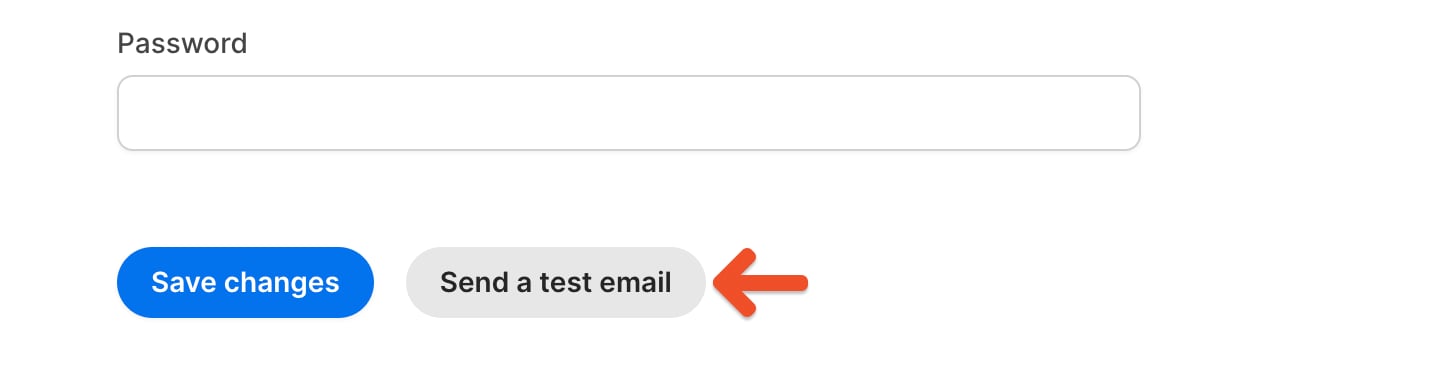
Troubleshoot your SMTP connection
If the test email does not arrive:- Confirm the correct server, port, username, and password with your email server administrator or SMTP provider.
- If you’re using Gmail as your SMTP server, switch to another SMTP provider. Gmail is not supported as an SMTP server.
- Check whether your SMTP provider allows messages to be sent from third-party IP addresses. Some internet service providers only allow SMTP connections from their own network.
- Remove protocol prefixes from the server address. For example, enter memberful.com instead of https://memberful.com.
- Try port 587, which is the standard submission port used by many SMTP services.