

Create a Discourse group
Before you connect Discourse to Memberful, create the Discourse groups you want to use for member access.1
Open Groups
In Discourse, go to Groups from the menu icon.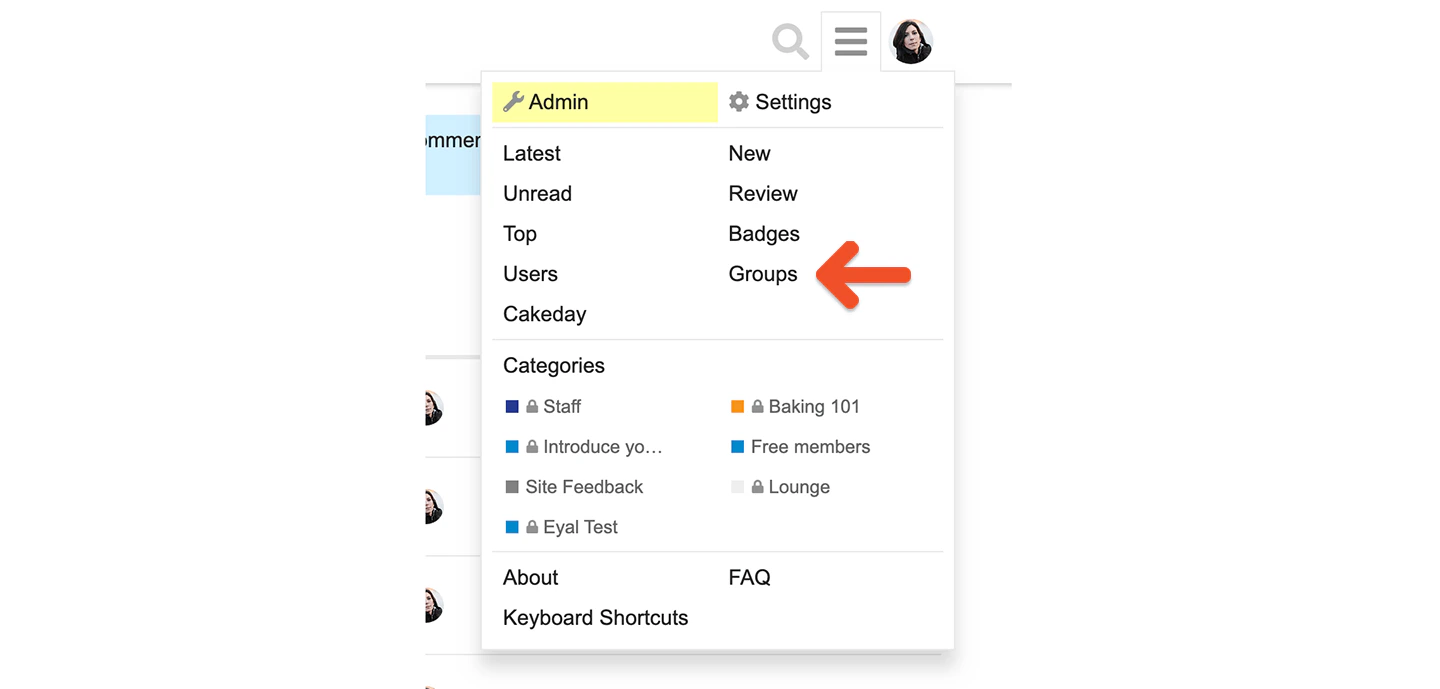
2
Create a group
Click New Group.
3
Name and save the group
Enter a group name, then save it.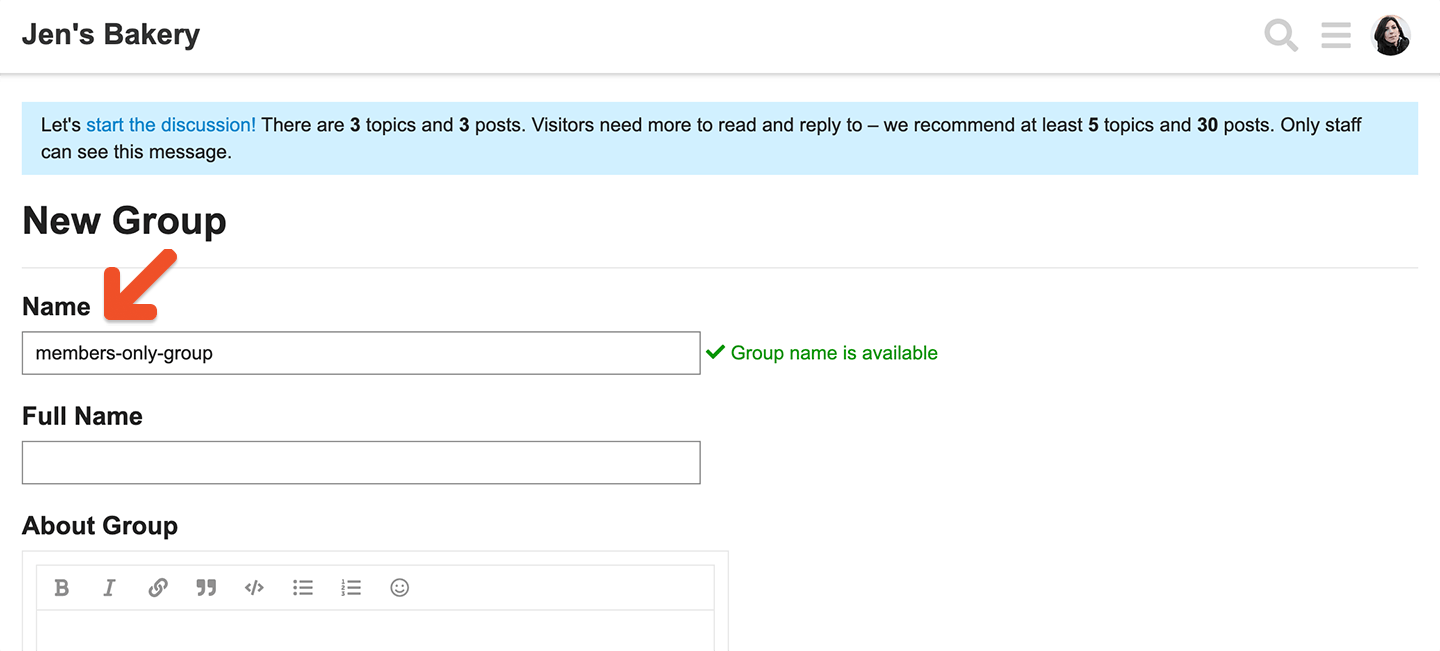
If you update your Discourse groups after the initial integration, it may take some time for members to re-sync.
Generate an API key
Generate a Discourse API key before connecting the integration.1
Open API settings
In Discourse, go to Admin → API.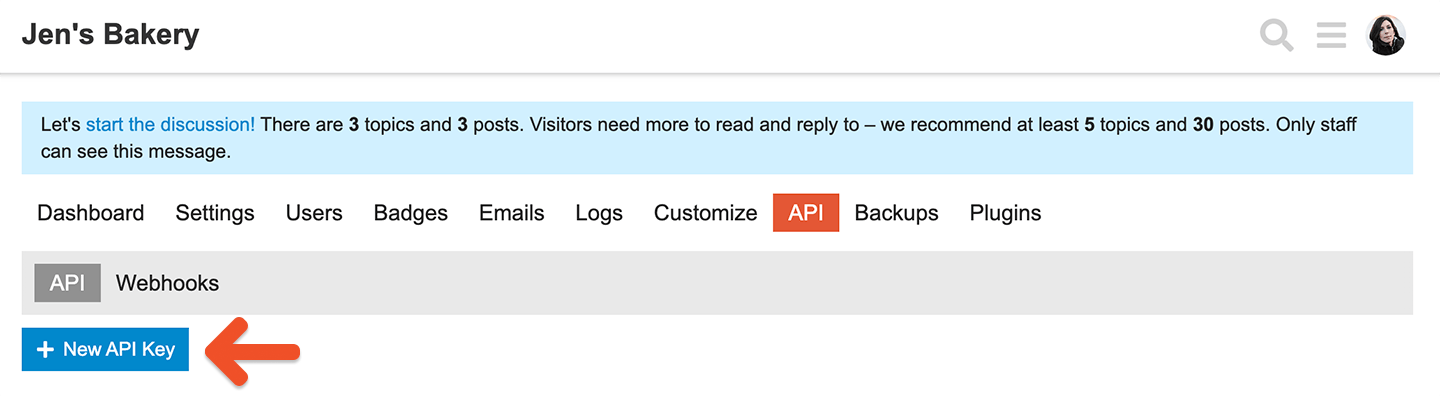
2
Generate an API key
Create an API key for the integration.
Connect Memberful to Discourse
Use the API key and your Discourse admin details to connect the integration in the Memberful dashboard.1
Open Discourse in the Memberful dashboard
Go to Content → Community → Discourse.
2
Start the connection
Click Connect.
3
Enter your Discourse details
Enter your Discourse site information, including the API key you generated.
4
Use the Discourse admin account
Enter the Username and Email for the Discourse admin.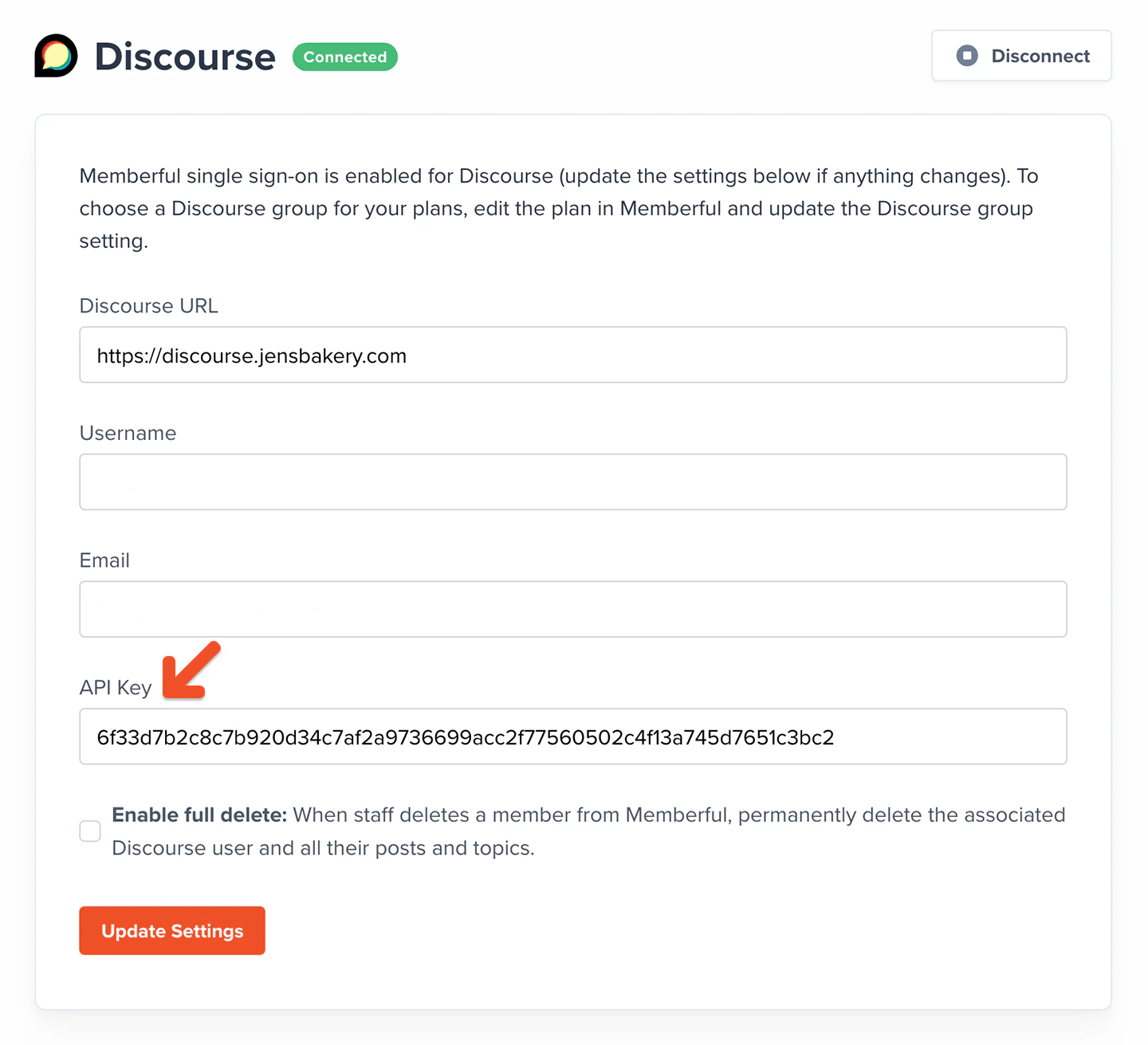
Review Discourse settings changed by Memberful
When Memberful connects to Discourse, it updates several Discourse settings automatically.Do not reset the DiscourseConnect (SSO) settings. If you reset them, the integration stops working.
Advanced: Discourse settings
When Memberful connects to Discourse, it updates some of your default Discourse settings. Don’t reset the DiscourseConnect settings or the integration will stop working.Settings → Login
enable discourse connect: On (formerlyenable_sso)enable discourse connect provider: Off (formerlyenable sso provider)discourse connect url: Set by Memberful (formerlysso url)discourse connect secret: Set by Memberful (formerlysso secret)auth overrides email: On (formerlysso overrides email)auth overrides name: On (formerlysso overrides name)
Settings → Users
email editable: Off
Settings → Posting
display name on posts: On
Settings → Plugins
disable discourse narrative bot welcome post: On
1
Open Discourse settings
Go to Content → Community → Discourse.
2
Edit the settings
Click Edit settings.
3
Map plans to groups
Choose which membership plans should be linked to which Discourse groups.
4
Save your changes
Click Update settings.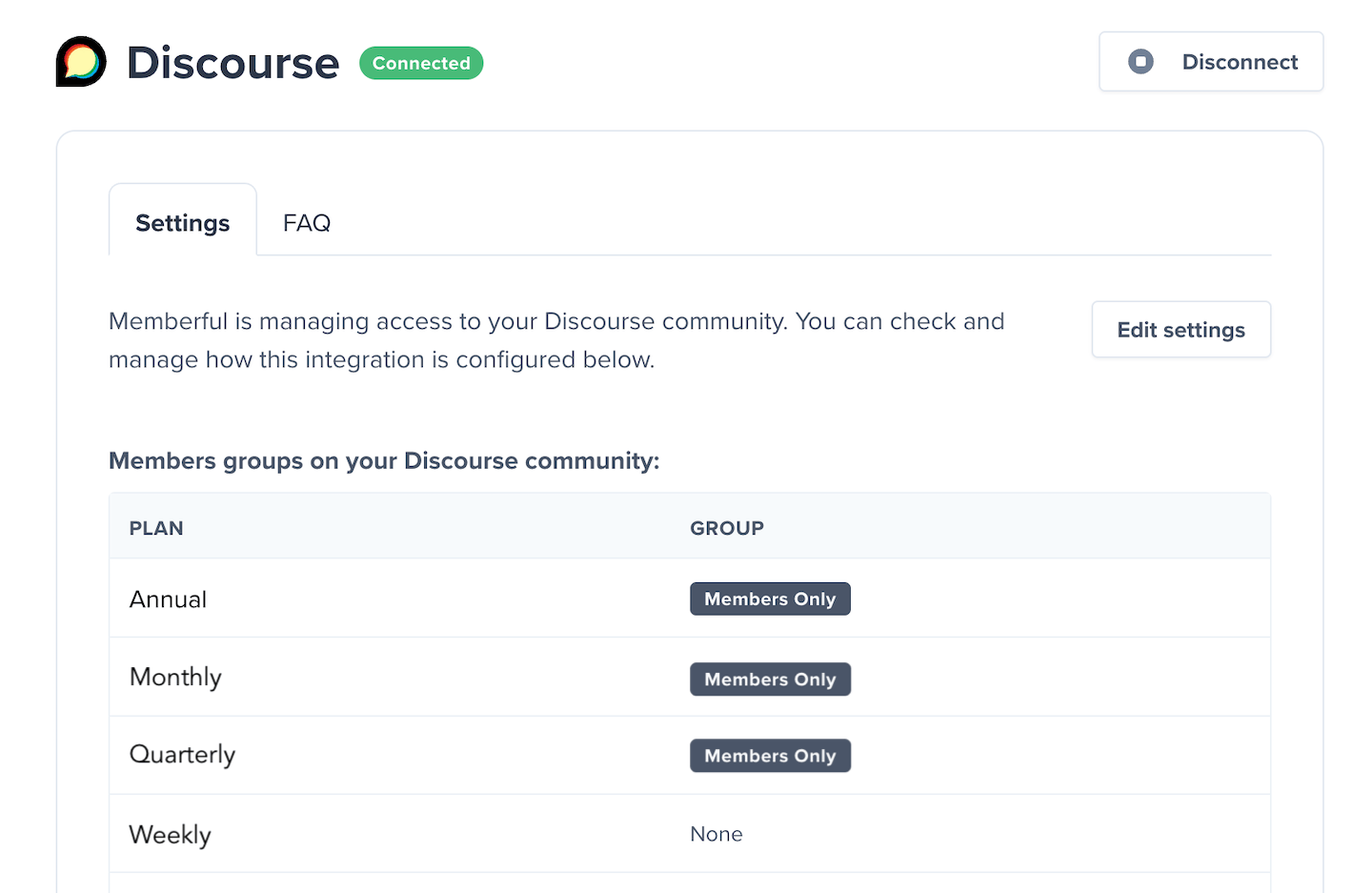
If a member’s subscription expires, they are removed from the associated Discourse group, even if they still have a Discourse account.
Protect your Discourse categories
To restrict access to member-only areas, update the security settings on the Discourse categories you want to protect.1
Open the category editor
Click the Discourse category, then click the Wrench icon.
2
Open Security
Go to the Security settings for the category.
3
Add the group
Click Add a group and select the Discourse group.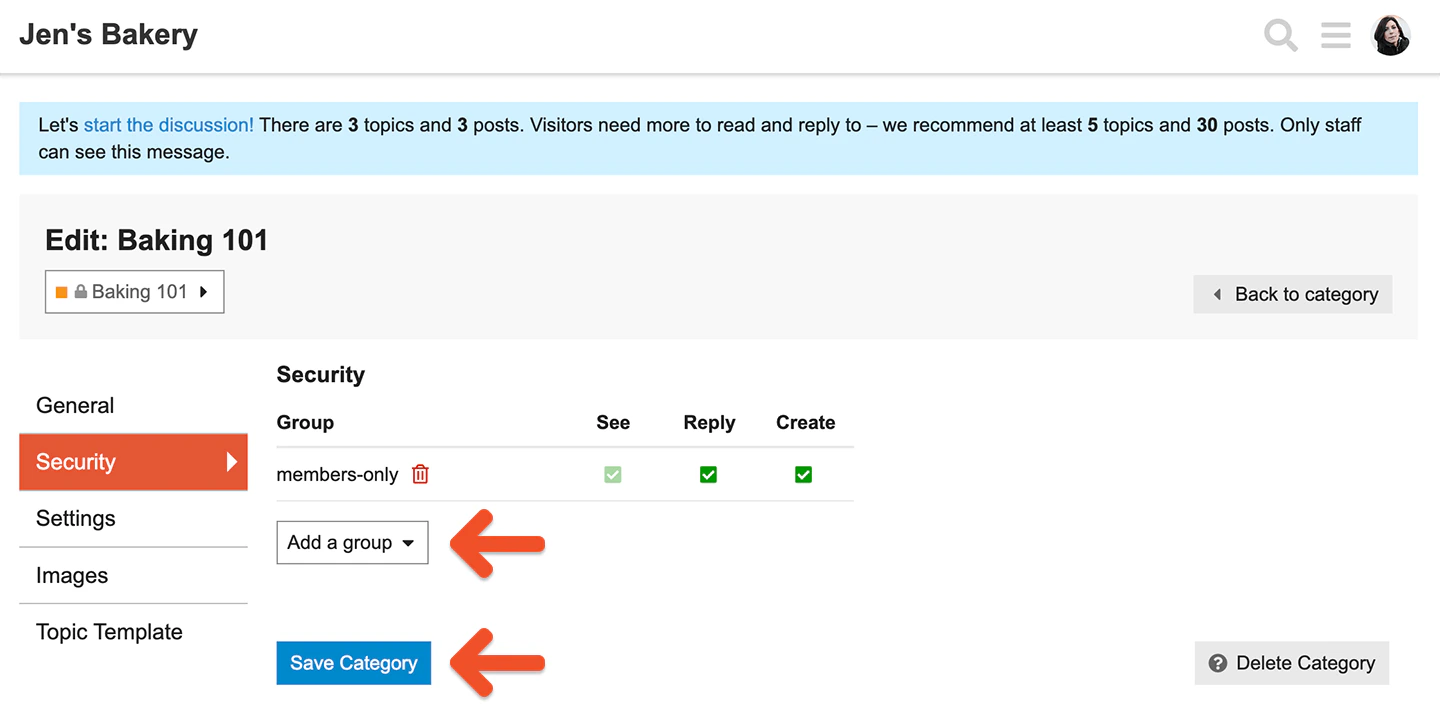
4
Set category permissions
Choose the See / Reply / Create permissions for that group.
5
Save the category
Click Save Category.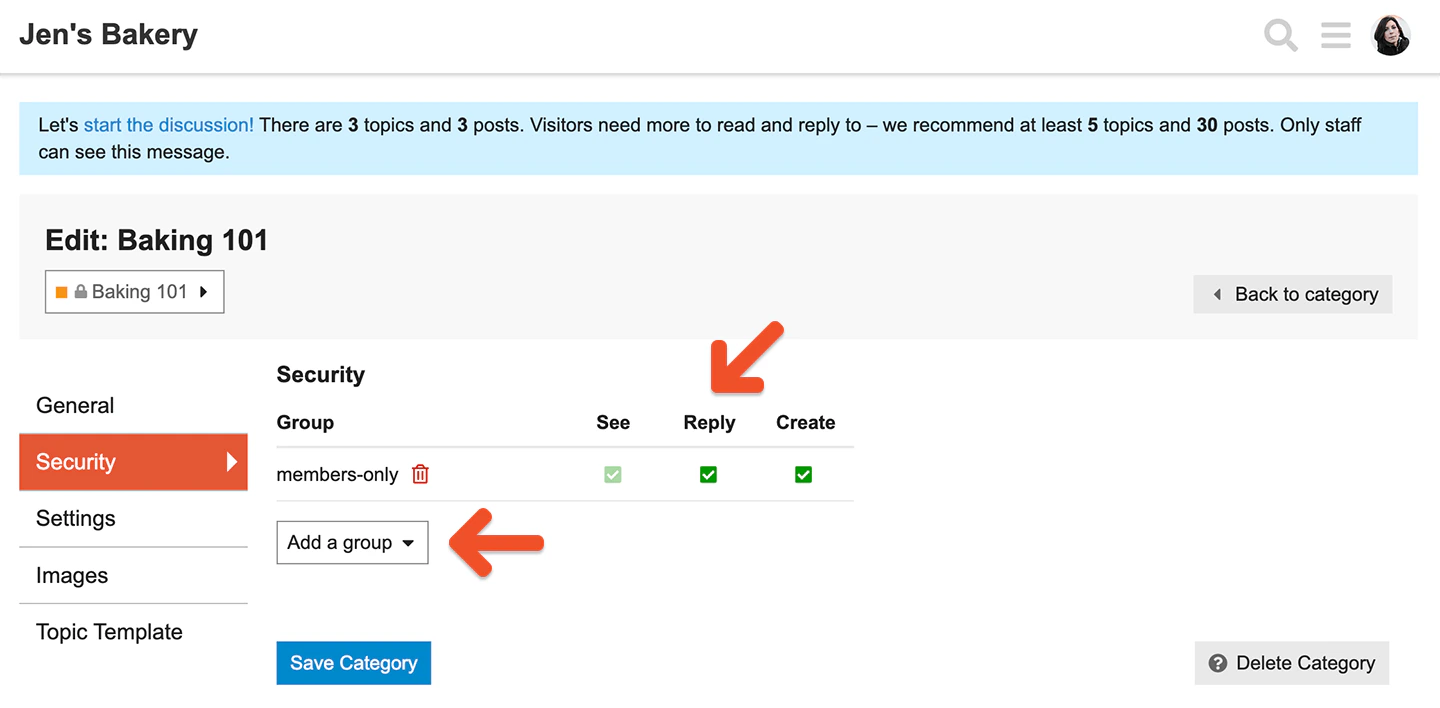
Default categories
Default Discourse categories such as Meta do not have security settings. If you want a members-only forum, do not use the default categories for protected content.Disable posting to Uncategorized
The Uncategorized category does not include a Security tab. To prevent posting there, go to Admin → Settings → Posting and disable posting to Uncategorized.
Disallow anonymous access
If you run a protected Discourse forum, it is a good idea to disable anonymous access. Go to Settings → Login and disallow anonymous access.