Related help docs:
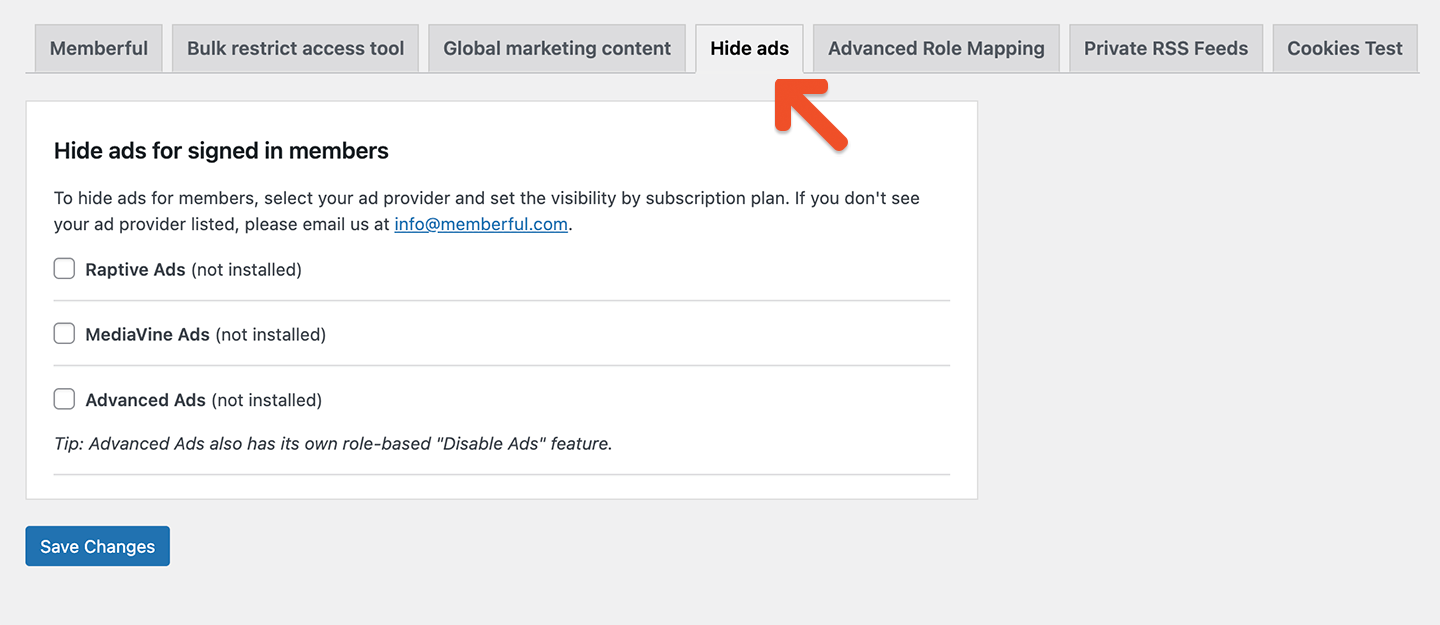 ## Enable an ad platform
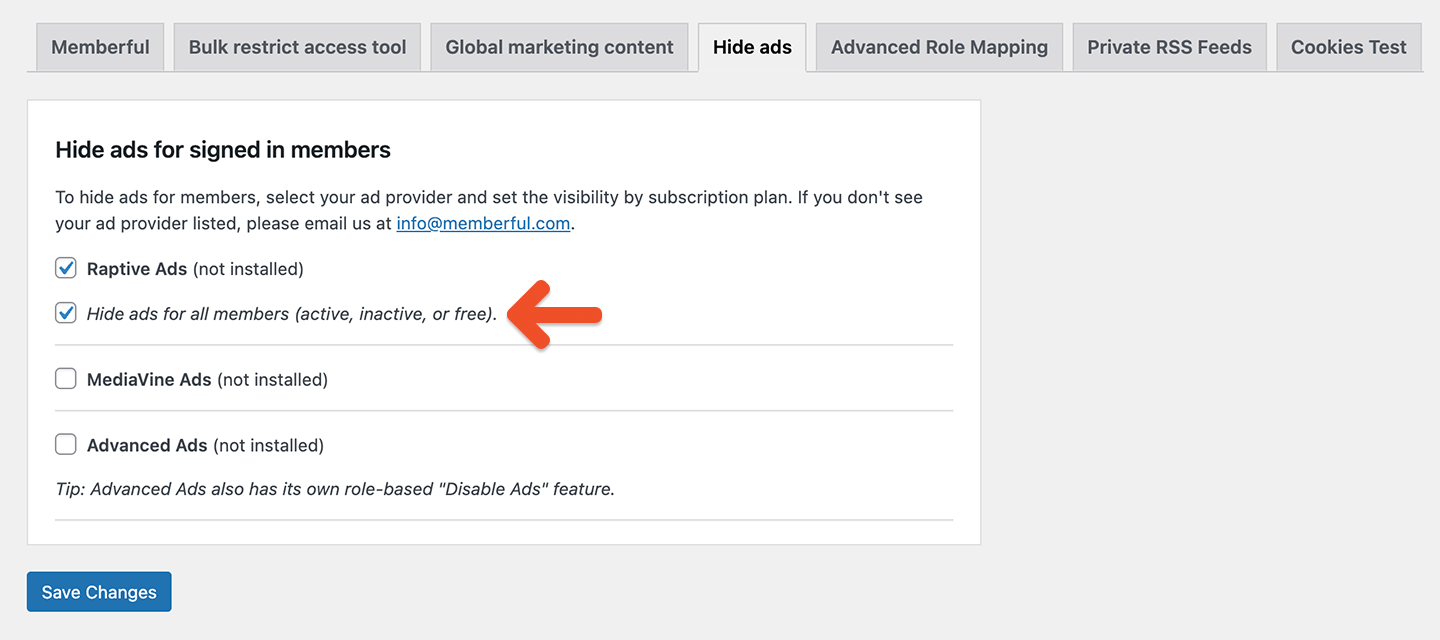
Each supported ad platform (Raptive, MediaVine, and Advanced Ads) appears in the list when our WordPress plugin is installed.
If a platform plugin is not installed, it will appear as *(not installed)*.
Once the ad platform plugin is installed, click the platform checkbox to enable it. Enabling a platform makes its suppression settings available.
Ads are not disabled until you select at least one suppression option.
## Enable an ad platform
Each supported ad platform (Raptive, MediaVine, and Advanced Ads) appears in the list when our WordPress plugin is installed.
If a platform plugin is not installed, it will appear as *(not installed)*.
Once the ad platform plugin is installed, click the platform checkbox to enable it. Enabling a platform makes its suppression settings available.
Ads are not disabled until you select at least one suppression option.
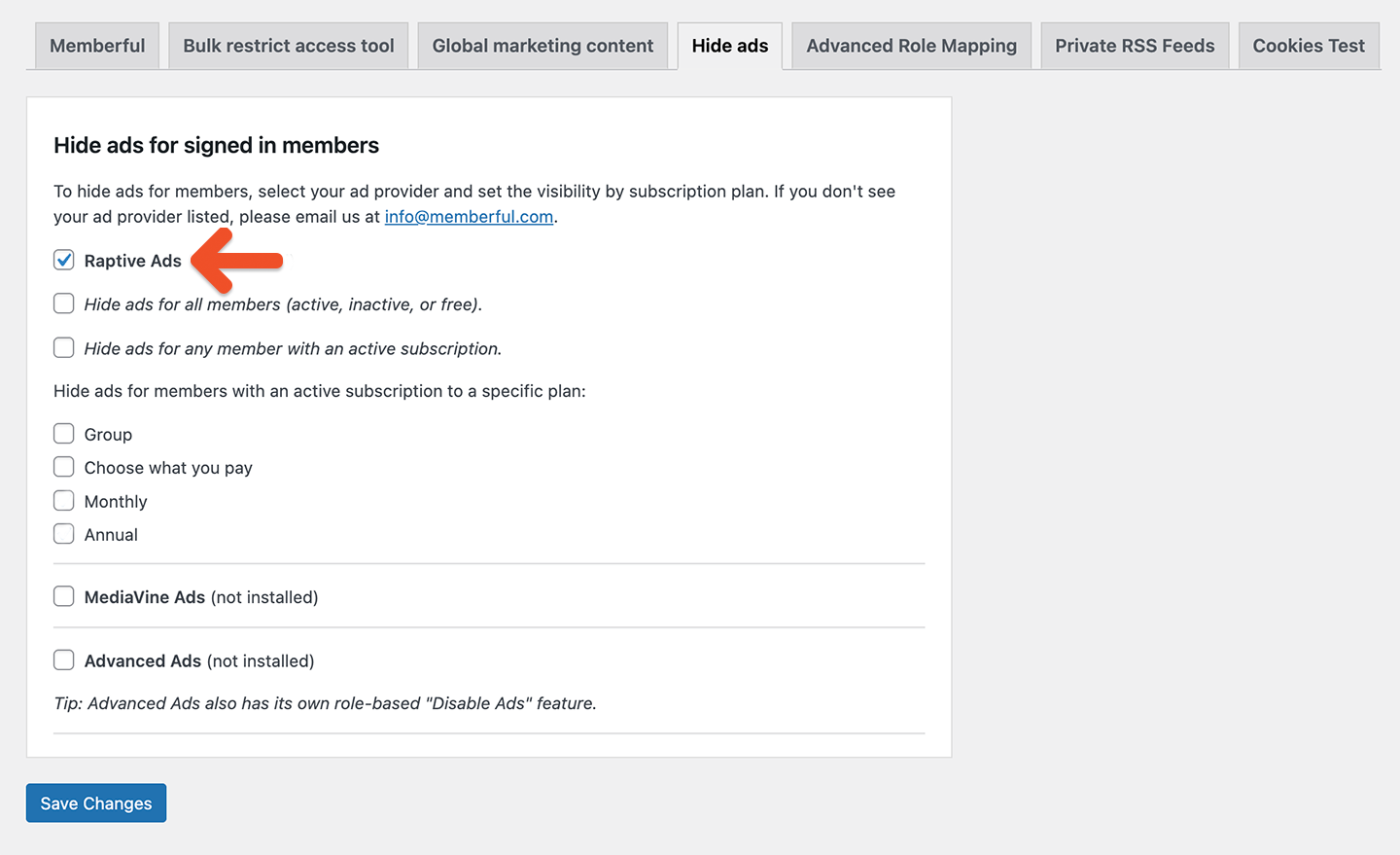 ## Choose when ads are disabled
After enabling a platform, choose when ads should be disabled. You can select one or more of the following options.
### Disable ads for members with an active subscription to a specific plan
Disable ads only for members who have an active subscription to one or more selected plans.
To configure this option, select one or more plans from the list.
## Choose when ads are disabled
After enabling a platform, choose when ads should be disabled. You can select one or more of the following options.
### Disable ads for members with an active subscription to a specific plan
Disable ads only for members who have an active subscription to one or more selected plans.
To configure this option, select one or more plans from the list.
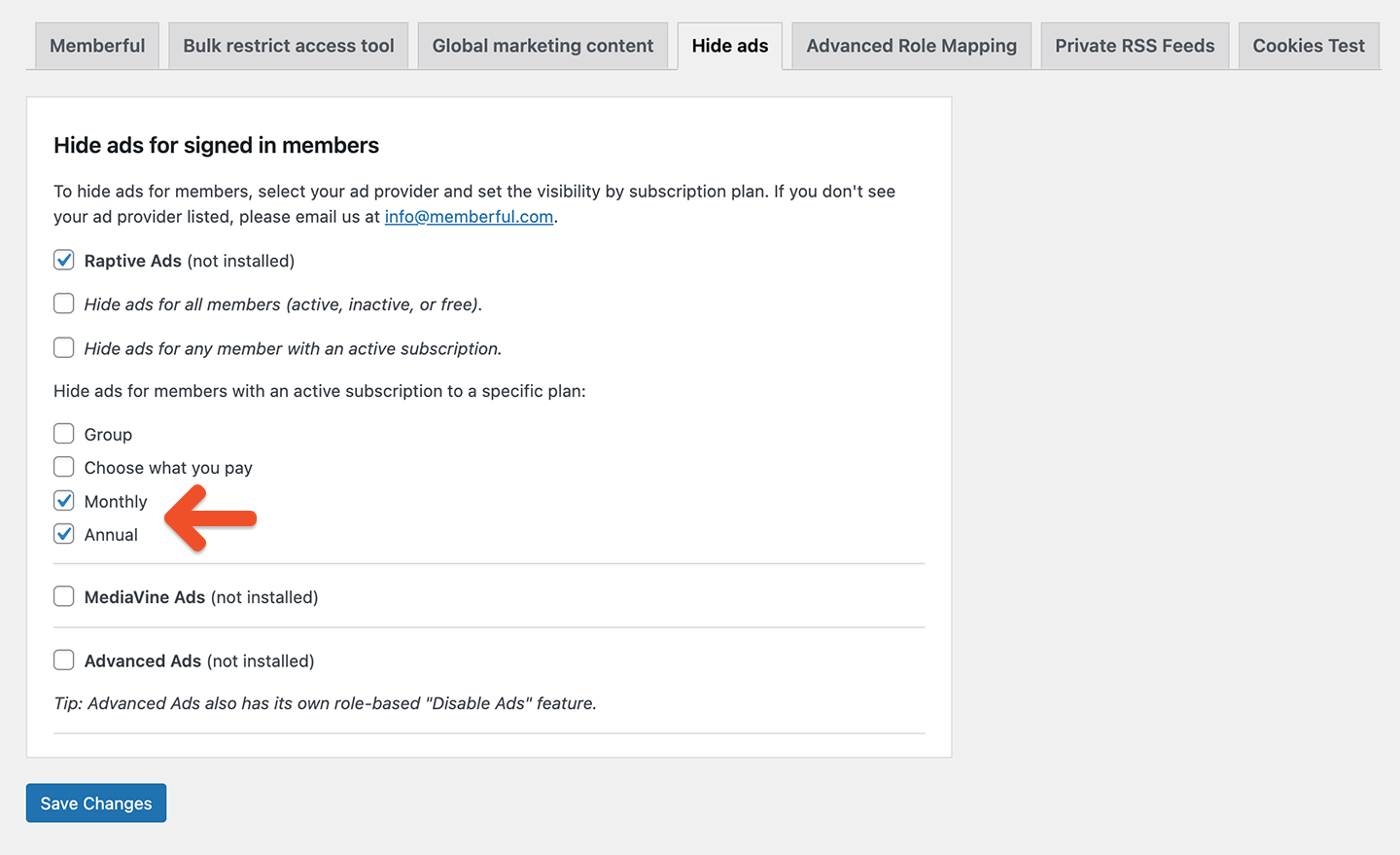 Ads are disabled for members actively subscribed to the selected plan(s).
### Disable ads for any member with an active subscription
Disable ads for all members who have at least one active subscription, regardless of plan.
Ads are disabled for members actively subscribed to the selected plan(s).
### Disable ads for any member with an active subscription
Disable ads for all members who have at least one active subscription, regardless of plan.
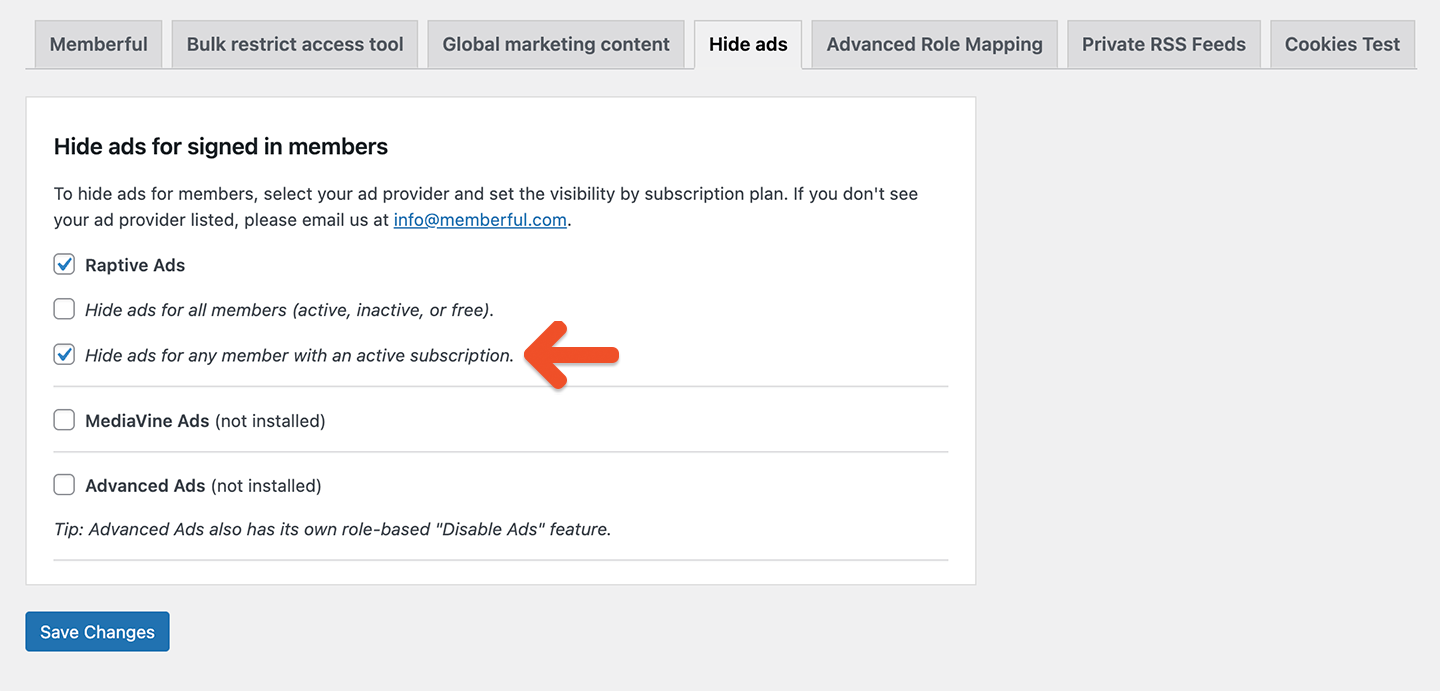 ### Disable ads for all logged-in users
Disable ads for all logged-in users, regardless of subscription status (active, inactive, or free), role, or plan.
### Disable ads for all logged-in users
Disable ads for all logged-in users, regardless of subscription status (active, inactive, or free), role, or plan.
 ### How precedence works
When multiple suppression options are selected, broader rules override more specific ones.
Precedence order:
1. Disable ads for all logged-in users
2. Disable ads for any member with an active subscription
3. Disable ads for members with an active subscription to a specific plan
### How precedence works
When multiple suppression options are selected, broader rules override more specific ones.
Precedence order:
1. Disable ads for all logged-in users
2. Disable ads for any member with an active subscription
3. Disable ads for members with an active subscription to a specific plan
 ## Hide ads using WP functions
Another way to hide ads for paying members is to leverage [Memberful's WordPress functions](/wordpress-plugin/protect-content/wordpress-functions/) to add an HTML/CSS class to the page, which would determine whether the ads should be displayed or not.
First, we'll use our WP function `is_subscribed_to_any_memberful_plan()` to determine whether or not a member is a paying member.
If they are, use the `body_class` filter to add a custom class to the page's `` tag. The following snippet can be added to your theme's functions, either by inserting it into the functions.php file or by using a code snippets plugin with the capability to add new WordPress functions.
```php theme={null}
function add_memberful_body_class( $classes ) {
if ( is_subscribed_to_any_memberful_plan( wp_get_current_user()->ID ) ) {
$classes[] = 'active-memberful-member';
}
return $classes;
}
add_filter( 'body_class', 'add_memberful_body_class' );
```
In the above example, the `active-memberful-member` class is added to the page's `` tag whenever the current member is subscribed to any plan.
You can then use CSS to hide any ads if that class is present.
```css theme={null}
body.active-memberful-member .ad {
display: none;
}
```
Alternatively, you could use JavaScript to hide ads when the class is present:
```javascript theme={null}
document.addEventListener('DOMContentLoaded', function() {
if (document.body.classList.contains('active-memberful-member')) {
const ads = document.querySelectorAll('.ad');
ads.forEach(function(ad) {
ad.style.display = 'none';
});
}
});
```
The examples above hide any elements that have the `ad` class, but you can adjust the selector to match your specific ad implementation.
## Hide ads using member roles
If your ad platform supports hiding ads for paying members based on their user roles in WordPress, you could use this functionality in conjunction with [Memberful's Advanced Role Mapping.](/wordpress-plugin/setup/install-the-memberful-plugin/#configure-role-mapping)
## Hide ads using WP functions
Another way to hide ads for paying members is to leverage [Memberful's WordPress functions](/wordpress-plugin/protect-content/wordpress-functions/) to add an HTML/CSS class to the page, which would determine whether the ads should be displayed or not.
First, we'll use our WP function `is_subscribed_to_any_memberful_plan()` to determine whether or not a member is a paying member.
If they are, use the `body_class` filter to add a custom class to the page's `` tag. The following snippet can be added to your theme's functions, either by inserting it into the functions.php file or by using a code snippets plugin with the capability to add new WordPress functions.
```php theme={null}
function add_memberful_body_class( $classes ) {
if ( is_subscribed_to_any_memberful_plan( wp_get_current_user()->ID ) ) {
$classes[] = 'active-memberful-member';
}
return $classes;
}
add_filter( 'body_class', 'add_memberful_body_class' );
```
In the above example, the `active-memberful-member` class is added to the page's `` tag whenever the current member is subscribed to any plan.
You can then use CSS to hide any ads if that class is present.
```css theme={null}
body.active-memberful-member .ad {
display: none;
}
```
Alternatively, you could use JavaScript to hide ads when the class is present:
```javascript theme={null}
document.addEventListener('DOMContentLoaded', function() {
if (document.body.classList.contains('active-memberful-member')) {
const ads = document.querySelectorAll('.ad');
ads.forEach(function(ad) {
ad.style.display = 'none';
});
}
});
```
The examples above hide any elements that have the `ad` class, but you can adjust the selector to match your specific ad implementation.
## Hide ads using member roles
If your ad platform supports hiding ads for paying members based on their user roles in WordPress, you could use this functionality in conjunction with [Memberful's Advanced Role Mapping.](/wordpress-plugin/setup/install-the-memberful-plugin/#configure-role-mapping)