> ## Documentation Index
> Fetch the complete documentation index at: https://memberful.com/docs/llms.txt
> Use this file to discover all available pages before exploring further.
# Bulk restrict access
> Use the bulk restrict access tool in the Memberful WordPress plugin to apply your member access settings across many posts and pages in a single action.
export const RelatedDocs = ({link1, link2, link3, link4, link5, link6, link7, link8, link9, link10, className = ""}) => {
const links = [link1, link2, link3, link4, link5, link6, link7, link8, link9, link10].filter(Boolean);
if (!links.length) return null;
return ;
};
The Bulk Restrict Access tool allows you to apply restrictions to all pages, all posts, or all posts from a specific category in one action. This is a one-time application of settings and will overwrite existing restrictions.
In this help article, we'll cover your options for restricting content and using the bulk restrict access tool.
## Use the bulk restrict access tool
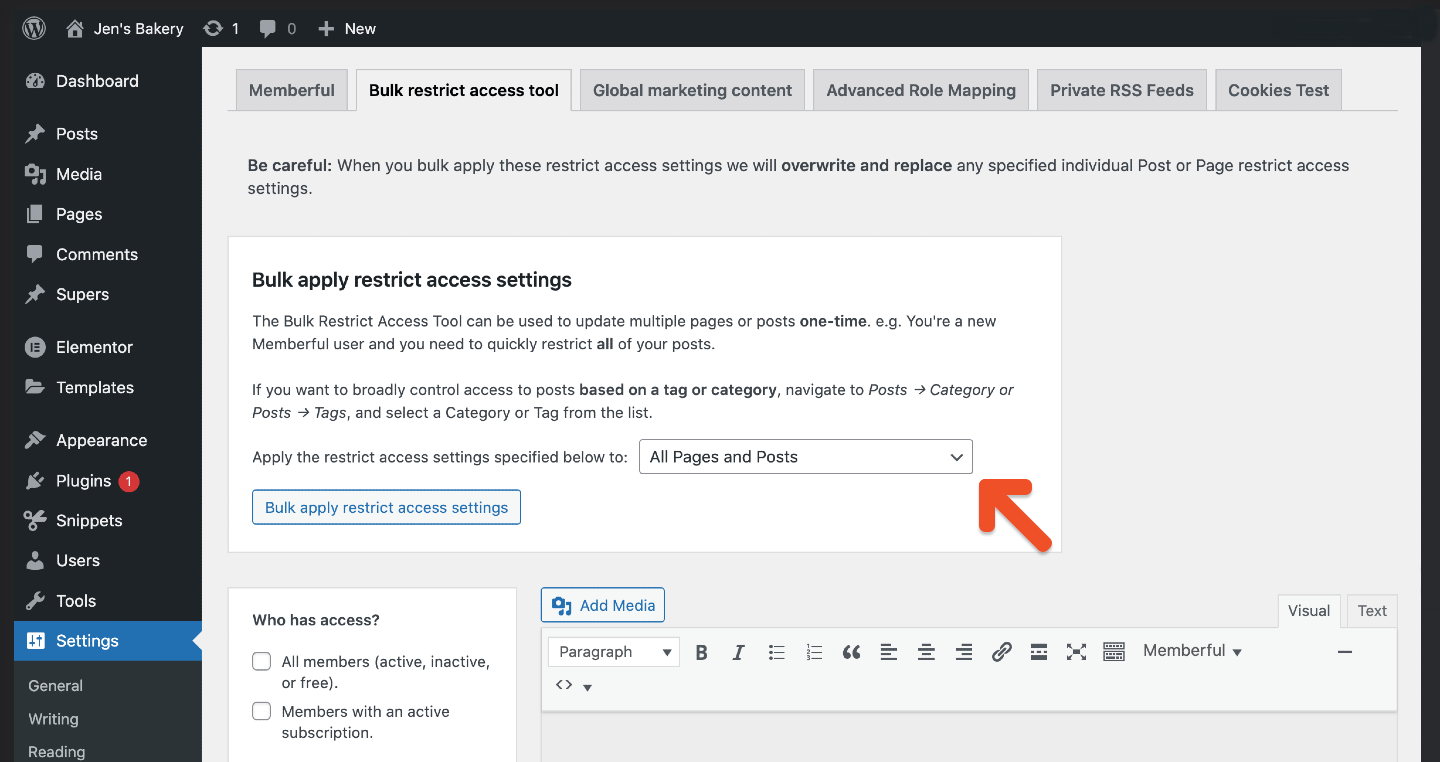
1. In your WordPress dashboard, go to *Settings → Memberful → Bulk restrict access tool*. You must have at least **one published post** in a category for that category to appear in the bulk restrict options.
2. Choose which content to restrict:
* All pages and posts
* All pages
* All posts
* All posts from one or more categories
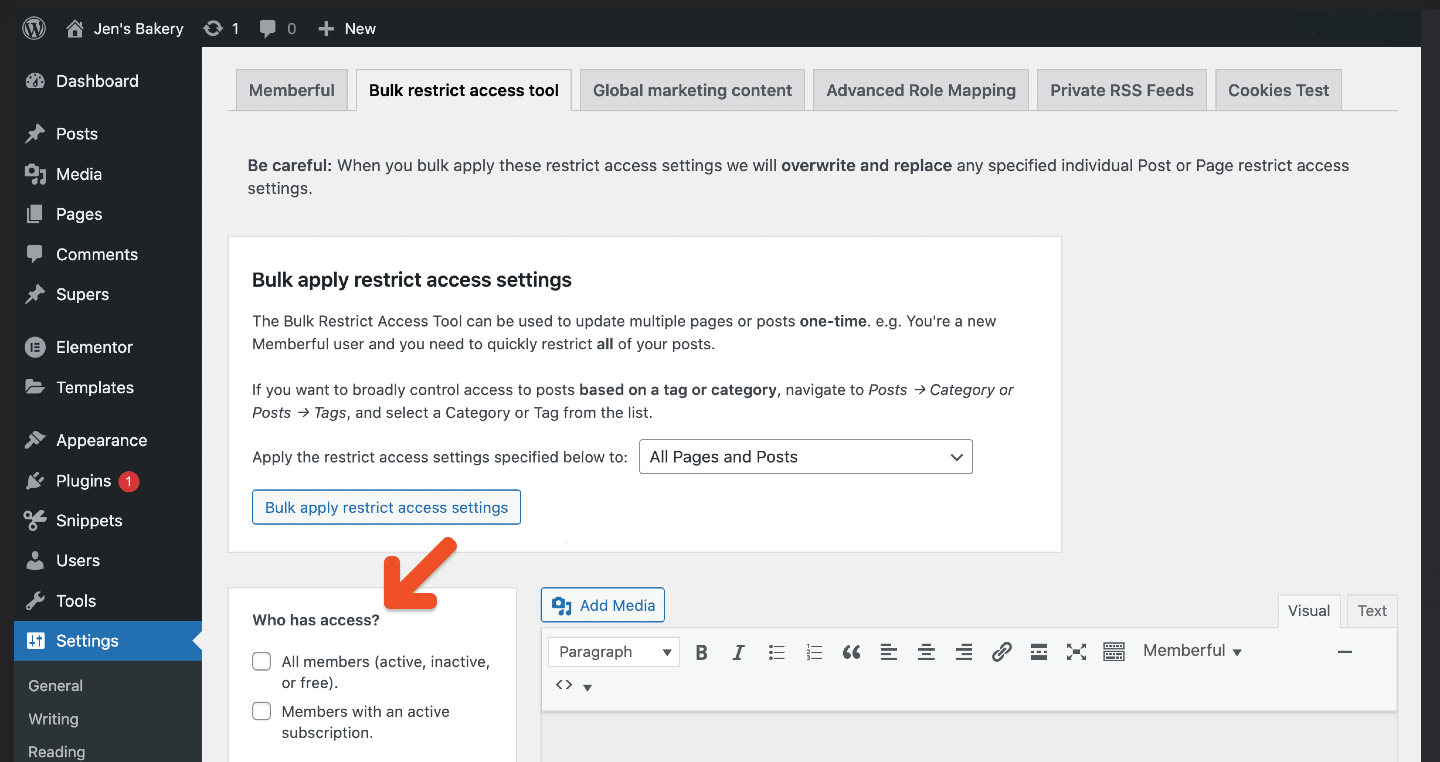
 3. In the *Who has access?* section, select the plan(s) (which control access/benefits) or member segments that should have access.
 4. Click **Bulk apply restrict access settings.**
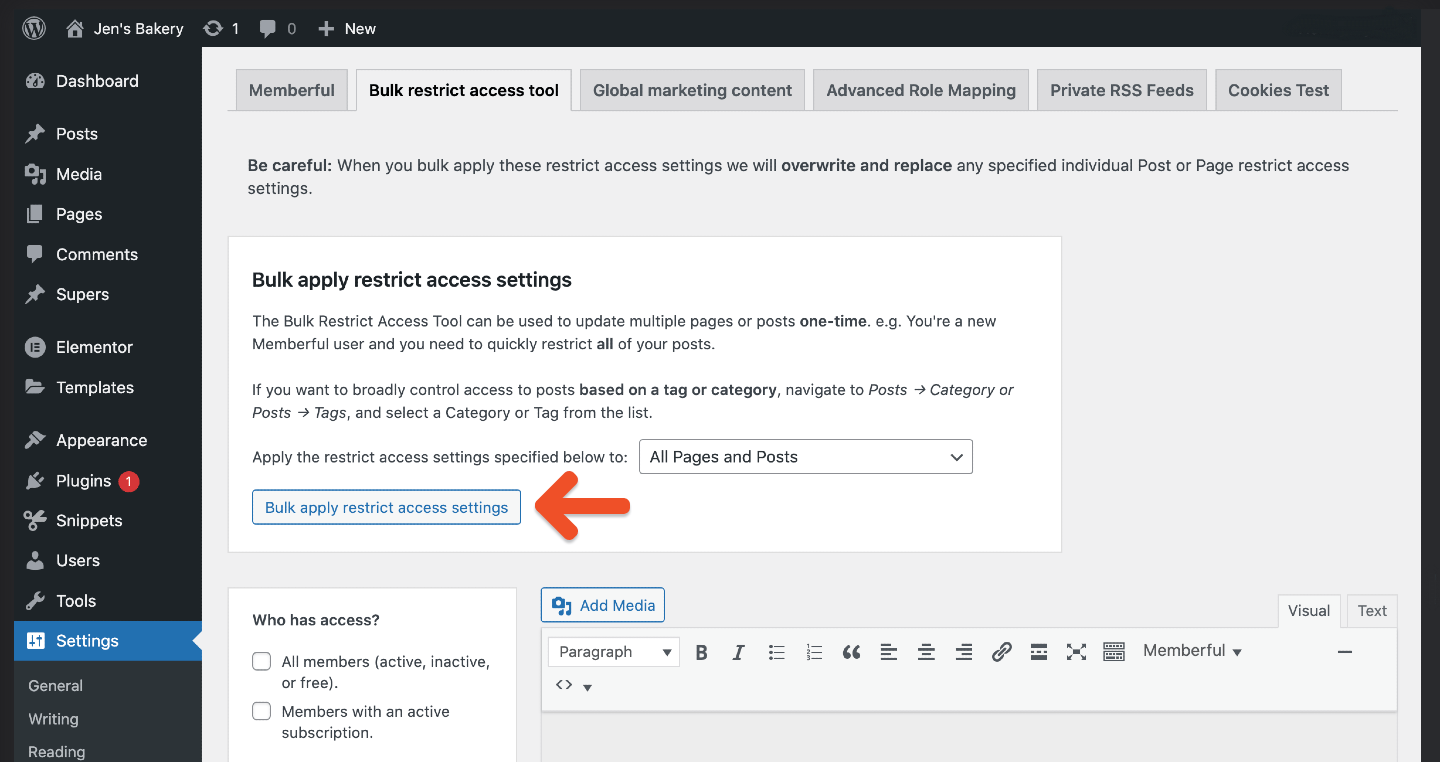 Bulk restrictions overwrite any individual restrictions you previously set on posts or pages.
## Reverse a bulk restrict action
To undo or change a bulk restriction:
1. Go to *Settings → Memberful → Bulk restrict access tool.*
2. In *Who has access?*, uncheck the plan(s) or member segment(s) previously applied.
3. Select the content type to unrestrict:
* All pages and posts
* All pages
* All posts
* All posts from a specific category
4. Click **Bulk apply restrict access settings.**
5. To unprotect all content, uncheck all plans/segments in *Who has access?*, select your content type, and click **Bulk apply restrict access settings.**
Bulk restrictions overwrite any individual restrictions you previously set on posts or pages.
## Reverse a bulk restrict action
To undo or change a bulk restriction:
1. Go to *Settings → Memberful → Bulk restrict access tool.*
2. In *Who has access?*, uncheck the plan(s) or member segment(s) previously applied.
3. Select the content type to unrestrict:
* All pages and posts
* All pages
* All posts
* All posts from a specific category
4. Click **Bulk apply restrict access settings.**
5. To unprotect all content, uncheck all plans/segments in *Who has access?*, select your content type, and click **Bulk apply restrict access settings.**