> ## Documentation Index
> Fetch the complete documentation index at: https://memberful.com/docs/llms.txt
> Use this file to discover all available pages before exploring further.
# Restrict access to video content
> Restrict access to videos in Memberful so only paid members can watch. Use this to share members-only video content, courses, and exclusive interviews.
export const RelatedDocs = ({link1, link2, link3, link4, link5, link6, link7, link8, link9, link10, className = ""}) => {
const links = [link1, link2, link3, link4, link5, link6, link7, link8, link9, link10].filter(Boolean);
if (!links.length) return null;
return ;
};
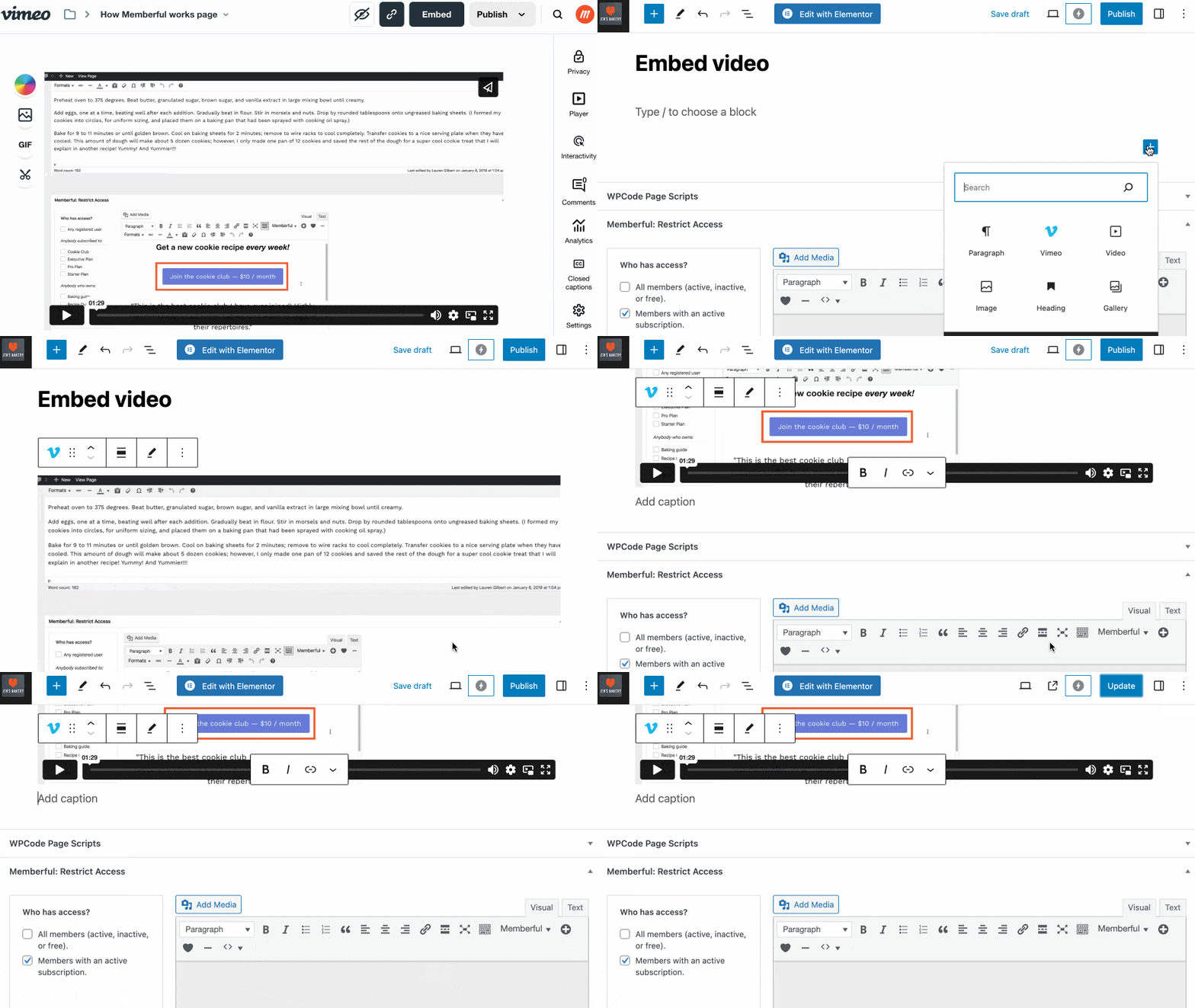
You can embed a video into a WordPress post — or a post on your Memberful member website — and protect that embedded video for members only.
In this help article, we'll explore how to pair Memberful with video platforms (like our hosted feature, Vimeo, Wistia, or YouTube) to share exclusive videos with your members.
## Choose a video hosting platform for a WordPress site
A video hosting platform is the home for all your bandwidth-intensive videos. [Wistia](https://wistia.com/) and [Vimeo](https://vimeo.com/) ([Vimeo PRO](https://vimeo.com/pro) or [Vimeo Business](https://vimeo.com/business)) are two great options. Both platforms offer plenty of customization options, HD videos, and reliable playback. They also provide you with the option to restrict video embedding to specific websites. You can also check out [Streamable](https://streamable.com), [Cloudflare Stream](https://www.cloudflare.com/en-ca/products/cloudflare-stream/), [SproutVideo](https://sproutvideo.com), and [Vidyard](https://www.vidyard.com).
If you can't commit to a paid hosting platform, you can create and embed unlisted YouTube videos on your site. However, keep in mind that this option makes it possible for [non-members to discover your videos.](https://support.google.com/youtube/answer/157177?hl=en\&co=GENIE.Platform%3DDesktop#zippy=%2Cunlisted-videos)
**Follow these steps to get started with SproutVideo:**
1. Upload your videos to your SproutVideo account.
2. Customize your video player and embed codes.
3. **Important:** Configure your privacy settings and set allowed domains to restrict access.
**Follow these steps to get started with Wistia:**
1. Upload your videos to your Wistia account.
2. Configure your Wistia account and customize your video player.
3. **Important:** Enable domain restrictions.
**Follow these steps to get started with Vimeo:**
1. Upload your videos to your Vimeo account.
2. Customize your Vimeo video player.
3. **Important:** Configure your Vimeo privacy settings and be sure to enable the *Only on sites I choose* embedding option.
Step 3 is important because it restricts the embedding of your videos to your domain. This ensures your members-only videos stay private.
## Embed videos on protected WordPress posts
We recommend that you **embed** each video in a new WordPress post. Then, [protect each post](/wordpress-plugin/protect-content/restrict-access-to-a-single-post/) using the Memberful WordPress plugin.
 ## Embed videos on your member website
Memberful lets you [create a simple website](/overview/setup-guides/hosted-member-site) with members-only posts and public pages. To add video content, you can either embed a video from Vimeo or YouTube, or upload a video file to your site. You can upload videos to posts for paid members, or to pages that everyone can view. If you're uploading files, follow our [video processing guidelines](/website-builder/video-content/video-processing) for the best streaming experience.
Uploaded videos can be up to **2 hours** long in posts. Videos added to pages using website blocks can be up to **30 minutes**. Across both, your total monthly upload limit is **20 hours**.
[Read more about uploading videos to posts](/newsletters/hosted-newsletter/create-a-post/#upload-videos-to-a-post) or [pages](/website-builder/pages/create-a-page/#upload-videos-to-a-page).
## Embed videos on your member website
Memberful lets you [create a simple website](/overview/setup-guides/hosted-member-site) with members-only posts and public pages. To add video content, you can either embed a video from Vimeo or YouTube, or upload a video file to your site. You can upload videos to posts for paid members, or to pages that everyone can view. If you're uploading files, follow our [video processing guidelines](/website-builder/video-content/video-processing) for the best streaming experience.
Uploaded videos can be up to **2 hours** long in posts. Videos added to pages using website blocks can be up to **30 minutes**. Across both, your total monthly upload limit is **20 hours**.
[Read more about uploading videos to posts](/newsletters/hosted-newsletter/create-a-post/#upload-videos-to-a-post) or [pages](/website-builder/pages/create-a-page/#upload-videos-to-a-page).