> ## Documentation Index
> Fetch the complete documentation index at: https://memberful.com/docs/llms.txt
> Use this file to discover all available pages before exploring further.

# Manage pages

> After creating multiple pages for your Memberful hosted site, you might want to make changes or ensure that they appear properly in your site's navigation menu.

export const RelatedDocs = ({link1, link2, link3, link4, link5, link6, link7, link8, link9, link10, className = ""}) => {
  const links = [link1, link2, link3, link4, link5, link6, link7, link8, link9, link10].filter(Boolean);
  if (!links.length) return null;
  return <section className={`related-docs border dark:border-gray-700 rounded-2xl px-6 py-4 mt-6 ${className}`}>
      <p className="mb-2 font-medium">
        <strong>Related help docs:</strong>
      </p>
      <ul className="space-y-1 mb-1 mt-1">
        {links.map((link, index) => <li key={index}>
            <a href={link.url}>{link.label}</a>
          </li>)}
      </ul>
    </section>;
};

Once you've created pages on your Memberful member website, you may need to update their content, change how they appear in the navigation, or remove ones you no longer need.

In this help article, we'll explore how to edit a page's content with the editor, rearrange the order of pages in the navigation menu, and delete pages you no longer need.

## View a page or draft

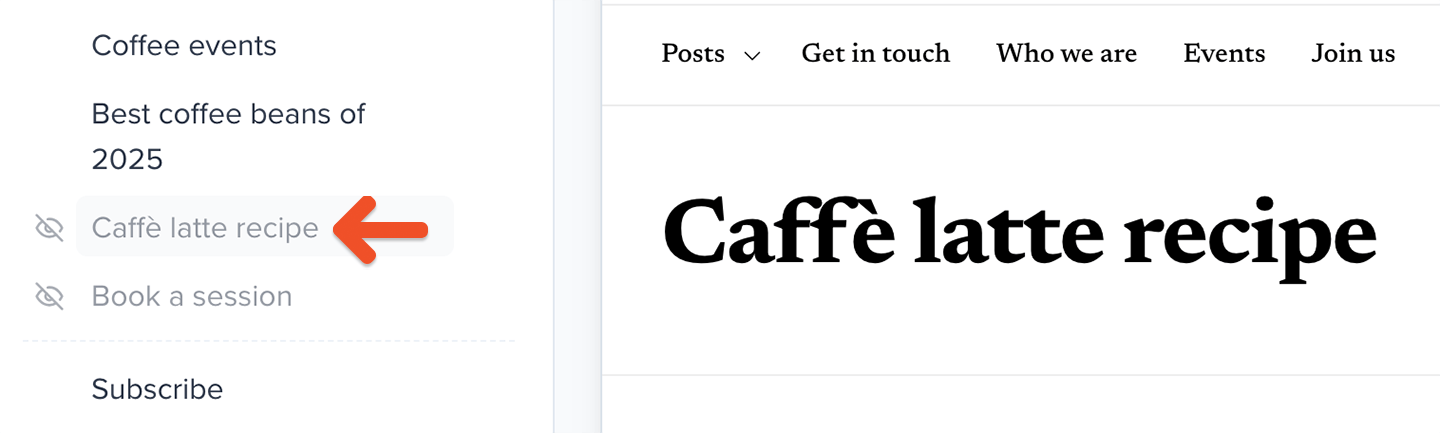
When you create a page but choose not to publish it right away, it will show up in the list of pages with a faded gray font color.

<Frame>
  <img src="https://mintcdn.com/memberful/smhj9OV438rrDb0l/images/hosted-member-website/manage-pages/unpublished-page.png?fit=max&auto=format&n=smhj9OV438rrDb0l&q=85&s=7fa4e6f2d058b6fa956193be346049e6" alt="Unpublished page" width="1440" height="433" data-path="images/hosted-member-website/manage-pages/unpublished-page.png" />
</Frame>

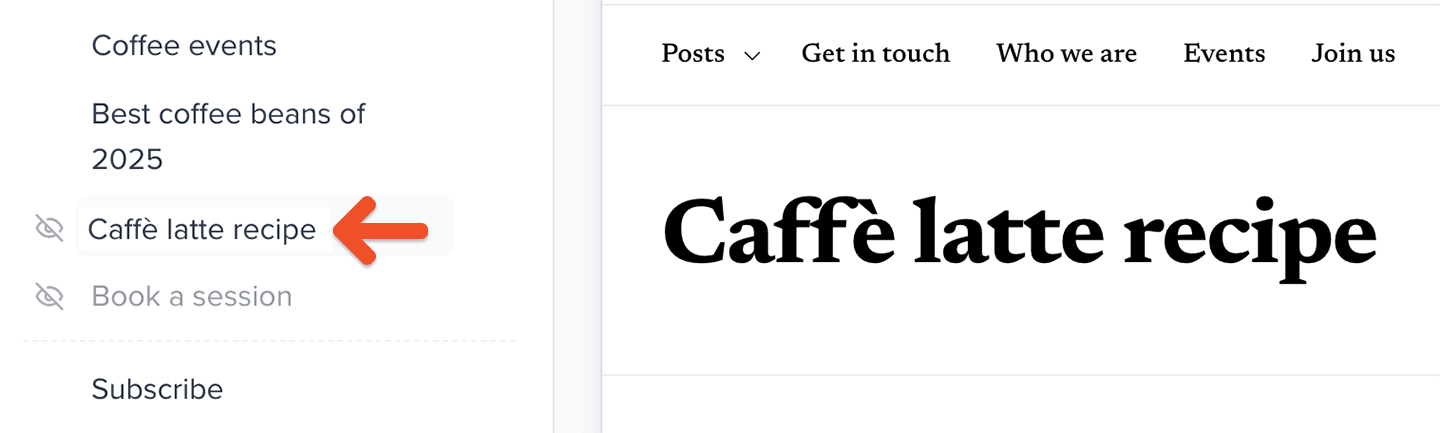
Once you've published a page, its font color will change to black.
<Frame>
  <img src="https://mintcdn.com/memberful/smhj9OV438rrDb0l/images/hosted-member-website/manage-pages/published-page.png?fit=max&auto=format&n=smhj9OV438rrDb0l&q=85&s=685bd991966742be426f1f1b32e4bde3" alt="Published page" width="1440" height="433" data-path="images/hosted-member-website/manage-pages/published-page.png" />
</Frame>

## Edit a page or navigation item

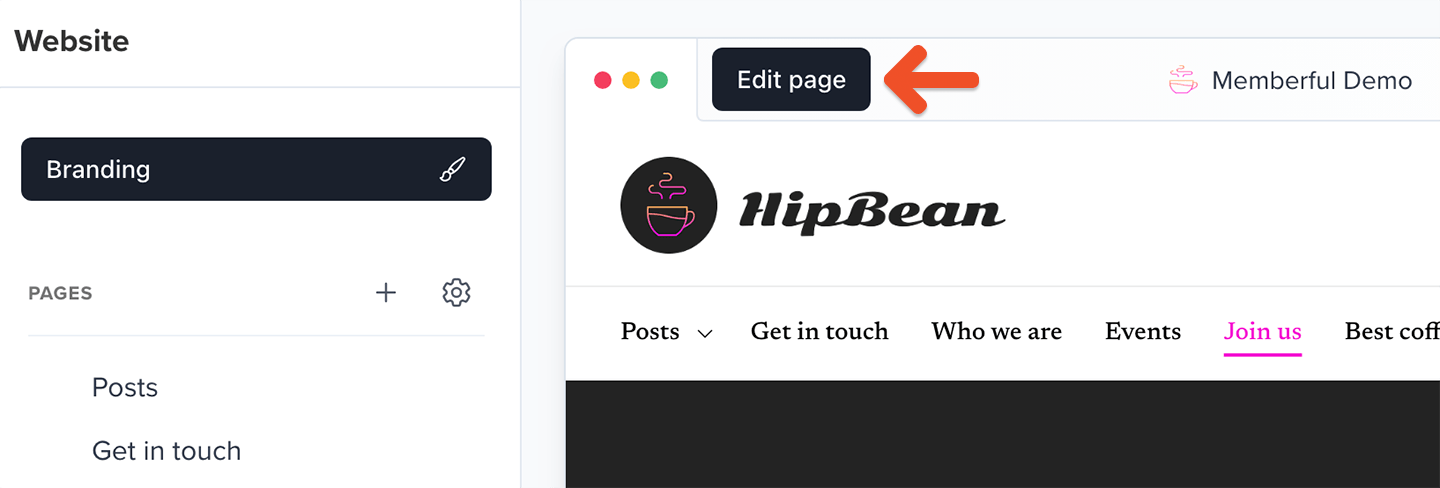
To edit a page, click it in the list of pages, then click **Edit page**.
<Frame>
  <img src="https://mintcdn.com/memberful/smhj9OV438rrDb0l/images/hosted-member-website/manage-pages/edit-pages.png?fit=max&auto=format&n=smhj9OV438rrDb0l&q=85&s=a2a52ba66b2172823ea20a88c07bd7a8" alt="Edit Pages" width="1440" height="488" data-path="images/hosted-member-website/manage-pages/edit-pages.png" />
</Frame>

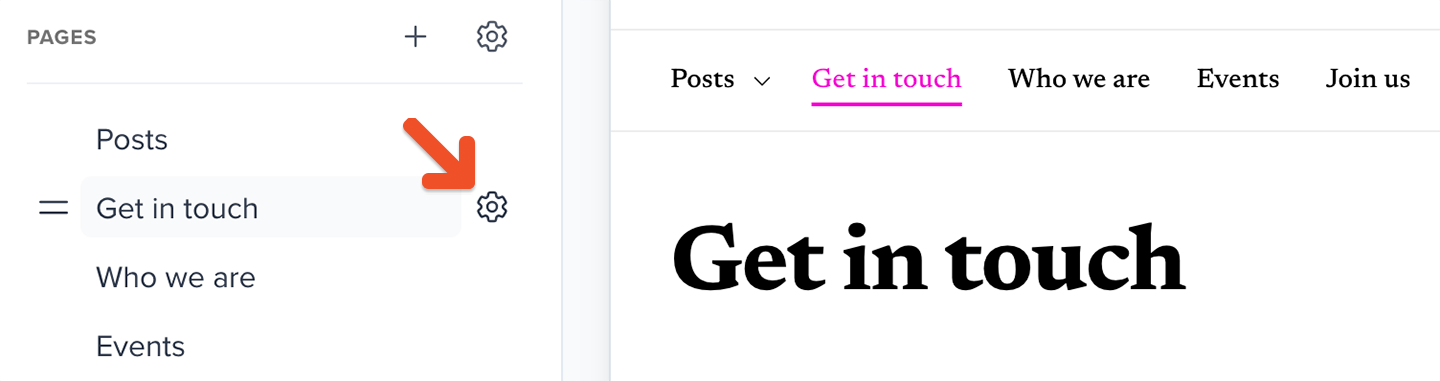
To edit a post category link or external link, hover your cursor over it in the list of pages, then click the **gear** icon.
<Frame>
  <img src="https://mintcdn.com/memberful/smhj9OV438rrDb0l/images/hosted-member-website/manage-pages/open-page-settings.png?fit=max&auto=format&n=smhj9OV438rrDb0l&q=85&s=987b3e3d458d35a1e472309103c6bc96" alt="Open page settings" width="1440" height="381" data-path="images/hosted-member-website/manage-pages/open-page-settings.png" />
</Frame>

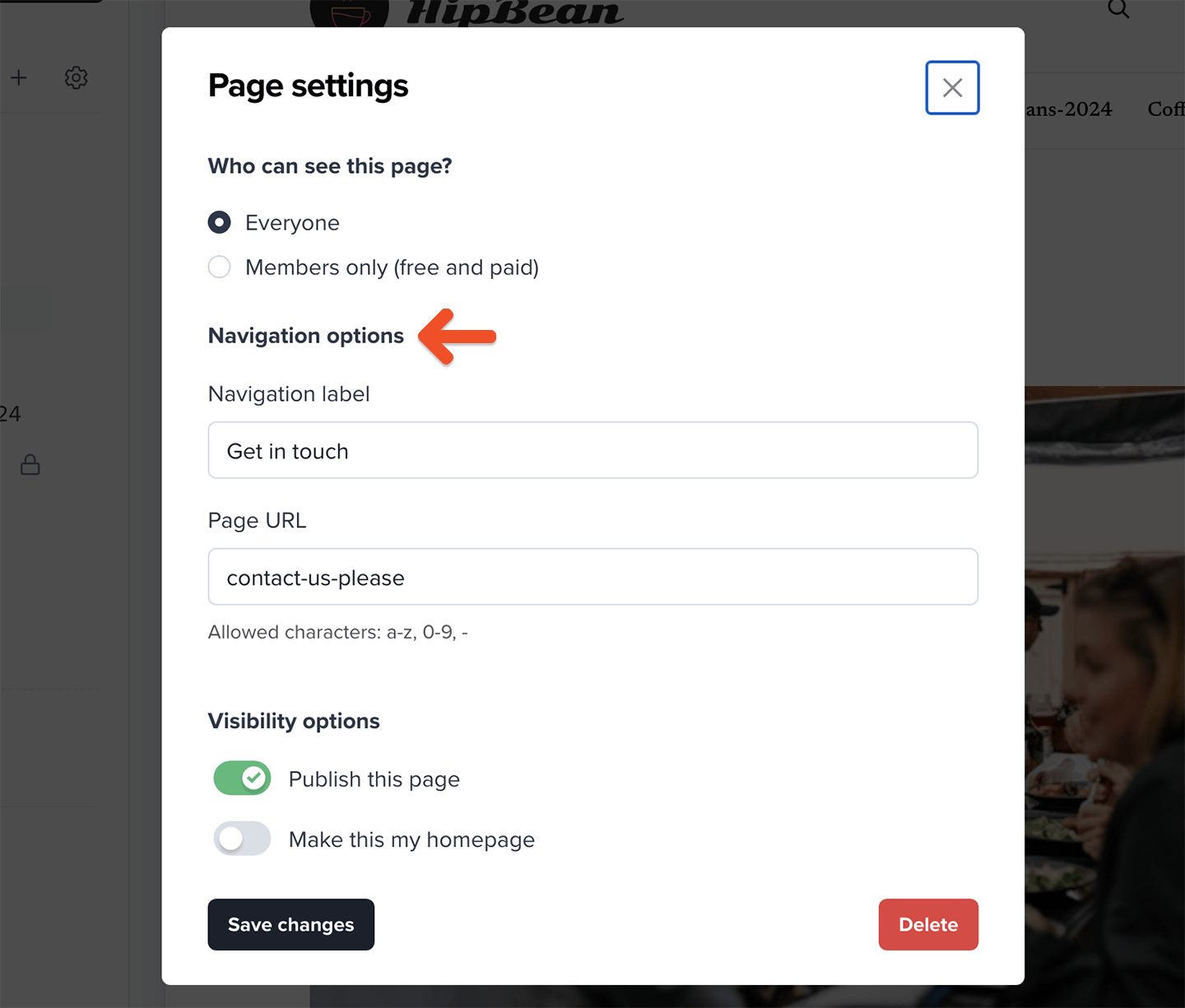
To edit a navigation label or page URL, hover your cursor over the page in the list and click the **gear** icon.
<Frame>
  <img src="https://mintcdn.com/memberful/smhj9OV438rrDb0l/images/hosted-member-website/manage-pages/edit-navigation-links.png?fit=max&auto=format&n=smhj9OV438rrDb0l&q=85&s=ca5f27040e66bbd6f492eab76ba12161" alt="Edit navigation links" width="1440" height="1225" data-path="images/hosted-member-website/manage-pages/edit-navigation-links.png" />
</Frame>

## Delete a page

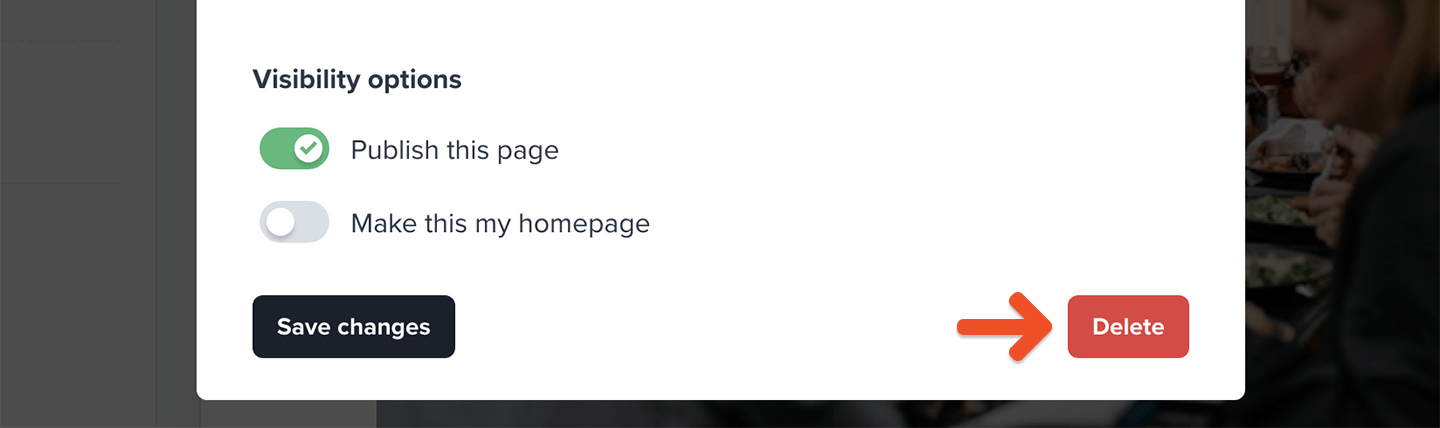
To delete a page, hover your cursor over it in the list of pages, click the **gear** icon, then click **Delete**. Alternatively, while editing the page you can click the **gear** icon in the top-right corner of the editor and click **Delete**.
<Callout icon="triangle-alert" color="#FFE044">
  This action is not recoverable.
</Callout>

<Frame>
  <img src="https://mintcdn.com/memberful/smhj9OV438rrDb0l/images/hosted-member-website/manage-pages/delete-page.png?fit=max&auto=format&n=smhj9OV438rrDb0l&q=85&s=8f6068a652e775a551cdce13c190d705" alt="Delete page" width="1440" height="428" data-path="images/hosted-member-website/manage-pages/delete-page.png" />
</Frame>

## View your site

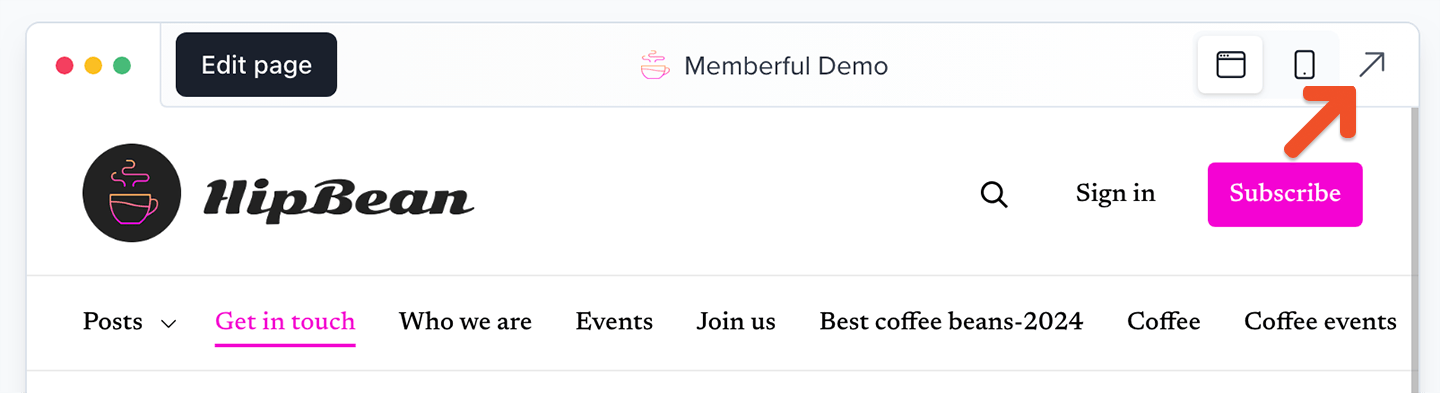
To view your site, go to the **Website** tab or the page editor, then click the **arrow** icon in the top-right corner of the page preview area or page editor.
<Frame>
  <img src="https://mintcdn.com/memberful/smhj9OV438rrDb0l/images/hosted-member-website/manage-pages/view-your-site-at.png?fit=max&auto=format&n=smhj9OV438rrDb0l&q=85&s=5e7c87f1febffa140399fdd266ccc0e3" alt="View your site" width="1440" height="393" data-path="images/hosted-member-website/manage-pages/view-your-site-at.png" />
</Frame>

## Rearrange your page order

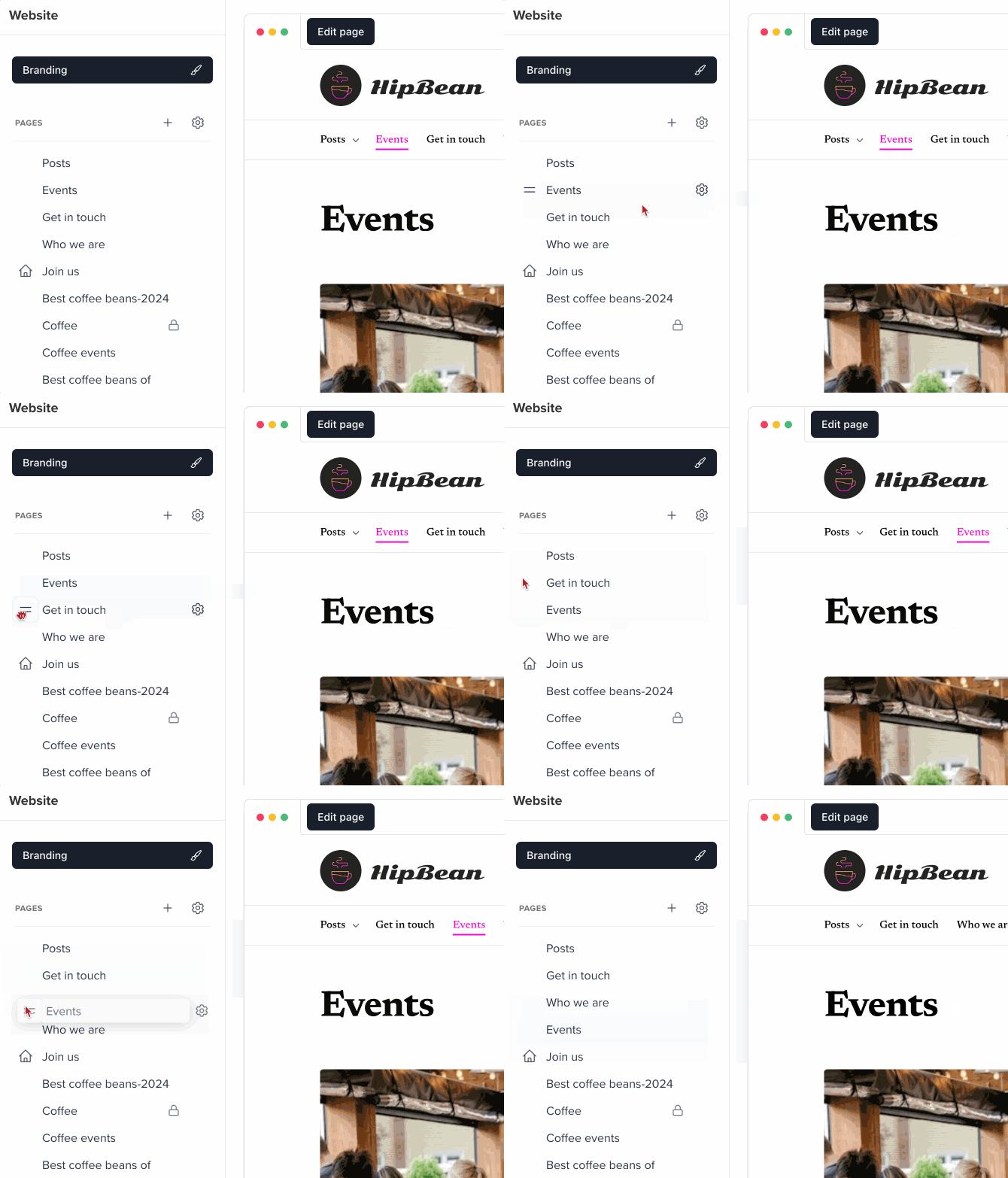
To rearrange the order of the pages in your site's navigation, go to the **Website** tab, hover over a page in the list, then click and drag the **two-line** icon until you've moved the page to the desired location in the list.
<Frame>
  <img src="https://mintcdn.com/memberful/smhj9OV438rrDb0l/images/hosted-member-website/manage-pages/rearrange-pages.gif?s=8ffeb55051ebfcd6fe668fd98b478957" alt="Rearrange Pages" width="670" height="522" data-path="images/hosted-member-website/manage-pages/rearrange-pages.gif" />
</Frame>

<RelatedDocs
  link1={{
url: "/website-builder/customization/customize-your-menu/",
label: "Edit your website's navigation.",
}}
  link2={{
url: "/newsletters/hosted-newsletter/create-a-post/",
label: "Create a members-only post.",
}}
  link3={{
url: "/website-builder/settings/member-website-settings/",
label: "Edit your member website's settings.",
}}
/>
