> ## Documentation Index
> Fetch the complete documentation index at: https://memberful.com/docs/llms.txt
> Use this file to discover all available pages before exploring further.

# Customize your menu

> Customize the navigation menu on your Memberful member website. Add pages, external links, and posts, and edit the label that appears for each item.

export const RelatedDocs = ({link1, link2, link3, link4, link5, link6, link7, link8, link9, link10, className = ""}) => {
  const links = [link1, link2, link3, link4, link5, link6, link7, link8, link9, link10].filter(Boolean);
  if (!links.length) return null;
  return <section className={`related-docs border dark:border-gray-700 rounded-2xl px-6 py-4 mt-6 ${className}`}>
      <p className="mb-2 font-medium">
        <strong>Related help docs:</strong>
      </p>
      <ul className="space-y-1 mb-1 mt-1">
        {links.map((link, index) => <li key={index}>
            <a href={link.url}>{link.label}</a>
          </li>)}
      </ul>
    </section>;
};

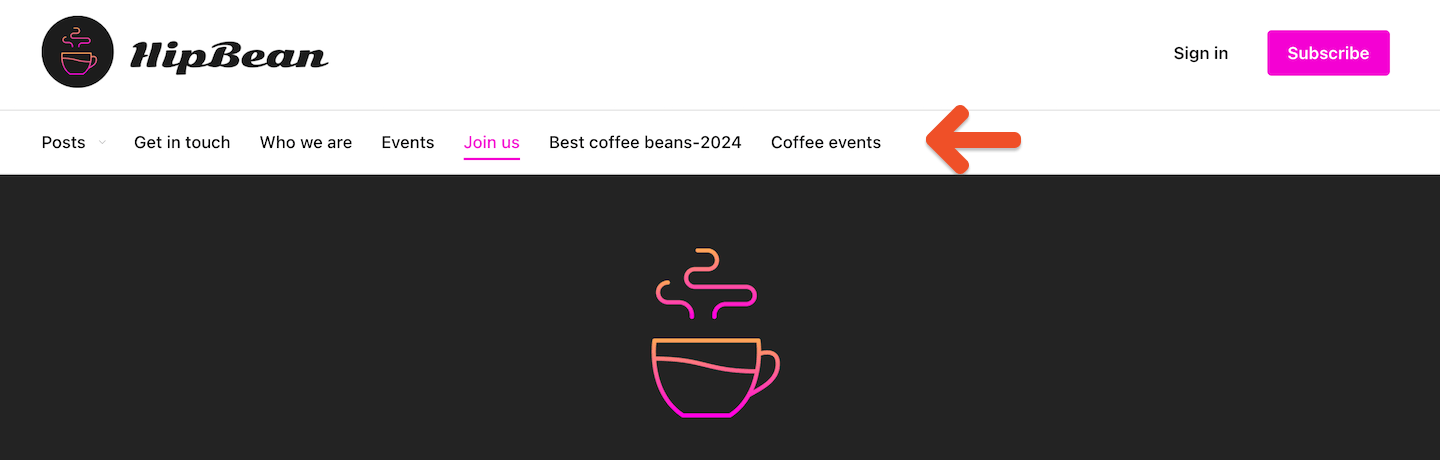
The navigation menu on your Memberful member website helps members find pages, posts, and other resources you've published. You can shape what appears in the menu and customize how each item is labeled.

In this help article, we'll show you how to add pages, external links, and post categories to the navigation, rename a link's label, and set a page as the homepage.

<Frame>
  <img src="https://mintcdn.com/memberful/smhj9OV438rrDb0l/images/hosted-member-website/customize-your-menu/customize-your-menu.png?fit=max&auto=format&n=smhj9OV438rrDb0l&q=85&s=110e1998daec8f1686db284d89492e5b" alt="Customize your menu" width="1440" height="460" data-path="images/hosted-member-website/customize-your-menu/customize-your-menu.png" />
</Frame>

## Create a new page or link

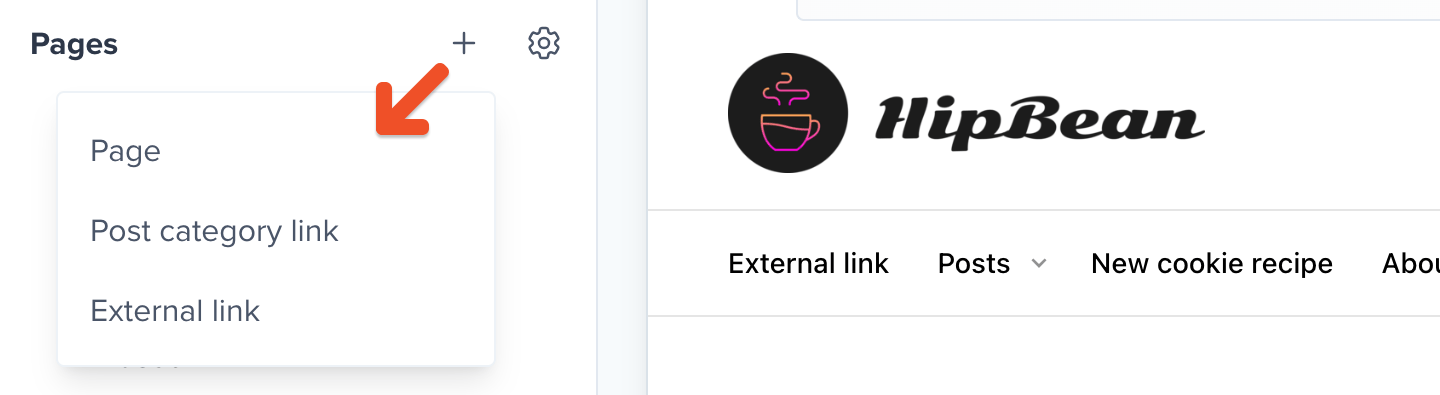
To create a new page, post category link, or external link, go to the **Website** tab, click the **+** icon, and select the type of navigation item you'd like to create. [Learn more about creating pages](/website-builder/pages/create-a-page/).
<Frame>
  <img src="https://mintcdn.com/memberful/smhj9OV438rrDb0l/images/hosted-member-website/customize-your-menu/create-a-new-page-or-link.png?fit=max&auto=format&n=smhj9OV438rrDb0l&q=85&s=91f108416ac7e87f3a32327d74b51a3b" alt="Create a new page or link" width="1440" height="395" data-path="images/hosted-member-website/customize-your-menu/create-a-new-page-or-link.png" />
</Frame>

## Add a post archive link

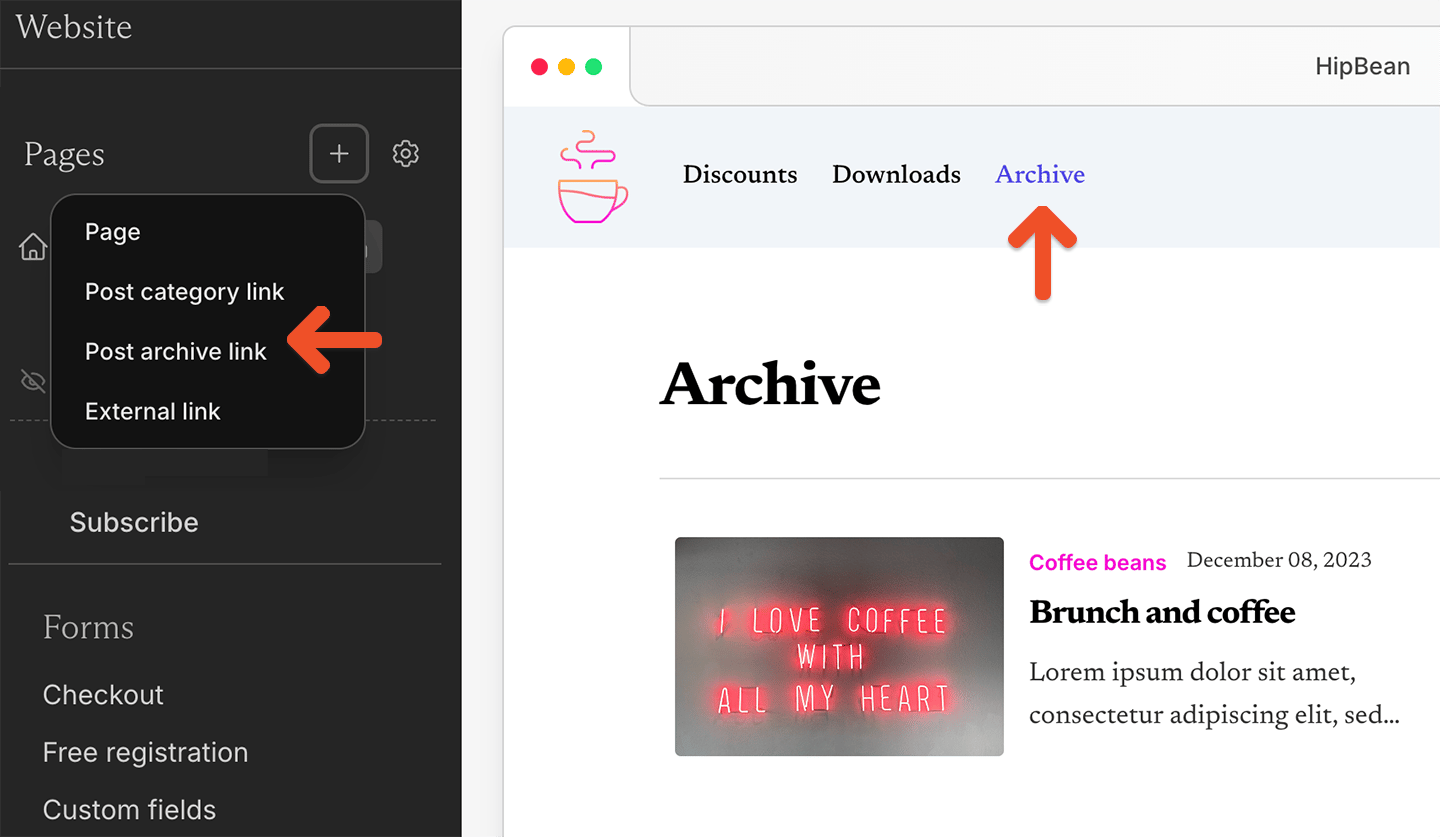
You can add a post archive link to your member website menu so members and visitors can view older posts from your site.

This link is separate from post category links. You can add a post archive link even if your site does not have any post categories.
<Frame>
  <img src="https://mintcdn.com/memberful/HkNxiUqewR8zIc7h/images/hosted-member-website/customize-your-menu/post-archive-link.png?fit=max&auto=format&n=HkNxiUqewR8zIc7h&q=85&s=bc082c5f6c437c91523af33deb5799c0" alt="Add a post archive link" width="1440" height="837" data-path="images/hosted-member-website/customize-your-menu/post-archive-link.png" />
</Frame>

<Steps>
  <Step title="Open the add menu">
    Go to **Website** and click the **+** icon.
  </Step>

  <Step title="Select the archive link">
    Select **Post archive link**.
  </Step>

  <Step title="Add the label">
    Enter the label you want to show in your navigation menu.
  </Step>

  <Step title="Choose whether to make it your homepage">
    Toggle on *Make this my homepage* if you want the post archive to be the first page members see when they visit your member website.
  </Step>

  <Step title="Save the link">
    Click **Create**.
  </Step>
</Steps>

## Check page permissions

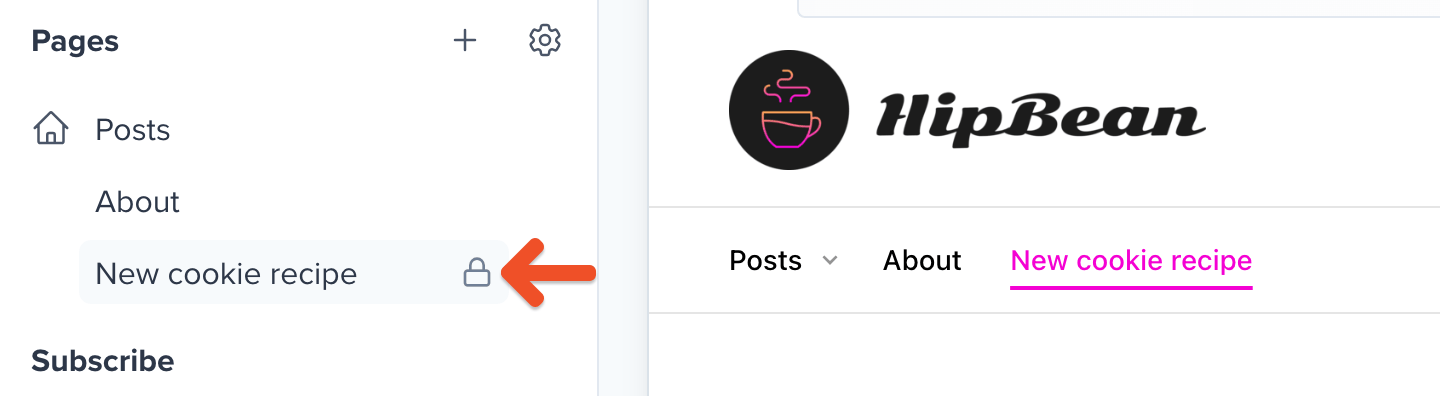
If a page can only be accessed by certain members, you'll see a lock icon next to the navigation item. Hover your cursor over the page in the list and click the **gear** icon to learn more about its current permissions.

<Frame>
  <img src="https://mintcdn.com/memberful/smhj9OV438rrDb0l/images/hosted-member-website/customize-your-menu/check-page-permissions.png?fit=max&auto=format&n=smhj9OV438rrDb0l&q=85&s=06acc41a7f884d5fabceb576708e94cc" alt="Check page permissions" width="1440" height="396" data-path="images/hosted-member-website/customize-your-menu/check-page-permissions.png" />
</Frame>

## Edit a navigation item

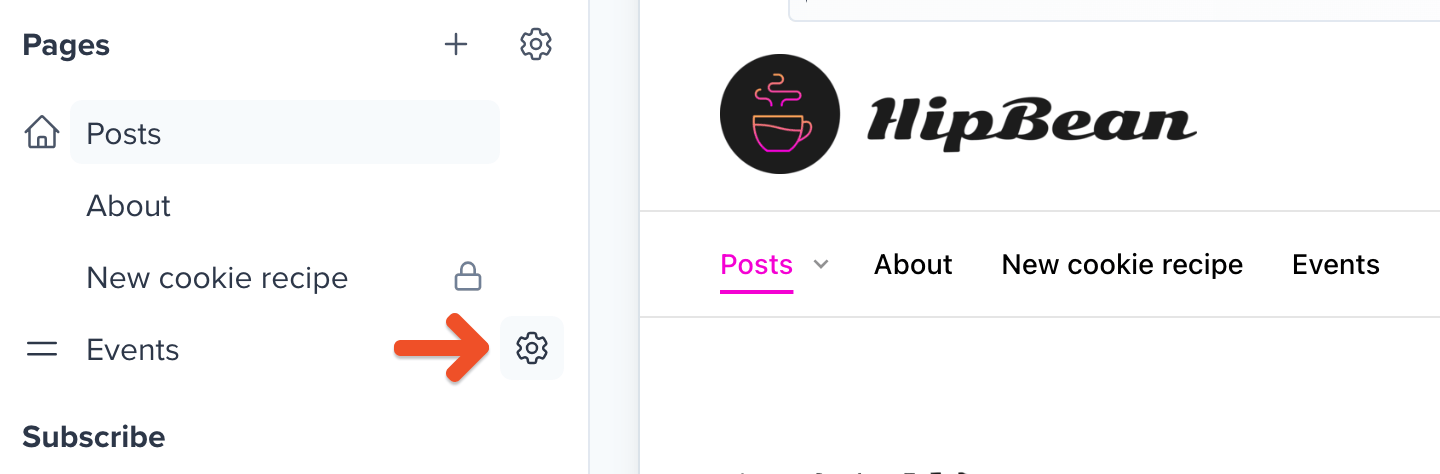
To edit a navigation item, go to the **Website** tab, hover your cursor over the page in the list and click the **gear** icon.
<Frame>
  <img src="https://mintcdn.com/memberful/smhj9OV438rrDb0l/images/hosted-member-website/customize-your-menu/edit-a-navigation-item.png?fit=max&auto=format&n=smhj9OV438rrDb0l&q=85&s=4b1d22a6c0cb9cd7c65ad85393bd41bc" alt="Edit a navigation item" width="1440" height="474" data-path="images/hosted-member-website/customize-your-menu/edit-a-navigation-item.png" />
</Frame>

## Rename a link's label in the navigation

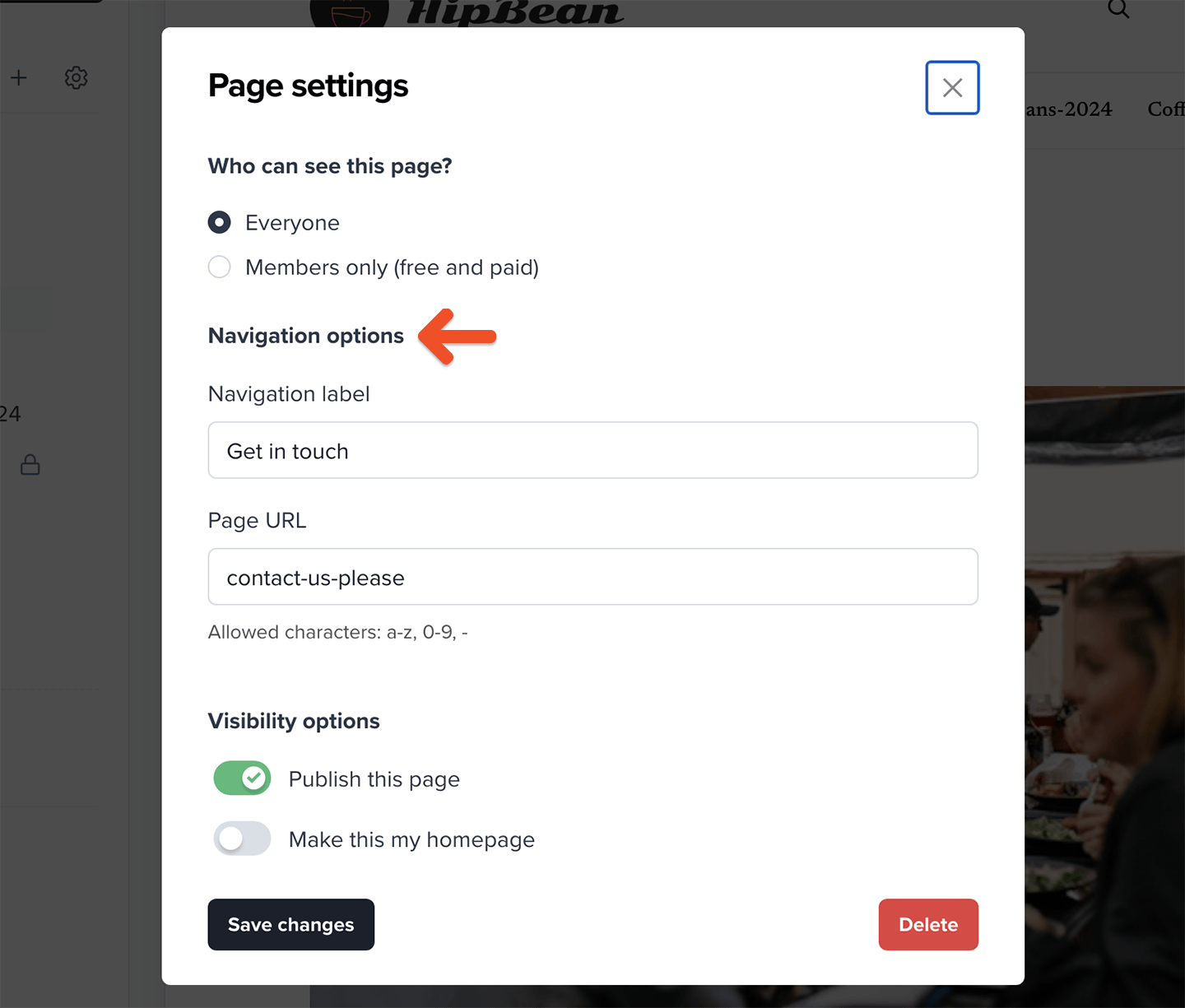
You can choose which label is used for the page or external link in the navigation. Go to the **Website** tab, hover your cursor over the page in the list, and click the **gear** icon, then enter your desired label under **Navigation label.**
<Frame>
  <img src="https://mintcdn.com/memberful/smhj9OV438rrDb0l/images/hosted-member-website/customize-your-menu/new-navigation-label-for-link.png?fit=max&auto=format&n=smhj9OV438rrDb0l&q=85&s=8d523b18676779defbc8ed2cb9fffa7c" alt="New navigation label for a link" width="1440" height="1225" data-path="images/hosted-member-website/customize-your-menu/new-navigation-label-for-link.png" />
</Frame>

## Set a page as homepage

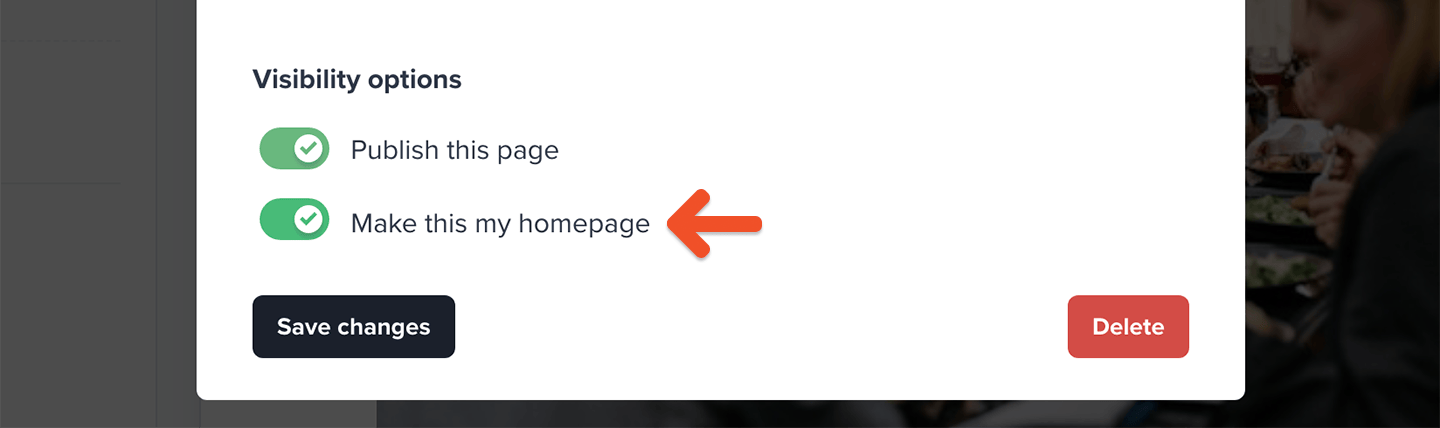
You can pick one of your pages or posts to be the homepage of your member website. Go to the **Website** tab, hover your cursor over the page in the list and click the **gear** icon, then click **Make this my homepage** to set it as the homepage.
<Frame>
  <img src="https://mintcdn.com/memberful/smhj9OV438rrDb0l/images/hosted-member-website/customize-your-menu/make-homepage.png?fit=max&auto=format&n=smhj9OV438rrDb0l&q=85&s=47ec8f9e3d7b8ca33dfdefe4f7b2e07b" alt="Make homepage" width="1440" height="428" data-path="images/hosted-member-website/customize-your-menu/make-homepage.png" />
</Frame>

## Recover the built-in Posts feed page

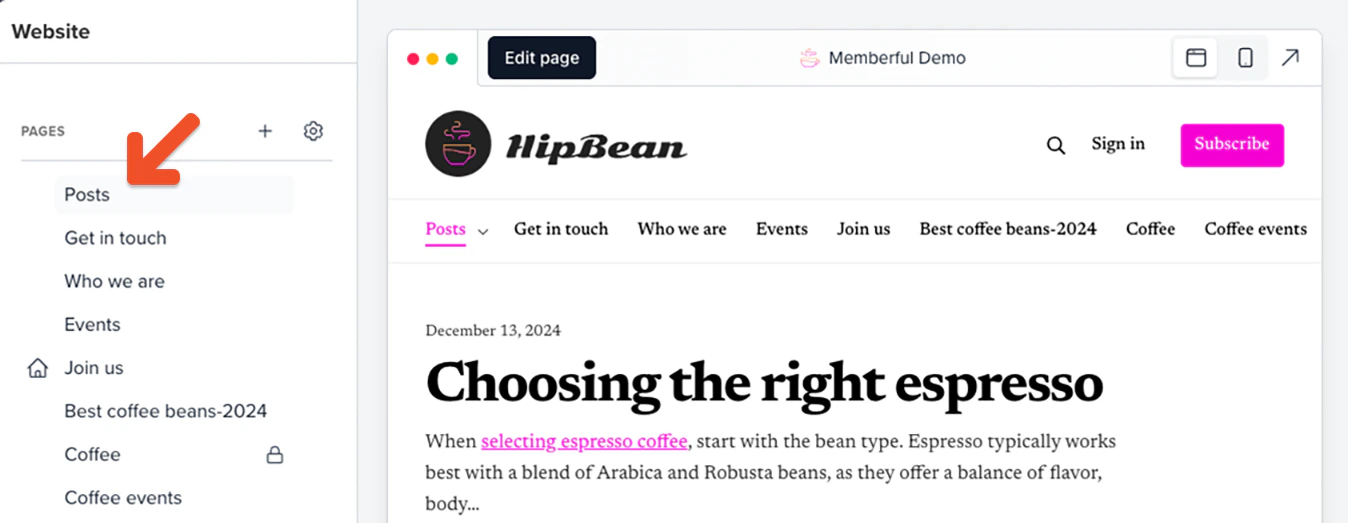
Memberful will automatically add a default *Posts* page to your navigation which displays a feed of your posts.

If you accidentally deleted this built-in *Posts* page, you can recover it by creating a new post.
<Frame>
  <img src="https://mintcdn.com/memberful/kFwRRZr7Cg98h4Ix/images/hosted-member-website/customize-your-menu/new-post.png?fit=max&auto=format&n=kFwRRZr7Cg98h4Ix&q=85&s=8939edbdd0fa9ff2cd0513b8612c469d" alt="New Post" width="1348" height="523" data-path="images/hosted-member-website/customize-your-menu/new-post.png" />
</Frame>

<RelatedDocs
  link1={{
url: "/newsletters/hosted-newsletter/create-a-post/",
label: "Create a post on your Memberful hosted site.",
}}
  link2={{
url: "/newsletters/hosted-newsletter/manage-posts/",
label: "Update your post content or settings.",
}}
/>
