> ## Documentation Index
> Fetch the complete documentation index at: https://memberful.com/docs/llms.txt
> Use this file to discover all available pages before exploring further.
# Submit a paid podcast to Spotify
> Submit your Memberful paid podcast to Spotify so members can subscribe and listen to your secure, members-only feed directly inside the Spotify app.
export const ContactSupport = ({label = "Contact us to get set up →", fallbackEmail = "info@memberful.com", className = ""}) => {
const handleClick = e => {
e.preventDefault();
if (typeof window !== 'undefined' && window.Intercom) {
try {
window.Intercom('showNewMessage');
return;
} catch (error) {
console.warn('Intercom failed to open:', error);
}
}
window.location.href = `mailto:${fallbackEmail}`;
};
return
{label}
;
};
export const RelatedDocs = ({link1, link2, link3, link4, link5, link6, link7, link8, link9, link10, className = ""}) => {
const links = [link1, link2, link3, link4, link5, link6, link7, link8, link9, link10].filter(Boolean);
if (!links.length) return null;
return ;
};
In this help article, we'll guide you through the complete process of creating and managing a paid podcast on Spotify with Memberful, from initial setup to submission, accessing analytics, managing subscriptions, and optimizing your redirect settings.
## Create a podcast
To create a paid podcast in Memberful, go to *Content → Podcasts* and click **Create Podcast**. The first step is to enter the podcast's RSS feed URL. [Learn more about hosting your podcast.](/podcasting/setup/create-a-paid-podcast/#create-an-unlisted-rss-feed-with-your-host)
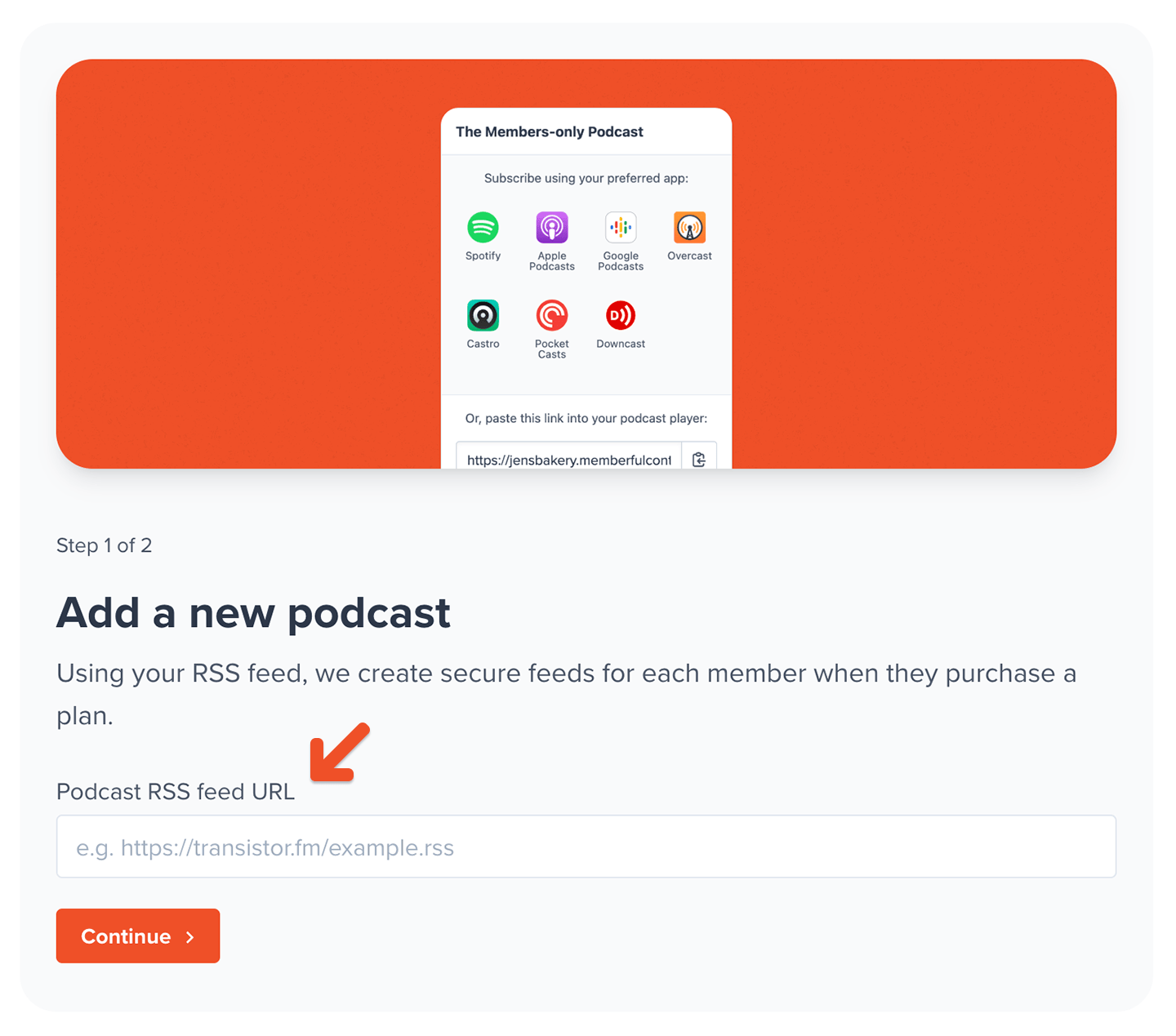 At this point, Memberful will validate the feed and check for any issues. If there are any problems, we'll let you know so you can fix them with your podcast host before continuing.
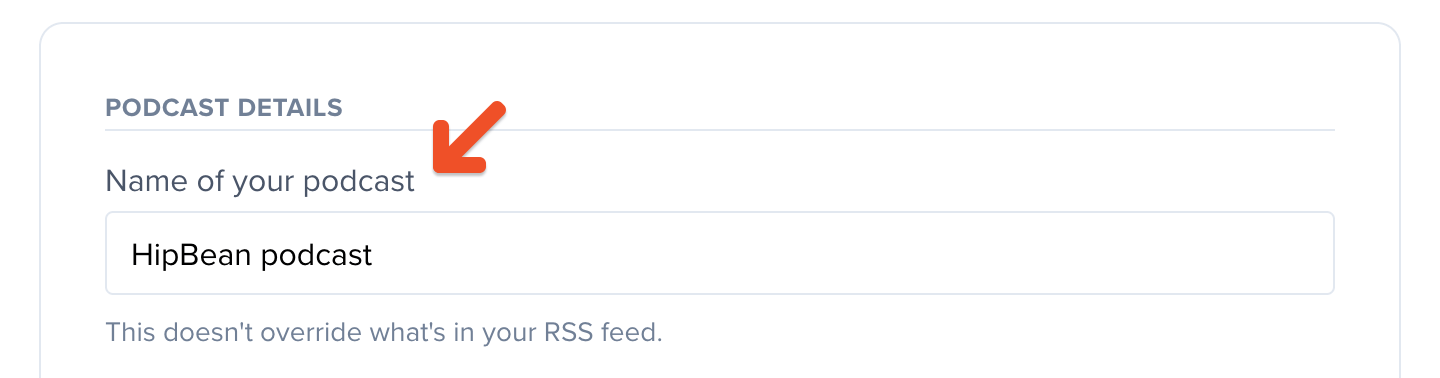
Next, give this podcast a name for your own reference. This will not be visible to your members.
At this point, Memberful will validate the feed and check for any issues. If there are any problems, we'll let you know so you can fix them with your podcast host before continuing.
Next, give this podcast a name for your own reference. This will not be visible to your members.
 Go to the *Which plans should include this podcast?* section, and click **Select from your list of plans.**
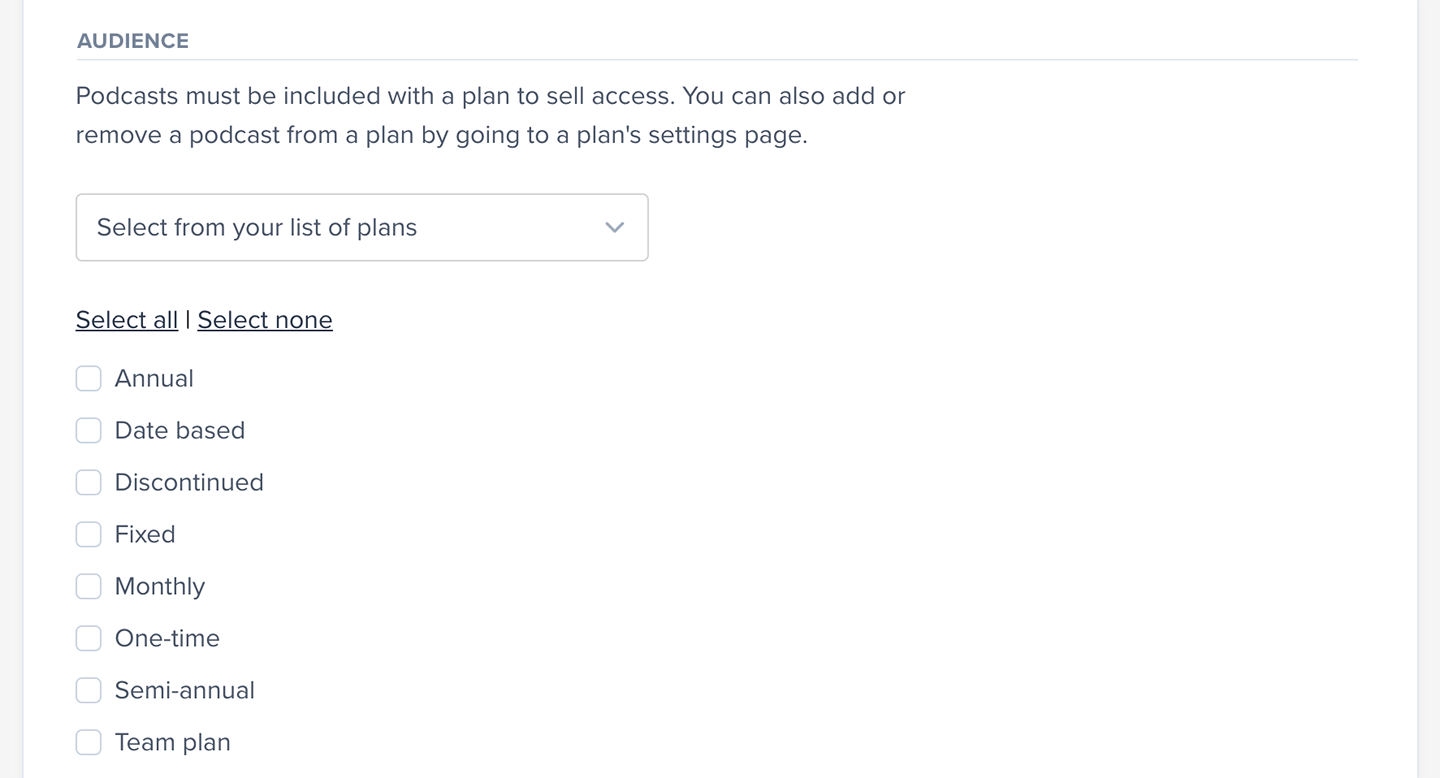 You can also add a podcast in the plan's settings via *Revenue → All plans → Select a plan → Plan Settings.*
 We'll create secure RSS feeds for each member with an active subscription to a plan that includes podcasts.
## Submit podcast to Spotify
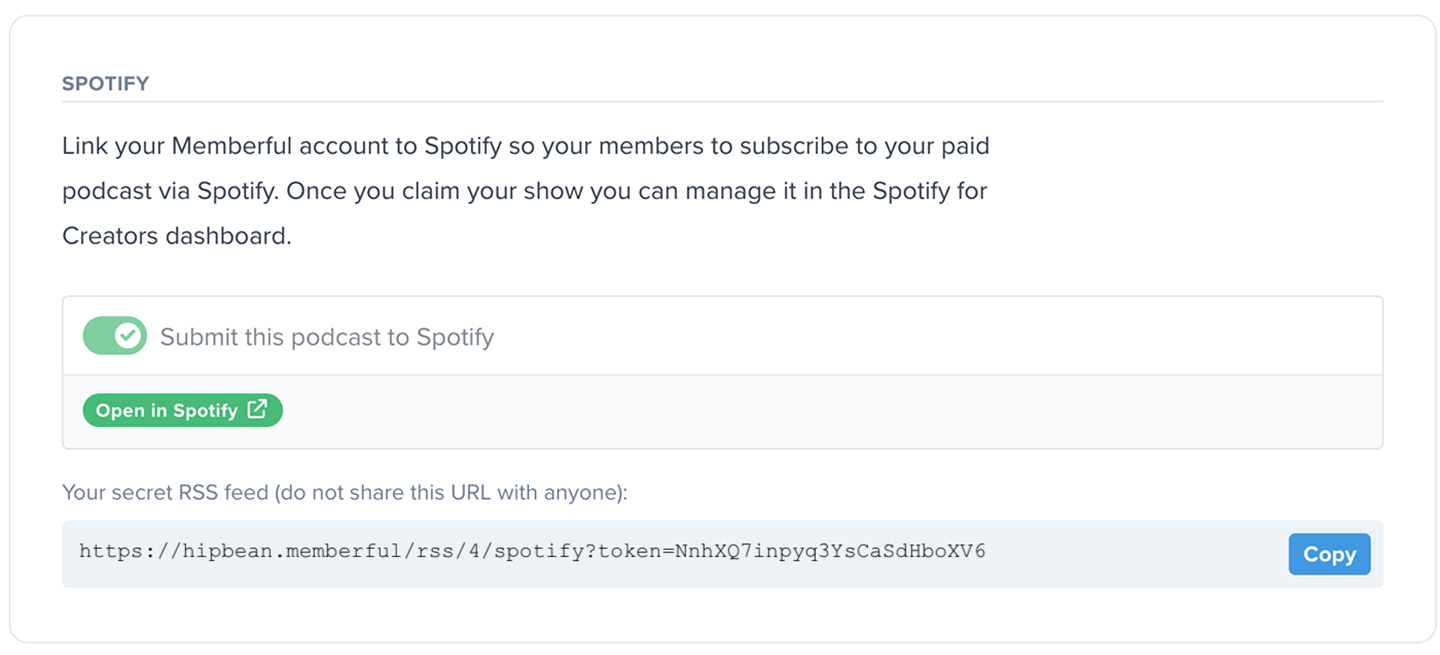
Toggle on **Submit this podcast to Spotify.**
We'll create secure RSS feeds for each member with an active subscription to a plan that includes podcasts.
## Submit podcast to Spotify
Toggle on **Submit this podcast to Spotify.**
 Spotify does not currently support video podcasts that are encrypted for members-only through Memberful.
The feed will then be submitted to Spotify, which will begin processing it. This process can take up to an hour.
Spotify does not currently support video podcasts that are encrypted for members-only through Memberful.
The feed will then be submitted to Spotify, which will begin processing it. This process can take up to an hour.
 Podcasts on Spotify must include cover art, a description, and an iTunes author, otherwise they'll be rejected at this stage.
Once it's processed, you'll see a link to open the podcast in Spotify.
Podcasts on Spotify must include cover art, a description, and an iTunes author, otherwise they'll be rejected at this stage.
Once it's processed, you'll see a link to open the podcast in Spotify.
 At this point, your members will see the option to [subscribe to the podcast via Spotify.](#subscribe-to-a-paid-podcast-on-spotify)
Podcasts and their episodes are publicly searchable on Spotify, and the listings' metadata will be accessible to everyone. Make sure not to include any members-only info in the show notes because they'll be visible to everyone.
## Set up Synced Feeds
Spotify has a feature called "Synced Feeds" that allows both your public feed and your members-only feed to appear together in one place. Non-members will see all publicly available episodes, along with locked member-only episodes, and members will see the full range of your content: all exclusive episodes, bonus content, and any free episodes not duplicated in the members-only feed.
If a free episode appears in both feeds, Spotify will automatically pair them to prevent duplicates and show the correct version to listeners. For lower-confidence pairs, your review and approval are required before they're paired.
**Here's how to set it up:**
1. [Submit a paid podcast to Spotify](/podcasting/setup/submit-a-paid-podcast-to-spotify/#submit-podcast-to-spotify) from your Memberful dashboard, then allow some time for Spotify to approve and process your submission.
2. Next, claim both your public and private podcasts in your Spotify account. Use the podcast RSS feed Memberful generates to [claim your private show in Spotify.](https://support.spotify.com/us/creators/article/claiming-your-podcast-on-spotify-for-creators/)
At this point, your members will see the option to [subscribe to the podcast via Spotify.](#subscribe-to-a-paid-podcast-on-spotify)
Podcasts and their episodes are publicly searchable on Spotify, and the listings' metadata will be accessible to everyone. Make sure not to include any members-only info in the show notes because they'll be visible to everyone.
## Set up Synced Feeds
Spotify has a feature called "Synced Feeds" that allows both your public feed and your members-only feed to appear together in one place. Non-members will see all publicly available episodes, along with locked member-only episodes, and members will see the full range of your content: all exclusive episodes, bonus content, and any free episodes not duplicated in the members-only feed.
If a free episode appears in both feeds, Spotify will automatically pair them to prevent duplicates and show the correct version to listeners. For lower-confidence pairs, your review and approval are required before they're paired.
**Here's how to set it up:**
1. [Submit a paid podcast to Spotify](/podcasting/setup/submit-a-paid-podcast-to-spotify/#submit-podcast-to-spotify) from your Memberful dashboard, then allow some time for Spotify to approve and process your submission.
2. Next, claim both your public and private podcasts in your Spotify account. Use the podcast RSS feed Memberful generates to [claim your private show in Spotify.](https://support.spotify.com/us/creators/article/claiming-your-podcast-on-spotify-for-creators/)
 3. In [Spotify for Creators](https://creators.spotify.com/), open your public podcast and go to *Episodes > Synced feeds > Learn more,* and follow the steps on screen to set up the synced feed.
4. Finally, [add a banner](https://support.spotify.com/ca-en/creators/article/linking-and-promoting-your-paid-podcast/) on your Spotify free show page to promote the paid version to your listeners.
## Consider your redirect settings
To make it as easy as possible for your members to subscribe to your private podcasts, we recommend showing the [podcast subscription page within the checkout.](#subscribe-to-a-paid-podcast-on-spotify) However, this means that if you have any automatic redirects set up for your plans, members will need to click **Continue to site** to get there.
This might cause issues with [affiliate tracking](/discounts-and-gifting/affiliate-marketing/tapfiliate/) you have on your site, or you might want to create your own subscription page on your website, bypassing the subscription page in Memberful.
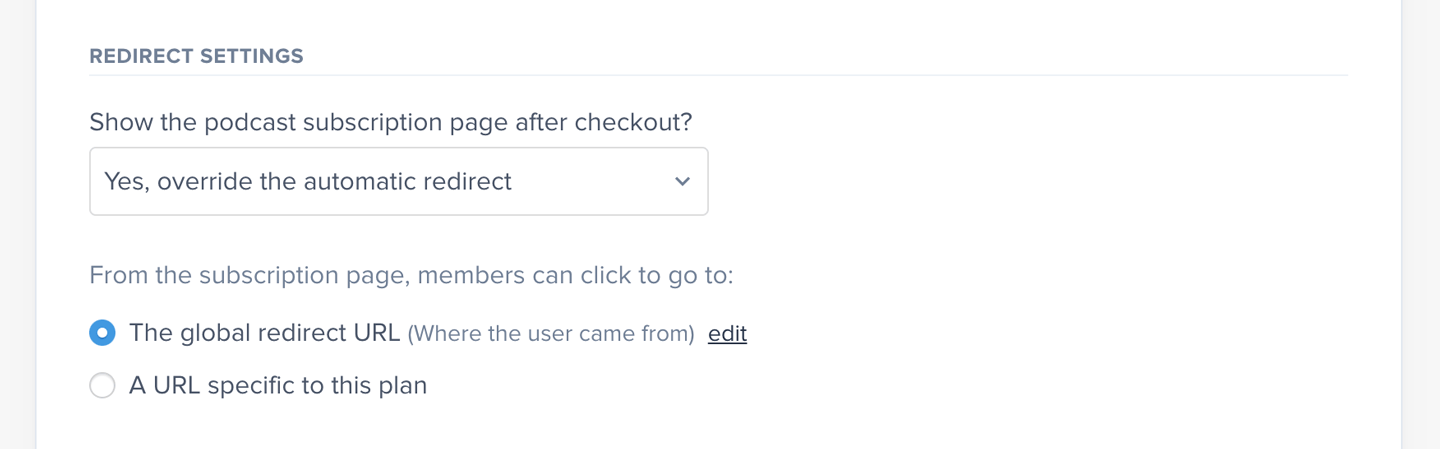
When you're creating or editing a plan, you'll see the following section to establish where to redirect after checkout. You can choose to redirect to the member benefits and content page, following your site-wide automatic redirect URL, or a custom redirect just for this plan.
If your plan includes a podcast, we recommend selecting **Yes, show benefits and content after checkout** to make it as easy as possible for your members to subscribe to your private podcasts.
3. In [Spotify for Creators](https://creators.spotify.com/), open your public podcast and go to *Episodes > Synced feeds > Learn more,* and follow the steps on screen to set up the synced feed.
4. Finally, [add a banner](https://support.spotify.com/ca-en/creators/article/linking-and-promoting-your-paid-podcast/) on your Spotify free show page to promote the paid version to your listeners.
## Consider your redirect settings
To make it as easy as possible for your members to subscribe to your private podcasts, we recommend showing the [podcast subscription page within the checkout.](#subscribe-to-a-paid-podcast-on-spotify) However, this means that if you have any automatic redirects set up for your plans, members will need to click **Continue to site** to get there.
This might cause issues with [affiliate tracking](/discounts-and-gifting/affiliate-marketing/tapfiliate/) you have on your site, or you might want to create your own subscription page on your website, bypassing the subscription page in Memberful.
When you're creating or editing a plan, you'll see the following section to establish where to redirect after checkout. You can choose to redirect to the member benefits and content page, following your site-wide automatic redirect URL, or a custom redirect just for this plan.
If your plan includes a podcast, we recommend selecting **Yes, show benefits and content after checkout** to make it as easy as possible for your members to subscribe to your private podcasts.
 ## Subscribe to a paid podcast on Spotify
After you purchase a plan with a podcast included, you'll see the podcast subscription page. One of the options on this page will be Spotify.
## Subscribe to a paid podcast on Spotify
After you purchase a plan with a podcast included, you'll see the podcast subscription page. One of the options on this page will be Spotify.
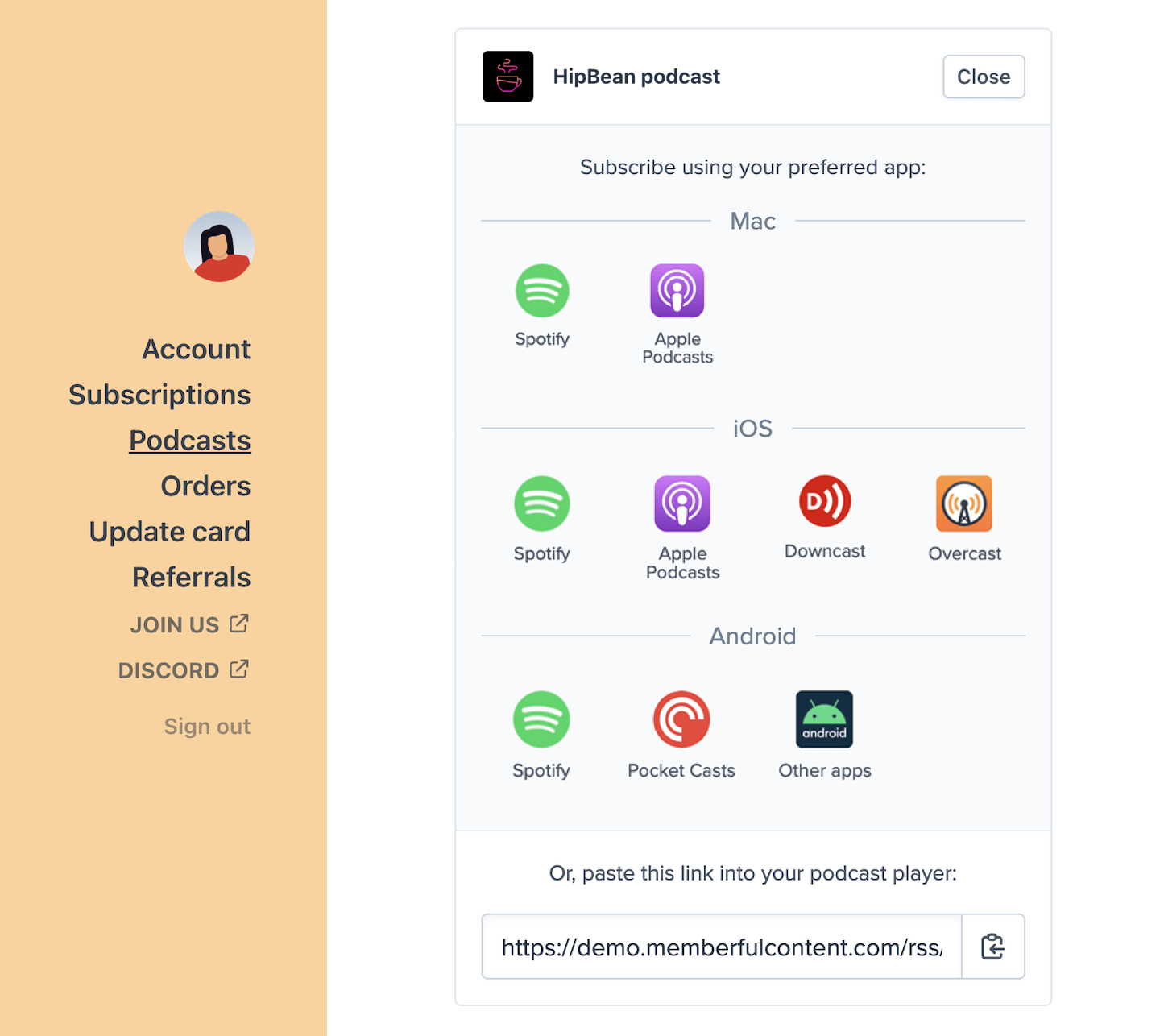 Members with an [All-Access Pass](/member-management/payments-and-access/give-free-access/#comp-access-to-all-plans-and-downloads) can subscribe to the podcast on Spotify.
After selecting Spotify, you will be redirected to Spotify to log in, and the paid podcast will still be locked.
Members with an [All-Access Pass](/member-management/payments-and-access/give-free-access/#comp-access-to-all-plans-and-downloads) can subscribe to the podcast on Spotify.
After selecting Spotify, you will be redirected to Spotify to log in, and the paid podcast will still be locked.
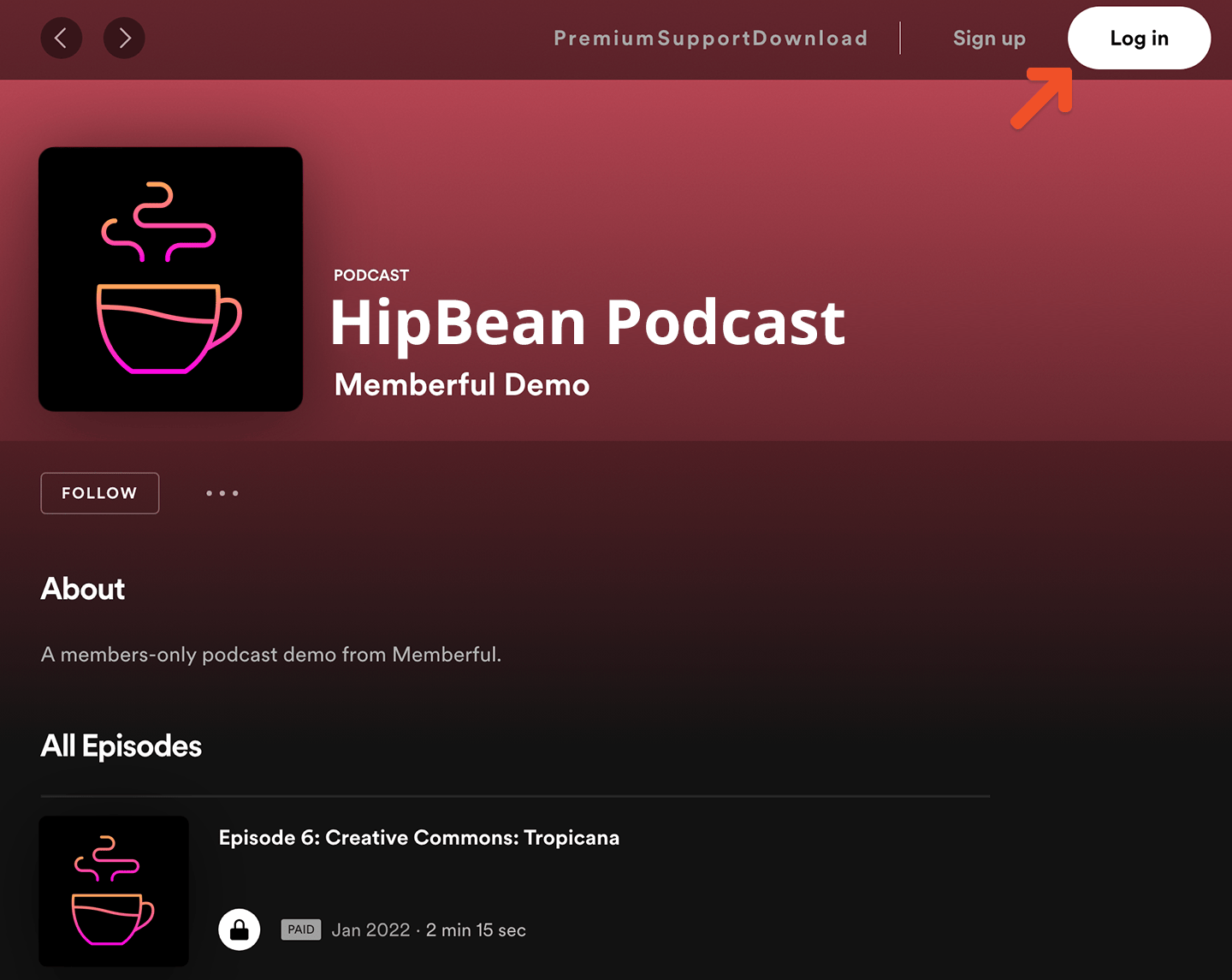 You can either log in with your existing Spotify account or create a new one.
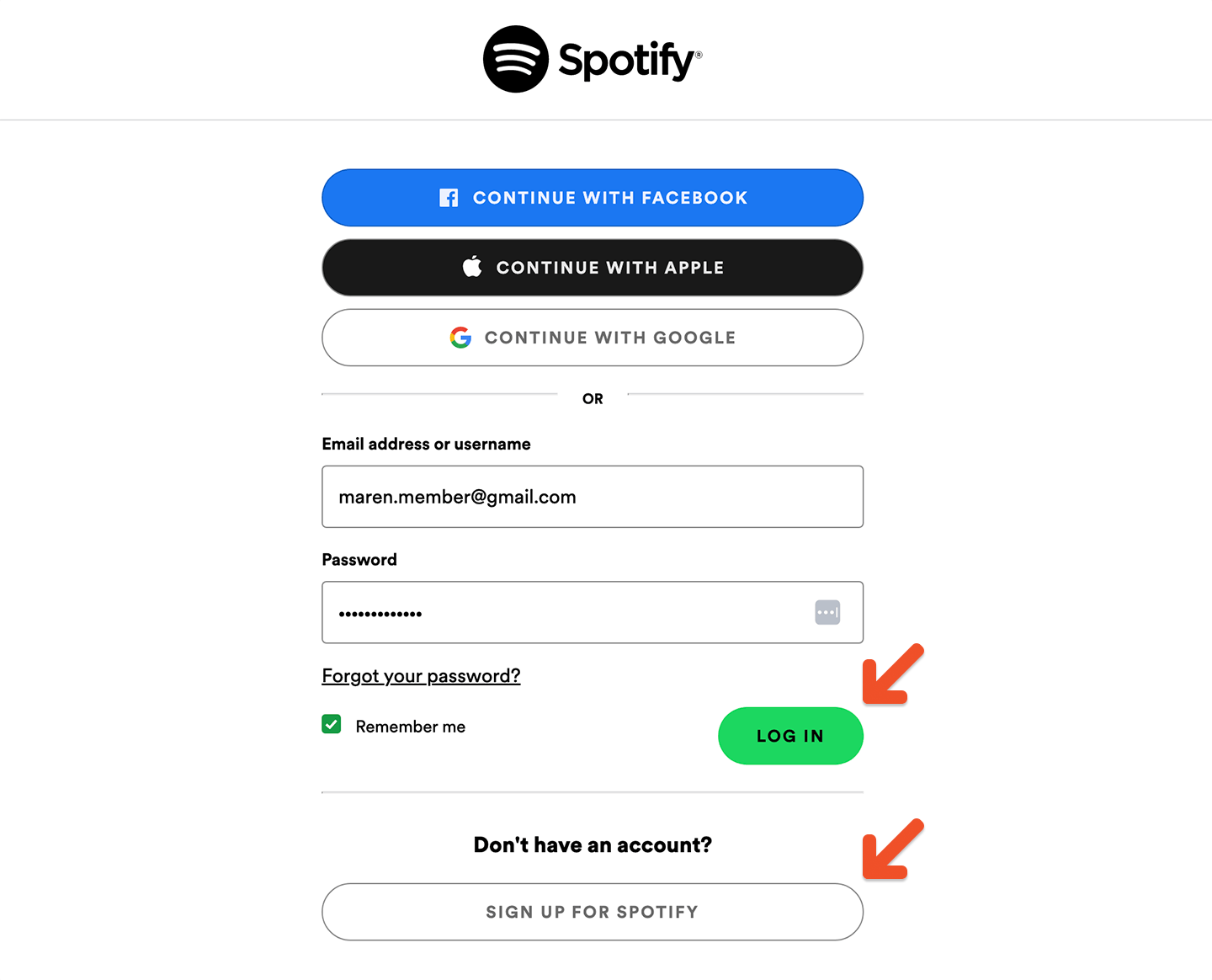 Spotify will take you through a few confirmation pages and ask you to agree with their permissions.
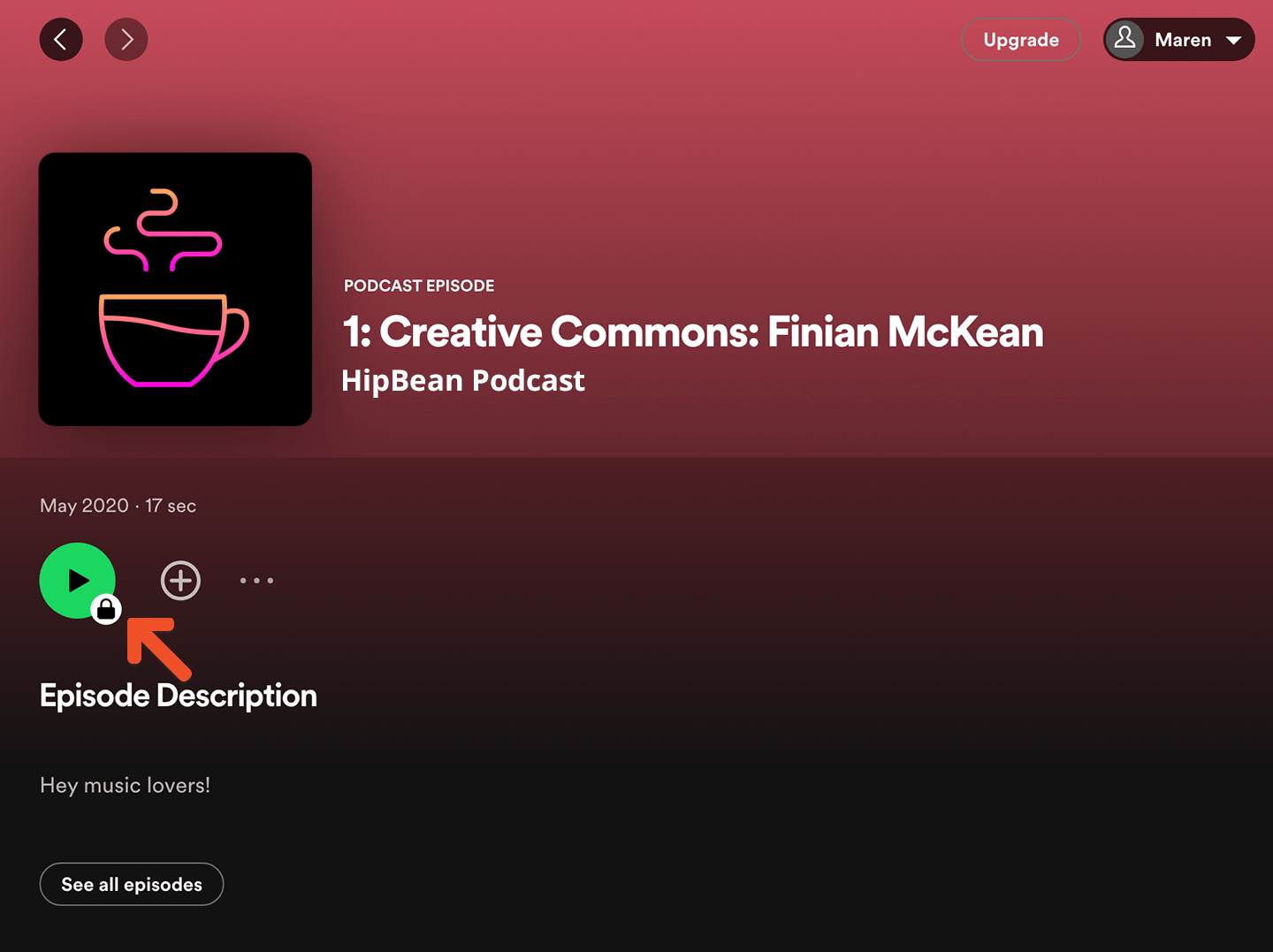
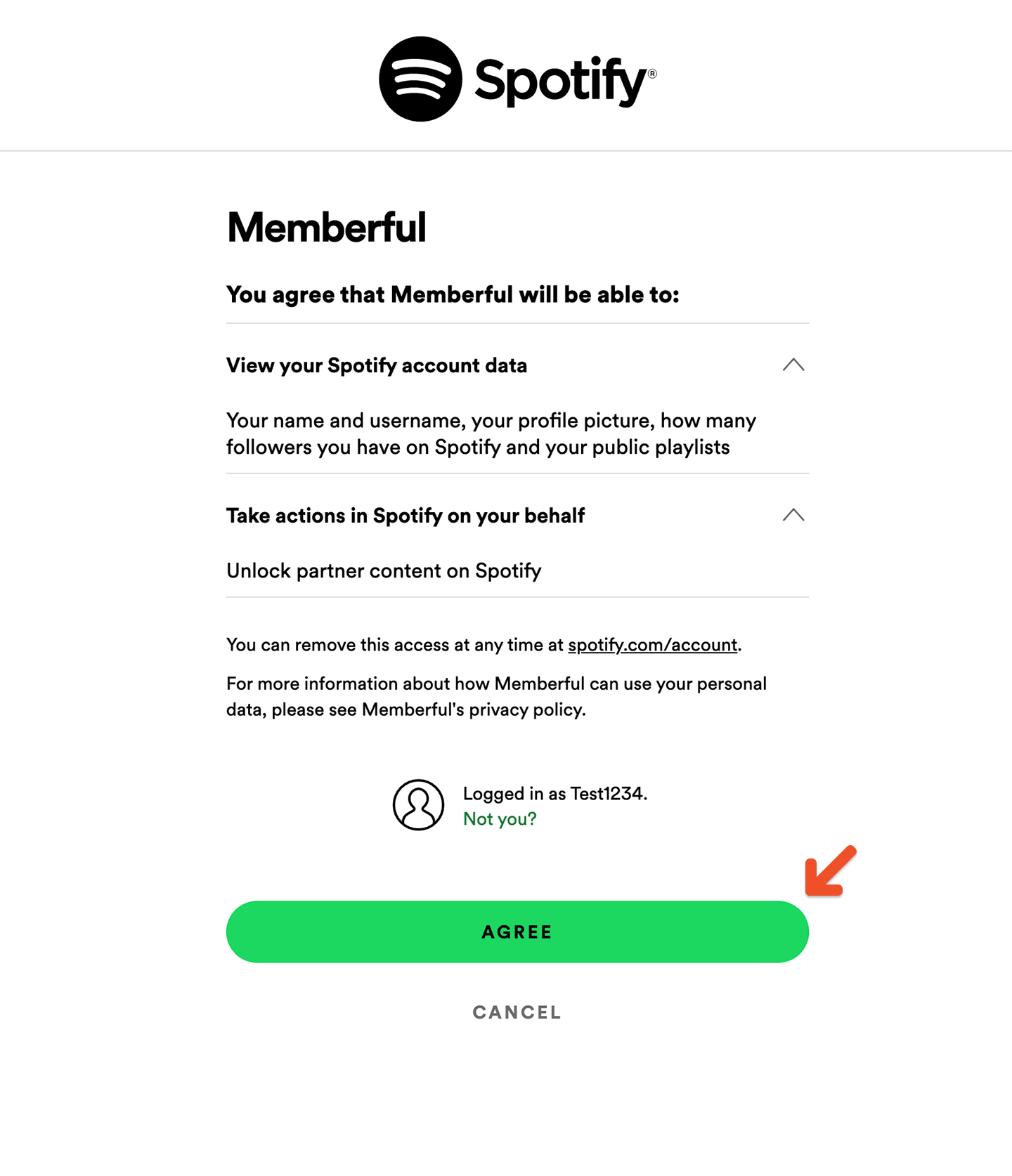 After agreeing, you'll see your members-only podcast with a lock symbol, and will click it.
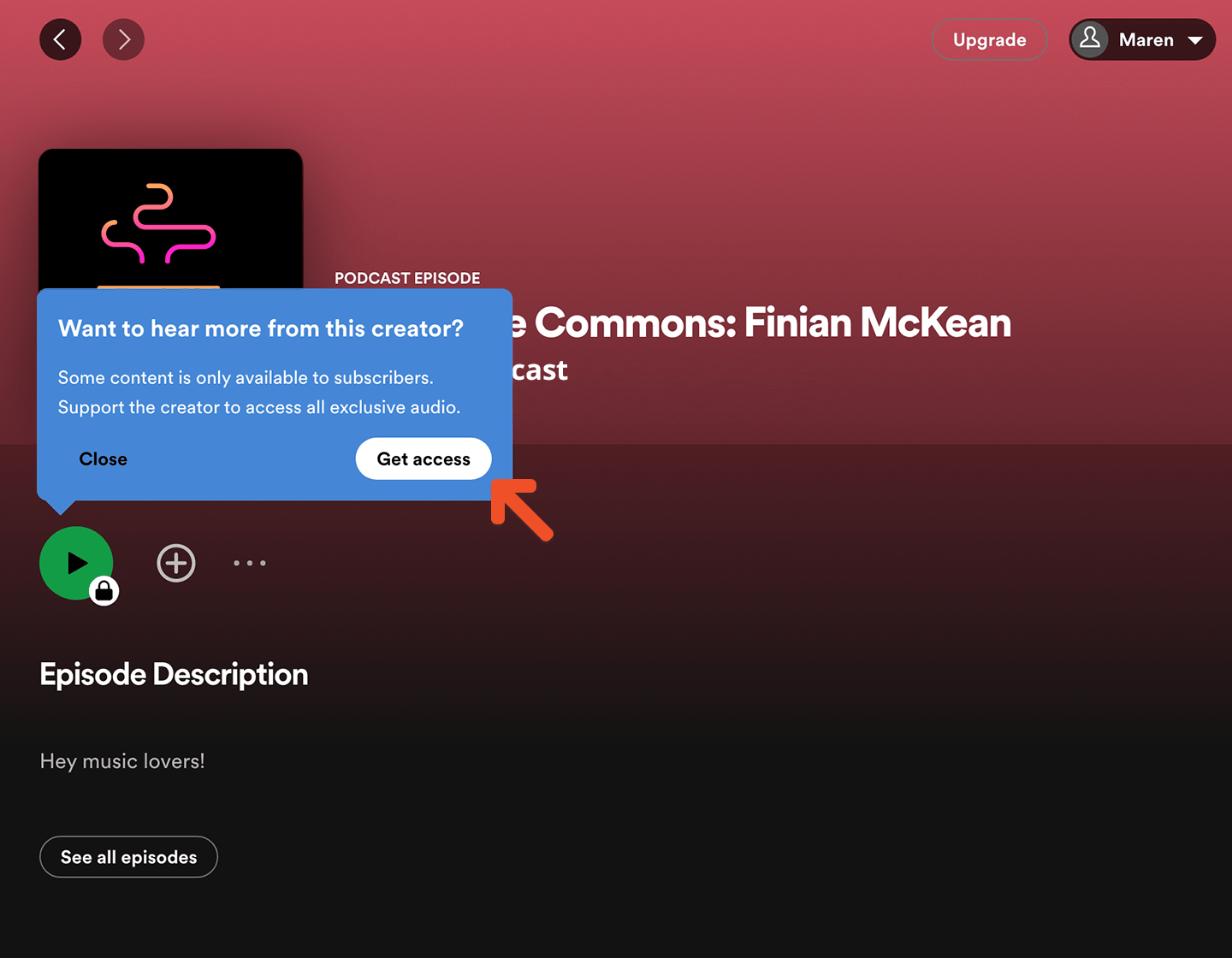
 A pop-up will appear and you will click **Get access.**
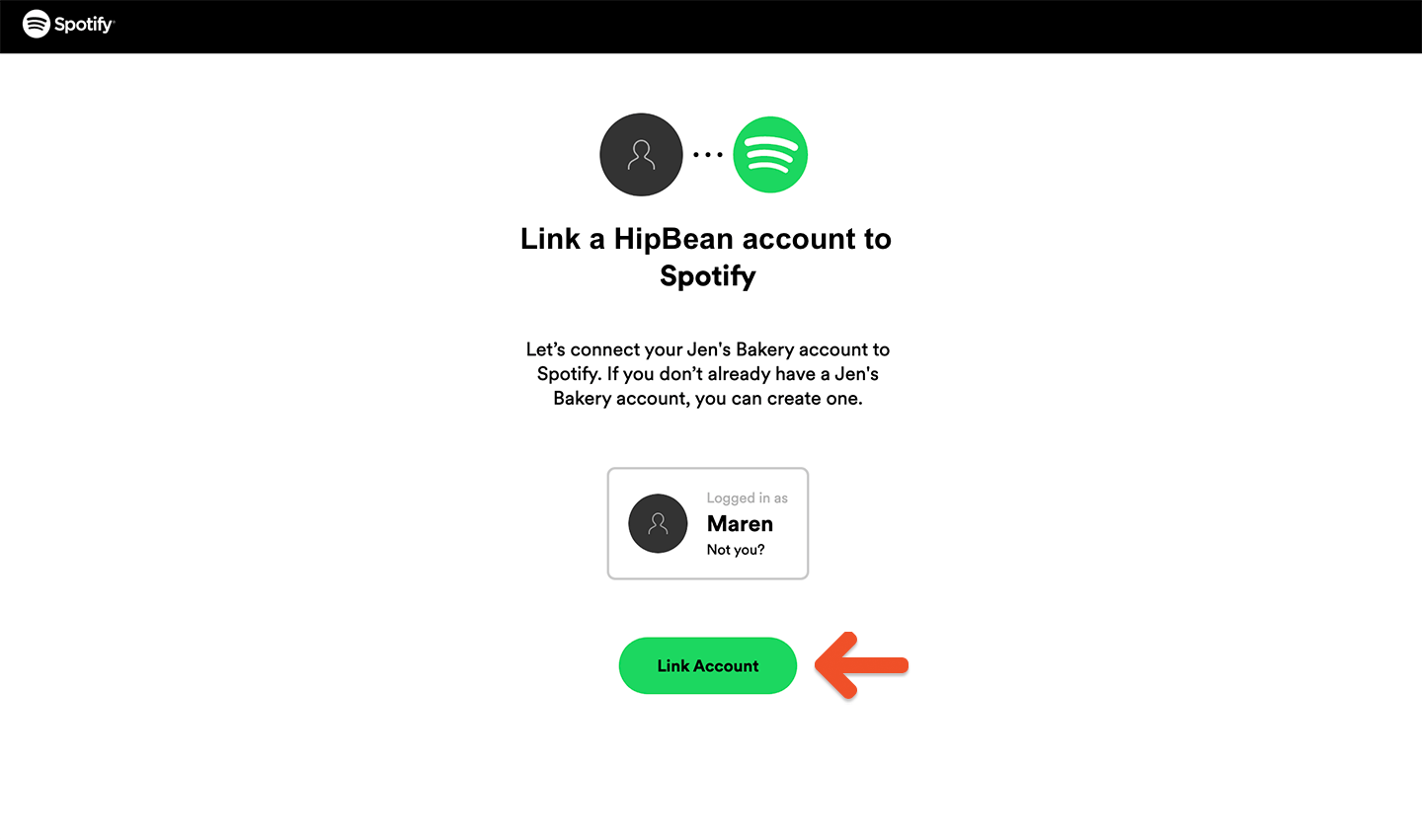
 You'll be redirected to a page that will sync your Memberful and Spotify account. Click **Link Account.**
 You'll be redirected to a Memberful sign-in form if needed.
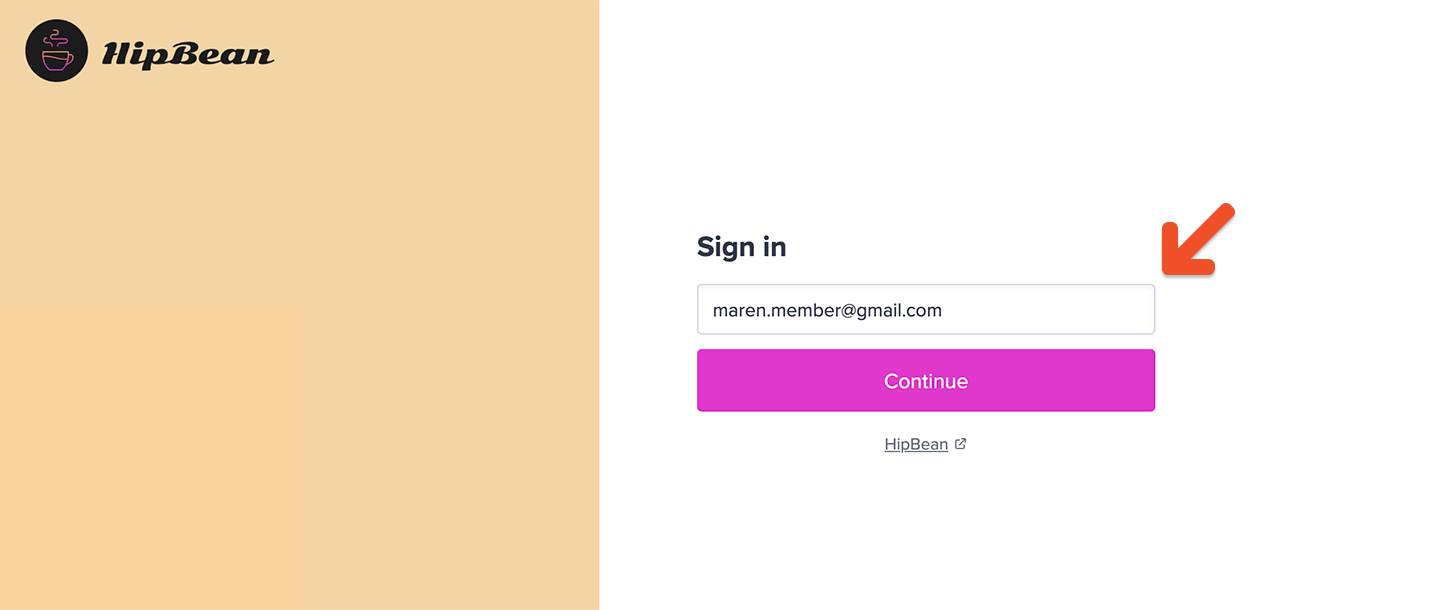 After sign-in, you'll be redirected to a Spotify page confirming access. You can click the link to get redirected to your Spotify account.
 The Spotify paid podcast is now unlocked and you have access to the content.
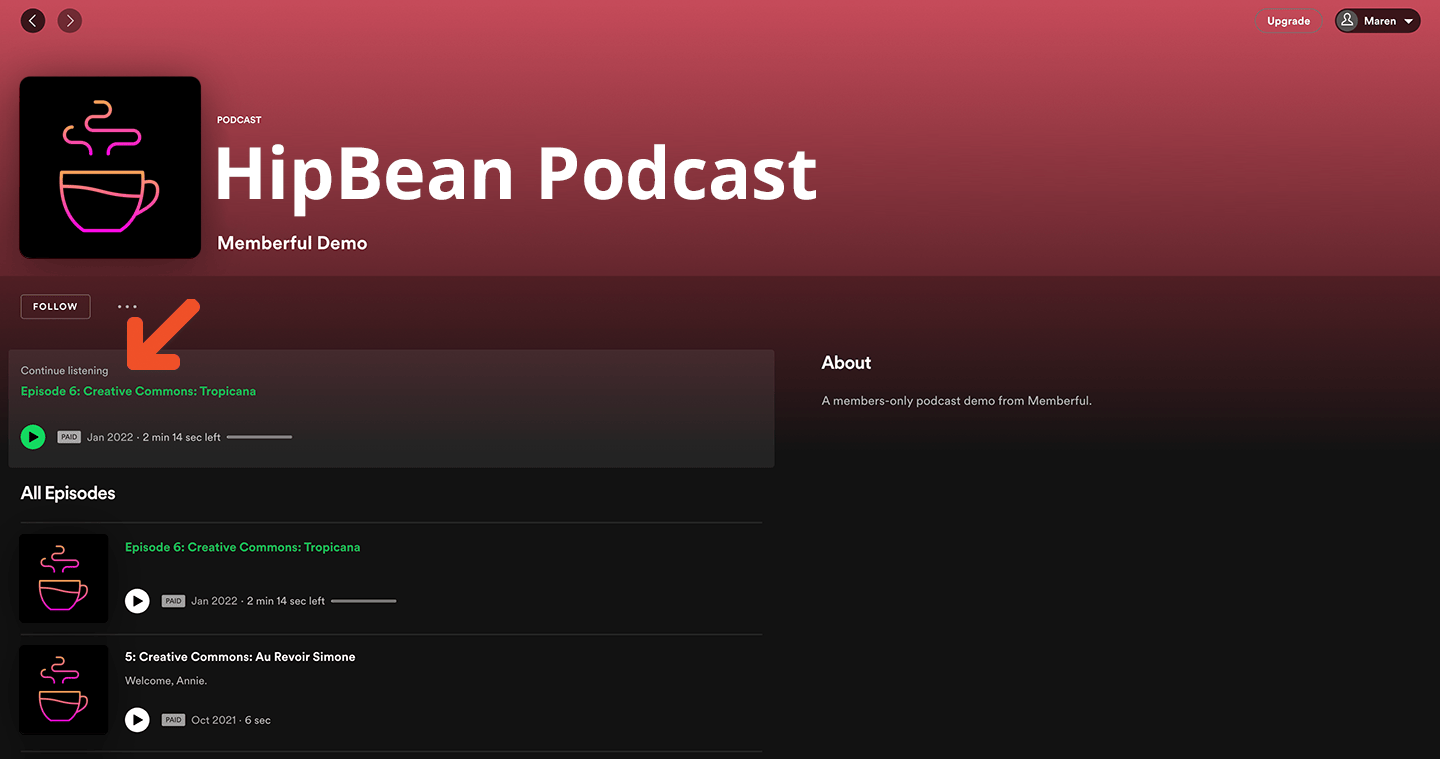 If a subscription includes multiple podcasts that have been submitted to Spotify, this account linking process will grant you access to all of them.
### Can members link multiple accounts?
To prevent sharing, a Spotify account can't be linked to two Memberful member accounts (for the same site). Likewise, a Memberful account can't be linked to two Spotify accounts.
When a member has already linked a Spotify account and tries to connect a different account, they'll see an option to unlink the existing account and reconnect in Memberful.
If a subscription includes multiple podcasts that have been submitted to Spotify, this account linking process will grant you access to all of them.
### Can members link multiple accounts?
To prevent sharing, a Spotify account can't be linked to two Memberful member accounts (for the same site). Likewise, a Memberful account can't be linked to two Spotify accounts.
When a member has already linked a Spotify account and tries to connect a different account, they'll see an option to unlink the existing account and reconnect in Memberful.
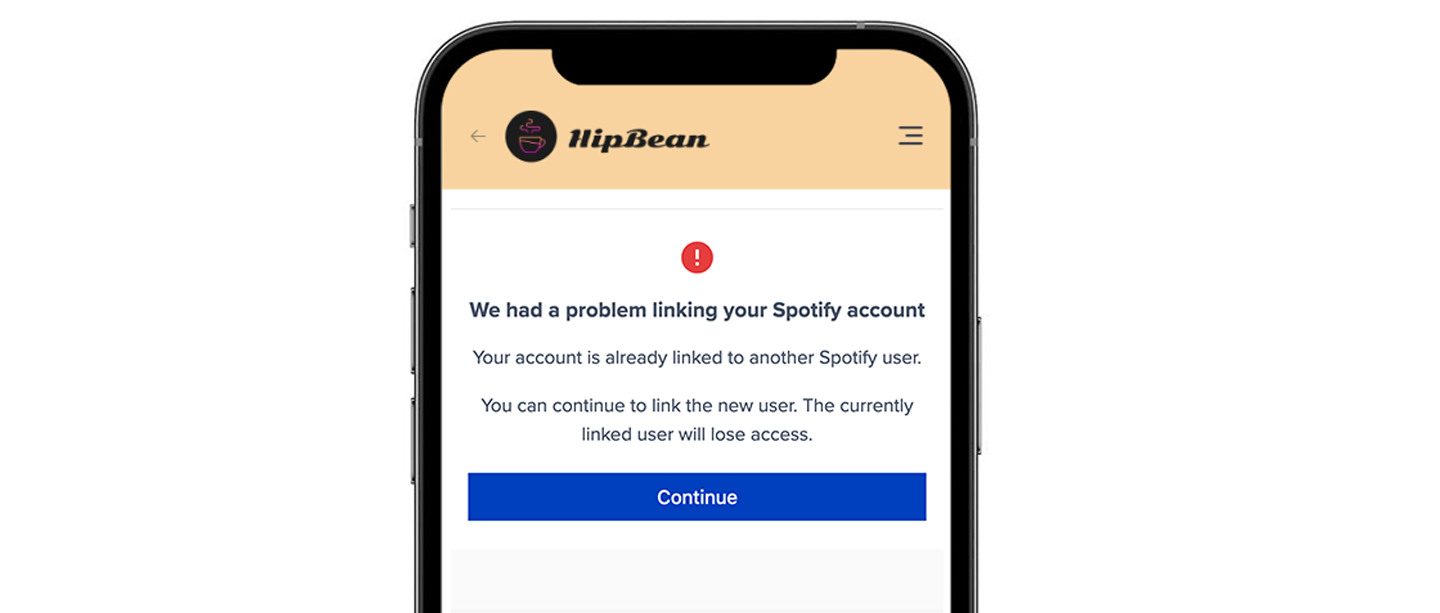 A Spotify account can only be linked to one Memberful account per site, and a Memberful account can only connect to one Spotify account.
If a member tries to connect a new Spotify account, they'll be prompted to unlink the existing one first.
If their Spotify account is already linked to a different Memberful account, they'll need to unlink it there before reconnecting. If a site admin deletes the duplicate Memberful account, the Spotify link is automatically removed.
### Do members have to repeat the process for every podcast?
Unlike with other podcast clients, members do not need to subscribe individually to each of your podcasts on Spotify. The account linking process will give them access to all the shows that have been submitted to Spotify and are included in their plan.
If you later submit another podcast to Spotify and include it in the same plan, the member will get access to it automatically.
### Testing the member's experience
To test the member's experience when subscribing to a paid podcast via Spotify, you can use a [test member account](/overview/getting-started/make-test-purchases/) with access to a plan that includes the podcast. After you click the **Spotify** logo on the podcast subscription page, link your Spotify account to this test member account.
## Check member's connected Spotify account
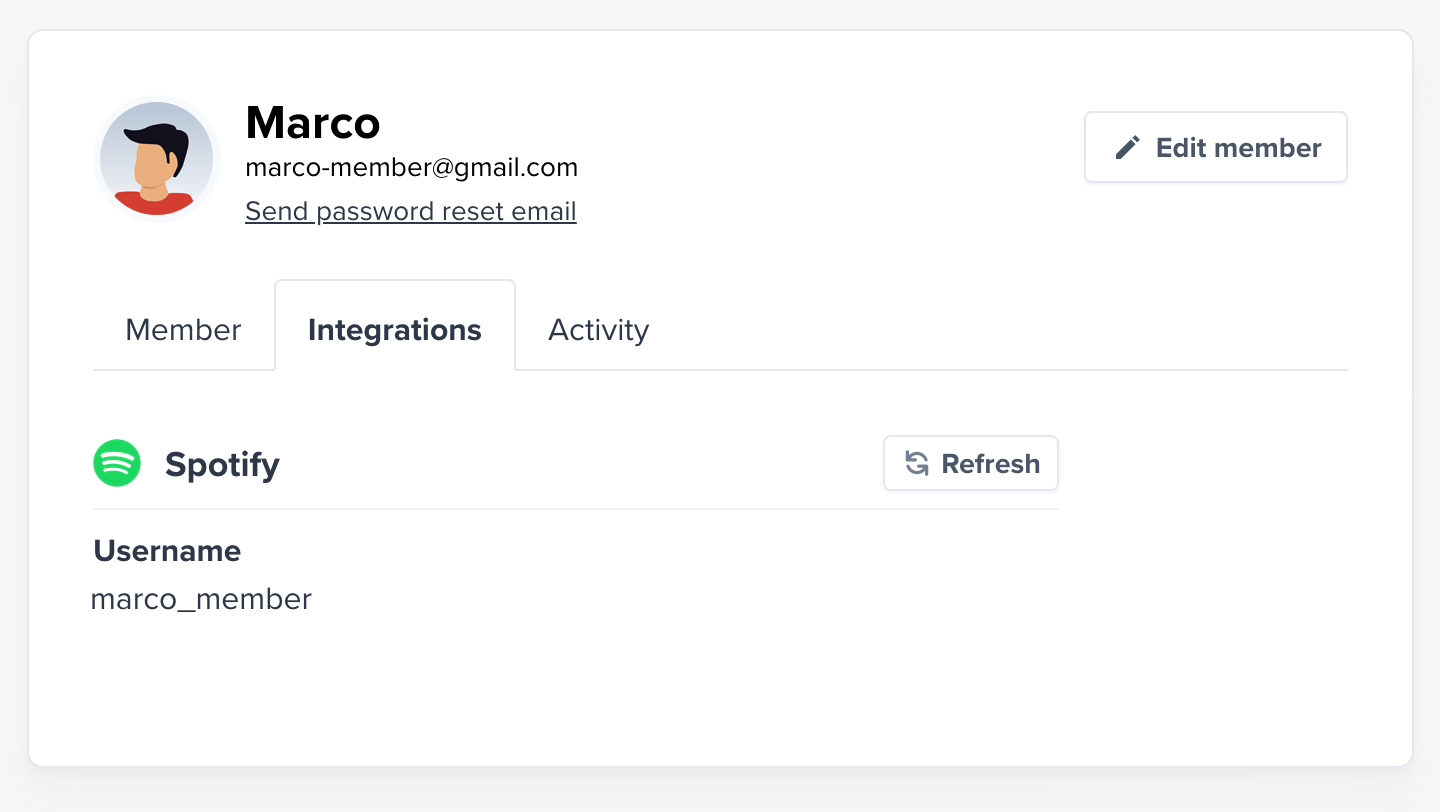
Once a member has subscribed to a podcast via Spotify, you'll be able to see their Spotify username in your Memberful dashboard. Newer Spotify accounts aren't allowed to pick a username, so their username might show up as a random string of letters and numbers, which is okay.
A Spotify account can only be linked to one Memberful account per site, and a Memberful account can only connect to one Spotify account.
If a member tries to connect a new Spotify account, they'll be prompted to unlink the existing one first.
If their Spotify account is already linked to a different Memberful account, they'll need to unlink it there before reconnecting. If a site admin deletes the duplicate Memberful account, the Spotify link is automatically removed.
### Do members have to repeat the process for every podcast?
Unlike with other podcast clients, members do not need to subscribe individually to each of your podcasts on Spotify. The account linking process will give them access to all the shows that have been submitted to Spotify and are included in their plan.
If you later submit another podcast to Spotify and include it in the same plan, the member will get access to it automatically.
### Testing the member's experience
To test the member's experience when subscribing to a paid podcast via Spotify, you can use a [test member account](/overview/getting-started/make-test-purchases/) with access to a plan that includes the podcast. After you click the **Spotify** logo on the podcast subscription page, link your Spotify account to this test member account.
## Check member's connected Spotify account
Once a member has subscribed to a podcast via Spotify, you'll be able to see their Spotify username in your Memberful dashboard. Newer Spotify accounts aren't allowed to pick a username, so their username might show up as a random string of letters and numbers, which is okay.
 ## Trial Spotify in test mode
You can trial Spotify while your site's in [test mode](/account-management/modes/manage-your-account-in-test-mode/). Podcasts from a test site won't show up in Spotify search, but they'll go live automatically once your site does. Want to give Spotify a try before launching? for help.
## Trial Spotify in test mode
You can trial Spotify while your site's in [test mode](/account-management/modes/manage-your-account-in-test-mode/). Podcasts from a test site won't show up in Spotify search, but they'll go live automatically once your site does. Want to give Spotify a try before launching? for help.