> ## Documentation Index
> Fetch the complete documentation index at: https://memberful.com/docs/llms.txt
> Use this file to discover all available pages before exploring further.
# Integrate with Squarespace
> Sell Memberful memberships on your Squarespace site. Add purchase links, embed signup buttons, and connect member accounts so visitors can buy and sign in.
export const RelatedDocs = ({link1, link2, link3, link4, link5, link6, link7, link8, link9, link10, className = ""}) => {
const links = [link1, link2, link3, link4, link5, link6, link7, link8, link9, link10].filter(Boolean);
if (!links.length) return null;
return ;
};
[Squarespace](http://squarespace.com) is a website builder that you can use with Memberful to sell memberships and provide account access to your members. While it doesn't support full content protection, you can still connect it to your Memberful setup using links and embedded code.
In this help article, we'll show you how to connect Memberful to Squarespace, add purchase buttons, and give members access to their account.
## Squarespace limitations
Squarespace does not support single sign-on (SSO), so it's not possible to create true members-only pages on Squarespace using Memberful.
Your members can still:
* sign in to their member account
* manage their subscription and billing
* update their profile information
If you need to restrict access to content, consider one of these options:
* Use the [Memberful plugin with WordPress](https://memberful.com/docs/overview/setup-guides/wordpress-membership-site) to protect content on your own site
* Use [Memberful's built-in member website](https://memberful.com/docs/overview/setup-guides/hosted-member-site) for a simple, secure members-only experience
## Insert the Memberful code
Go to **Website → Custom website** in your Memberful dashboard and copy the code provided.
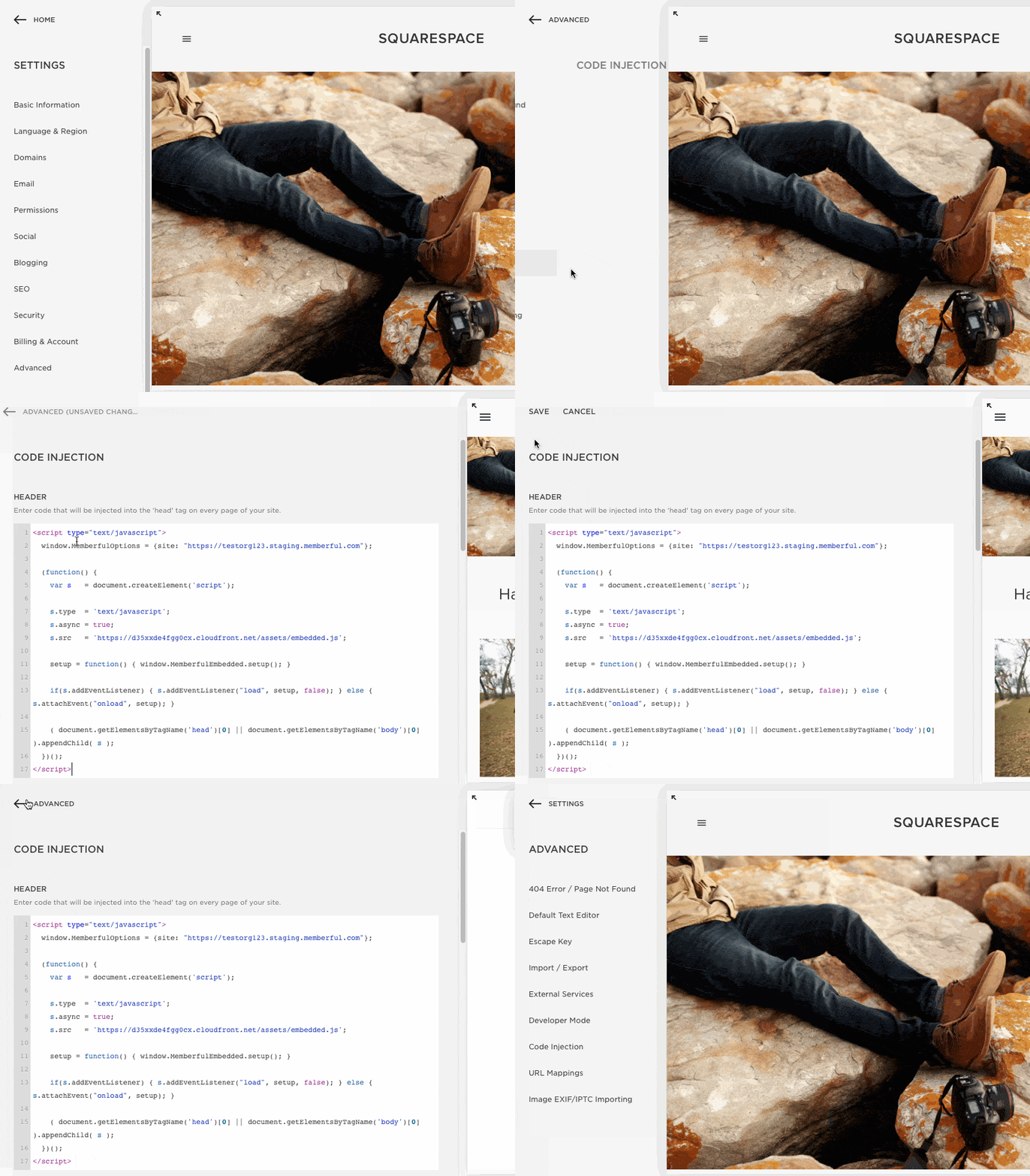
In Squarespace, open the Home Menu and go to **Settings → Advanced → Code Injection**. Paste the Memberful code and save your changes.
Code Injection is only available on Squarespace Business plans and higher.
 ## Create a plan and purchase button
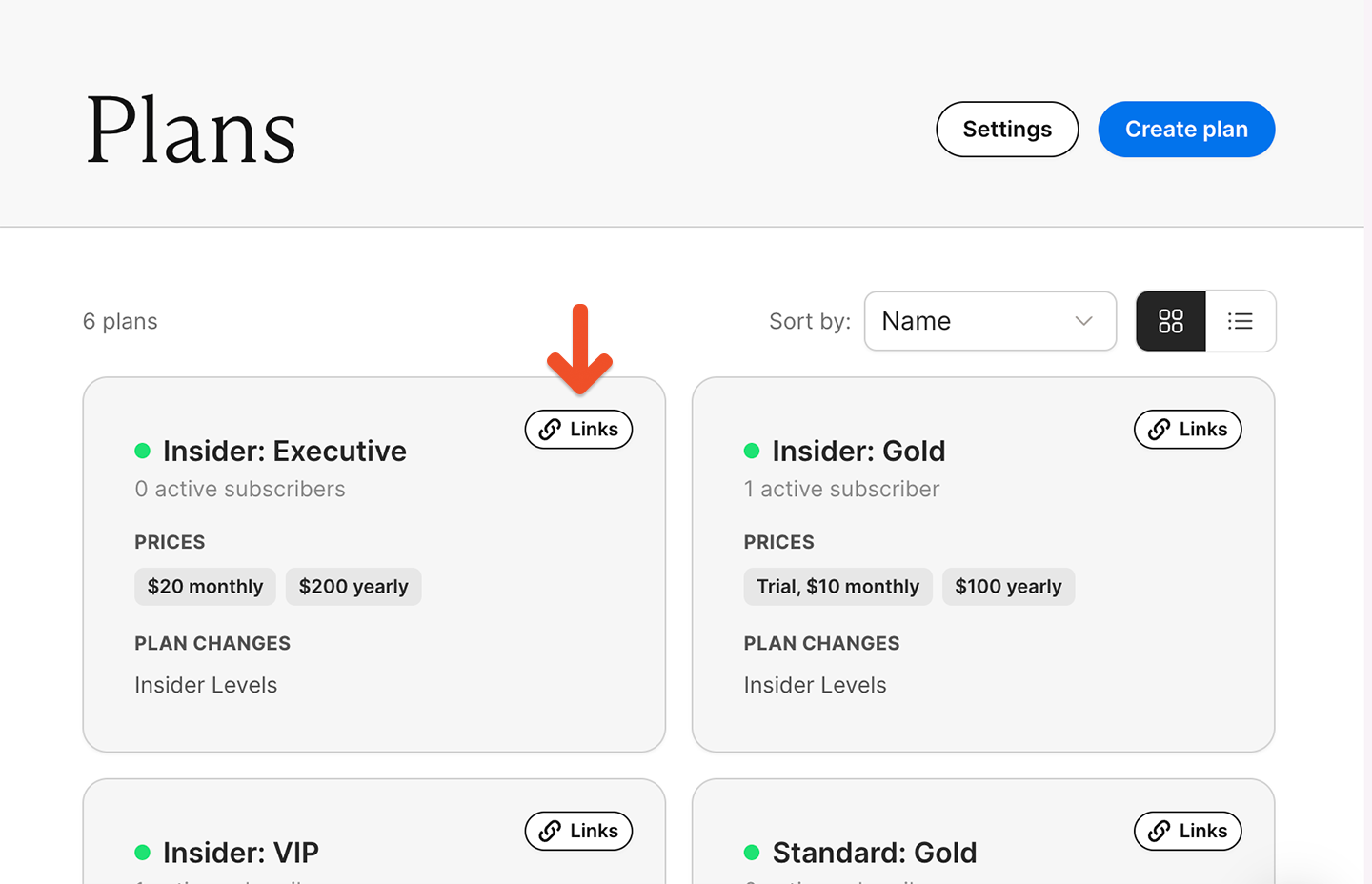
From your Memberful dashboard, go to **Revenue → Plans**. Select the plan and click **Links**.
## Create a plan and purchase button
From your Memberful dashboard, go to **Revenue → Plans**. Select the plan and click **Links**.
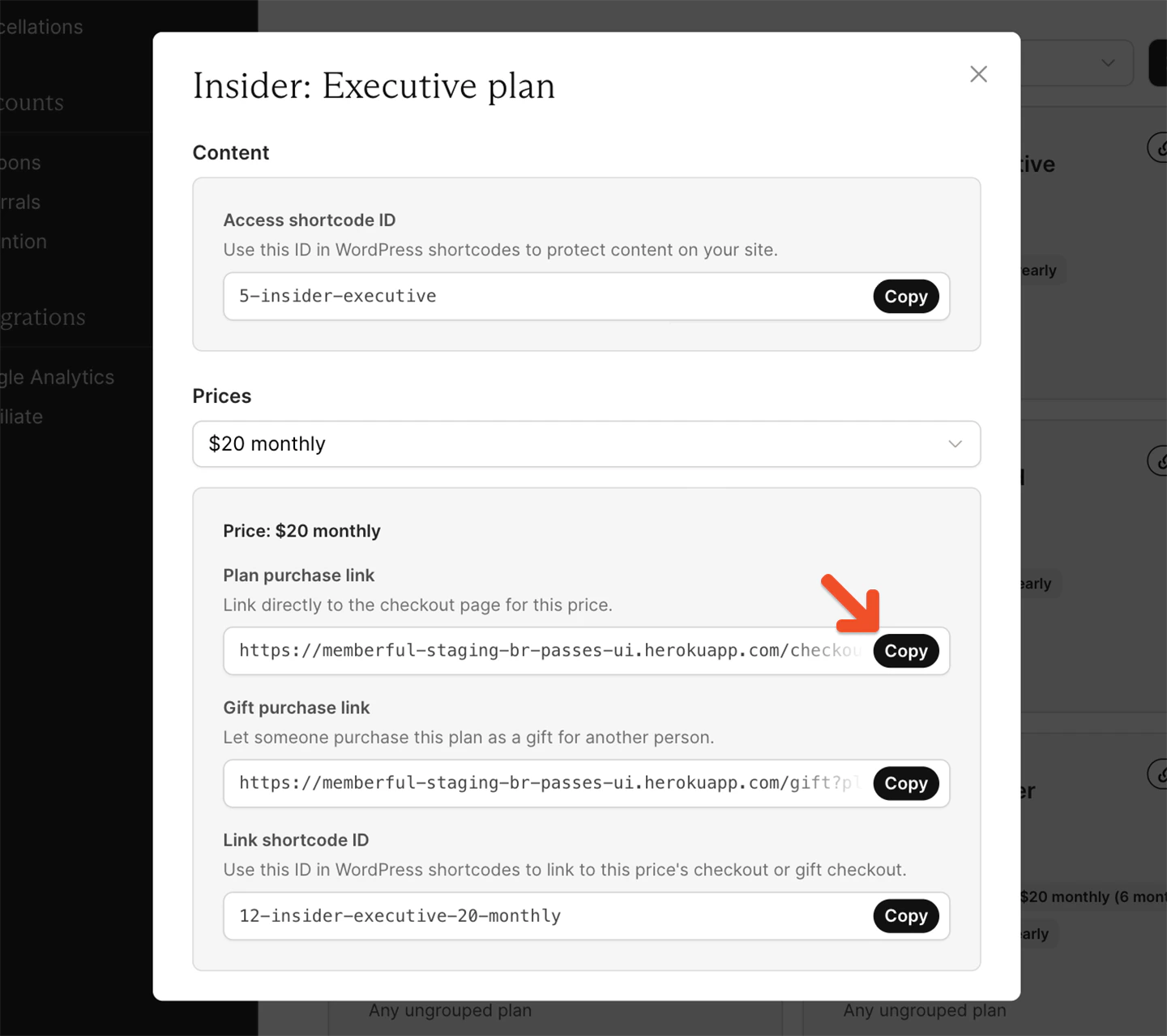
 Click and copy the *plan purchase link* or *gift purchase links* and use them with the button options provided by your website builder.
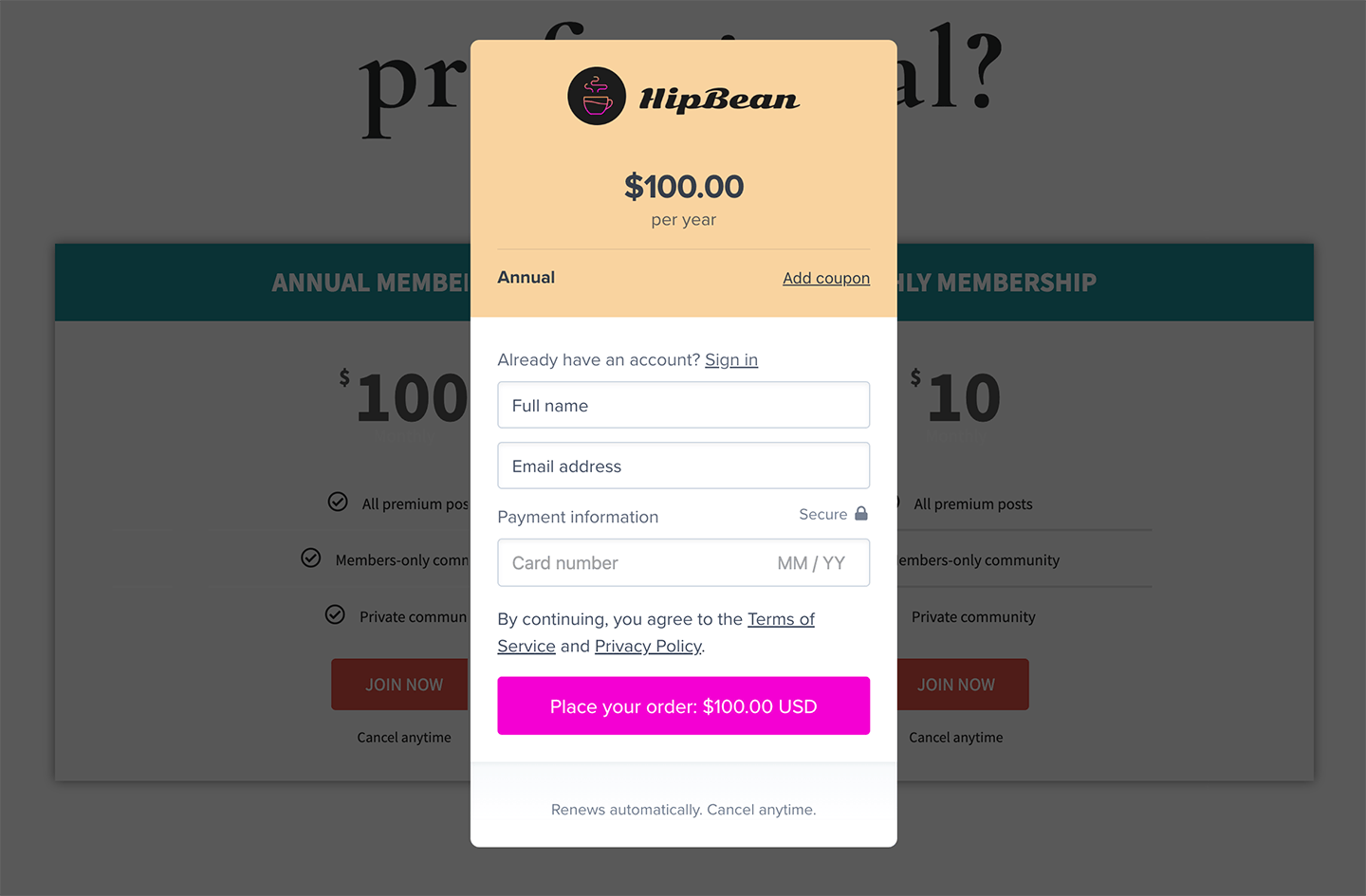
 Your members can use this button to complete checkout and subscribe.
 Place links or buttons in high-visibility areas such as your homepage or navigation, clearly communicate pricing in the button text, and use consistent messaging across your site so it aligns with your plans.
## Add an account link
Add an account link to your site so members can manage their subscriptions, profile, and billing details.
```text theme={null}
https://ACCOUNT-URL.memberful.com/account
```
Replace `ACCOUNT-URL` with your account subdomain. You can find this in **Website** → **General** **settings** in your Memberful dashboard.
[**Learn more about how members can access their account**](https://memberful.com/docs/member-interface/account/access-their-account)**.**
## Add a downloads link
Add a downloads link to take members directly to their downloads.
```text theme={null}
https://ACCOUNT-URL.memberful.com/account/downloads
```
[**Learn more about including or selling downloads**](https://memberful.com/docs/plans/plan-options/include-or-sell-downloads)**.**
## Add a podcast link
Add a podcast link to take members directly to their members-only podcast feeds.
```text theme={null}
https://ACCOUNT-URL.memberful.com/account/feeds
```
[Learn more about offering a paid podcast](https://memberful.com/docs/overview/setup-guides/paid-podcast).
Place links or buttons in high-visibility areas such as your homepage or navigation, clearly communicate pricing in the button text, and use consistent messaging across your site so it aligns with your plans.
## Add an account link
Add an account link to your site so members can manage their subscriptions, profile, and billing details.
```text theme={null}
https://ACCOUNT-URL.memberful.com/account
```
Replace `ACCOUNT-URL` with your account subdomain. You can find this in **Website** → **General** **settings** in your Memberful dashboard.
[**Learn more about how members can access their account**](https://memberful.com/docs/member-interface/account/access-their-account)**.**
## Add a downloads link
Add a downloads link to take members directly to their downloads.
```text theme={null}
https://ACCOUNT-URL.memberful.com/account/downloads
```
[**Learn more about including or selling downloads**](https://memberful.com/docs/plans/plan-options/include-or-sell-downloads)**.**
## Add a podcast link
Add a podcast link to take members directly to their members-only podcast feeds.
```text theme={null}
https://ACCOUNT-URL.memberful.com/account/feeds
```
[Learn more about offering a paid podcast](https://memberful.com/docs/overview/setup-guides/paid-podcast).