Related help docs:
 Use *Allow members to change between* to choose one of these options:
* None
* Any ungrouped plan
* Other plans in a specific group
### None
Use this option when the plan should stay separate and should not replace or be replaced by another plan.
Use *Allow members to change between* to choose one of these options:
* None
* Any ungrouped plan
* Other plans in a specific group
### None
Use this option when the plan should stay separate and should not replace or be replaced by another plan.
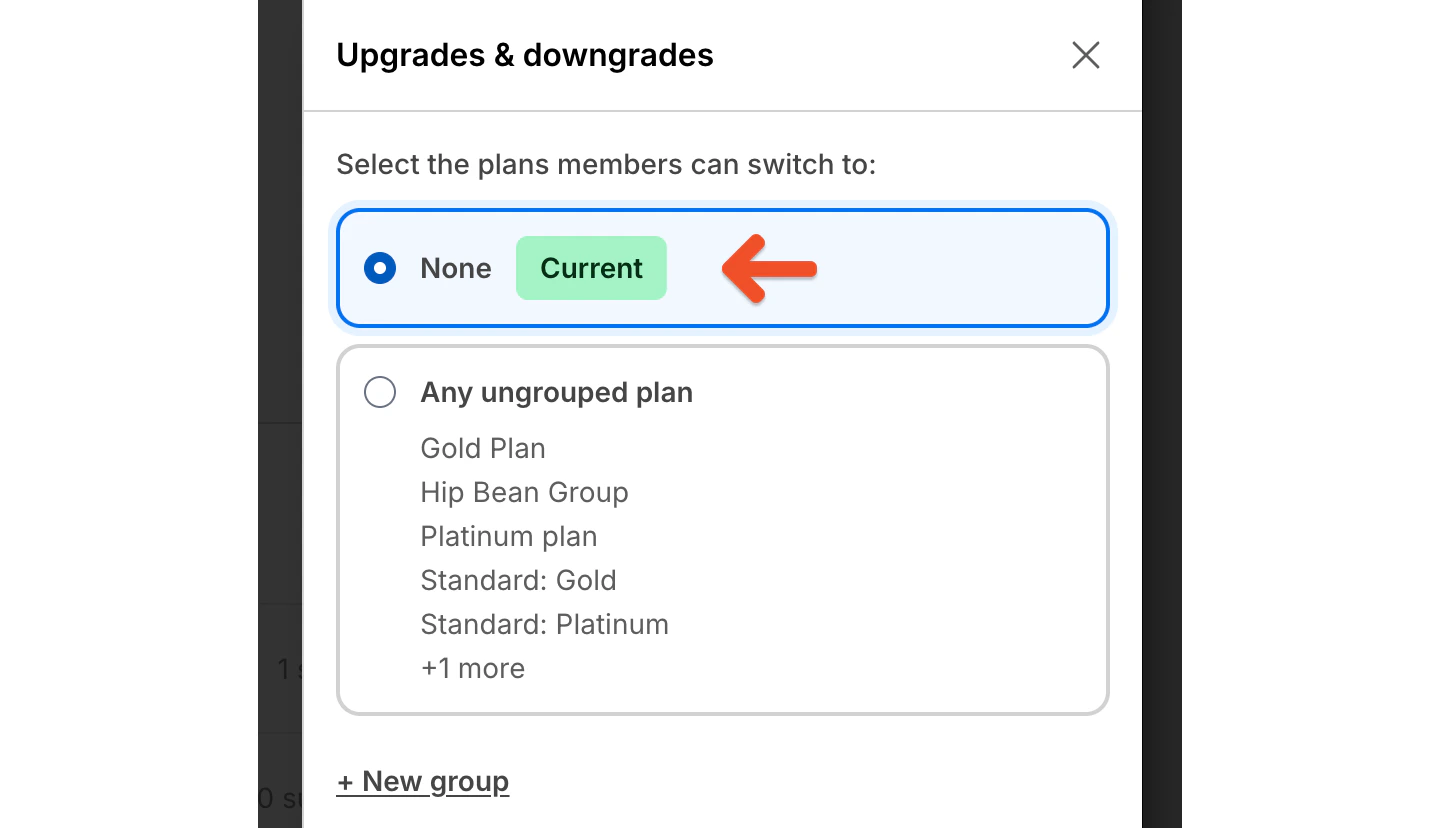 This works well for standalone offerings that members may want to own at the same time.
Example: You offer a Newsletter plan and a Course plan. Members should be able to subscribe to both, so neither plan should replace the other.
### Any ungrouped plan
Use this option when the plan should switch with other plans that also use the default switching setup.
This works well for standalone offerings that members may want to own at the same time.
Example: You offer a Newsletter plan and a Course plan. Members should be able to subscribe to both, so neither plan should replace the other.
### Any ungrouped plan
Use this option when the plan should switch with other plans that also use the default switching setup.
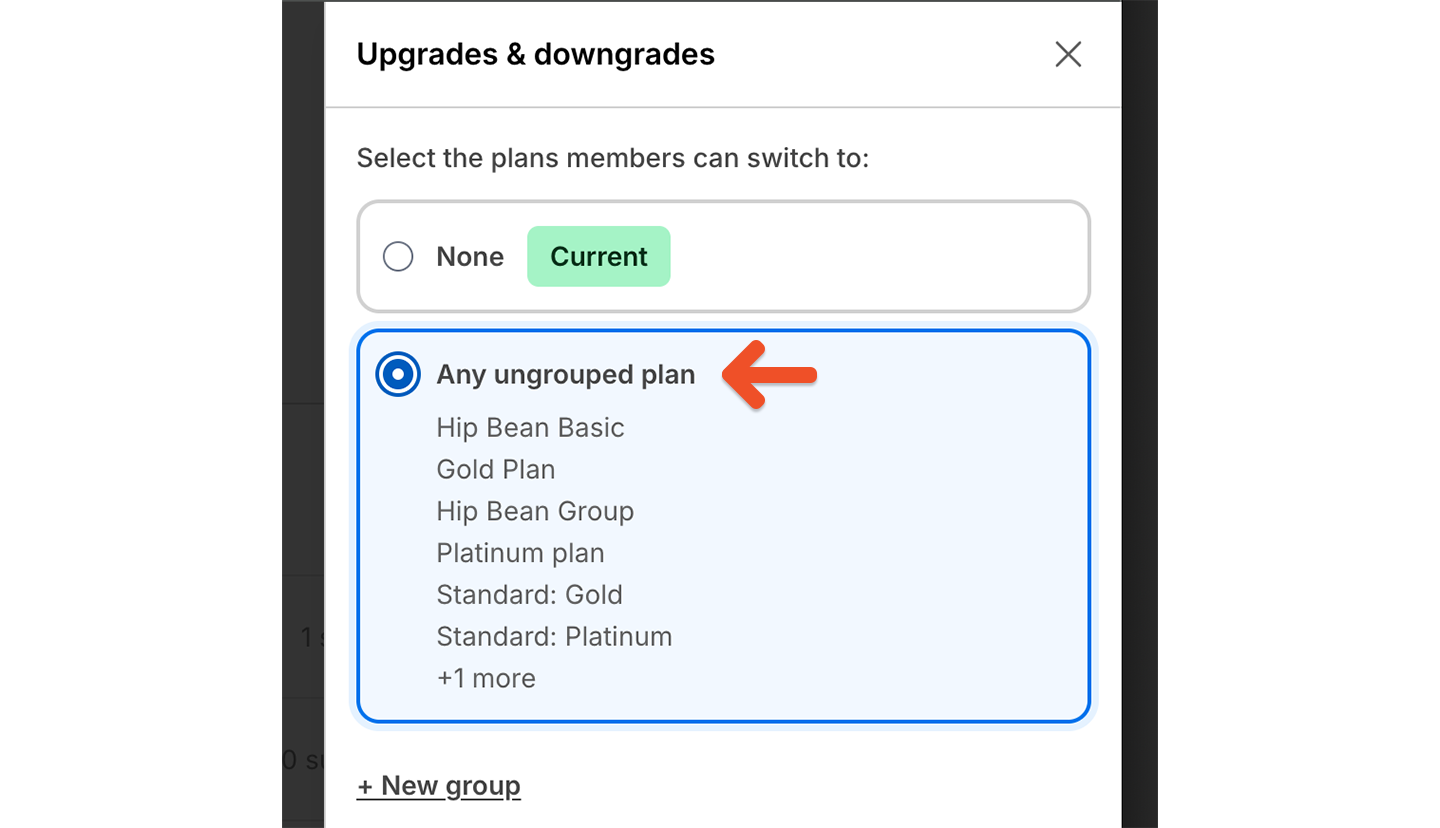 This works well for common tiered memberships where plans should be able to upgrade or downgrade between each other.
Example: You offer Basic and Pro plans with different benefits, and members should be able to move between them. Set both plans to *Any ungrouped plan*.
### Other plans in a specific group
Use this option to limit switching to a specific set of plans.
Plan groups control which plans members can switch between. They are different from group plans, which are a separate plan type.
After choosing this option, select an existing group:
This works well for common tiered memberships where plans should be able to upgrade or downgrade between each other.
Example: You offer Basic and Pro plans with different benefits, and members should be able to move between them. Set both plans to *Any ungrouped plan*.
### Other plans in a specific group
Use this option to limit switching to a specific set of plans.
Plan groups control which plans members can switch between. They are different from group plans, which are a separate plan type.
After choosing this option, select an existing group:
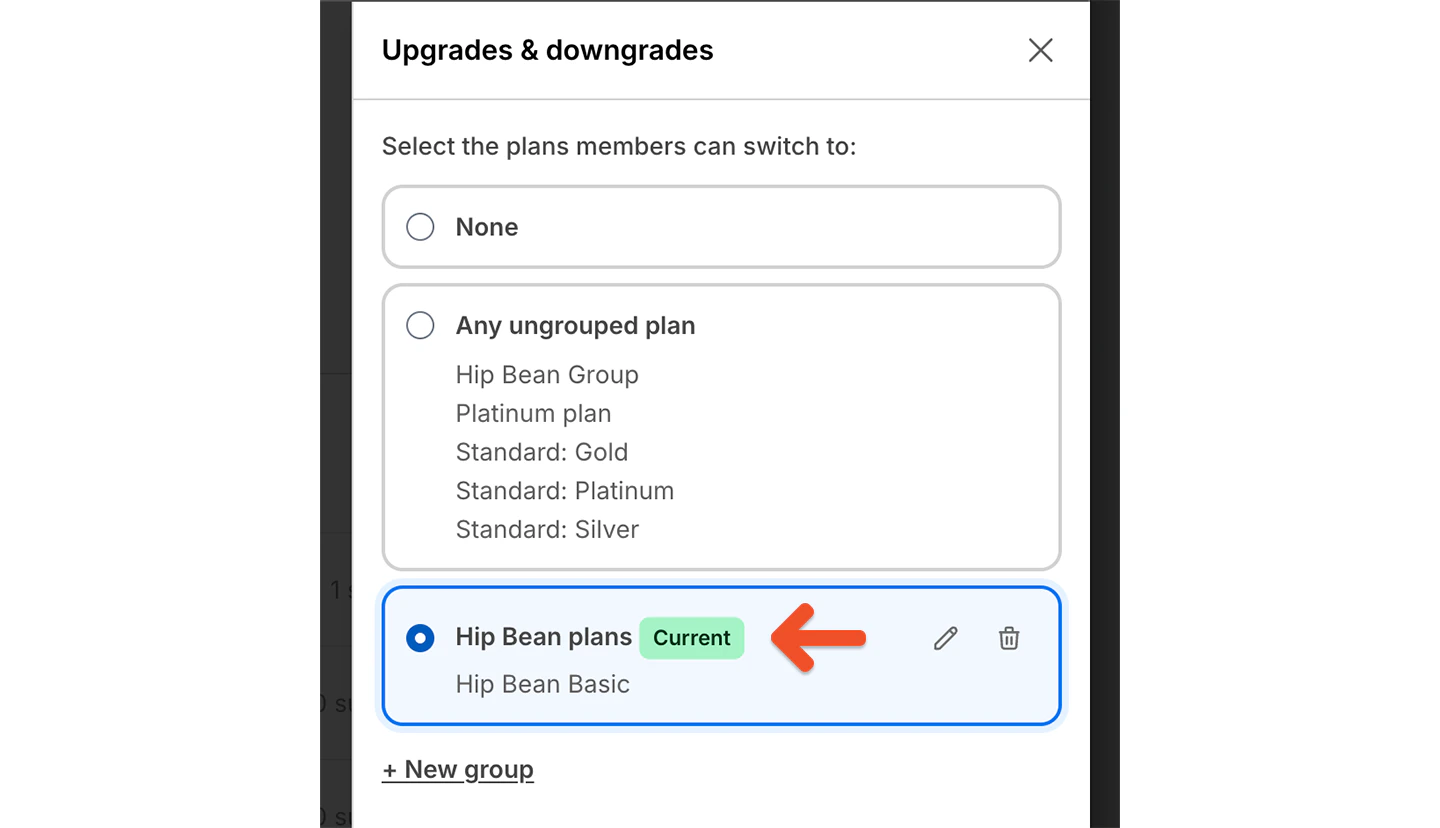 We'll show other plans in that group so you can confirm which plans are connected.
Or choose **New group** to create one:
We'll show other plans in that group so you can confirm which plans are connected.
Or choose **New group** to create one:
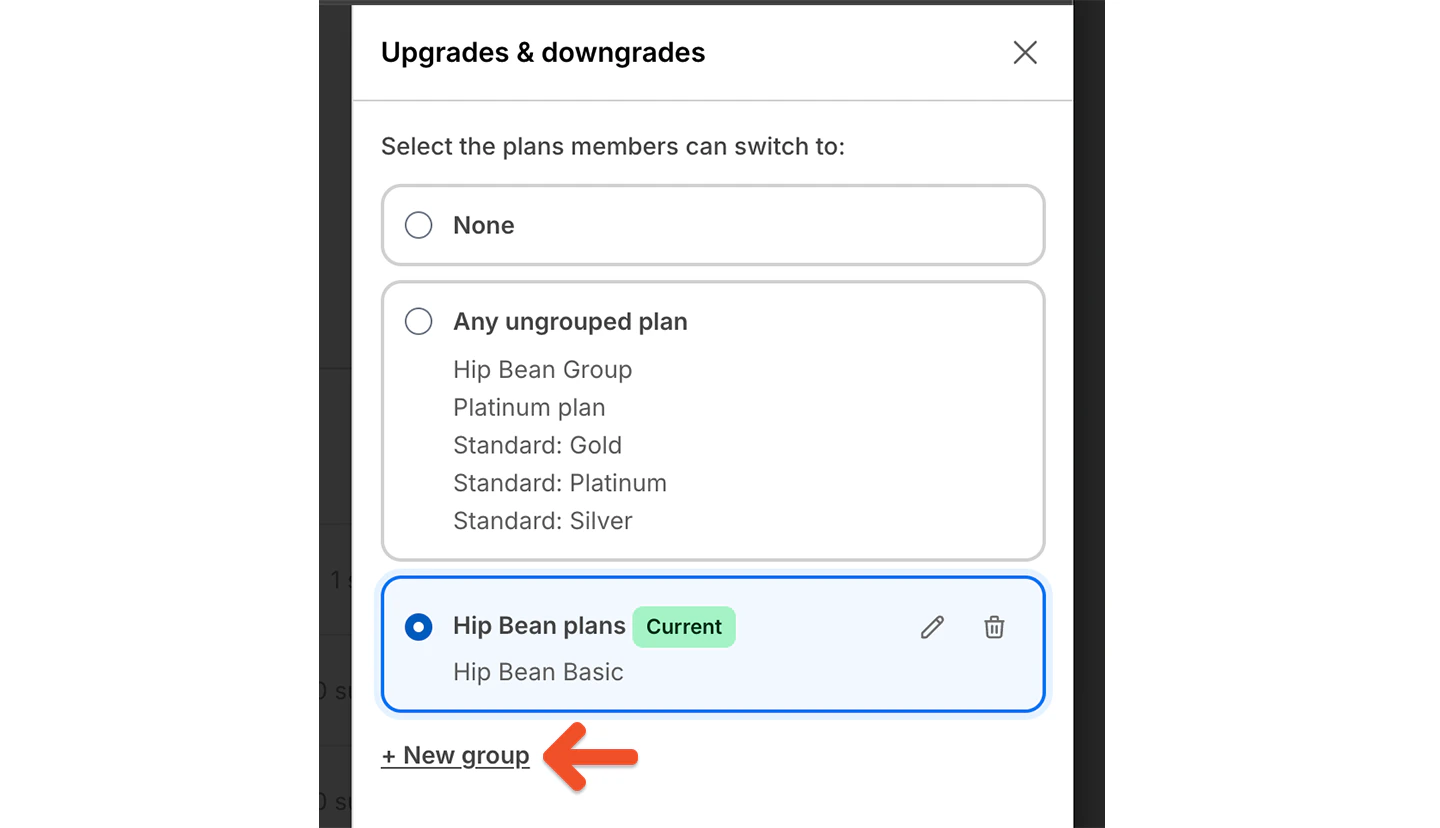 Name the group and click **Create group**:
 Example: You offer Monthly, Annual, and Founding Member plans. Monthly and Annual should work together, but Founding Member should stay separate.
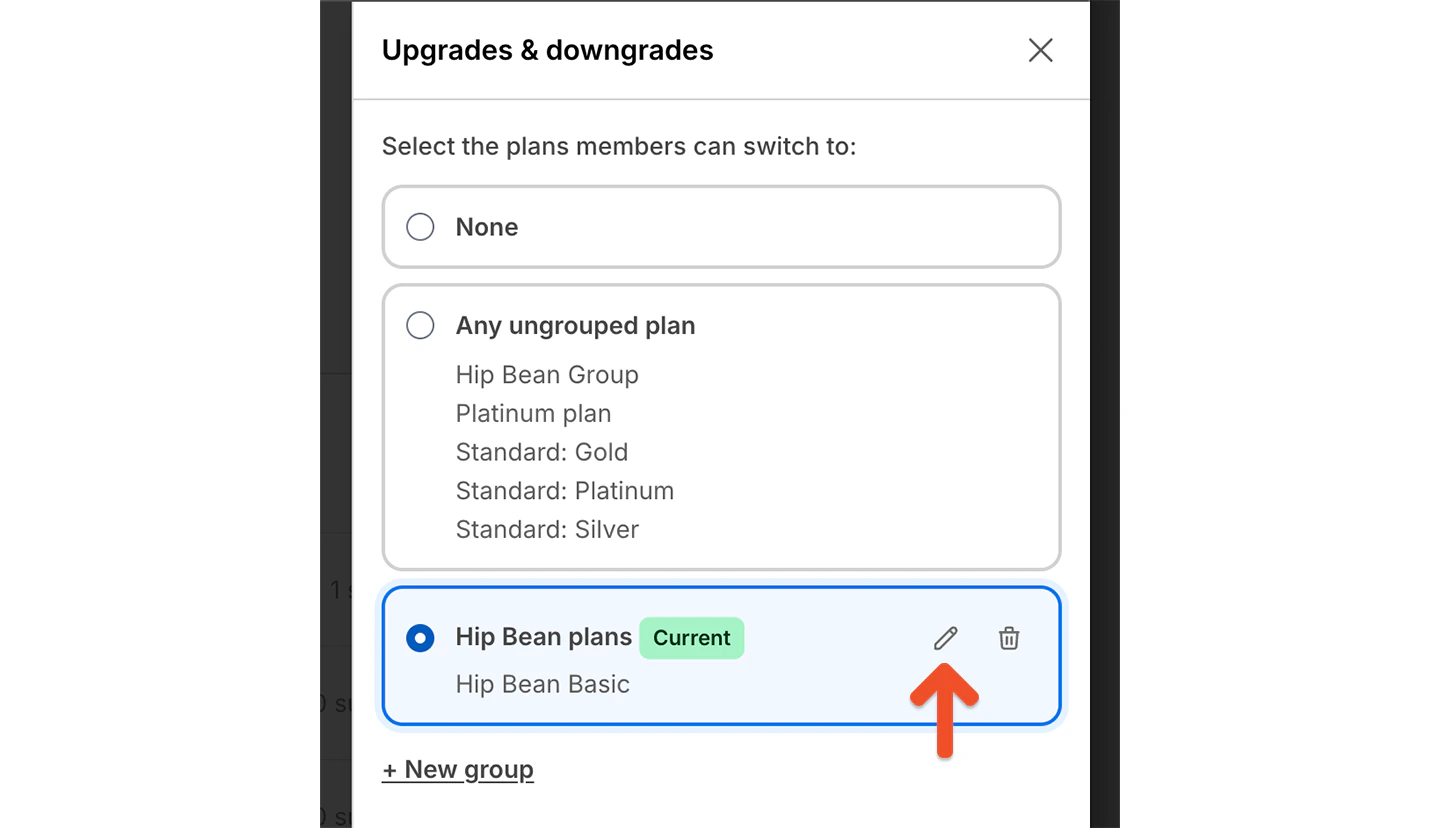
Click the pencil icon to edit the plan name.
Example: You offer Monthly, Annual, and Founding Member plans. Monthly and Annual should work together, but Founding Member should stay separate.
Click the pencil icon to edit the plan name.
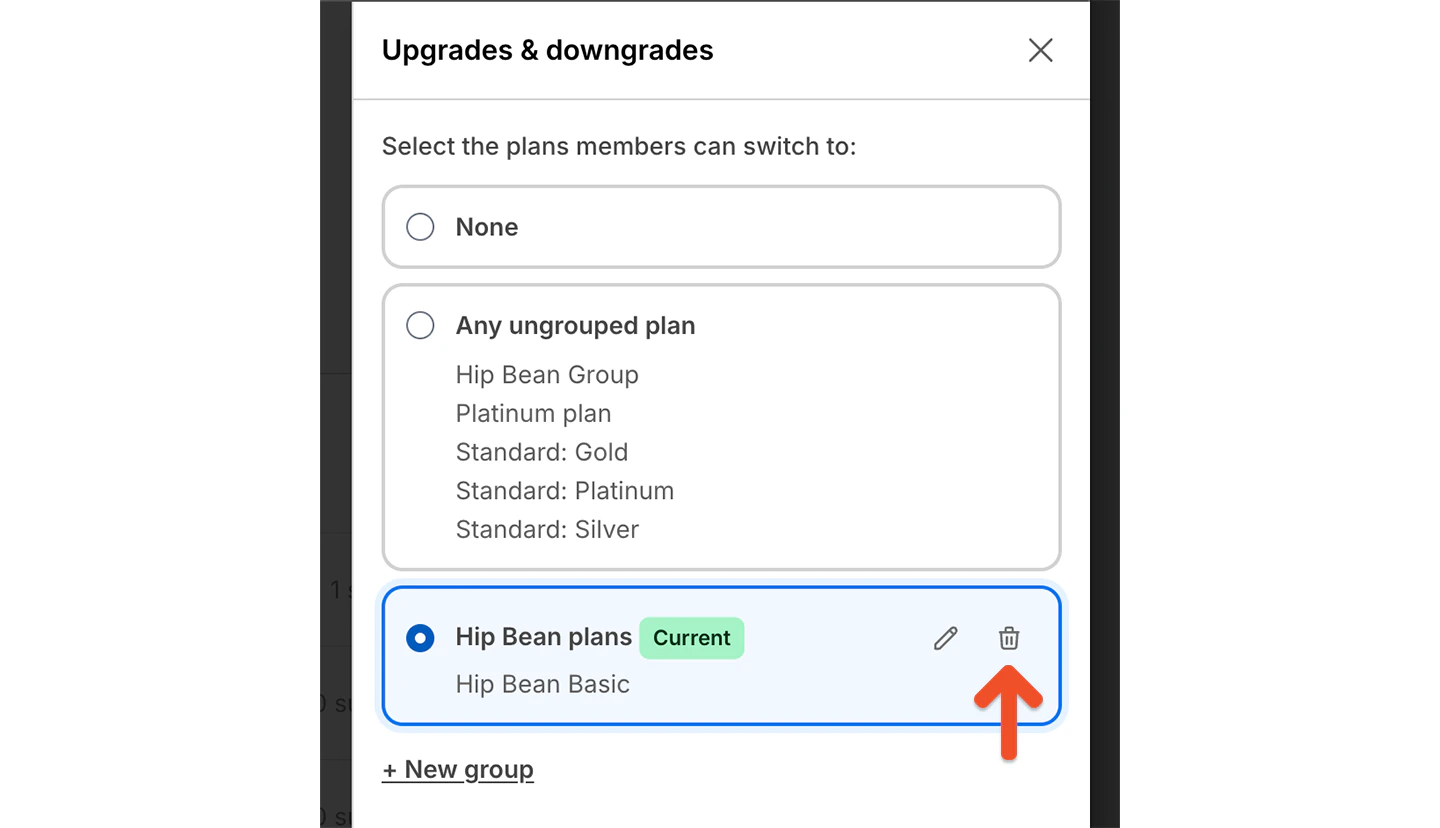
 Click the trash icon to delete the group.
 ## Control switching between prices in the same plan
Members can also switch between prices in the same plan, such as monthly and yearly pricing.
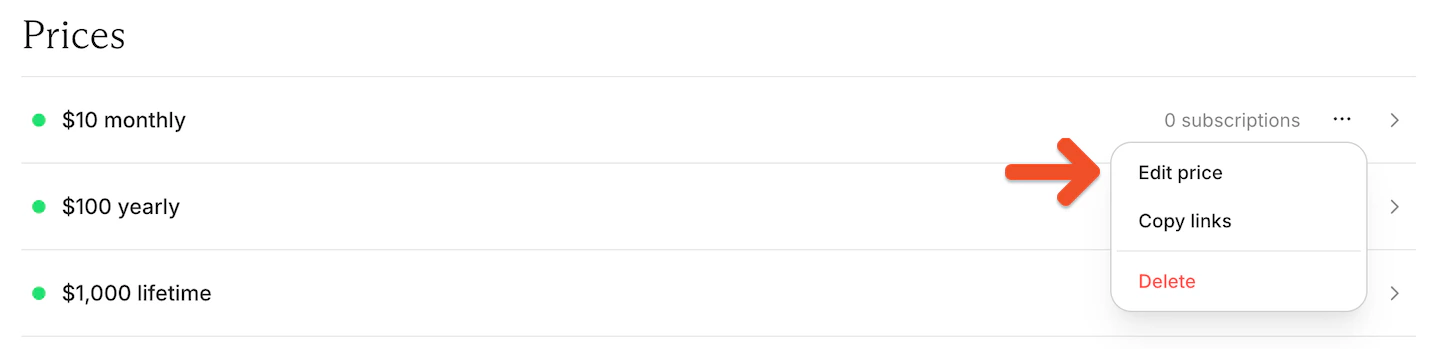
In the Prices section, click the **•••** menu next to the price, then select **Edit price**.
## Control switching between prices in the same plan
Members can also switch between prices in the same plan, such as monthly and yearly pricing.
In the Prices section, click the **•••** menu next to the price, then select **Edit price**.
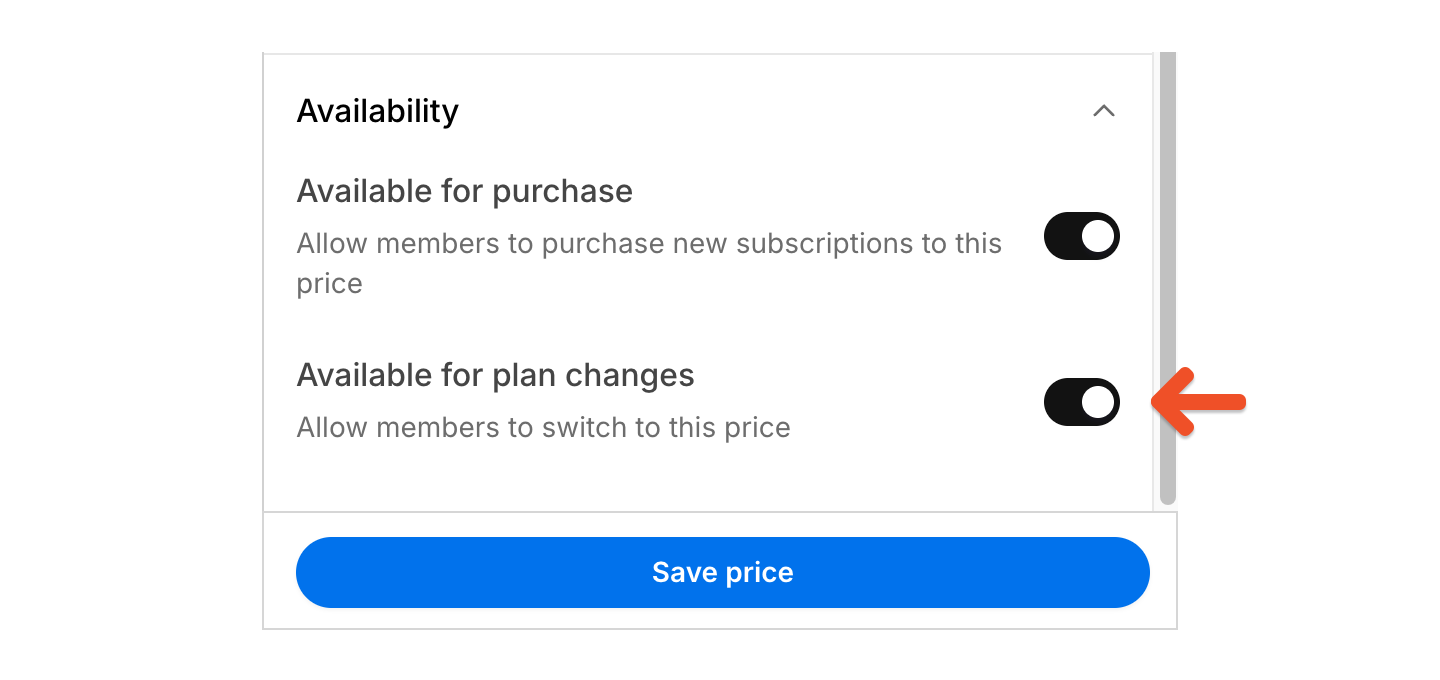
 Use *Available for plan changes* to control whether members can switch to that price.
 This is useful when a plan includes prices that should stay restricted, such as:
* A hidden legacy price
* A hidden trial price
* A limited promotional price
* A retired legacy price that existing subscribers can keep but new subscribers should not switch to
## Configure how upgrades are charged
Upgrade billing is managed separately from plan-level switching. These settings apply when members upgrade themselves between plans and prices.
These settings do not affect administrator-initiated bulk moves.
Go to *Revenue → Plans* and click **Settings**.
This is useful when a plan includes prices that should stay restricted, such as:
* A hidden legacy price
* A hidden trial price
* A limited promotional price
* A retired legacy price that existing subscribers can keep but new subscribers should not switch to
## Configure how upgrades are charged
Upgrade billing is managed separately from plan-level switching. These settings apply when members upgrade themselves between plans and prices.
These settings do not affect administrator-initiated bulk moves.
Go to *Revenue → Plans* and click **Settings**.
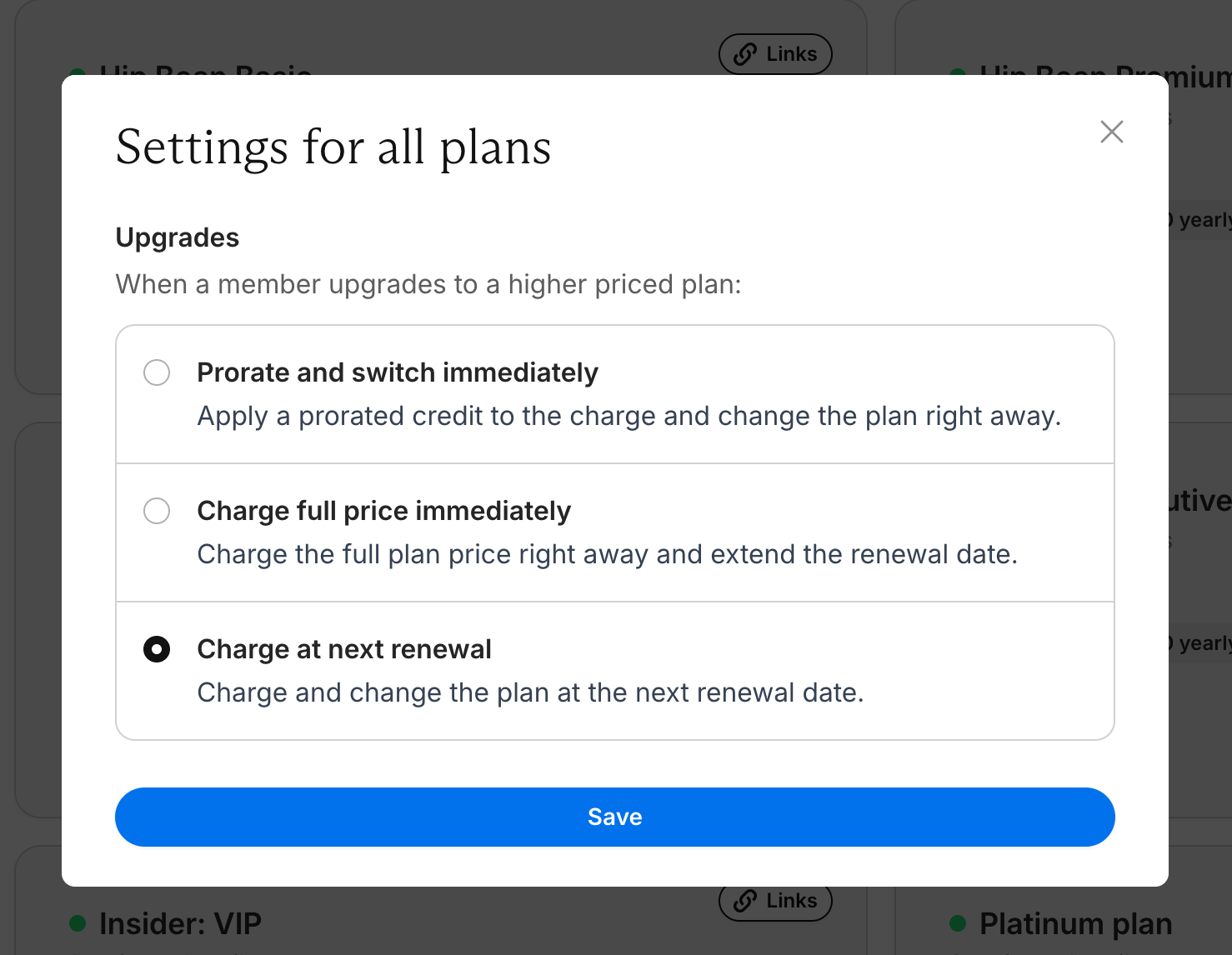
 In Settings for all plans, choose how Memberful should handle upgrades to a higher priced plan:
* Prorate and switch immediately
* Charge full price immediately
* Charge at next renewal
These settings apply across your Memberful plans.
In Settings for all plans, choose how Memberful should handle upgrades to a higher priced plan:
* Prorate and switch immediately
* Charge full price immediately
* Charge at next renewal
These settings apply across your Memberful plans.
 ## View plan changes in the Plans list
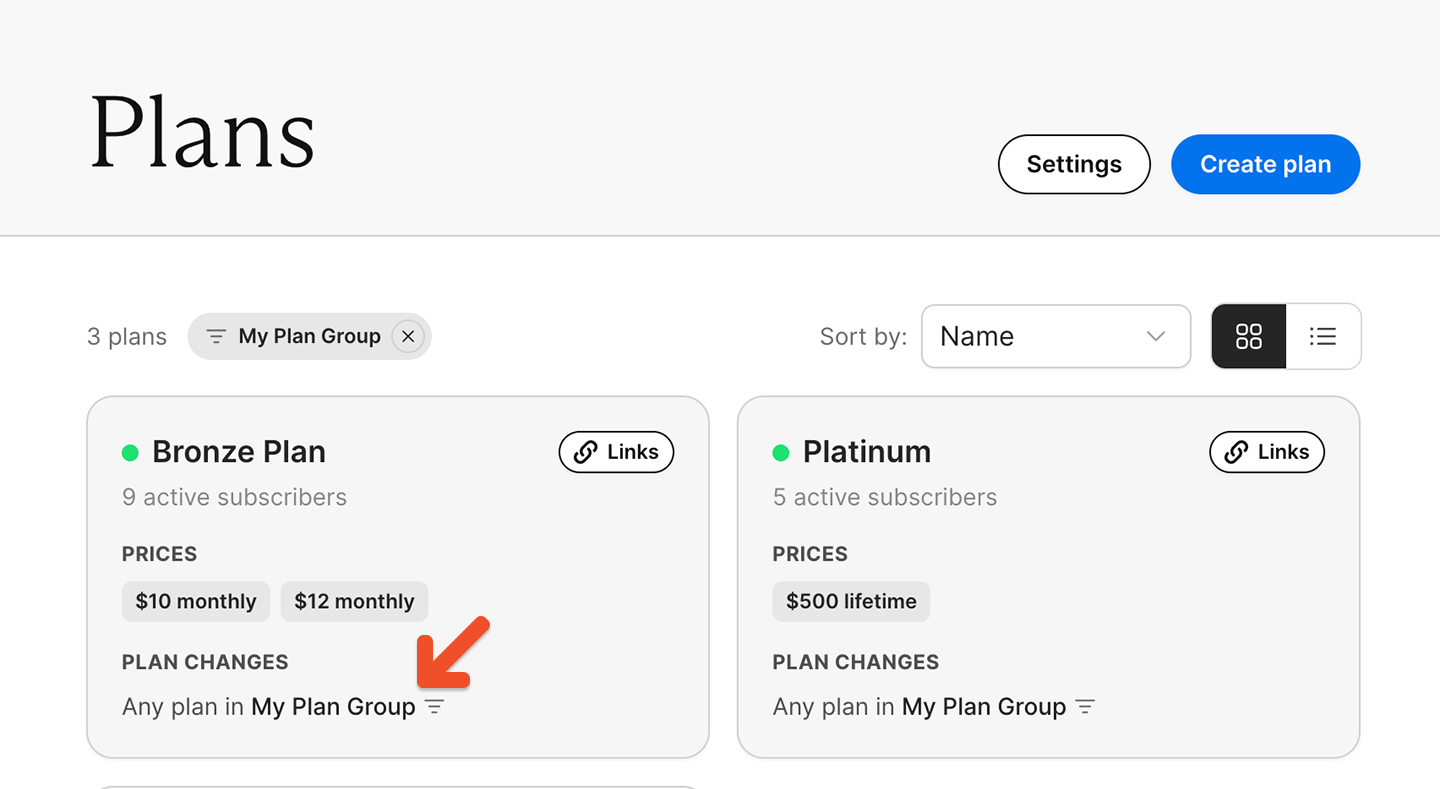
You can sort and filter plan change groups from the main Plans page.
Go to **Revenue → Plans**. Click the group name to filter the list to the plans a member on that plan could switch to.
## View plan changes in the Plans list
You can sort and filter plan change groups from the main Plans page.
Go to **Revenue → Plans**. Click the group name to filter the list to the plans a member on that plan could switch to.
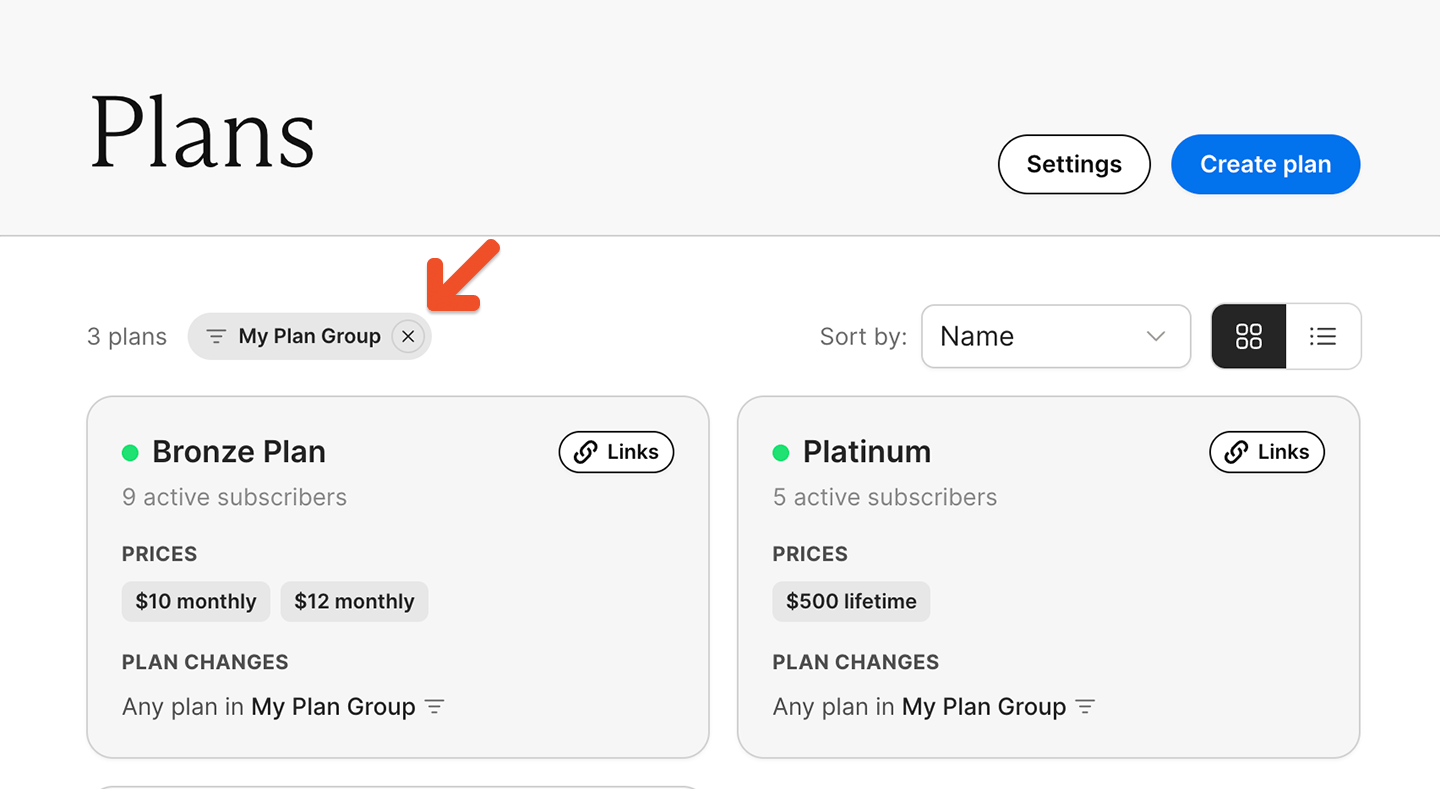
 After clicking on a group name, a filter chip appears at the top of the list. Click the chip to clear the filter and return to the full plans list.
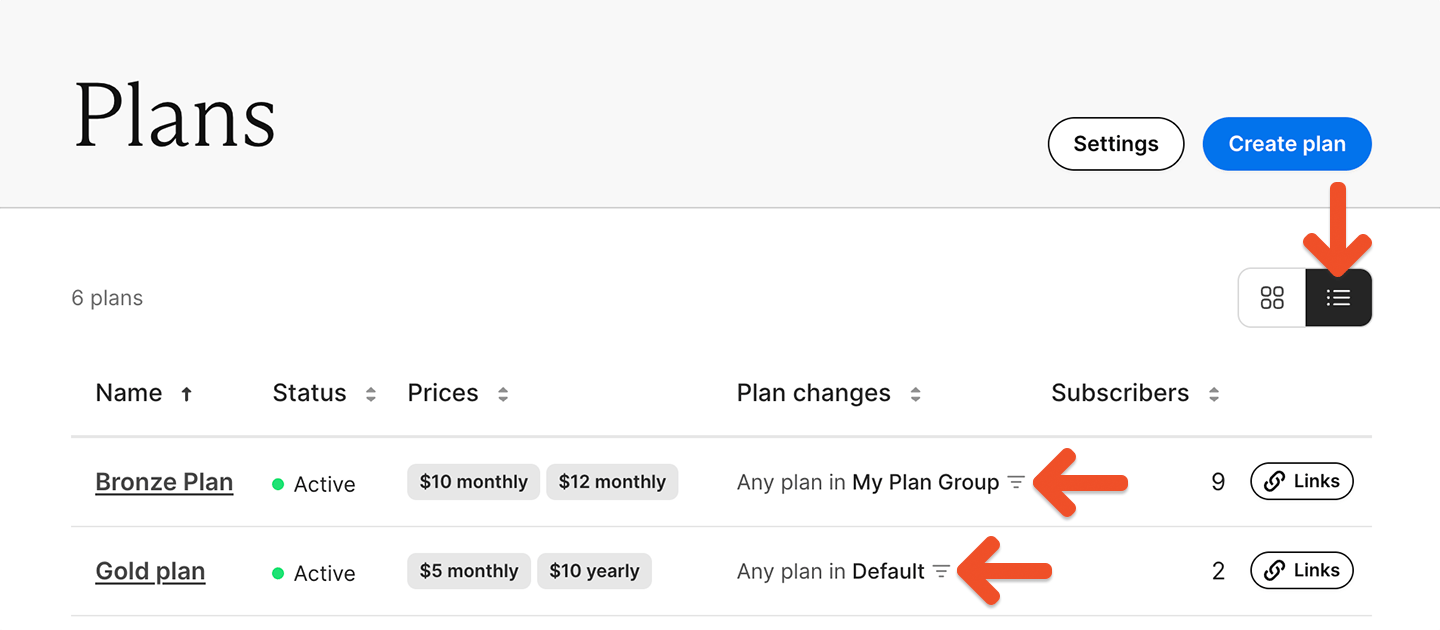
 You can also view plan change groups in list view and sort by them in either view.
 ## Common setup examples
### One plan with multiple prices, and members can switch between all prices
Use this setup when prices are different ways to buy the same plan.
Example: A plan has a monthly price and a yearly price. Both include the same benefits, and both prices are available for plan changes.
### One plan with multiple prices, and members cannot switch into one of the prices
Use this setup when one price should stay restricted.
Example: A plan has one visible Monthly price and one hidden monthly price for grandfathered members. The hidden price stays unavailable for plan changes.
### Multiple plans, and members can switch freely between them
Use this setup when plans offer different benefits, but members should be able to upgrade or downgrade.
Example: You offer Basic and Pro plans, and both are set to *Any ungrouped plan*.
### Multiple plans, and members can switch only between certain plans
Use this setup when only some plans should work together.
Example: Monthly and annual are assigned to the same group, while Founding Member is kept separate.
### Multiple plans, and members cannot switch between them
Use this setup when plans are separate offerings that members may want to keep at the same time.
Example: A newsletter plan and a course plan are both set to *None*.
## Common setup examples
### One plan with multiple prices, and members can switch between all prices
Use this setup when prices are different ways to buy the same plan.
Example: A plan has a monthly price and a yearly price. Both include the same benefits, and both prices are available for plan changes.
### One plan with multiple prices, and members cannot switch into one of the prices
Use this setup when one price should stay restricted.
Example: A plan has one visible Monthly price and one hidden monthly price for grandfathered members. The hidden price stays unavailable for plan changes.
### Multiple plans, and members can switch freely between them
Use this setup when plans offer different benefits, but members should be able to upgrade or downgrade.
Example: You offer Basic and Pro plans, and both are set to *Any ungrouped plan*.
### Multiple plans, and members can switch only between certain plans
Use this setup when only some plans should work together.
Example: Monthly and annual are assigned to the same group, while Founding Member is kept separate.
### Multiple plans, and members cannot switch between them
Use this setup when plans are separate offerings that members may want to keep at the same time.
Example: A newsletter plan and a course plan are both set to *None*.