Related help docs:
 ## Create your plan
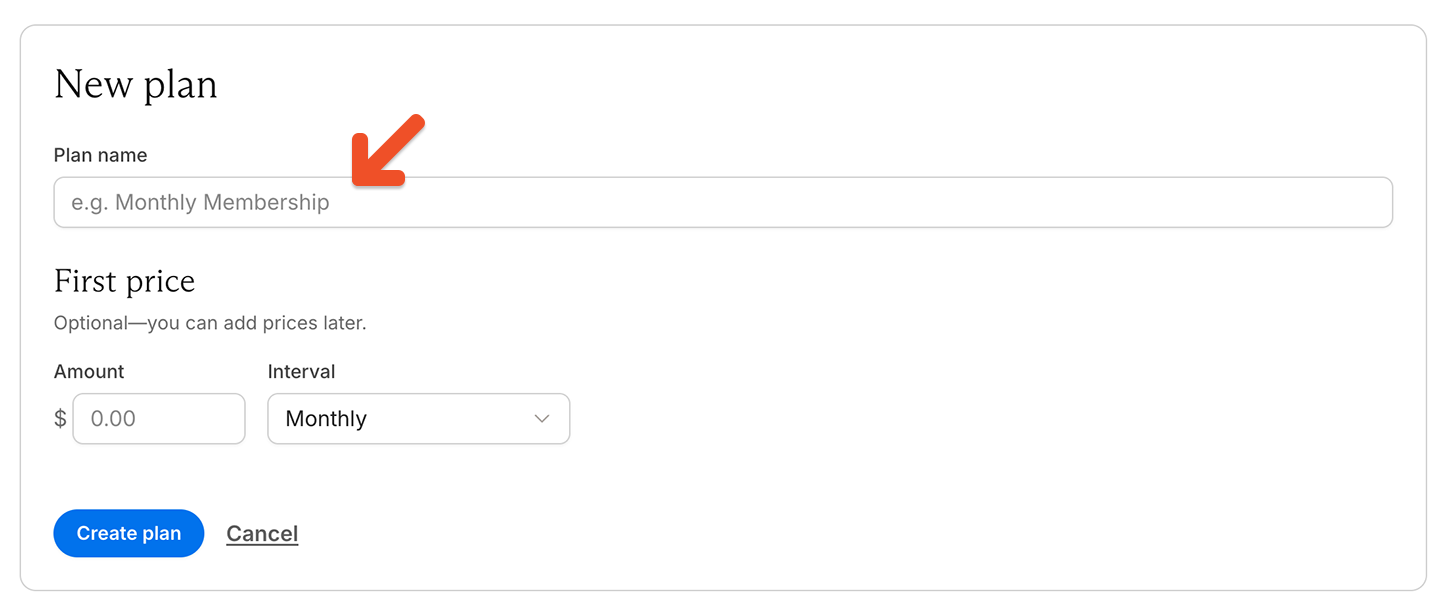
Enter a plan name.
## Create your plan
Enter a plan name.
 You can also add a **first price** before saving the plan. This step is optional, and you can add prices later.
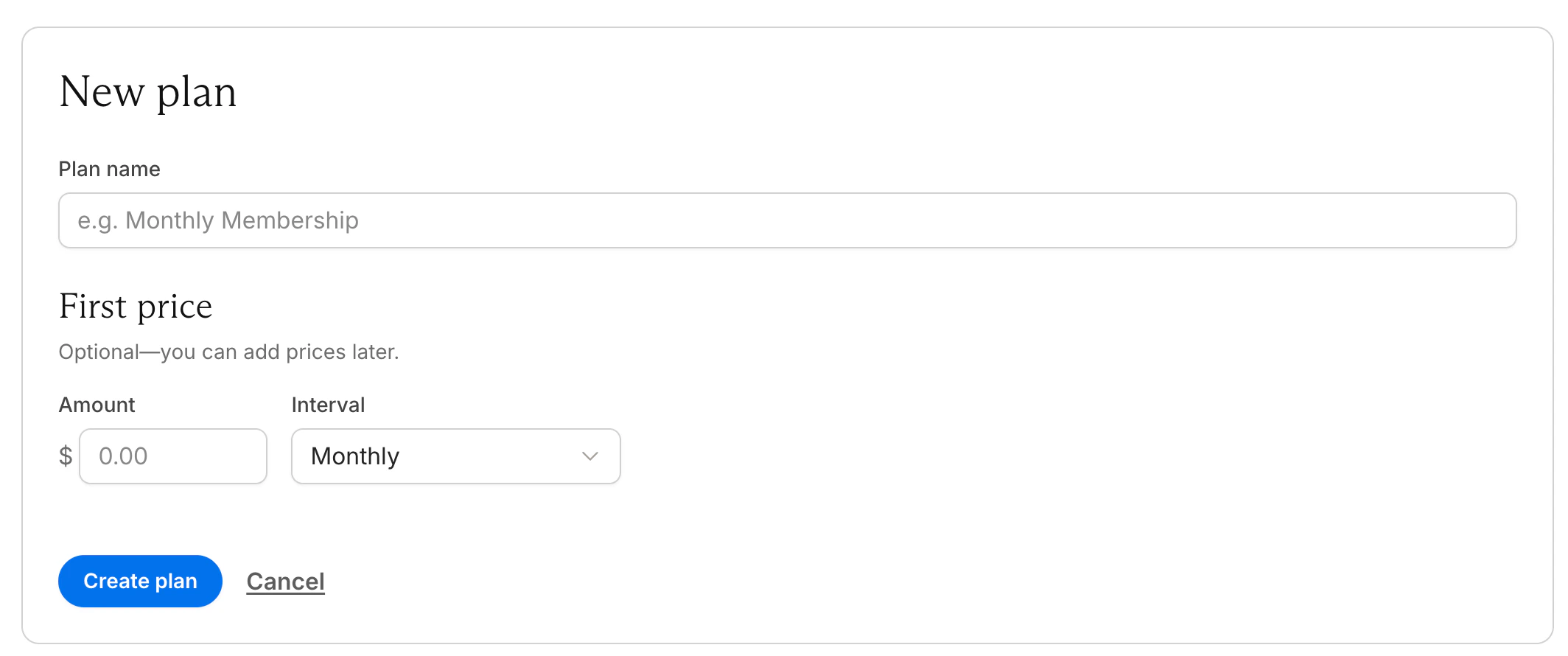 For the first price, enter:
* The amount
* The interval
Then click **Create plan.**
## Add and manage prices
After creating the plan, go to **Prices** to review existing prices, add more prices, or edit a price.
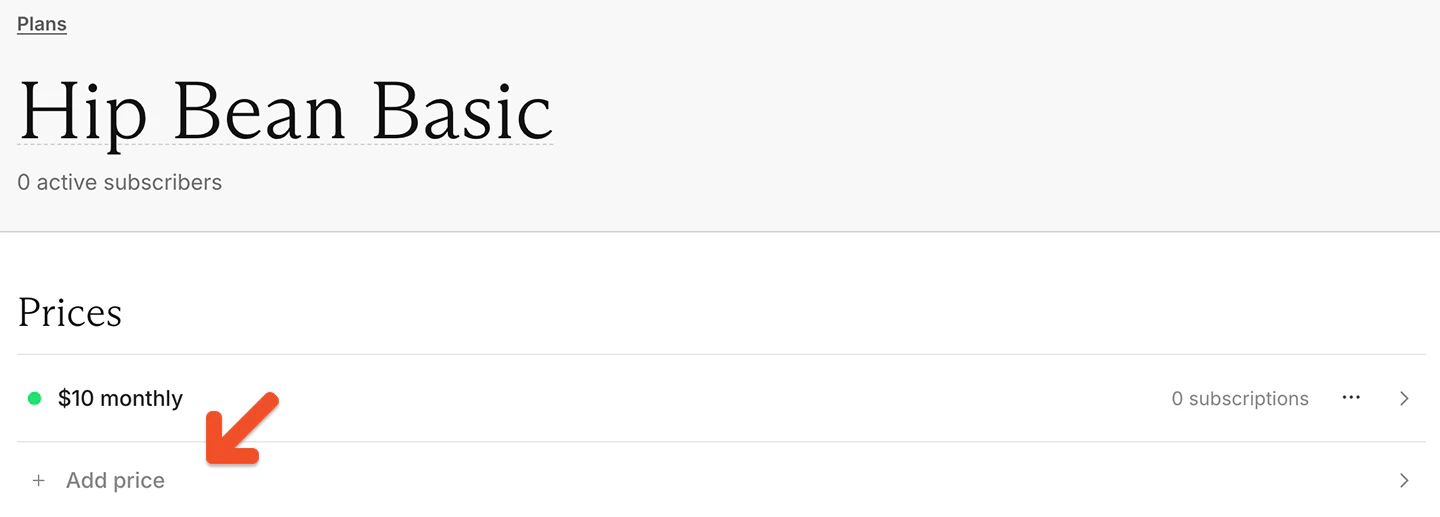
Each plan can include one or more prices. To add another price, click **Add price.**
For the first price, enter:
* The amount
* The interval
Then click **Create plan.**
## Add and manage prices
After creating the plan, go to **Prices** to review existing prices, add more prices, or edit a price.
Each plan can include one or more prices. To add another price, click **Add price.**
 Use multiple prices in one plan when the benefits stay the same. For example, one plan might include:
* A monthly price and a yearly price
* A current price and a hidden legacy price
* A standard price and a promotional price
If the benefits are different, create separate plans instead. To learn more about when to use multiple prices in one plan versus separate plans, see [Understand plans and prices.](/plans/plan-options/understand-plans-and-prices)
## Edit a price
Each price has its own settings.
Use multiple prices in one plan when the benefits stay the same. For example, one plan might include:
* A monthly price and a yearly price
* A current price and a hidden legacy price
* A standard price and a promotional price
If the benefits are different, create separate plans instead. To learn more about when to use multiple prices in one plan versus separate plans, see [Understand plans and prices.](/plans/plan-options/understand-plans-and-prices)
## Edit a price
Each price has its own settings.
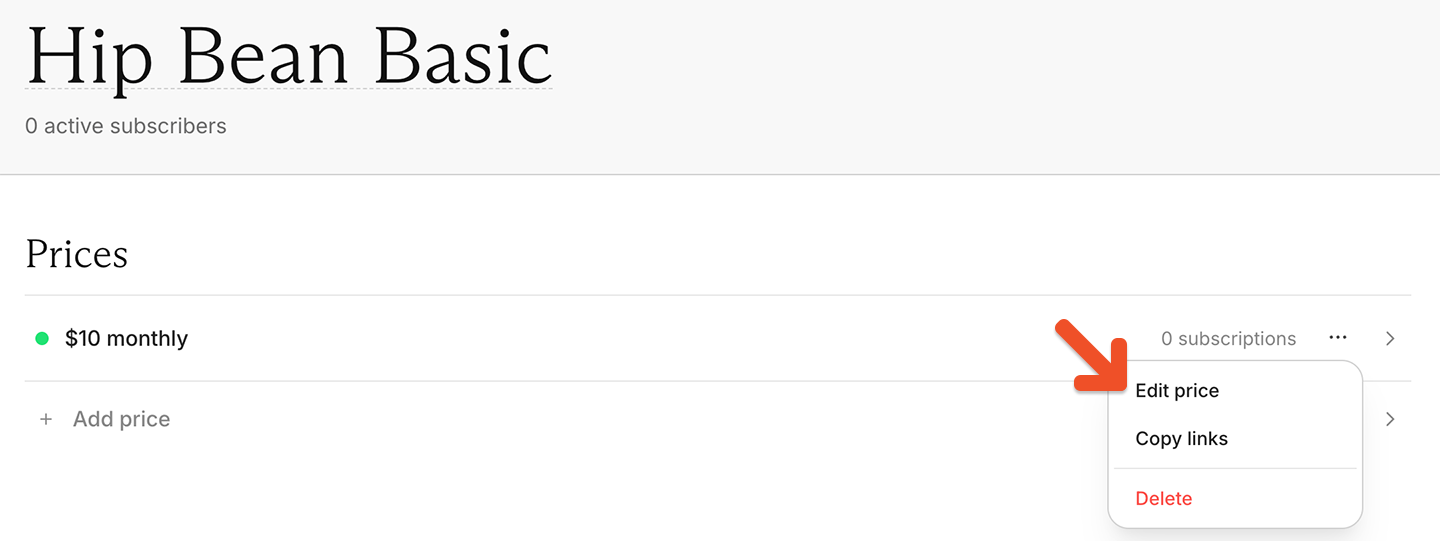
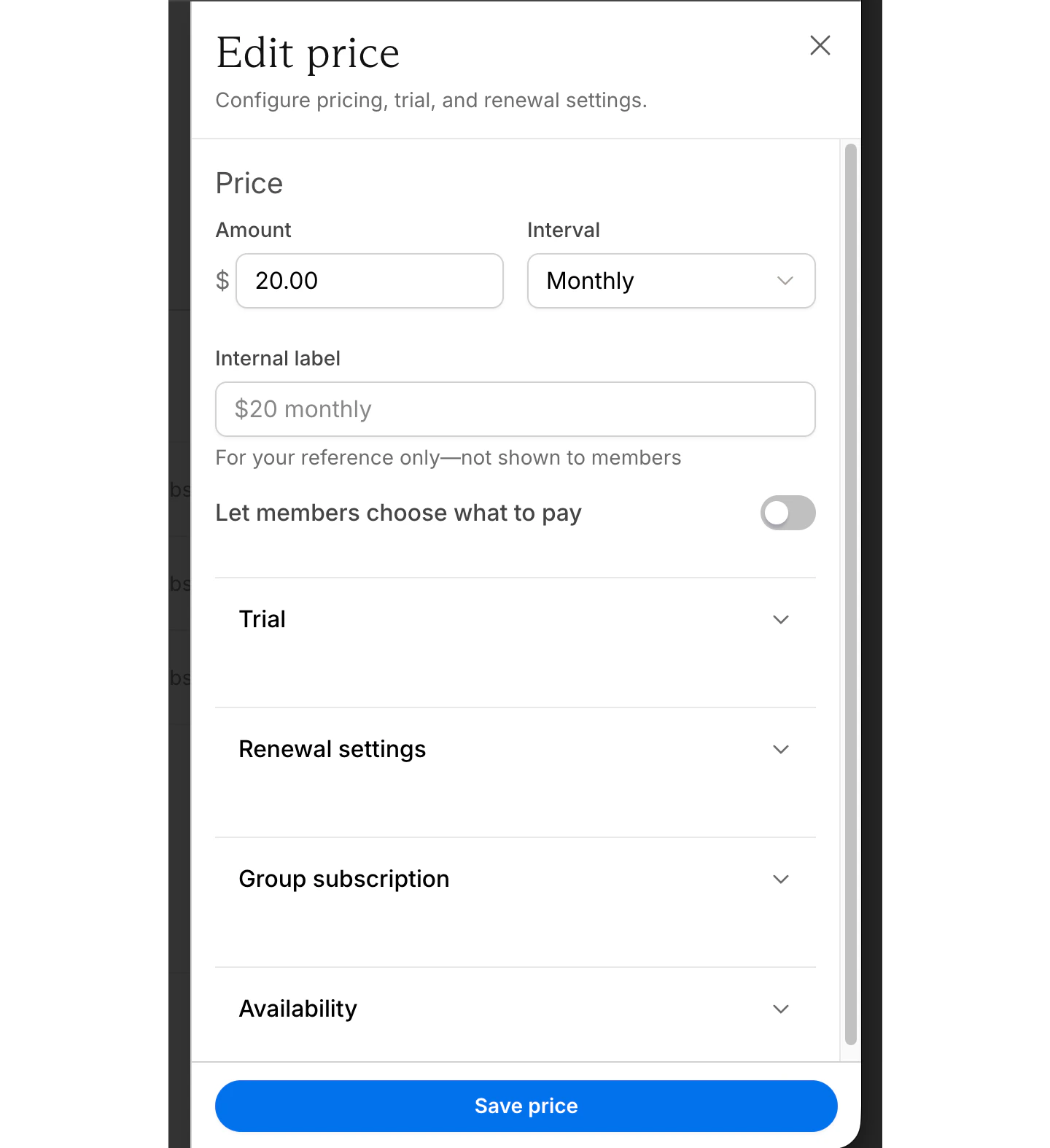 In the Prices section, click the ••• menu next to the price, then select **Edit price.** From there you can configure the price, trial, renewal settings, and more.
 ### Set the price and billing interval
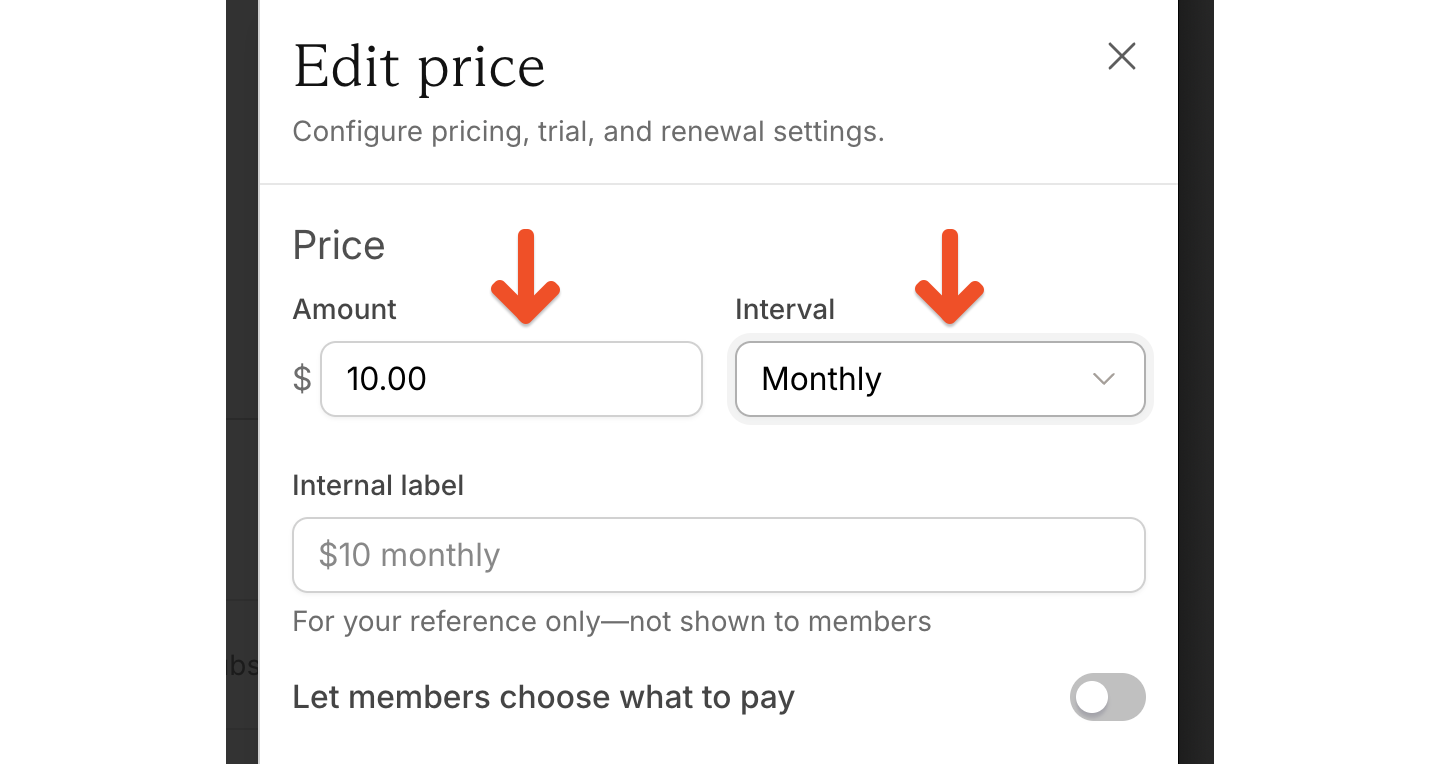
Enter a price and select how often members are charged.
### Set the price and billing interval
Enter a price and select how often members are charged.
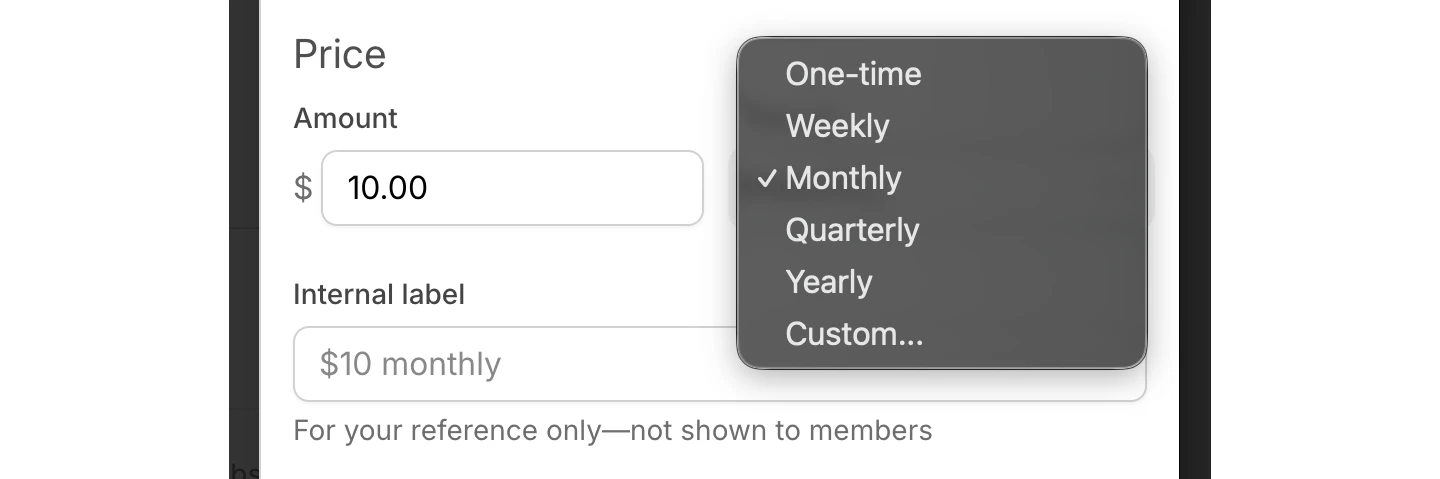
 Options may include:
* Weekly
* Monthly
* Every 3 months
* Every 6 months
* Yearly
* Custom
Options may include:
* Weekly
* Monthly
* Every 3 months
* Every 6 months
* Yearly
* Custom
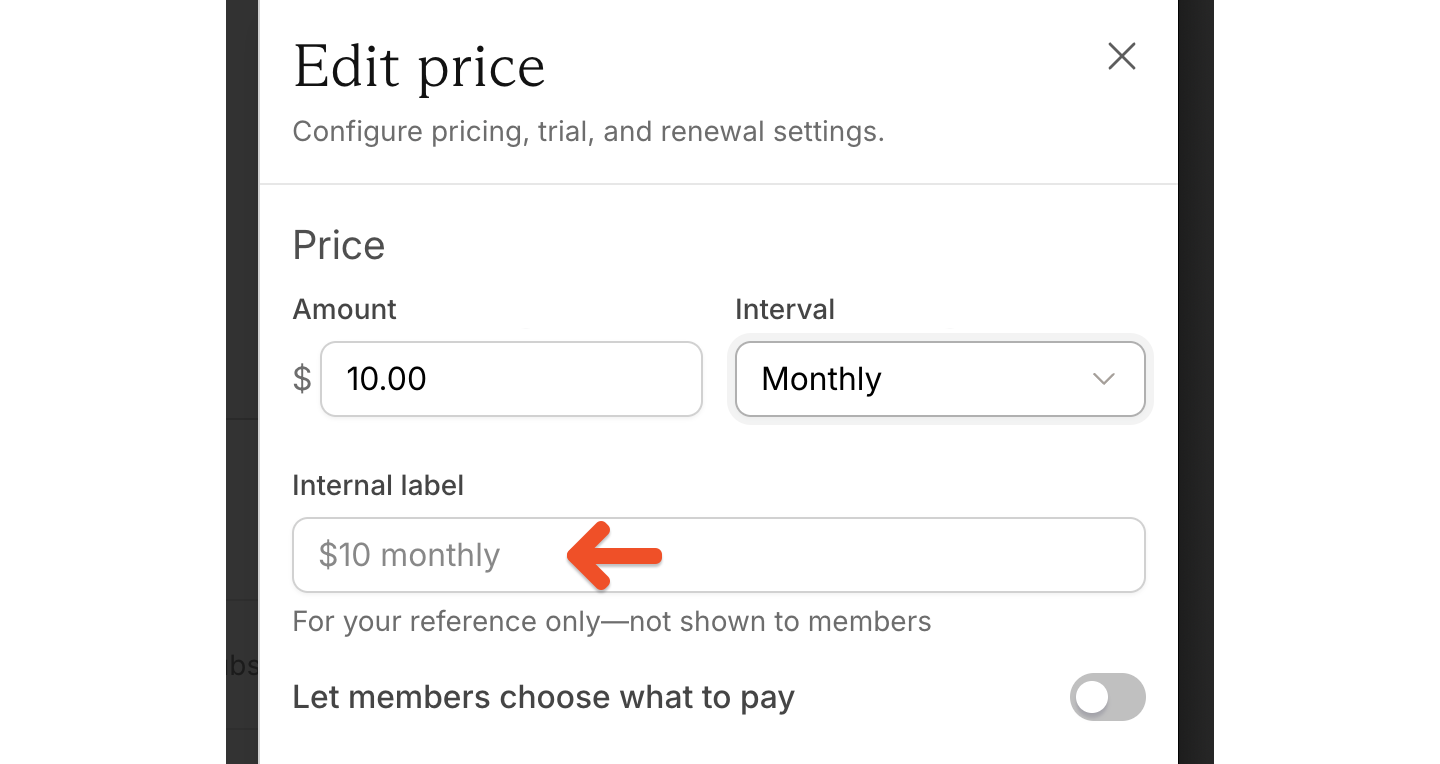 Labels are useful when a plan includes multiple prices and you want to distinguish them internally, such as:
* Legacy monthly
* Trial monthly
* Annual promo
Labels are not shown to members.
### Let members choose what to pay
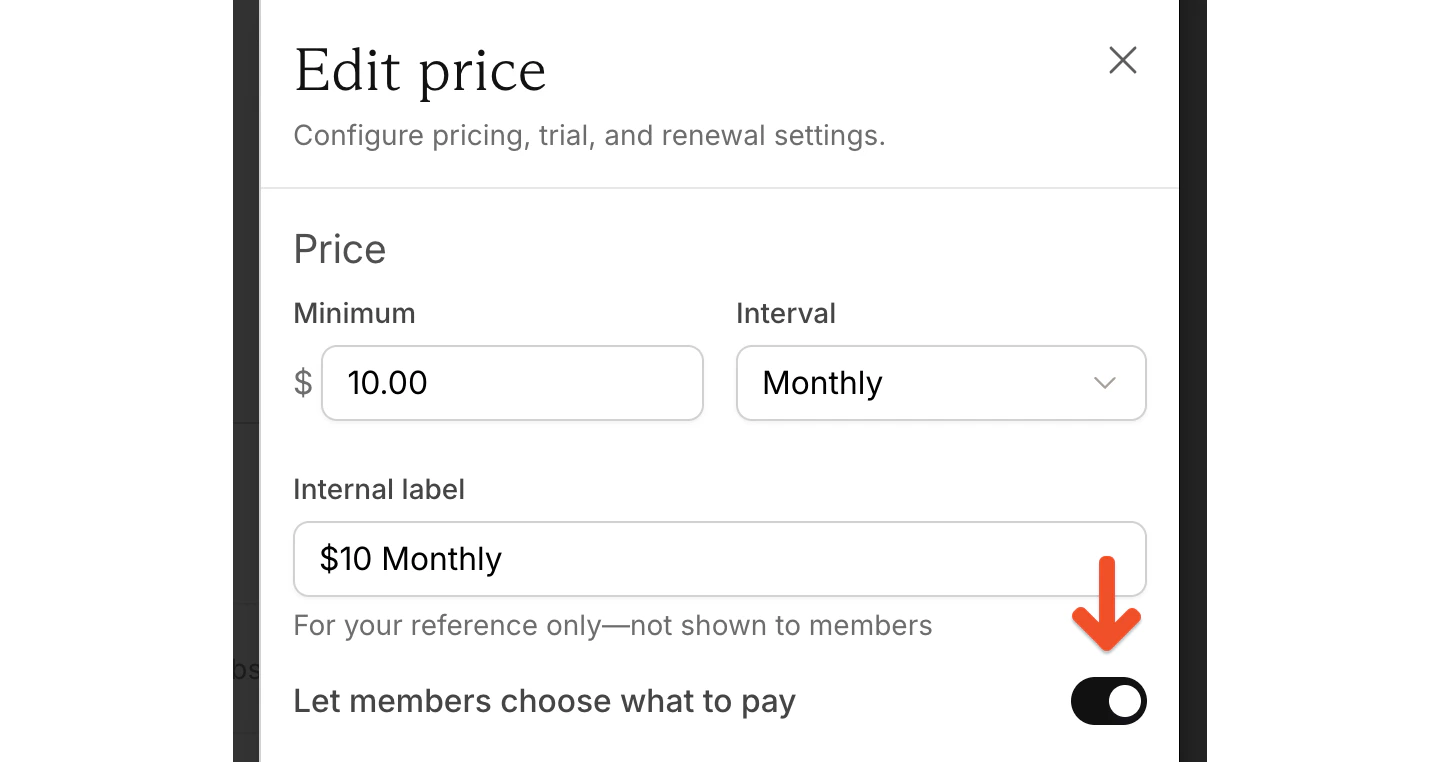
To let members pay more than the minimum price, toggle on *Let members choose what to pay.*
Labels are useful when a plan includes multiple prices and you want to distinguish them internally, such as:
* Legacy monthly
* Trial monthly
* Annual promo
Labels are not shown to members.
### Let members choose what to pay
To let members pay more than the minimum price, toggle on *Let members choose what to pay.*
 For full setup guidance, see [Let members choose what they pay.](/plans/plan-options/enable-choose-what-you-pay)
### Configure trials
Use trial settings to create a free trial or a paid trial. Along with the trial length, you can configure:
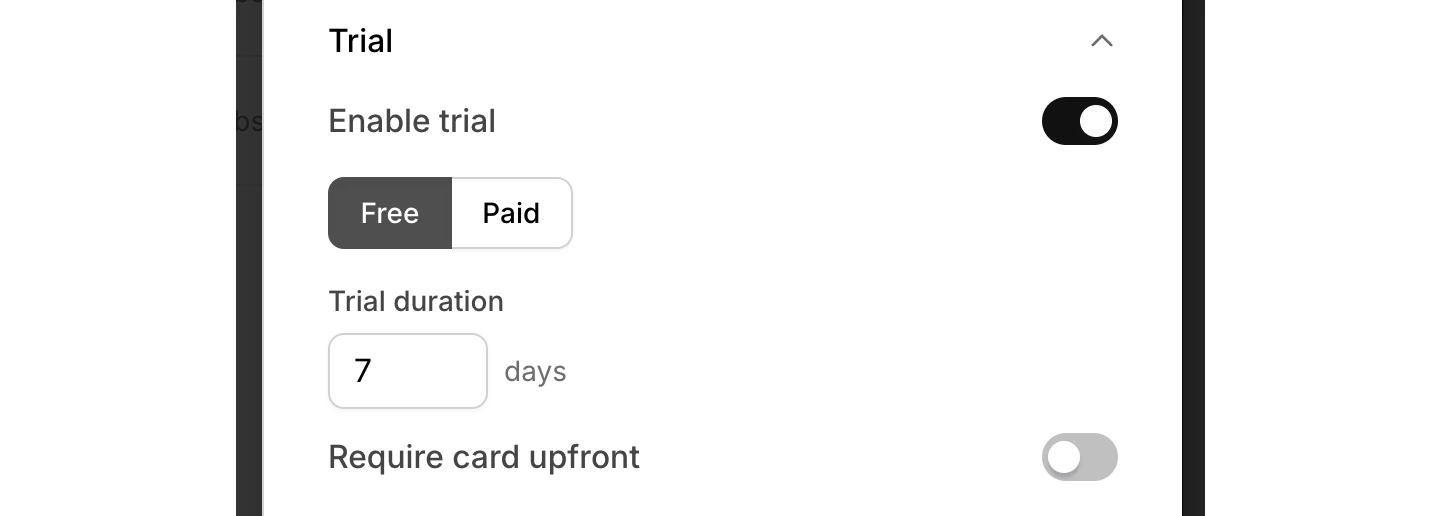
A free trial without a credit card:
For full setup guidance, see [Let members choose what they pay.](/plans/plan-options/enable-choose-what-you-pay)
### Configure trials
Use trial settings to create a free trial or a paid trial. Along with the trial length, you can configure:
A free trial without a credit card:
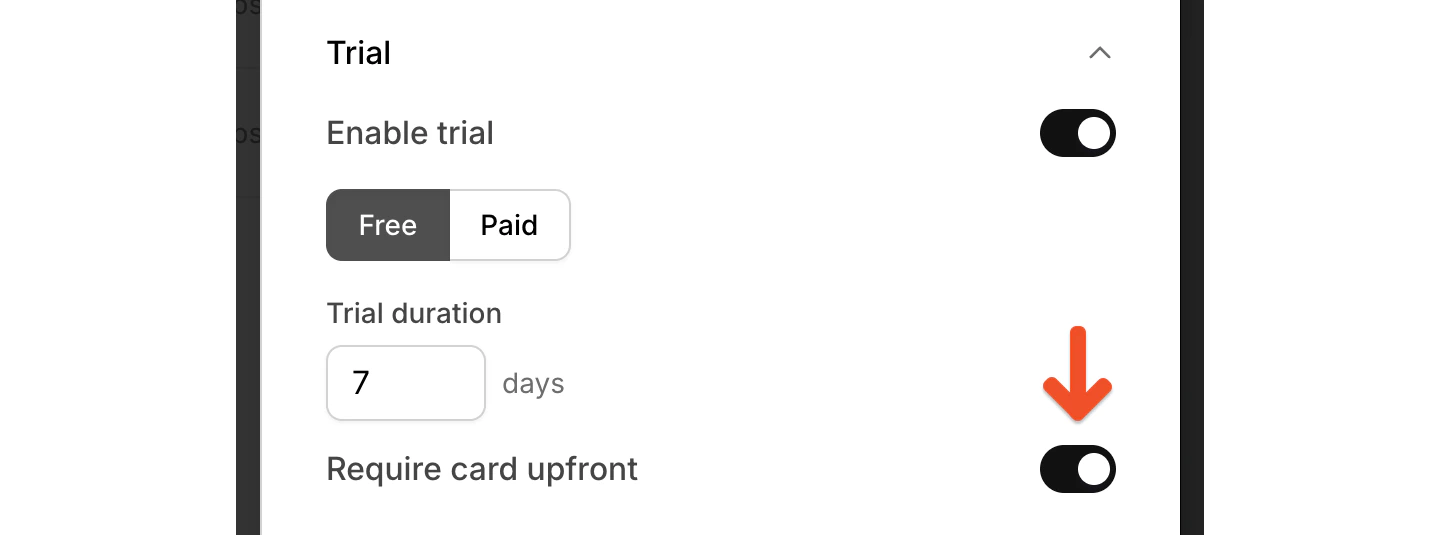
 A free trial with credit card required:
 A paid trial with its own trial price:
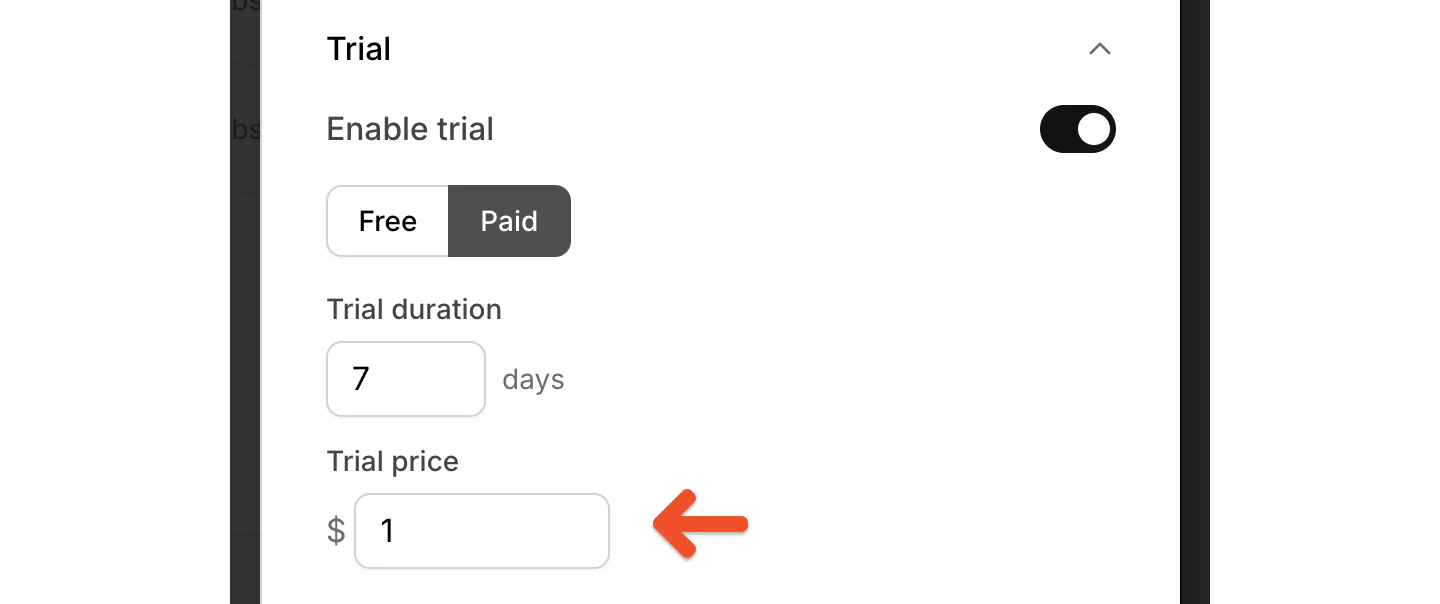 If you change the trial length after members sign up, the new length only applies to future members.
Memberful sends a *Trial ending* email to members who are in a trial that requires a credit card and lasts for 7 days or longer. Trials that do not require a credit card do not trigger this email.
### Configure renewals
Renewal settings let you control what happens after the first payment. You can toggle these settings on or off.
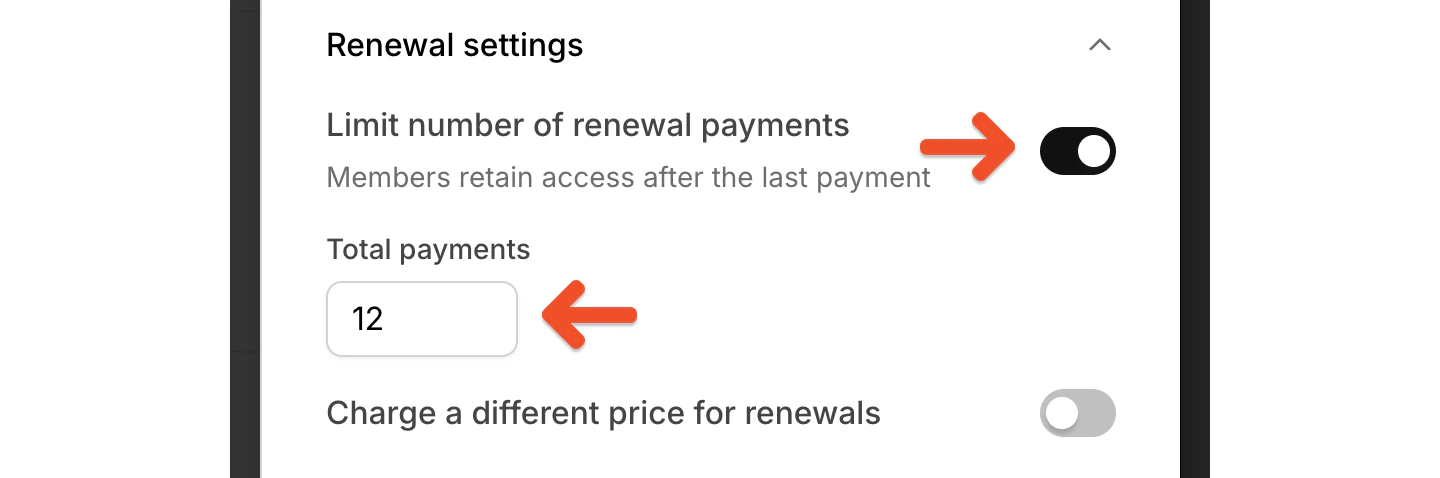
**Limit number of renewal payments**: End billing after a set number of renewals. If you limit the number of renewal payments, members keep access after the last payment.
If you change the trial length after members sign up, the new length only applies to future members.
Memberful sends a *Trial ending* email to members who are in a trial that requires a credit card and lasts for 7 days or longer. Trials that do not require a credit card do not trigger this email.
### Configure renewals
Renewal settings let you control what happens after the first payment. You can toggle these settings on or off.
**Limit number of renewal payments**: End billing after a set number of renewals. If you limit the number of renewal payments, members keep access after the last payment.
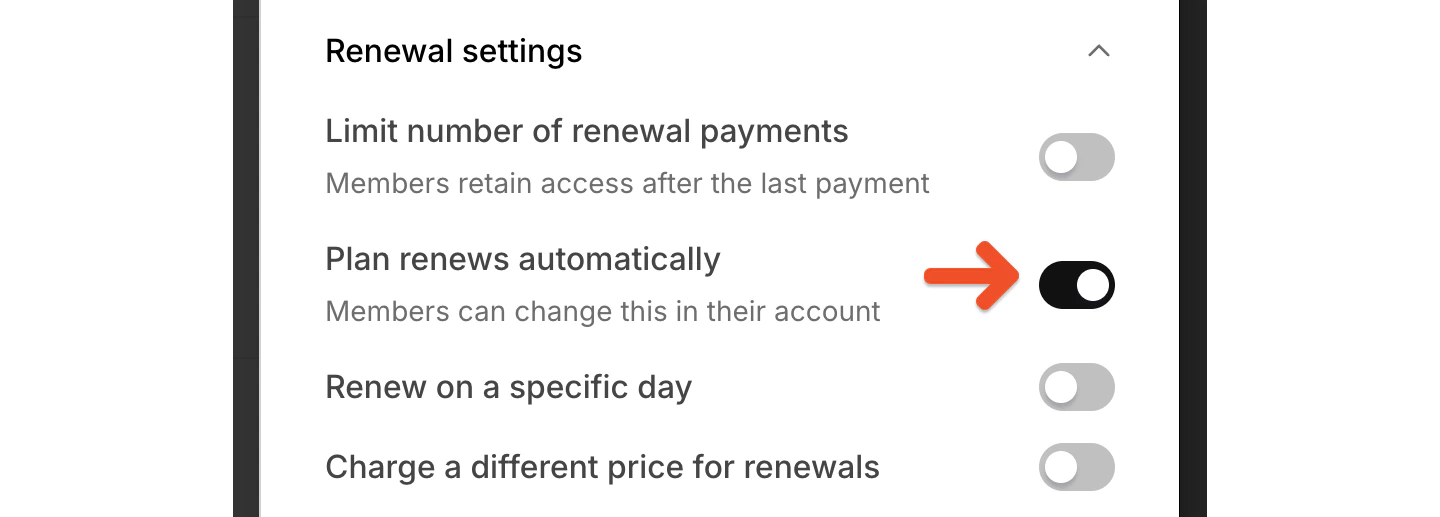
 **Plan renews automatically:** Keep the subscription active until the member cancels. When *Plan renews automatically* is enabled, the subscription renews until the member cancels. Members can change this from their account.
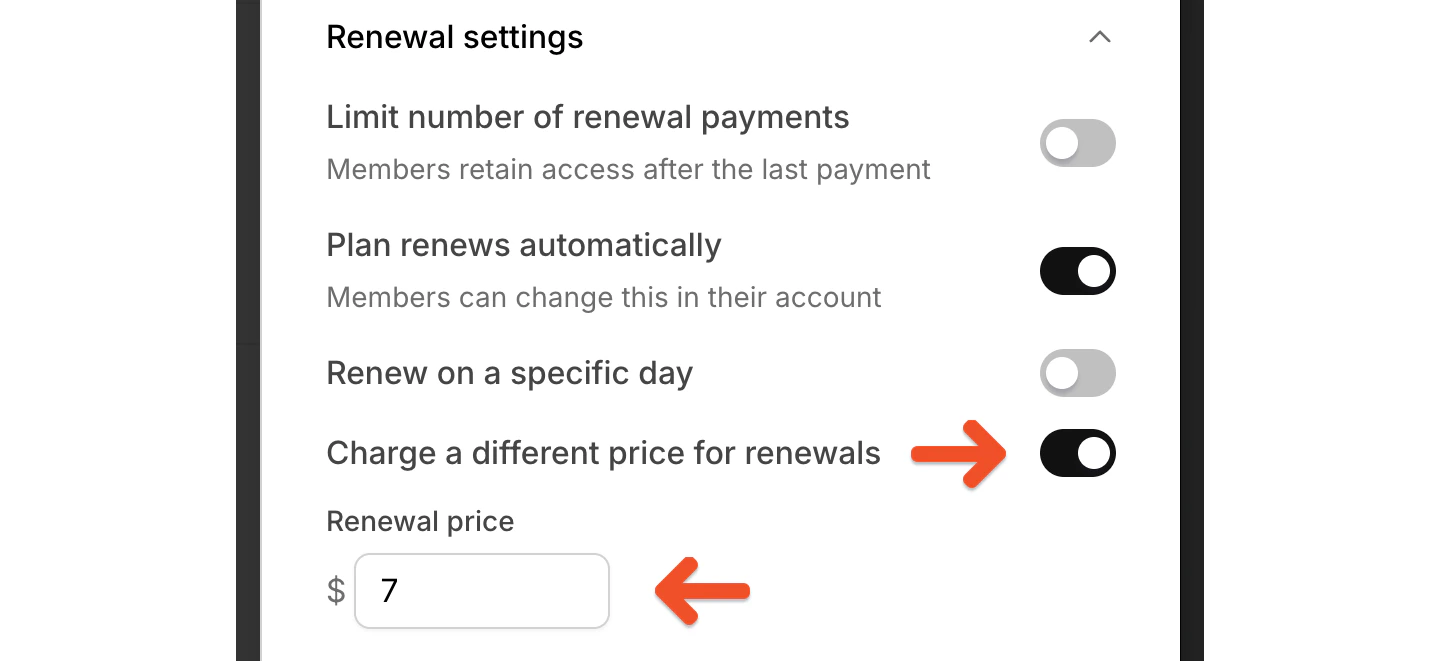
 **Charge a different price for renewals:** Charge a different amount after the initial payment.
 **Renew on a specific day:** Renew on a fixed schedule instead of the purchase anniversary.
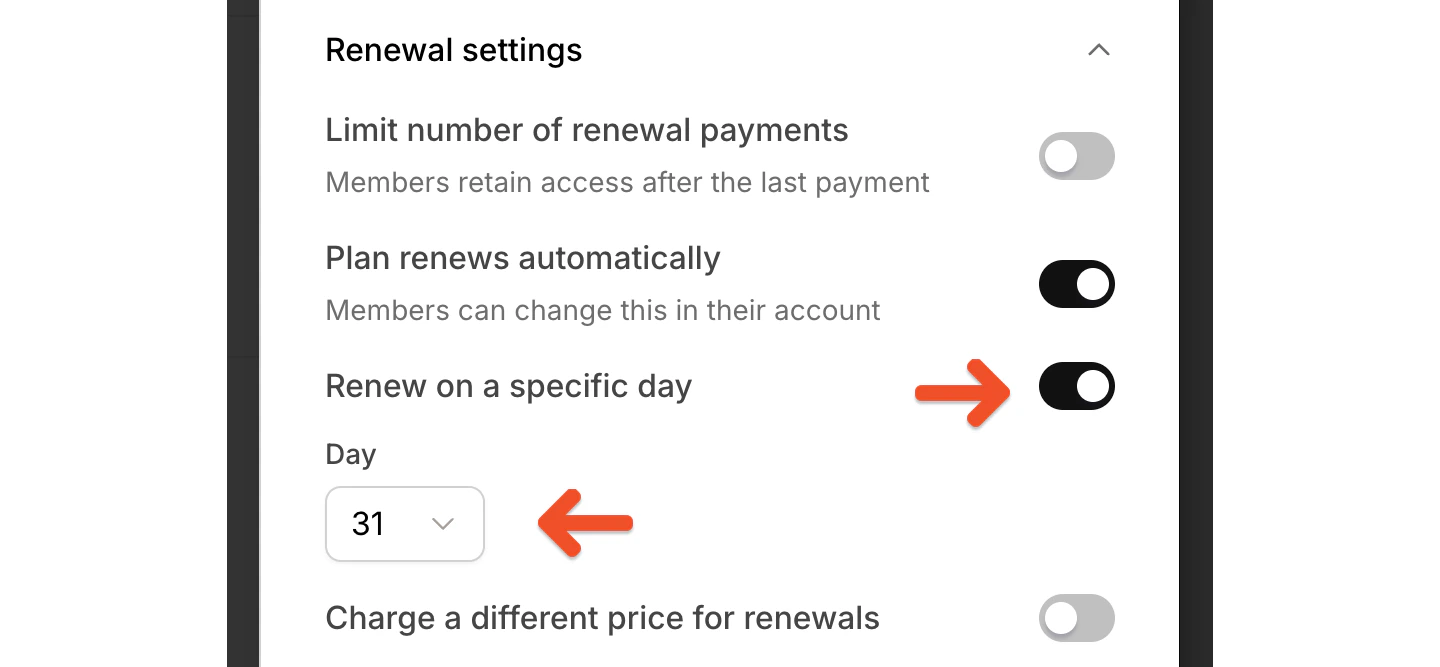 If you toggle on *Renew on a specific day,* renewals happen on the schedule you choose instead of on the signup date.
For example:
* A monthly plan can renew on a specific day of the month
* A yearly plan can renew on a specific month and day
* A quarterly plan can renew in a set group of months on a specific day
*Renew on a specific day* isn’t available for plans with a trial period.
Memberful does not prorate plans that renew on a specific day. If someone signs up shortly before the renewal date, they’re charged at signup and then charged again on the scheduled renewal date.
### Enable group subscriptions
The Group subscription setting lets one person purchase and manage access for multiple members.
If you toggle on *Renew on a specific day,* renewals happen on the schedule you choose instead of on the signup date.
For example:
* A monthly plan can renew on a specific day of the month
* A yearly plan can renew on a specific month and day
* A quarterly plan can renew in a set group of months on a specific day
*Renew on a specific day* isn’t available for plans with a trial period.
Memberful does not prorate plans that renew on a specific day. If someone signs up shortly before the renewal date, they’re charged at signup and then charged again on the scheduled renewal date.
### Enable group subscriptions
The Group subscription setting lets one person purchase and manage access for multiple members.
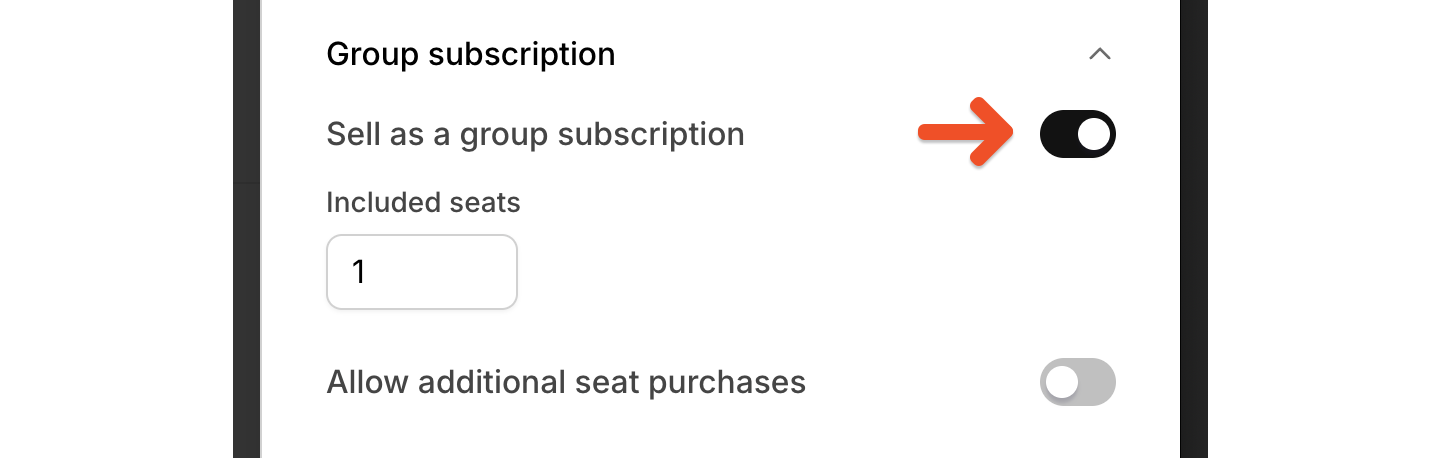 Group subscriptions are useful for companies, teams, schools, or any other setup where one person is paying for access for multiple members.
For full setup guidance, see [Create a group plan](/plans/group-plans/create-a-group-plan).
## Control price availability
Each price has its own availability settings:
* Use *Available for purchase* to control whether new members can buy that price.
* Use *Available for plan changes* to control whether existing members can switch to that price.
Group subscriptions are useful for companies, teams, schools, or any other setup where one person is paying for access for multiple members.
For full setup guidance, see [Create a group plan](/plans/group-plans/create-a-group-plan).
## Control price availability
Each price has its own availability settings:
* Use *Available for purchase* to control whether new members can buy that price.
* Use *Available for plan changes* to control whether existing members can switch to that price.
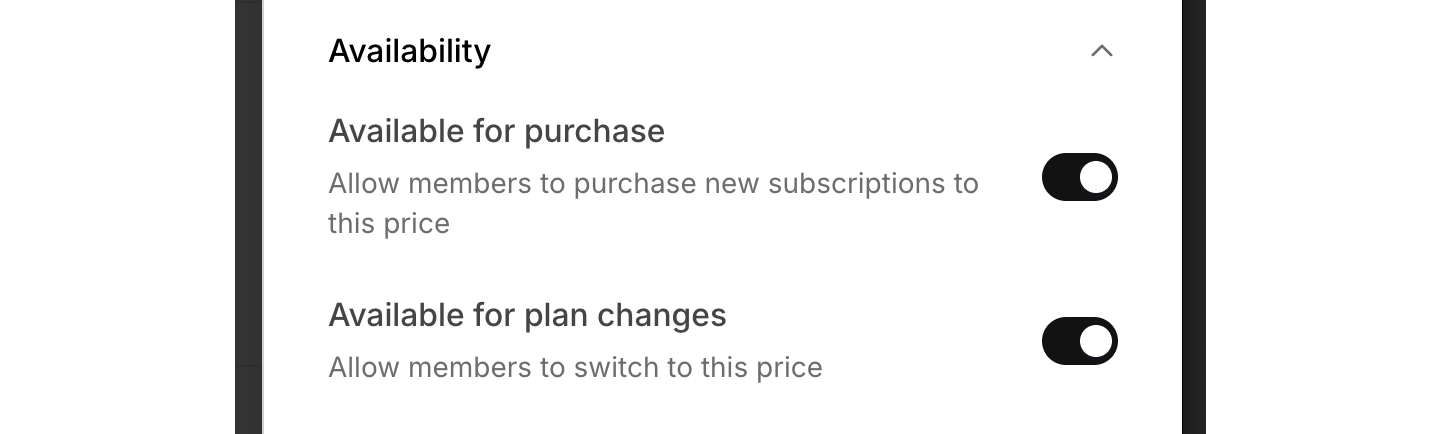 This is useful for prices that should stay on the plan without being broadly available, such as:
* Legacy prices
* Trial prices
* Limited promotional prices
## Review plan-level settings
Below the prices, you can configure the rest of the plan settings. These settings apply to the plan itself rather than to an individual price.
### Upgrades & downgrades
Upgrades & downgrades lets you control whether members can switch prices within a plan or between plans.
This is useful for prices that should stay on the plan without being broadly available, such as:
* Legacy prices
* Trial prices
* Limited promotional prices
## Review plan-level settings
Below the prices, you can configure the rest of the plan settings. These settings apply to the plan itself rather than to an individual price.
### Upgrades & downgrades
Upgrades & downgrades lets you control whether members can switch prices within a plan or between plans.
 For full guidance, see [Plan changes](/plans/plan-options/plan-changes).
### Downloads and podcasts
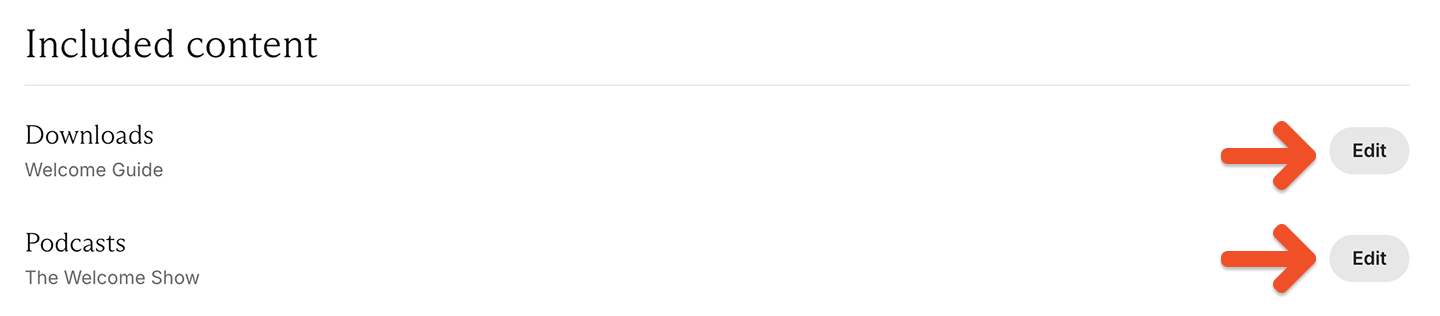
If you’ve created downloads or private podcasts in Memberful, you can include them with the plan. Click **Edit** next to Downloads or Podcasts to manage what’s included.
For full guidance, see [Plan changes](/plans/plan-options/plan-changes).
### Downloads and podcasts
If you’ve created downloads or private podcasts in Memberful, you can include them with the plan. Click **Edit** next to Downloads or Podcasts to manage what’s included.
 * For full setup guidance, see [Include or sell downloads.](/plans/plan-options/include-or-sell-downloads)
* For full setup guidance, see [Create a paid podcast.](/podcasting/setup/create-a-paid-podcast)
### Data collection
Data collection lets you require members to enter a phone number or mailing address during checkout.
* For full setup guidance, see [Include or sell downloads.](/plans/plan-options/include-or-sell-downloads)
* For full setup guidance, see [Create a paid podcast.](/podcasting/setup/create-a-paid-podcast)
### Data collection
Data collection lets you require members to enter a phone number or mailing address during checkout.
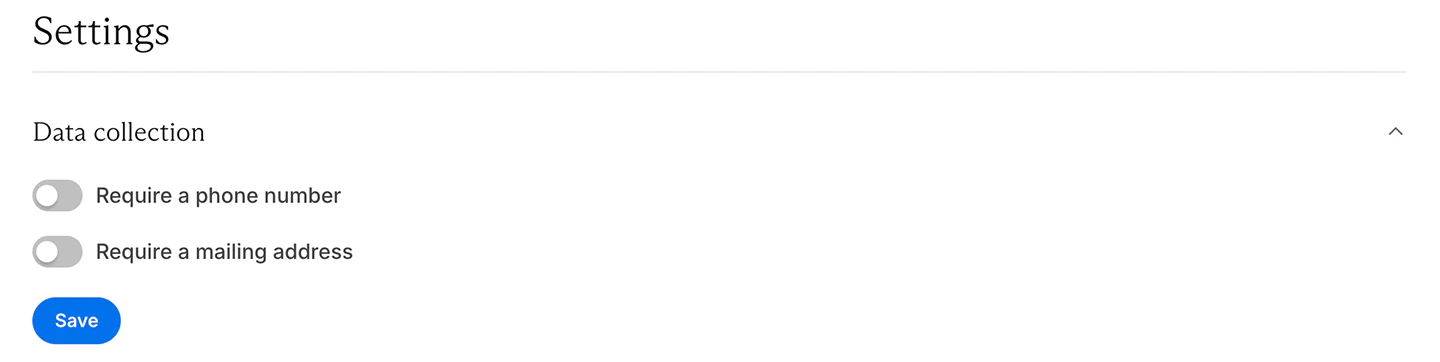 This is useful if you need contact details for fulfillment, compliance, or member management.
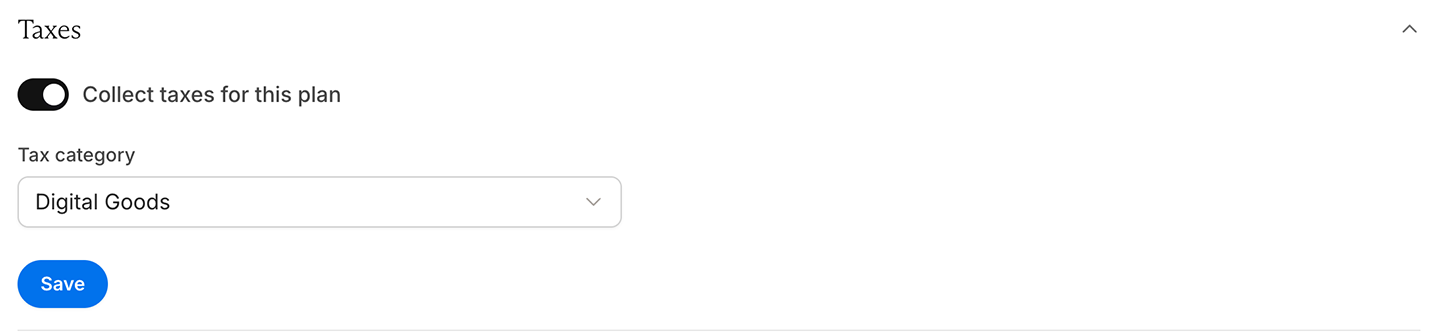
### Taxes
If tax collection is enabled for your Memberful account, the Taxes settings let you manage tax collection for this plan and edit the tax category.
This is useful if you need contact details for fulfillment, compliance, or member management.
### Taxes
If tax collection is enabled for your Memberful account, the Taxes settings let you manage tax collection for this plan and edit the tax category.
 For full setup guidance, see [Collect taxes.](/configuration/taxes/collect-taxes)
### After checkout
The After checkout settings let you choose what members see after checkout.
For full setup guidance, see [Collect taxes.](/configuration/taxes/collect-taxes)
### After checkout
The After checkout settings let you choose what members see after checkout.
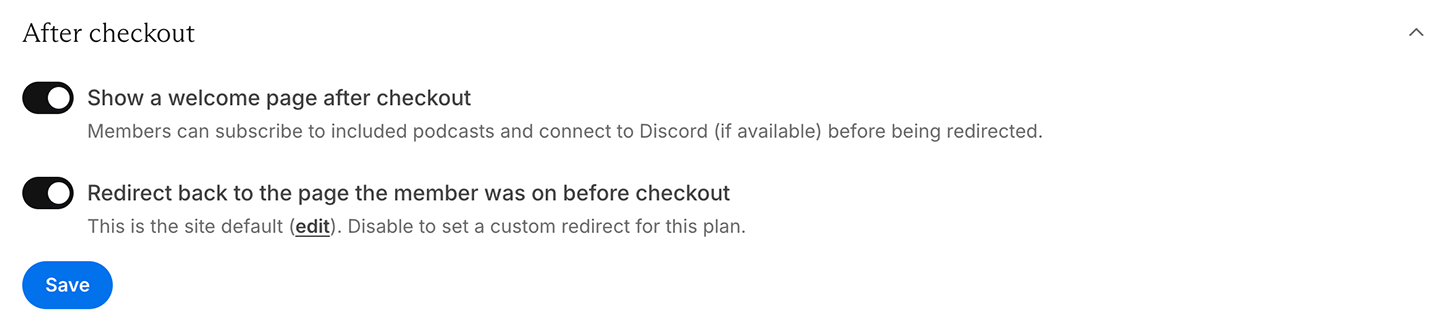 You can:
* Show a welcome page where members can subscribe to podcasts or connect to your Discord server (if included)
* Redirect members back to the page they were on before checkout
* Set a custom redirect only for this plan
If you are using the Memberful WordPress plugin, redirecting members back to the page they were on before checkout can create a smoother experience, especially when a purchase starts from gated content.
## Copy links for a price
In the Prices section, click the **•••** menu next to the price, then select **Copy links.**
You can:
* Show a welcome page where members can subscribe to podcasts or connect to your Discord server (if included)
* Redirect members back to the page they were on before checkout
* Set a custom redirect only for this plan
If you are using the Memberful WordPress plugin, redirecting members back to the page they were on before checkout can create a smoother experience, especially when a purchase starts from gated content.
## Copy links for a price
In the Prices section, click the **•••** menu next to the price, then select **Copy links.**
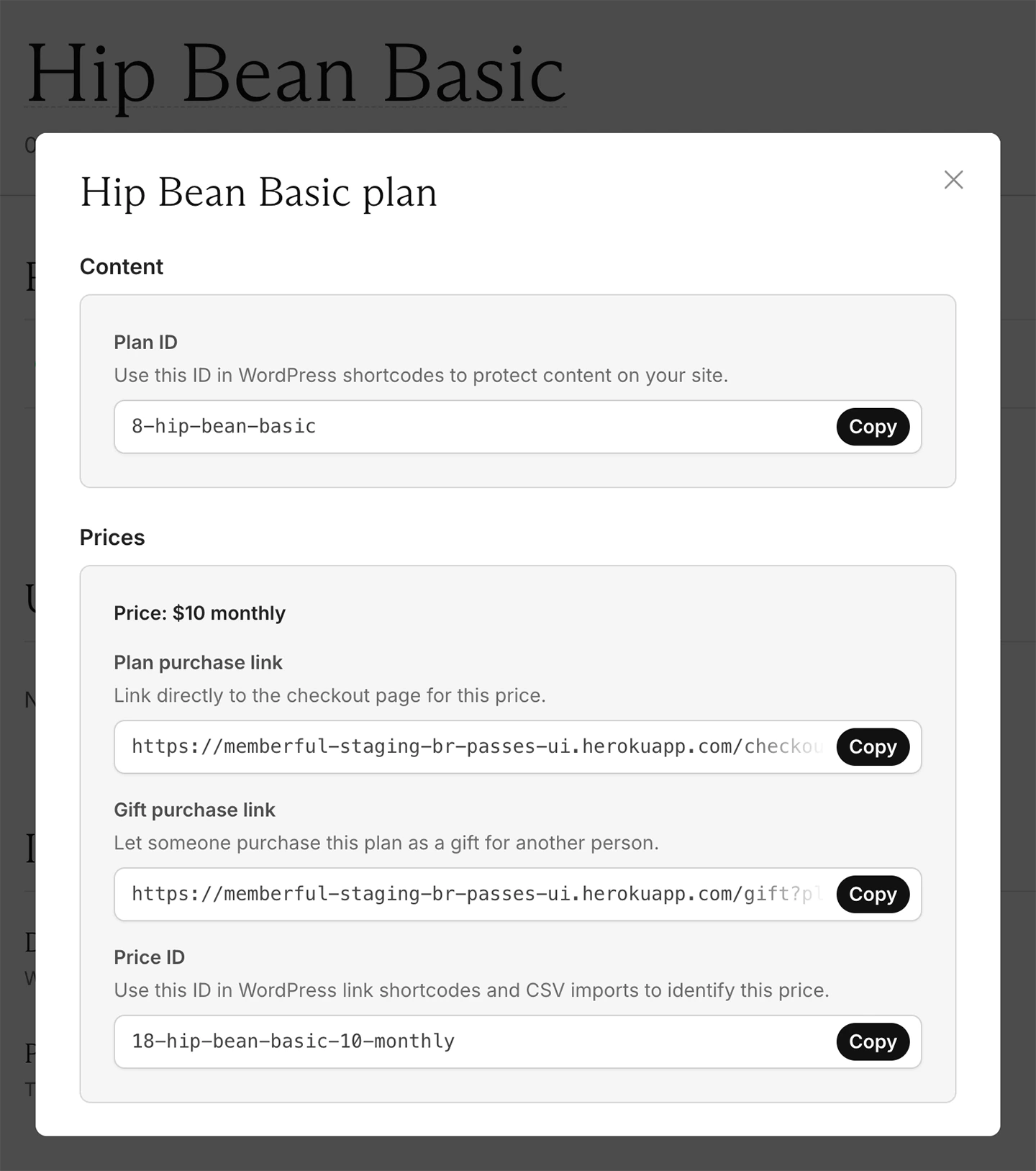
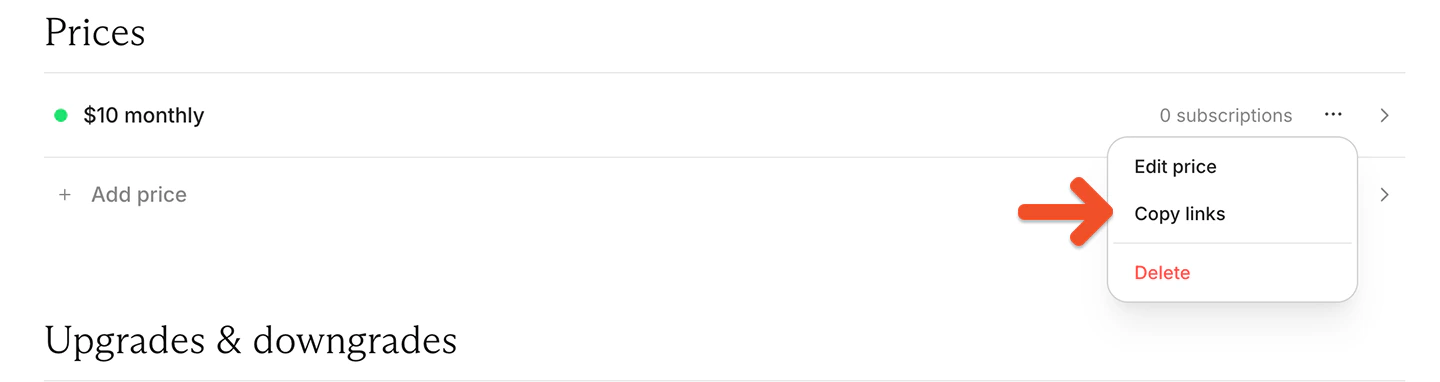 A panel will open showing:
* the Plan ID that can be used in WordPress shortcodes to protect content on your site
* the plan purchase link
* the gift purchase link
* the Price ID, which can be used in WordPress link shortcodes and CSV imports to identify a price
A panel will open showing:
* the Plan ID that can be used in WordPress shortcodes to protect content on your site
* the plan purchase link
* the gift purchase link
* the Price ID, which can be used in WordPress link shortcodes and CSV imports to identify a price
 If you want to add a purchase link to your site or learn more about the different link options, see [Add a link to buy a plan.](/plans/promote-and-sell/add-a-link-to-buy-a-plan)
## Delete a price or plan
To delete a price or plan, first move all members to other prices.
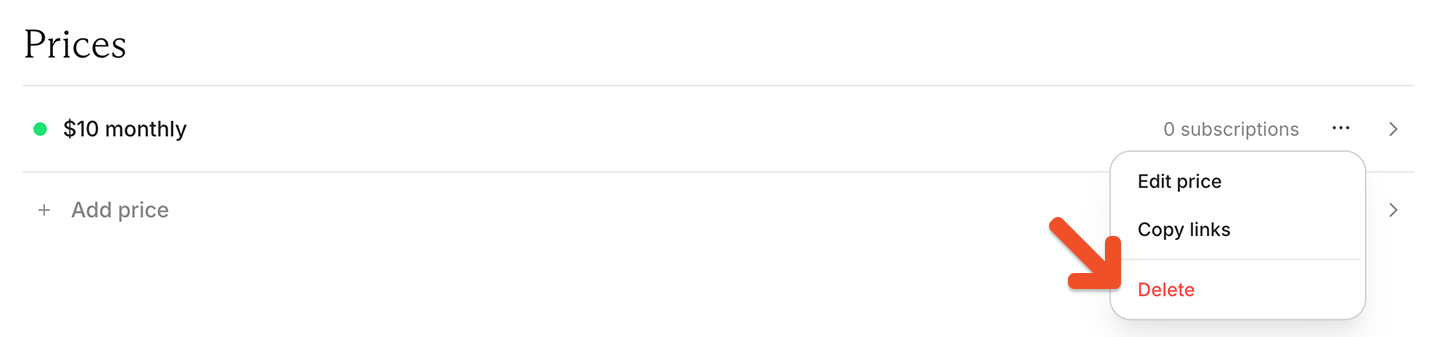
In the Prices section, click the **•••** menu next to the price, then select **Delete.**
If you want to add a purchase link to your site or learn more about the different link options, see [Add a link to buy a plan.](/plans/promote-and-sell/add-a-link-to-buy-a-plan)
## Delete a price or plan
To delete a price or plan, first move all members to other prices.
In the Prices section, click the **•••** menu next to the price, then select **Delete.**
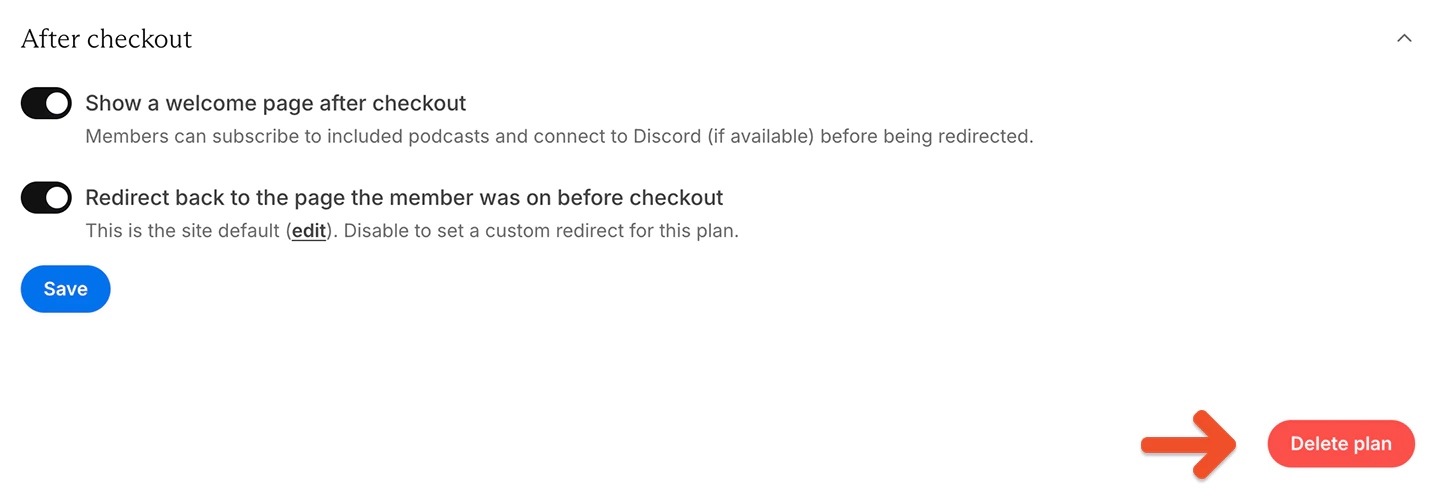
 To delete an entire plan, click **delete plan** at the bottom of the plan page.