> ## Documentation Index
> Fetch the complete documentation index at: https://memberful.com/docs/llms.txt
> Use this file to discover all available pages before exploring further.
# Customize group subscriptions
> Customize a group subscription in Memberful by restricting access to specific email domains and editing the group name to match your organization.
export const RelatedDocs = ({link1, link2, link3, link4, link5, link6, link7, link8, link9, link10, className = ""}) => {
const links = [link1, link2, link3, link4, link5, link6, link7, link8, link9, link10].filter(Boolean);
if (!links.length) return null;
return ;
};
Group subscriptions in Memberful give one account the ability to manage memberships for multiple people. You can fine-tune how each group works by restricting which email domains can join and by setting a custom group name.
In this help article, we'll show you how to restrict a group subscription to specific email domains and customize the group's display name.
## Restrict group subscriptions to email domains
Admins can enable domain-specific subscription control, allowing members to subscribe and create a group member account from up to 5 registered email domains.
This change is set at the group subscription level, which means that for a given plan, each group subscription can have a different domain allowlist.
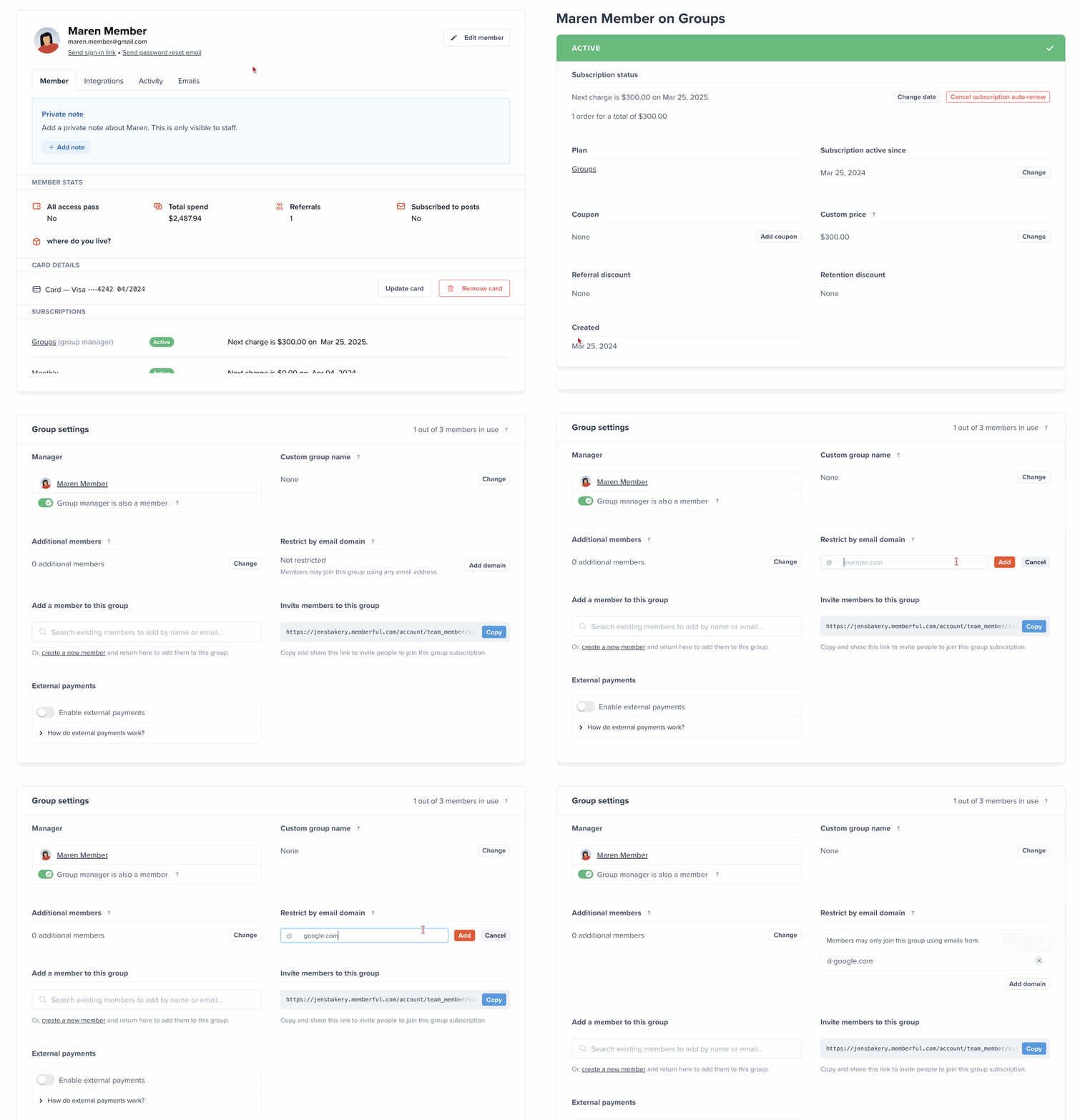
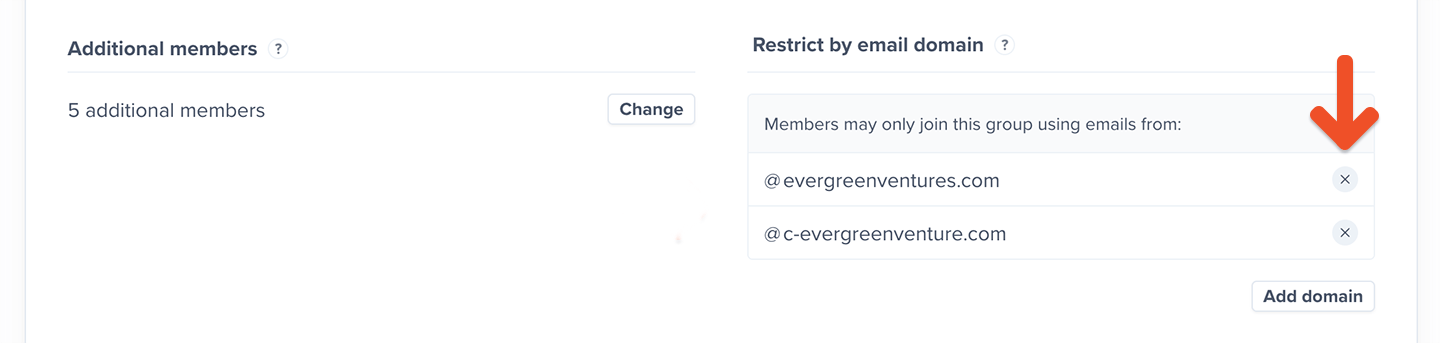
Go to the group manager's profile, scroll to the *Subscriptions* section, and click the group subscription. Then scroll to *Restrict by email domain*, click **Add domain**, enter the *root domain*, and click **Add**.
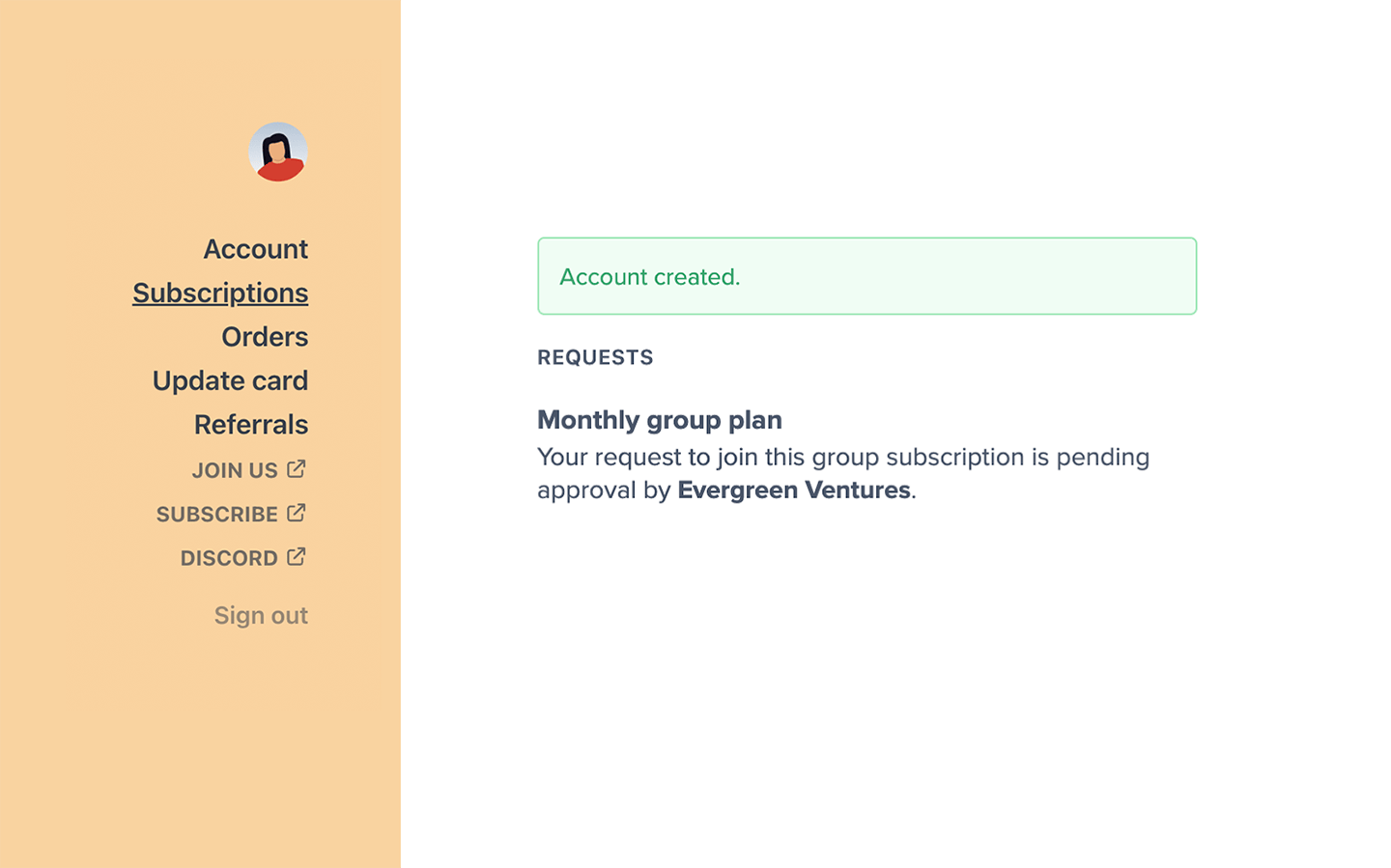
 When someone tries to join the group subscription, we will verify if the email domain is included in the allowlist. If it's on the list, we'll continue with the account creation process.
 We don't perform any member email domain validation if the group subscription has no restricted domains (i.e., anyone can join the group subscription).
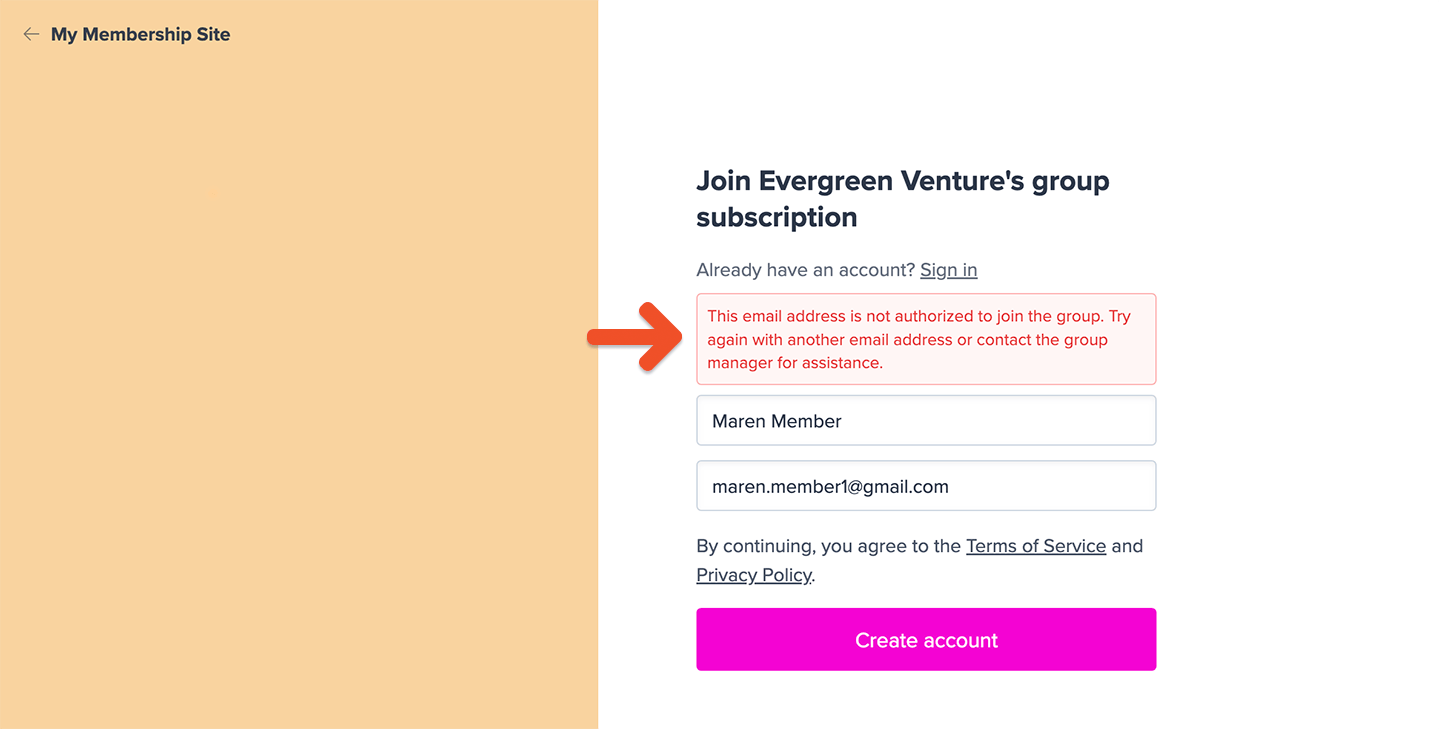
If it's not on the list, we will prompt them to reach out to their group manager.
We don't perform any member email domain validation if the group subscription has no restricted domains (i.e., anyone can join the group subscription).
If it's not on the list, we will prompt them to reach out to their group manager.
 To delete a domain from the approved list, click the **X** icon next to the registered domain.
 If you don't enable restricted domains, we won't restrict any member email domains (i.e. anyone can join the group subscription).
## Customize the group name
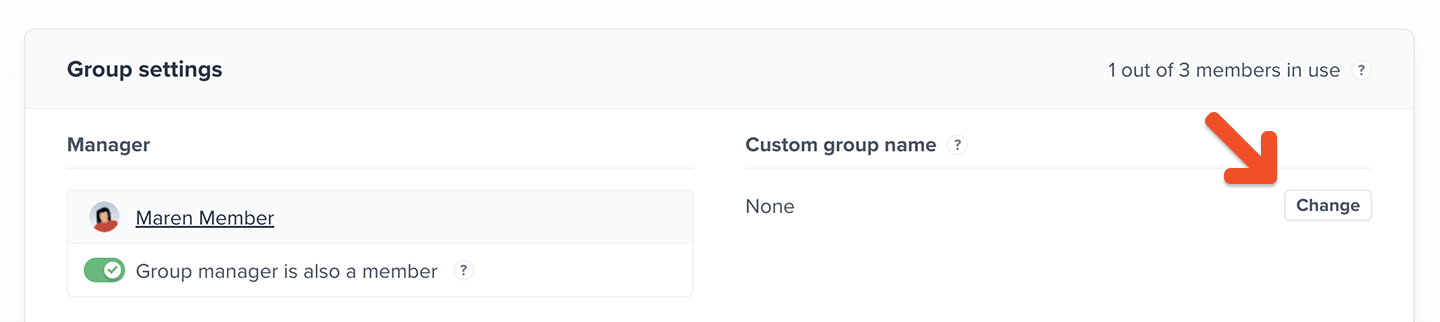
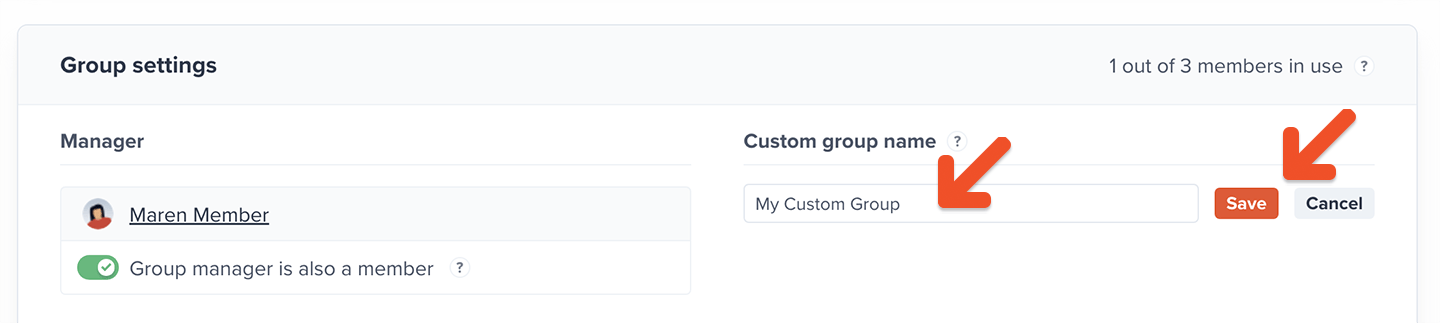
Customize a group's name from the group subscription settings. Click **Change**, add the group name, and click **Save**.
If you don't enable restricted domains, we won't restrict any member email domains (i.e. anyone can join the group subscription).
## Customize the group name
Customize a group's name from the group subscription settings. Click **Change**, add the group name, and click **Save**.
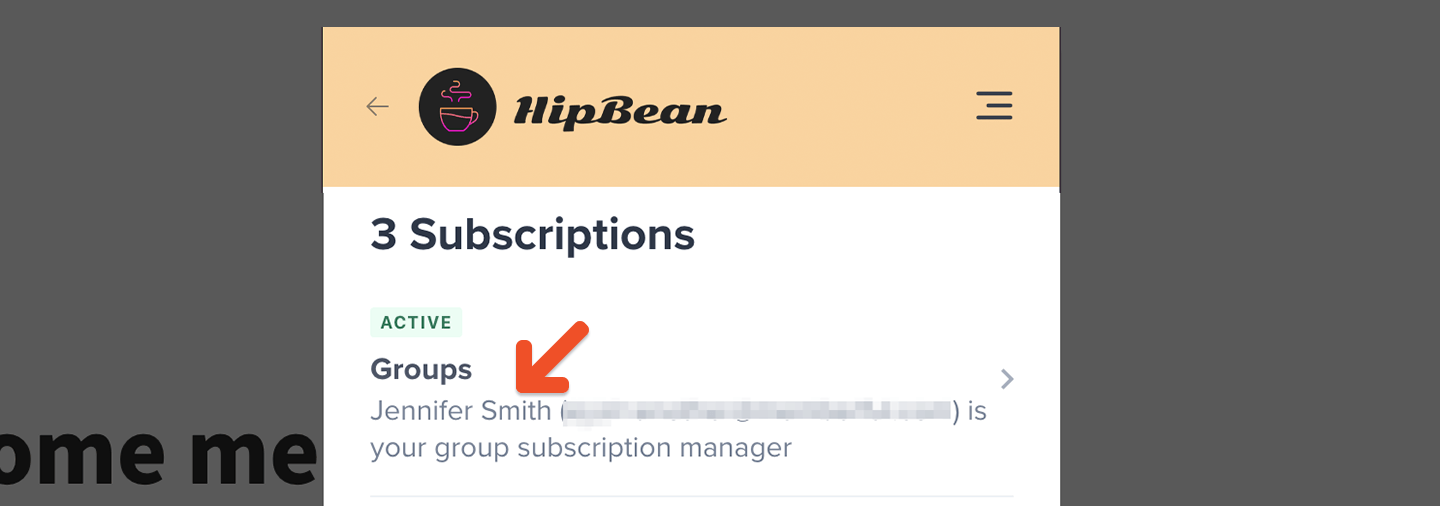
 We will show the custom group name on all the member-facing views.
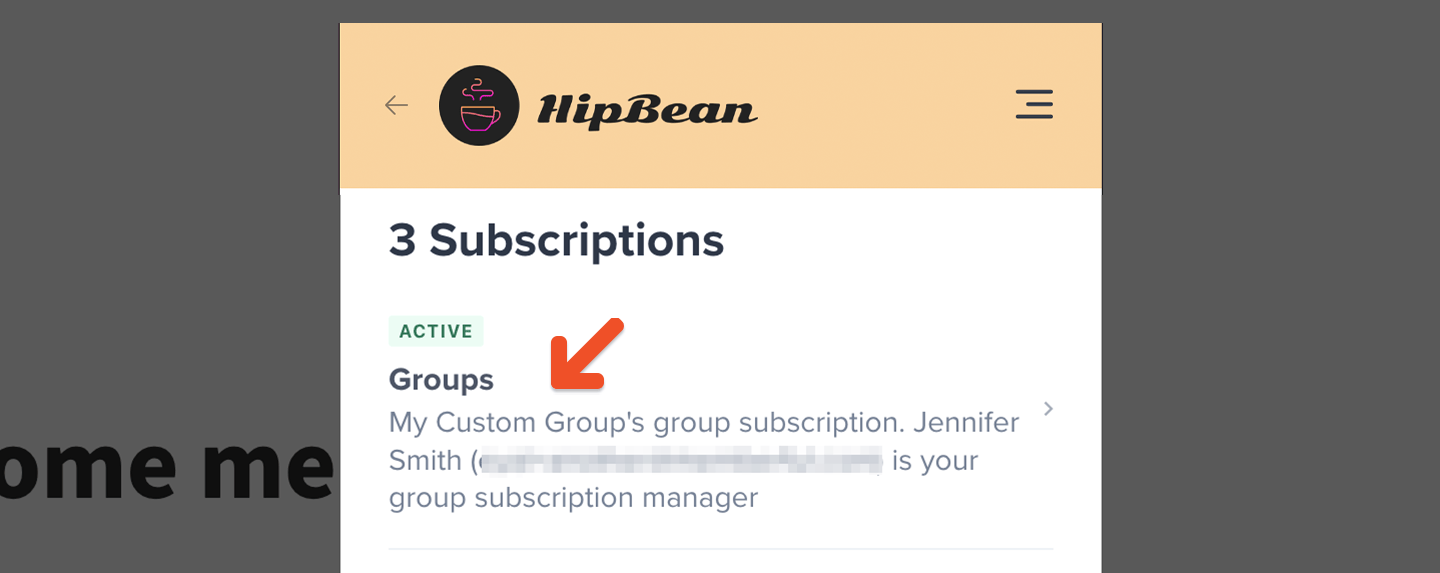 We will default to the group manager's name if you don't choose a group name.