> ## Documentation Index
> Fetch the complete documentation index at: https://memberful.com/docs/llms.txt
> Use this file to discover all available pages before exploring further.
# Member newsletter guide
> Set up a member newsletter with Memberful's built-in email feature. Publish posts to your newsletter and your member website for public or private reach.
export const Video = ({url}) => {
return
;
};
export const ContactSupport = ({label = "Contact us to get set up →", fallbackEmail = "info@memberful.com", className = ""}) => {
const handleClick = e => {
e.preventDefault();
if (typeof window !== 'undefined' && window.Intercom) {
try {
window.Intercom('showNewMessage');
return;
} catch (error) {
console.warn('Intercom failed to open:', error);
}
}
window.location.href = `mailto:${fallbackEmail}`;
};
return
{label}
;
};
In this guide, we'll walk you through the steps to create a member newsletter using Memberful. You'll learn how to create a newsletter post, send it to your members, and track its performance.
## Sign up for Memberful
To get started, [sign up for Memberful](https://signup.memberful.com/), which is free while you're in [test mode](/overview/getting-started/make-test-purchases/).
## (Optional) Allow free registration
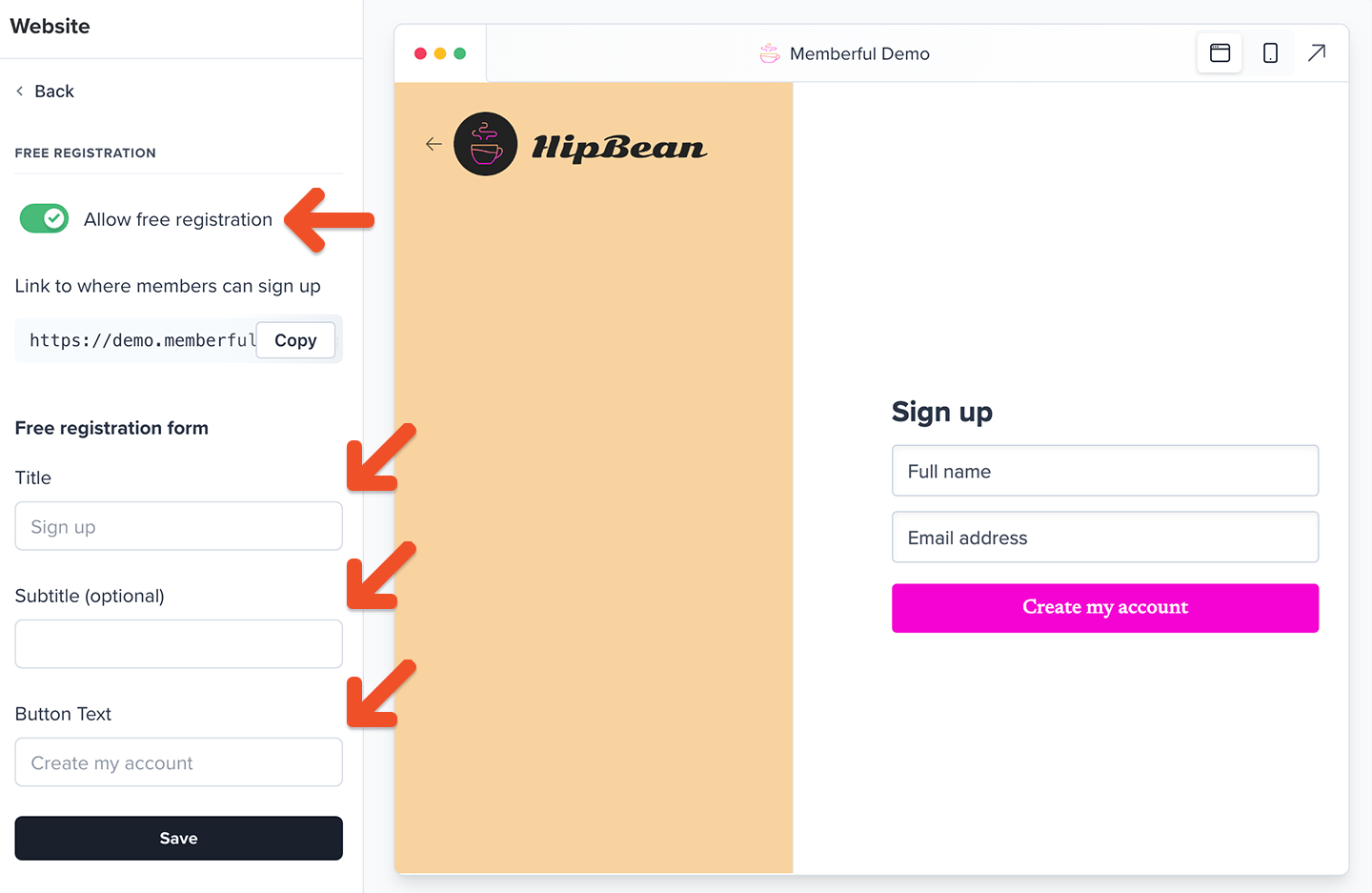
Want to offer free registration to your newsletter? Our free registration feature enables your members to sign up without any cost or obligation for a paid subscription.
To enable this feature, go to *Website → Free registration*, and toggle on **Allow free registration**. From there, you can edit the title, subtitle, or the button text of the form and click **Save**.
 [Learn more about allowing free registration.](/plans/individual-plans/free-registration/)
## Create your plans
Go to *Revenue → Plans* and click **Create plan**. Fill in the details and settings for your plan and click **Create Plan.**
[Learn more about allowing free registration.](/plans/individual-plans/free-registration/)
## Create your plans
Go to *Revenue → Plans* and click **Create plan**. Fill in the details and settings for your plan and click **Create Plan.**
 [Learn more about creating membership plans.](https://memberful.com/docs/plans/individual-plans/create-a-plan)
Thinking of selling multiple plans that members can move between? [Enable our upgrade/downgrade settings](https://memberful.com/docs/plans/plan-options/plan-changes).
## Create your subscribe page
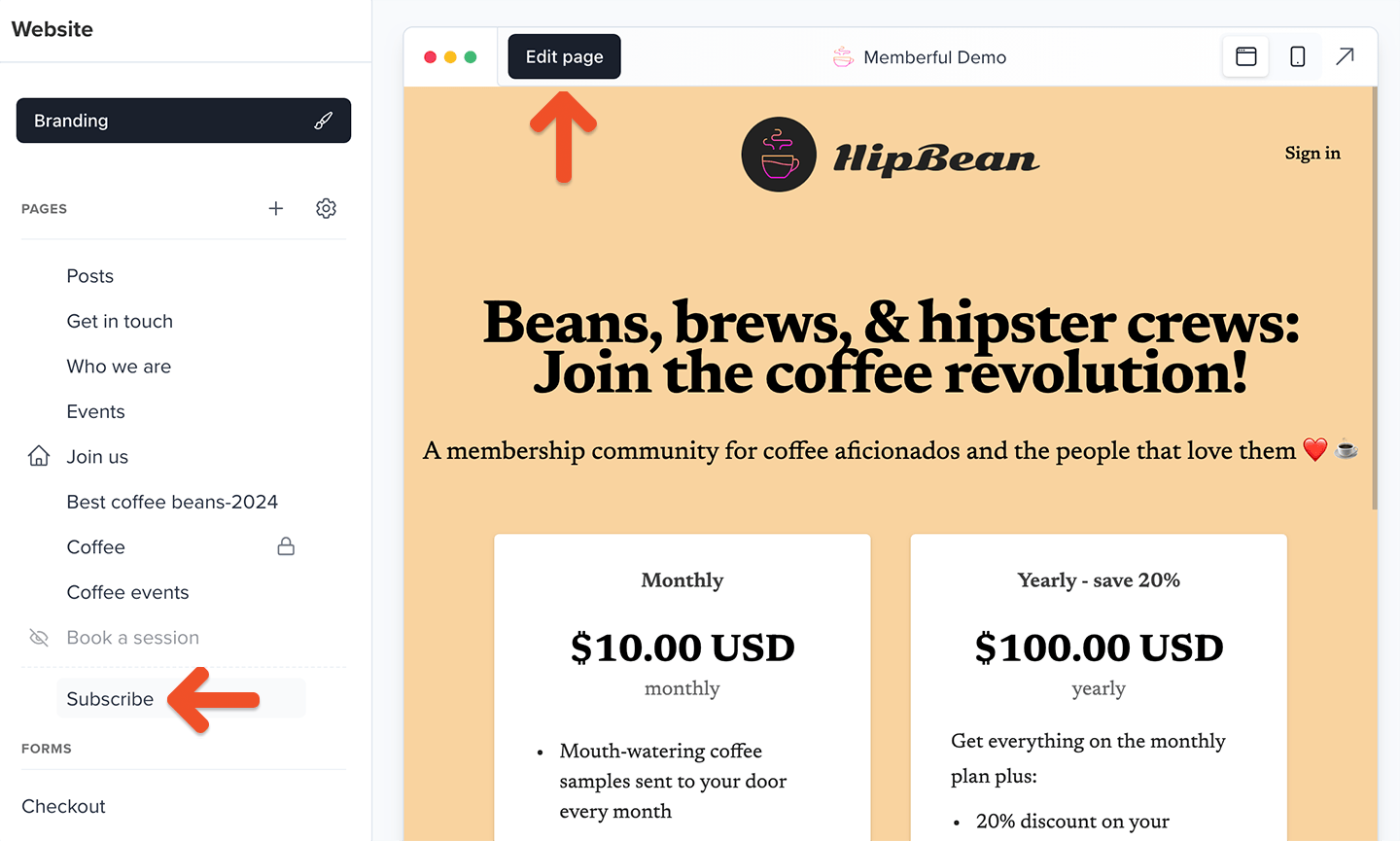
To sell memberships to your audience, you can create a customized subscription page hosted by Memberful by going to *Website → Subscribe*.
Add a title and description to the page, then select which options appear on the page — whether they're paid plans, standalone downloads, or free member registration. Customize their names and descriptions, and add other content such as FAQs or testimonials. Check out [this example](https://caffeinatedinsights.memberful.com/join) for inspiration.
[Learn more about creating membership plans.](https://memberful.com/docs/plans/individual-plans/create-a-plan)
Thinking of selling multiple plans that members can move between? [Enable our upgrade/downgrade settings](https://memberful.com/docs/plans/plan-options/plan-changes).
## Create your subscribe page
To sell memberships to your audience, you can create a customized subscription page hosted by Memberful by going to *Website → Subscribe*.
Add a title and description to the page, then select which options appear on the page — whether they're paid plans, standalone downloads, or free member registration. Customize their names and descriptions, and add other content such as FAQs or testimonials. Check out [this example](https://caffeinatedinsights.memberful.com/join) for inspiration.
 [Learn more about creating a custom subscribe page.](/website-builder/pages/subscribe-page/)
## (Optional) Add paid plan purchase links to your newsletter or website
From your Memberful dashboard, go to *Revenue → Plans.* Select the plan and click **Links.**
[Learn more about creating a custom subscribe page.](/website-builder/pages/subscribe-page/)
## (Optional) Add paid plan purchase links to your newsletter or website
From your Memberful dashboard, go to *Revenue → Plans.* Select the plan and click **Links.**
 Click and copy the **plan purchase link** or **gift purchase links** and use them with the button options provided by your website builder.
 [Learn more about adding purchase links to your newsletter or site.](/plans/promote-and-sell/add-a-link-to-buy-a-plan/)
## Create a members-only post
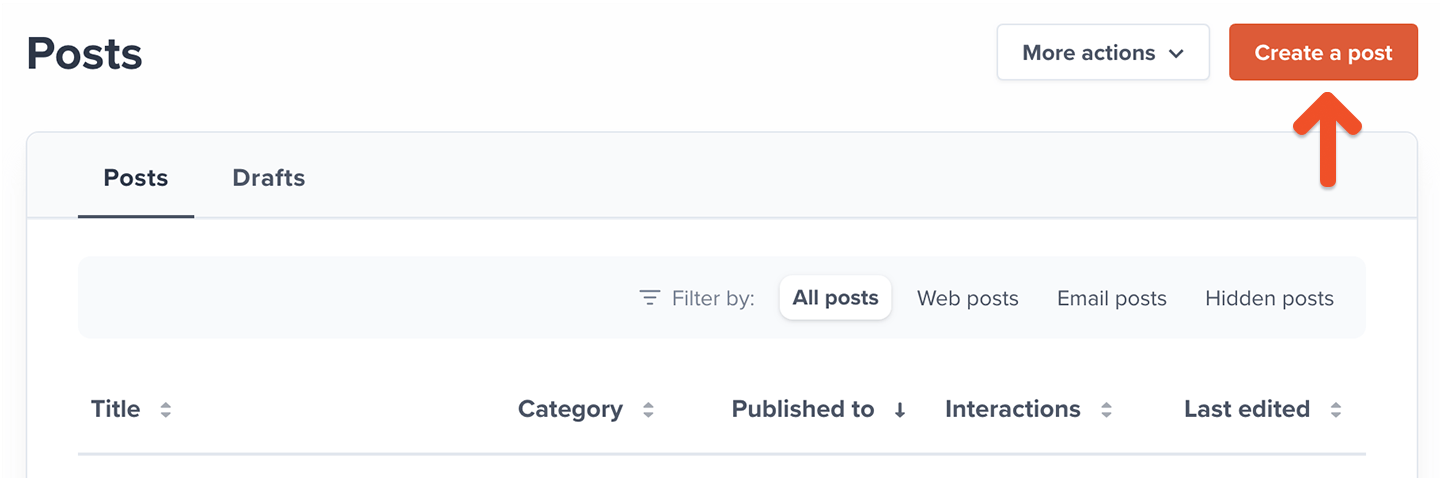
Posts can be used to share exclusive, dynamic content with your members. Think of a newsletter or blog post with embedded videos and beautiful visuals. To create a newsletter post, go to *Content → Posts* and click **Create a post.**
[Learn more about adding purchase links to your newsletter or site.](/plans/promote-and-sell/add-a-link-to-buy-a-plan/)
## Create a members-only post
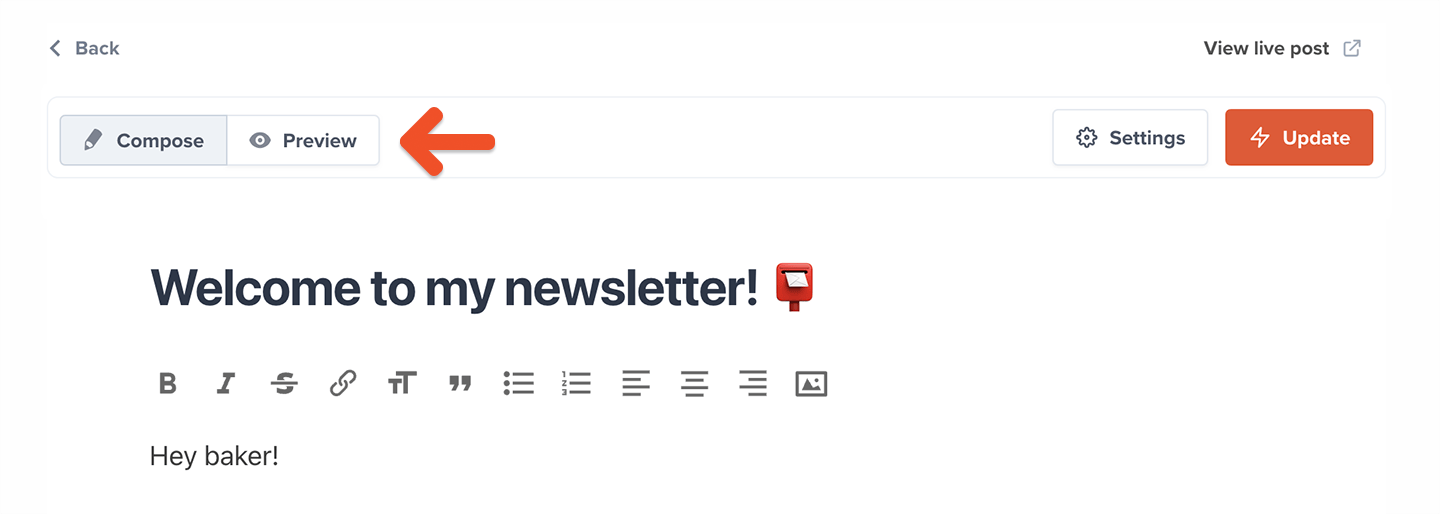
Posts can be used to share exclusive, dynamic content with your members. Think of a newsletter or blog post with embedded videos and beautiful visuals. To create a newsletter post, go to *Content → Posts* and click **Create a post.**
 Add a title and content for your post. Use the icons at the top of the content editor to format your content and add elements like links and images.
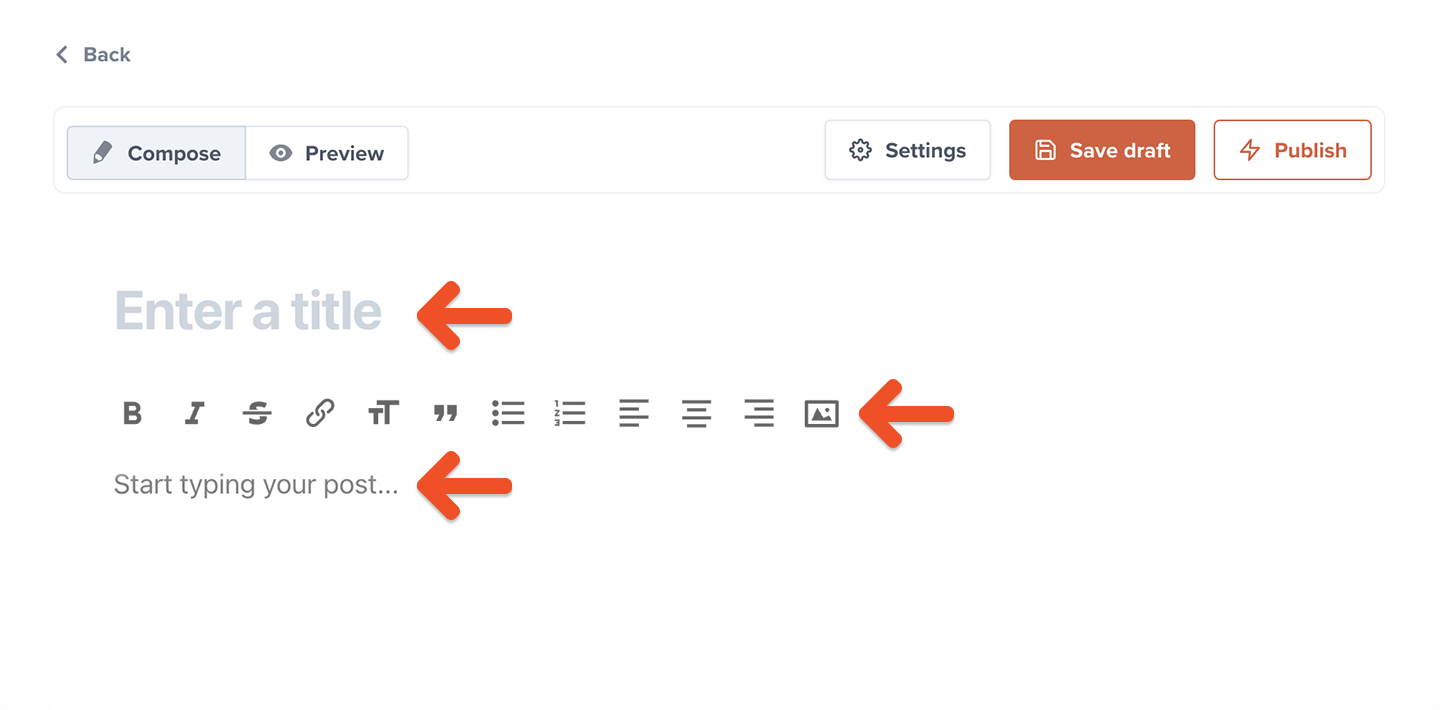 Click **Preview** to see a preview of what this post will look like to your members.
 ### Select an audience to target
Your posts can be sent out to *All members* (including free members), or send a targeted newsletter to *Active members on all plans*, *Active members on select plans*, or *Free and inactive members*.
### Select an audience to target
Your posts can be sent out to *All members* (including free members), or send a targeted newsletter to *Active members on all plans*, *Active members on select plans*, or *Free and inactive members*.
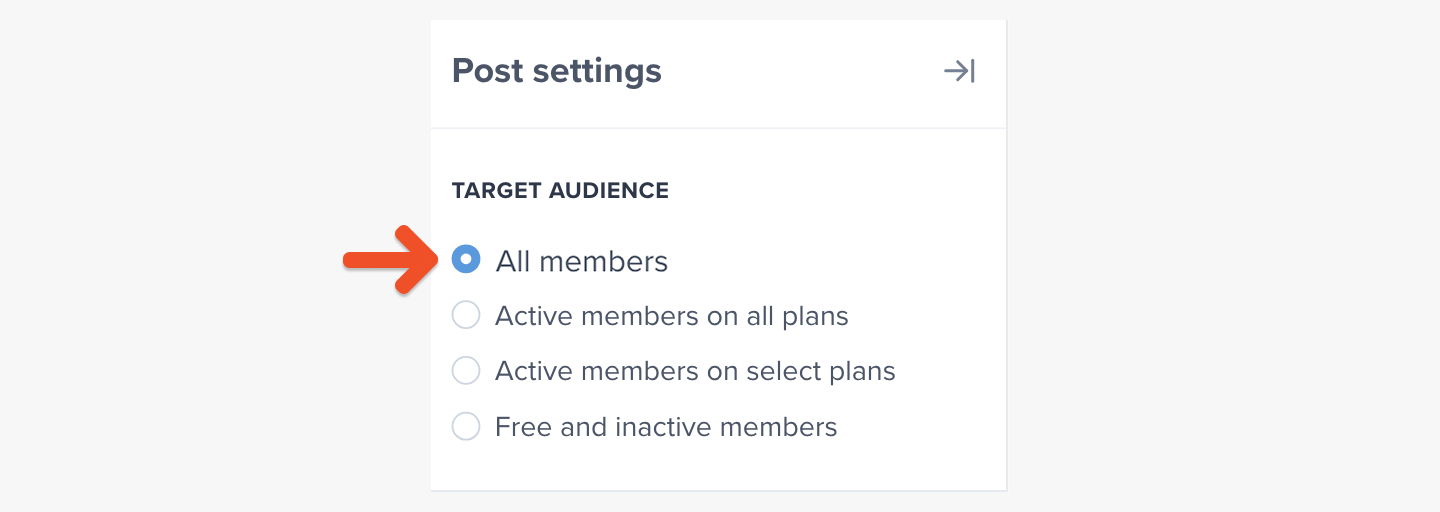 When you choose to target only members of selected plans, you can select which plans should be included.
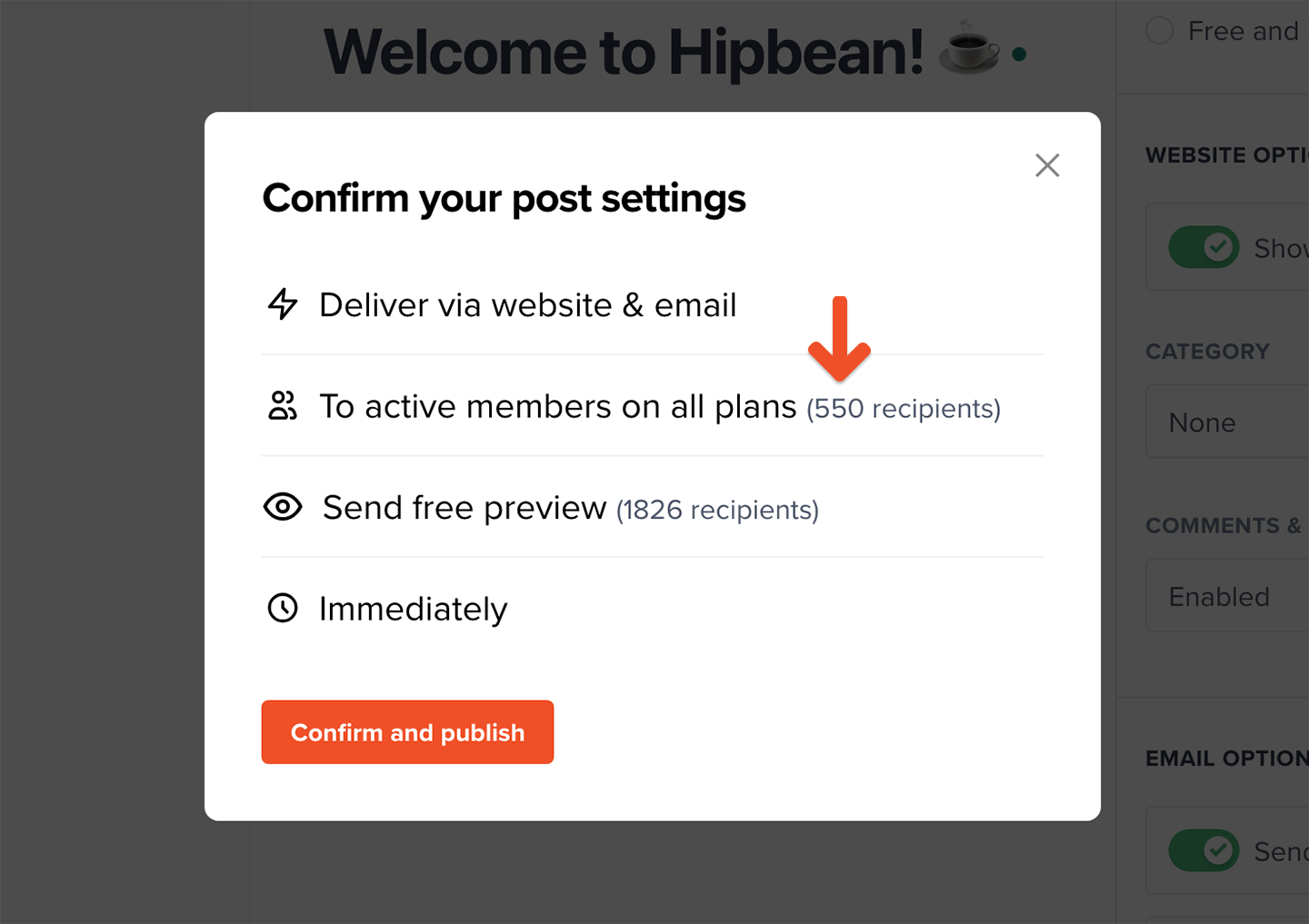
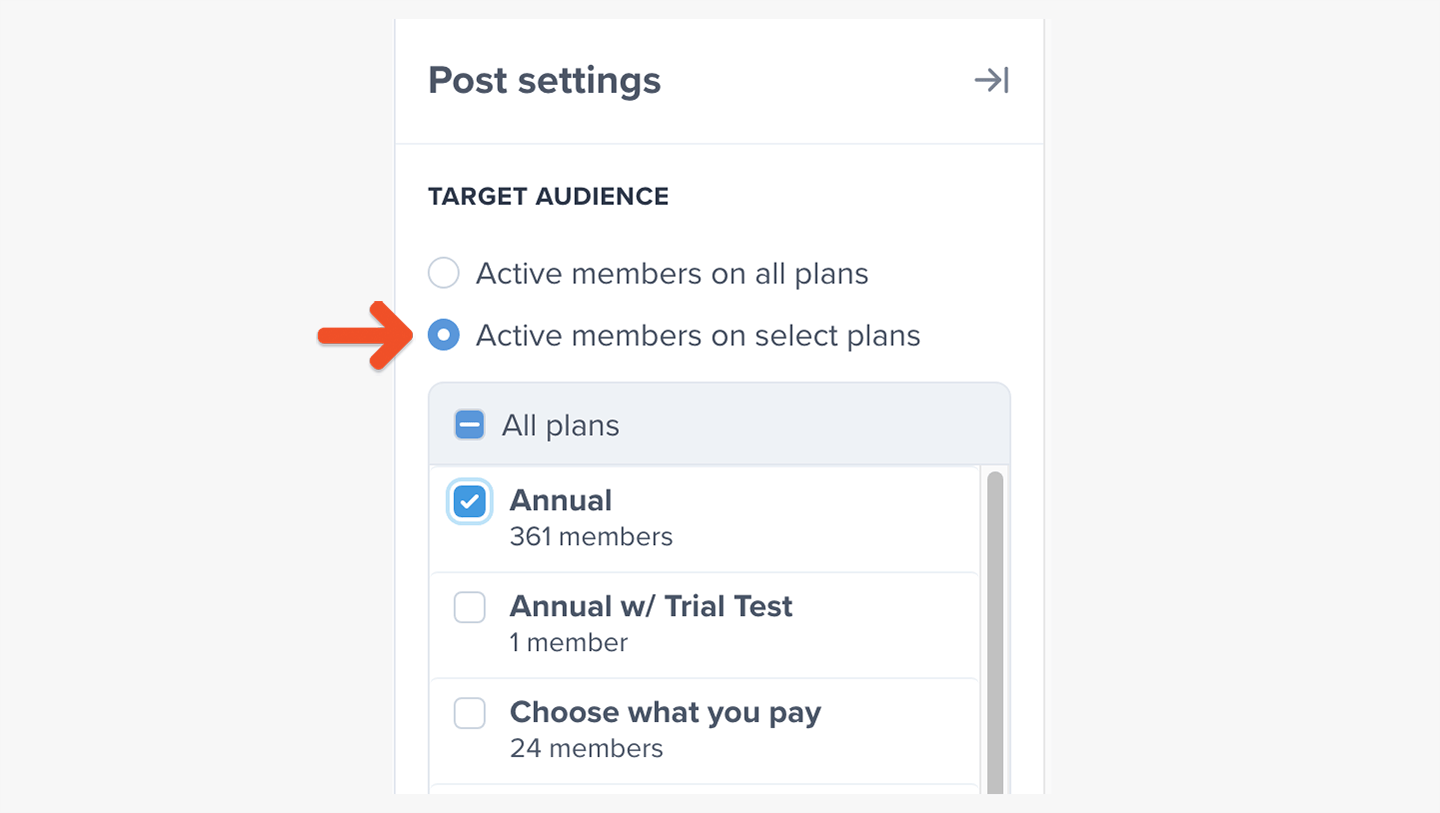 All-access pass holders are included in the count of how many members will receive a message, so the number of recipients might be different than the number of members in the selected plans.
 ### (Optional) Schedule the post
You can schedule your post to be published or sent sometime in the future. To do so, click **Schedule to publish in the future** and enter a date and time.
### (Optional) Schedule the post
You can schedule your post to be published or sent sometime in the future. To do so, click **Schedule to publish in the future** and enter a date and time.
 ## Customize your branding
Go to *Website → Branding* to customize your newsletter's design, including logo, colors, fonts, and buttons.
## Customize your branding
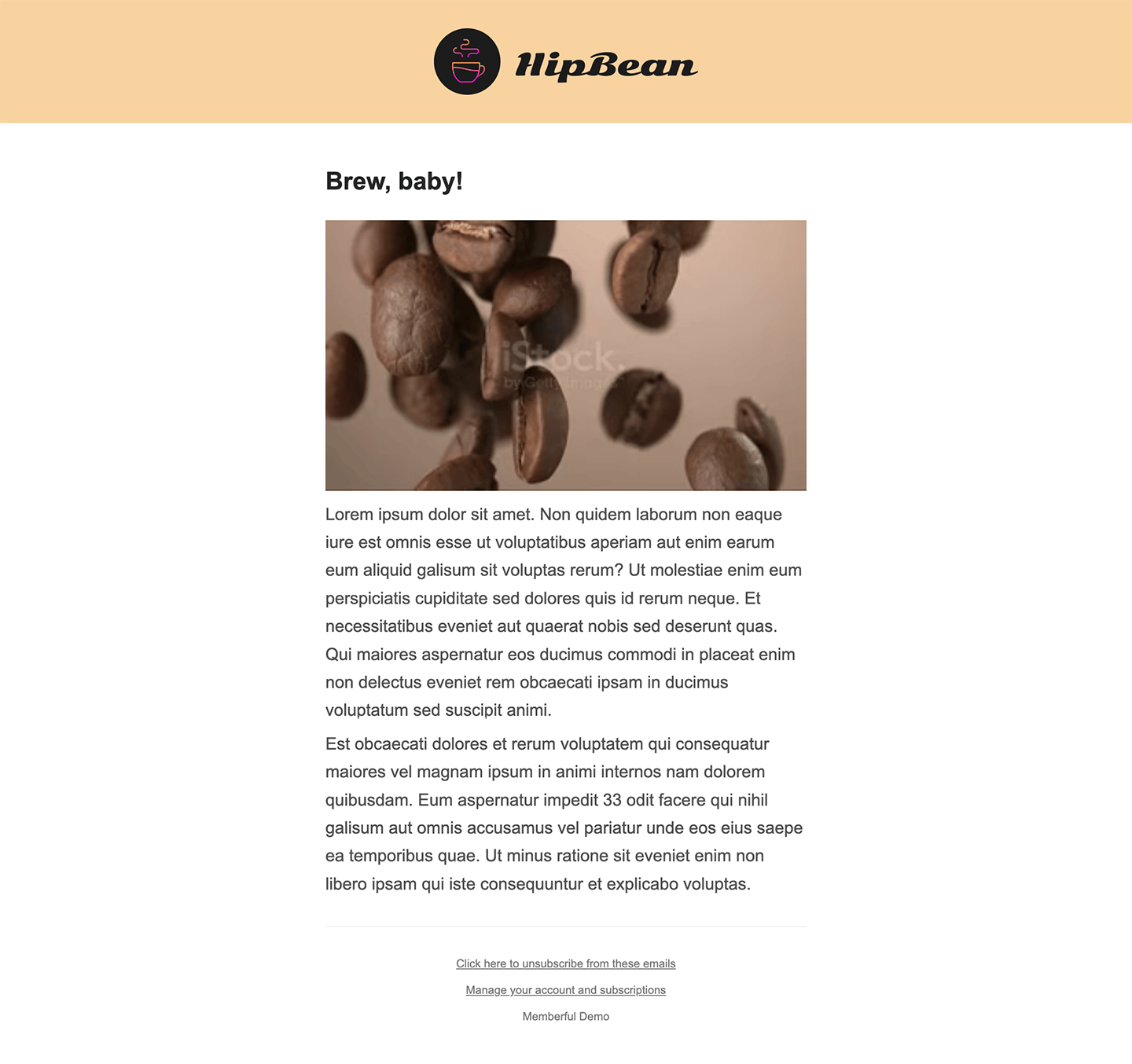
Go to *Website → Branding* to customize your newsletter's design, including logo, colors, fonts, and buttons.
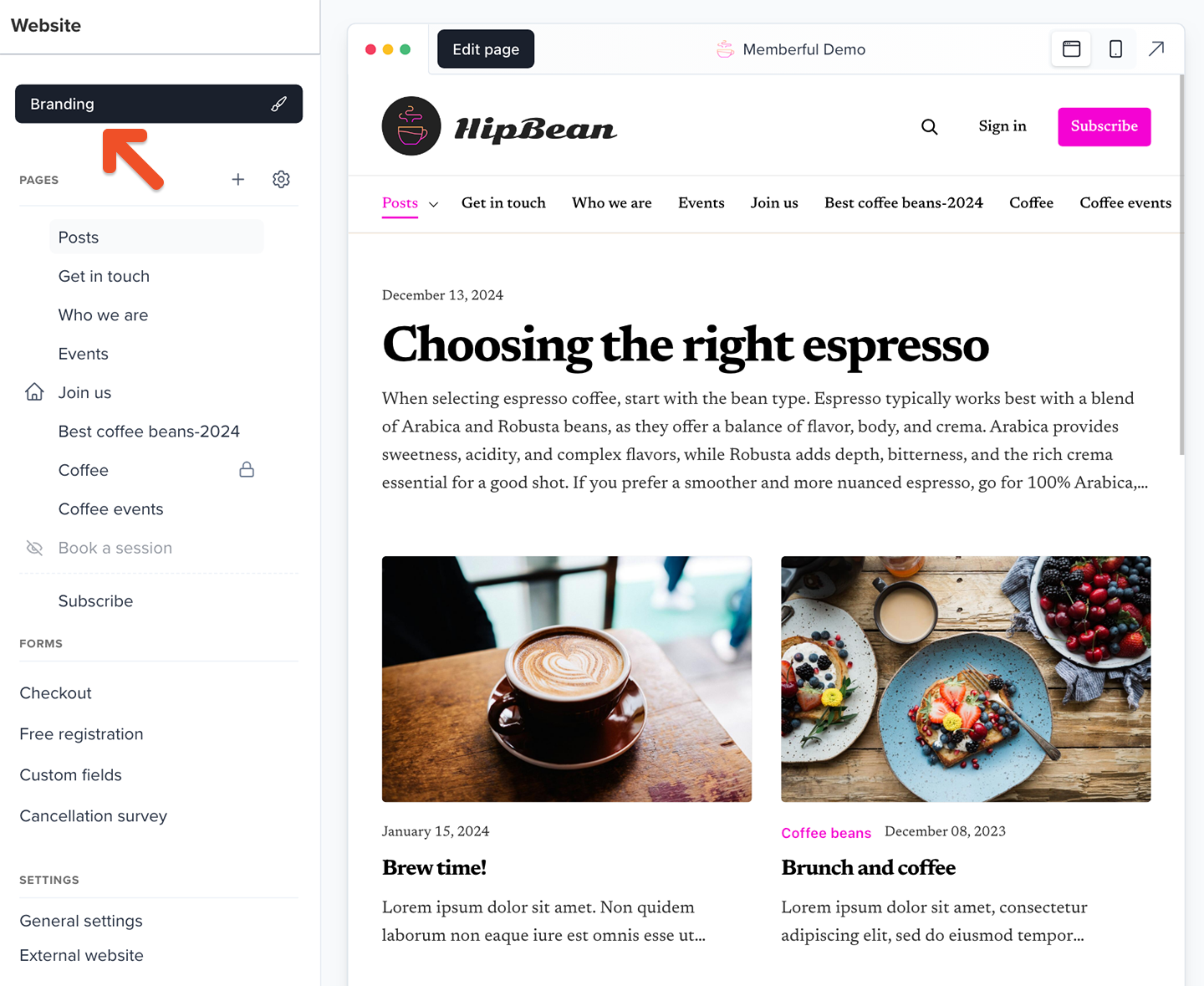 Additionally, you can see which features are customizable, how they interact, and what they'll look like to your members across different views and devices.
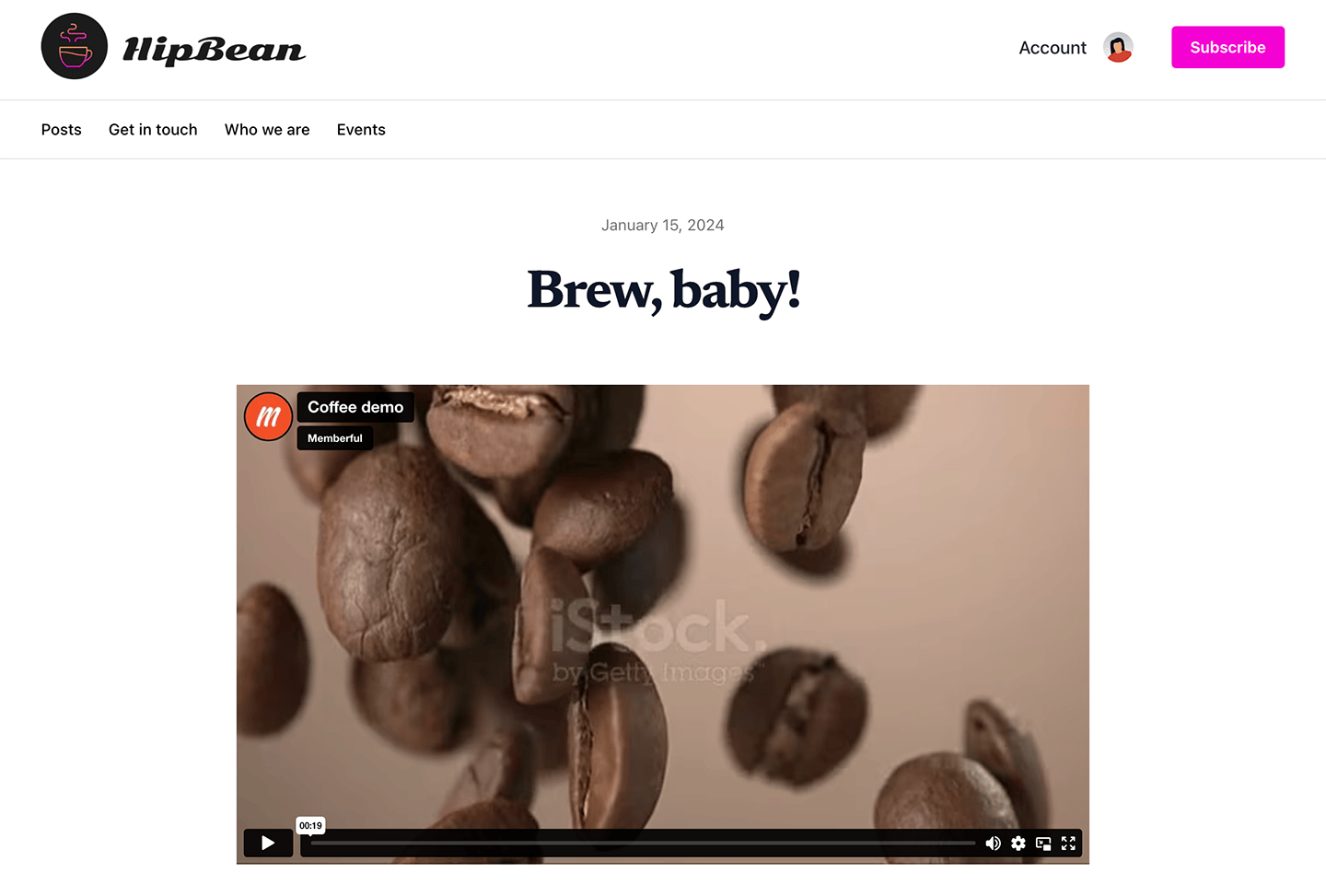
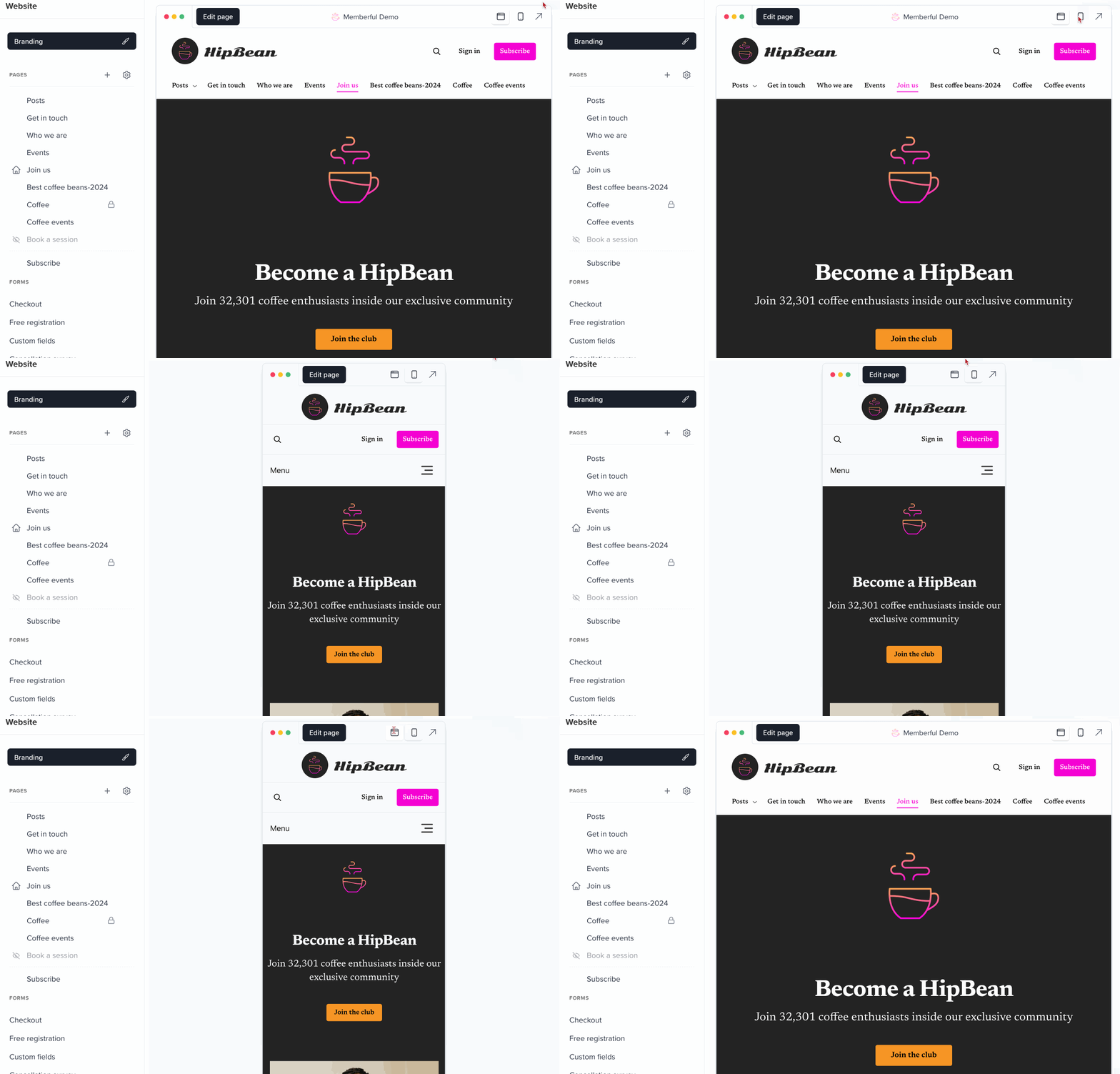 These customizations will be applied to your newsletter messages and [published posts.](#optional-publish-messages-to-a-memberful-hosted-website)
 Learn more about [customizing your branding](/configuration/branding/branding/).
## Send your members-only newsletter
Click **Save draft** if you're not ready to publish your post but would like to save your work.
Learn more about [customizing your branding](/configuration/branding/branding/).
## Send your members-only newsletter
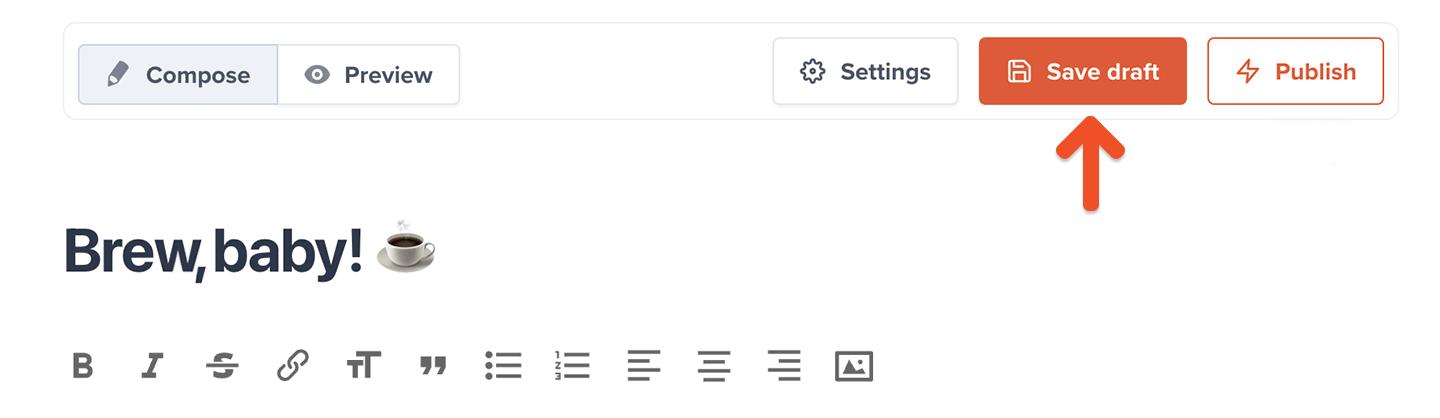
Click **Save draft** if you're not ready to publish your post but would like to save your work.
 Before you publish the post, click **Send test email** to see a preview of what your members will see in their inbox.
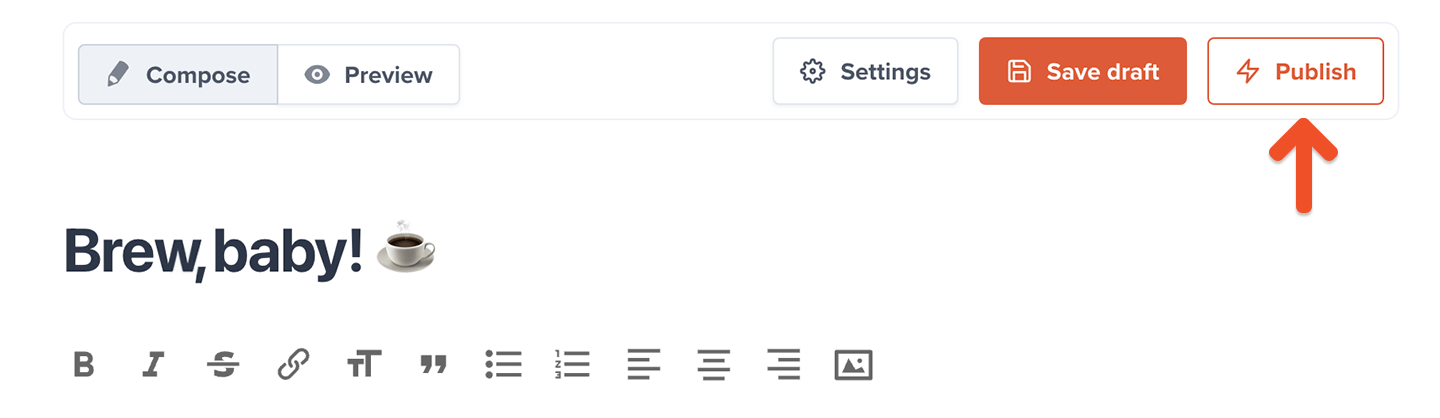
 Click **Publish** once you're ready to send it.
 Replies from members will be forwarded to the account owner's email address.
You can send up to 10 emails per day. Posts cannot be sent via email or scheduled while in test mode. [Connect to Stripe](/account-management/modes/manage-your-account-in-test-mode/#connect-to-stripe-and-go-live) to enable that. If you need to send more than ten emails per day, to discuss your use case and how we might support it.
### (Optional) Publish messages to a Memberful-hosted website
Our posts feature is two features in one. It allows you to:
* Send posts via **email** — allowing you to send out a members-only newsletter.
* Publish posts to a **Memberful-hosted website** — allowing you to offer members-only content on a simple website that's automatically created and hosted for you by Memberful.
You can choose to deliver your posts via email, website, or both.
Replies from members will be forwarded to the account owner's email address.
You can send up to 10 emails per day. Posts cannot be sent via email or scheduled while in test mode. [Connect to Stripe](/account-management/modes/manage-your-account-in-test-mode/#connect-to-stripe-and-go-live) to enable that. If you need to send more than ten emails per day, to discuss your use case and how we might support it.
### (Optional) Publish messages to a Memberful-hosted website
Our posts feature is two features in one. It allows you to:
* Send posts via **email** — allowing you to send out a members-only newsletter.
* Publish posts to a **Memberful-hosted website** — allowing you to offer members-only content on a simple website that's automatically created and hosted for you by Memberful.
You can choose to deliver your posts via email, website, or both.
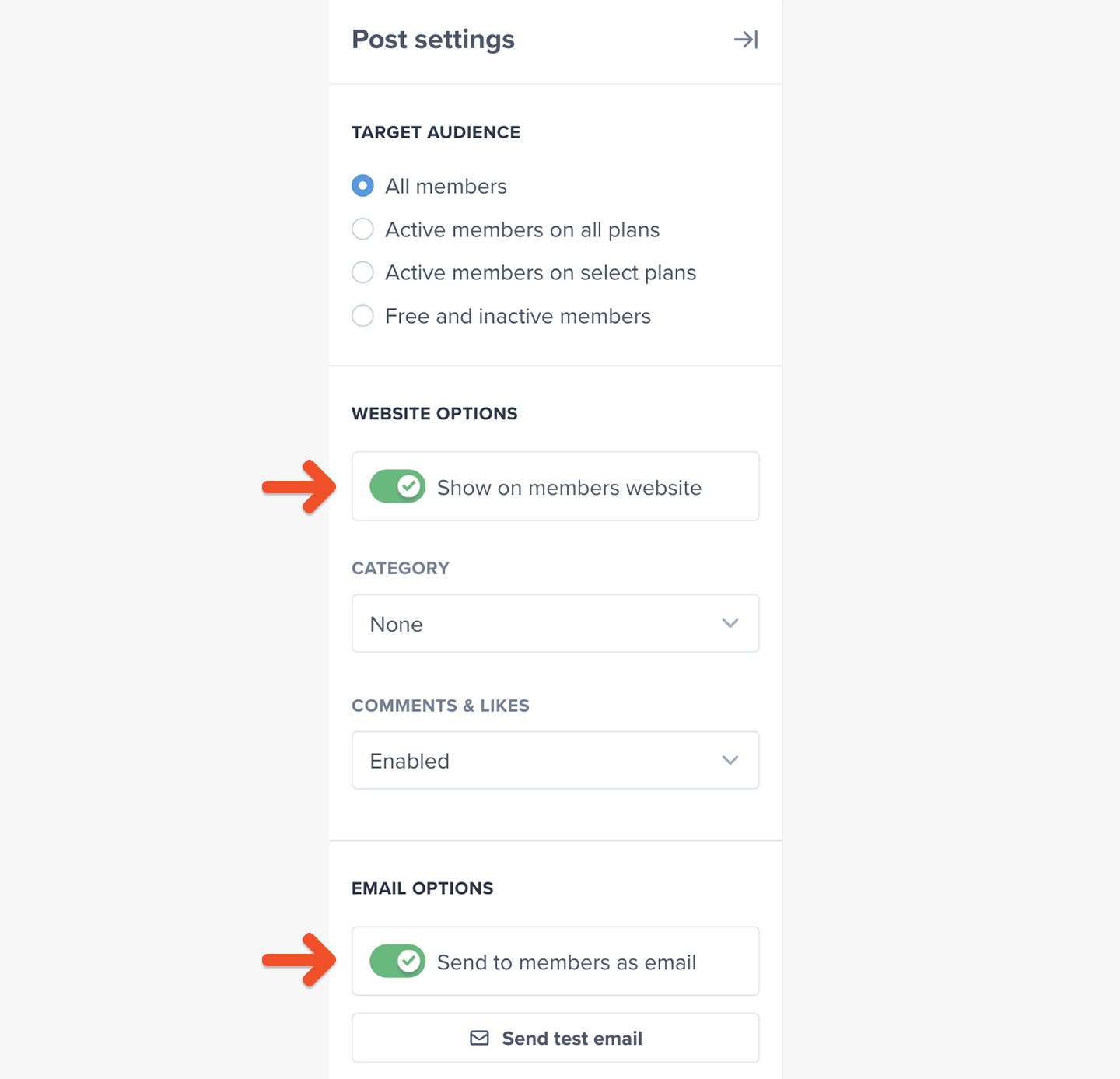 To publish your newsletter message to your Memberful-hosted website, enable the **Show on member website** toggle. Check out [this example](https://oliveandthyme.memberful.com/posts/37808) of a published post.
## (Optional) Send a preview of your members-only newsletter
You can share a preview of your newsletter message to encourage readers to sign up for a membership plan. They'll see a short snippet of the content, followed by an invitation to subscribe to see the rest.
We show one of two paywall types depending on your [subscribe page settings](/website-builder/pages/subscribe-page/#enable-or-disable-your-subscription-page).
With your custom subscribe page enabled:
To publish your newsletter message to your Memberful-hosted website, enable the **Show on member website** toggle. Check out [this example](https://oliveandthyme.memberful.com/posts/37808) of a published post.
## (Optional) Send a preview of your members-only newsletter
You can share a preview of your newsletter message to encourage readers to sign up for a membership plan. They'll see a short snippet of the content, followed by an invitation to subscribe to see the rest.
We show one of two paywall types depending on your [subscribe page settings](/website-builder/pages/subscribe-page/#enable-or-disable-your-subscription-page).
With your custom subscribe page enabled:
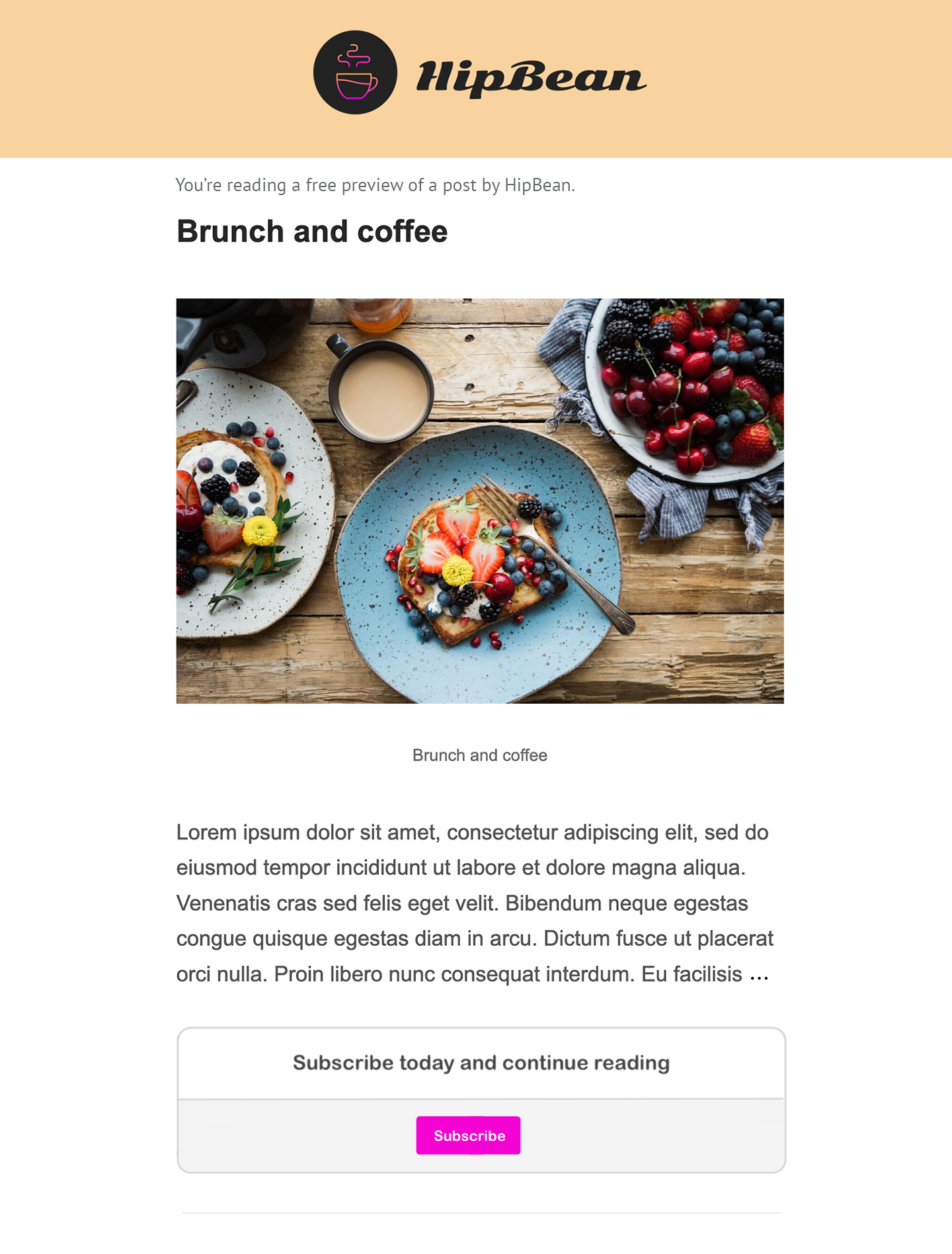 With your custom subscribe page disabled:
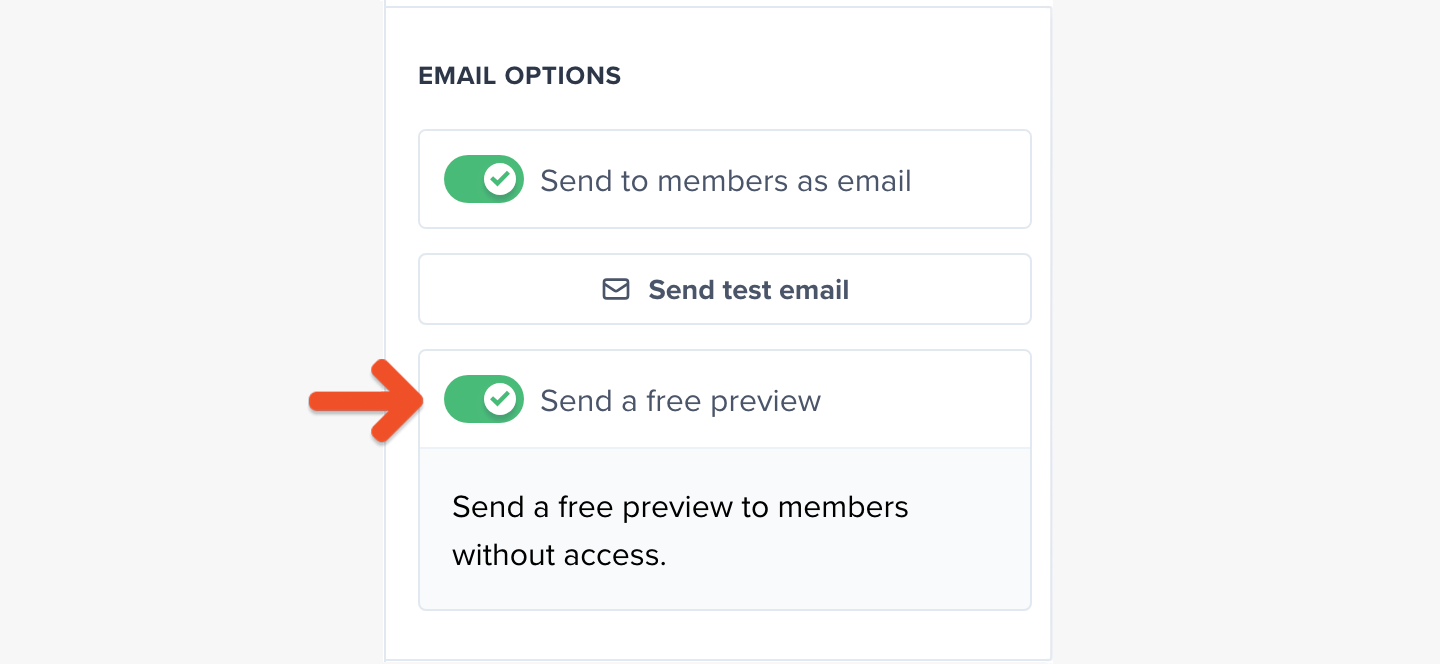
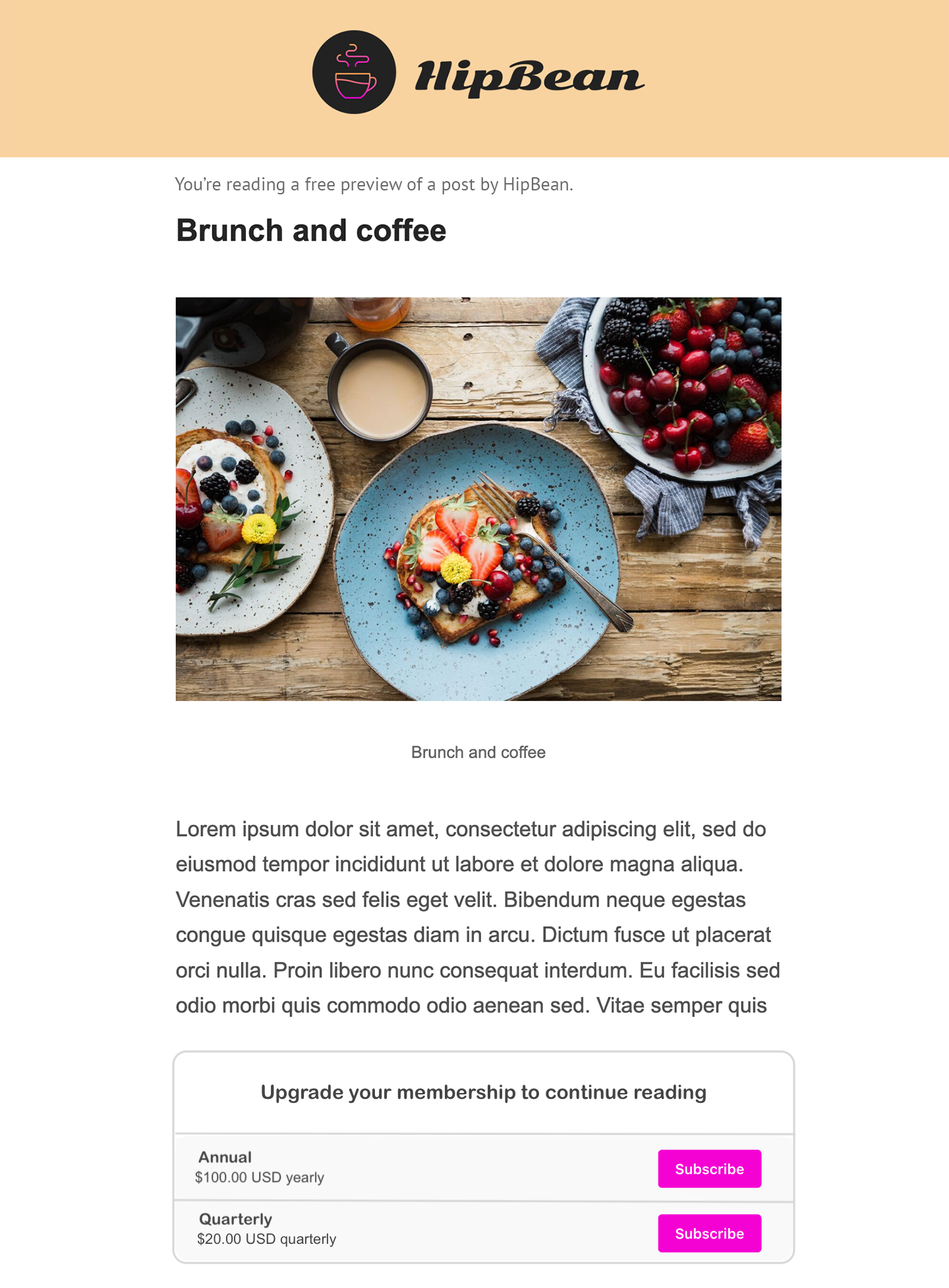 To send this preview version of the newsletter to members without access, enable the **Send a free preview** toggle.
 ## Test the member experience
While your Memberful account is in test mode, [use Stripe's test credit cards](/overview/getting-started/make-test-purchases/) to complete example member purchases and recreate their onboarding experience. Sign up with a different email address than the one associated with your website and Memberful account, as using the same email address can cause unexpected errors.
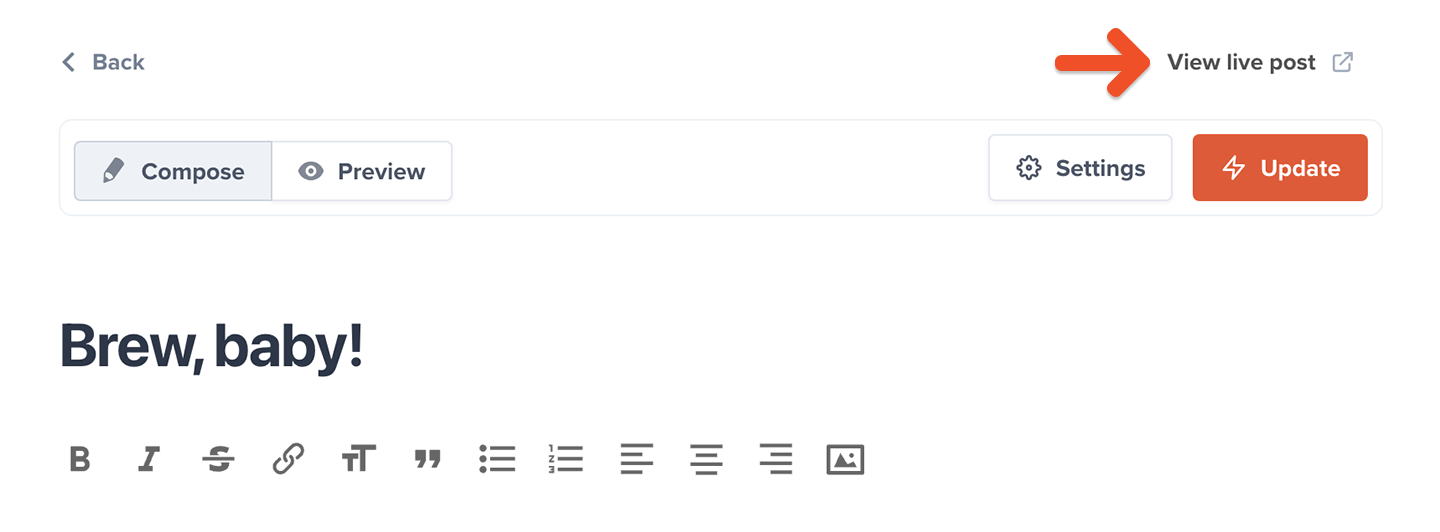
You can also view any published post, write comments, and delete abusive ones while you're signed in to your Memberful dashboard as an admin. Select a post and click **View live post** to get access.
## Test the member experience
While your Memberful account is in test mode, [use Stripe's test credit cards](/overview/getting-started/make-test-purchases/) to complete example member purchases and recreate their onboarding experience. Sign up with a different email address than the one associated with your website and Memberful account, as using the same email address can cause unexpected errors.
You can also view any published post, write comments, and delete abusive ones while you're signed in to your Memberful dashboard as an admin. Select a post and click **View live post** to get access.
 [Learn more about moderating post comments.](/website-builder/customization/manage-post-comments-and-likes/)
**Operator tip** 💡 Make a lasting first impression with an onboarding program that highlights your best content and gets new members excited from the start. Set the tone for success and engagement right from day one. [Check out Operator](https://www.membershipoperator.com) for tips on designing an onboarding experience that wows.
## (Optional) Track sent post metrics
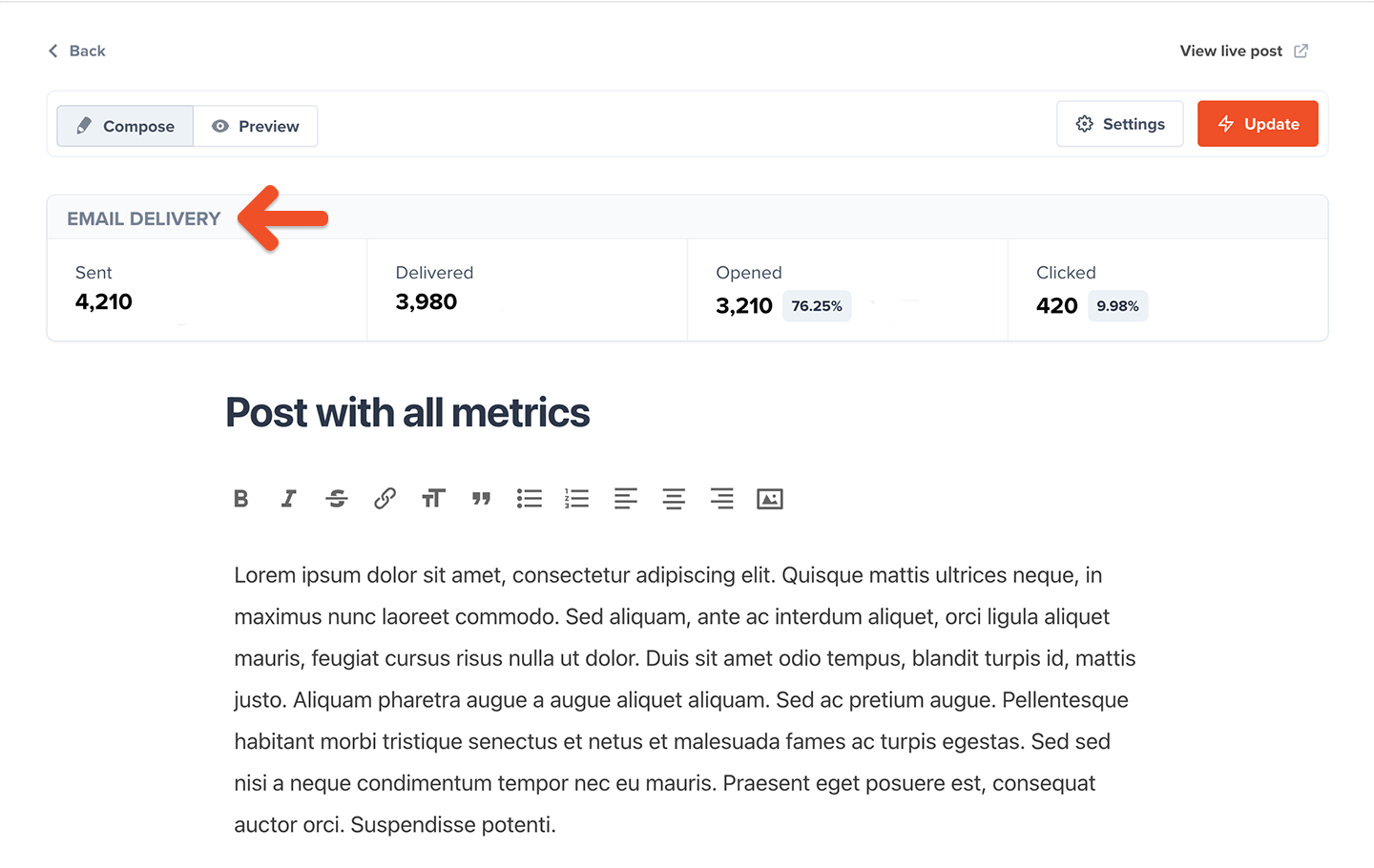
Posts include key analytics to give you insights into the newsletters you send to members.
[Learn more about moderating post comments.](/website-builder/customization/manage-post-comments-and-likes/)
**Operator tip** 💡 Make a lasting first impression with an onboarding program that highlights your best content and gets new members excited from the start. Set the tone for success and engagement right from day one. [Check out Operator](https://www.membershipoperator.com) for tips on designing an onboarding experience that wows.
## (Optional) Track sent post metrics
Posts include key analytics to give you insights into the newsletters you send to members.
 [Learn more about tracking post metrics.](/newsletters/hosted-newsletter/manage-posts/#view-post-metrics)
## Go live
When you're ready to start processing orders, [choose your currency](/configuration/localization/choose-your-currency/) and connect to your Stripe account via *Settings → Stripe.* We will automatically delete all your test orders and member accounts when you switch to live payments.
**Nice work connecting to Stripe.**
Now you're ready to start selling memberships to your audience. Here are a few ideas to make your launch a success:
* Announce the membership on your social media pages.
* Link to the membership sign-up page in your social media profiles and upload special banners for launch month.
* Send a membership-specific email blast and add a link to the membership signup page in your email signature.
* Host a livestream or post a video to announce the membership.
[Learn more about tracking post metrics.](/newsletters/hosted-newsletter/manage-posts/#view-post-metrics)
## Go live
When you're ready to start processing orders, [choose your currency](/configuration/localization/choose-your-currency/) and connect to your Stripe account via *Settings → Stripe.* We will automatically delete all your test orders and member accounts when you switch to live payments.
**Nice work connecting to Stripe.**
Now you're ready to start selling memberships to your audience. Here are a few ideas to make your launch a success:
* Announce the membership on your social media pages.
* Link to the membership sign-up page in your social media profiles and upload special banners for launch month.
* Send a membership-specific email blast and add a link to the membership signup page in your email signature.
* Host a livestream or post a video to announce the membership.