> ## Documentation Index
> Fetch the complete documentation index at: https://memberful.com/docs/llms.txt
> Use this file to discover all available pages before exploring further.
# Import members with existing Stripe Subscriptions
> Import members and active Stripe Subscriptions into Memberful from systems like MemberPress, MemberSpace, or Hype without disrupting billing or renewals.
export const RelatedDocs = ({link1, link2, link3, link4, link5, link6, link7, link8, link9, link10, className = ""}) => {
const links = [link1, link2, link3, link4, link5, link6, link7, link8, link9, link10].filter(Boolean);
if (!links.length) return null;
return ;
};
export const ContactSupport = ({label = "Contact us to get set up →", fallbackEmail = "info@memberful.com", className = ""}) => {
const handleClick = e => {
e.preventDefault();
if (typeof window !== 'undefined' && window.Intercom) {
try {
window.Intercom('showNewMessage');
return;
} catch (error) {
console.warn('Intercom failed to open:', error);
}
}
window.location.href = `mailto:${fallbackEmail}`;
};
return
{label}
;
};
In this help article, we'll walk you through how to migrate members and their active Stripe Subscriptions into Memberful.
## Book a date
to book a date for the migration. (We require 3-5 business days' notice.)
## Recreate plans and coupons
[Create a membership plan](/plans/individual-plans/create-a-plan), add one or more prices, and configure how members can purchase and access it.
Go to *Revenue → Coupons* from your Memberful dashboard, and recreate your coupons.
## Generate a restricted key
[Generate a restricted key in Stripe.](https://stripe.com/docs/development/dashboard/manage-api-keys#create-a-restricted-api-secret-key) This will allow us to generate a list of all your active Stripe plans. [Make sure your Stripe account is not in test mode when you generate the key.](https://stripe.com/docs/keys#test-live-modes)
The key should have permission to **read** the following objects: *Subscriptions*, *Products*, and *Prices*. Submit it via the form below. It should **not** be sent via text, email, one-time link, etc.
```text theme={null}
https://ACCOUNT-URL.memberful.com/admin/stripe/import/new
```
Replace ACCOUNT-URL with your actual account URL subdomain, which can be found in your Memberful dashboard via *Website → Settings.*
## Map your plans
We'll share a Google Sheet with you that lists your Stripe products and their prices for reference. The sheet will include columns where you can indicate which Memberful plans correspond to each Stripe product. If needed, there will also be sections for adding coupon codes and "choose what you pay" pricing options.
Make sure all plan names and coupon codes match exactly as they appear in your Memberful dashboard.
Once you've completed the sheet, we'll review and validate your entries to ensure everything is set up correctly.
## Review the pre-migration checklist
Connect to Stripe via *Settings → Stripe.*
Disable all dunning emails in the old system and in Stripe: `/dashboard.stripe.com/settings/billing/automatic` and `/dashboard.stripe.com/settings/emails`
Disable any automations in your email newsletter provider and other apps. When the subscriptions are moved to Memberful, this can unintentionally trigger actions or emails in other apps (like welcome emails and churn notifications).
Disable signups on the old system.
## We will migrate your members
Deauthorize the old app in your Stripe account. **Contact us to discuss this step as it can differ by platform.**
Tell us how we should handle cancelled subscriptions: Some services, like Substack, only cancel a Stripe Subscription when they're no longer active, similar to what we do with auto-renew. Other apps cancel the subscription immediately but continue to provide services to the member until the end of the billing cycle.
We will import your members and their subscriptions into Memberful.
## Review the post-migration checklist
### WordPress site
We will migrate all active subscriptions, confirm with you once the import is complete, and delete the Stripe Subscriptions to avoid duplicate charges.
Enable Memberful on your WordPress site and [push any necessary design changes.](/wordpress-plugin/setup/use-a-staging-site/)
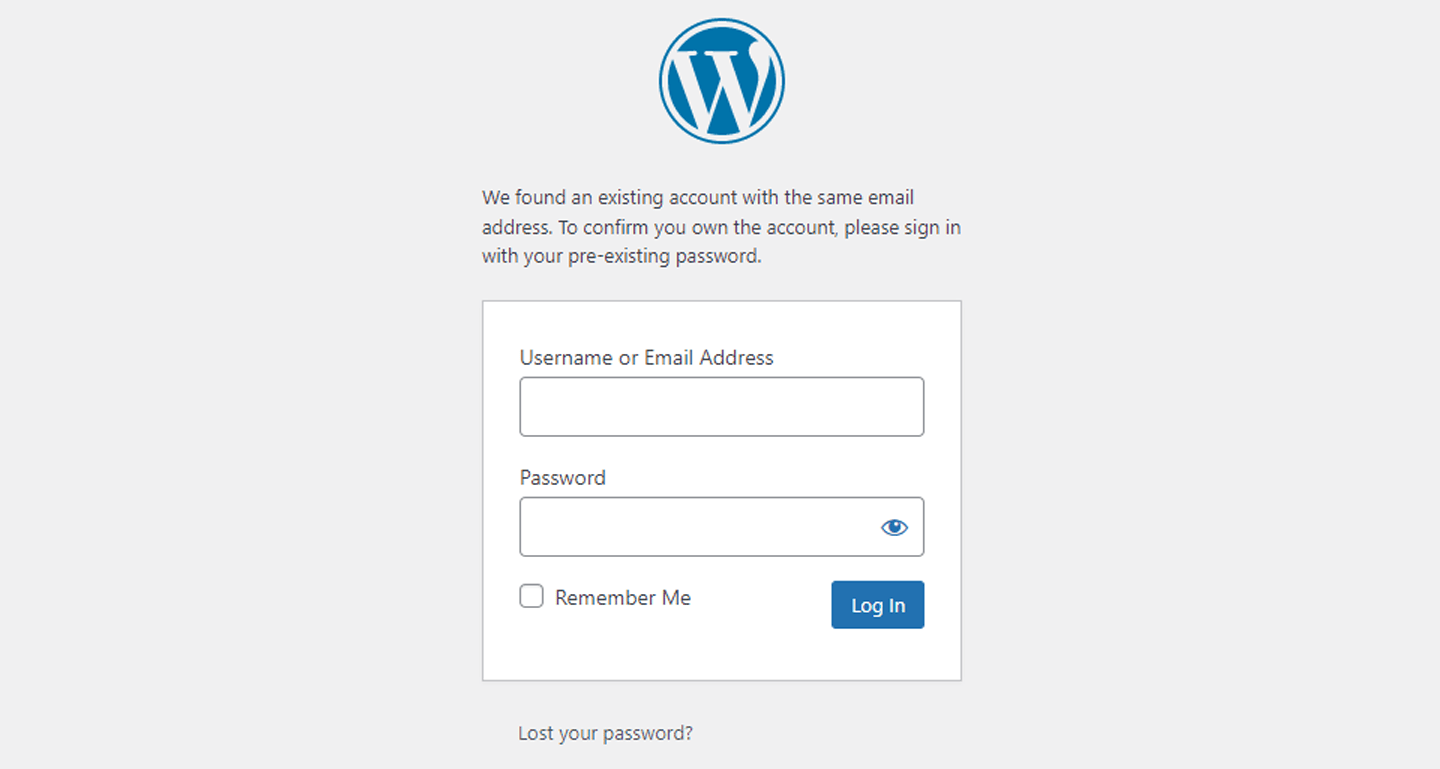
Delete your users from WordPress so we can recreate them. If you don't delete the users, we will ask them to sign in with their existing WordPress credentials so we can sync the WordPress / Memberful accounts.
 Email members and tell them about the new system. When a member lands on the sign-in form, they'll enter their email address, and Memberful will send them a link they can click to sign in. (If they prefer a password, they'll be able to set one and use it to sign in.)
Disable your old membership system completely.
### Non-WordPress site or Memberful-hosted site
We will migrate all active subscriptions, confirm with you once the import is complete, and delete the Stripe Subscriptions to avoid duplicate charges.
Email members and tell them about the new system. When a member lands on the sign-in form, they'll enter their email address, and Memberful will send them a link they can click to sign in. (If they prefer a password, they'll be able to set one and use it to sign in.)
Disable your old membership system completely.
Email members and tell them about the new system. When a member lands on the sign-in form, they'll enter their email address, and Memberful will send them a link they can click to sign in. (If they prefer a password, they'll be able to set one and use it to sign in.)
Disable your old membership system completely.
### Non-WordPress site or Memberful-hosted site
We will migrate all active subscriptions, confirm with you once the import is complete, and delete the Stripe Subscriptions to avoid duplicate charges.
Email members and tell them about the new system. When a member lands on the sign-in form, they'll enter their email address, and Memberful will send them a link they can click to sign in. (If they prefer a password, they'll be able to set one and use it to sign in.)
Disable your old membership system completely.