Related help docs:
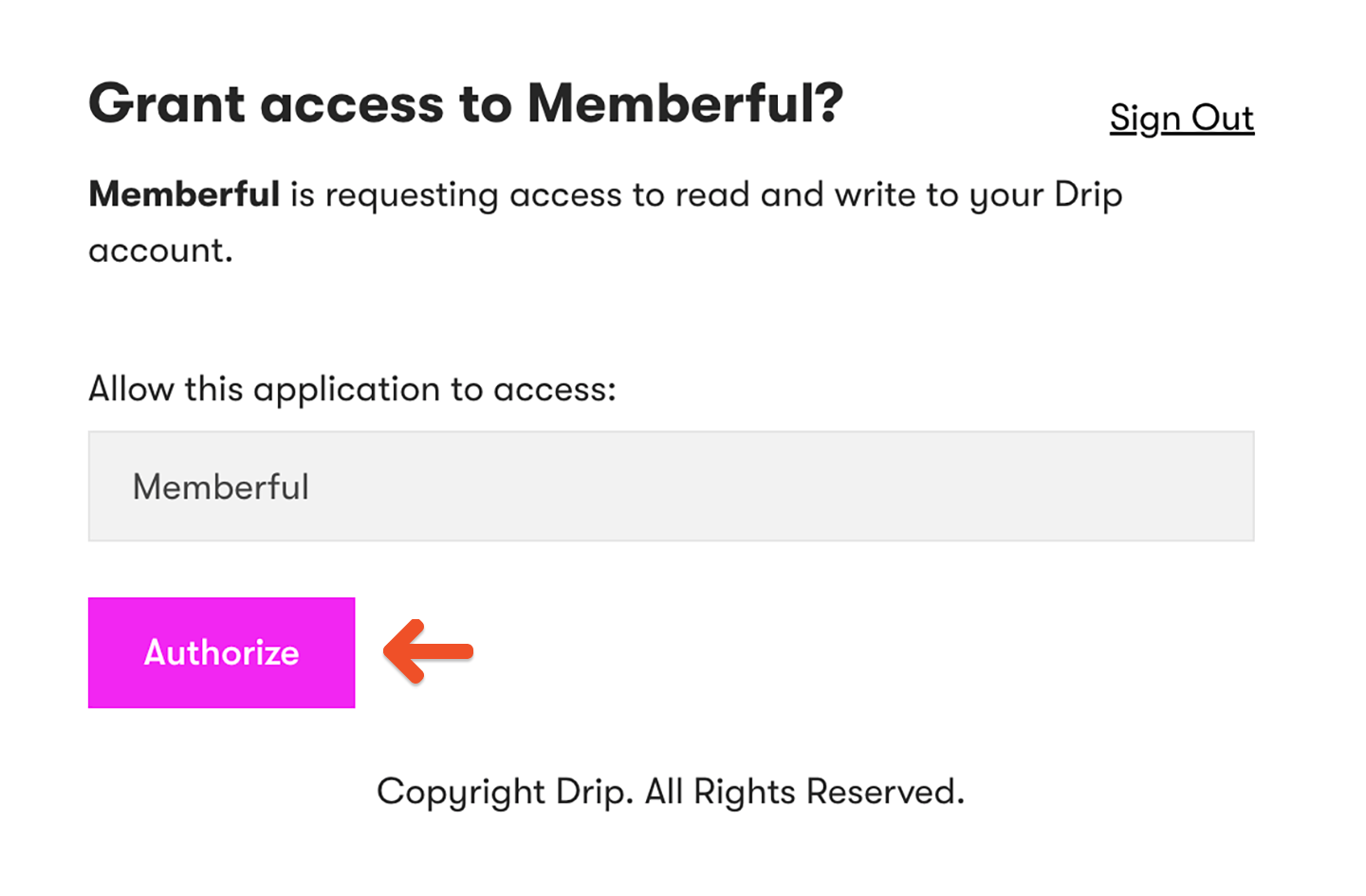 After authorizing Drip, you will return to Memberful to complete the connection.
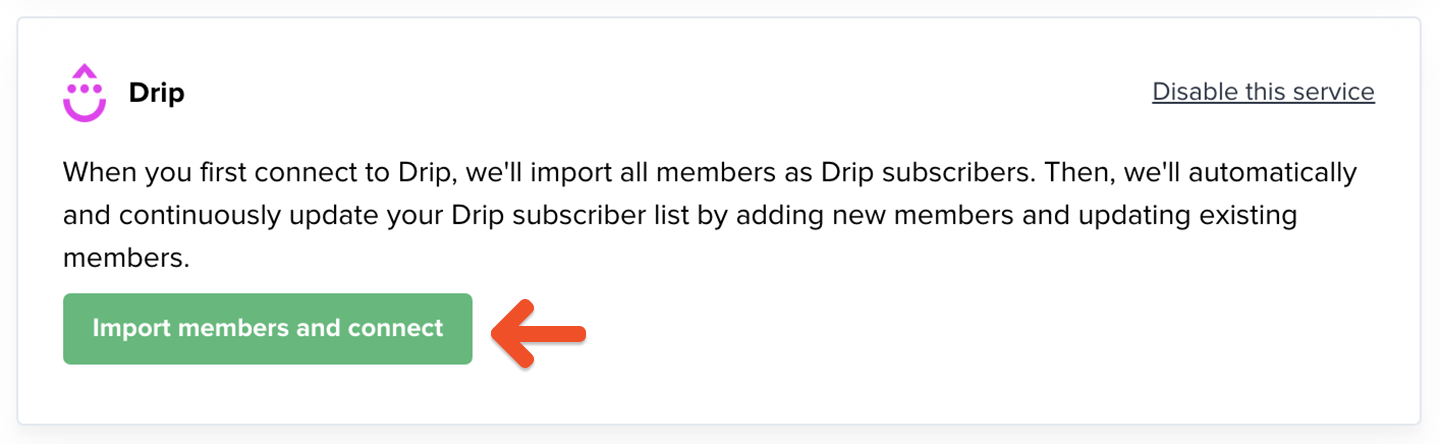 ## How we keep your list up to date and synced
When you first connect, Memberful imports all your existing members as subscribers in Drip. Your list stays automatically synced — new members are added, existing members are updated, and key details are sent as custom fields and tags.
You can use these fields and tags to create targeted campaigns, broadcasts, and automated workflows.
To view them, click a subscriber in Drip to see the Memberful data listed in their profile.
## How we keep your list up to date and synced
When you first connect, Memberful imports all your existing members as subscribers in Drip. Your list stays automatically synced — new members are added, existing members are updated, and key details are sent as custom fields and tags.
You can use these fields and tags to create targeted campaigns, broadcasts, and automated workflows.
To view them, click a subscriber in Drip to see the Memberful data listed in their profile.
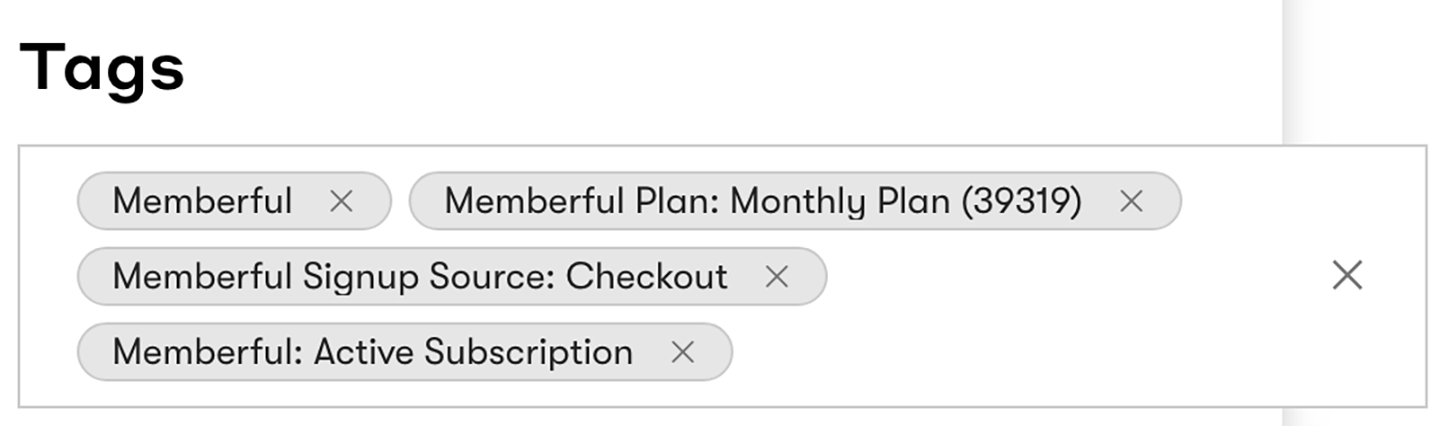 Here are the custom fields Memberful continuously syncs to Drip:
* **first\_name:** Member's first name
* **full\_name:** Member's full name
* **last\_name:** Member's last name
Here are the tags Memberful continuously syncs to Drip:
* **Memberful:** Every subscriber created or updated by Memberful.
* **Memberful: Active Subscription:** Member has an active paid plan.
* **Memberful Plan: \[Your plan name]:** Tags each plan the member has purchased.
* **Memberful Download \[Your download name]:** Tags each download the member has purchased.
* **Memberful: All Access Pass:** Member has been granted an All Access Pass by you or another team member.
* **Memberful Signup Source: Checkout:** Member signed up through a Memberful purchase form.
* **Memberful Signup Source: Created by Admin:** Member was created manually by you or a staff member.
* **Memberful Signup Source: Free Registration:** Member signed up through a free registration link.
* **Memberful Signup Source: Gift:** Member received a gifted subscription.
* **Memberful Signup Source: Team Subscription:** Member joined through a group subscription invite link.
Here are the custom fields Memberful continuously syncs to Drip:
* **first\_name:** Member's first name
* **full\_name:** Member's full name
* **last\_name:** Member's last name
Here are the tags Memberful continuously syncs to Drip:
* **Memberful:** Every subscriber created or updated by Memberful.
* **Memberful: Active Subscription:** Member has an active paid plan.
* **Memberful Plan: \[Your plan name]:** Tags each plan the member has purchased.
* **Memberful Download \[Your download name]:** Tags each download the member has purchased.
* **Memberful: All Access Pass:** Member has been granted an All Access Pass by you or another team member.
* **Memberful Signup Source: Checkout:** Member signed up through a Memberful purchase form.
* **Memberful Signup Source: Created by Admin:** Member was created manually by you or a staff member.
* **Memberful Signup Source: Free Registration:** Member signed up through a free registration link.
* **Memberful Signup Source: Gift:** Member received a gifted subscription.
* **Memberful Signup Source: Team Subscription:** Member joined through a group subscription invite link.
 ## Add a referral link to your campaign
If you've enabled [Memberful referrals](/discounts-and-gifting/lifecycle-discounts/offer-referral-discounts), you can add a referral link in your campaign so members can earn rewards for referring others.
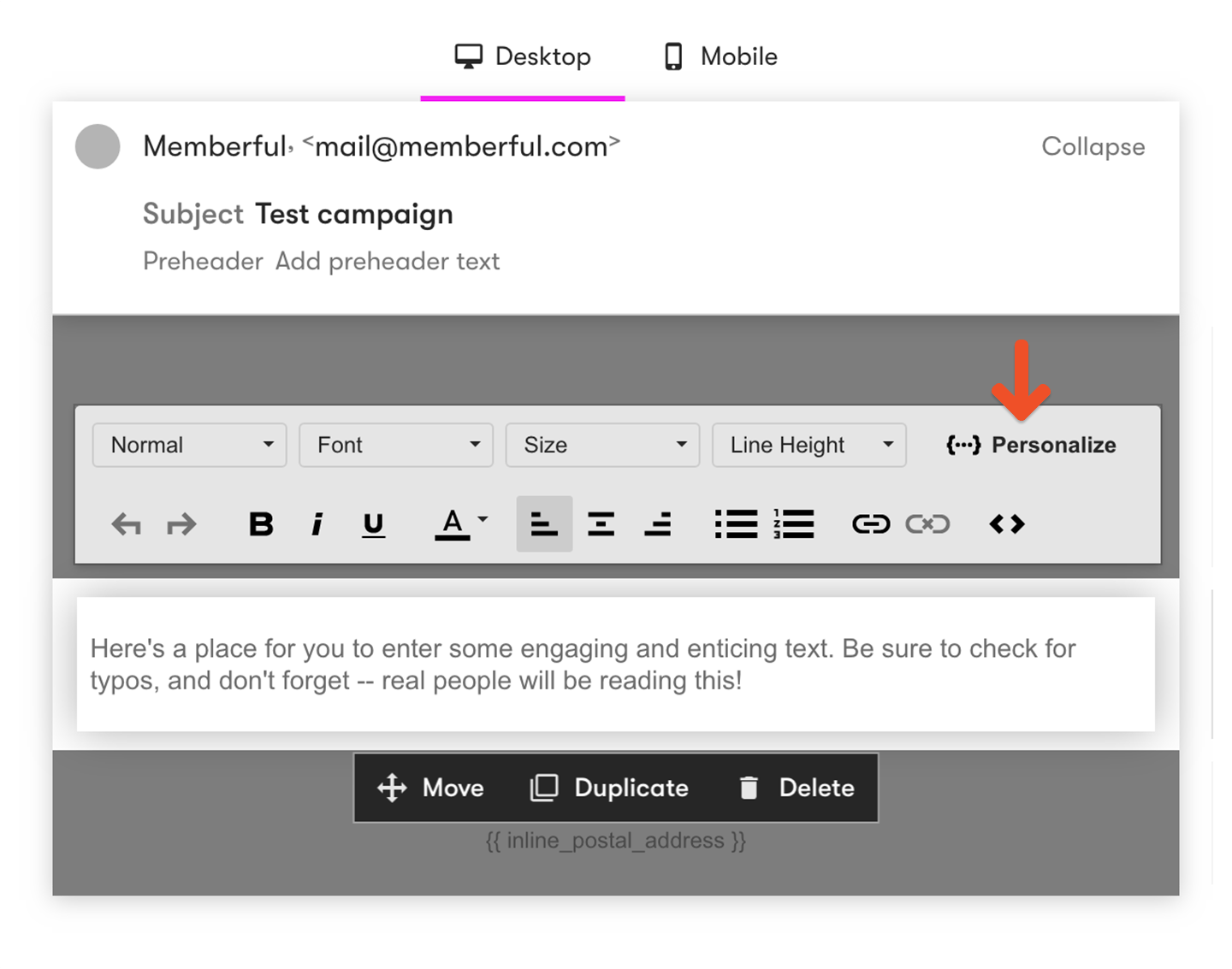
Select the **Personalize** menu to insert dynamic content.
## Add a referral link to your campaign
If you've enabled [Memberful referrals](/discounts-and-gifting/lifecycle-discounts/offer-referral-discounts), you can add a referral link in your campaign so members can earn rewards for referring others.
Select the **Personalize** menu to insert dynamic content.
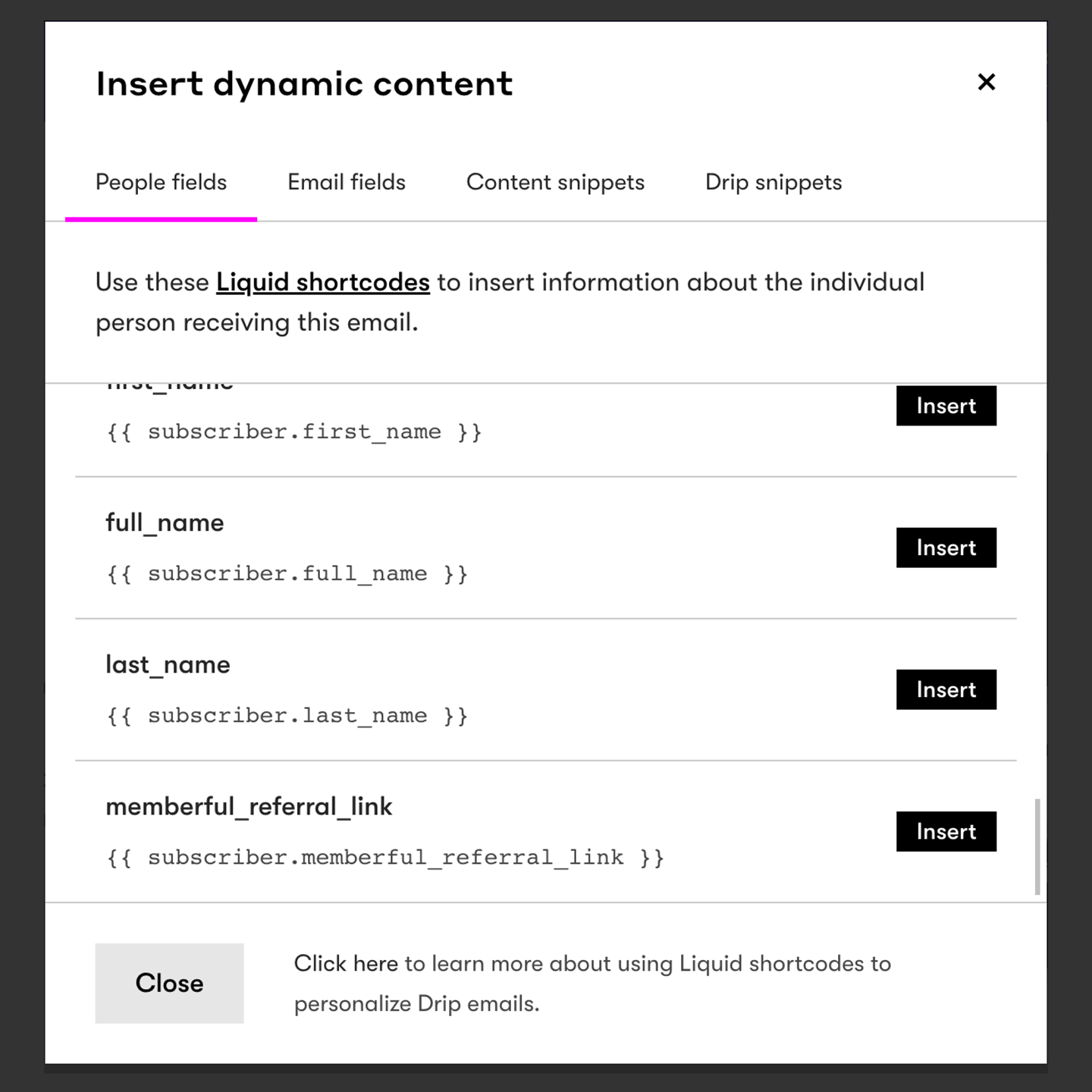
 Select **People fields**, then insert the **memberful\_referral\_link** merge tag.
 ## Create Drip workflows
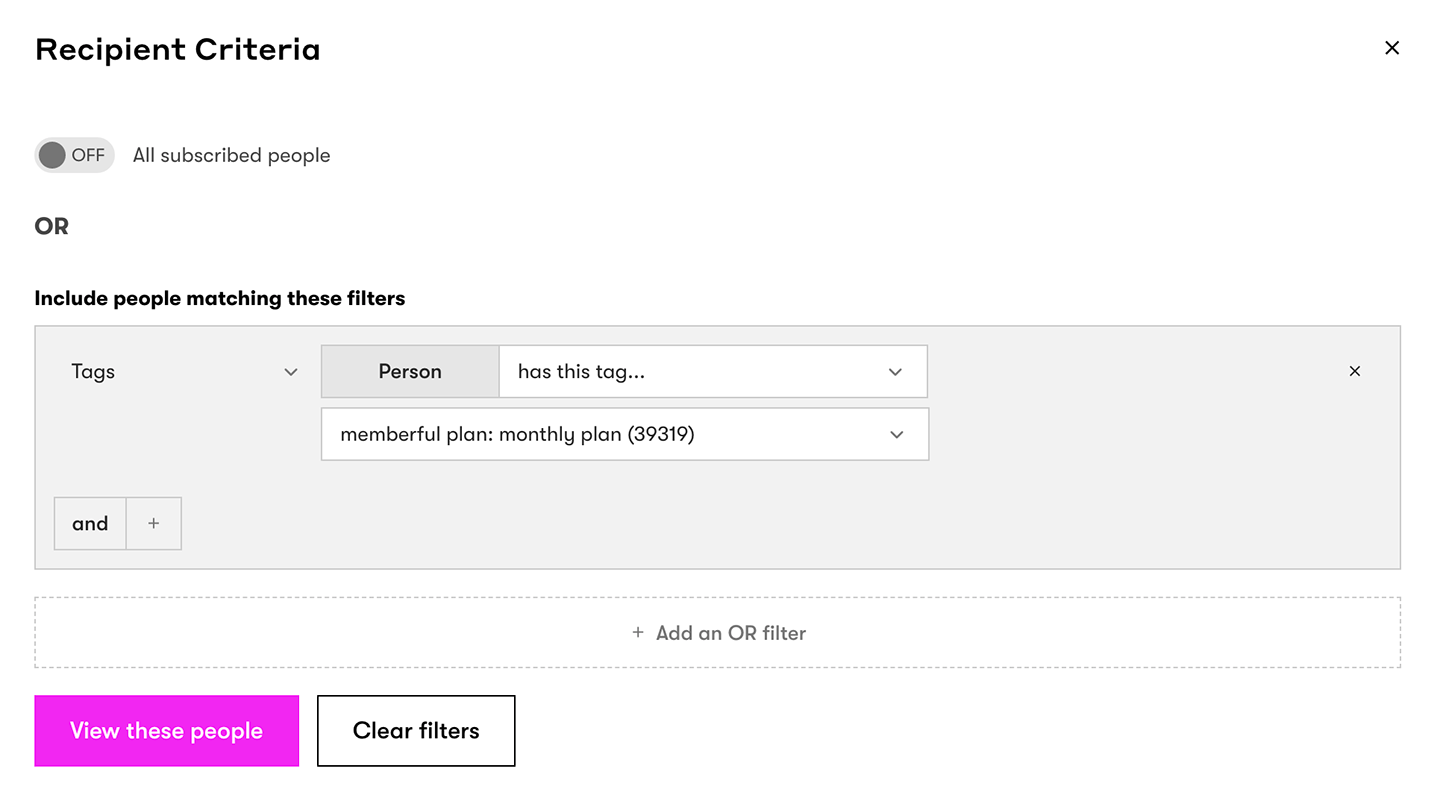
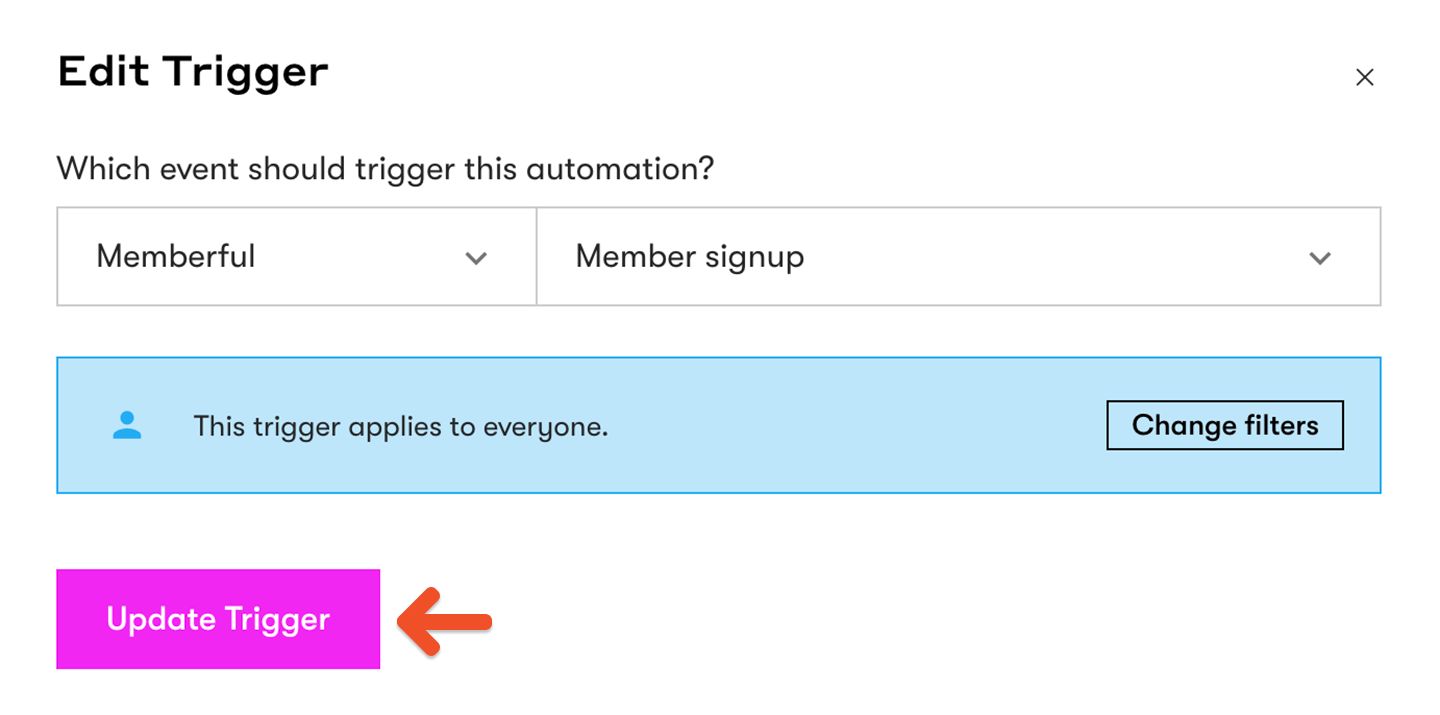
In Drip, create a new workflow trigger and select Memberful as the provider. Choose the event you want to use.
## Create Drip workflows
In Drip, create a new workflow trigger and select Memberful as the provider. Choose the event you want to use.
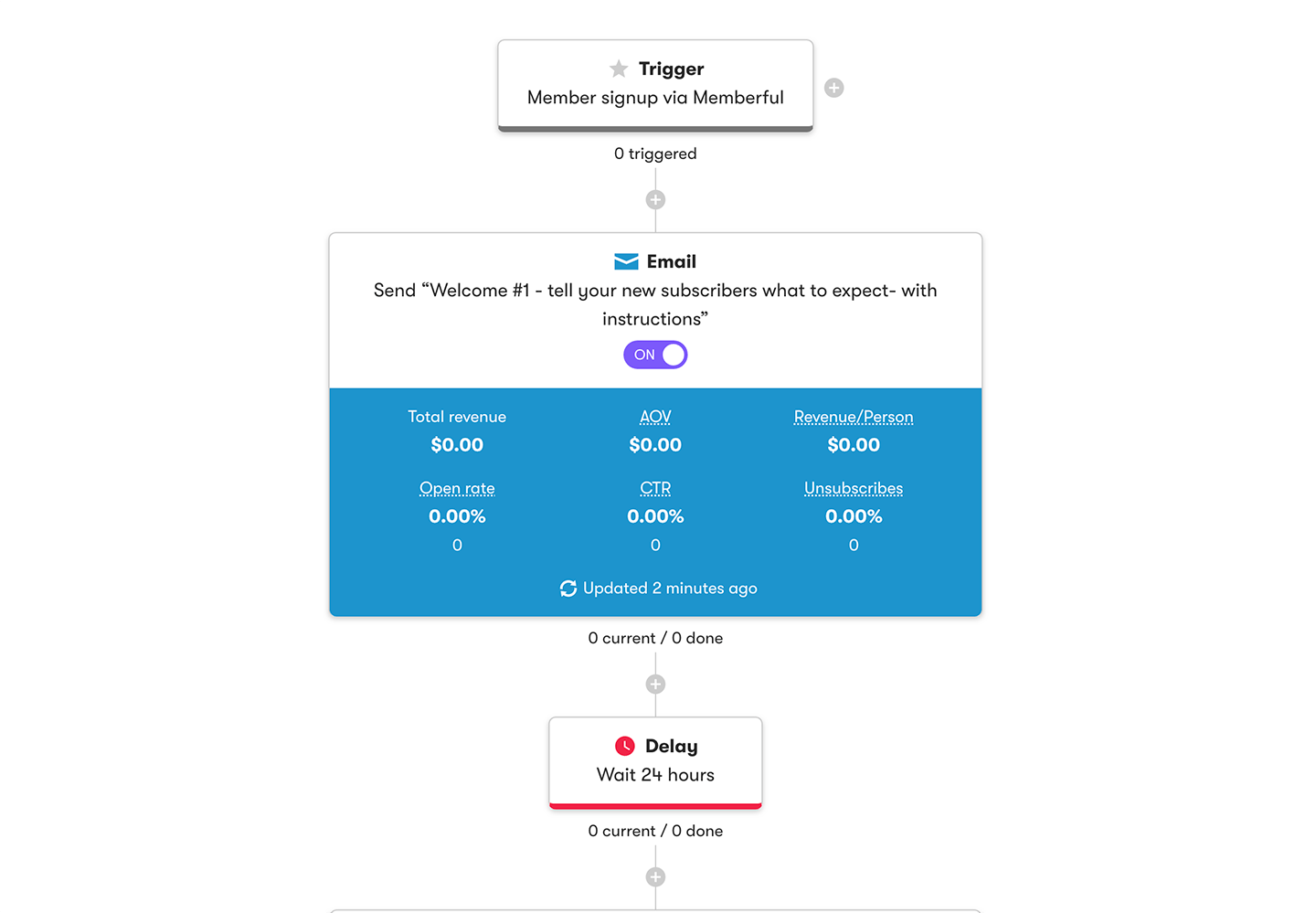
 By combining Memberful tags with triggers, you can automate plan-specific workflows and send targeted messages based on member activity.
 ## Use custom field answers for segmentation and personalization
You can [collect up to 5 custom fields](/configuration/feedback-and-policies/create-custom-fields/) with Memberful right after your members complete the checkout form.
## Use custom field answers for segmentation and personalization
You can [collect up to 5 custom fields](/configuration/feedback-and-policies/create-custom-fields/) with Memberful right after your members complete the checkout form.
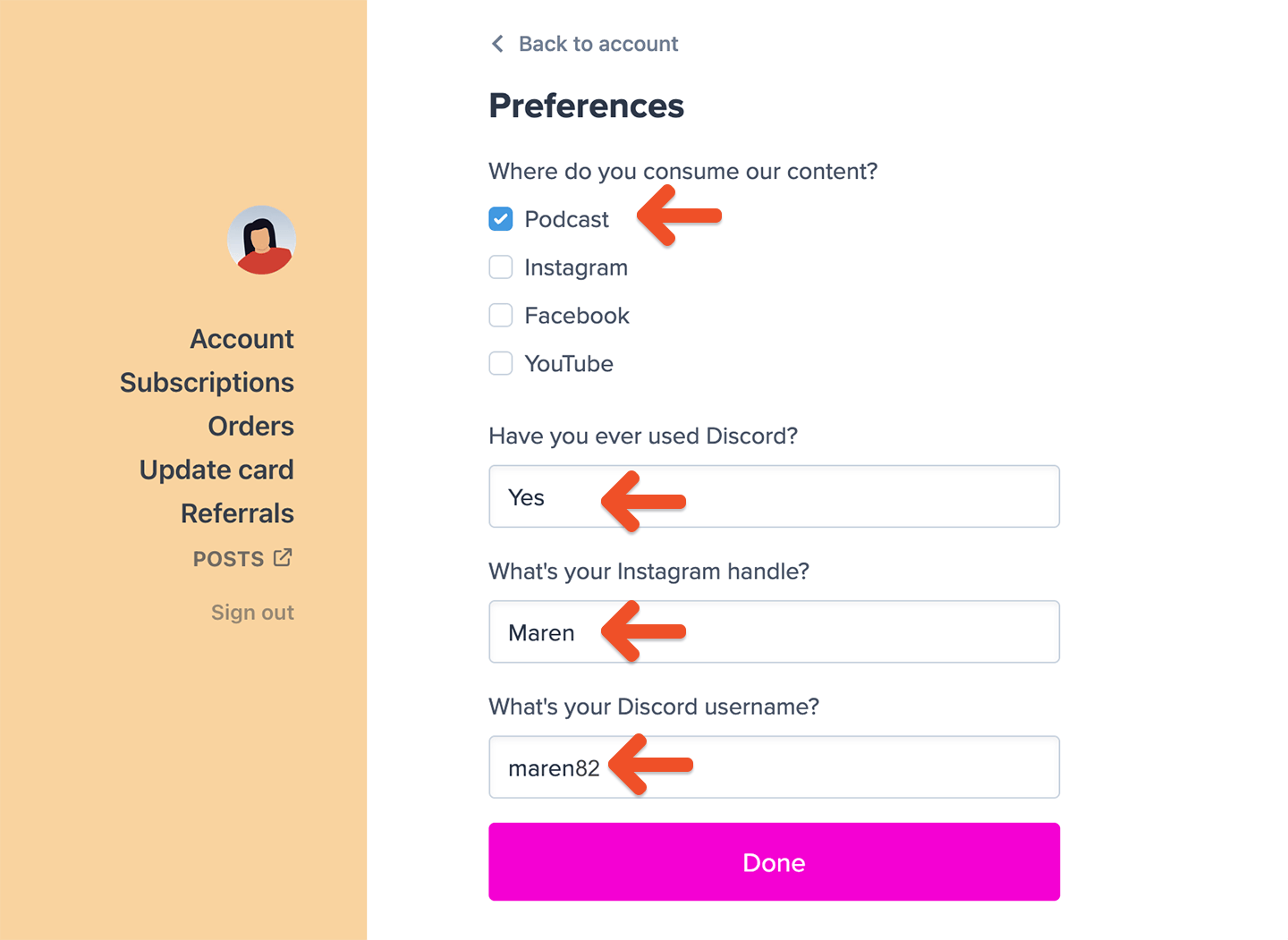 Fields with predefined options (checkbox and dropdown) are ideal for segmenting subscribers in Drip — for example, asking where they consume your content or which benefits interest them most.
Fields with free-form answers (text and comment) are best for personalizing email campaigns with details such as nicknames or social handles.
Each selected option in a checkbox or dropdown field becomes a new tag inside Drip.
Fields with predefined options (checkbox and dropdown) are ideal for segmenting subscribers in Drip — for example, asking where they consume your content or which benefits interest them most.
Fields with free-form answers (text and comment) are best for personalizing email campaigns with details such as nicknames or social handles.
Each selected option in a checkbox or dropdown field becomes a new tag inside Drip.
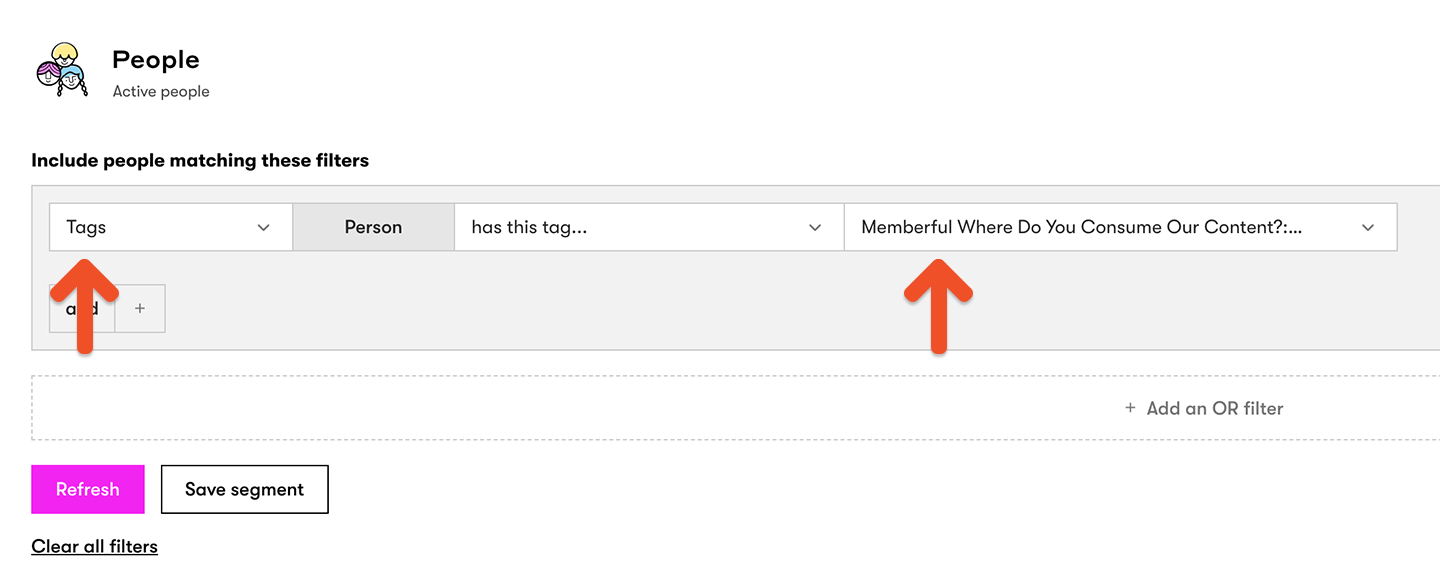
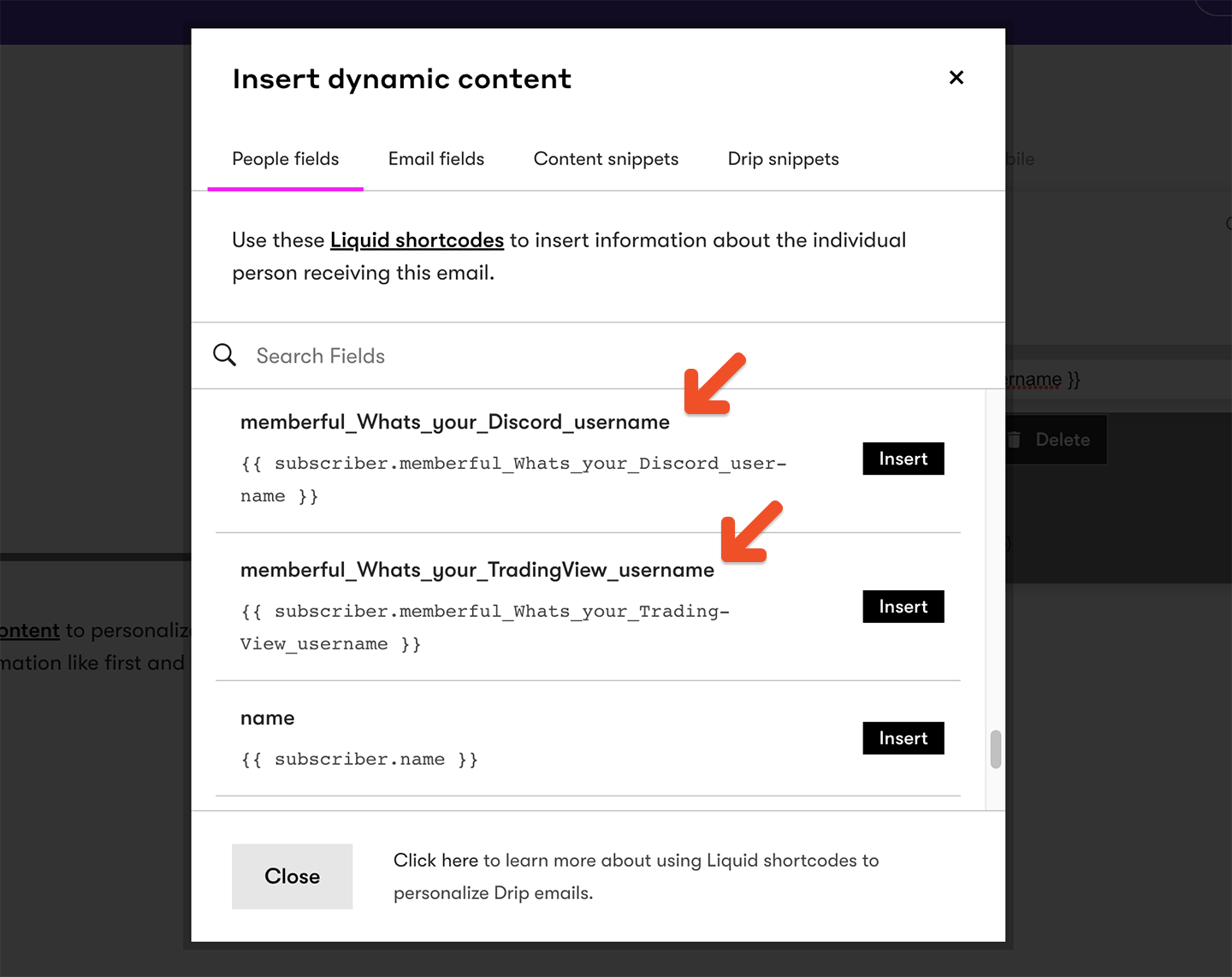
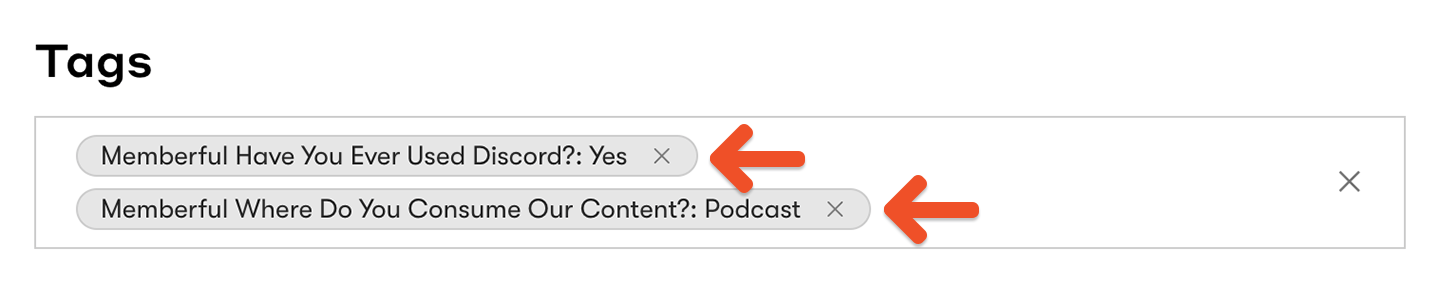 You can use these tags to build custom segments.
 Free-form answers show up as custom fields.
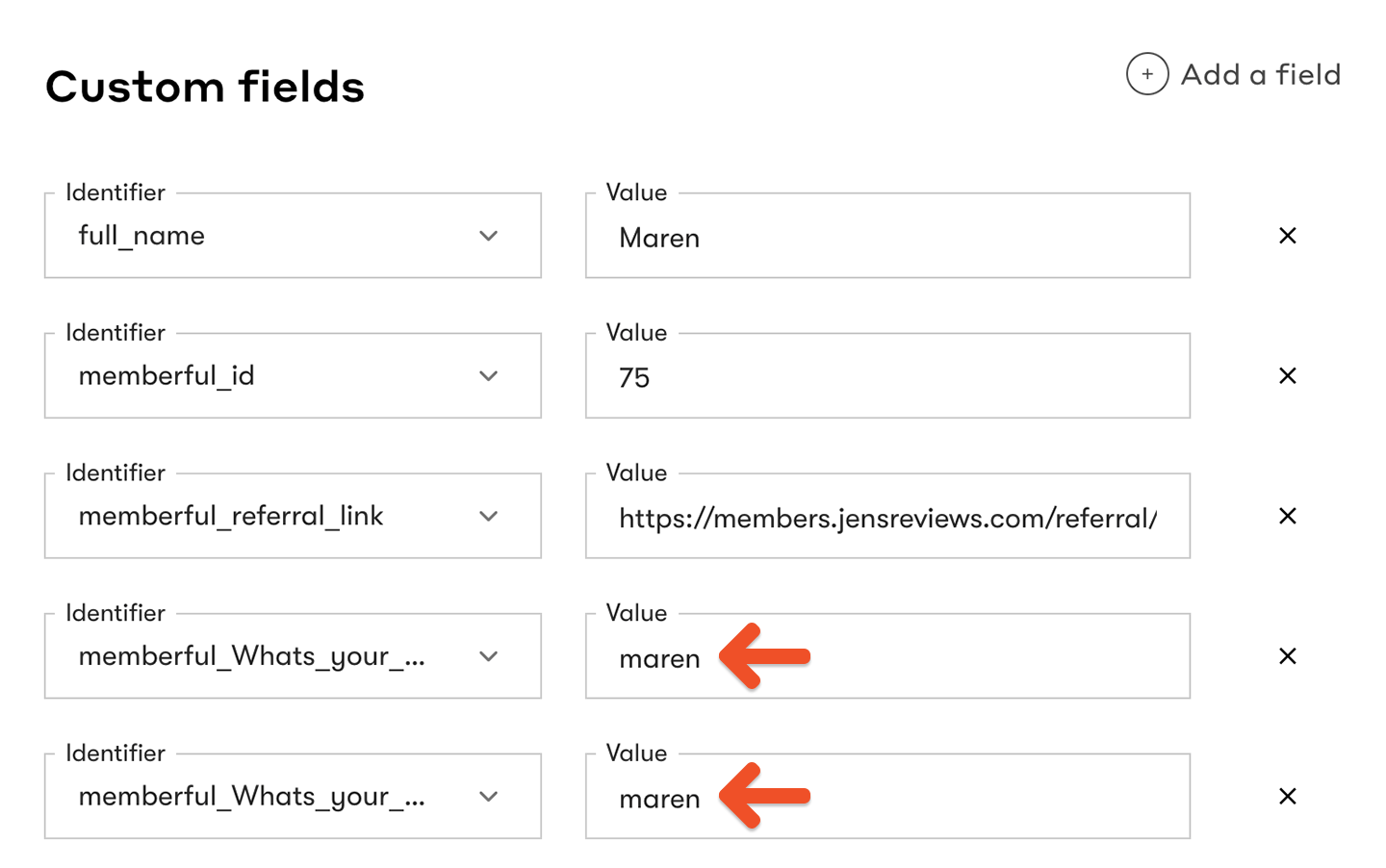 You can use these fields to personalize emails.
 ## What happens when you reconnect your email service provider?
When you reconnect your integration, we'll resync your members and update the appropriate custom fields and tags, applying them to active members and removing them from inactive ones. To avoid unintended email triggers, disable any [Drip workflows](https://memberful.com/docs/newsletters/integrations/drip#create-drip-workflows) before reconnecting.
## What happens when you reconnect your email service provider?
When you reconnect your integration, we'll resync your members and update the appropriate custom fields and tags, applying them to active members and removing them from inactive ones. To avoid unintended email triggers, disable any [Drip workflows](https://memberful.com/docs/newsletters/integrations/drip#create-drip-workflows) before reconnecting.