> ## Documentation Index
> Fetch the complete documentation index at: https://memberful.com/docs/llms.txt
> Use this file to discover all available pages before exploring further.
# Manage posts
> Manage Memberful posts to publish content to your member website or send a newsletter. Edit, schedule, track performance, and control who can read each post.
export const RelatedDocs = ({link1, link2, link3, link4, link5, link6, link7, link8, link9, link10, className = ""}) => {
const links = [link1, link2, link3, link4, link5, link6, link7, link8, link9, link10].filter(Boolean);
if (!links.length) return null;
return ;
};
In this help article, you'll find instructions on viewing, editing, and managing posts and drafts, along with tips for filtering and sorting them.
## View a post or draft
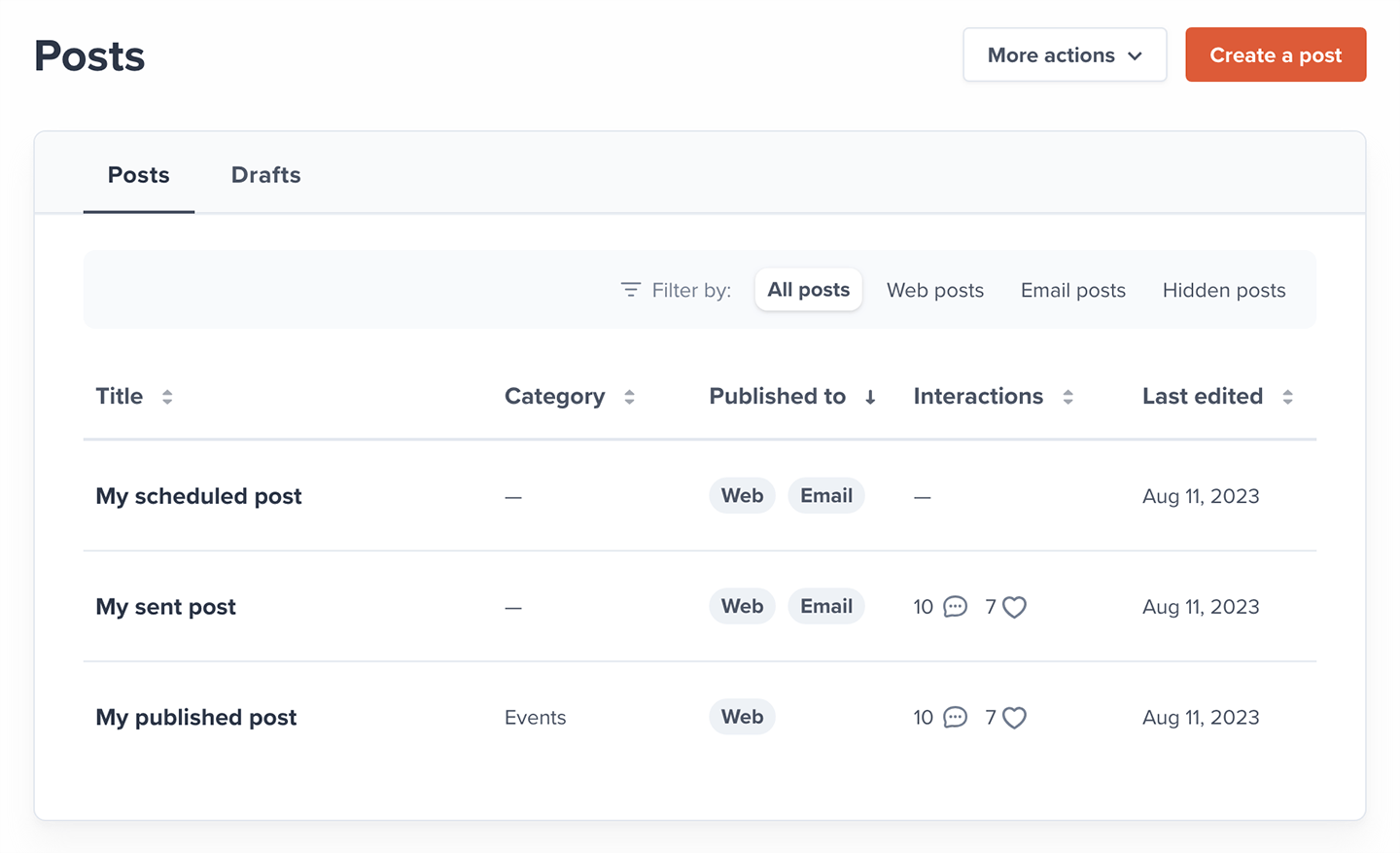
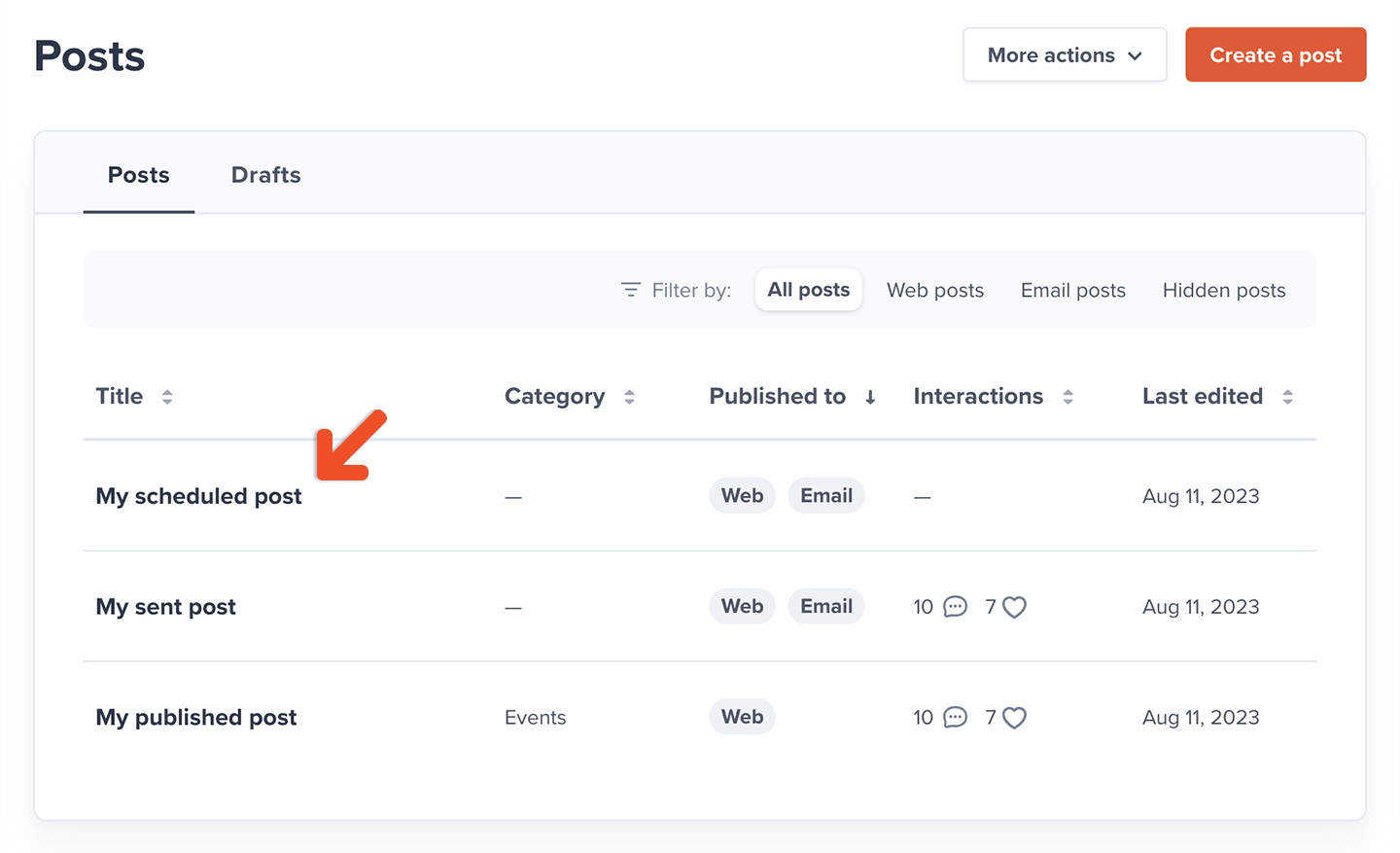
You can find all published posts via *Content → Posts* in the Memberful dashboard. Each listed post will include *Title, Category, Published to, Interaction,* and *Last edited.*
 ## Edit a post
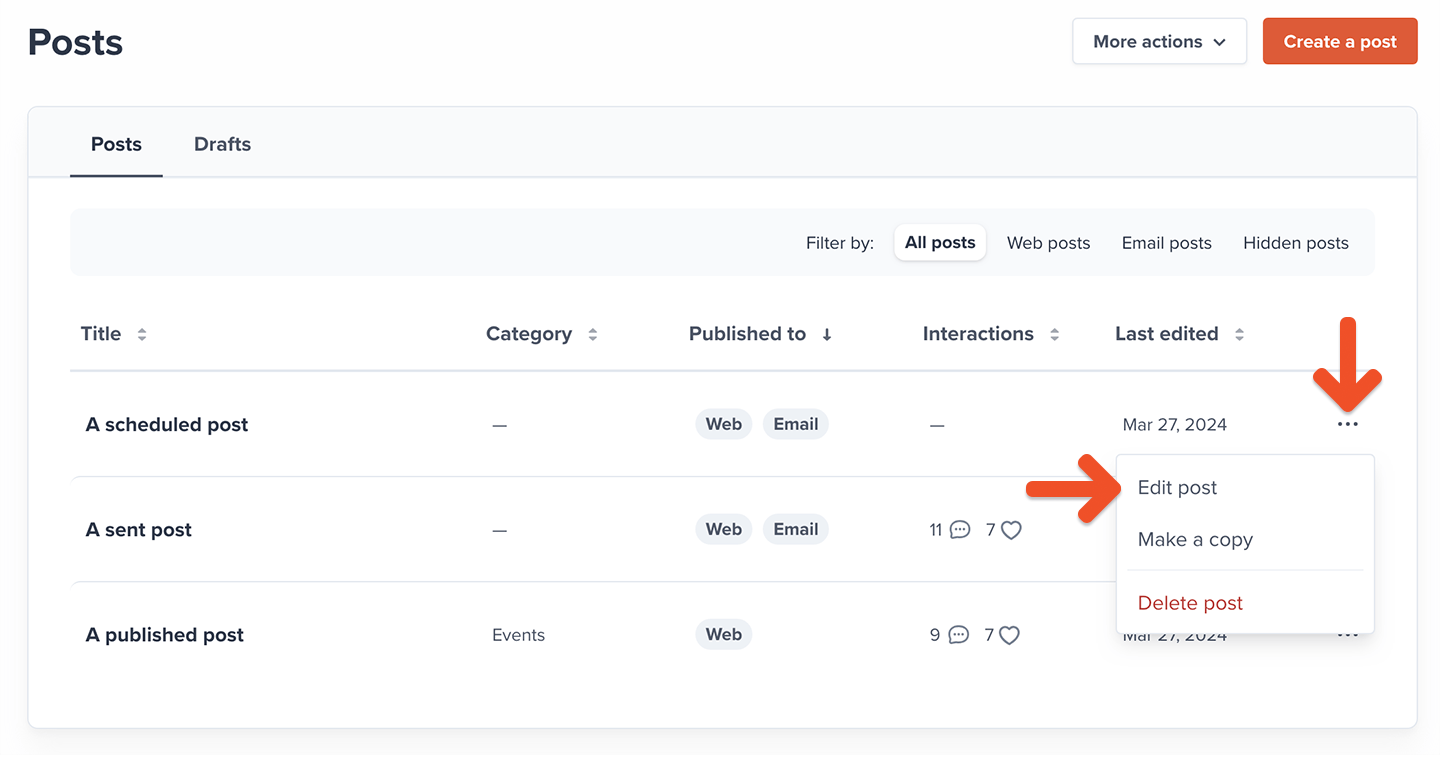
To edit a post, click the post title or click the ellipsis icon (**...**), and select **Edit post**.
## Edit a post
To edit a post, click the post title or click the ellipsis icon (**...**), and select **Edit post**.
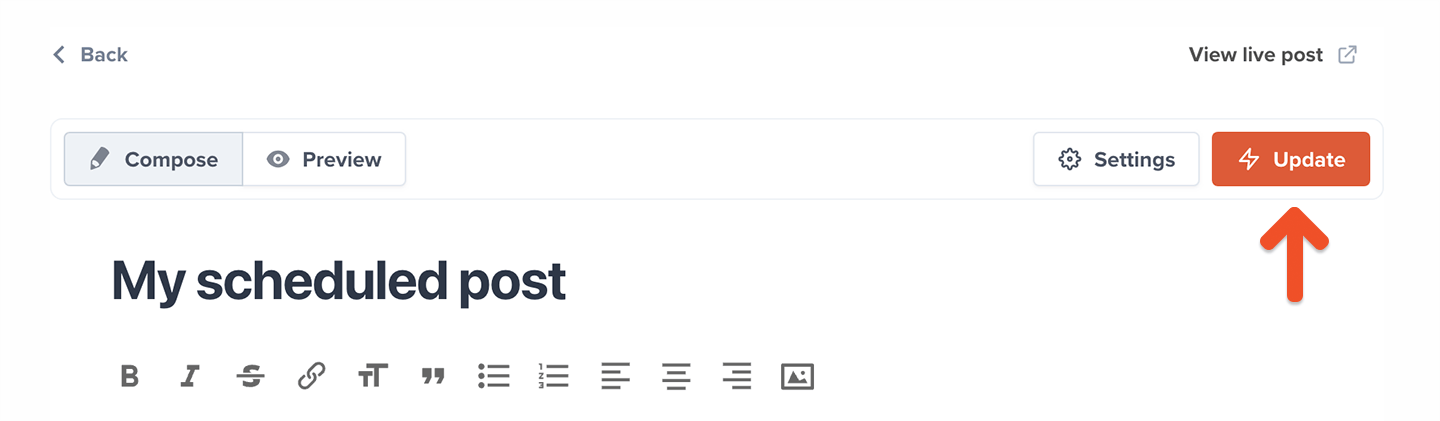
 Once you're happy with your edits, click **Update** to save your changes.
 ## Delete a post
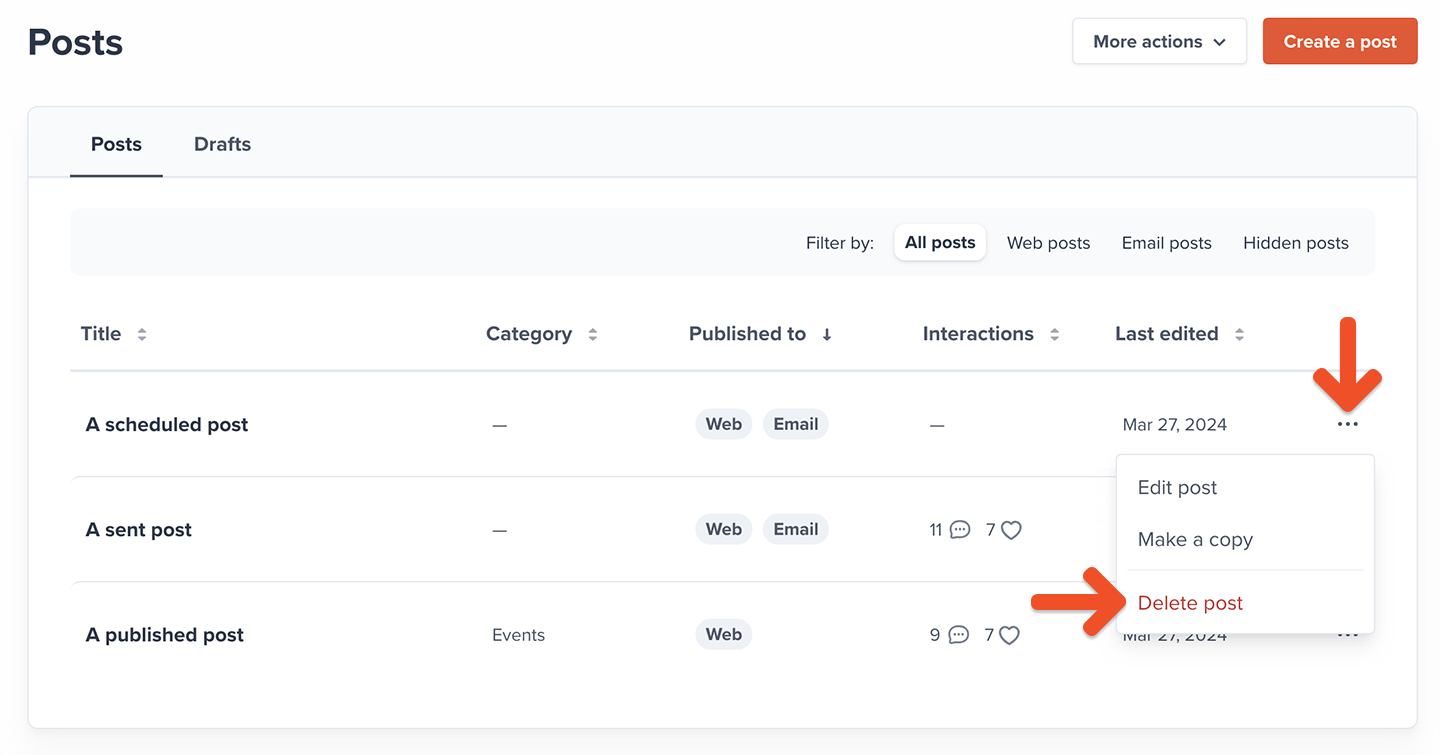
To delete a post, click the post title or click the ellipsis icon (**...**), and select **Delete post**.
## Delete a post
To delete a post, click the post title or click the ellipsis icon (**...**), and select **Delete post**.
 ## Edit a draft
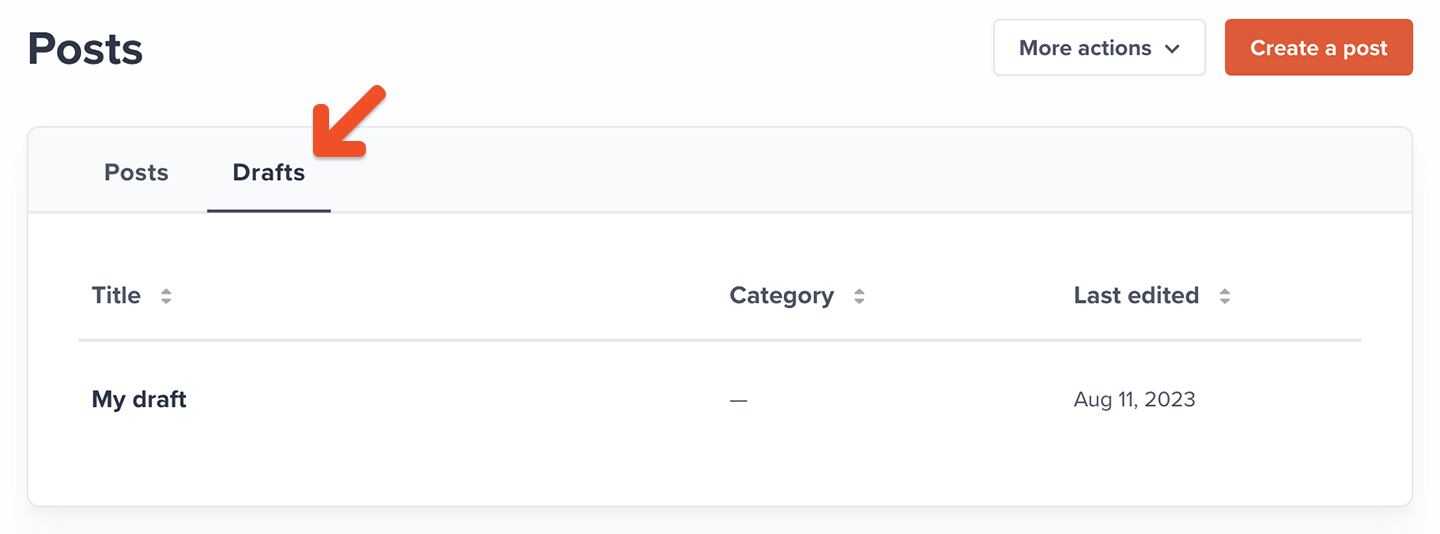
To edit a draft, click the **Drafts** tab and click the draft post title.
## Edit a draft
To edit a draft, click the **Drafts** tab and click the draft post title.
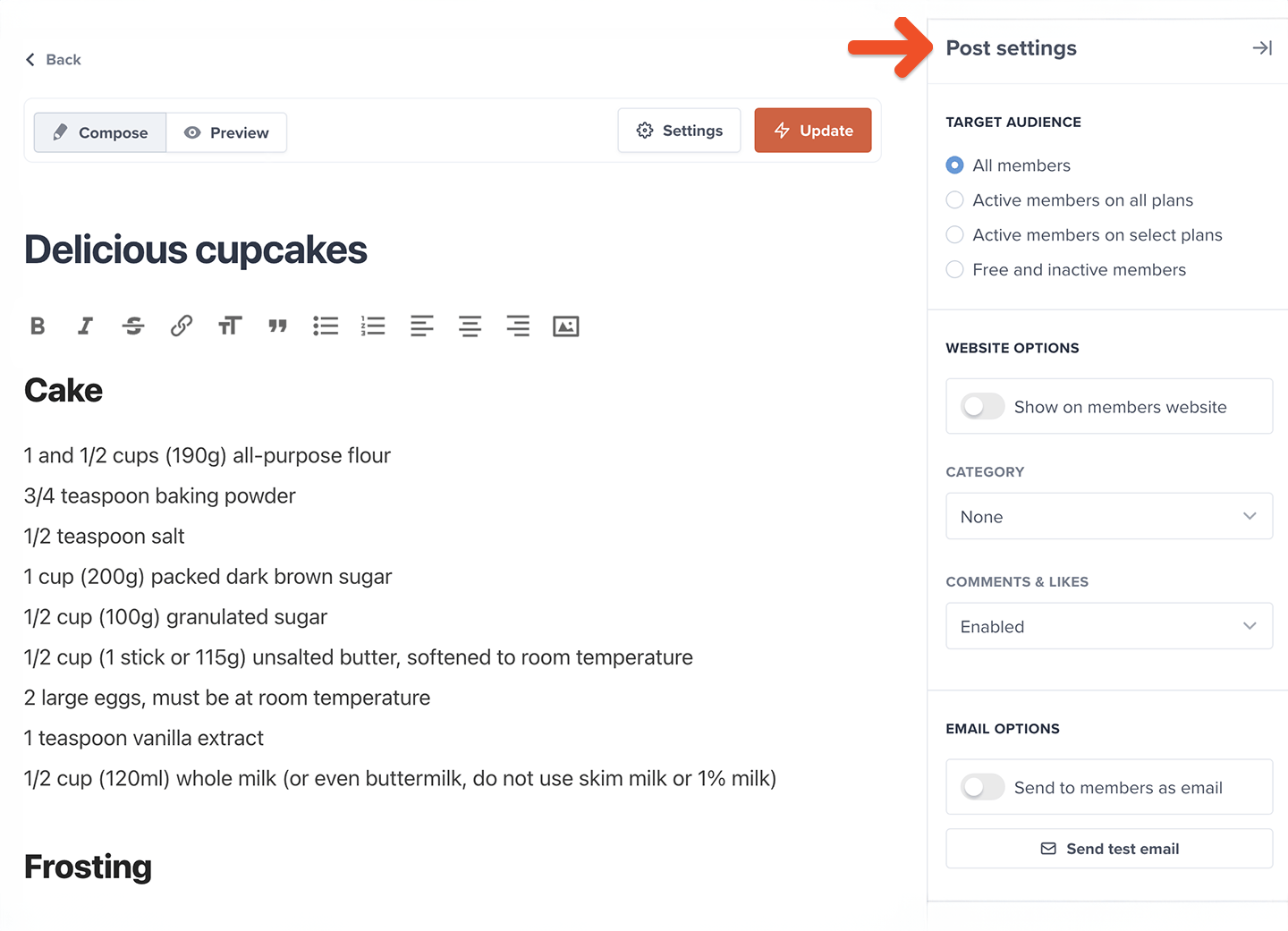
 After your edits, you can click **Settings** to adjust the target audience, change its category, enable or disable comments & likes, select your publishing options, send a test email, or delete the post.
 After completing your edits, you can then save the draft or publish your post.
Editing a post that's already been emailed to members will only update the content on the hosted member site. Emailed content will not be updated.
## Filter posts
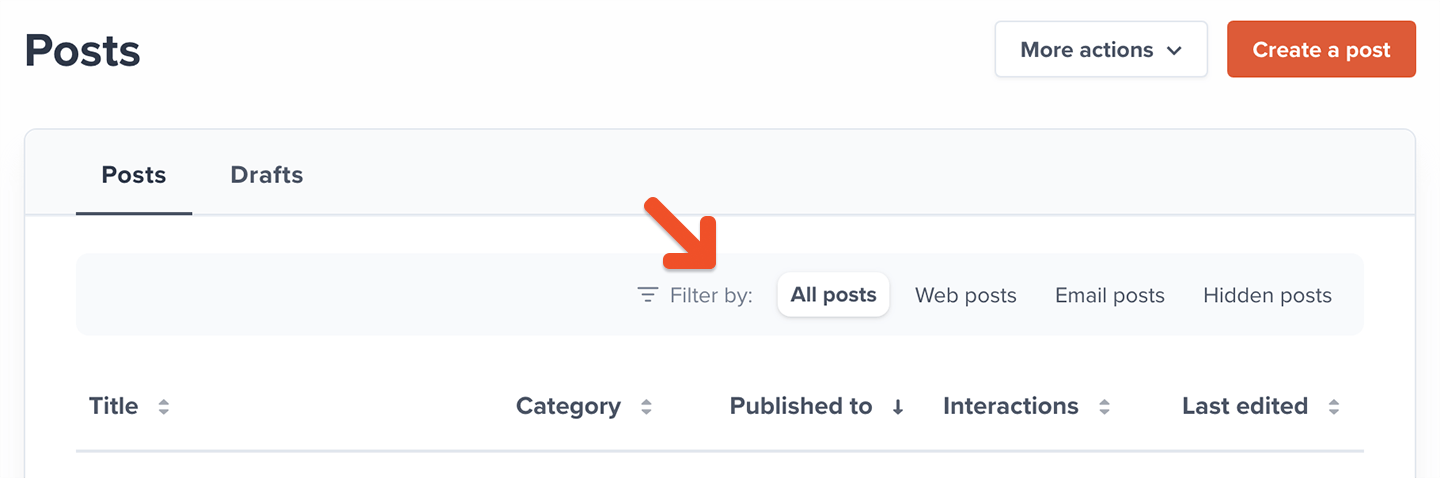
You can filter published posts by *All posts, Web posts, Email posts,* or *Hidden posts.*
After completing your edits, you can then save the draft or publish your post.
Editing a post that's already been emailed to members will only update the content on the hosted member site. Emailed content will not be updated.
## Filter posts
You can filter published posts by *All posts, Web posts, Email posts,* or *Hidden posts.*
 ## Sort posts or drafts
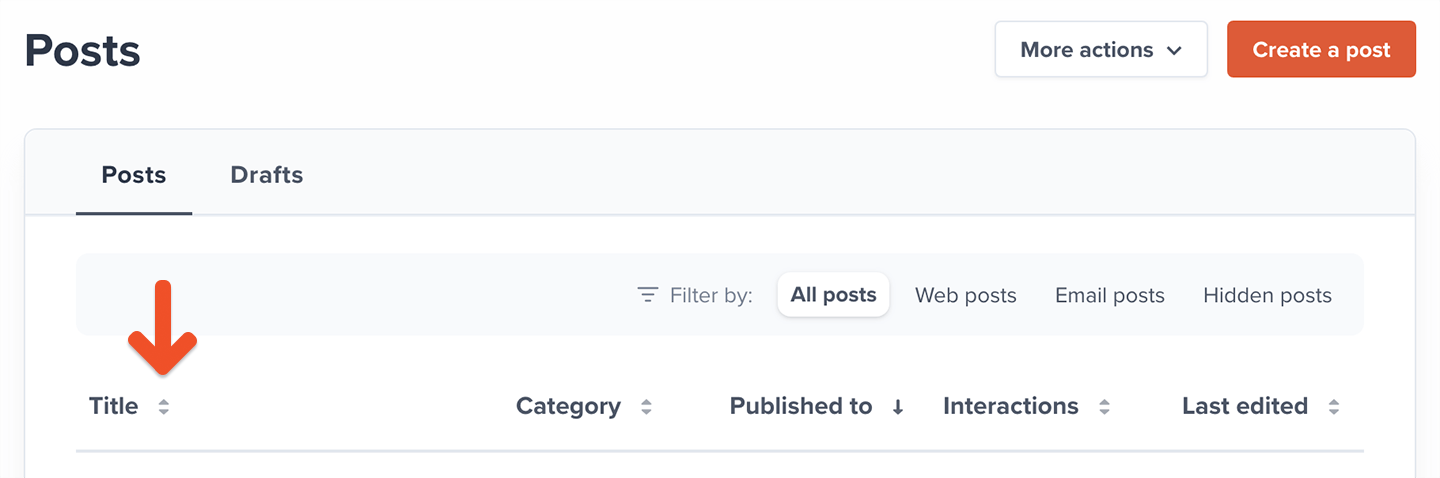
You can sort your published posts or drafts by *Title, Category, Published to, Interactions,* or *Last edited*.
## Sort posts or drafts
You can sort your published posts or drafts by *Title, Category, Published to, Interactions,* or *Last edited*.
 ## View post metrics
To view your newsletter metrics for a specific post, go to *Content → Posts* and click the post title.
## View post metrics
To view your newsletter metrics for a specific post, go to *Content → Posts* and click the post title.
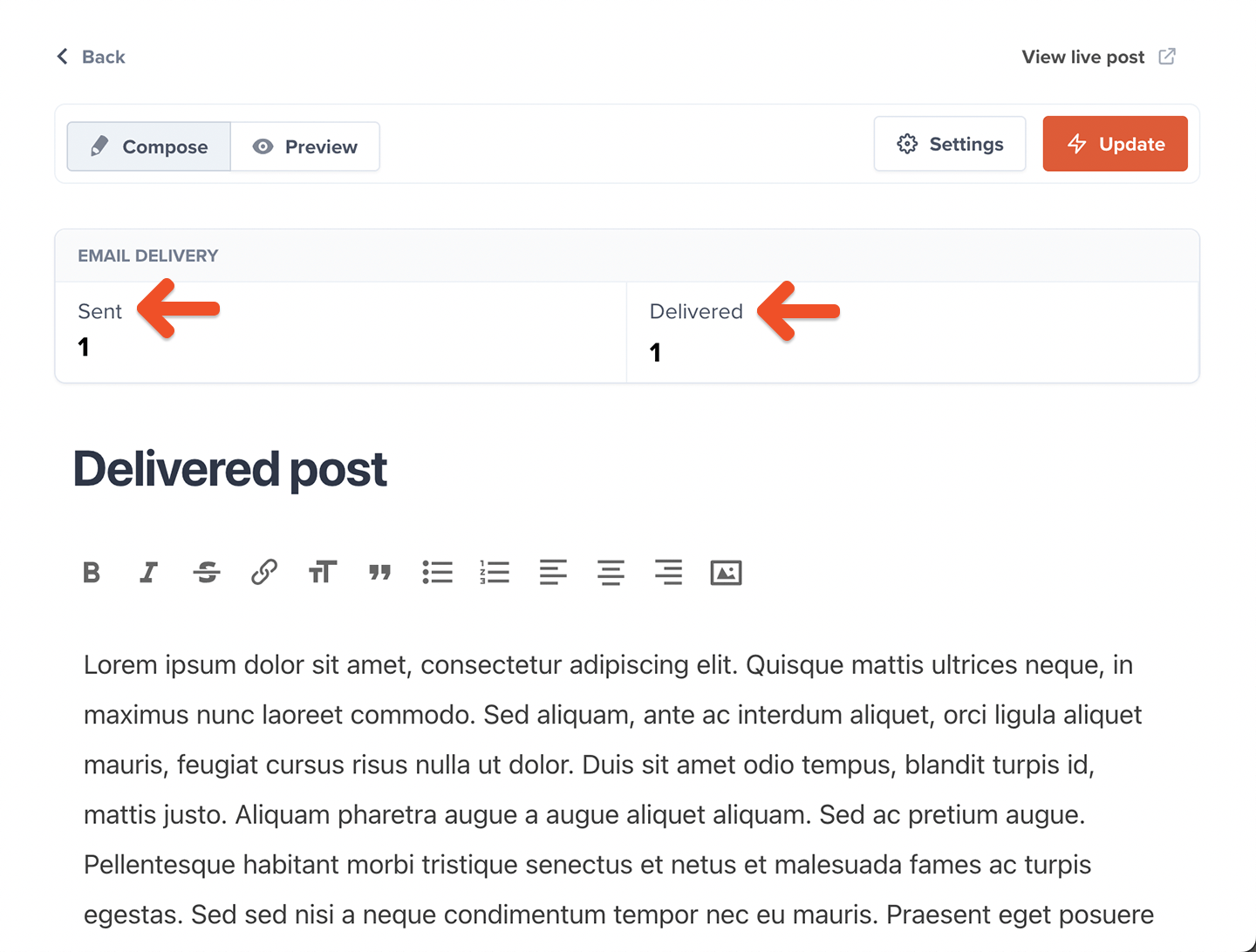
 Each published newsletter will display the following metrics:
* **Sent**: How many emails were sent.
* **Delivered**: How many of those emails were delivered.
Each published newsletter will display the following metrics:
* **Sent**: How many emails were sent.
* **Delivered**: How many of those emails were delivered.
 Post metrics are updated in real time.
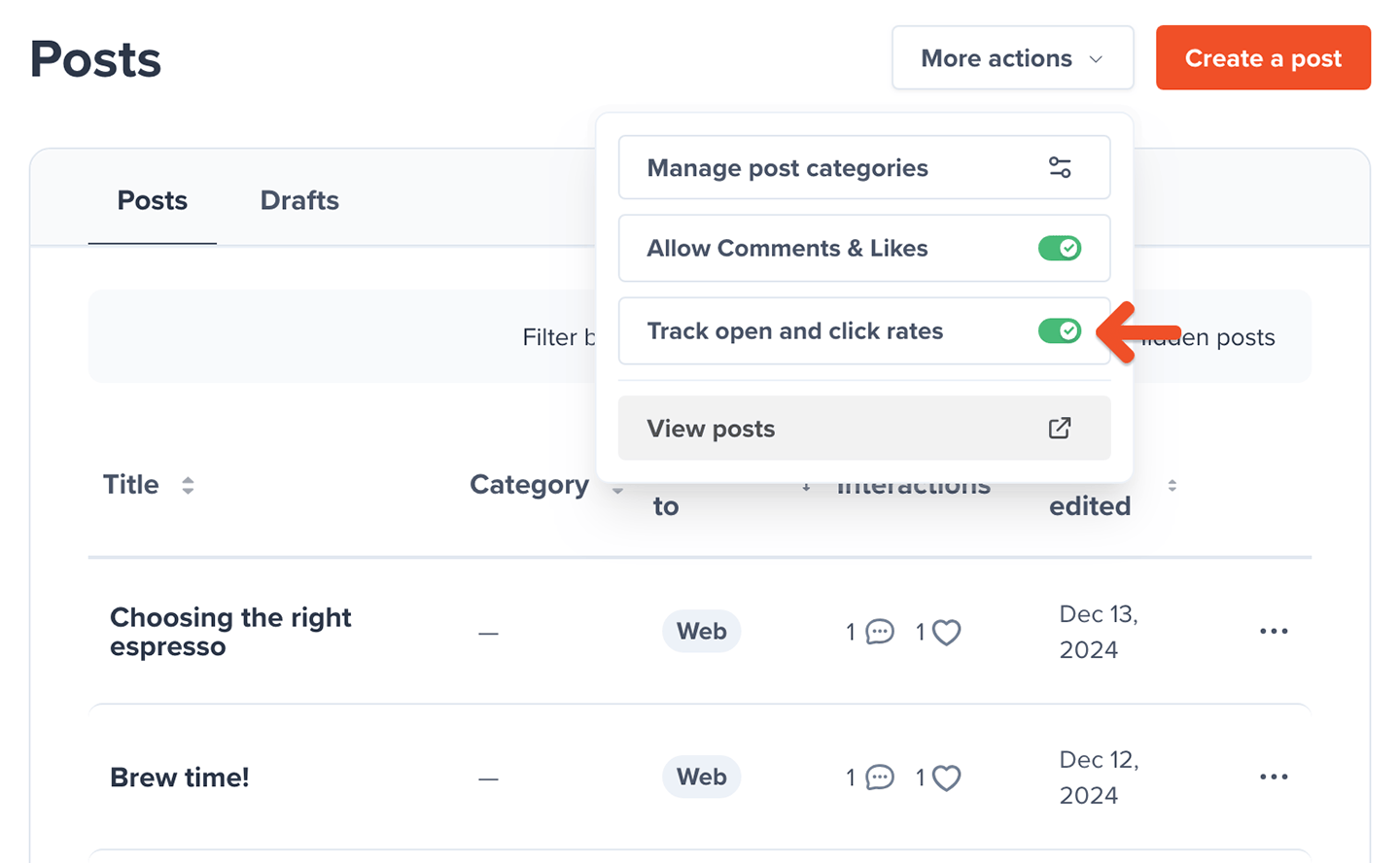
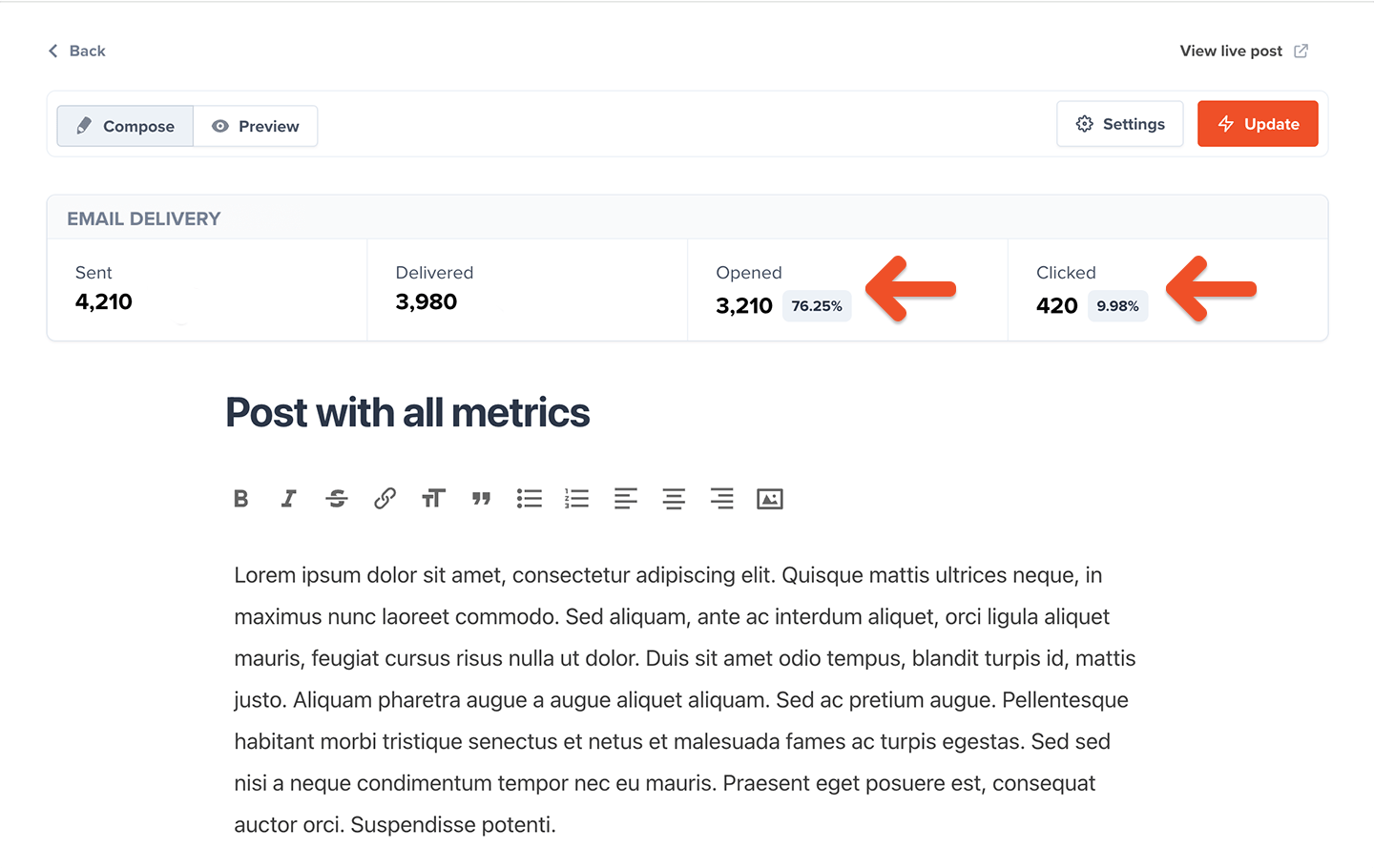
You can also toggle **Track open and click rates** in *Posts → More actions* to display two additional metrics:
* **Opened**: How many delivered emails were opened.
* **Clicked**: How many people clicked any link in an email.
Post metrics are updated in real time.
You can also toggle **Track open and click rates** in *Posts → More actions* to display two additional metrics:
* **Opened**: How many delivered emails were opened.
* **Clicked**: How many people clicked any link in an email.
 Click tracking may be affected by security apps or email clients that pre-scan links for safety. These scans can register as clicks in your metrics or block tracking entirely, impacting the accuracy of your data.