Related help docs:
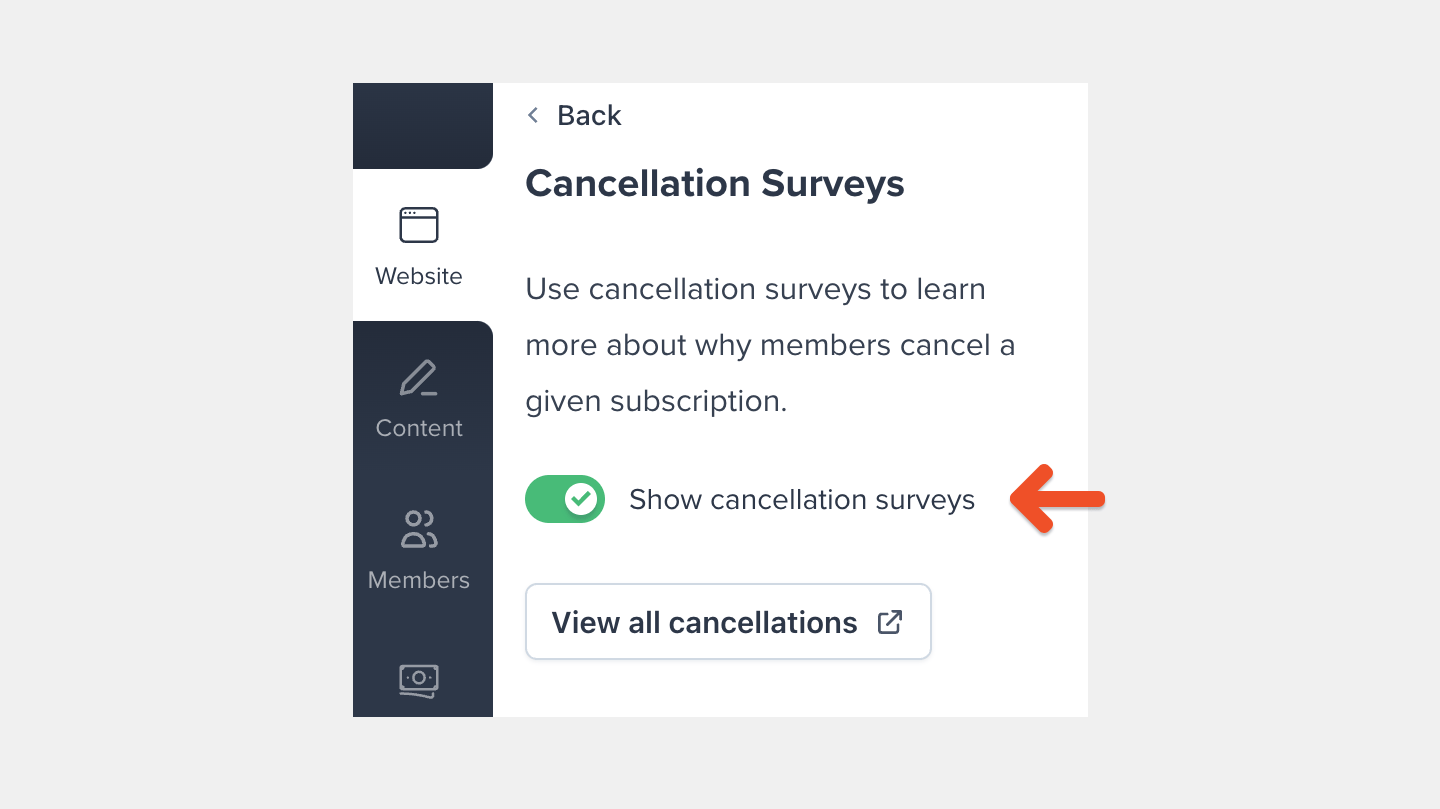 On this page, you can also preview what your members see when they cancel a subscription.
## View the survey as it appears to members
When a member chooses to cancel a subscription, Memberful will ask for confirmation.
On this page, you can also preview what your members see when they cancel a subscription.
## View the survey as it appears to members
When a member chooses to cancel a subscription, Memberful will ask for confirmation.
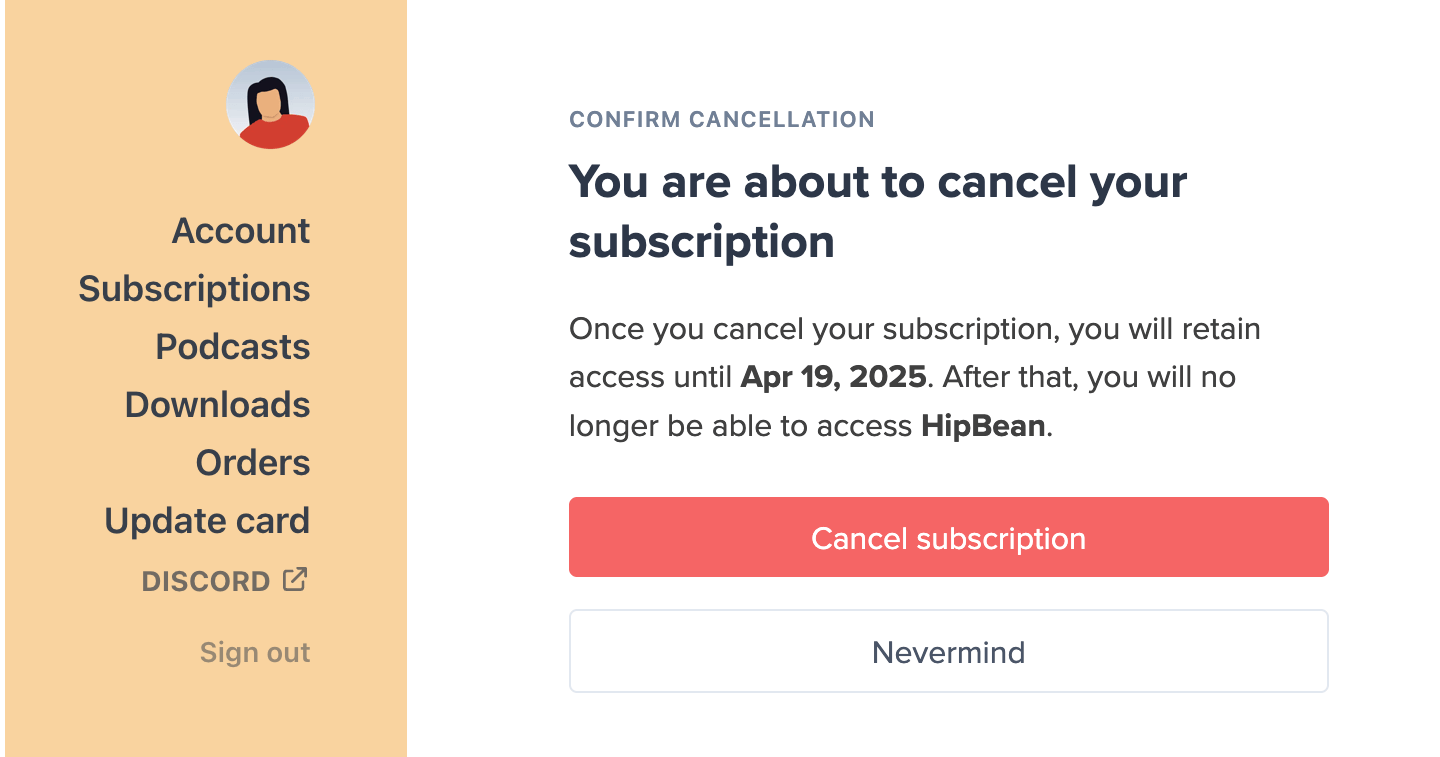 If they proceed to cancel, we show a cancellation survey with several choices. The cancellation survey is optional, so they can either specify a reason or skip the survey.
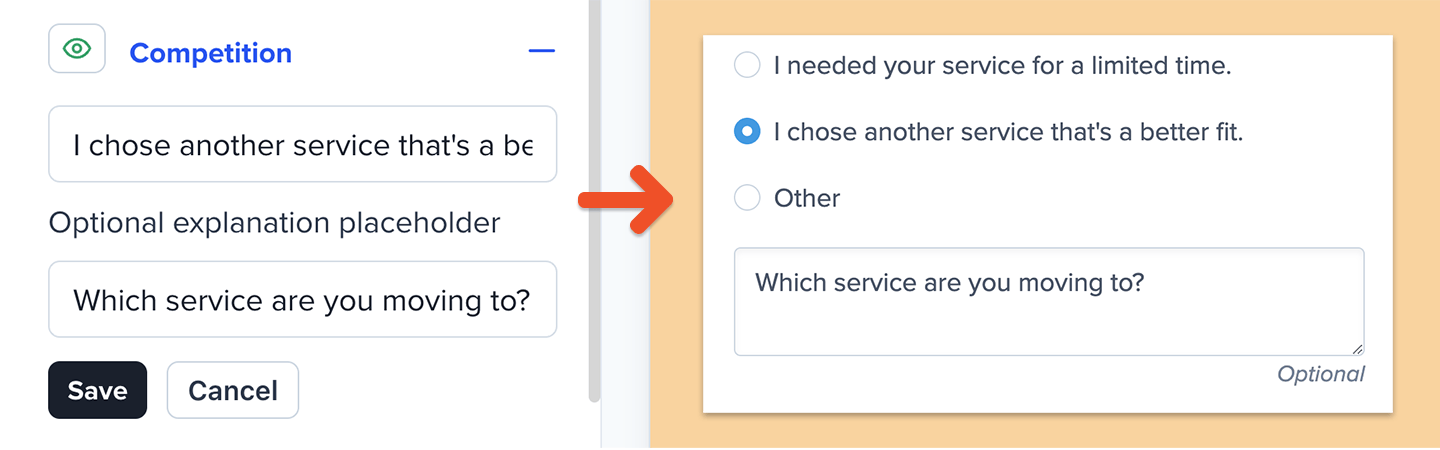
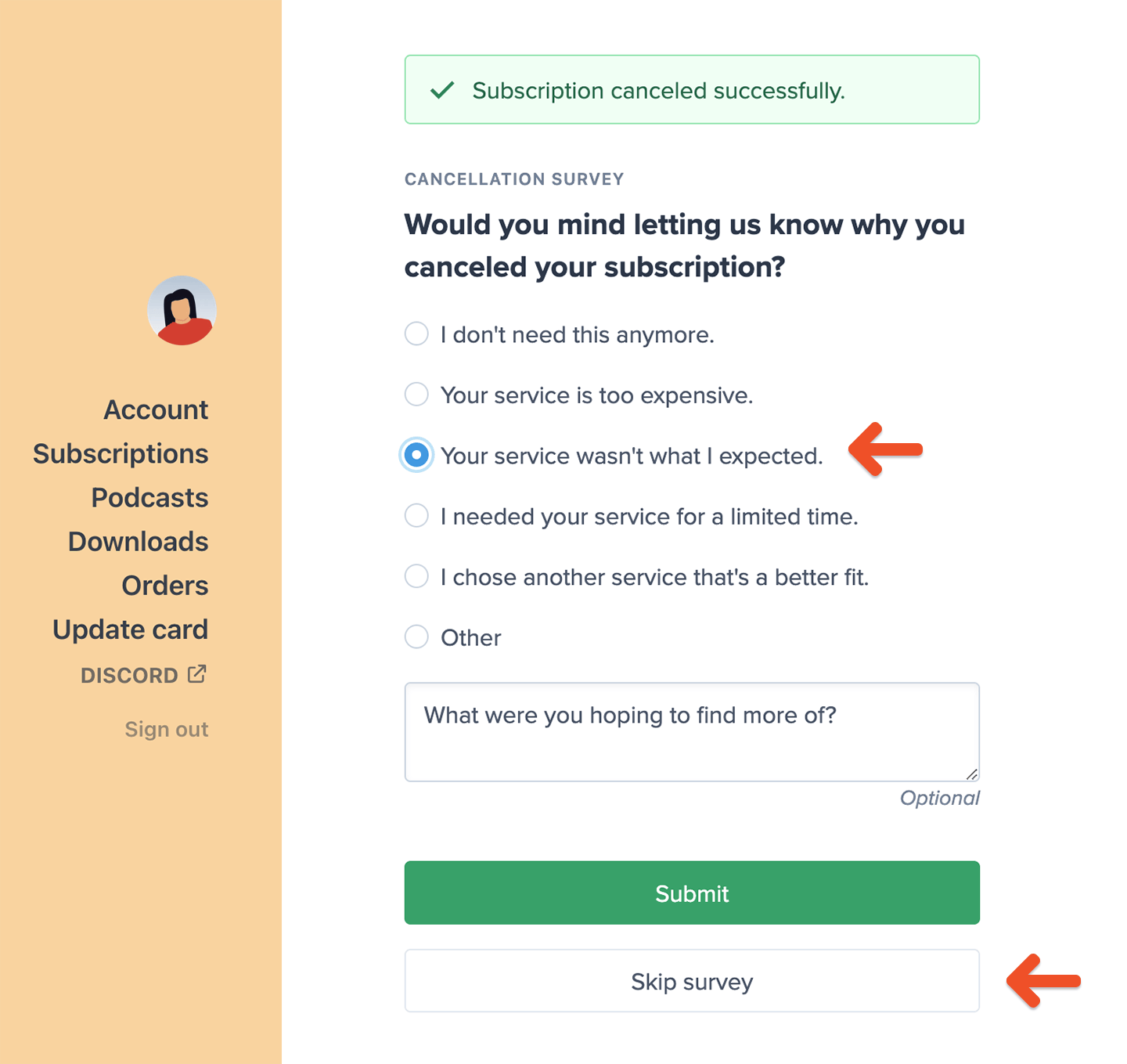 Members who choose "competition" or "other" are able to offer more details.
 ## Edit cancellation responses
To edit the cancellation reasons that members can select, go to *Website → Cancellation Survey*, click a category, and then click **Edit.**
## Edit cancellation responses
To edit the cancellation reasons that members can select, go to *Website → Cancellation Survey*, click a category, and then click **Edit.**
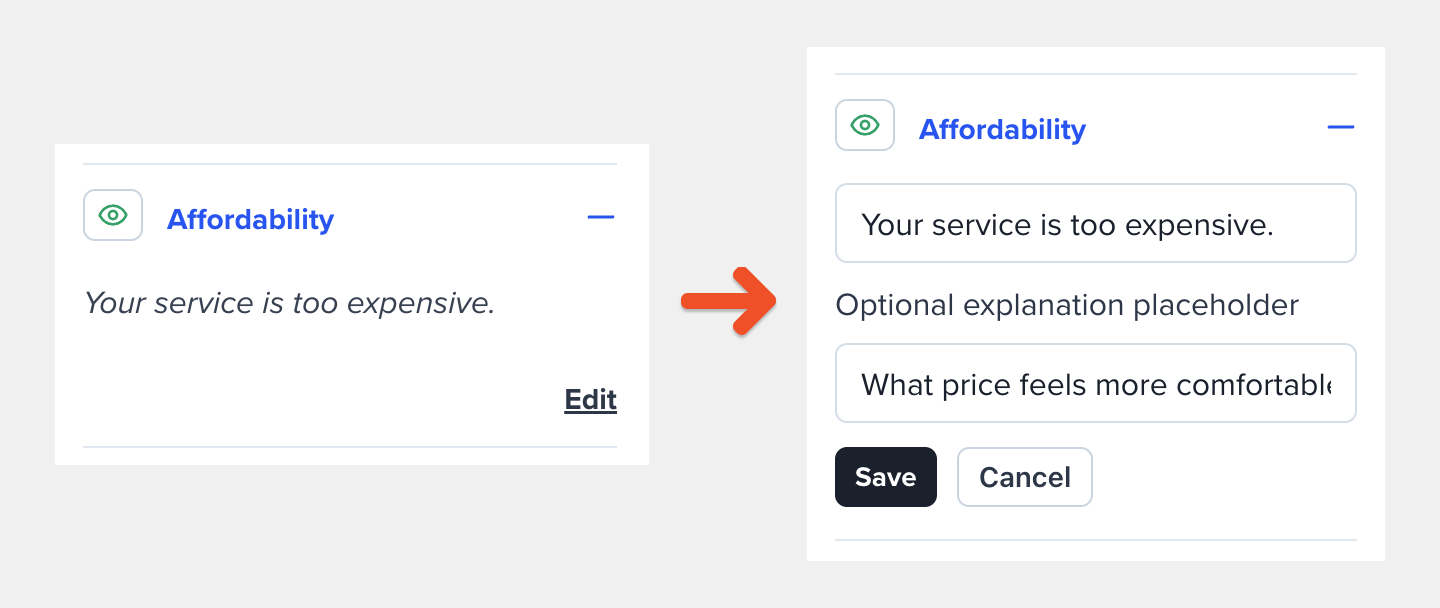 You can also edit the optional explanation placeholder for the responses that request additional feedback from the member.
 ## Show or hide responses
To hide or show a cancellation reason, go to *Website → Cancellation Survey,* and click the **eye** icon next to a category.
## Show or hide responses
To hide or show a cancellation reason, go to *Website → Cancellation Survey,* and click the **eye** icon next to a category.
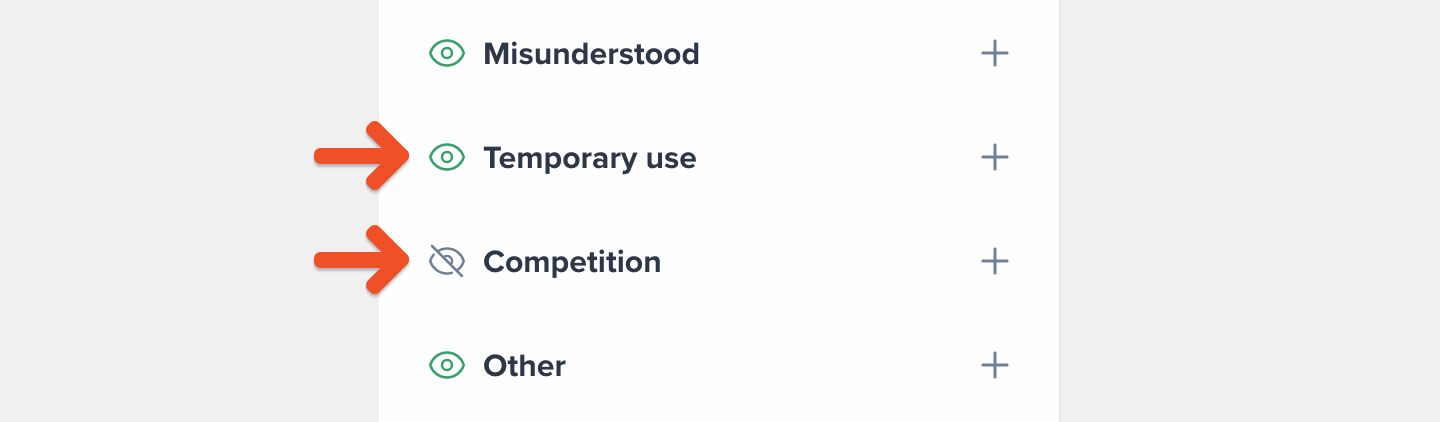 Hiding a cancellation category will also hide it from the [cancellation survey results](#review-cancellation-survey-results) and the CSV export.
## Review cancellation survey results
To review the results of your cancellation survey, go to *Revenue → Cancellations.* Note: Cancellations made by an admin or through the API will not appear in this section.
This page shows the list of cancellation reasons for subscriptions that are currently still active but not renewing (e.g. canceled) and subscriptions that have expired. Once a subscription’s expiration date passes, the survey entry will be moved from the **Active** tab to the **Expired** tab.
Hiding a cancellation category will also hide it from the [cancellation survey results](#review-cancellation-survey-results) and the CSV export.
## Review cancellation survey results
To review the results of your cancellation survey, go to *Revenue → Cancellations.* Note: Cancellations made by an admin or through the API will not appear in this section.
This page shows the list of cancellation reasons for subscriptions that are currently still active but not renewing (e.g. canceled) and subscriptions that have expired. Once a subscription’s expiration date passes, the survey entry will be moved from the **Active** tab to the **Expired** tab.
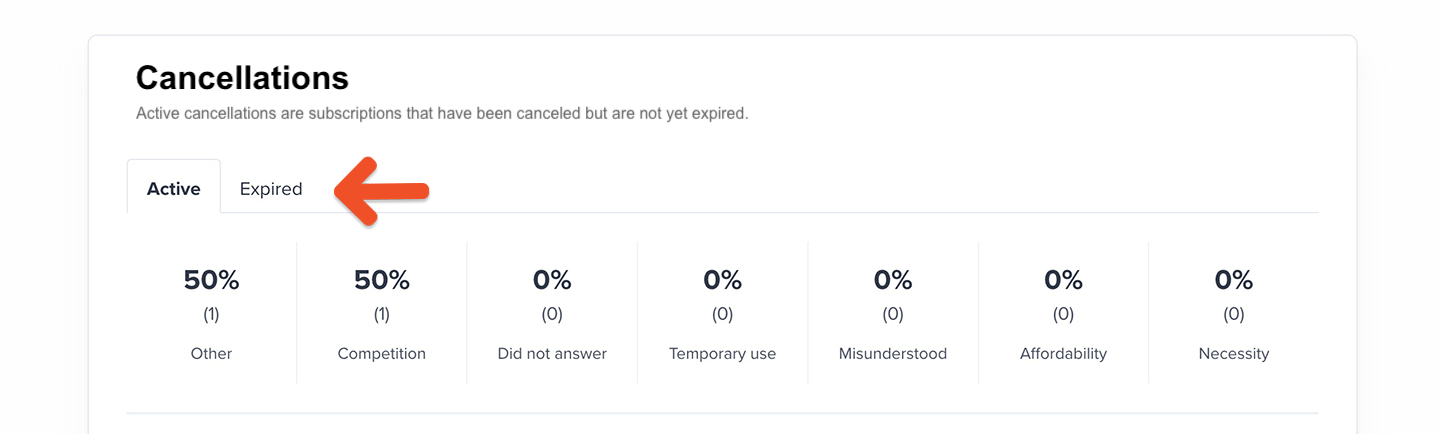 The top section breaks down the percentage of cancellations by reason.
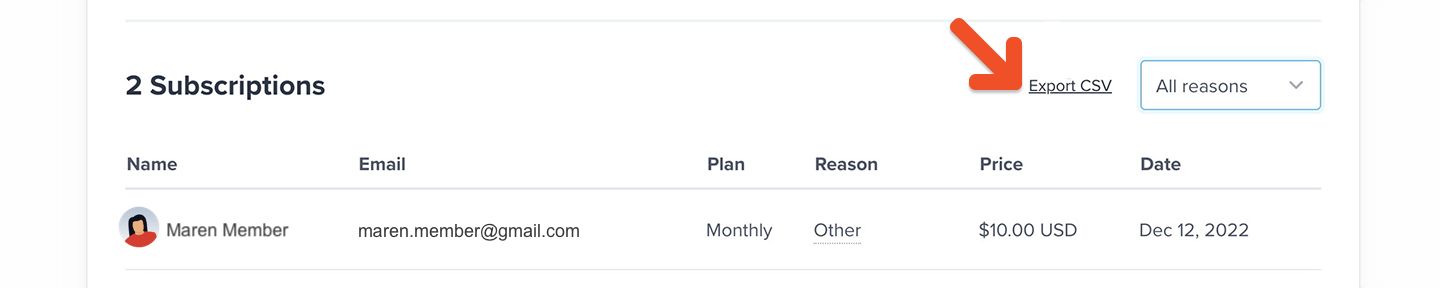
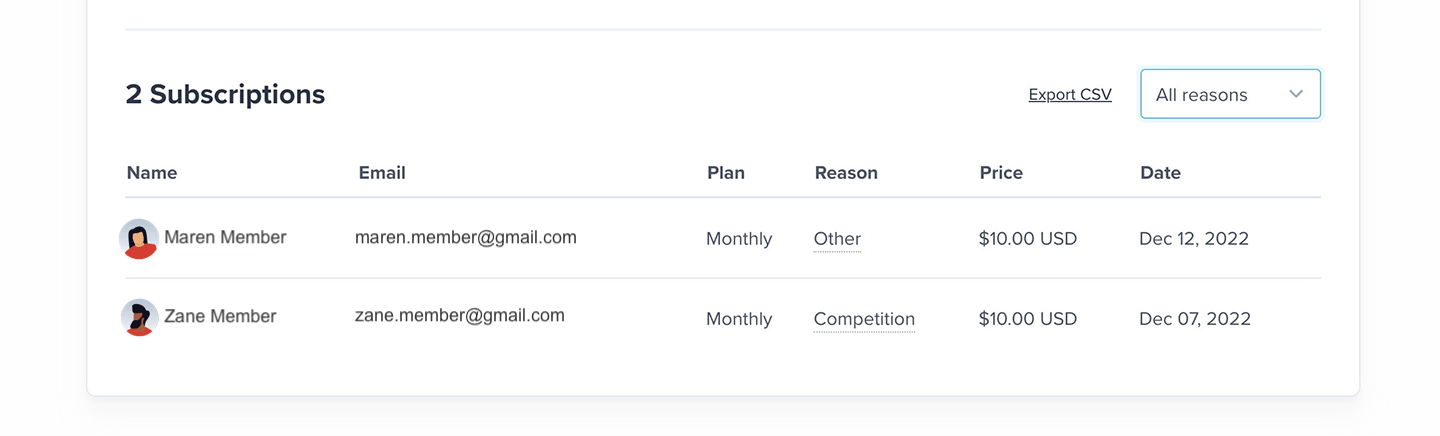
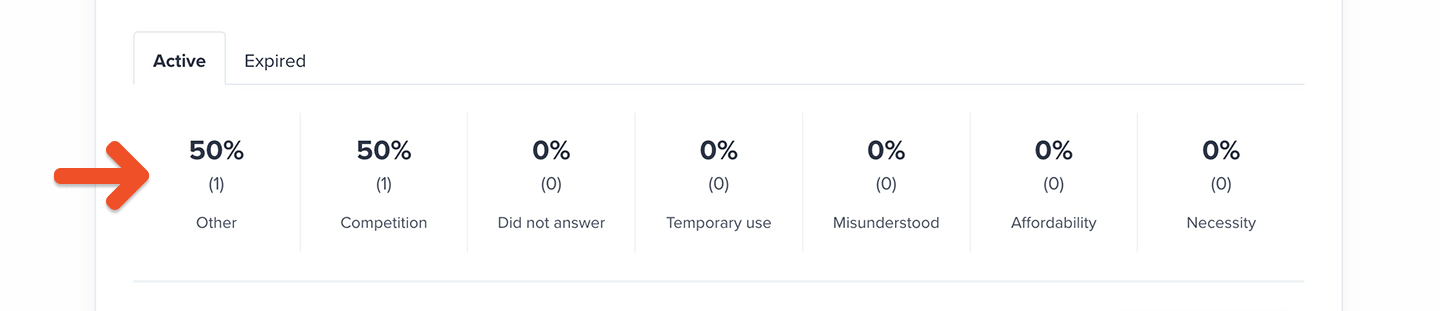 At the bottom, you’ll find a table with individual survey results. In the **Active** tab, the date column shows the date when the subscription was canceled. In the **Expired** tab, the date column shows the date when the subscription expired.
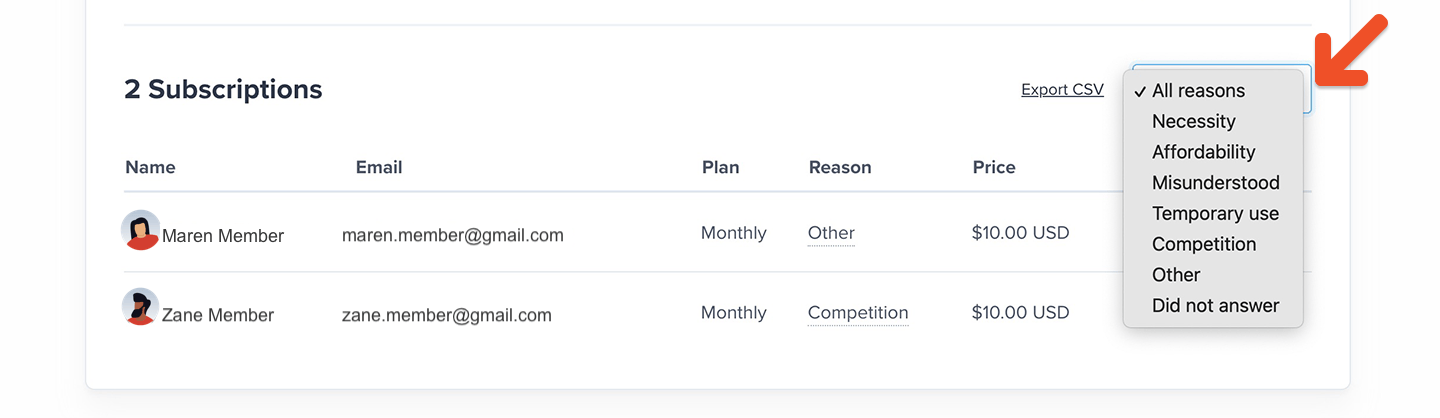
 To filter the table by reason, select one from the dropdown box.
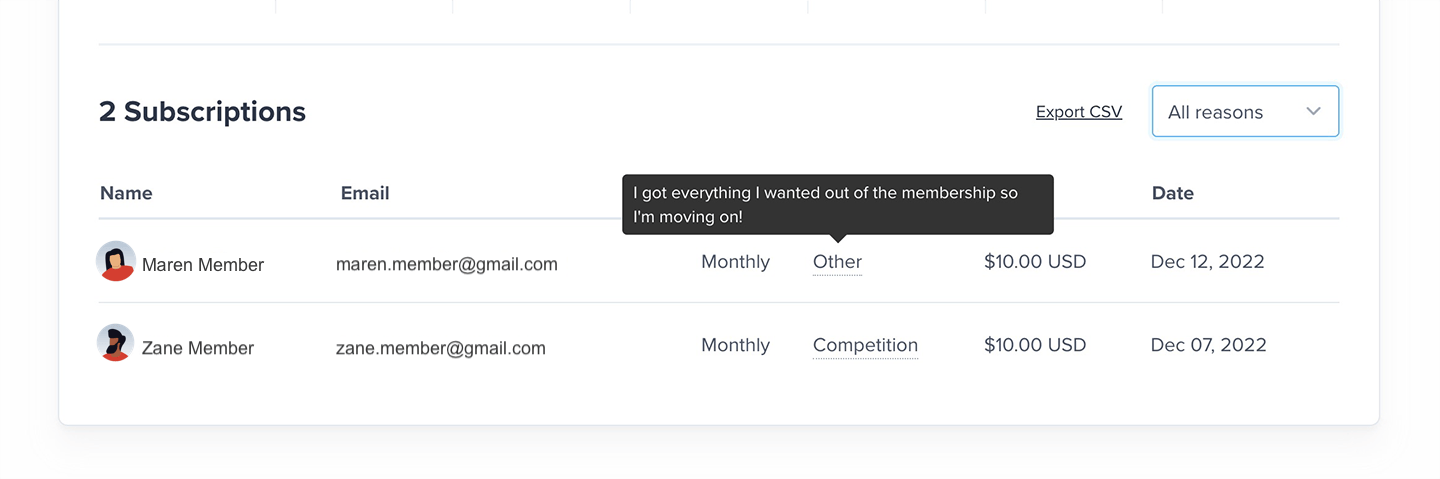
 Members who chose "other" or "I chose another service that's a better fit" as the cancellation reason have the opportunity to share more details. If you see a dotted line under the cancellation reason, hover over it to see the additional context that the member entered.
 Click **Export CSV** to download the results as a spreadsheet file.