Related help docs:
 ## How to compare plans
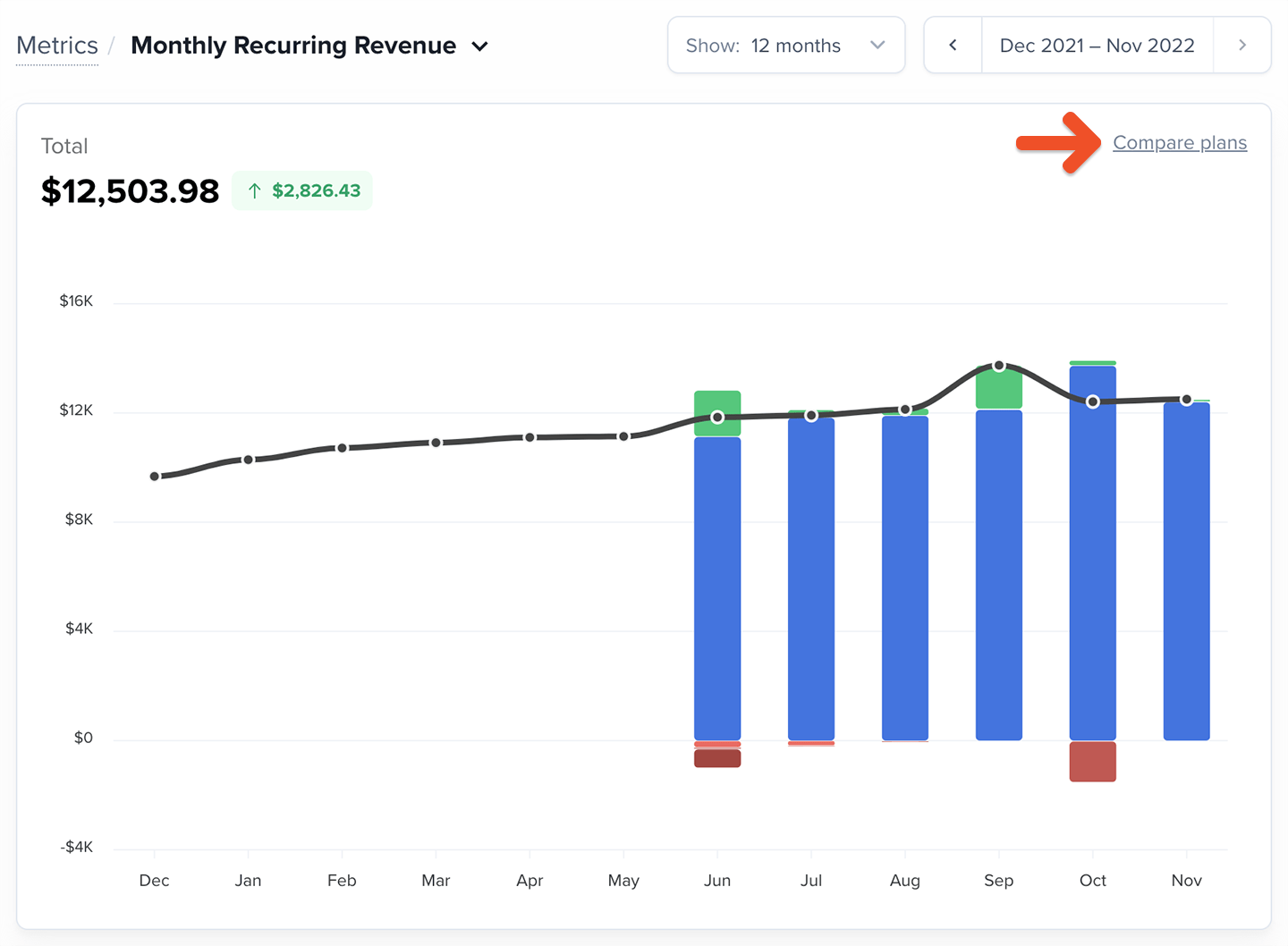
Click **Add another Plan** and select a plan to include in the comparison. You can compare up to 5 plans at once. The graph will update automatically based on the selected metric.
## How to compare plans
Click **Add another Plan** and select a plan to include in the comparison. You can compare up to 5 plans at once. The graph will update automatically based on the selected metric.
 To remove a plan from the comparison, click the X next to the plan name.
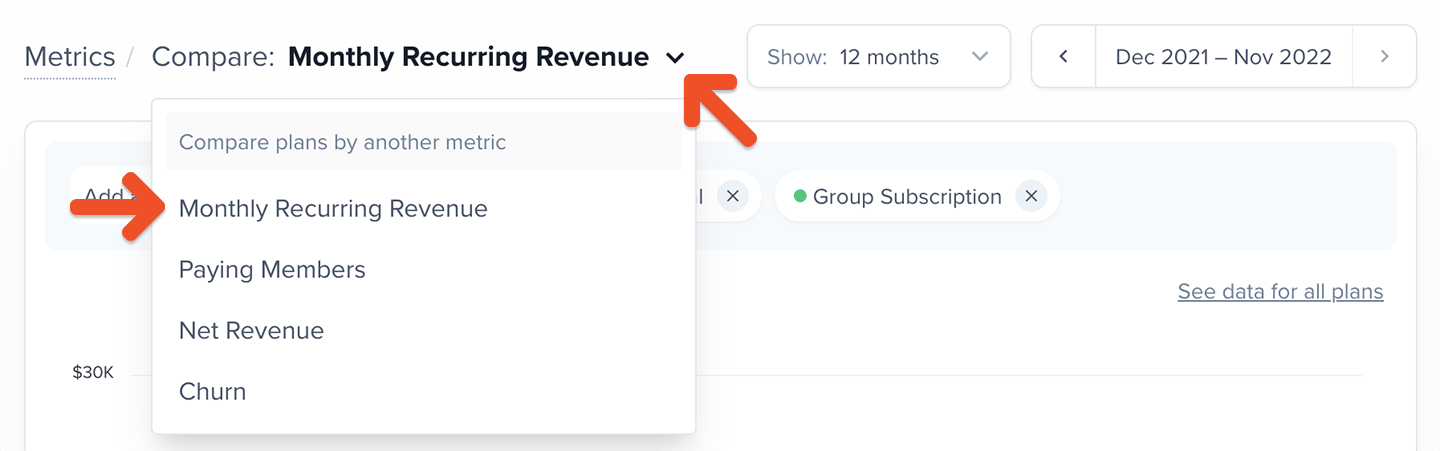
 To switch metrics, click the metric name and select a different one.
 ## How to use the plan comparison data
Plan comparison helps you make informed decisions about pricing, positioning, member acquisition, and retention. Below are examples of what to look for within each metric.
### Comparing MRR
This shows you which plans contribute the most predictable revenue each month.
A healthy membership is diversified — meaning no single plan should hold a disproportionate share of your total MRR. If most of your MRR comes from one plan, a change in that plan’s performance could have an outsized impact.
Use this comparison to:
* Identify plans that are driving most of your recurring revenue
* Spot over-reliance on a single plan
* Adjust acquisition or promotion strategies when needed
### Comparing paying members
This helps you understand changes in member count across plans. It’s crucial to view Paying Members in context with MRR, since:
* A member upgrading from Plan A to Plan B decreases Plan A’s count but increases your MRR
* A drop in Paying Members across all plans usually results in lower MRR
* If only one plan loses members, the impact depends on the pricing of the plans gaining members
Always review Paying Members alongside MRR to get the full picture.
### Comparing net revenue
Net Revenue accounts for discounts and refunds, making it useful for evaluating the quality of the revenue a plan generates.
This comparison helps you see:
* Which plans deliver the strongest net earnings
* Whether higher-priced plans have higher refund rates
* How your net revenue trends change over time for each plan
If a plan is attracting more refunds or heavy discount use, it will show up here.
### Comparing churn
Churn comparison shows which plans retain members well and which may need adjustments.
Look for patterns like:
* Consistently low churn → strong value and healthy retention
* High or rising churn → potential issues with pricing, content fulfillment, or positioning
* Churn differences across similar plans → opportunities to improve individual offerings
Churn naturally fluctuates month-to-month, so review at least **three months** of data before drawing conclusions.
## How to use the plan comparison data
Plan comparison helps you make informed decisions about pricing, positioning, member acquisition, and retention. Below are examples of what to look for within each metric.
### Comparing MRR
This shows you which plans contribute the most predictable revenue each month.
A healthy membership is diversified — meaning no single plan should hold a disproportionate share of your total MRR. If most of your MRR comes from one plan, a change in that plan’s performance could have an outsized impact.
Use this comparison to:
* Identify plans that are driving most of your recurring revenue
* Spot over-reliance on a single plan
* Adjust acquisition or promotion strategies when needed
### Comparing paying members
This helps you understand changes in member count across plans. It’s crucial to view Paying Members in context with MRR, since:
* A member upgrading from Plan A to Plan B decreases Plan A’s count but increases your MRR
* A drop in Paying Members across all plans usually results in lower MRR
* If only one plan loses members, the impact depends on the pricing of the plans gaining members
Always review Paying Members alongside MRR to get the full picture.
### Comparing net revenue
Net Revenue accounts for discounts and refunds, making it useful for evaluating the quality of the revenue a plan generates.
This comparison helps you see:
* Which plans deliver the strongest net earnings
* Whether higher-priced plans have higher refund rates
* How your net revenue trends change over time for each plan
If a plan is attracting more refunds or heavy discount use, it will show up here.
### Comparing churn
Churn comparison shows which plans retain members well and which may need adjustments.
Look for patterns like:
* Consistently low churn → strong value and healthy retention
* High or rising churn → potential issues with pricing, content fulfillment, or positioning
* Churn differences across similar plans → opportunities to improve individual offerings
Churn naturally fluctuates month-to-month, so review at least **three months** of data before drawing conclusions.