> ## Documentation Index
> Fetch the complete documentation index at: https://memberful.com/docs/llms.txt
> Use this file to discover all available pages before exploring further.
# Pause a subscription
> Pause subscription charges for a member in Memberful. Compare the available options so you can pick the approach that fits your situation and member's needs.
export const RelatedDocs = ({link1, link2, link3, link4, link5, link6, link7, link8, link9, link10, className = ""}) => {
const links = [link1, link2, link3, link4, link5, link6, link7, link8, link9, link10].filter(Boolean);
if (!links.length) return null;
return ;
};
export const ContactSupport = ({label = "Contact us to get set up →", fallbackEmail = "info@memberful.com", className = ""}) => {
const handleClick = e => {
e.preventDefault();
if (typeof window !== 'undefined' && window.Intercom) {
try {
window.Intercom('showNewMessage');
return;
} catch (error) {
console.warn('Intercom failed to open:', error);
}
}
window.location.href = `mailto:${fallbackEmail}`;
};
return
{label}
;
};
In this help article, we'll explore the different ways to pause a subscription for a member. If you need to pause subscriptions for more than 20 members, .
## Extend the renewal date
This action allows you to customize the specific date for the next charge and does not impact your churn metrics.
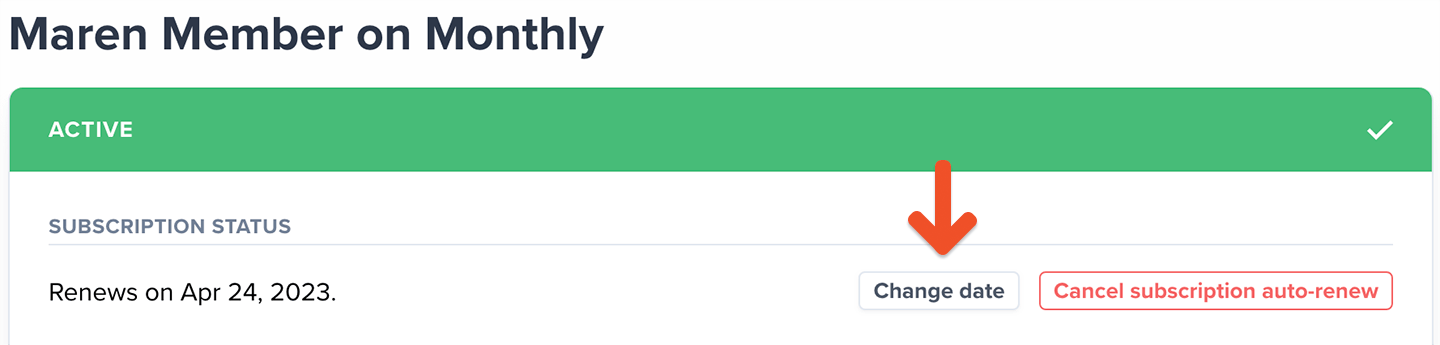
Go to the member's profile, click the subscription link, and change the renewal to a later date.
 ## Apply a coupon to the subscription
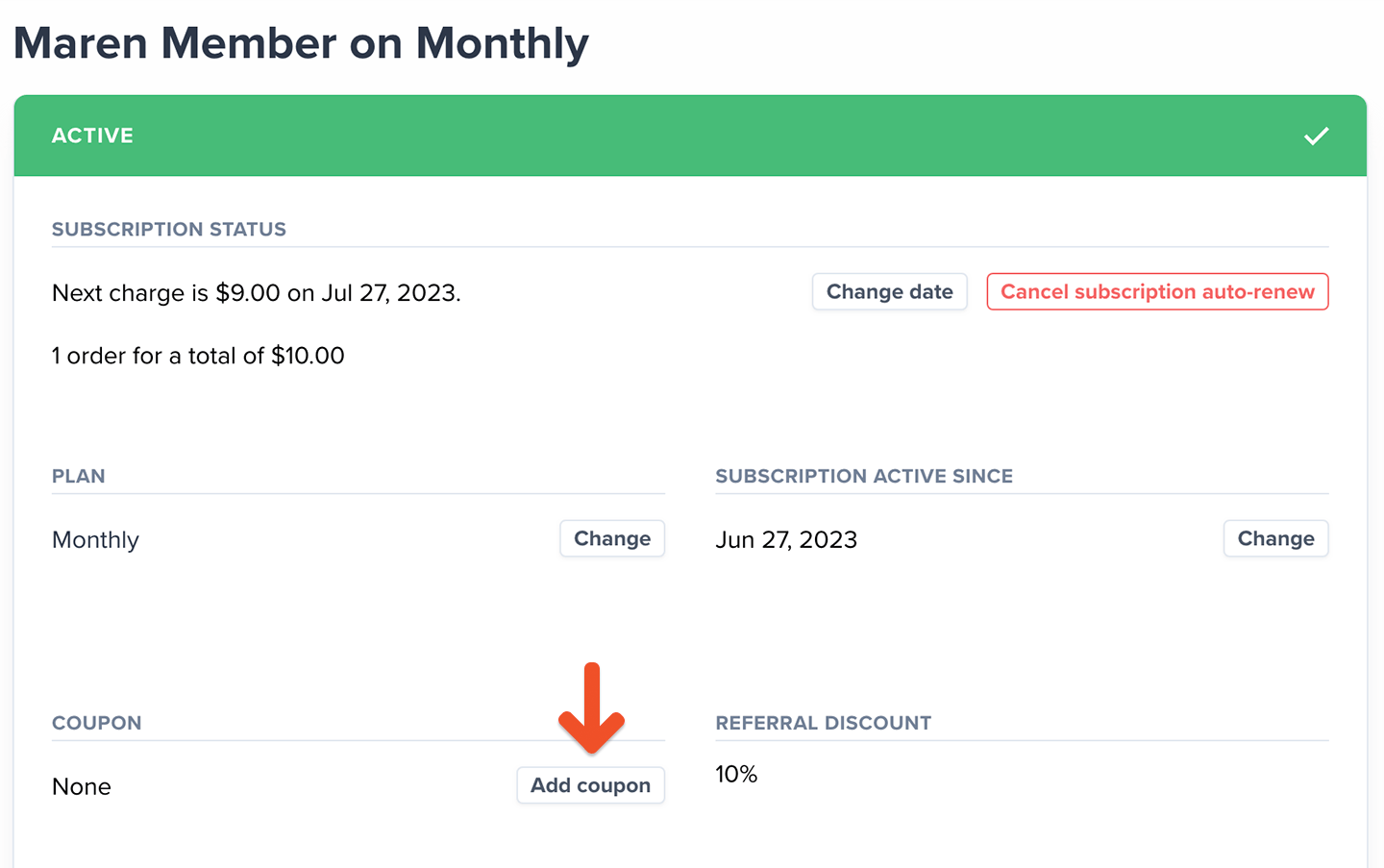
Go to *Revenue → Coupons* and [create a 100% off recurring coupon](/discounts-and-gifting/coupons/create-a-coupon). From the member's profile, click the subscription link and then click **Add coupon**. When you want to unpause the member, remove the coupon from their subscription.
## Apply a coupon to the subscription
Go to *Revenue → Coupons* and [create a 100% off recurring coupon](/discounts-and-gifting/coupons/create-a-coupon). From the member's profile, click the subscription link and then click **Add coupon**. When you want to unpause the member, remove the coupon from their subscription.
 Applying a 100% coupon to a subscription is considered a paying member loss and counted towards your churn rate.
## Suspend the order
Suspending an order is an administrative action that temporarily pauses a member's subscription and prevents access to their subscription and any exclusive member benefits. [Learn more about suspending orders.](/member-management/payments-and-access/refund-or-suspend-an-order/#suspend-an-order)
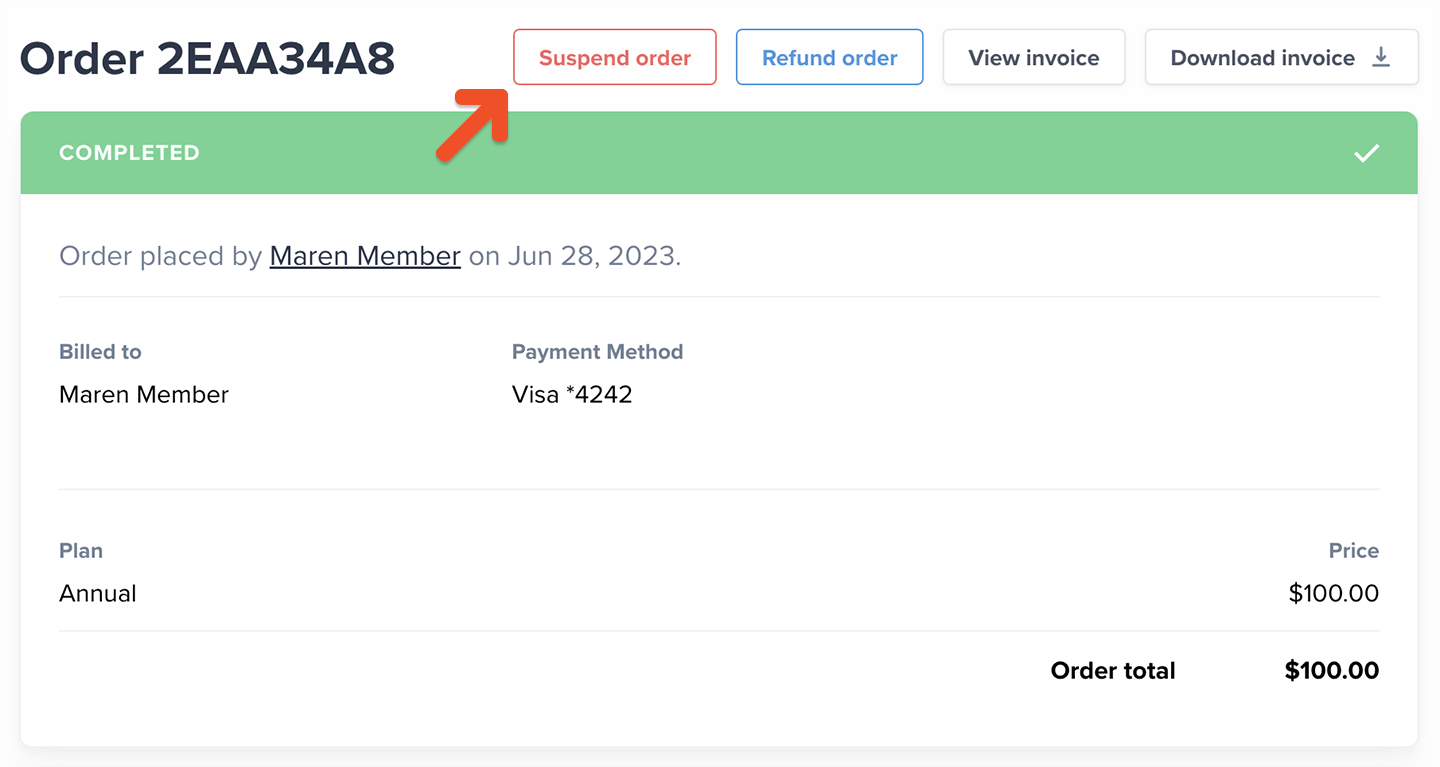
Go to the member's profile, click the subscription Order #, and then click **Suspend order.** If you later want to unpause the subscription, return to this location and click **Complete order**.
Applying a 100% coupon to a subscription is considered a paying member loss and counted towards your churn rate.
## Suspend the order
Suspending an order is an administrative action that temporarily pauses a member's subscription and prevents access to their subscription and any exclusive member benefits. [Learn more about suspending orders.](/member-management/payments-and-access/refund-or-suspend-an-order/#suspend-an-order)
Go to the member's profile, click the subscription Order #, and then click **Suspend order.** If you later want to unpause the subscription, return to this location and click **Complete order**.
 Memberful allows 30 days for you to recover the payment before counting it toward churn. We mark it paid again if the order is reactivated by [marking it as complete.](/member-management/payments-and-access/refund-or-suspend-an-order/#complete-order-un-suspend)