Related help docs:
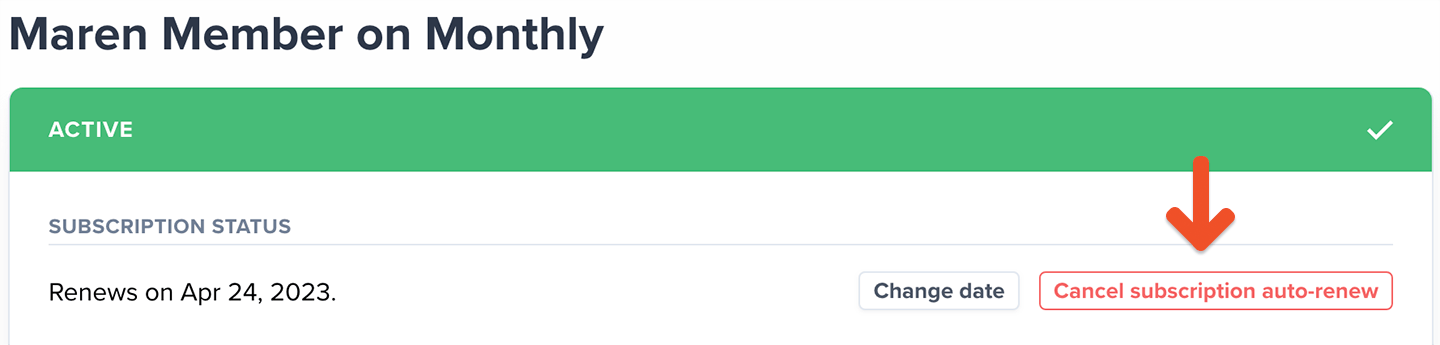
 2. Enable auto-renew or cancel the member's subscription auto-renew.
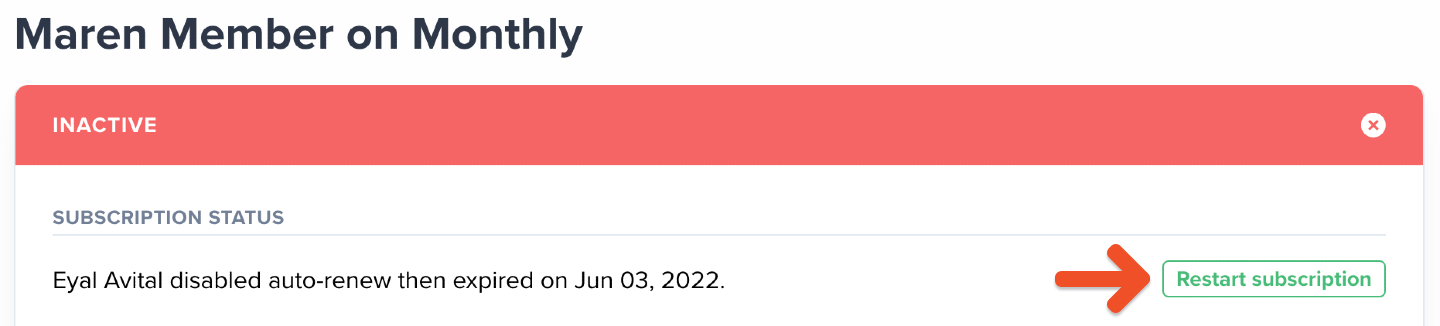
 3. Alternatively, restart a subscription that has already expired.
 ## Edit a member's custom amount
If you let members [choose what to pay](/plans/plan-options/enable-choose-what-you-pay), you might need to update their contribution amount. To do this:
1. Go to the member's profile and click the subscription link.
2. Click **Change** under **Custom price,** then enter a new amount that's equal to or greater than the plan's minimum price.
## Edit a member's custom amount
If you let members [choose what to pay](/plans/plan-options/enable-choose-what-you-pay), you might need to update their contribution amount. To do this:
1. Go to the member's profile and click the subscription link.
2. Click **Change** under **Custom price,** then enter a new amount that's equal to or greater than the plan's minimum price.
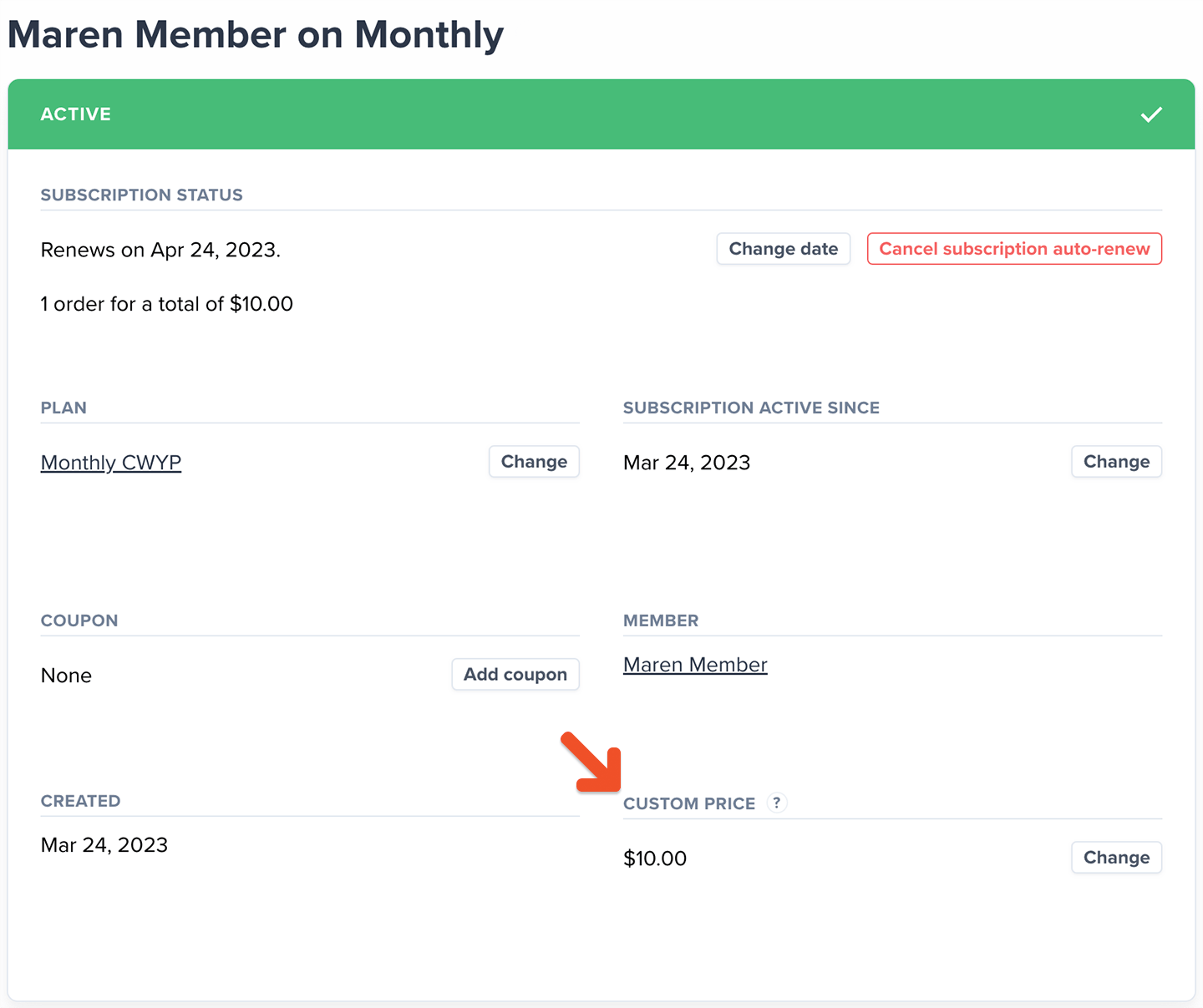 The member will be charged this amount at their new renewal, and all renewals going forward.
## Delete a member's subscription
To delete a member's subscription:
1. Go to the member's profile and click the subscription link.
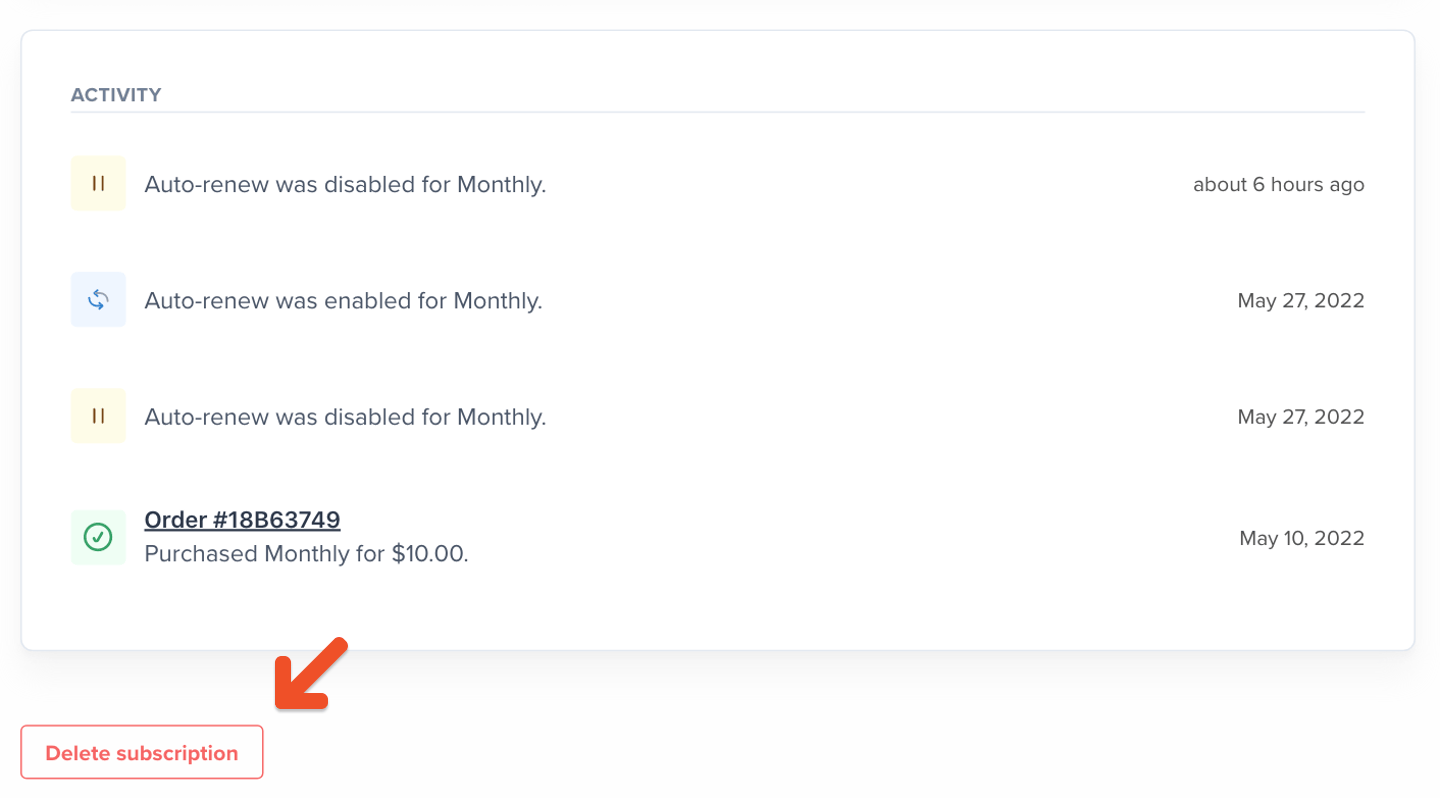
2. Then, select **Delete subscription** in the bottom-left corner of the window.
The member will be charged this amount at their new renewal, and all renewals going forward.
## Delete a member's subscription
To delete a member's subscription:
1. Go to the member's profile and click the subscription link.
2. Then, select **Delete subscription** in the bottom-left corner of the window.
 * Deleting a subscription immediately removes the member's access to it and their associated benefits. They won't be able to access it from their account.
* Canceling a subscription lets the member keep their access until the subscription expires. They'll also have the option to renew it later from their account.
## Change a member's renewal date
To change a member's renewal date:
1. Go to the member's profile and click the subscription link.
2. Click **Change date.**
* Deleting a subscription immediately removes the member's access to it and their associated benefits. They won't be able to access it from their account.
* Canceling a subscription lets the member keep their access until the subscription expires. They'll also have the option to renew it later from their account.
## Change a member's renewal date
To change a member's renewal date:
1. Go to the member's profile and click the subscription link.
2. Click **Change date.**
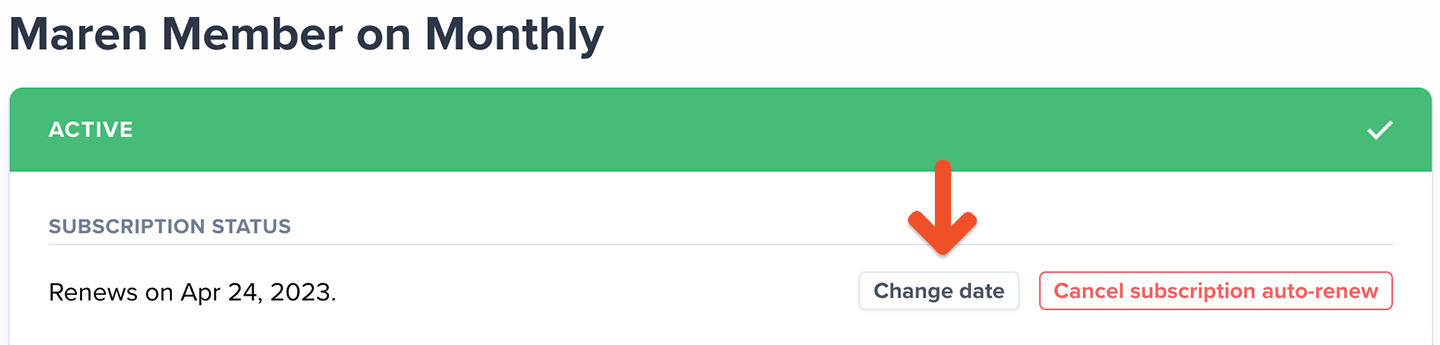 3. Modify the renewal date to a date in the future, and then click **Change.**
## Change a member's plan
If a member's plan is part of a [Plan Group](/plans/plan-options/configure-upgrade-settings/), you can switch it to another plan in the same group. To do this:
1. Go to the member's profile and click the subscription link.
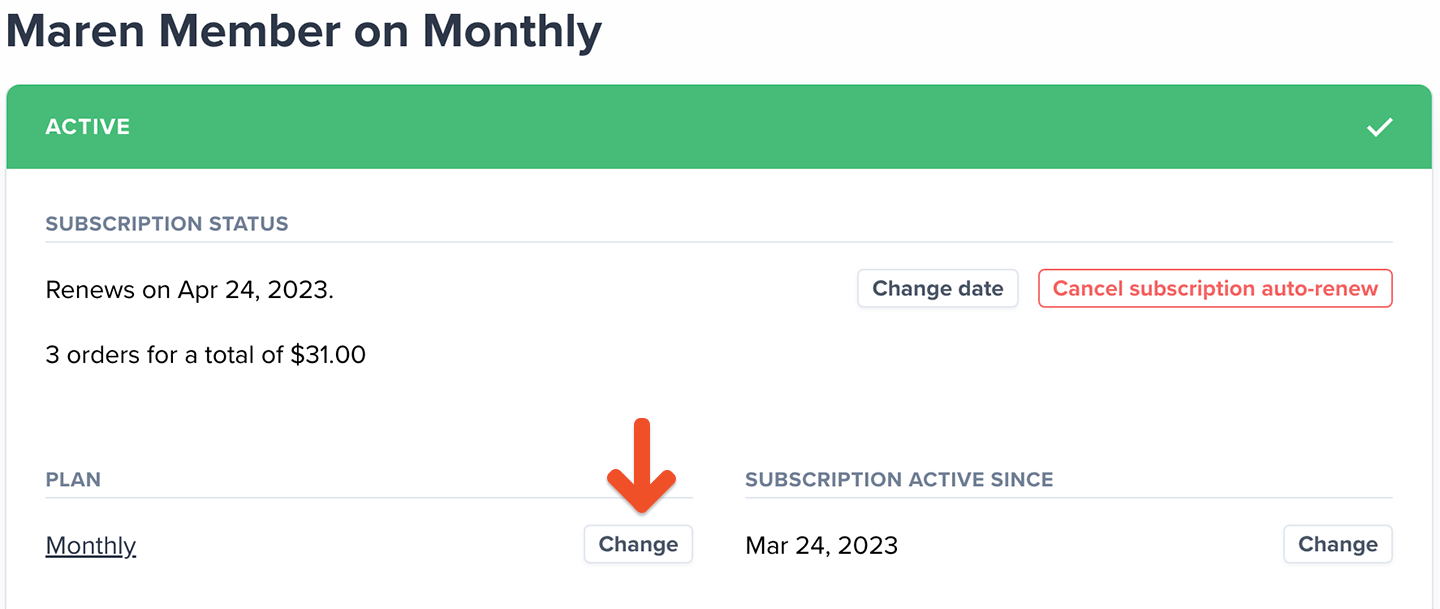
2. Then, click **Change,** and select a different plan from the list. Your member will be charged accordingly.
3. Modify the renewal date to a date in the future, and then click **Change.**
## Change a member's plan
If a member's plan is part of a [Plan Group](/plans/plan-options/configure-upgrade-settings/), you can switch it to another plan in the same group. To do this:
1. Go to the member's profile and click the subscription link.
2. Then, click **Change,** and select a different plan from the list. Your member will be charged accordingly.
 ## Add a coupon to a member's subscription
To add a coupon to a member's subscription:
1. Go to *Revenue → Coupons.*
2. [Create a coupon](/discounts-and-gifting/coupons/create-a-coupon/) or copy an existing coupon code.
3. Then, go to the member's profile and click the subscription link.
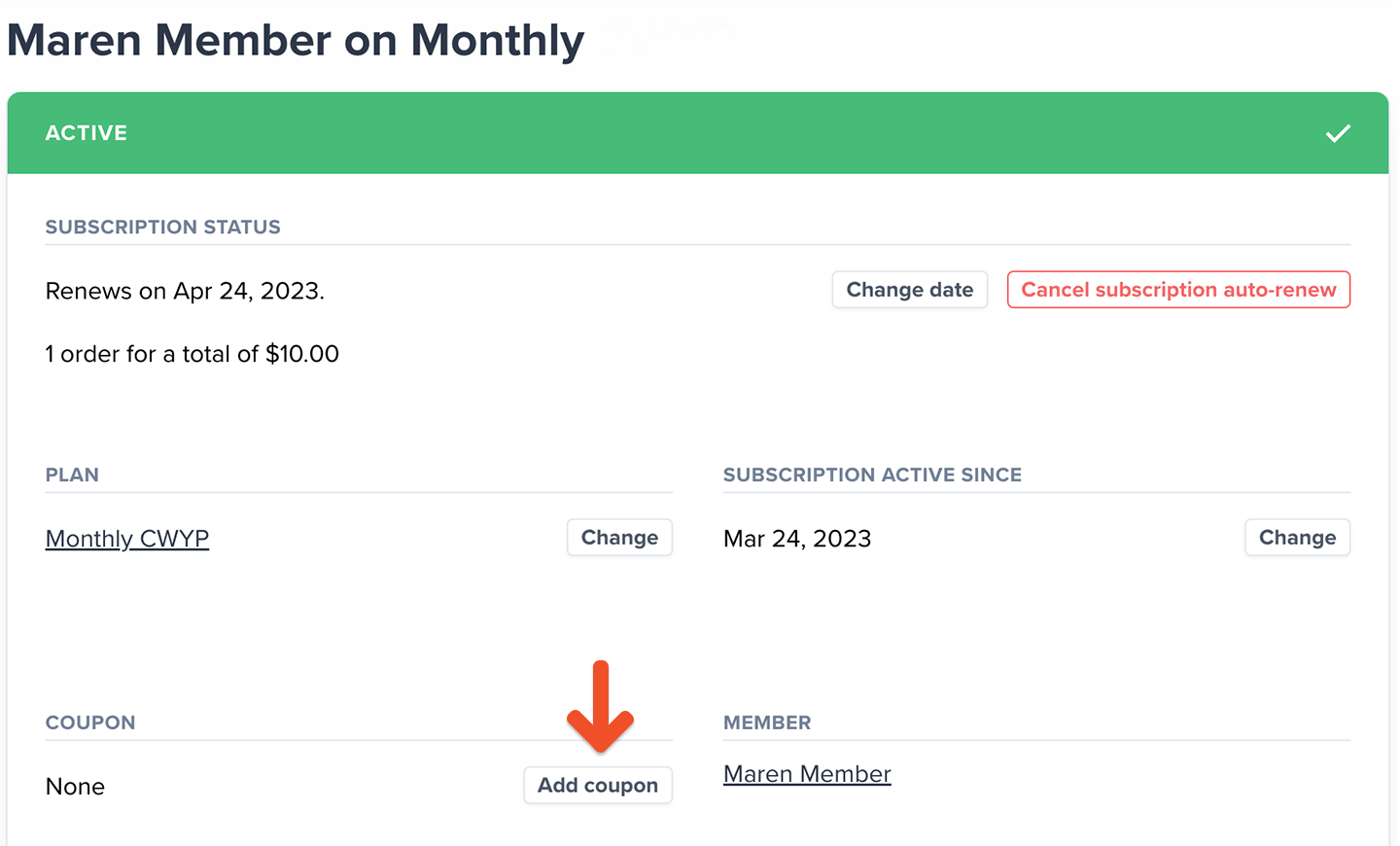
4. From the subscription page, click **Add coupon**, and then **Apply.**
## Add a coupon to a member's subscription
To add a coupon to a member's subscription:
1. Go to *Revenue → Coupons.*
2. [Create a coupon](/discounts-and-gifting/coupons/create-a-coupon/) or copy an existing coupon code.
3. Then, go to the member's profile and click the subscription link.
4. From the subscription page, click **Add coupon**, and then **Apply.**
 To add a coupon during an upgrade:
1. Click **Change** next to the plan name.
2. Choose the new plan, and then apply the coupon code.
To add a coupon during an upgrade:
1. Click **Change** next to the plan name.
2. Choose the new plan, and then apply the coupon code.