Related help docs:
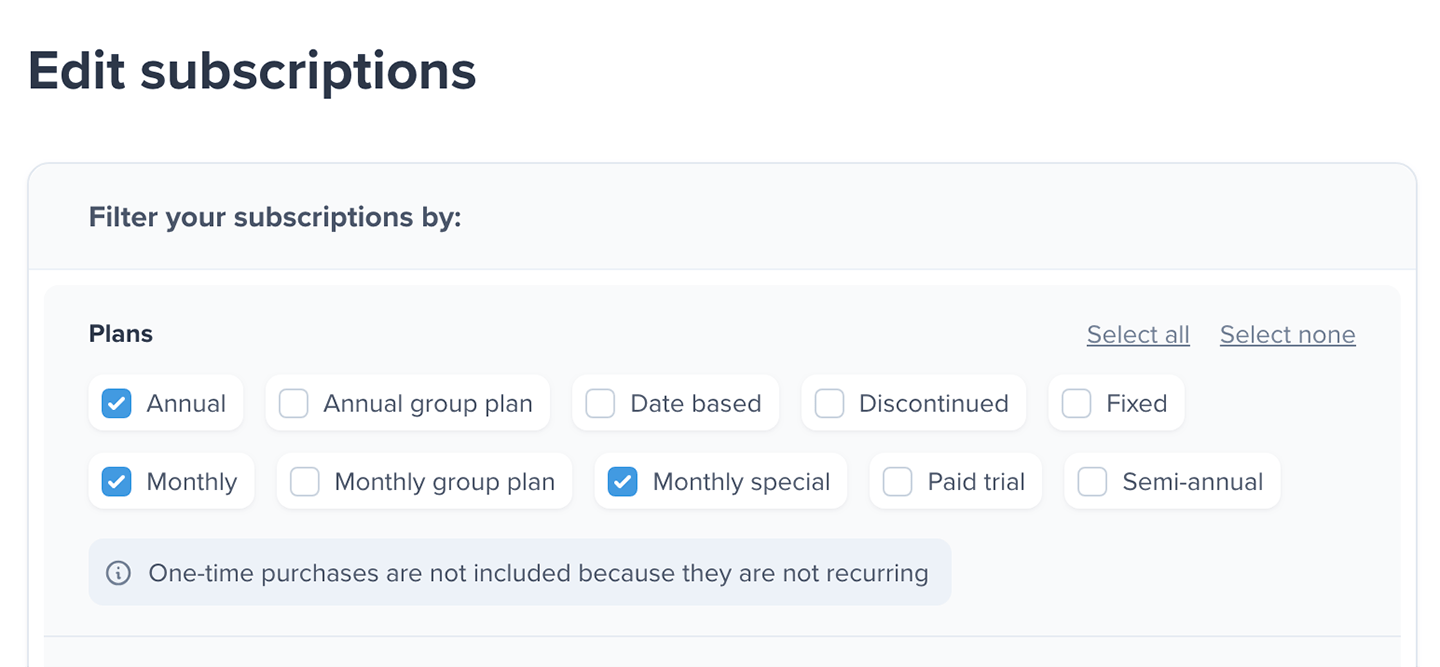 You can narrow your selected subscriptions using the **Date of creation** date picker.
 You can also filter subscriptions using the **Date of expiration** date picker.

 ## Refine results by member email
You can further narrow the selected subscriptions by member email address. Under *Refine results by email (optional)*, click the edit icon next to *Any member*.
## Refine results by member email
You can further narrow the selected subscriptions by member email address. Under *Refine results by email (optional)*, click the edit icon next to *Any member*.
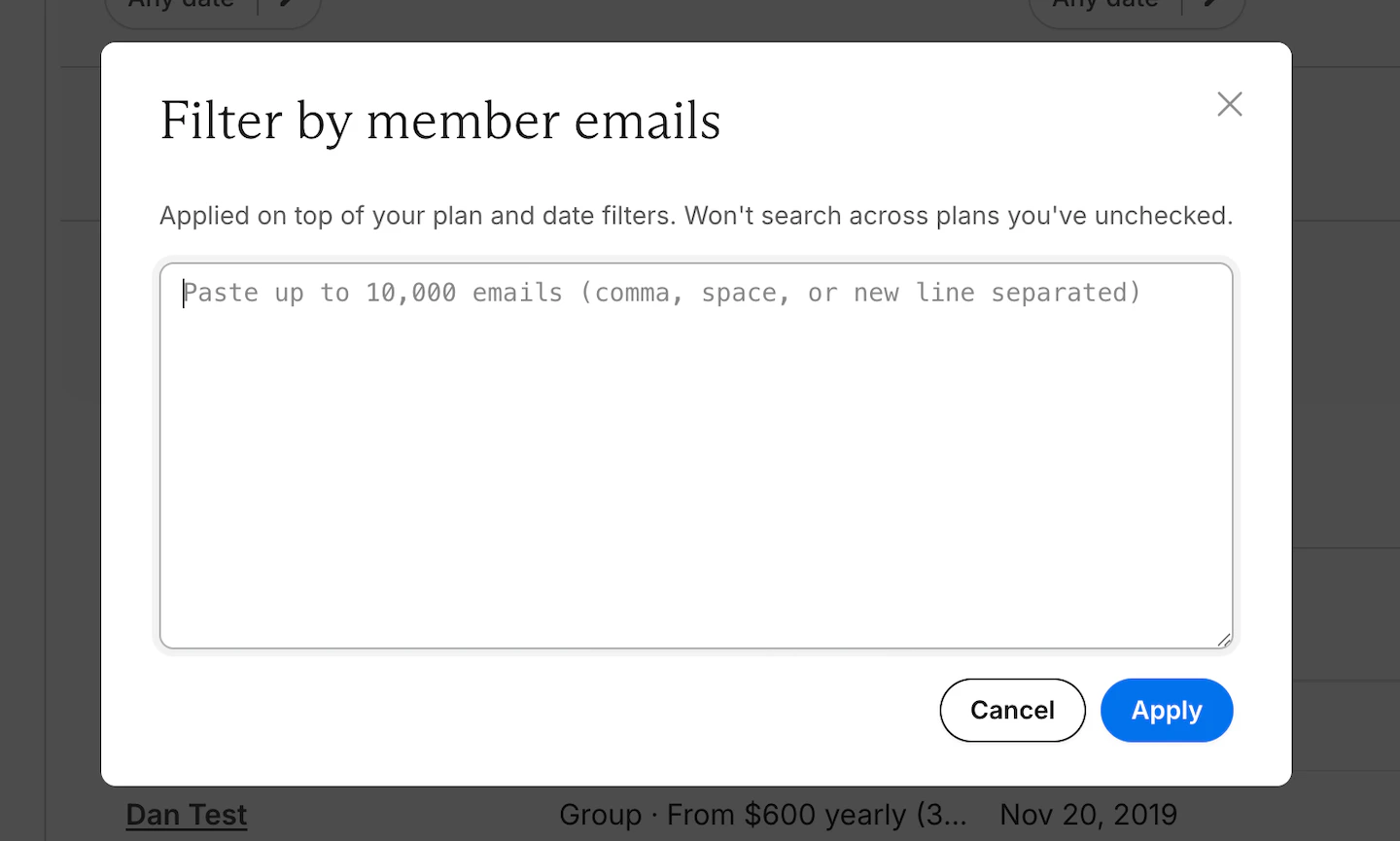 In the *Filter by member emails* window, enter or paste the member email addresses you want to include. You can paste up to 10,000 email addresses, separated by commas, spaces, or new lines.
This email filter is applied on top of your selected plan, date, and auto-renew filters. It does not search across plans you have not selected. Click **Apply** to update the filtered subscription list.
In the *Filter by member emails* window, enter or paste the member email addresses you want to include. You can paste up to 10,000 email addresses, separated by commas, spaces, or new lines.
This email filter is applied on top of your selected plan, date, and auto-renew filters. It does not search across plans you have not selected. Click **Apply** to update the filtered subscription list.
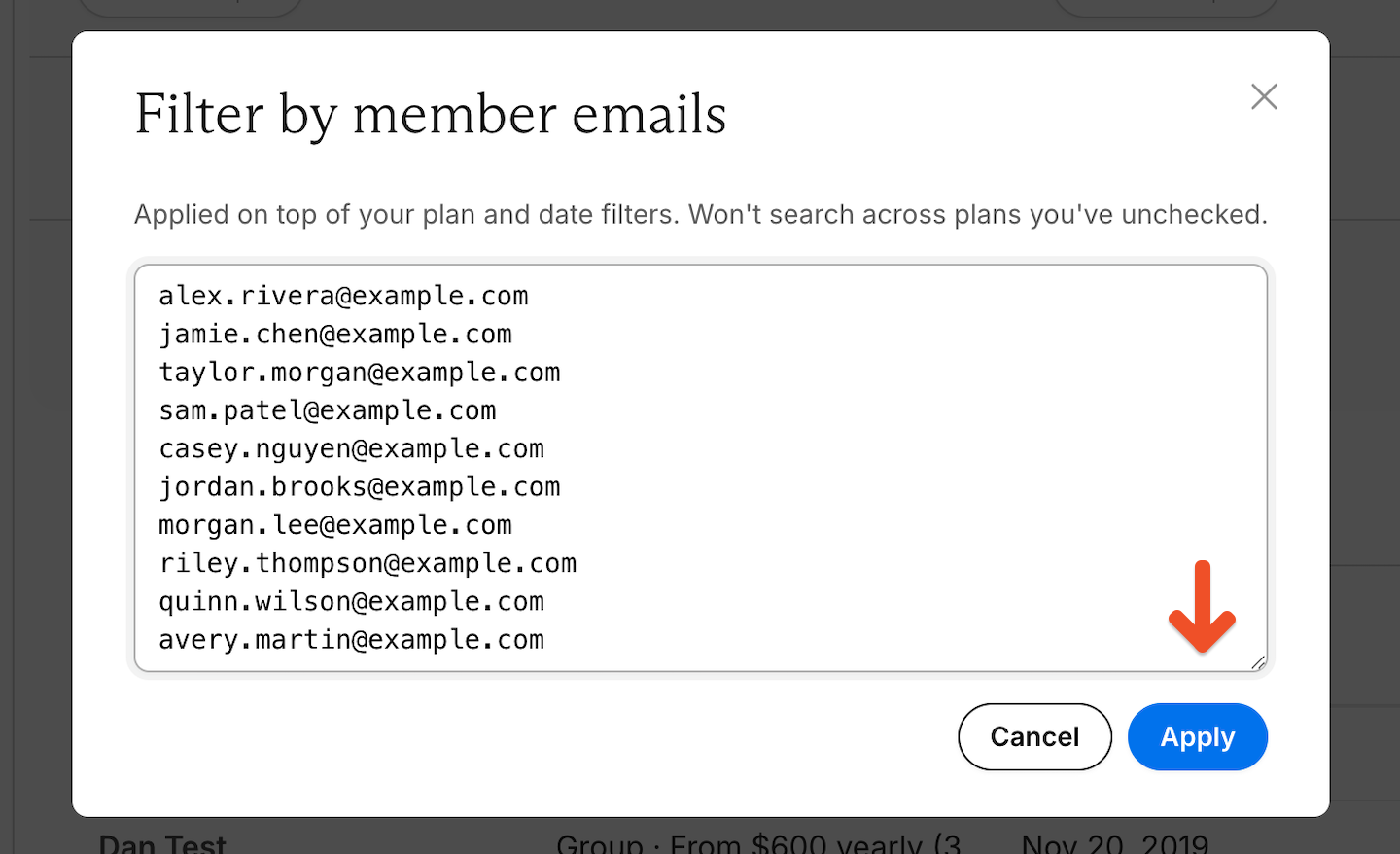 After applying the filter, Memberful shows how many pasted email addresses matched a subscription. Only matching subscriptions are included in the bulk edit.
 Click **Clear** to remove the email filter.
 ## Review matching subscriptions
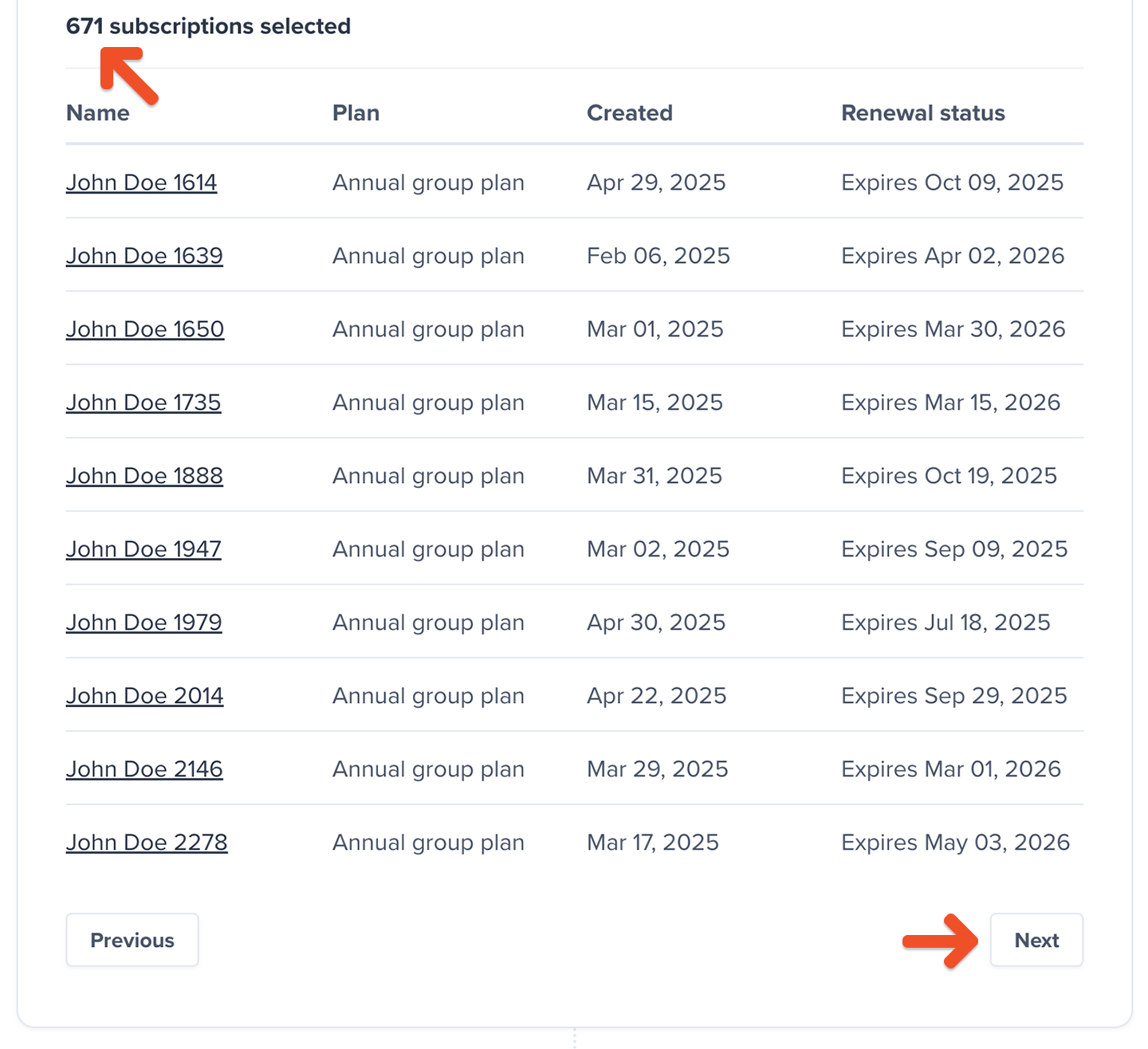
Review the filtered list of member subscriptions before selecting any bulk actions. The total number of selected subscriptions updates automatically as you change your filters, including the optional member email filter.
Use **Next** and **Previous** to browse through the results in batches of 10 members.
## Review matching subscriptions
Review the filtered list of member subscriptions before selecting any bulk actions. The total number of selected subscriptions updates automatically as you change your filters, including the optional member email filter.
Use **Next** and **Previous** to browse through the results in batches of 10 members.
 Filters can be adjusted at any time before selecting and applying actions.
## Select bulk actions
After reviewing the member list, select one or more bulk actions to apply.
Filters can be adjusted at any time before selecting and applying actions.
## Select bulk actions
After reviewing the member list, select one or more bulk actions to apply.
 Bulk actions are applied only to the subscriptions currently included in your filtered results, including any member email filter you have applied.
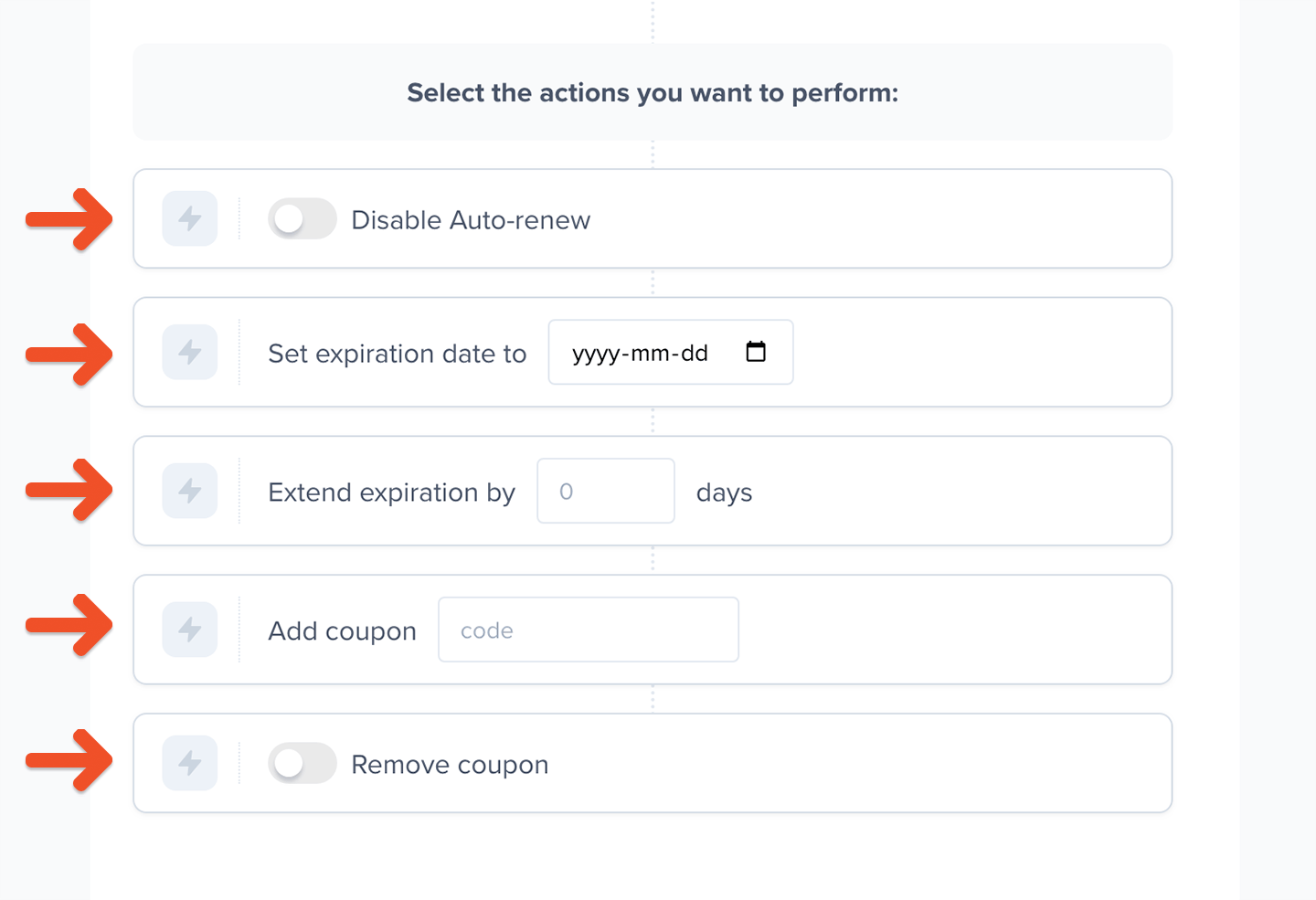
Available actions include:
* **Disable auto-renew:** [Cancels the member's subscription](/member-management/subscription-management/modify-a-member-s-subscription/) at the next renewal date. Canceling a subscription allows the member to retain access until it expires, with the option to renew later from their account. This action also cancels any pending plan changes.
* **Set expiration dates:** [Changes the member's renewal date](/member-management/subscription-management/modify-a-member-s-subscription/#change-a-renewal-date) for the subscription. The selected date must be in the future and preserves the original subscription renewal time. This action does not automatically disable auto-renew, so select **Disable auto-renew** too if you want to cancel recurring subscriptions.
* **Extend expiration by:** [Adds additional days](/member-management/subscription-management/modify-a-member-s-subscription/#change-a-renewal-date) to the member's next renewal date and preserves the original subscription renewal time.
* **Add coupon:** [Applies a coupon](/discounts-and-gifting/coupons/create-a-coupon/) to the filtered member subscriptions and discounts the next renewal based on the coupon settings. Enter the coupon name in the *code* field.
* **Remove coupon:** Removes any coupon from the filtered member subscriptions.
You can only select multiple actions when the selected actions do not conflict with each other. If there is a conflict, only the supported actions are available.
Bulk actions are applied only to the subscriptions currently included in your filtered results, including any member email filter you have applied.
Available actions include:
* **Disable auto-renew:** [Cancels the member's subscription](/member-management/subscription-management/modify-a-member-s-subscription/) at the next renewal date. Canceling a subscription allows the member to retain access until it expires, with the option to renew later from their account. This action also cancels any pending plan changes.
* **Set expiration dates:** [Changes the member's renewal date](/member-management/subscription-management/modify-a-member-s-subscription/#change-a-renewal-date) for the subscription. The selected date must be in the future and preserves the original subscription renewal time. This action does not automatically disable auto-renew, so select **Disable auto-renew** too if you want to cancel recurring subscriptions.
* **Extend expiration by:** [Adds additional days](/member-management/subscription-management/modify-a-member-s-subscription/#change-a-renewal-date) to the member's next renewal date and preserves the original subscription renewal time.
* **Add coupon:** [Applies a coupon](/discounts-and-gifting/coupons/create-a-coupon/) to the filtered member subscriptions and discounts the next renewal based on the coupon settings. Enter the coupon name in the *code* field.
* **Remove coupon:** Removes any coupon from the filtered member subscriptions.
You can only select multiple actions when the selected actions do not conflict with each other. If there is a conflict, only the supported actions are available.
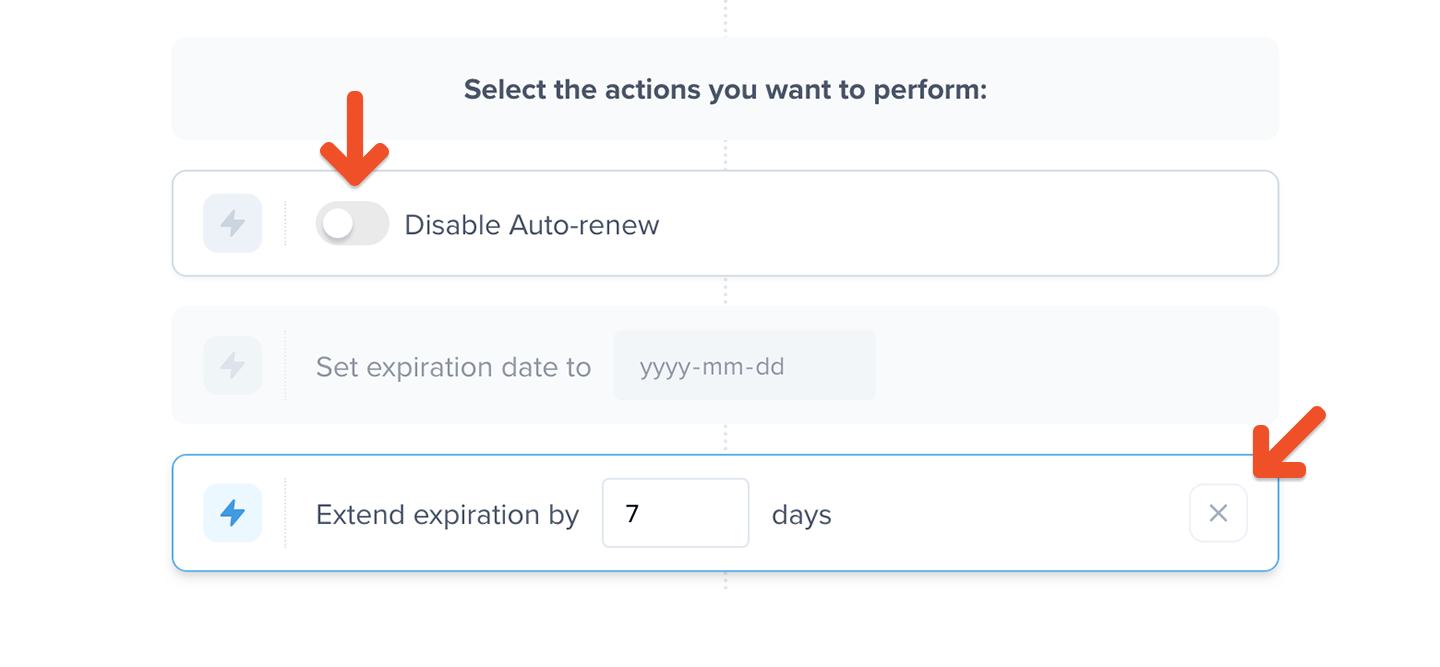
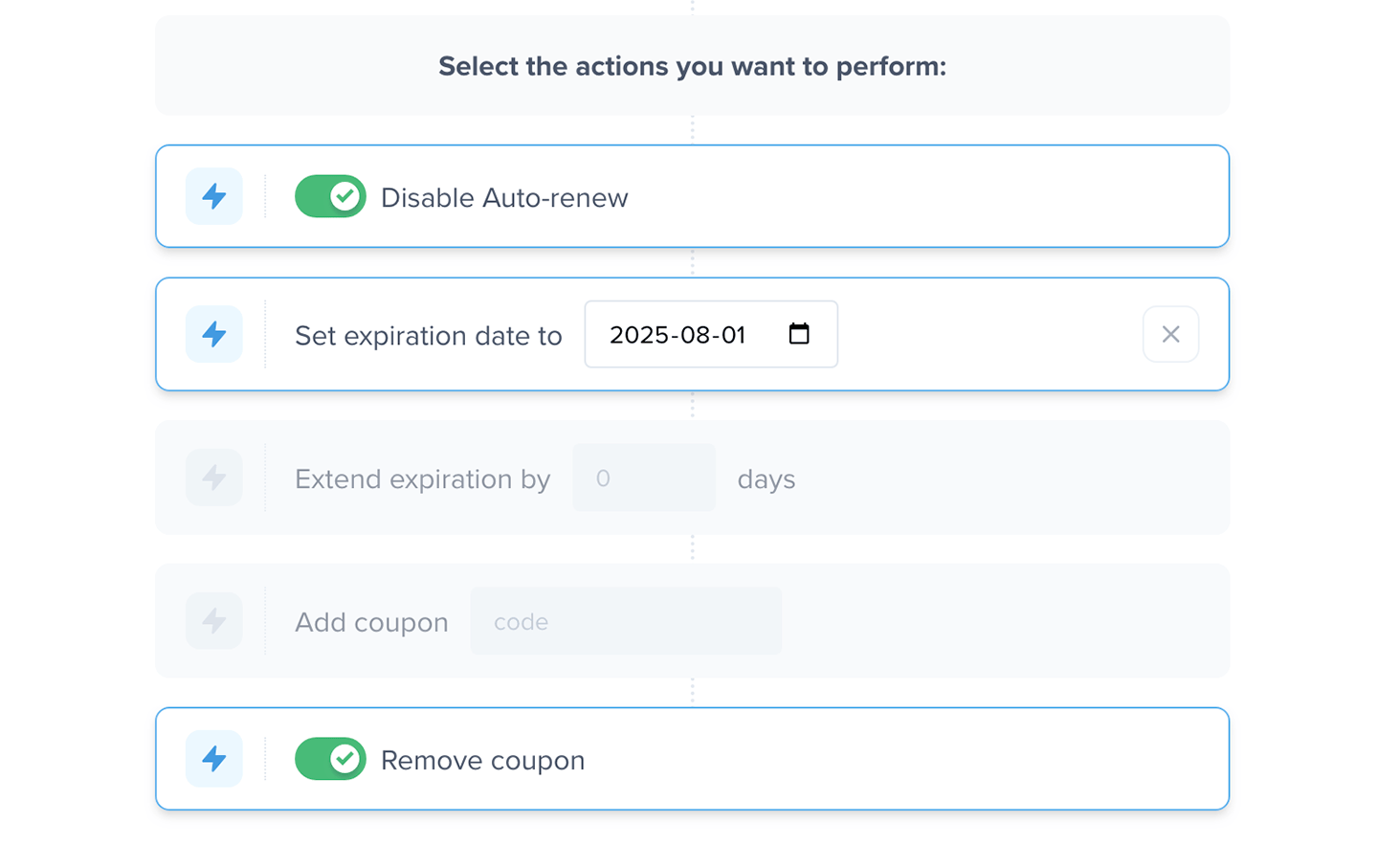 You can reset an action by toggling the action off or clicking the available **X** clear icon.
 Members are not notified when bulk edits are performed. If you use automations outside of Memberful, review those settings before applying the bulk edit.
## Confirm the bulk edit
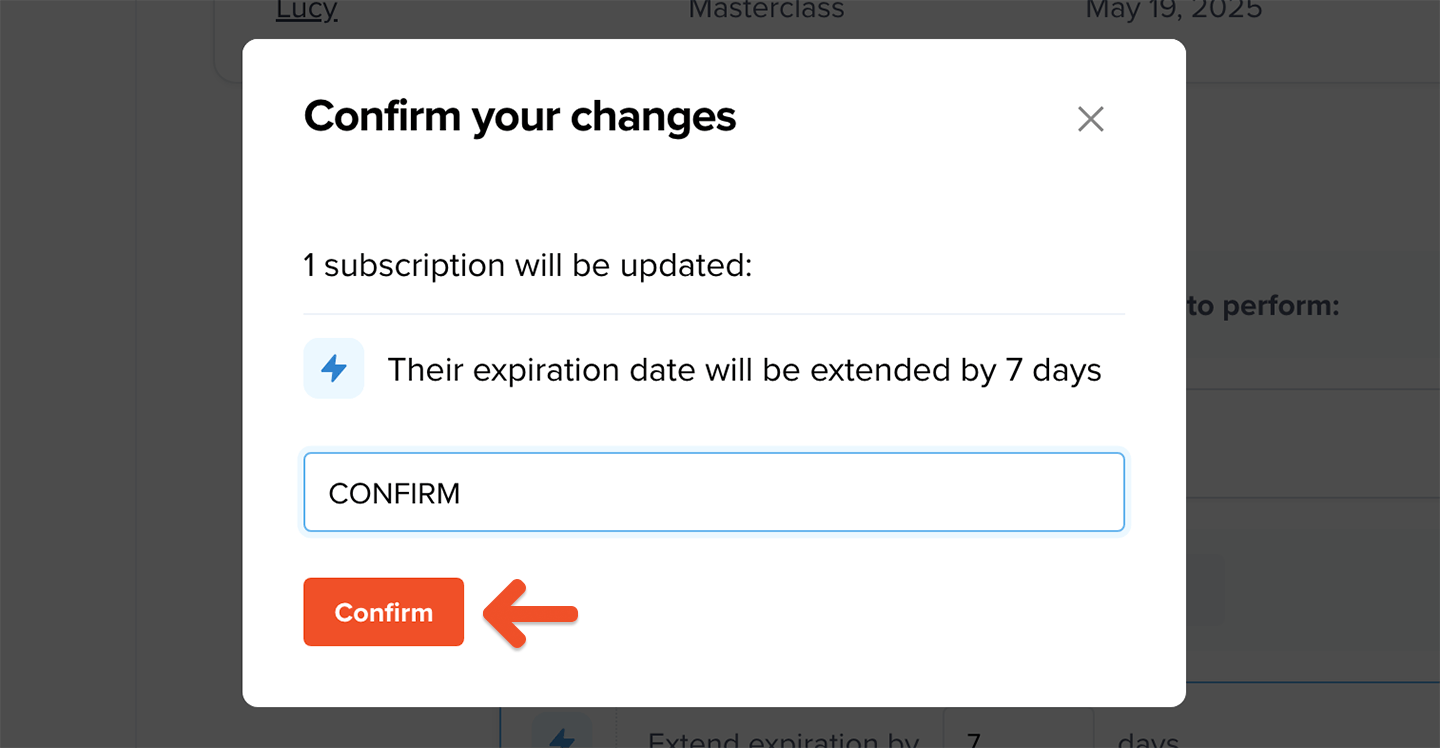
After reviewing your filters and selected actions, click **Update subscription**.
To confirm the bulk edit, enter `CONFIRM`, then click **Confirm**.
Members are not notified when bulk edits are performed. If you use automations outside of Memberful, review those settings before applying the bulk edit.
## Confirm the bulk edit
After reviewing your filters and selected actions, click **Update subscription**.
To confirm the bulk edit, enter `CONFIRM`, then click **Confirm**.
 ## Reverse a bulk action