Related help docs:
 Member profiles are made up of 4 sections: Member, Integrations, Activity, and Emails.
## Manage your members
On a member's profile, the **Members** tab is open by default. Use it to review key details and take action.
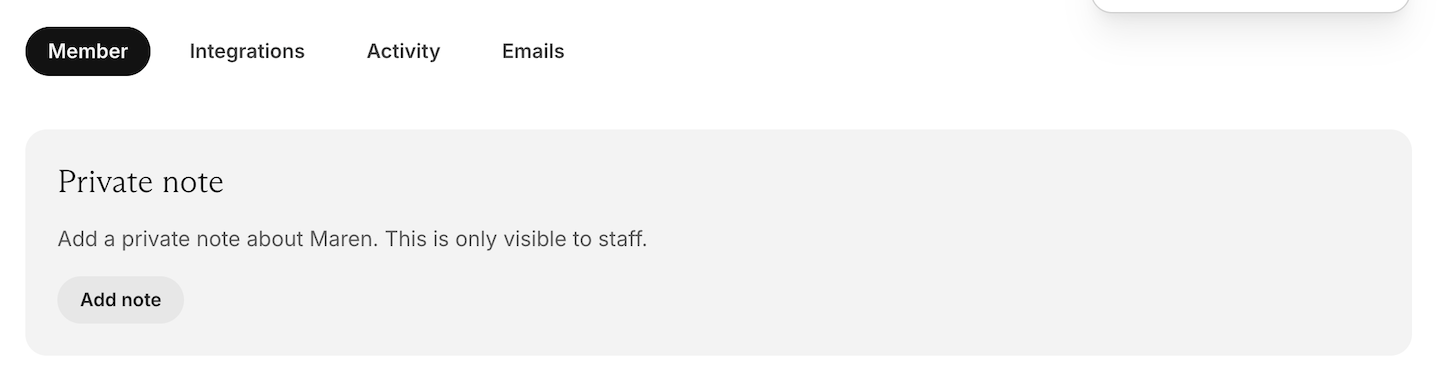
### Add a private note
Leave an internal note on the member's profile (for example: context from a support conversation, preferences, or follow-ups). You can also review private notes in the [Members CSV export](/metrics-and-analytics/compare-and-export/export-data/#export-member-data).
Member profiles are made up of 4 sections: Member, Integrations, Activity, and Emails.
## Manage your members
On a member's profile, the **Members** tab is open by default. Use it to review key details and take action.
### Add a private note
Leave an internal note on the member's profile (for example: context from a support conversation, preferences, or follow-ups). You can also review private notes in the [Members CSV export](/metrics-and-analytics/compare-and-export/export-data/#export-member-data).
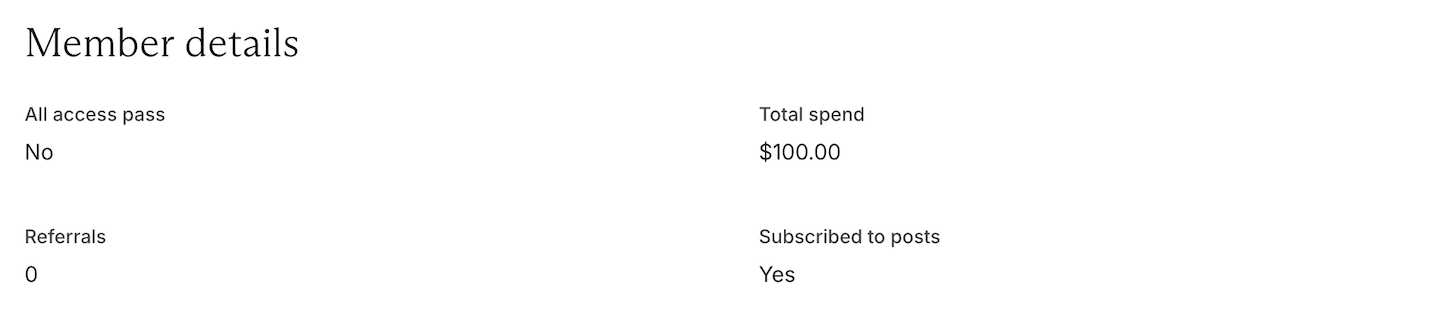
 ### View member details
See helpful account details at a glance, like **total spend** and [All Access Pass](/member-management/payments-and-access/give-free-access/#comp-access-to-all-plans-and-downloads) status.
### View member details
See helpful account details at a glance, like **total spend** and [All Access Pass](/member-management/payments-and-access/give-free-access/#comp-access-to-all-plans-and-downloads) status.
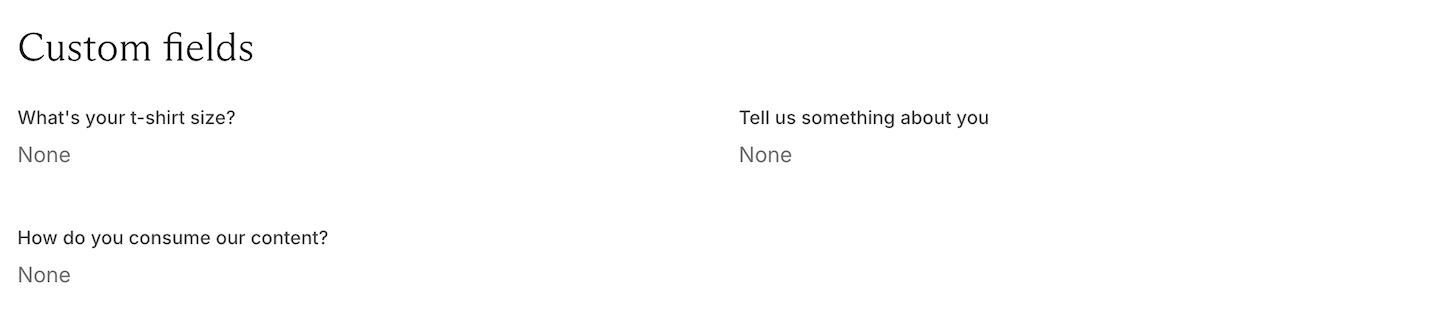
 ### Review custom field answers
Access the member's responses to any custom fields you've set up. You can also pull these responses in the [Members CSV export](/metrics-and-analytics/compare-and-export/export-data).
### Review custom field answers
Access the member's responses to any custom fields you've set up. You can also pull these responses in the [Members CSV export](/metrics-and-analytics/compare-and-export/export-data).
 ### Update or remove a credit card
Update the payment method on file, or remove the saved card when needed.
### Update or remove a credit card
Update the payment method on file, or remove the saved card when needed.
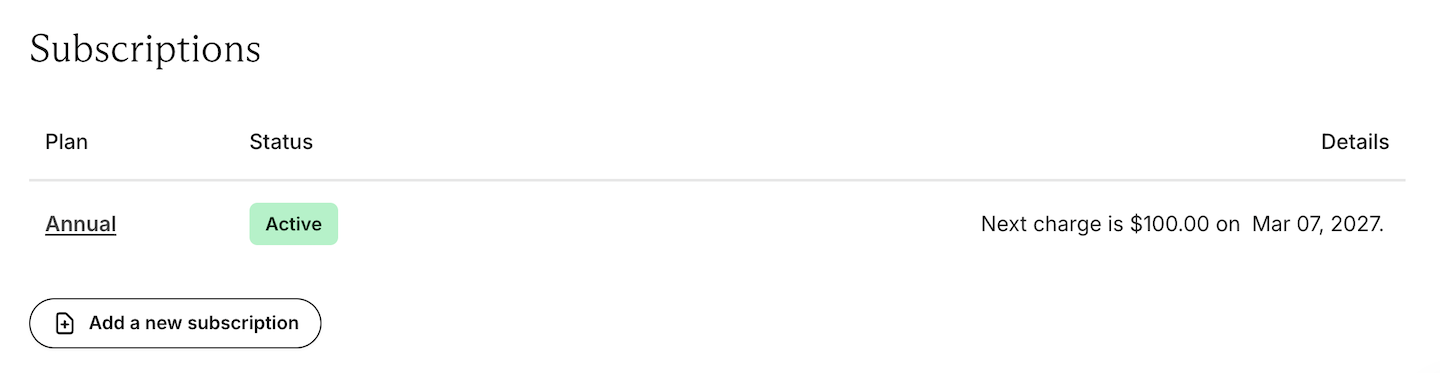
 ### Manage subscriptions and plans
View which plans the member is currently subscribed to, or add a new subscription to a plan.
### Manage subscriptions and plans
View which plans the member is currently subscribed to, or add a new subscription to a plan.
 ### View attributes and referrer data
Check [member attributes](/metrics-and-analytics/tracking/set-member-attributes/) (like tags/metadata used in your workflow) and see any available **referrer** information.
### Send your member a sign-in link or password reset email
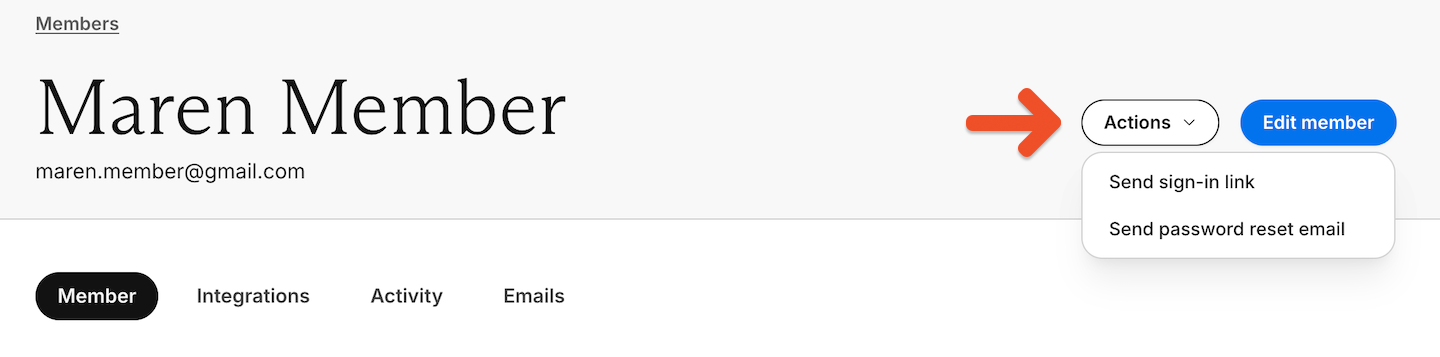
From the **Member** tab on their profile, use the **Actions** menu to send them either a **sign-in link** or a **password reset email**.
### View attributes and referrer data
Check [member attributes](/metrics-and-analytics/tracking/set-member-attributes/) (like tags/metadata used in your workflow) and see any available **referrer** information.
### Send your member a sign-in link or password reset email
From the **Member** tab on their profile, use the **Actions** menu to send them either a **sign-in link** or a **password reset email**.
 ### Check a member's post email status
From the **Member** tab in their profile, check the **Subscribed to posts** status to confirm they're subscribed to receive [Memberful posts](/newsletters/hosted-newsletter/create-a-post/).
### Check a member's post email status
From the **Member** tab in their profile, check the **Subscribed to posts** status to confirm they're subscribed to receive [Memberful posts](/newsletters/hosted-newsletter/create-a-post/).
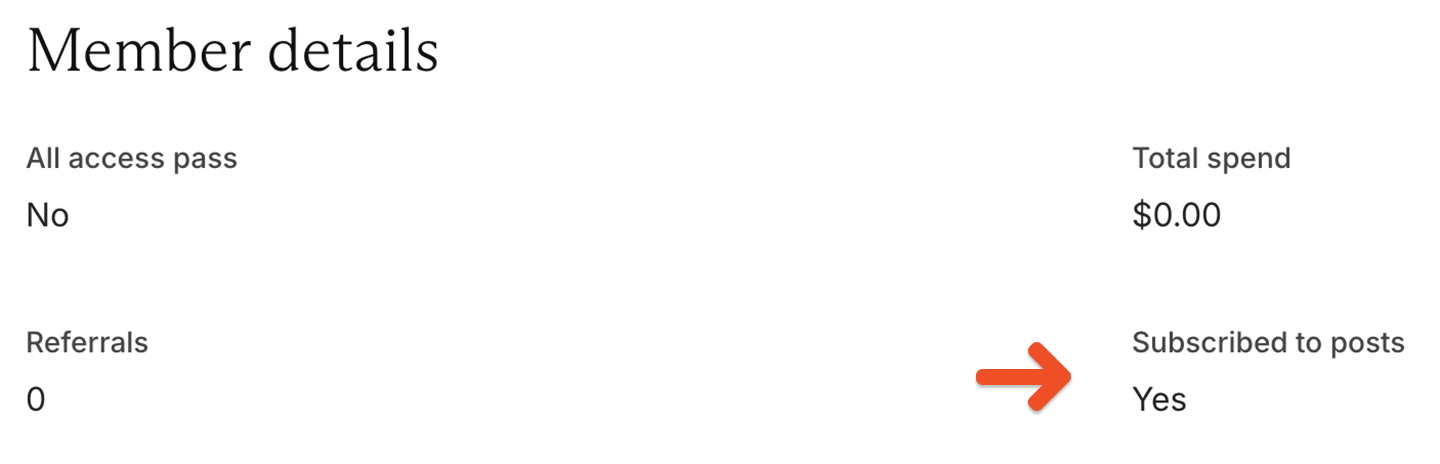 If you want to track the status for all your members, [export a member CSV](/metrics-and-analytics/compare-and-export/export-data/#export-member-data) and check the *Subscribed to posts* column.
### Edit or delete a member
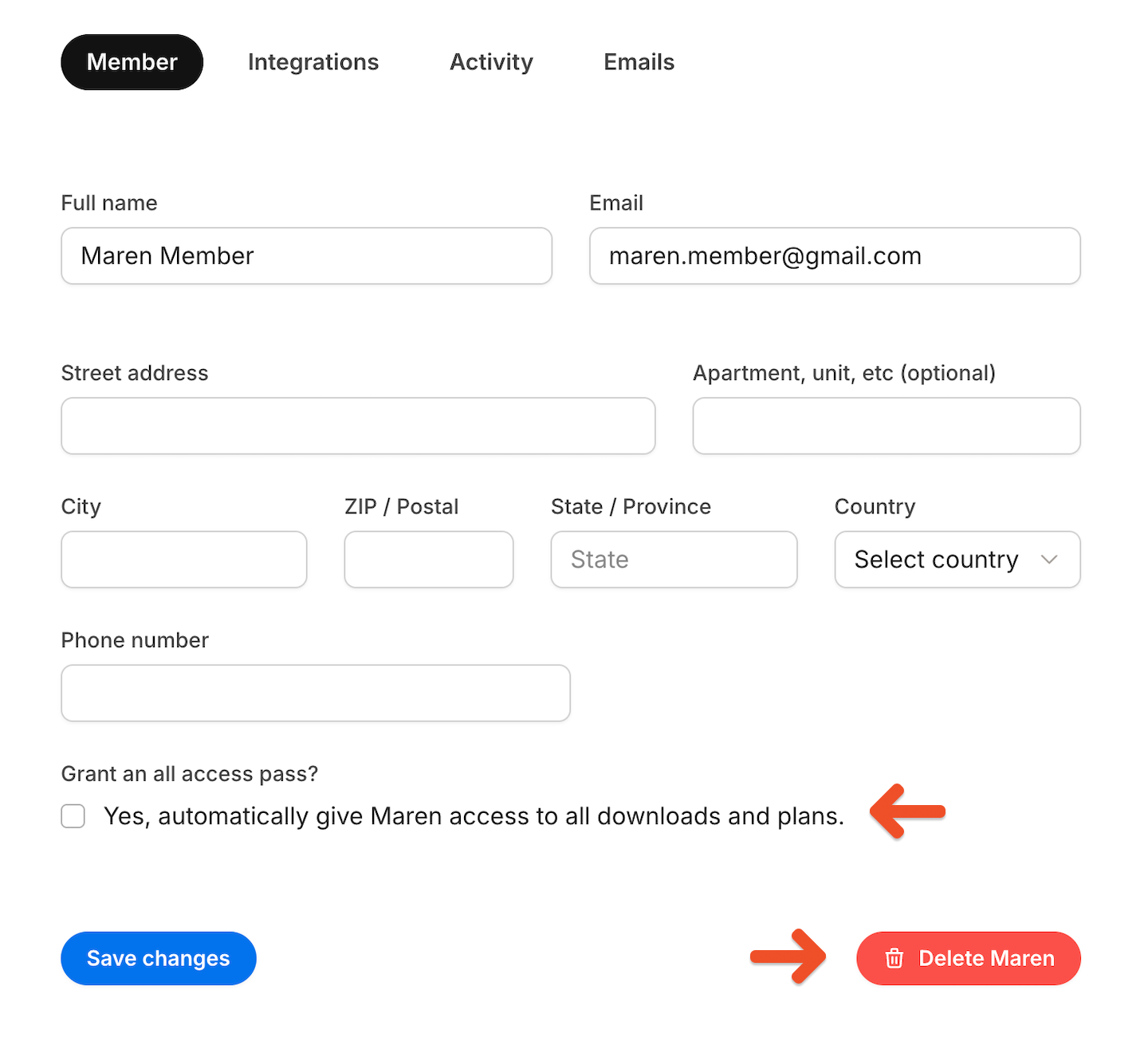
Click **Edit member** to edit the member's name, email, address and phone number (if applicable), or to add or remove an [all access pass.](/member-management/payments-and-access/give-free-access/#comp-access-to-all-plans-and-downloads)
If you want to track the status for all your members, [export a member CSV](/metrics-and-analytics/compare-and-export/export-data/#export-member-data) and check the *Subscribed to posts* column.
### Edit or delete a member
Click **Edit member** to edit the member's name, email, address and phone number (if applicable), or to add or remove an [all access pass.](/member-management/payments-and-access/give-free-access/#comp-access-to-all-plans-and-downloads)
 You can also remove a member by selecting **Edit member,** then clicking **Delete (member name).**
 ## View a member's integration status
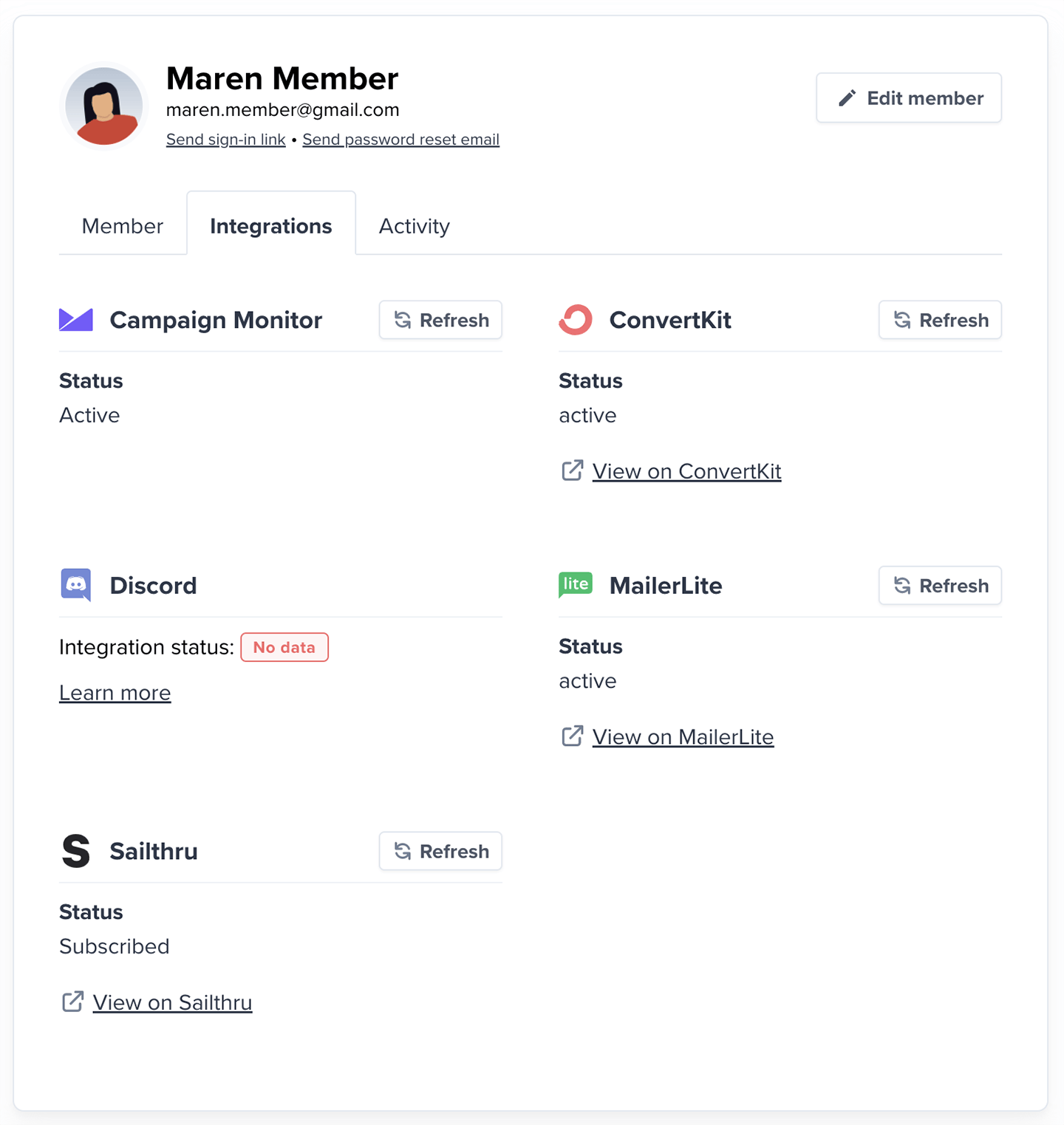
From the **Integrations** tab in their profile, you can view the member's status with each of the following integrations: Campaign Monitor, Kit, Discord, Drip, Mailchimp, Mailerlite, and Sailthru.
* **Subscribed (email) or username set for** **Discord:** Successfully synced member
* **Pending:** Sync in progress
* **There is no data for this member and the integration:** Review reasons below
## View a member's integration status
From the **Integrations** tab in their profile, you can view the member's status with each of the following integrations: Campaign Monitor, Kit, Discord, Drip, Mailchimp, Mailerlite, and Sailthru.
* **Subscribed (email) or username set for** **Discord:** Successfully synced member
* **Pending:** Sync in progress
* **There is no data for this member and the integration:** Review reasons below
 ## Why member data might not appear for an integration
There are a few reasons we might not be able to show a member's status:
* **Invalid email:** Some services (like Mailchimp) reject certain email formats, such as @example.com.
* **Service-level blocks:** The email might be flagged (e.g., on a hard bounce list).
* **Discord-specific issues:**
* The member hasn't connected their Discord account.
* They connected but were removed from a private server after their subscription ended.
* **Discourse-specific issues:**
* A member account is not created until the member accesses Discourse for the first time.
**For newsletter integrations:**
* The member unsubscribed, preventing syncing. [Fix it.](/newsletters/best-practices/the-right-way-to-unsubscribe/)
* You've hit a service limit (e.g., [Mailchimp allows a max of 60 interest groups](https://mailchimp.com/getting-started-with-groups/)).
If none of these apply, try adding the member's email directly in the service. If successful, Memberful will usually start syncing automatically.
## Review a member's activity
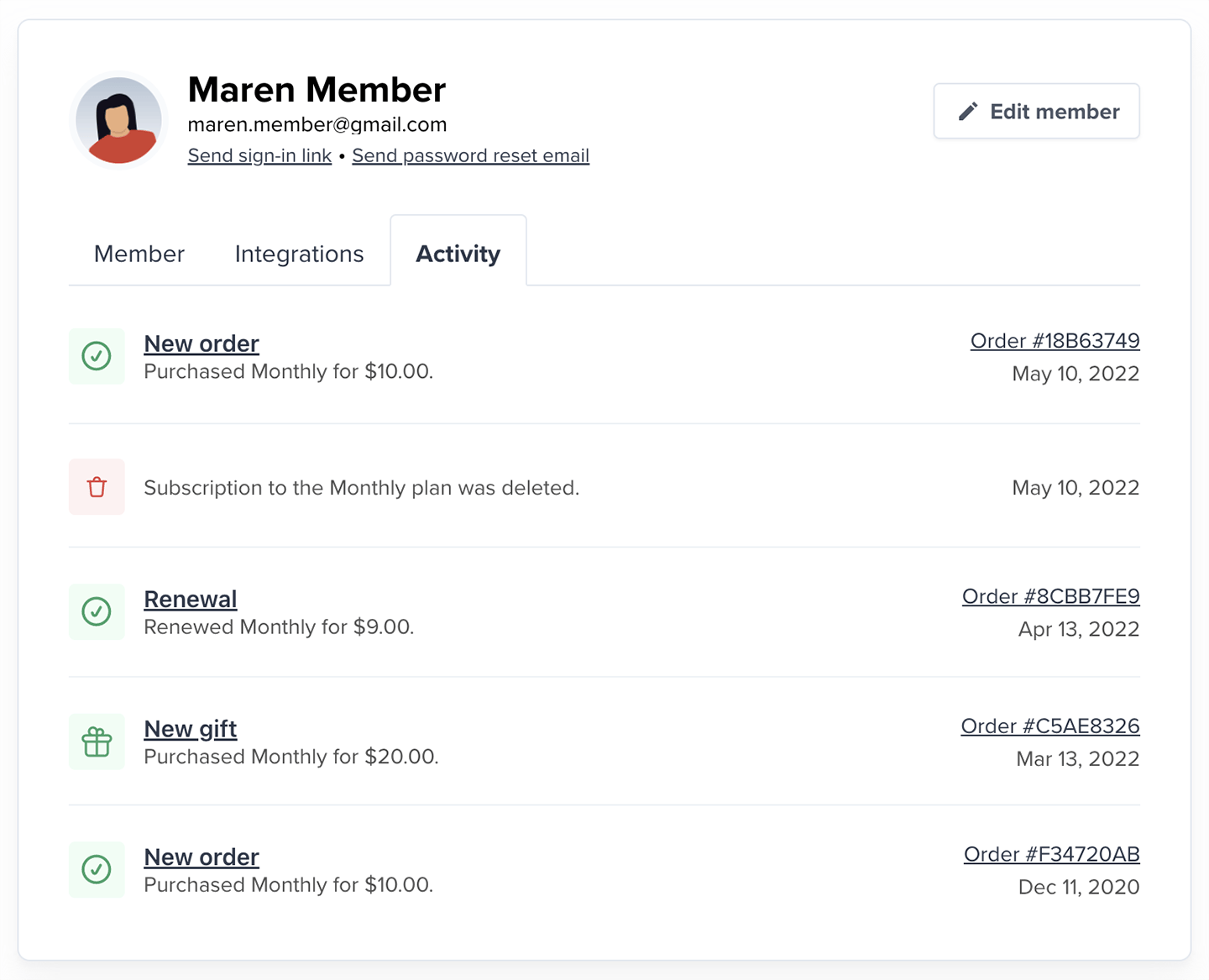
From the **Activity** tab in their profile, you can see all the member's activities.
## Why member data might not appear for an integration
There are a few reasons we might not be able to show a member's status:
* **Invalid email:** Some services (like Mailchimp) reject certain email formats, such as @example.com.
* **Service-level blocks:** The email might be flagged (e.g., on a hard bounce list).
* **Discord-specific issues:**
* The member hasn't connected their Discord account.
* They connected but were removed from a private server after their subscription ended.
* **Discourse-specific issues:**
* A member account is not created until the member accesses Discourse for the first time.
**For newsletter integrations:**
* The member unsubscribed, preventing syncing. [Fix it.](/newsletters/best-practices/the-right-way-to-unsubscribe/)
* You've hit a service limit (e.g., [Mailchimp allows a max of 60 interest groups](https://mailchimp.com/getting-started-with-groups/)).
If none of these apply, try adding the member's email directly in the service. If successful, Memberful will usually start syncing automatically.
## Review a member's activity
From the **Activity** tab in their profile, you can see all the member's activities.
 ## View a member's invoice history
From the **Activity** tab in their profile, click the **Order #** to access and download their invoices.
## View a member's invoice history
From the **Activity** tab in their profile, click the **Order #** to access and download their invoices.
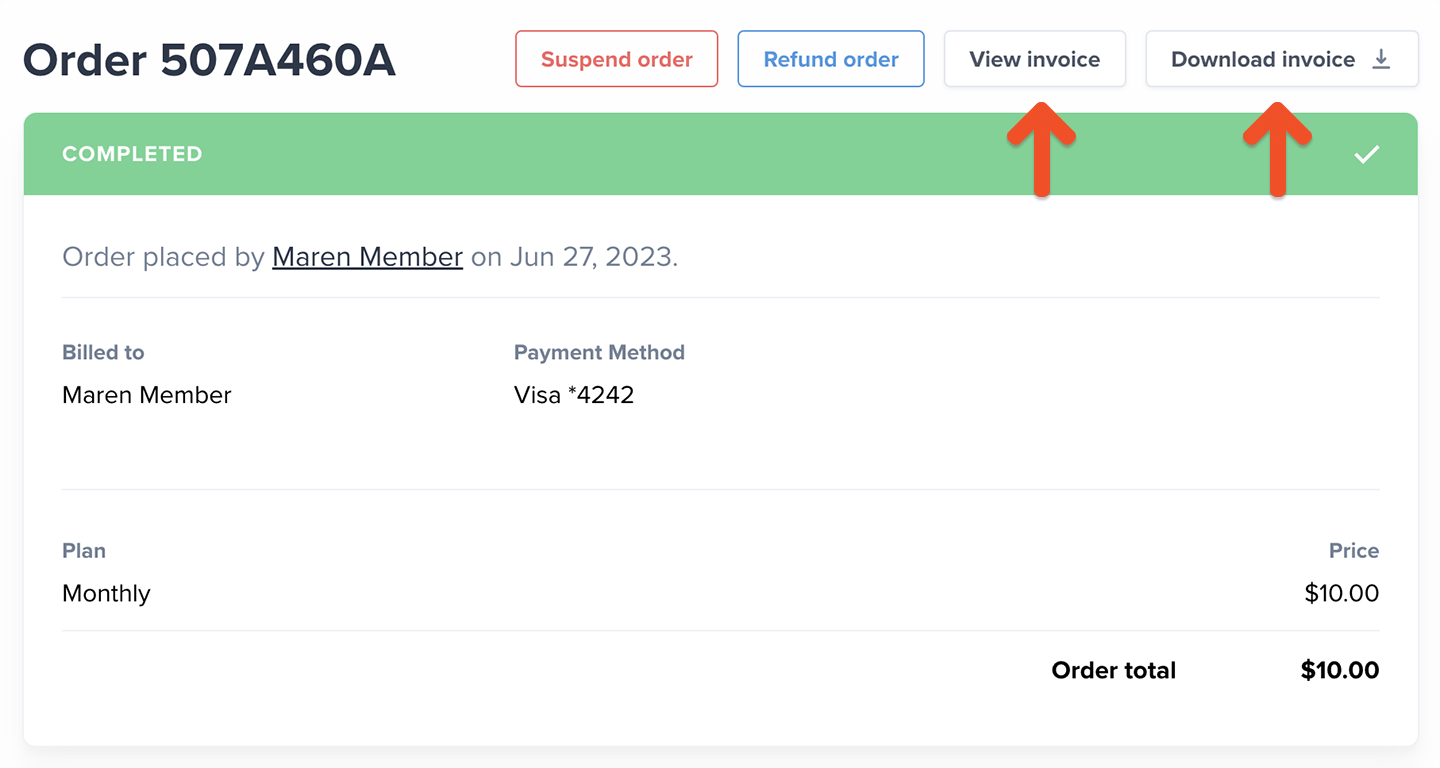 If they're subscribed to multiple plans, click a specific subscription from their member profile, scroll down to the Activity section, and click the relevant **Order #.**
## Access a member's email history
From the **Emails** tab in their profile, you can access both their transactional email and post newsletter history.
If they're subscribed to multiple plans, click a specific subscription from their member profile, scroll down to the Activity section, and click the relevant **Order #.**
## Access a member's email history
From the **Emails** tab in their profile, you can access both their transactional email and post newsletter history.
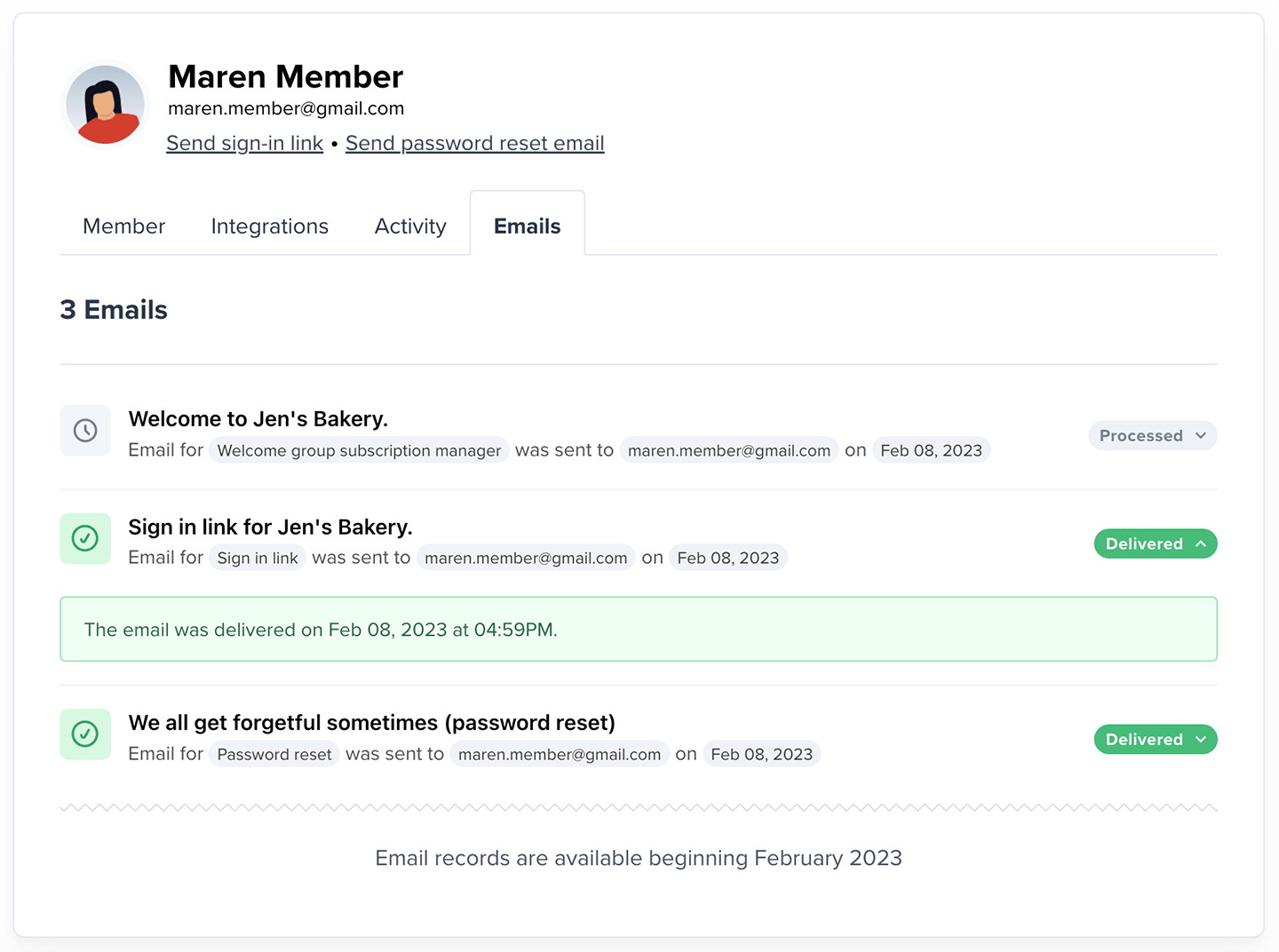 You can use these records to confirm if an email was successfully delivered or not, and what action should be taken to fix any issues.
There are two kinds of failed email delivery records:
* **Hard Bounce:** This occurs when there's a permanent issue with delivering your email.
* **Soft Bounce:** This occurs when there's a temporary issue preventing your emails from getting delivered.
The resolution depends on what caused the bounce in the first place. Click the *Processed*, *Delivered*, or *Bounced* icons to see the details and next steps.
You can use these records to confirm if an email was successfully delivered or not, and what action should be taken to fix any issues.
There are two kinds of failed email delivery records:
* **Hard Bounce:** This occurs when there's a permanent issue with delivering your email.
* **Soft Bounce:** This occurs when there's a temporary issue preventing your emails from getting delivered.
The resolution depends on what caused the bounce in the first place. Click the *Processed*, *Delivered*, or *Bounced* icons to see the details and next steps.