> ## Documentation Index
> Fetch the complete documentation index at: https://memberful.com/docs/llms.txt
> Use this file to discover all available pages before exploring further.
# Refund or suspend an order
> Refund or suspend a Memberful order from the dashboard when a member requests a refund or there's an issue with their payment, such as a chargeback or dispute.
This help article covers how to refund an order, suspend it to temporarily remove access, or mark it as complete to restore access. All refunds will also be logged in your Stripe account for easy reference.
## Refund an order
Click the **order #** on the Activity tab of the member's profile.
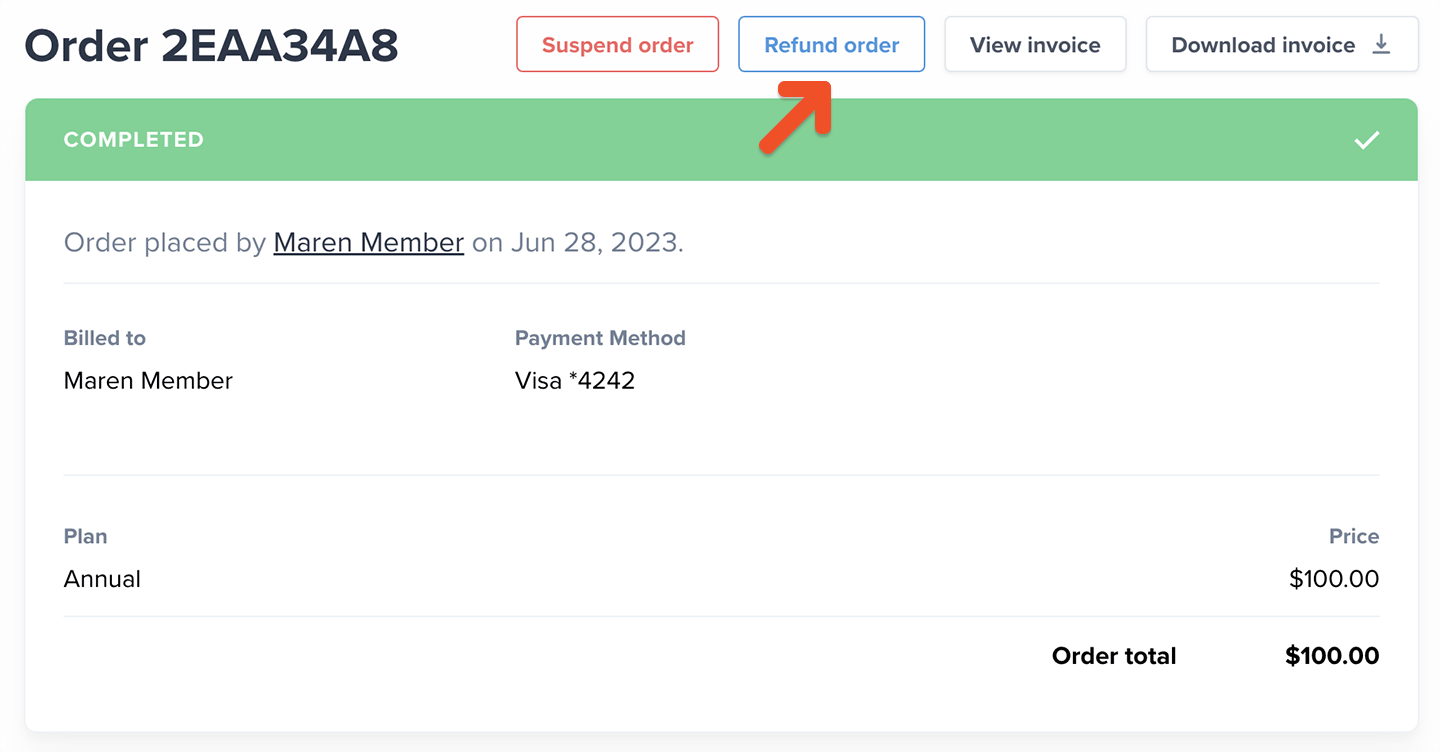
 Click the **Refund order** button.
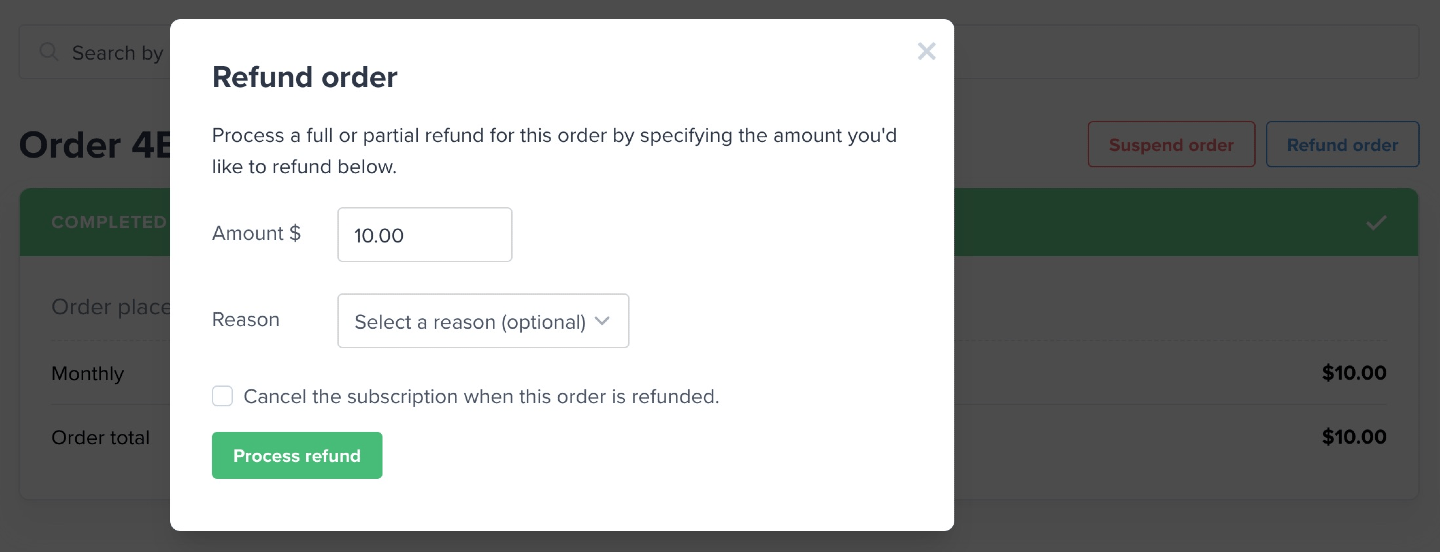
 You can process a full or partial refund—with or without canceling the associated subscription—and (optionally) select a reason for the refund, which will be logged in your Stripe dashboard.
 Memberful does not refund your transaction fee when you process a refund.
## Troubleshoot refund errors
When trying to refund an order, you may get an error message that says "can't connect with the payment processor." This usually means the refund can't be processed through Memberful.
This can happen for a few reasons:
* The refund was already processed directly in Stripe.
* The order has been disputed or charged back by the member.
* Your Stripe account doesn't have enough available balance to cover the refund.
To resolve the issue, check the payment directly in your Stripe dashboard. If the refund was already processed or the payment has been disputed, no further refund action is needed in Memberful. If your Stripe balance is too low, add funds to your Stripe account or wait until your balance is high enough, then try the refund again.
## Suspend an order
Suspending an order prevents the member from accessing any benefits associated with their membership.
For example, you can suspend an order if a member opens a dispute with their bank over their payment. Once suspended, we allow you 30 days to recover the payment before counting it toward churn. We mark it paid again if the order is reactivated by [marking it as complete.](#complete-order-un-suspend)
Another example could be blocking a member acting in bad faith and preventing them from being able to access your content.
Click the **order #** on the Activity tab of the member's profile.
Click the **Suspend order** button to suspend the order.
Memberful does not refund your transaction fee when you process a refund.
## Troubleshoot refund errors
When trying to refund an order, you may get an error message that says "can't connect with the payment processor." This usually means the refund can't be processed through Memberful.
This can happen for a few reasons:
* The refund was already processed directly in Stripe.
* The order has been disputed or charged back by the member.
* Your Stripe account doesn't have enough available balance to cover the refund.
To resolve the issue, check the payment directly in your Stripe dashboard. If the refund was already processed or the payment has been disputed, no further refund action is needed in Memberful. If your Stripe balance is too low, add funds to your Stripe account or wait until your balance is high enough, then try the refund again.
## Suspend an order
Suspending an order prevents the member from accessing any benefits associated with their membership.
For example, you can suspend an order if a member opens a dispute with their bank over their payment. Once suspended, we allow you 30 days to recover the payment before counting it toward churn. We mark it paid again if the order is reactivated by [marking it as complete.](#complete-order-un-suspend)
Another example could be blocking a member acting in bad faith and preventing them from being able to access your content.
Click the **order #** on the Activity tab of the member's profile.
Click the **Suspend order** button to suspend the order.
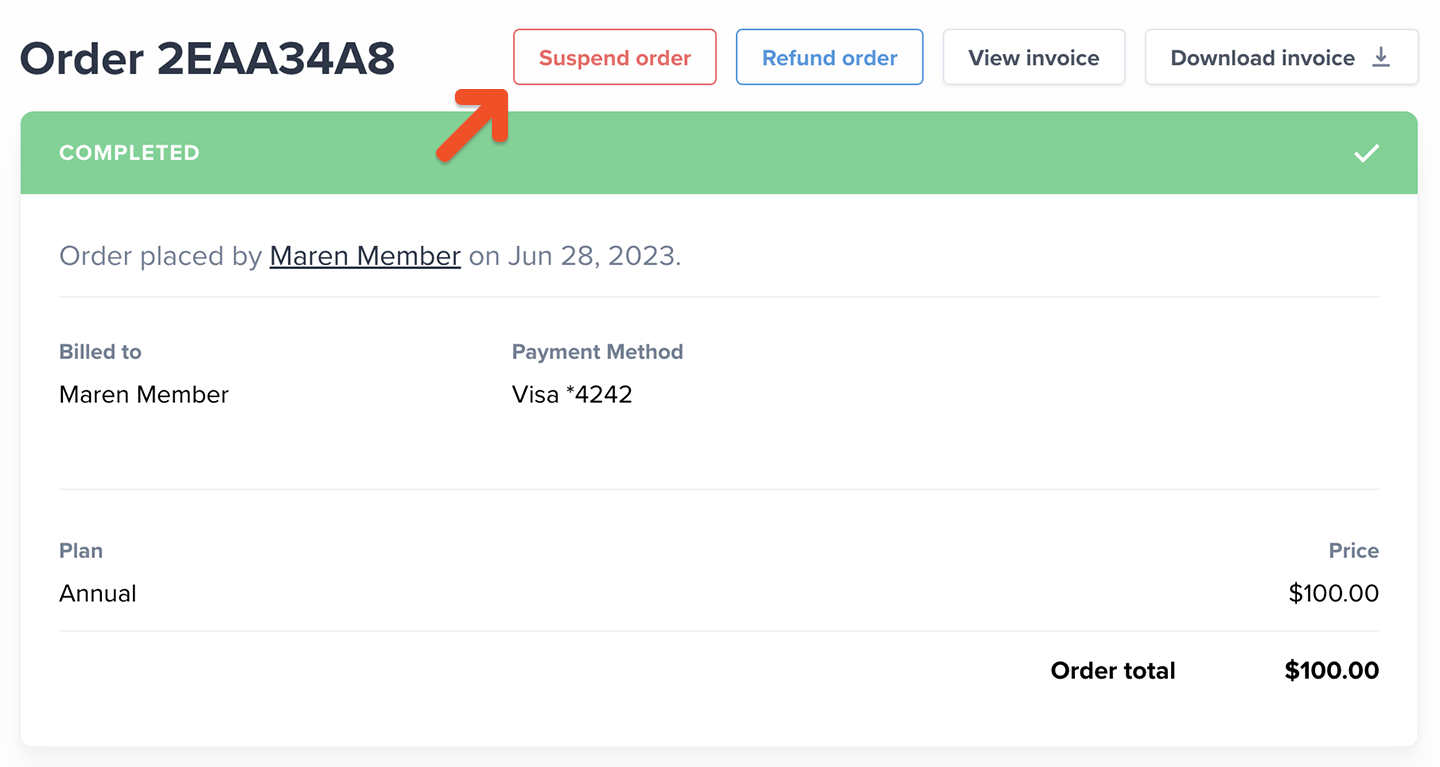 If you suspend the most recent order, it will automatically mark the subscription as inactive. The subscription will become active again if you click **Complete order.**
## Complete order (Unsuspend)
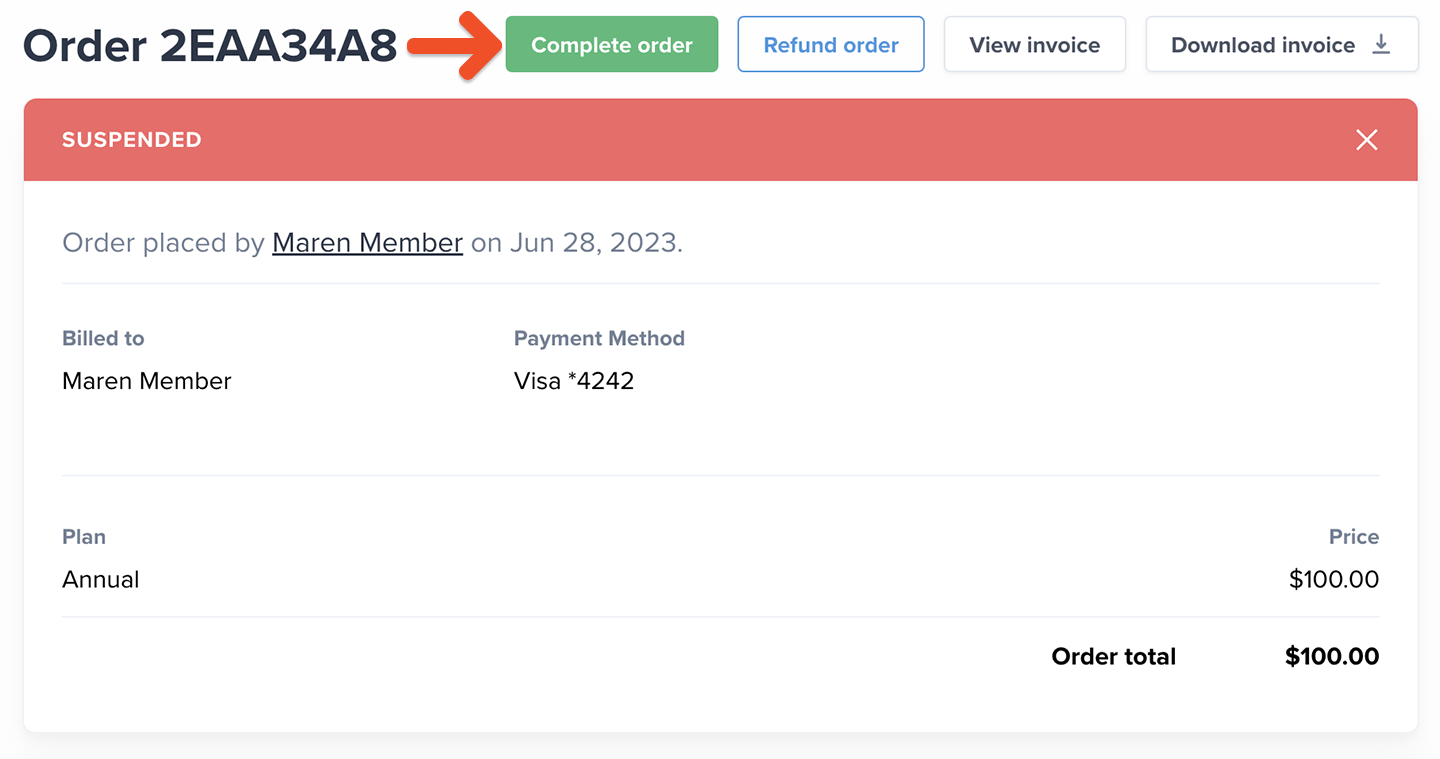
A suspended order can be reactivated by clicking the **Complete order** button.
If you suspend the most recent order, it will automatically mark the subscription as inactive. The subscription will become active again if you click **Complete order.**
## Complete order (Unsuspend)
A suspended order can be reactivated by clicking the **Complete order** button.