Related help docs:
 ## Give time-limited free access to a plan
If you'd like to offer free access to members for a limited period, you can offer them a free trial or add a subscription to their account through the Memberful dashboard.
### Offer a free trial to all members of a plan
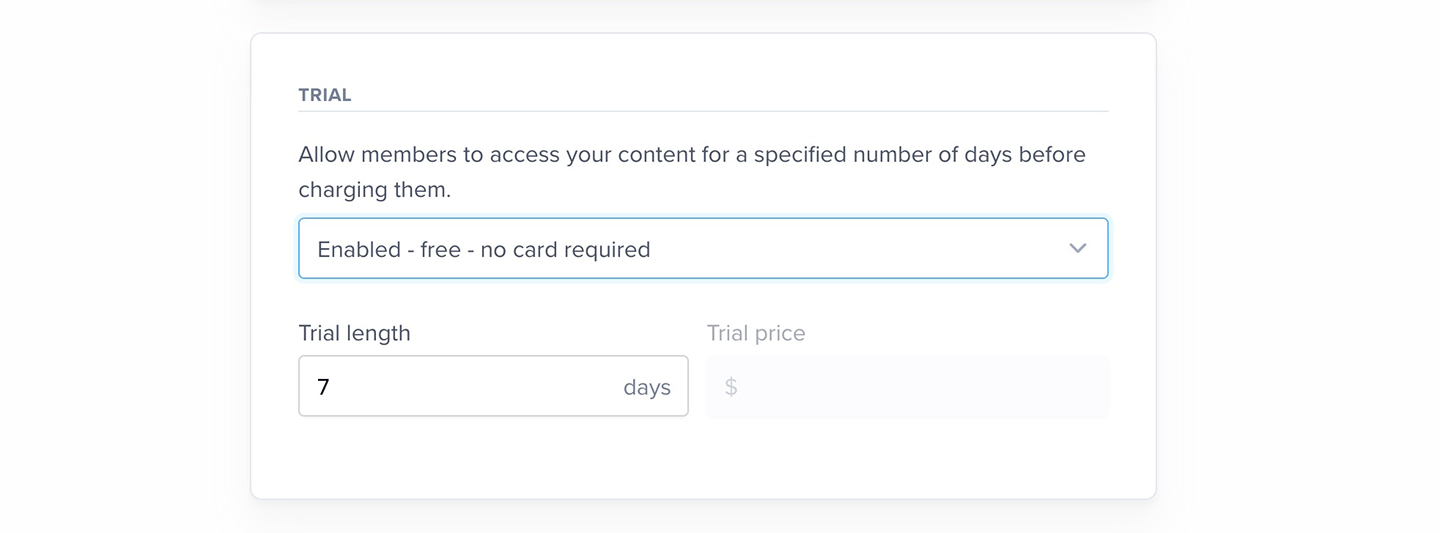
Enable the **Free trial** setting when you [create a plan.](/plans/individual-plans/create-a-plan/) Keep in mind that we don't support free trials on plans that renew on a specific day of the month.
## Give time-limited free access to a plan
If you'd like to offer free access to members for a limited period, you can offer them a free trial or add a subscription to their account through the Memberful dashboard.
### Offer a free trial to all members of a plan
Enable the **Free trial** setting when you [create a plan.](/plans/individual-plans/create-a-plan/) Keep in mind that we don't support free trials on plans that renew on a specific day of the month.
 Free trials apply to new members only. Current members and those already on a trial won't be affected, even if you disable it later.
### Add a subscription through the Memberful dashboard
1. From the member's profile, scroll down to the Subscriptions section, and click **Add a new subscription.**
Free trials apply to new members only. Current members and those already on a trial won't be affected, even if you disable it later.
### Add a subscription through the Memberful dashboard
1. From the member's profile, scroll down to the Subscriptions section, and click **Add a new subscription.**
 2. Select the plan from the dropdown list, and uncheck *Charge card for this plan...* (only applicable if the member has a credit card on file).
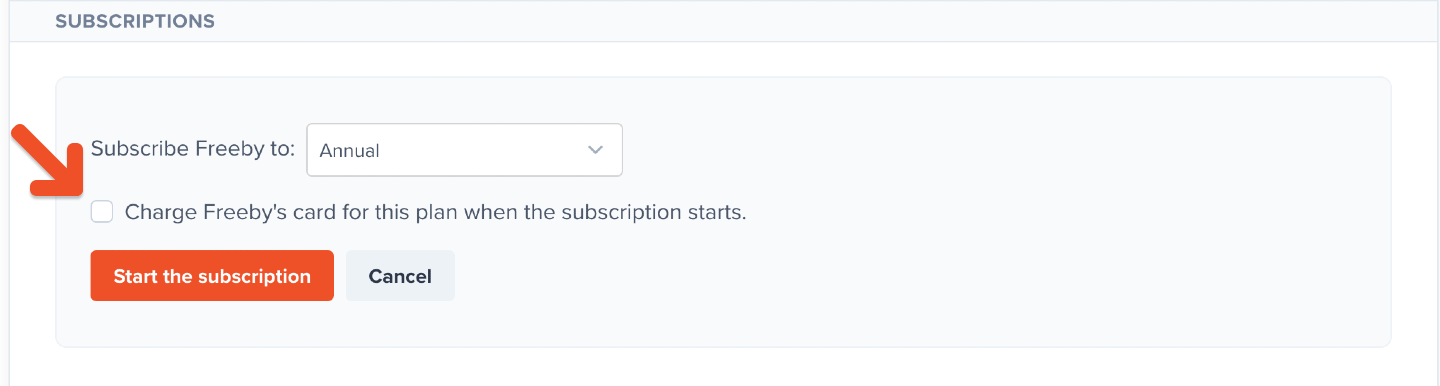 3. Click **Start the subscription.** If the member doesn't add a method of payment before the next renewal date, their subscription will expire.
## Provide full access without payment
Here's how to grant free access to all plans and downloads (perfect for a friend or colleague):
1. Click **Edit member** in the member's profile.
2. Grant an all access pass.
3. Save the changes.
3. Click **Start the subscription.** If the member doesn't add a method of payment before the next renewal date, their subscription will expire.
## Provide full access without payment
Here's how to grant free access to all plans and downloads (perfect for a friend or colleague):
1. Click **Edit member** in the member's profile.
2. Grant an all access pass.
3. Save the changes.
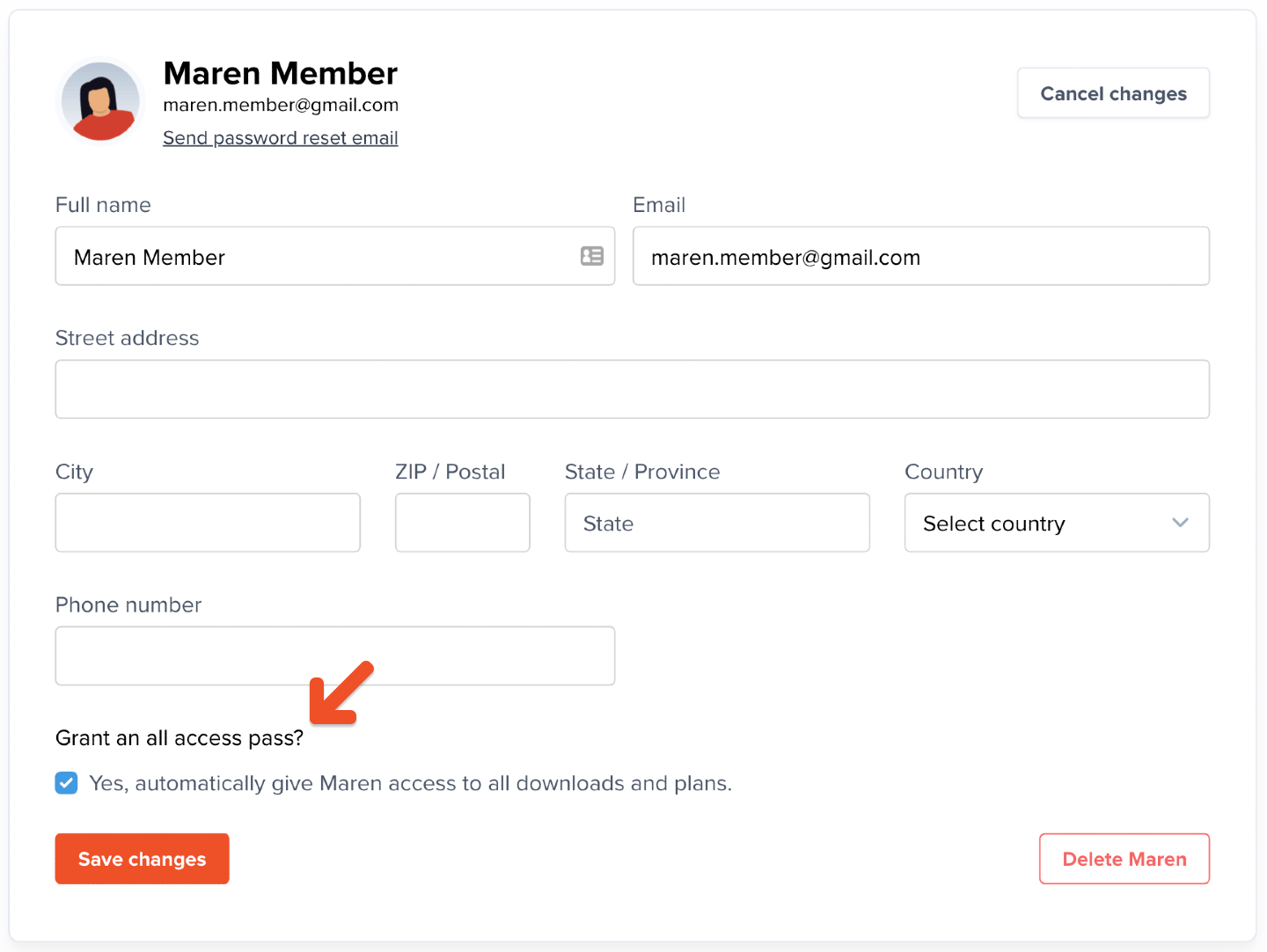 The all access pass won't grant [Discord roles](/community/discord/discord-integrate/#assign-roles-based-on-plan). To assign all roles, [subscribe the member to each plan.](/member-management/payments-and-access/give-free-access/#add-a-subscription-through-the-memberful-dashboard)
### View a list of all access pass members
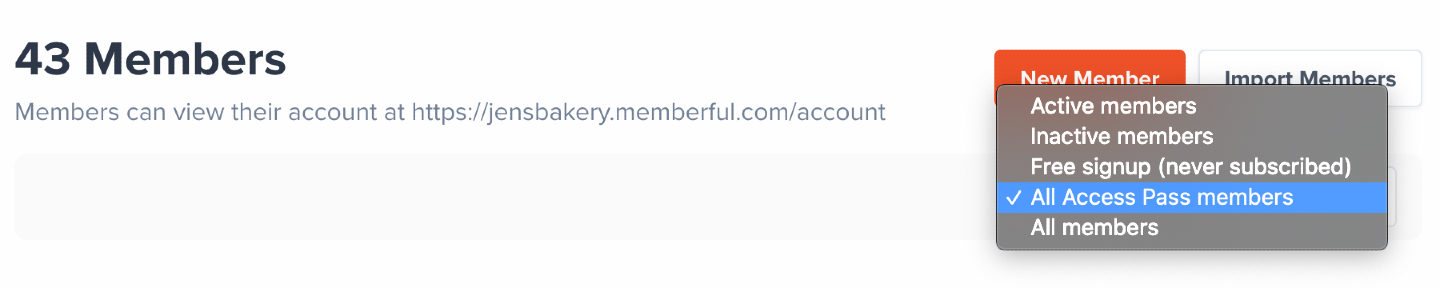
To view a list of members with an all access pass, go to the Members tab and choose the filter **All Access Pass members.**
The all access pass won't grant [Discord roles](/community/discord/discord-integrate/#assign-roles-based-on-plan). To assign all roles, [subscribe the member to each plan.](/member-management/payments-and-access/give-free-access/#add-a-subscription-through-the-memberful-dashboard)
### View a list of all access pass members
To view a list of members with an all access pass, go to the Members tab and choose the filter **All Access Pass members.**