> ## Documentation Index
> Fetch the complete documentation index at: https://memberful.com/docs/llms.txt
> Use this file to discover all available pages before exploring further.
# Move group to a different plan
> Move a group subscription from one plan to another from the Memberful dashboard when a group manager needs to switch tiers or change plans.
export const RelatedDocs = ({link1, link2, link3, link4, link5, link6, link7, link8, link9, link10, className = ""}) => {
const links = [link1, link2, link3, link4, link5, link6, link7, link8, link9, link10].filter(Boolean);
if (!links.length) return null;
return ;
};
In this help article, we'll show you how to move a group manager to a different plan in the same group.
## Change a group manager's plan
If you've set up a [group](/plans/plan-options/plan-changes), you can move a group manager (and their members) to another plan in that group. Here's how:
1. Go to the group manager's profile and click the subscription link.
2. Click **Change.**
 3. Select a different plan from the list.
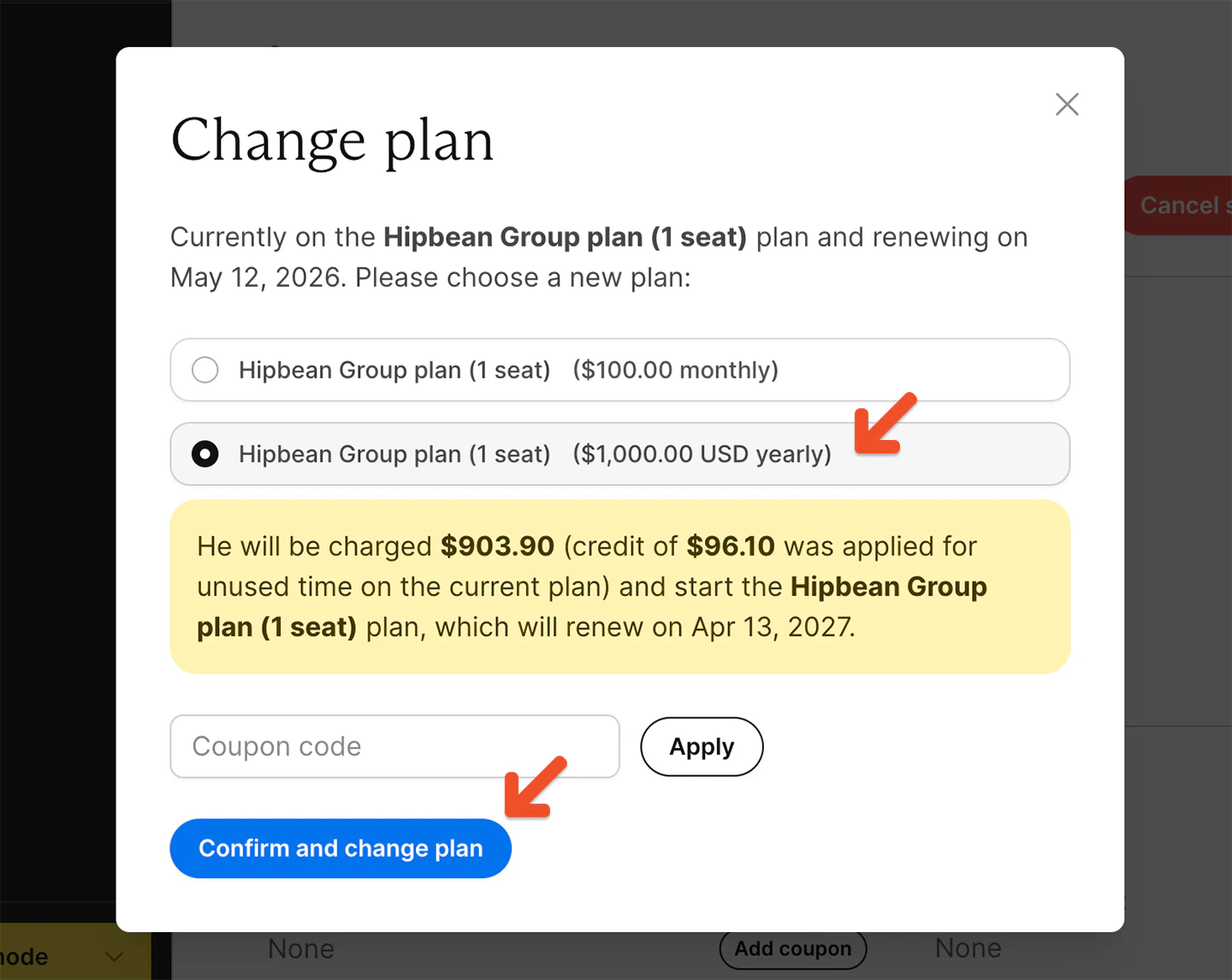 4. Click **Confirm and change plan.**
## Switch a group subscription to an individual subscription
To switch a group subscription to an individual subscription, first remove all group members except the group manager.
Once only the group manager remains on the subscription, you can move them to an individual plan in the same plan group. If there are still additional members on the group subscription, the switch won't be available.
This helps prevent accidentally removing access for members who are still part of the group.
4. Click **Confirm and change plan.**
## Switch a group subscription to an individual subscription
To switch a group subscription to an individual subscription, first remove all group members except the group manager.
Once only the group manager remains on the subscription, you can move them to an individual plan in the same plan group. If there are still additional members on the group subscription, the switch won't be available.
This helps prevent accidentally removing access for members who are still part of the group.