Related help docs:
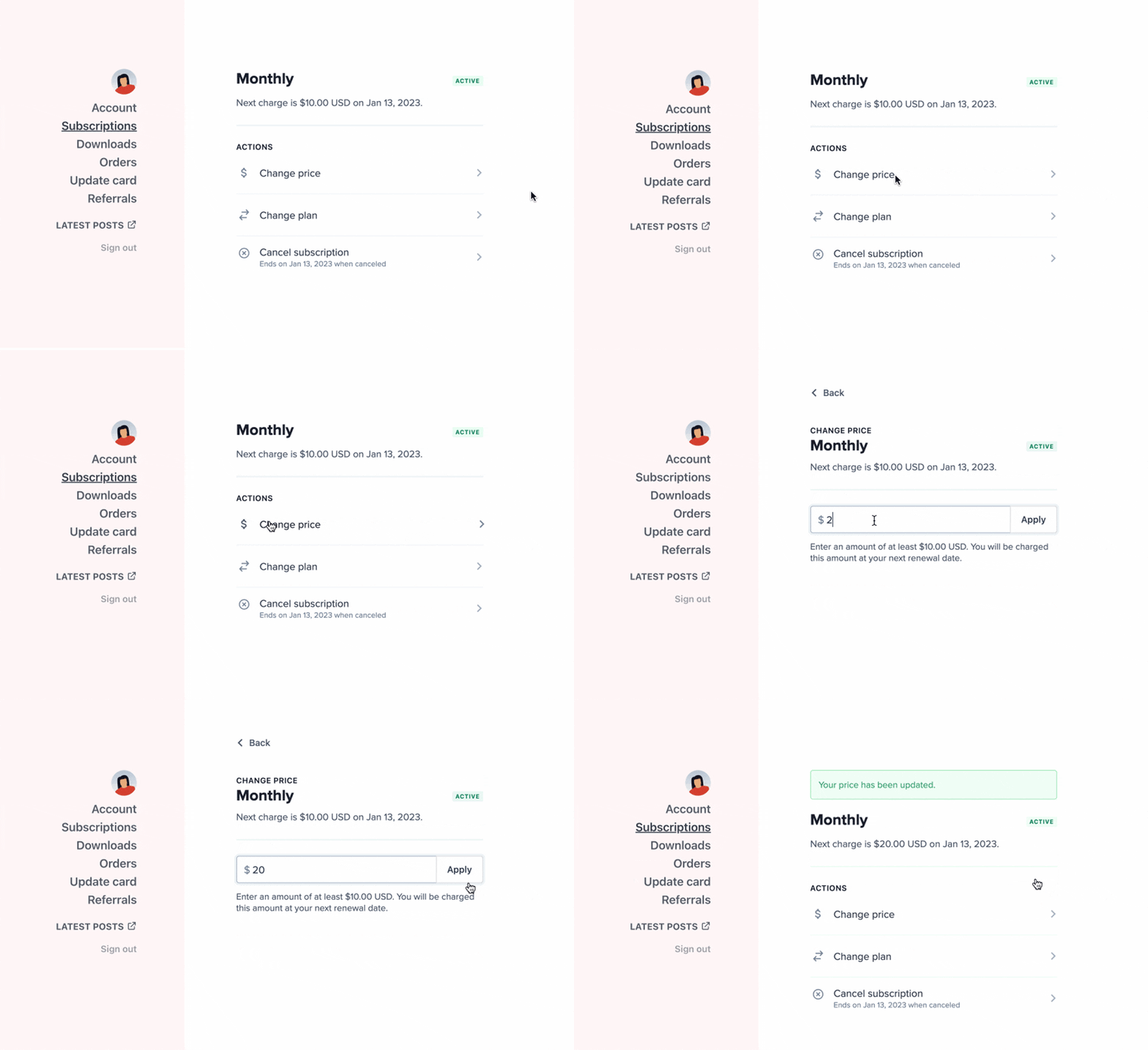
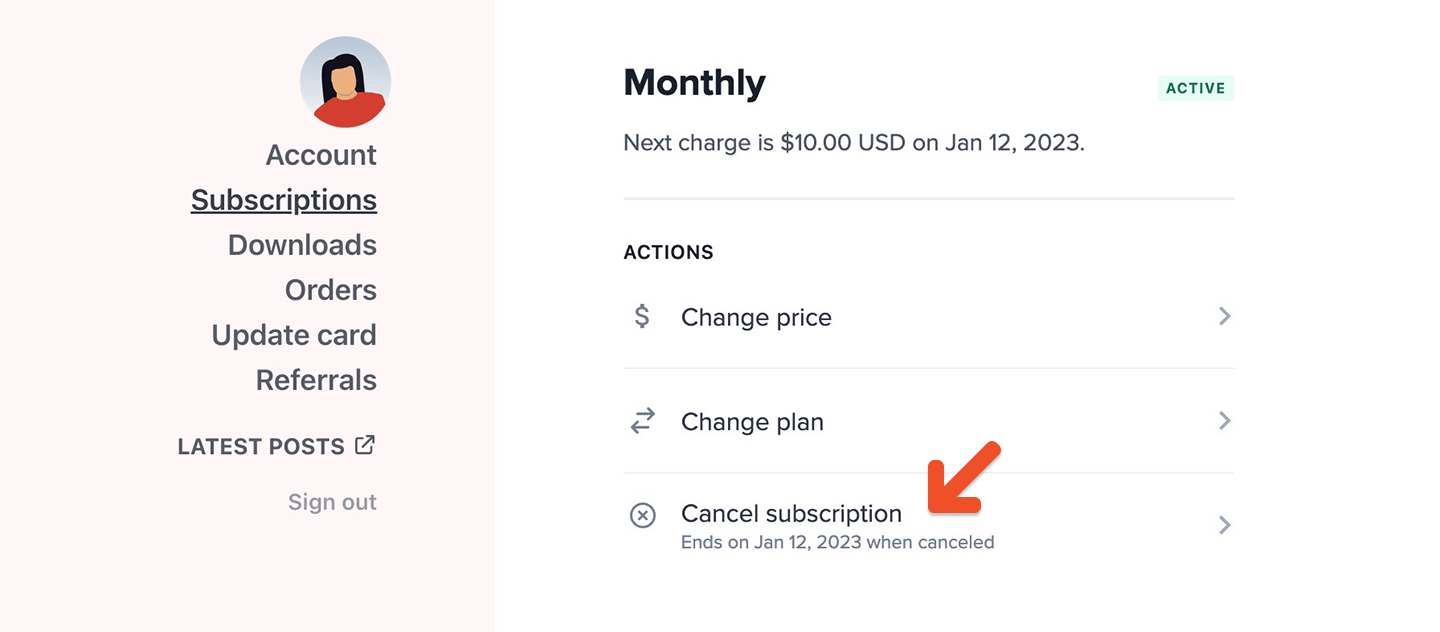 If a member is subscribed to a plan that allows them to [choose what they pay](/plans/plan-options/enable-choose-what-you-pay), they can click **Change Price** and enter a new price.
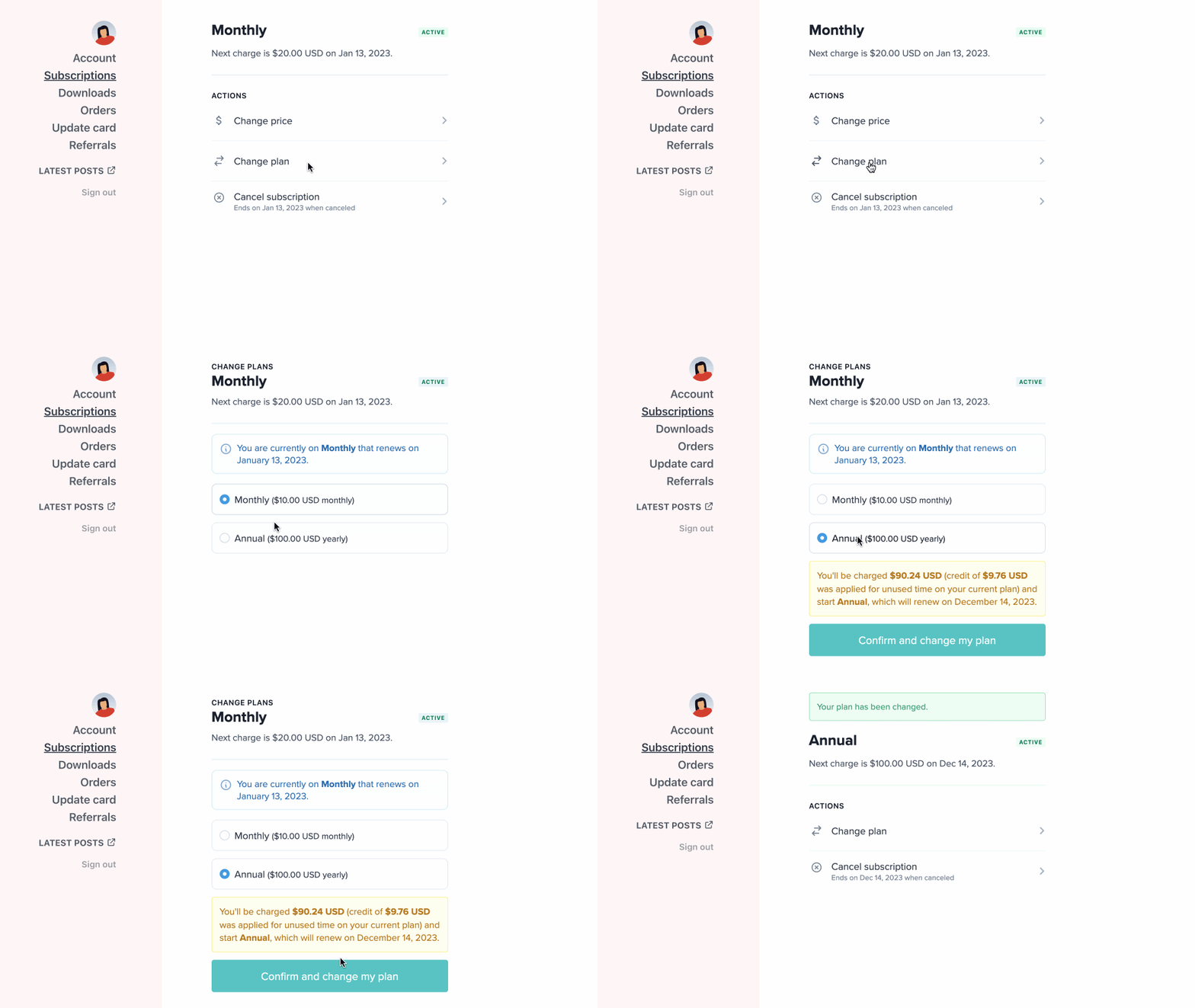
 ## Change plans
If you sell multiple plans, you may want to offer members the option to upgrade / downgrade. When you add all your plans to the same [Plan Group](/plans/plan-options/configure-upgrade-settings/), members will have the option to change between them from the Subscriptions menu item in their account.
## Change plans
If you sell multiple plans, you may want to offer members the option to upgrade / downgrade. When you add all your plans to the same [Plan Group](/plans/plan-options/configure-upgrade-settings/), members will have the option to change between them from the Subscriptions menu item in their account.
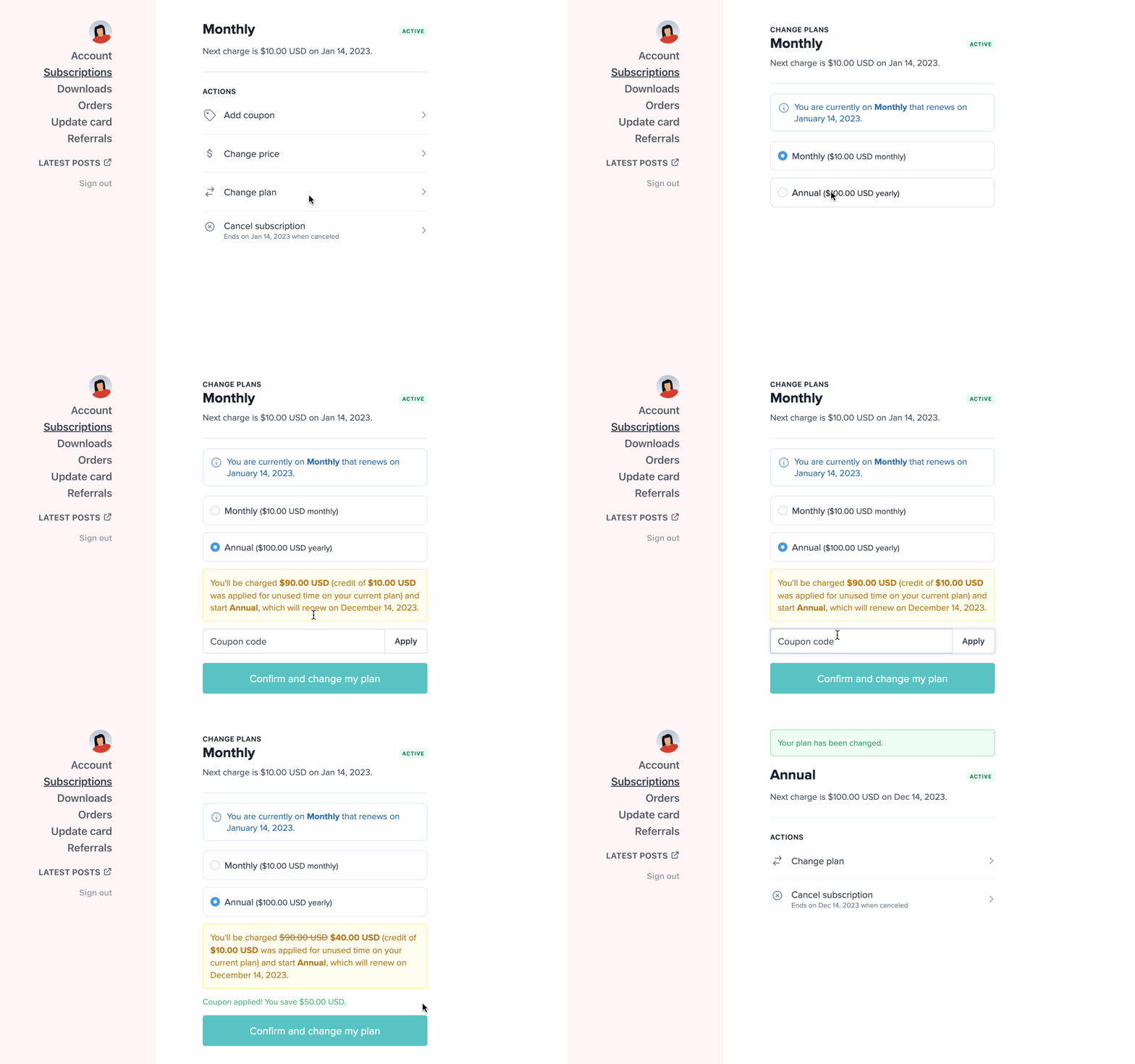
 ## Apply a coupon during an upgrade
To add a coupon during a [plan upgrade,](/plans/plan-options/configure-upgrade-settings/) members can go to the Subscriptions menu item in their account, click **Change plan,** and apply the coupon code.
## Apply a coupon during an upgrade
To add a coupon during a [plan upgrade,](/plans/plan-options/configure-upgrade-settings/) members can go to the Subscriptions menu item in their account, click **Change plan,** and apply the coupon code.
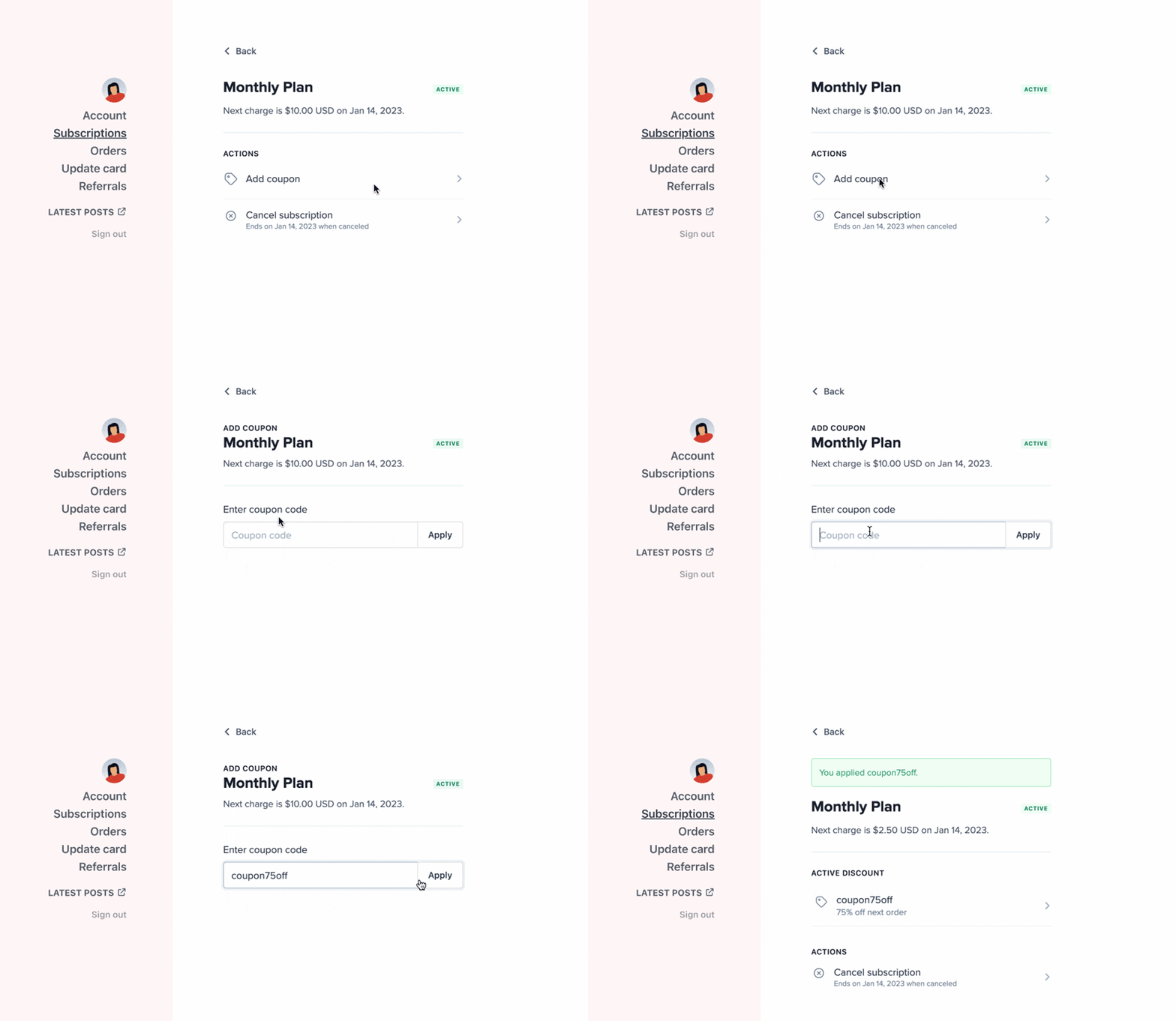
 ### Apply a coupon code to an existing subscription
To add a coupon to an existing subscription, members can go to the Subscriptions menu item in their account, click **Add coupon,** and apply the coupon code.
### Apply a coupon code to an existing subscription
To add a coupon to an existing subscription, members can go to the Subscriptions menu item in their account, click **Add coupon,** and apply the coupon code.
 ### Renew a subscription that is past due
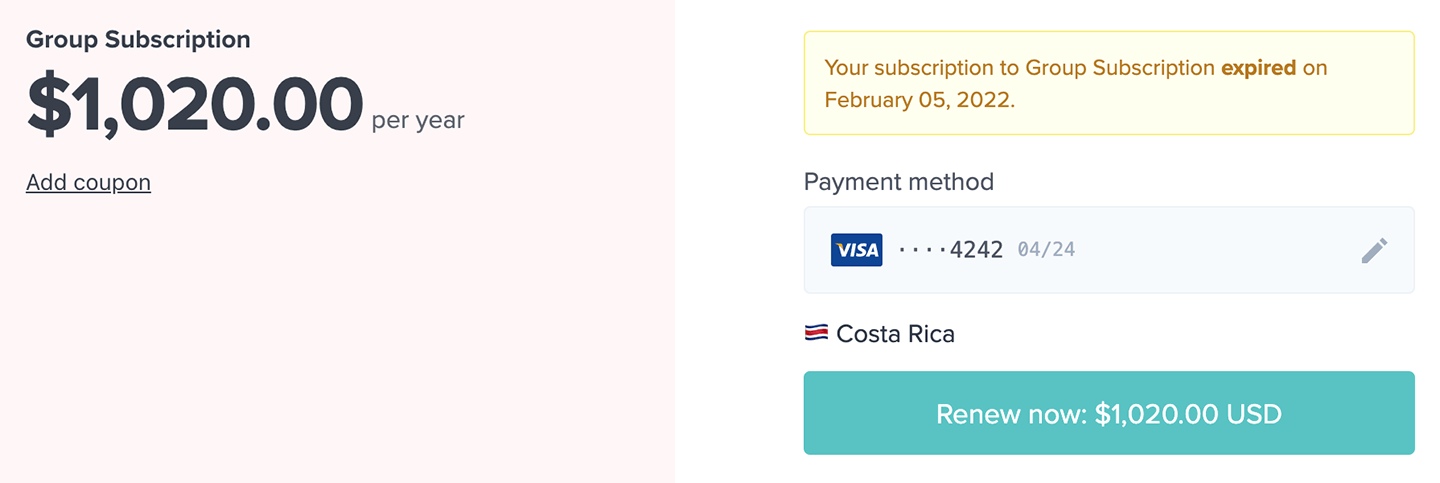
If a member's subscription is past due or expired, they can go to the Subscriptions menu item and click **Renew Now.** Next, they can update their payment method (if required) and renew their subscription.
### Renew a subscription that is past due
If a member's subscription is past due or expired, they can go to the Subscriptions menu item and click **Renew Now.** Next, they can update their payment method (if required) and renew their subscription.
 After the first payment failure, we [retry the payment up to 4 times](/member-management/payments-and-access/handle-failed-payments/), always with 12 hours between retries. If we are unable to charge the member after 48 hours, we will deactivate their subscription.