> ## Documentation Index
> Fetch the complete documentation index at: https://memberful.com/docs/llms.txt
> Use this file to discover all available pages before exploring further.

# Manage group subscriptions

> See how group managers manage a Memberful group subscription, invite members, fill seats, and remove people who no longer need access to the membership.

export const RelatedDocs = ({link1, link2, link3, link4, link5, link6, link7, link8, link9, link10, className = ""}) => {
  const links = [link1, link2, link3, link4, link5, link6, link7, link8, link9, link10].filter(Boolean);
  if (!links.length) return null;
  return <section className={`related-docs border dark:border-gray-700 rounded-2xl px-6 py-4 mt-6 ${className}`}>
      <p className="mb-2 font-medium">
        <strong>Related help docs:</strong>
      </p>
      <ul className="space-y-1 mb-1 mt-1">
        {links.map((link, index) => <li key={index}>
            <a href={link.url}>{link.label}</a>
          </li>)}
      </ul>
    </section>;
};

In this help article, you'll learn how group managers can update group subscription settings and manage group members from their member account.

## Managing a group subscription (for group managers)

Group managers can access and adjust their group settings from the Subscriptions tab in their account. There, they can:

* Access a unique invite link to share with potential group members
* Purchase additional member seats
* Manage members (promote to group manager or remove members)
* Require approval before members are added (optional)

They can visit the management page directly:

```text theme={null}
http://ACCOUNT-URL.memberful.com/account/plan_manager/team_subscriptions
```

Replace `ACCOUNT-URL` with your account URL subdomain, which can be found in your Memberful dashboard via *Website → Settings.*

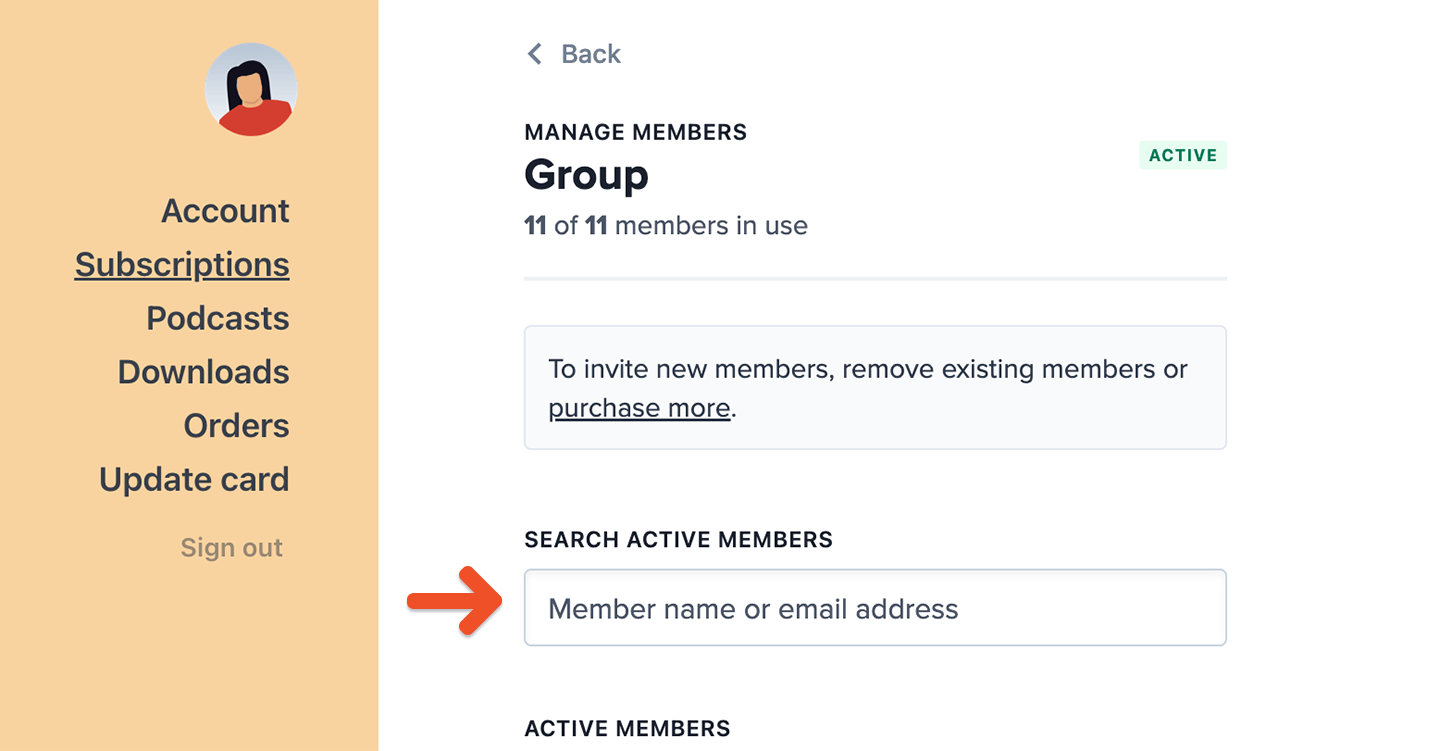
For group subscriptions with more than 10 members, the interface becomes searchable for easier management.

<Frame>
  <img src="https://mintcdn.com/memberful/Moz9yAaspGA5hBwB/images/group-plans/manage-group-subscriptions/group-plan-manage-members-detail-searchbar.png?fit=max&auto=format&n=Moz9yAaspGA5hBwB&q=85&s=7fc3192f259e422a7492d0af26b5c1d7" alt="Add and remove members" width="1440" height="751" data-path="images/group-plans/manage-group-subscriptions/group-plan-manage-members-detail-searchbar.png" />
</Frame>

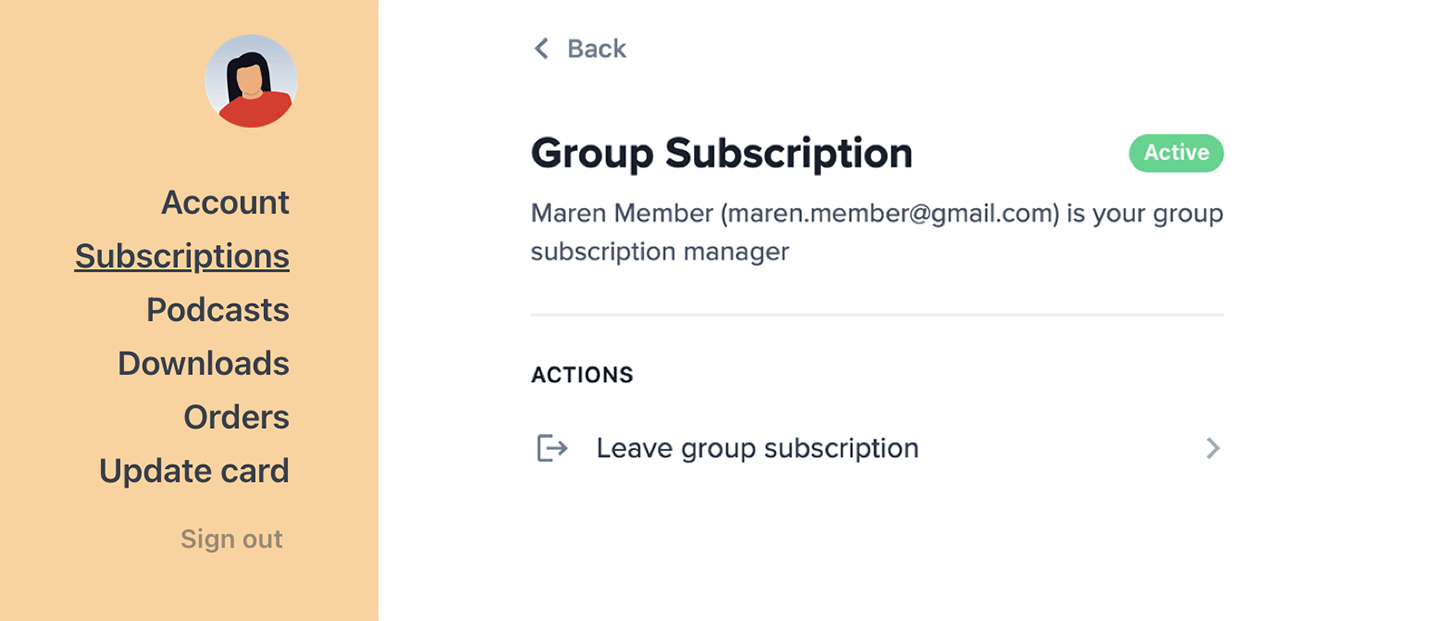
Group members can leave the subscription at any time from the Subscriptions tab. When someone leaves, their seat becomes available for another member to join.
<Frame>
  <img src="https://mintcdn.com/memberful/Moz9yAaspGA5hBwB/images/group-plans/manage-group-subscriptions/leave-group.png?fit=max&auto=format&n=Moz9yAaspGA5hBwB&q=85&s=33f9cbea48842ffe2248110036d0bb60" alt="Leave group subscription" width="1440" height="621" data-path="images/group-plans/manage-group-subscriptions/leave-group.png" />
</Frame>

## How the group manager can exclude themselves from the seat count

By default, group managers occupy a seat and receive member benefits. If a group manager prefers to handle only billing and member management, they can opt out of the seat count.

You, as the site admin, [can access this setting from the dashboard.](/member-management/group-management/add-or-remove-group-members/#how-the-group-manager-can-exclude-themselves-from-the-seat-count) The group manager can also manage this setting from their account.

To remove themselves from the seat count, the group manager can:

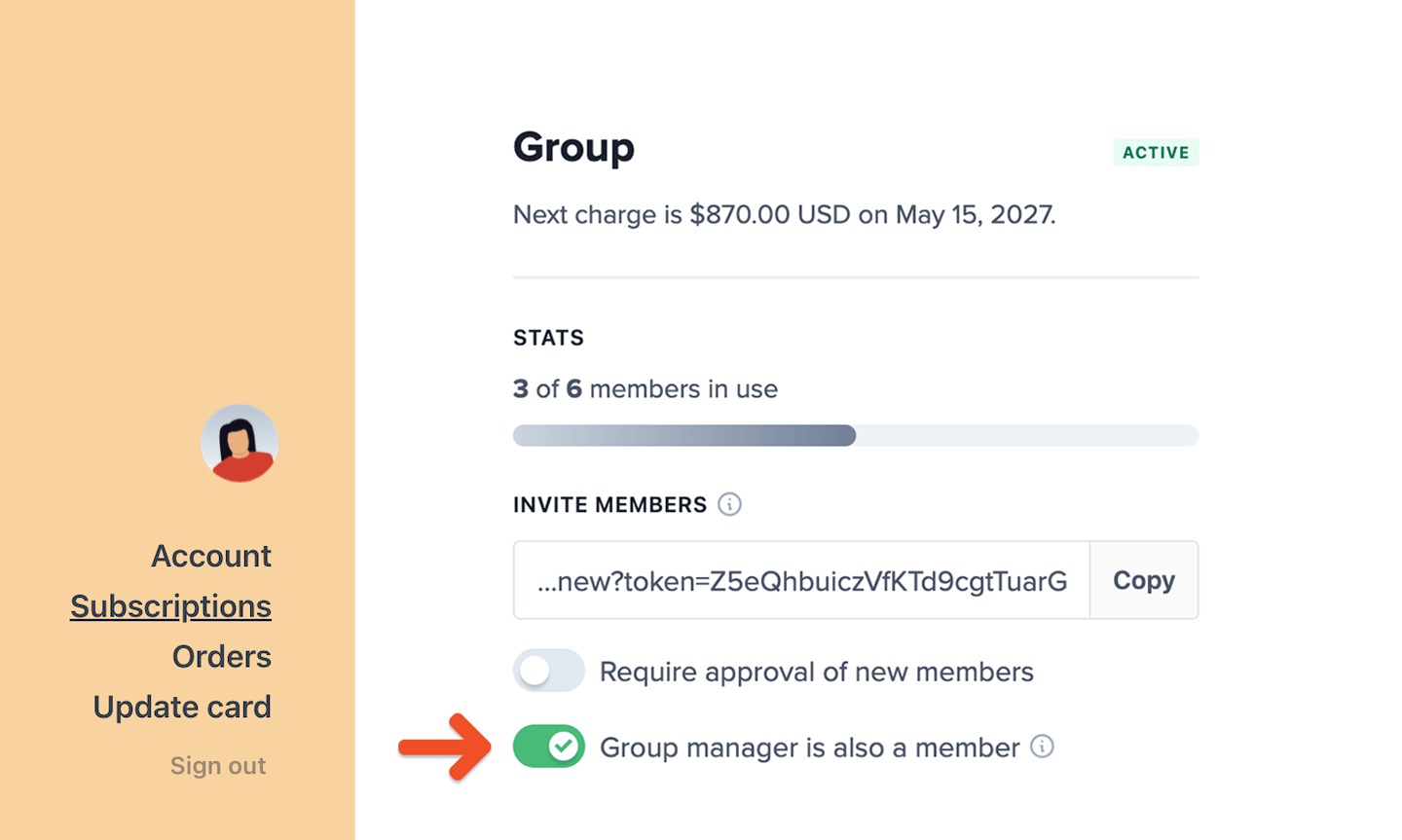
1. Go to the Subscriptions tab in their account.
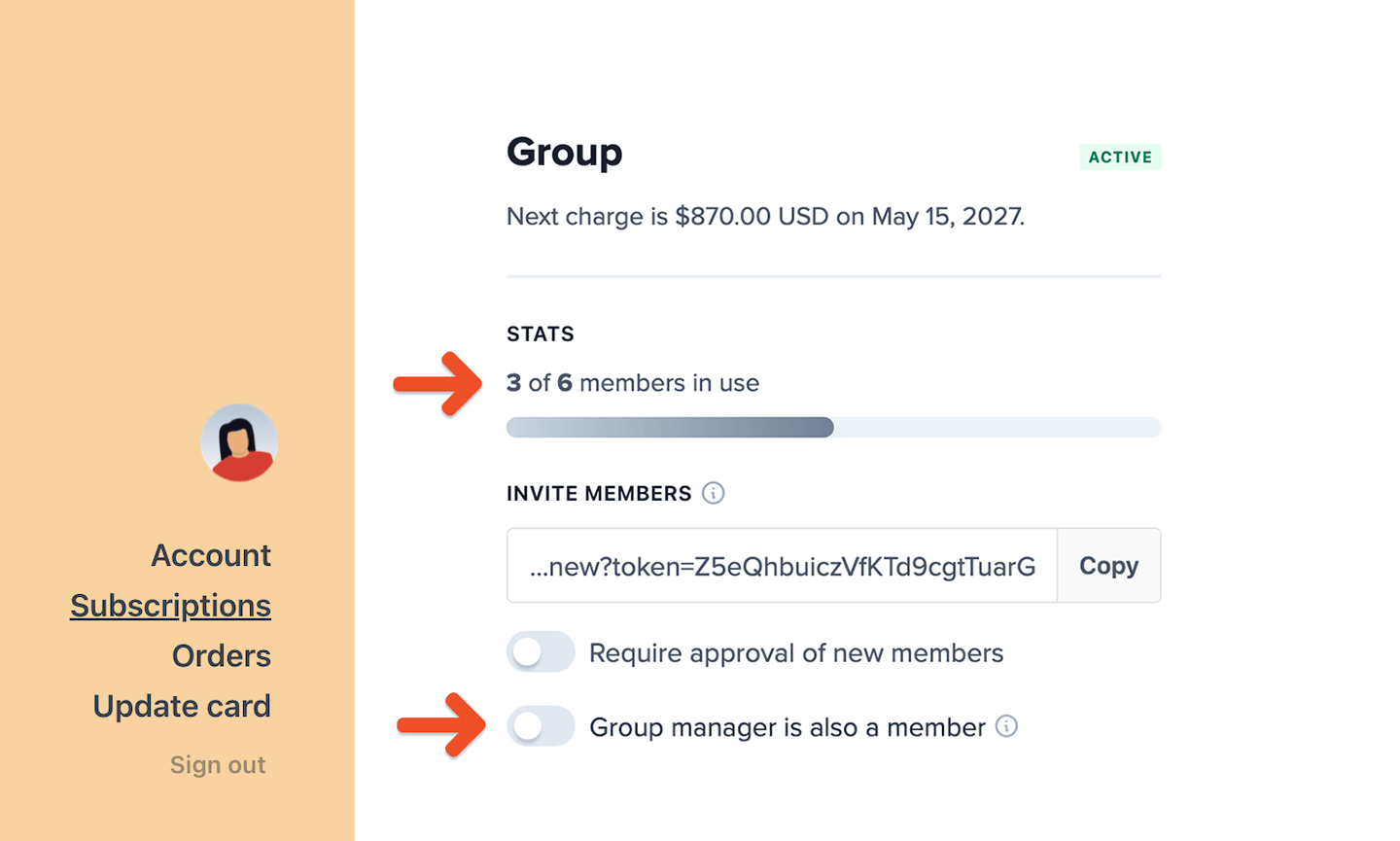
2. Toggle off *Group manager is also a member.*
<Frame>
  <img src="https://mintcdn.com/memberful/Moz9yAaspGA5hBwB/images/group-plans/manage-group-subscriptions/group-manager-is-also-a-member.png?fit=max&auto=format&n=Moz9yAaspGA5hBwB&q=85&s=8bce7b23935e40b62588068f54bf71ae" alt="Group manager is also a member" width="1440" height="863" data-path="images/group-plans/manage-group-subscriptions/group-manager-is-also-a-member.png" />
</Frame>

This frees up a seat and disables access to member benefits (like newsletters, Discord, or gated content).
<Frame>
  <img src="https://mintcdn.com/memberful/Moz9yAaspGA5hBwB/images/group-plans/manage-group-subscriptions/group-manager-is-also-a-member-toggled-off.png?fit=max&auto=format&n=Moz9yAaspGA5hBwB&q=85&s=eee5716287278f29feadcbe11cacf218" alt="Group manager is also a member toggled off" width="1440" height="865" data-path="images/group-plans/manage-group-subscriptions/group-manager-is-also-a-member-toggled-off.png" />
</Frame>

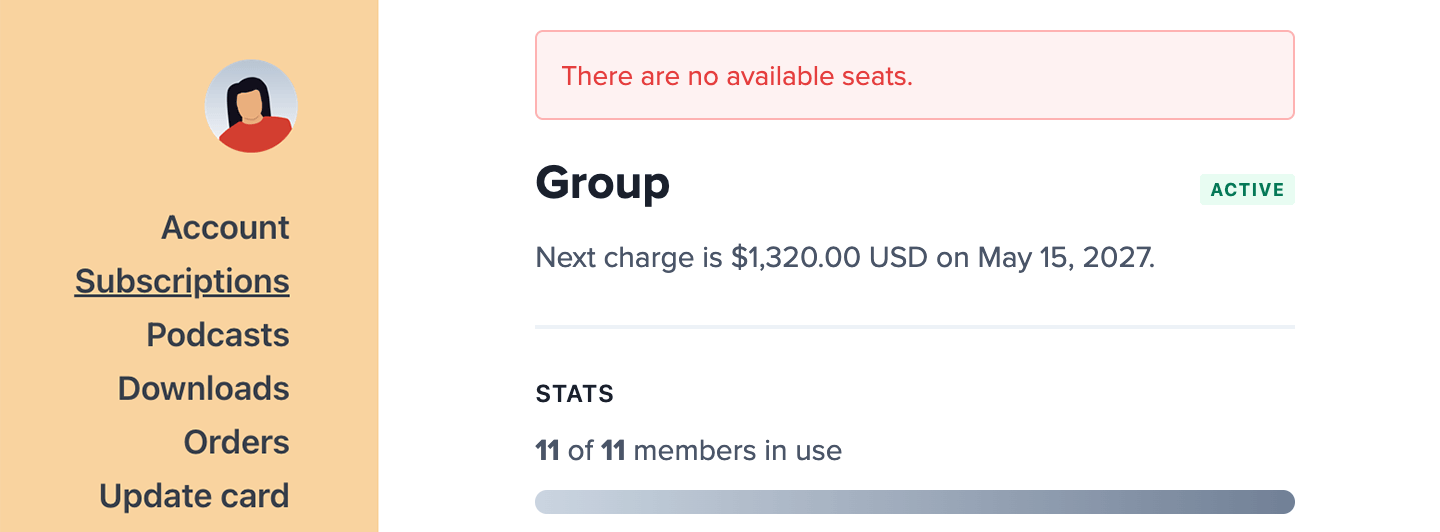
If no seats are available and the manager has opted out, they won't be able to re-enable this setting until a seat is freed up.
<Frame>
  <img src="https://mintcdn.com/memberful/Moz9yAaspGA5hBwB/images/group-plans/manage-group-subscriptions/no-available-seats-error-message.png?fit=max&auto=format&n=Moz9yAaspGA5hBwB&q=85&s=938b7ad9cd7289c35939f221ecd65792" alt="No available seats error message" width="1440" height="532" data-path="images/group-plans/manage-group-subscriptions/no-available-seats-error-message.png" />
</Frame>

In that case, the group manager must:

* Purchase an additional seat, or
* Remove an existing group member

## How the group manager can purchase additional member seats

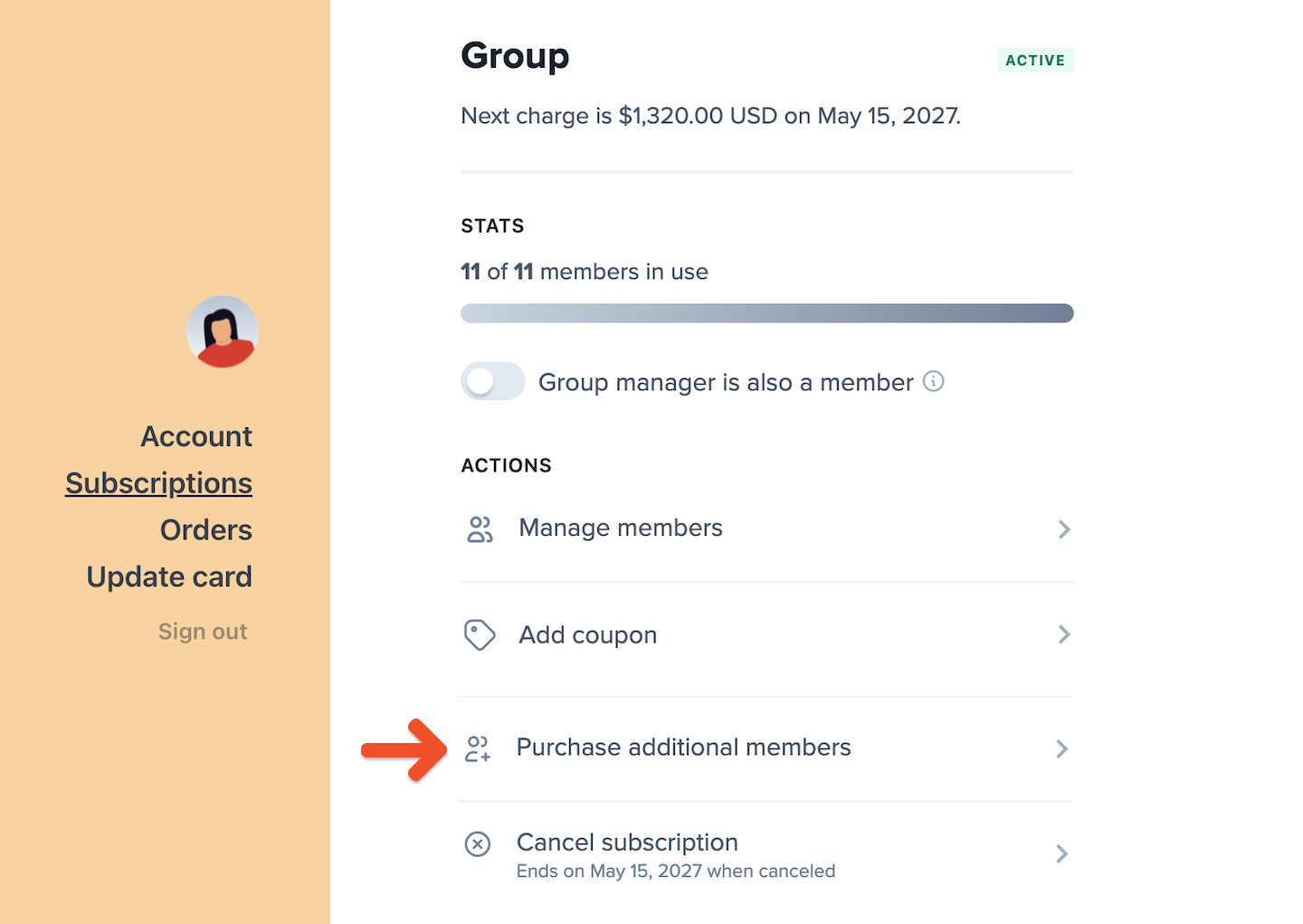
Group managers can purchase more member seats directly from the Subscriptions tab in their account—as long as no plan changes are scheduled.
<Frame>
  <img src="https://mintcdn.com/memberful/Moz9yAaspGA5hBwB/images/group-plans/manage-group-subscriptions/group-plan-purchase-seats.png?fit=max&auto=format&n=Moz9yAaspGA5hBwB&q=85&s=d3fe3f467a05d90f0e67844e91280d53" alt="Purchase additional seats" width="1440" height="1021" data-path="images/group-plans/manage-group-subscriptions/group-plan-purchase-seats.png" />
</Frame>

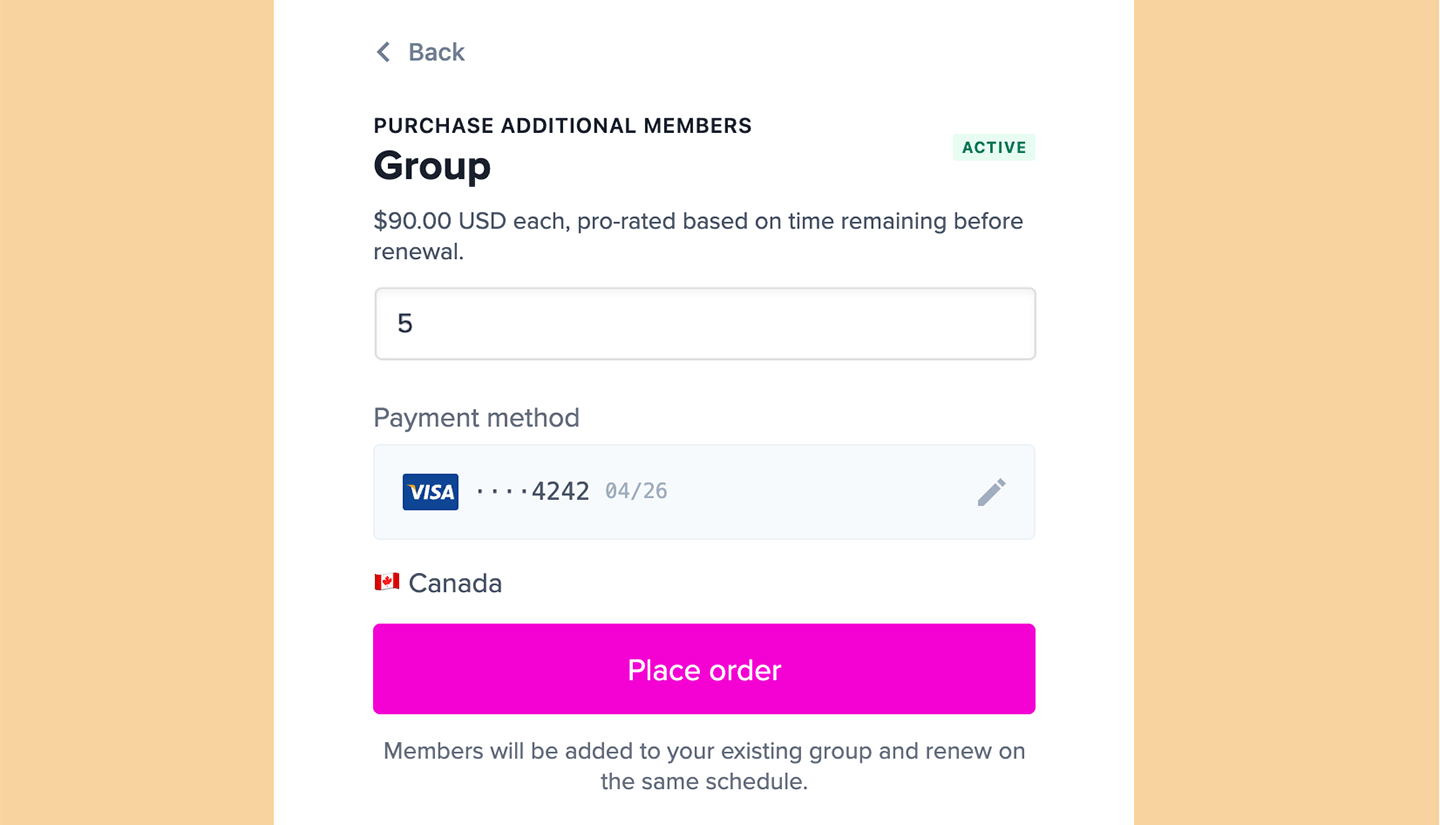
How billing works:

* A per-member price must be set for the subscription plan to add seats.
* Charges for new seats are pro-rated based on the time remaining until the next renewal.
* On the next renewal, the full per-seat cost is added to the subscription total.
<Frame>
  <img src="https://mintcdn.com/memberful/Moz9yAaspGA5hBwB/images/group-plans/manage-group-subscriptions/group-plan-prorated-seats.png?fit=max&auto=format&n=Moz9yAaspGA5hBwB&q=85&s=4978ca9af2cfb086f2b2069846385e92" alt="Additional seats are pro-rated" width="1440" height="825" data-path="images/group-plans/manage-group-subscriptions/group-plan-prorated-seats.png" />
</Frame>

<RelatedDocs
  link1={{
url: "/member-interface/account/update-their-personal-information/",
label: "How members can update their personal info.",
}}
  link2={{
url: "/member-interface/subscription/access-member-benefits/",
label: "How members can access the member benefits.",
}}
  link3={{
url: "/member-interface/extras/faq-for-your-member-page/",
label: "Add a membership FAQ page to your site.",
}}
/>
