Related help docs:
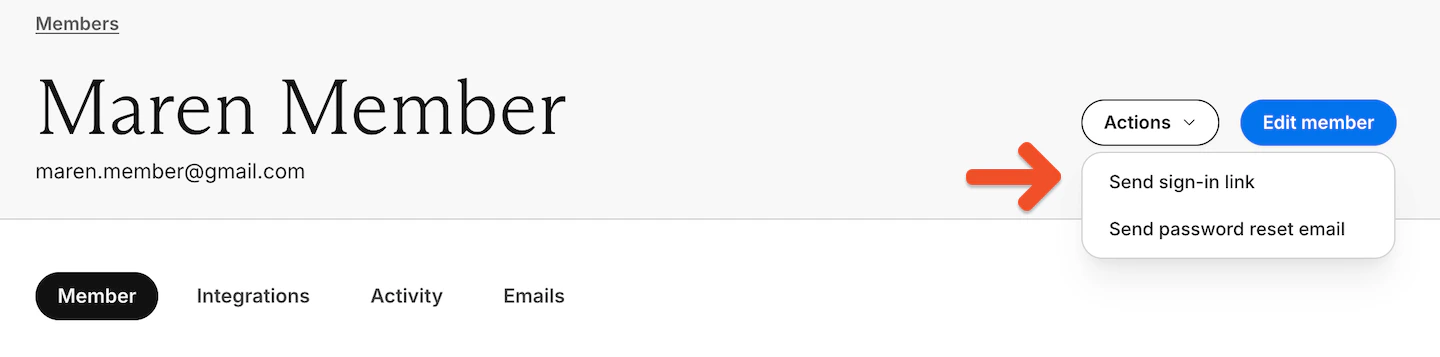
 You can also email a sign-in link from the member's profile (**Actions**) in Memberful.
 ### For accounts with passwords enabled
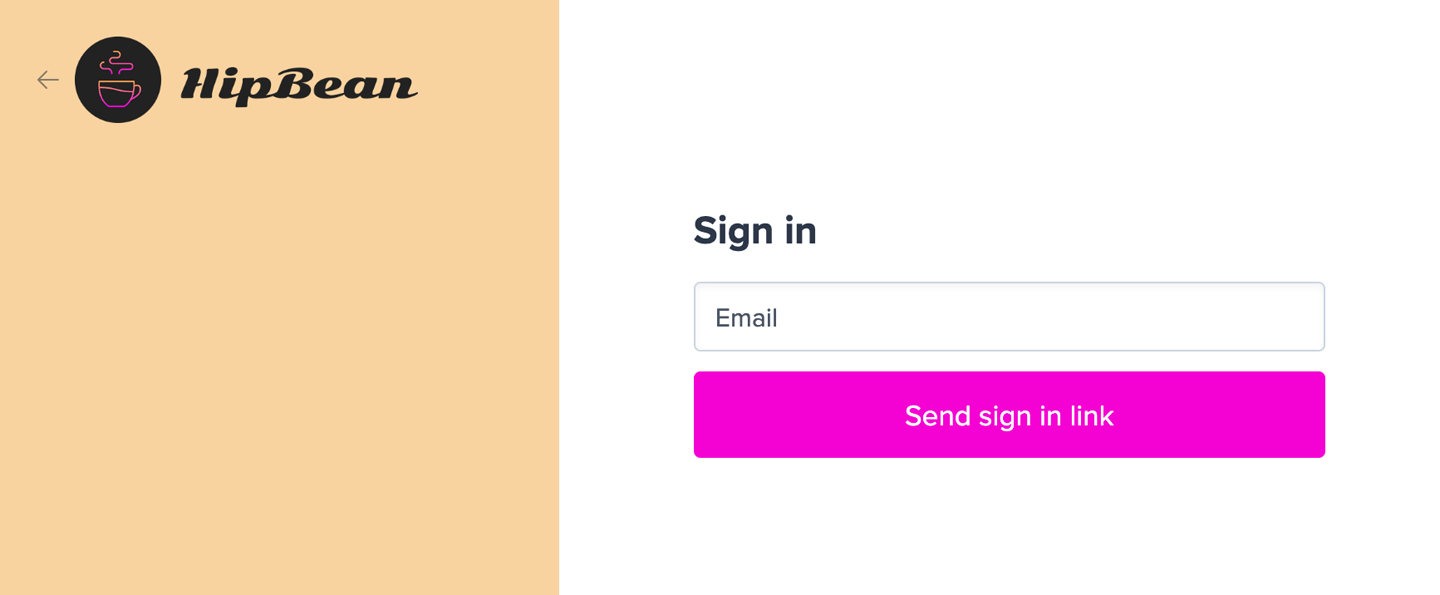
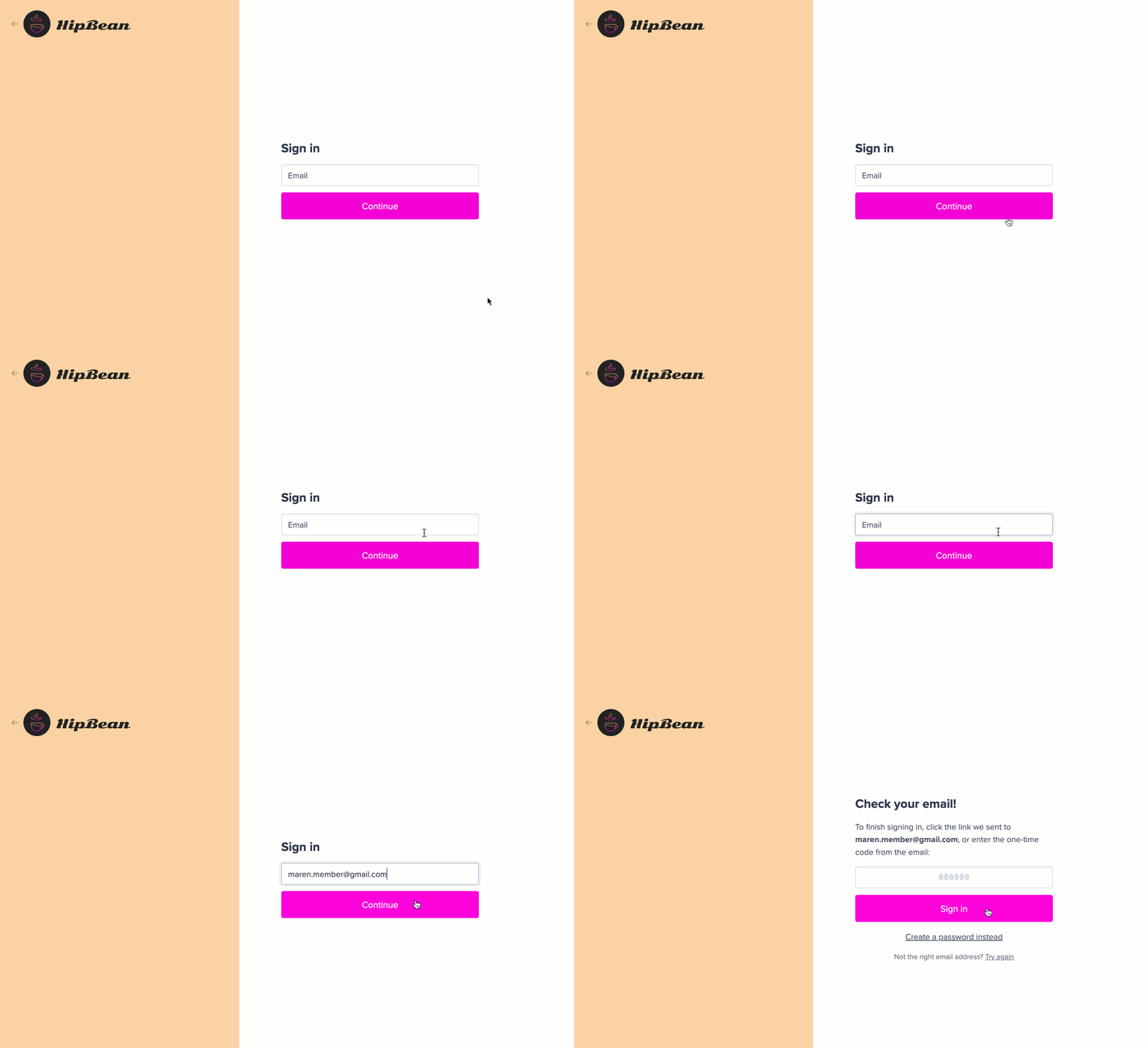
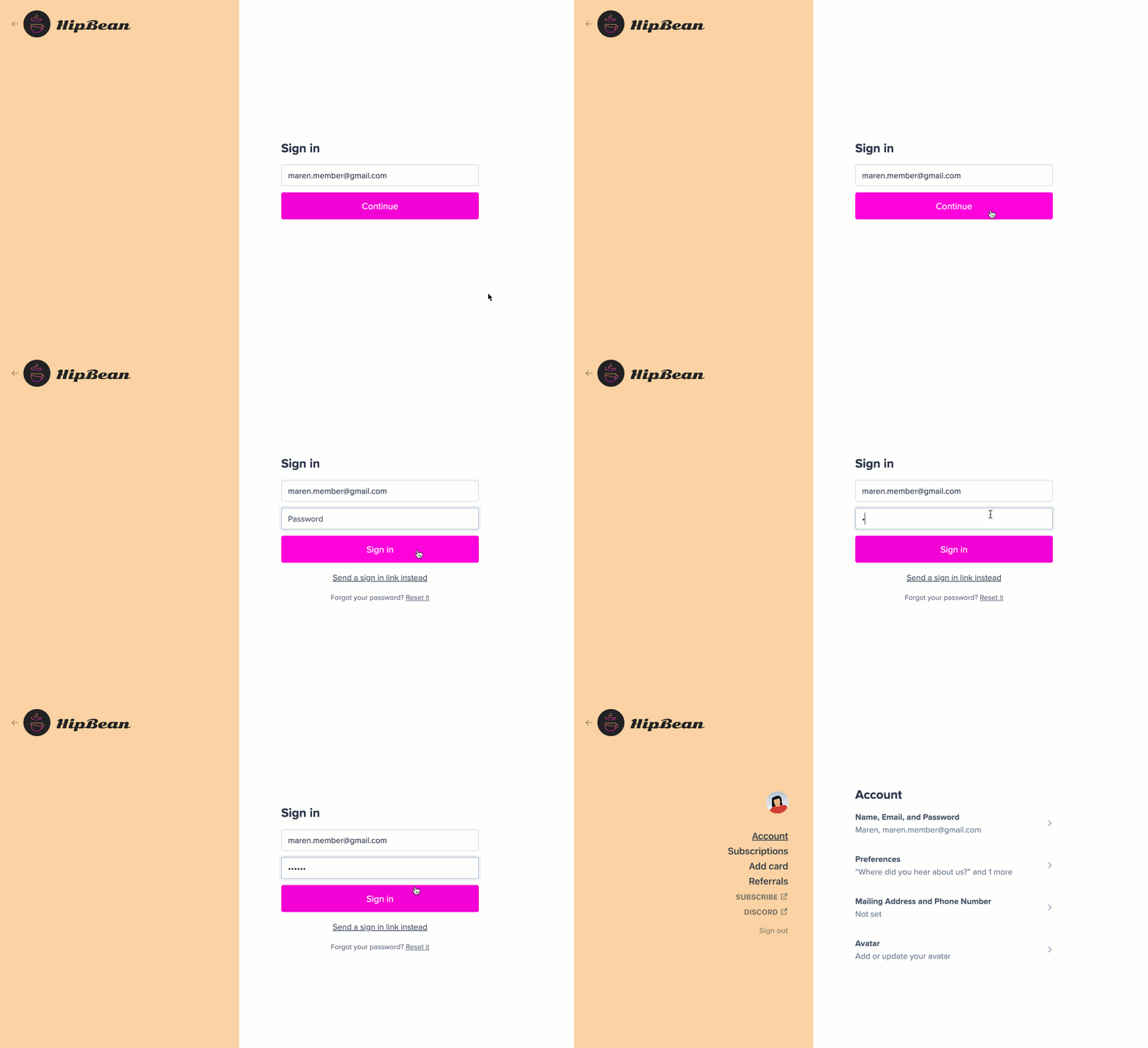
When a member lands on the sign-in form, they'll enter their email address and click **Continue.** If the member does not have a password, clicking continue sends the sign-in email to the member immediately.
### For accounts with passwords enabled
When a member lands on the sign-in form, they'll enter their email address and click **Continue.** If the member does not have a password, clicking continue sends the sign-in email to the member immediately.
 Memberful will [send them an email](/configuration/emails/email-templates/#review-available-templates) with a link they can click to sign in.
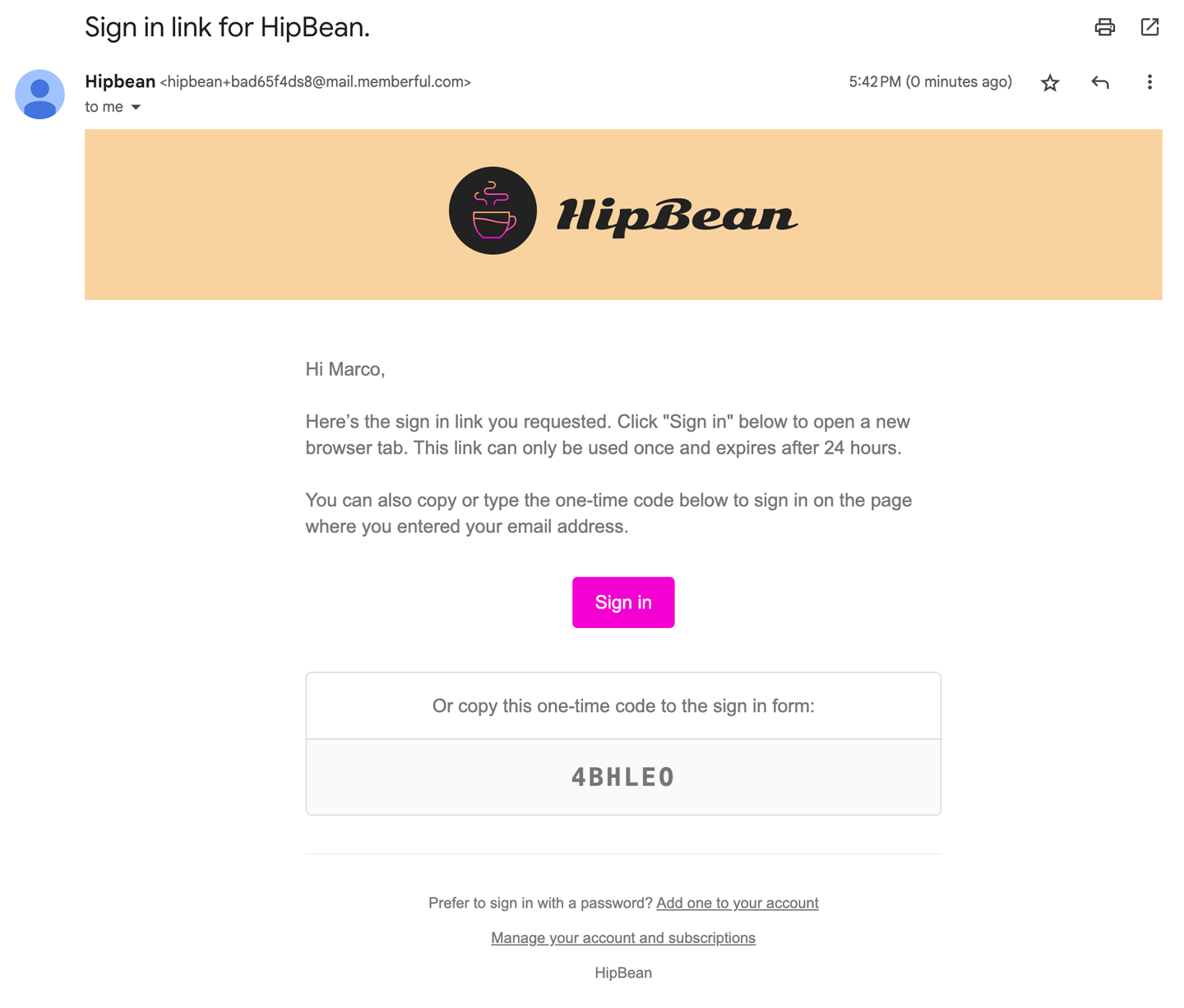 We'll also include a one-time code that they can type into the sign-in form in case they receive the email on a different device.
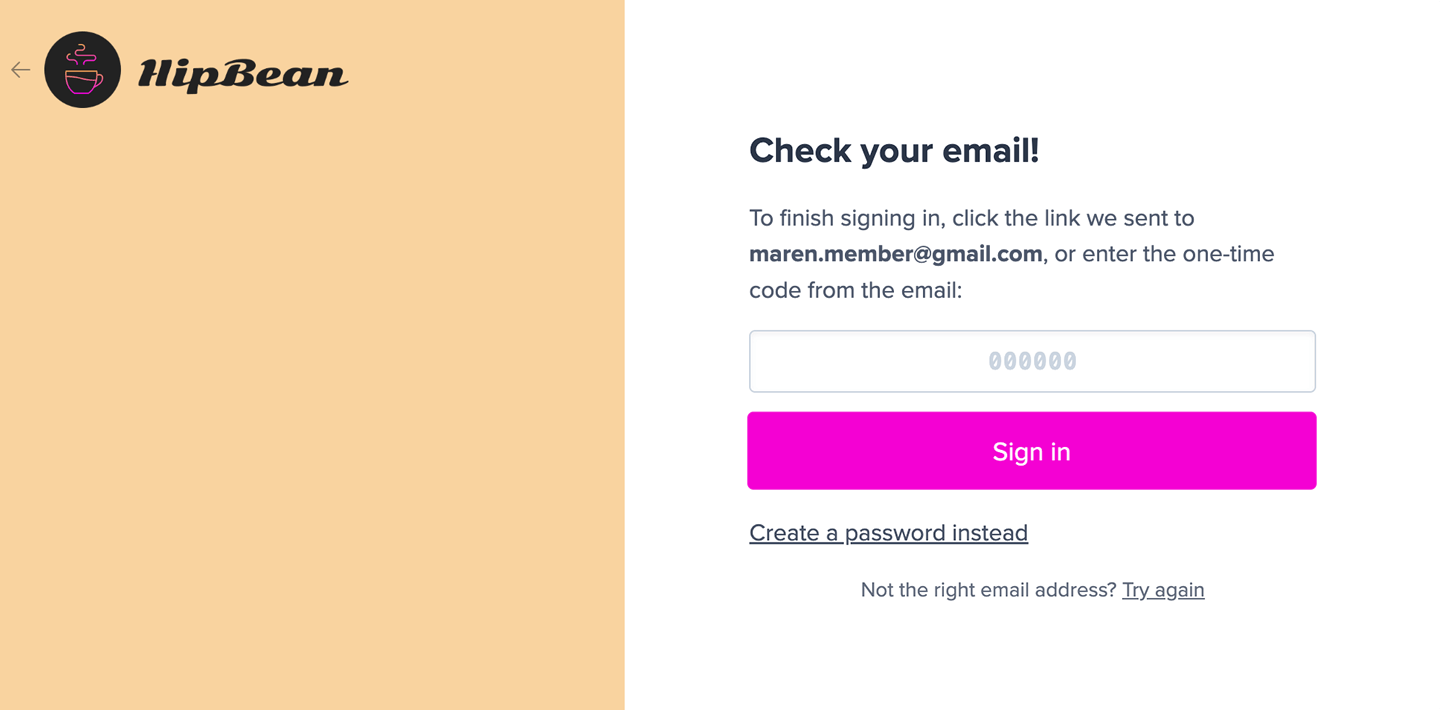 The link and code can only be used once and they expire after 24 hours.
When the sign-in link is opened in a different browser, members will be asked if they'd like to copy the one-time code into the original browser or continue in the current browser. This provides an intuitive sign-in experience even if the email app opened the link in a different browser.
The link and code can only be used once and they expire after 24 hours.
When the sign-in link is opened in a different browser, members will be asked if they'd like to copy the one-time code into the original browser or continue in the current browser. This provides an intuitive sign-in experience even if the email app opened the link in a different browser.
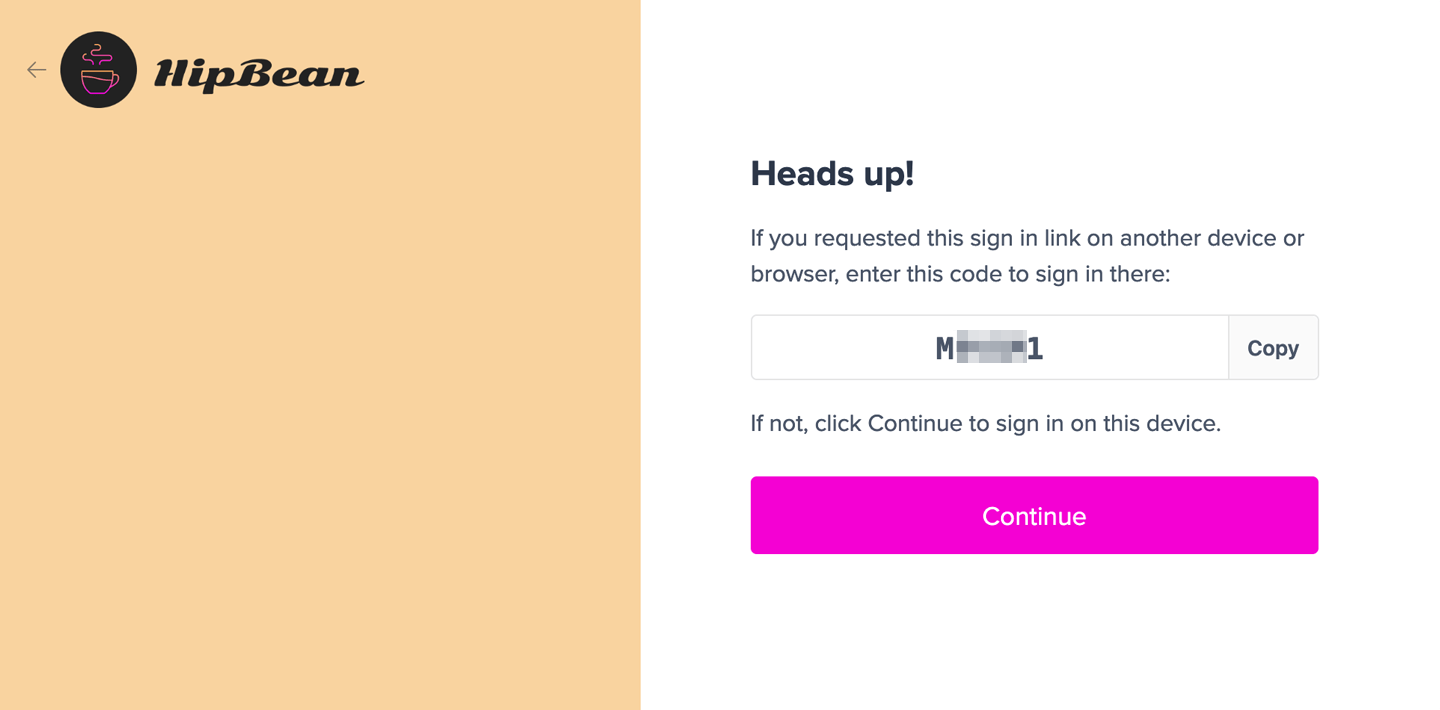 Safari on iOS and Mac OSX will offer to auto-fill the code if it was received via the Apple Mail app.
 ## Create a password
There are several ways a member can create a password.
### Create a password during sign-up
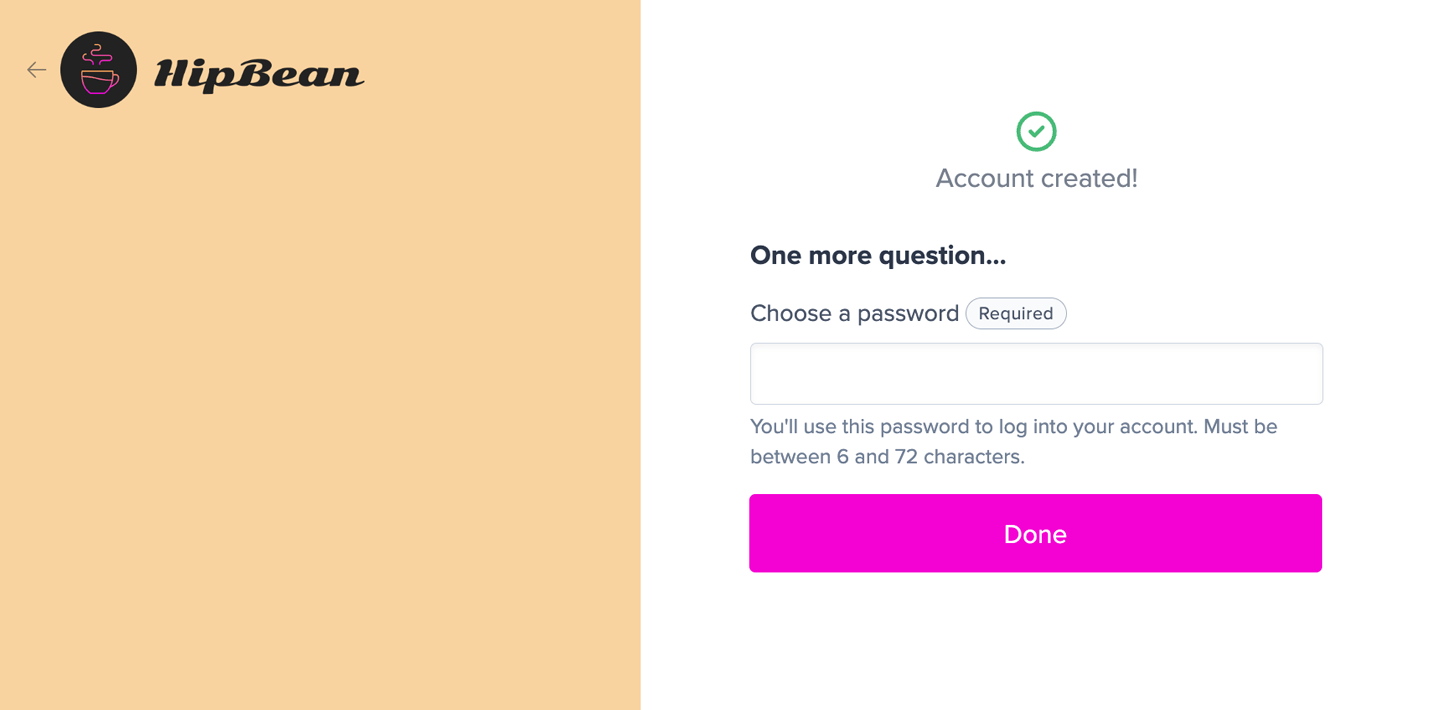
Passwords are not required, but you can make password creation a part of your checkout flow by adding an [**account password**](/configuration/feedback-and-policies/create-custom-fields/#create-a-custom-field) custom field.
## Create a password
There are several ways a member can create a password.
### Create a password during sign-up
Passwords are not required, but you can make password creation a part of your checkout flow by adding an [**account password**](/configuration/feedback-and-policies/create-custom-fields/#create-a-custom-field) custom field.
 ### After requesting sign-in link
After a member has requested a sign-in link, they can click **Create a password instead** to create one.
### After requesting sign-in link
After a member has requested a sign-in link, they can click **Create a password instead** to create one.
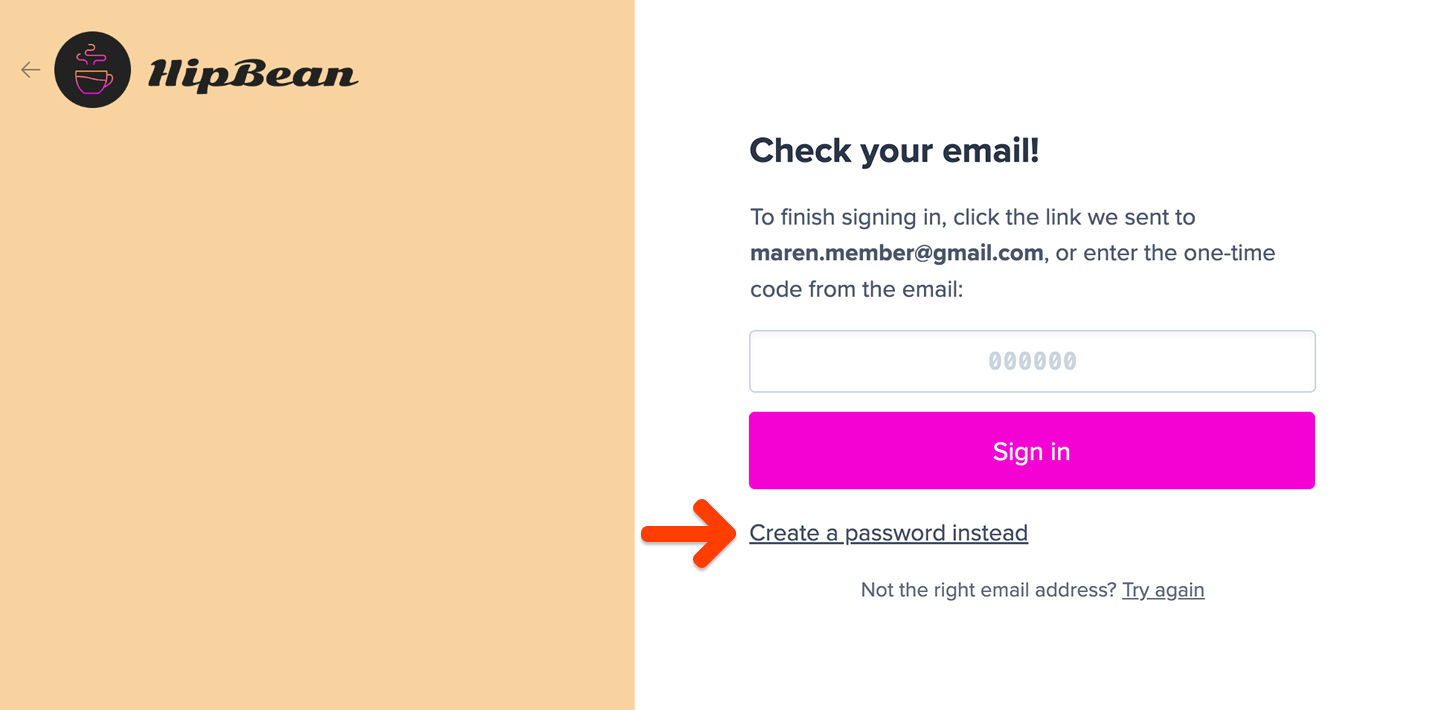 Clicking this link will trigger the [**Create password**](/configuration/emails/email-templates/#review-available-templates) email template to be sent to the member.
### From the sign-in email
The sign-in email includes a footer with a link to create a password: *Prefer to sign in with a password? Add one to your account.*
Clicking this link will trigger the [**Create password**](/configuration/emails/email-templates/#review-available-templates) email template to be sent to the member.
### From the sign-in email
The sign-in email includes a footer with a link to create a password: *Prefer to sign in with a password? Add one to your account.*
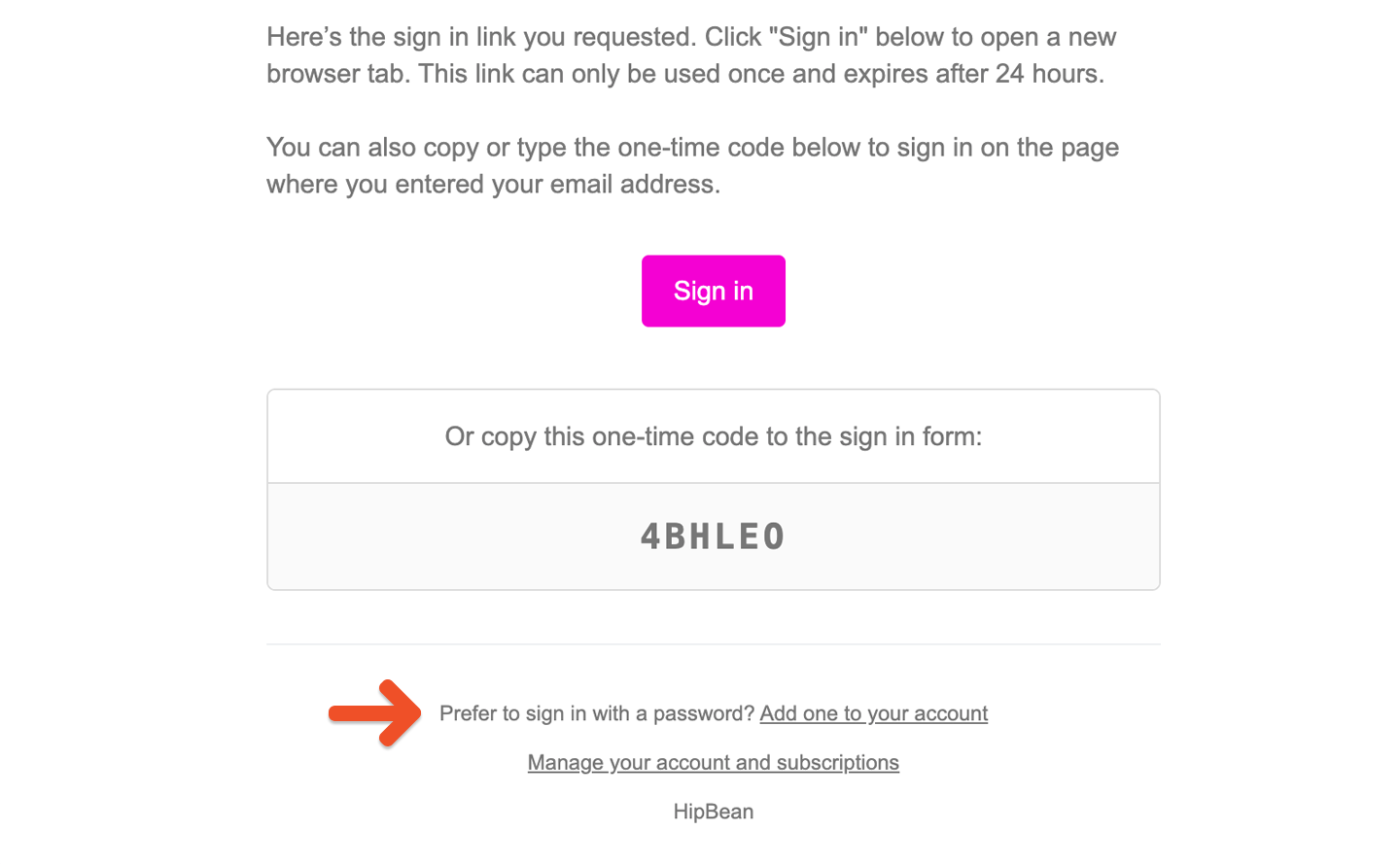 Clicking this link will trigger the [**Create password**](/configuration/emails/email-templates/#review-available-templates) email template to be sent to the member.
### Password reset
Once a password has been created, the member can click the **Reset it** link from the sign-in form. Memberful will send them password reset instructions by email.
Clicking this link will trigger the [**Create password**](/configuration/emails/email-templates/#review-available-templates) email template to be sent to the member.
### Password reset
Once a password has been created, the member can click the **Reset it** link from the sign-in form. Memberful will send them password reset instructions by email.
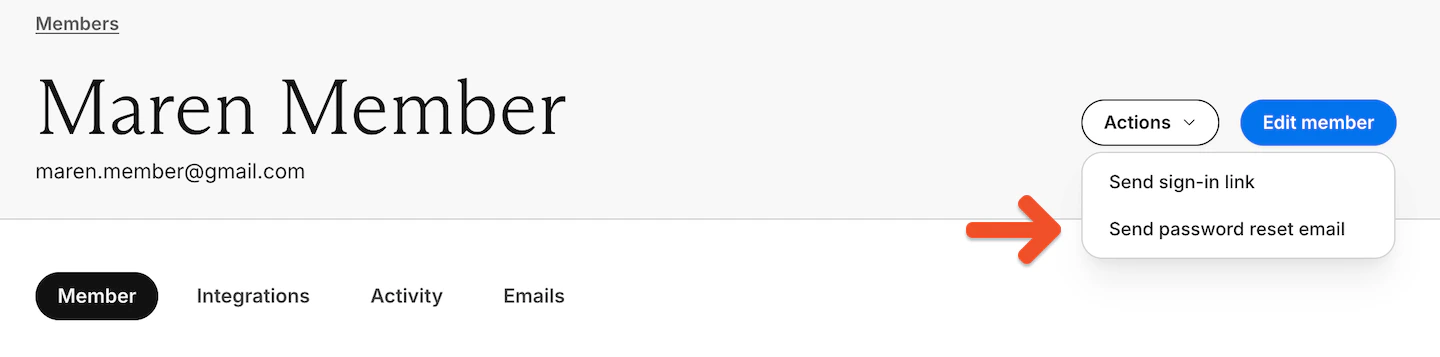
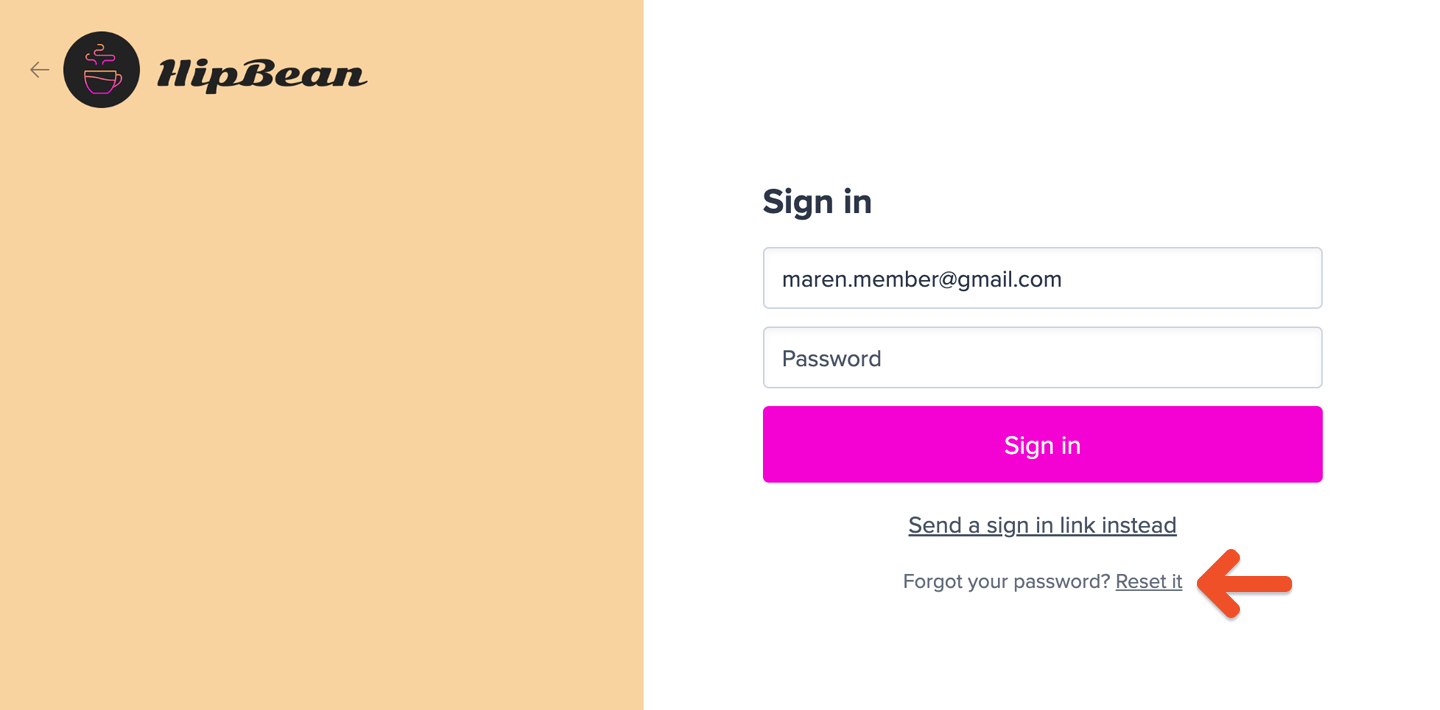 You can also send a password reset email from the member's profile (**Actions**) in Memberful, or share a direct reset link.
 ```text theme={null}
https://ACCOUNT-URL.memberful.com/auth/password/new
```
Replace `ACCOUNT-URL` with your actual Account URL subdomain, which can be found in your Memberful dashboard via *Website → Settings.*
To ensure the reset process is secure:
* Password reset links automatically expire after 48 hours.
* Password reset links can only be used once. If they click the link, and reset their password, the link becomes invalid.
If the link becomes invalid, we recommend that the member delete the old reset email and start with a fresh password reset.
```text theme={null}
https://ACCOUNT-URL.memberful.com/auth/password/new
```
Replace `ACCOUNT-URL` with your actual Account URL subdomain, which can be found in your Memberful dashboard via *Website → Settings.*
To ensure the reset process is secure:
* Password reset links automatically expire after 48 hours.
* Password reset links can only be used once. If they click the link, and reset their password, the link becomes invalid.
If the link becomes invalid, we recommend that the member delete the old reset email and start with a fresh password reset.