Related help docs:
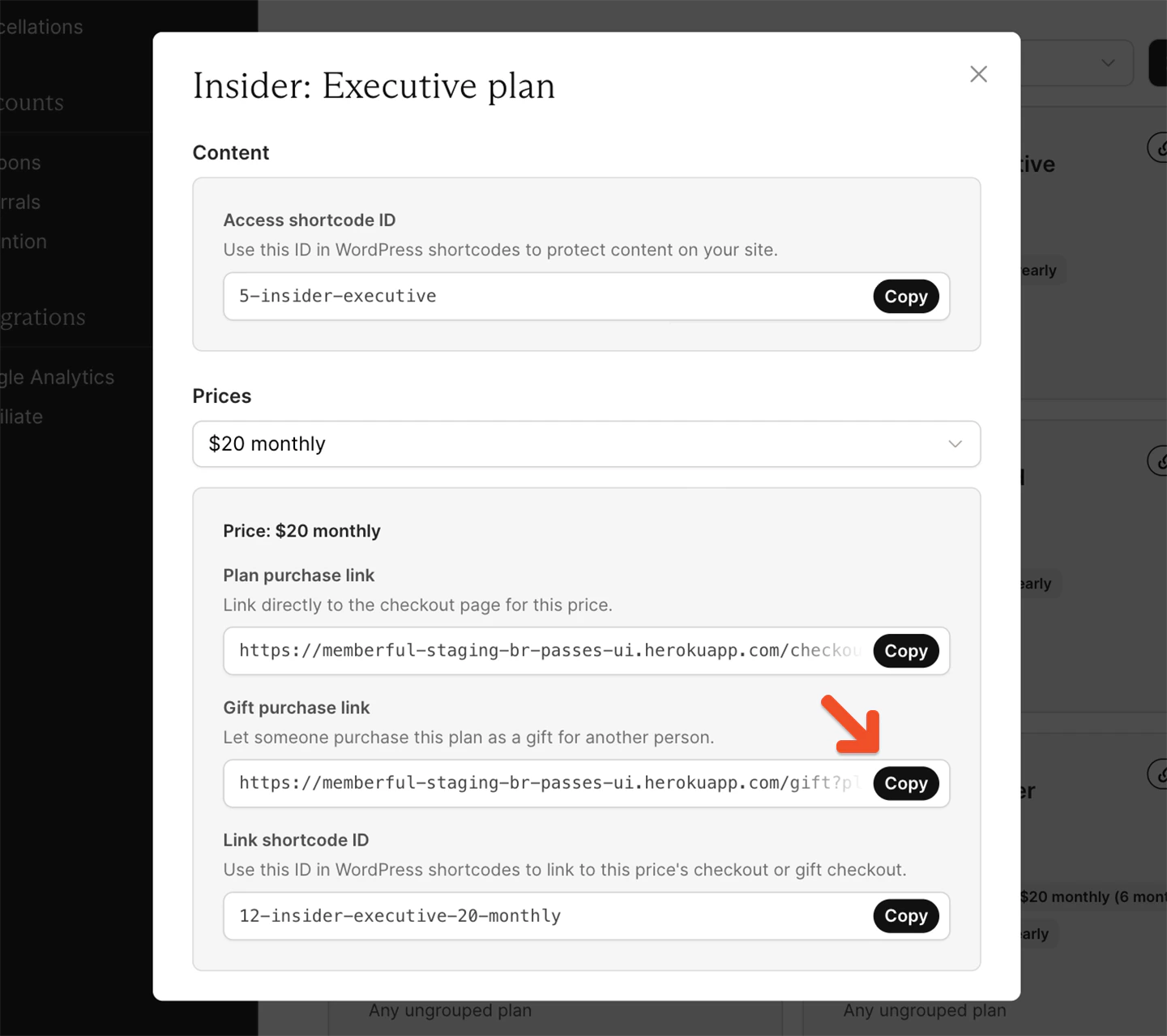 ## Purchase a gift as a member or visitor
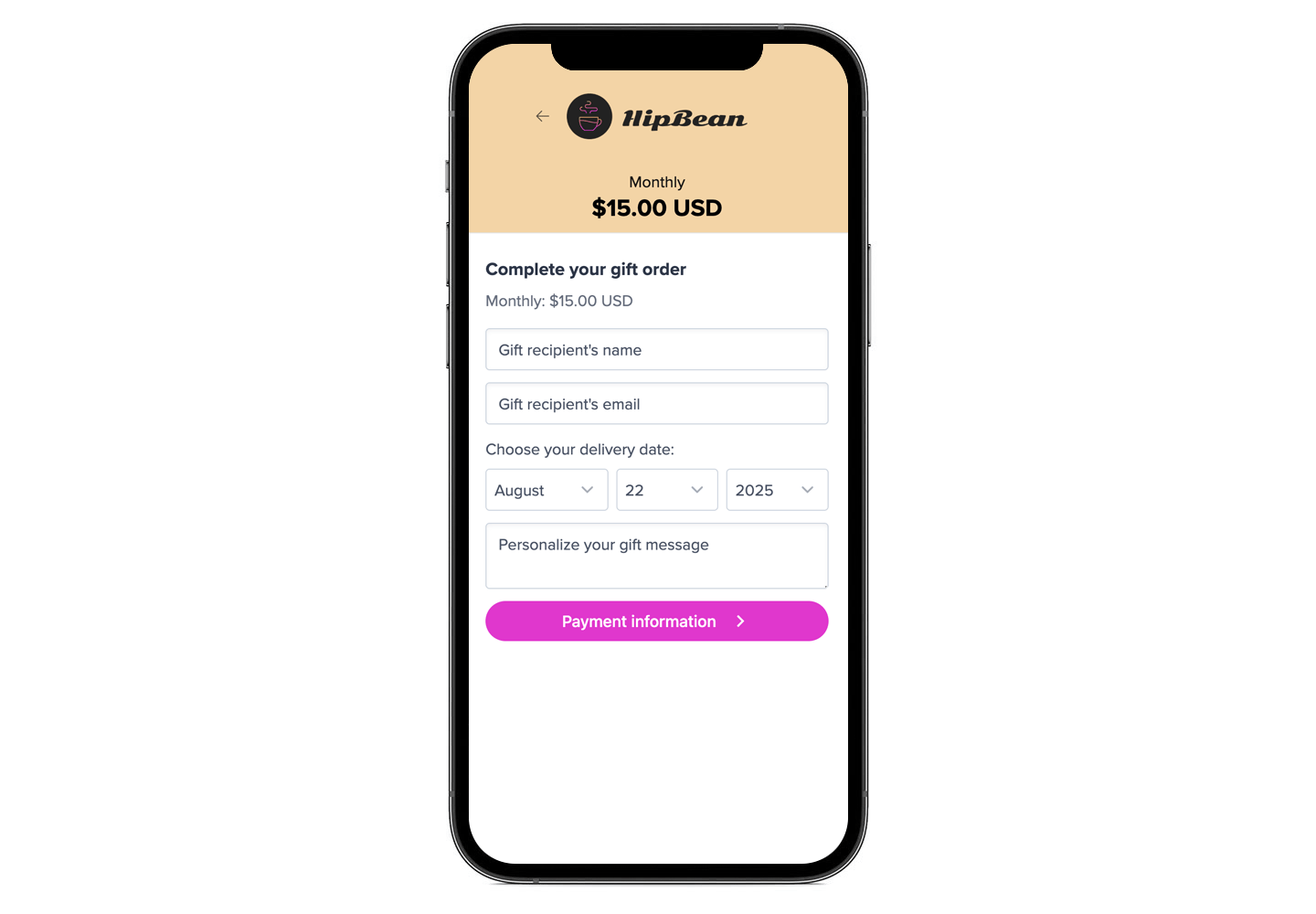
When a member or visitor clicks the gift purchase link on your site, they will be prompted to enter the gift recipient's name and email address, the delivery date, a personalized message, and payment information.
## Purchase a gift as a member or visitor
When a member or visitor clicks the gift purchase link on your site, they will be prompted to enter the gift recipient's name and email address, the delivery date, a personalized message, and payment information.
 The gift recipient will receive an email with a link to activate their gift. **If a physical address or phone number is required,** make it clear on your website that the recipient will have the opportunity to enter it when they activate the gift.
Upon activation, the member details are recorded in your dashboard and the gifted subscription begins.
The gift recipient will receive an email with a link to activate their gift. **If a physical address or phone number is required,** make it clear on your website that the recipient will have the opportunity to enter it when they activate the gift.
Upon activation, the member details are recorded in your dashboard and the gifted subscription begins.
 ## Manage gifts as an admin
To manage a gift, go to the **Members** tab and enter the gift order number in the search bar.
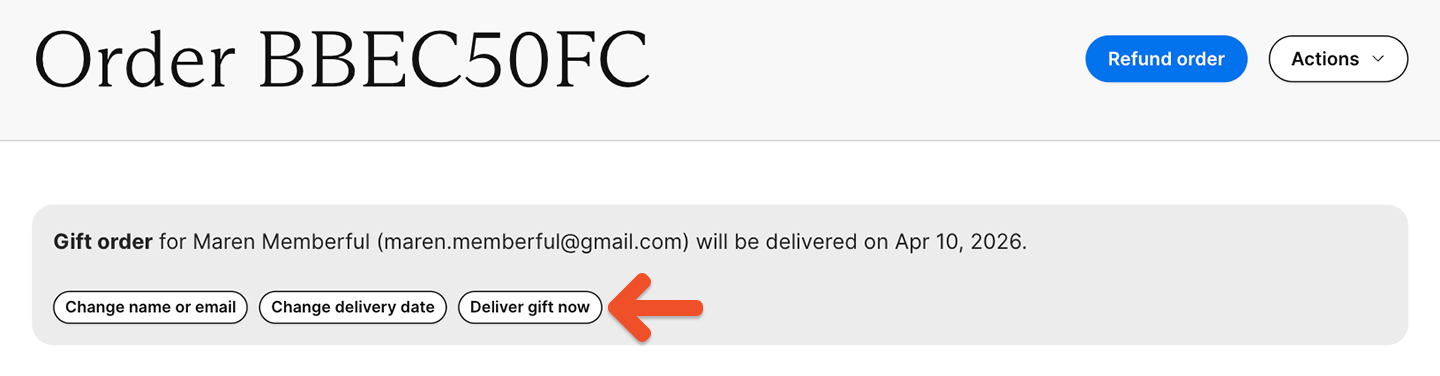
You will see the gift delivery status and delivery date. You can change the gift delivery date (if it hasn't been delivered) as well as the email address and name. You can also manually send the gift email if it hasn't been delivered.
## Manage gifts as an admin
To manage a gift, go to the **Members** tab and enter the gift order number in the search bar.
You will see the gift delivery status and delivery date. You can change the gift delivery date (if it hasn't been delivered) as well as the email address and name. You can also manually send the gift email if it hasn't been delivered.
 ### Resend a gift activation email
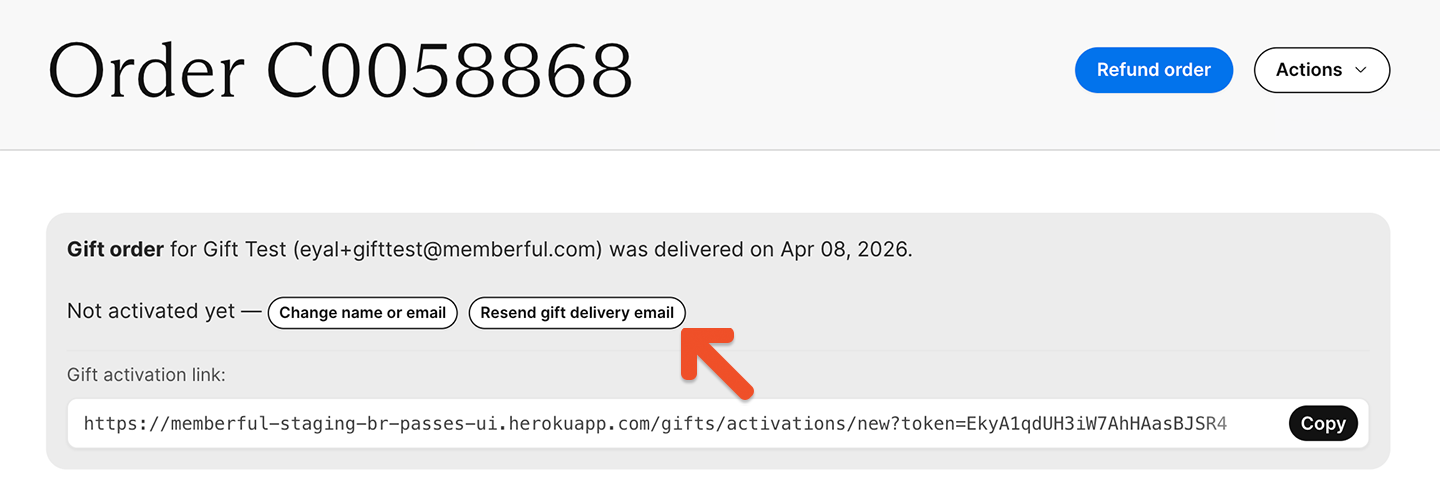
If the gift recipient can't find the gift activation email and you need to resend it to them, click **Resend gift delivery email.**
### Resend a gift activation email
If the gift recipient can't find the gift activation email and you need to resend it to them, click **Resend gift delivery email.**
 ### Fix errors in a gift recipient's email address
If the delivery date has passed and the gift recipient didn't receive the gift activation email because the email address was incorrect, click **Change name or email,** make the necessary changes, and click **Change.** Then, click **Resend gift delivery email.**
### Refund a gift order
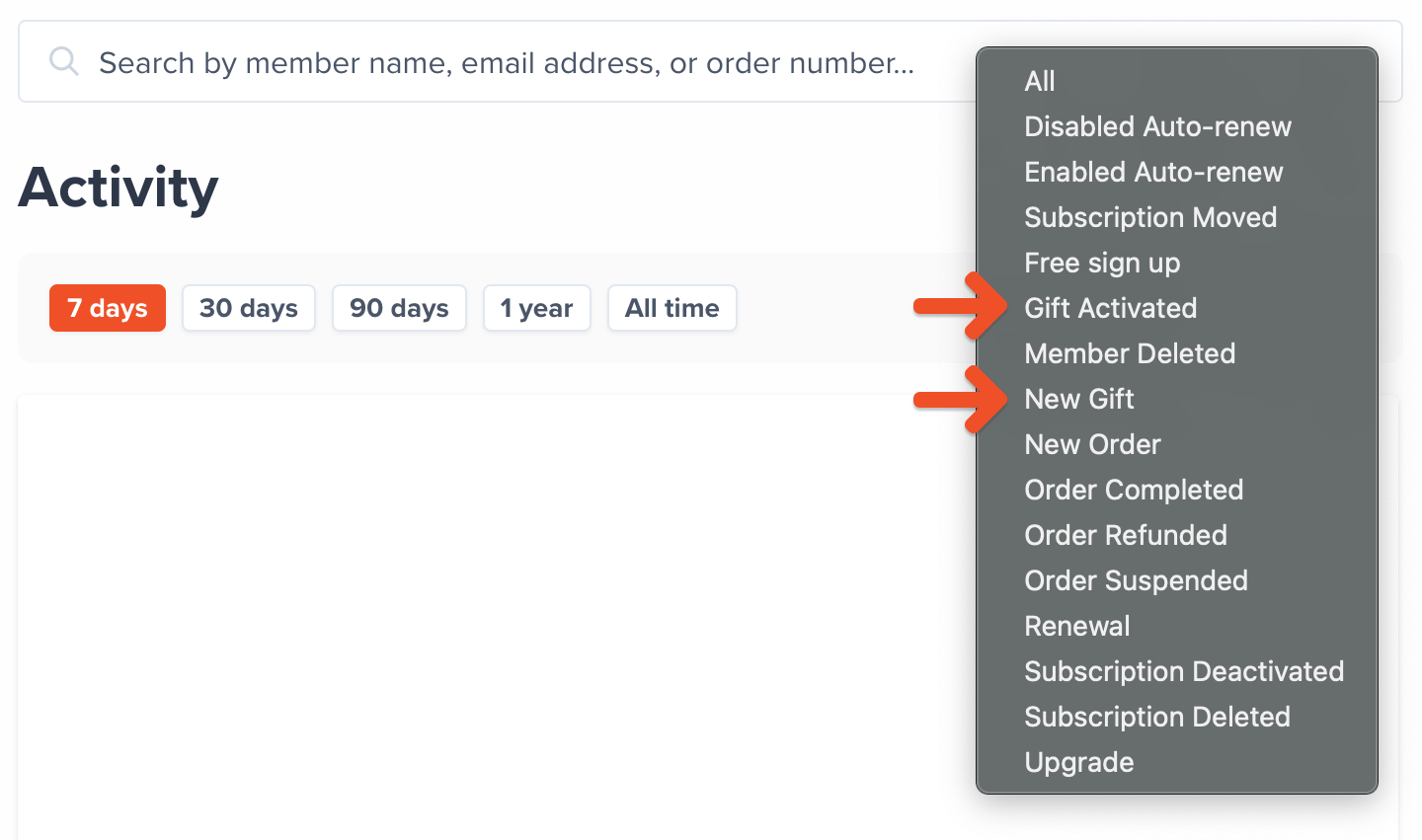
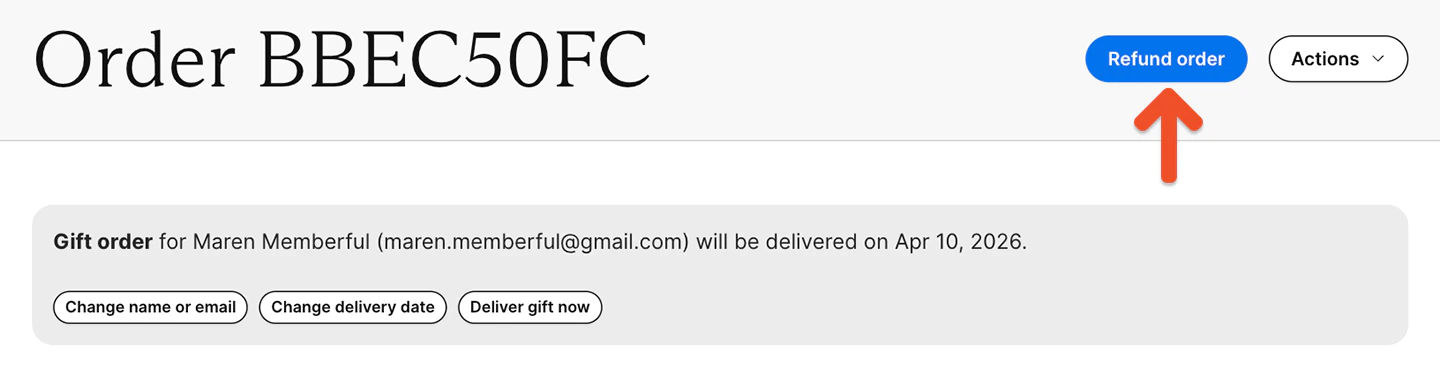
You can identify the gift giver by going to *Members → Activity* and choosing the [New Gift filter](/metrics-and-analytics/compare-and-export/export-data/#export-data-by-activity). Click on the **New Gift icon**, then **Refund order**, and process the refund.
### Fix errors in a gift recipient's email address
If the delivery date has passed and the gift recipient didn't receive the gift activation email because the email address was incorrect, click **Change name or email,** make the necessary changes, and click **Change.** Then, click **Resend gift delivery email.**
### Refund a gift order
You can identify the gift giver by going to *Members → Activity* and choosing the [New Gift filter](/metrics-and-analytics/compare-and-export/export-data/#export-data-by-activity). Click on the **New Gift icon**, then **Refund order**, and process the refund.
 ### How we handle gifts for members with an existing active or inactive subscription
If a gift is activated by a member who already has an active or inactive subscription to the gifted plan, we will reactivate their old subscription (if necessary) and extend the renewal date.
If a gift is activated by a member who doesn't already have an active or inactive subscription to the gifted plan, we will add a new subscription.
### How we handle gifts for members with an existing active or inactive subscription
If a gift is activated by a member who already has an active or inactive subscription to the gifted plan, we will reactivate their old subscription (if necessary) and extend the renewal date.
If a gift is activated by a member who doesn't already have an active or inactive subscription to the gifted plan, we will add a new subscription.