> ## Documentation Index
> Fetch the complete documentation index at: https://memberful.com/docs/llms.txt
> Use this file to discover all available pages before exploring further.
# Add a link to buy a gift
> Add a Memberful gift purchase link to your site so people can buy a subscription as a gift. Memberful handles payment, auto-renew, and member onboarding.
export const RelatedDocs = ({link1, link2, link3, link4, link5, link6, link7, link8, link9, link10, className = ""}) => {
const links = [link1, link2, link3, link4, link5, link6, link7, link8, link9, link10].filter(Boolean);
if (!links.length) return null;
return ;
};
In this help article, we'll show you how to create a gift purchase link and add it to your site, or our member website.
## Which plans are giftable?
Gift links are disabled for certain types of plans.
| **Gift links enabled** ✅ | **Gift links disabled** ❌ |
| -------------------------------------- | ----------------------------------------------- |
| Standard, recurring plans | Group plans |
| Plans with Choose What You Pay enabled | Plans with a fixed number of payments |
| One-time payment plans | Plans that renew on a specific day of the month |
## Sell gifts on a non-WordPress website
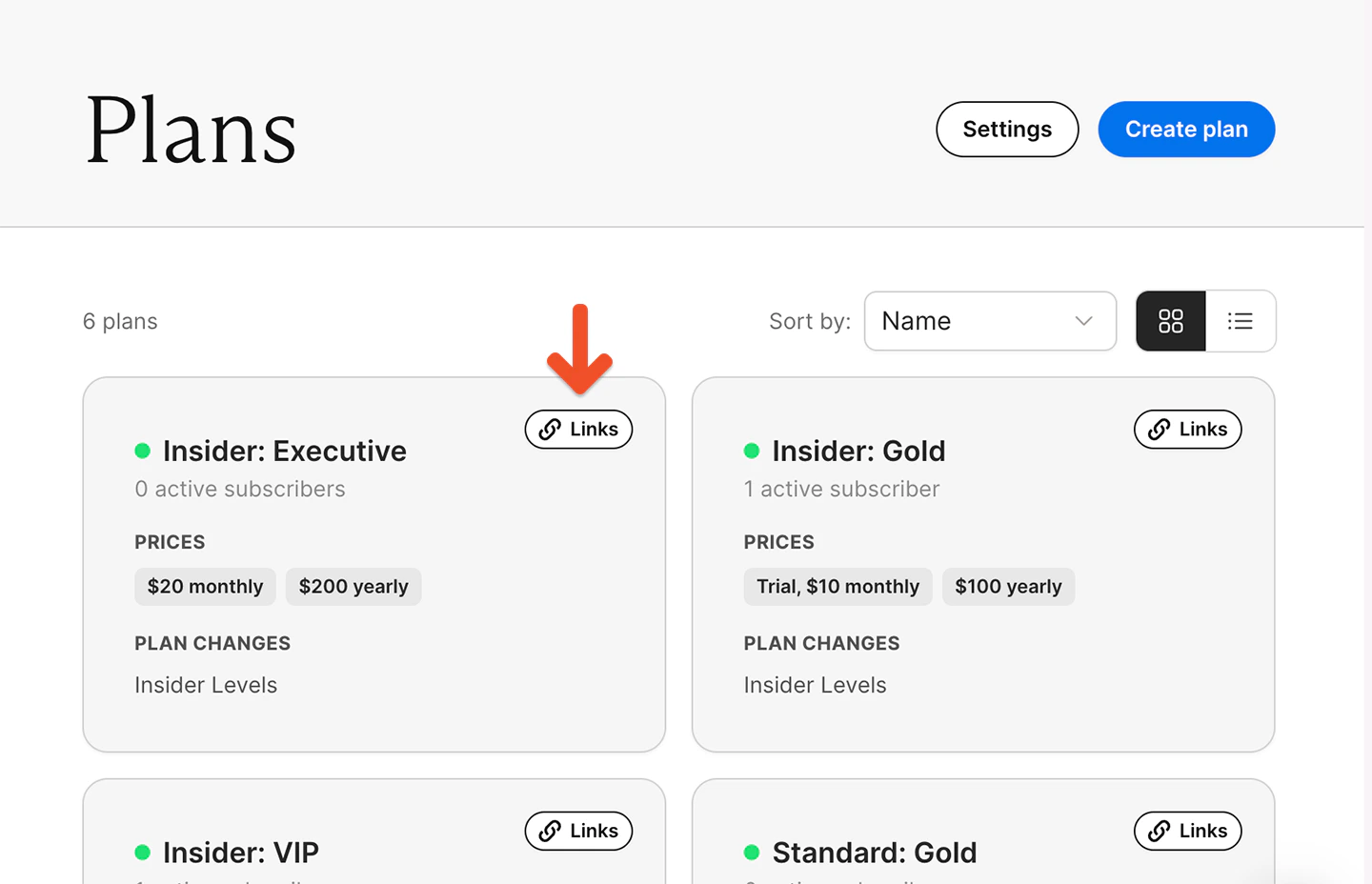
From your Memberful dashboard, go to *Revenue → Plans*, select a plan, and click the **Links** button.
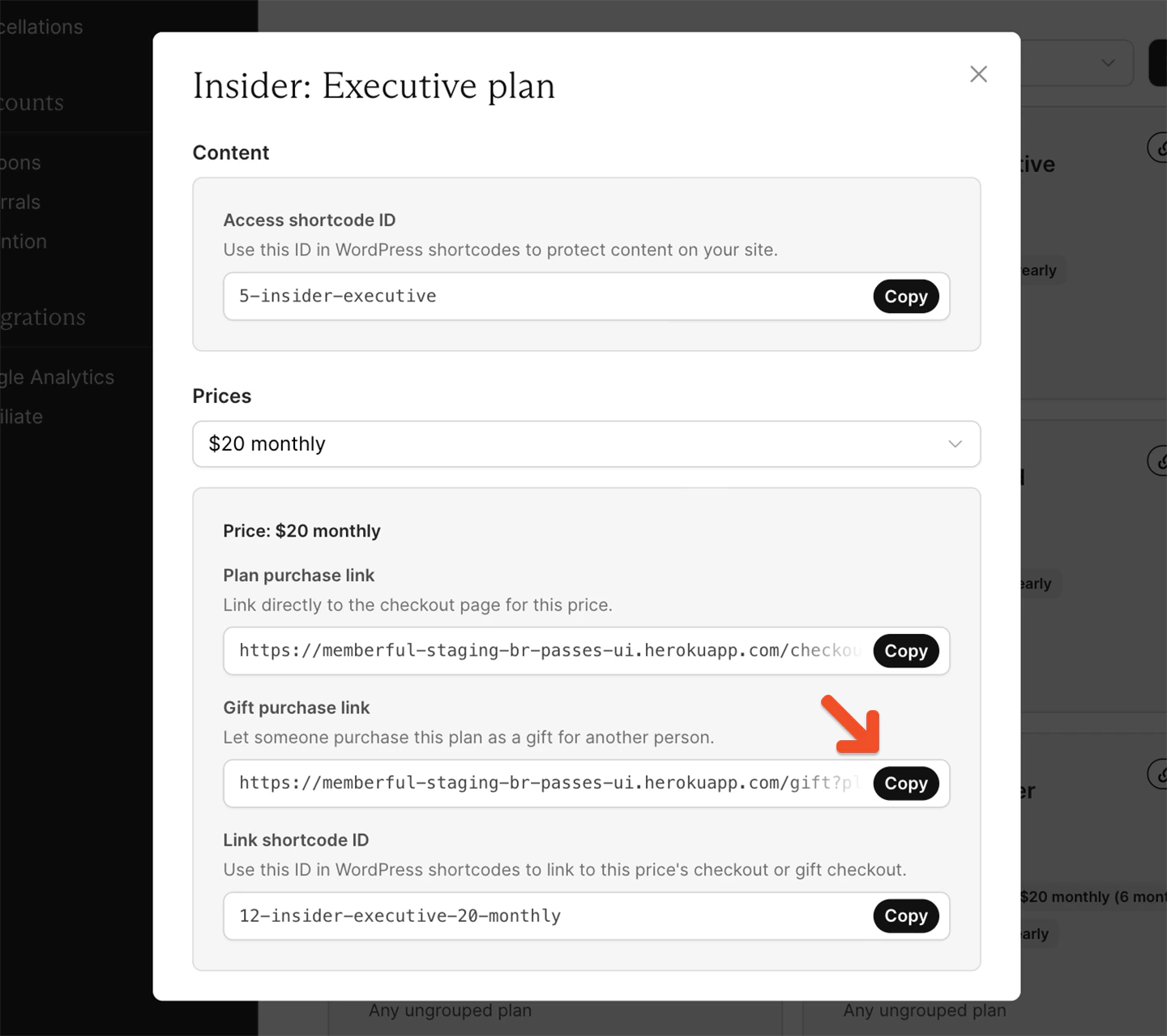
 Go to the *Gift purchase link* field, and copy the gift purchase link.
 Add the link to a button on your site using your website builder.
## Sell gifts on a WordPress site
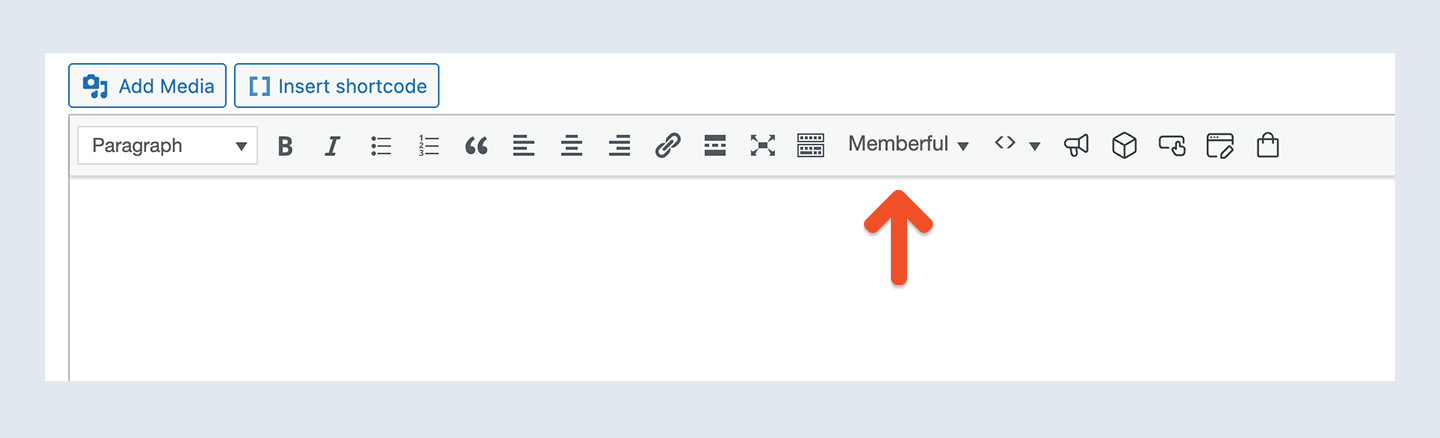
From your WordPress dashboard, open a post or page and click the **Memberful** editor button.
Add the link to a button on your site using your website builder.
## Sell gifts on a WordPress site
From your WordPress dashboard, open a post or page and click the **Memberful** editor button.
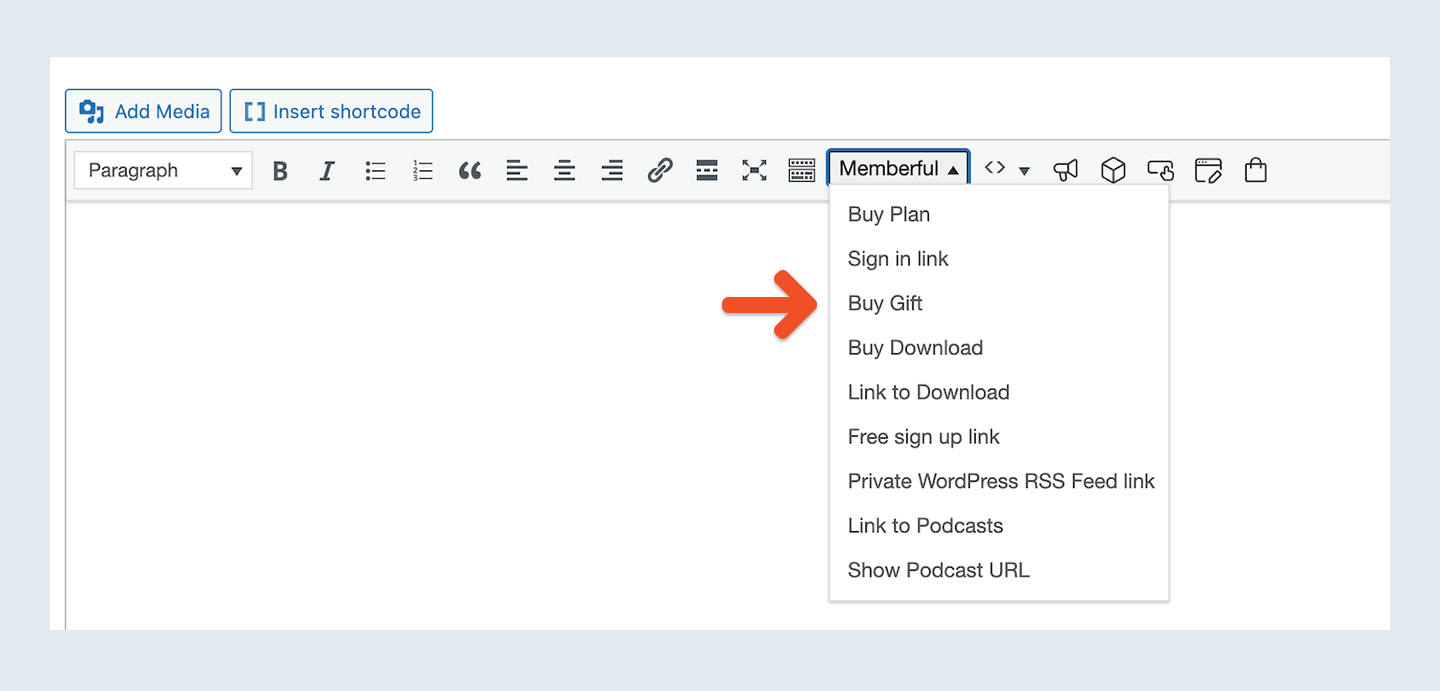
 Select the **Buy Gift** shortcode and choose your plan from the dropdown.
 Enter your link text and click **OK.**
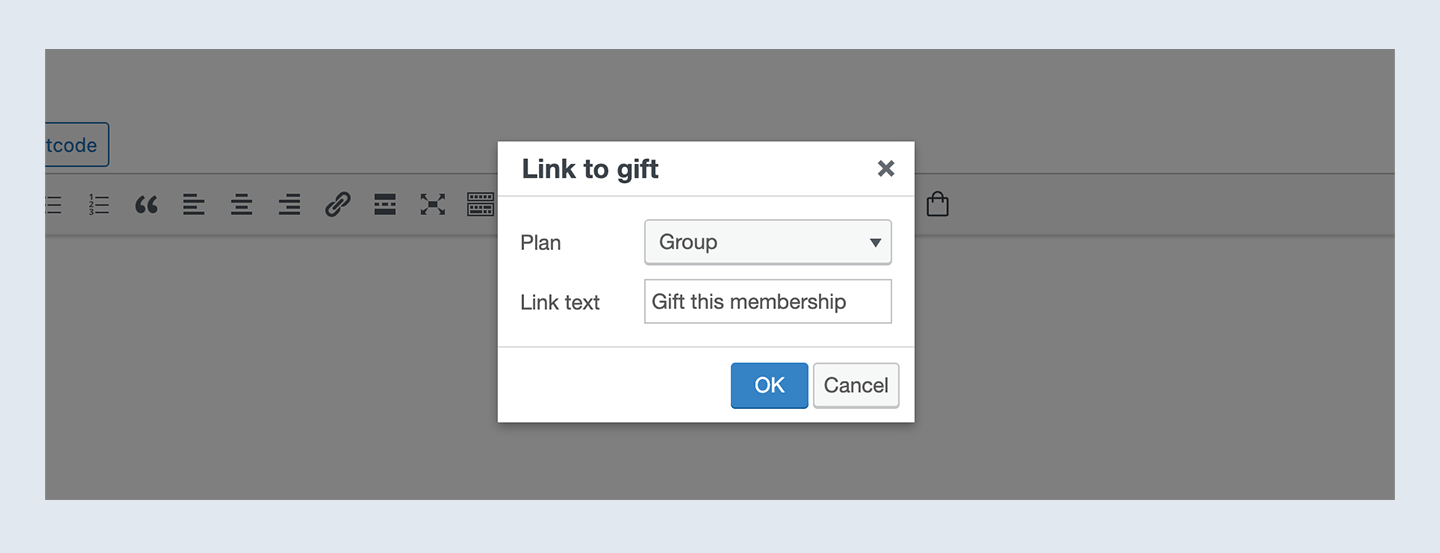 You can also copy the gift purchase link and use it with button options provided by your WordPress theme as described in the [previous section.](#sell-gifts-on-a-non-wordpress-website) If your theme doesn't support button creation, consider [installing a plugin like MaxButtons.](https://en-ca.wordpress.org/plugins/maxbuttons/)
## Sell gifts on your member website
You can create a customized subscription page hosted by Memberful. In the additional content section of that page, you can add the gift purchase link (copied from your Memberful dashboard as [described earlier](#sell-gifts-on-a-non-wordpress-website)).
You can also copy the gift purchase link and use it with button options provided by your WordPress theme as described in the [previous section.](#sell-gifts-on-a-non-wordpress-website) If your theme doesn't support button creation, consider [installing a plugin like MaxButtons.](https://en-ca.wordpress.org/plugins/maxbuttons/)
## Sell gifts on your member website
You can create a customized subscription page hosted by Memberful. In the additional content section of that page, you can add the gift purchase link (copied from your Memberful dashboard as [described earlier](#sell-gifts-on-a-non-wordpress-website)).
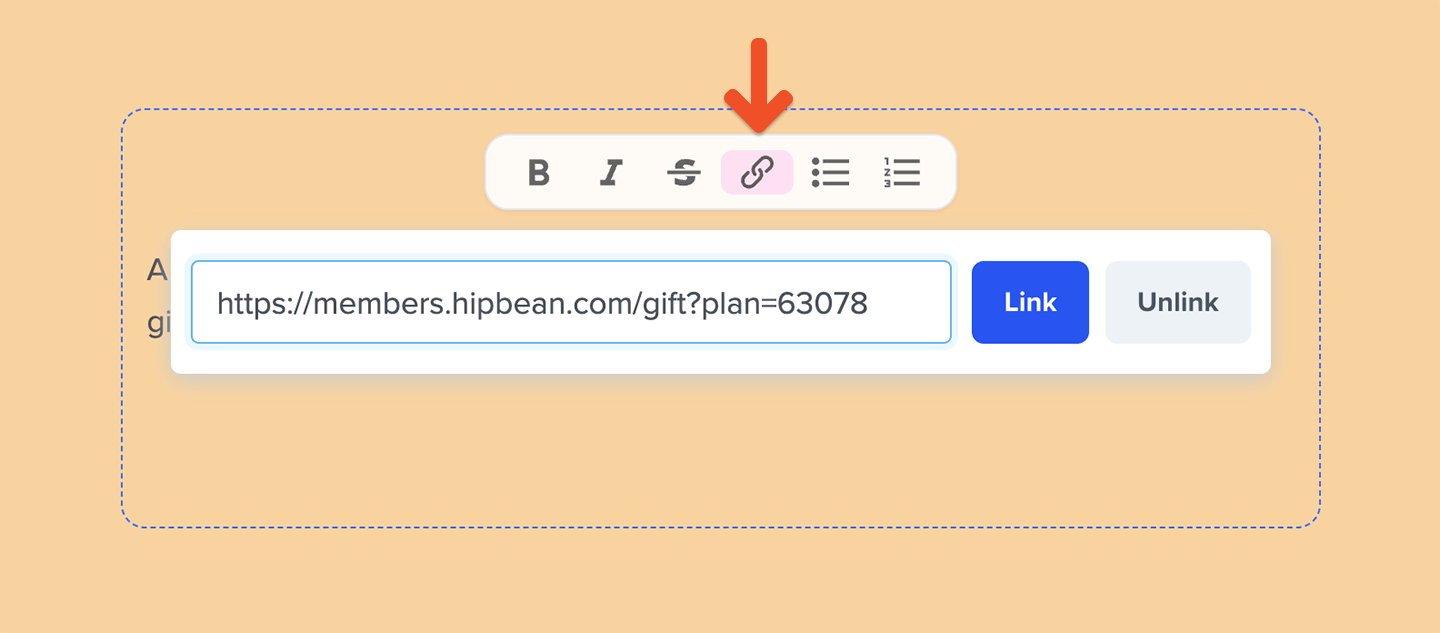 [Learn more about creating a subscription page.](/website-builder/pages/subscribe-page/)
Alternatively, you can create a dedicated page to promote gift subscriptions using Memberful. These pages support banners where you can include a title, subheading, background image, and a call-to-action button. Add your gift purchase link to the button in the banner block.
[Learn more about creating a subscription page.](/website-builder/pages/subscribe-page/)
Alternatively, you can create a dedicated page to promote gift subscriptions using Memberful. These pages support banners where you can include a title, subheading, background image, and a call-to-action button. Add your gift purchase link to the button in the banner block.
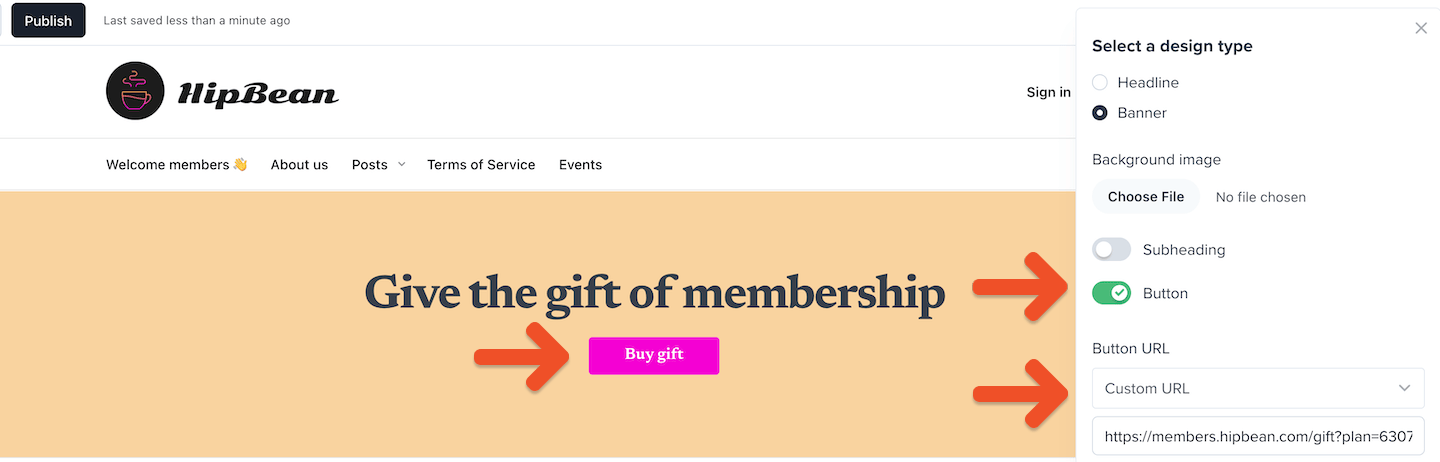 [Get step-by-step guidance for building pages on your member website.](/website-builder/pages/create-a-page/)