Related help docs:
 ### Include a coupon code in a purchase link
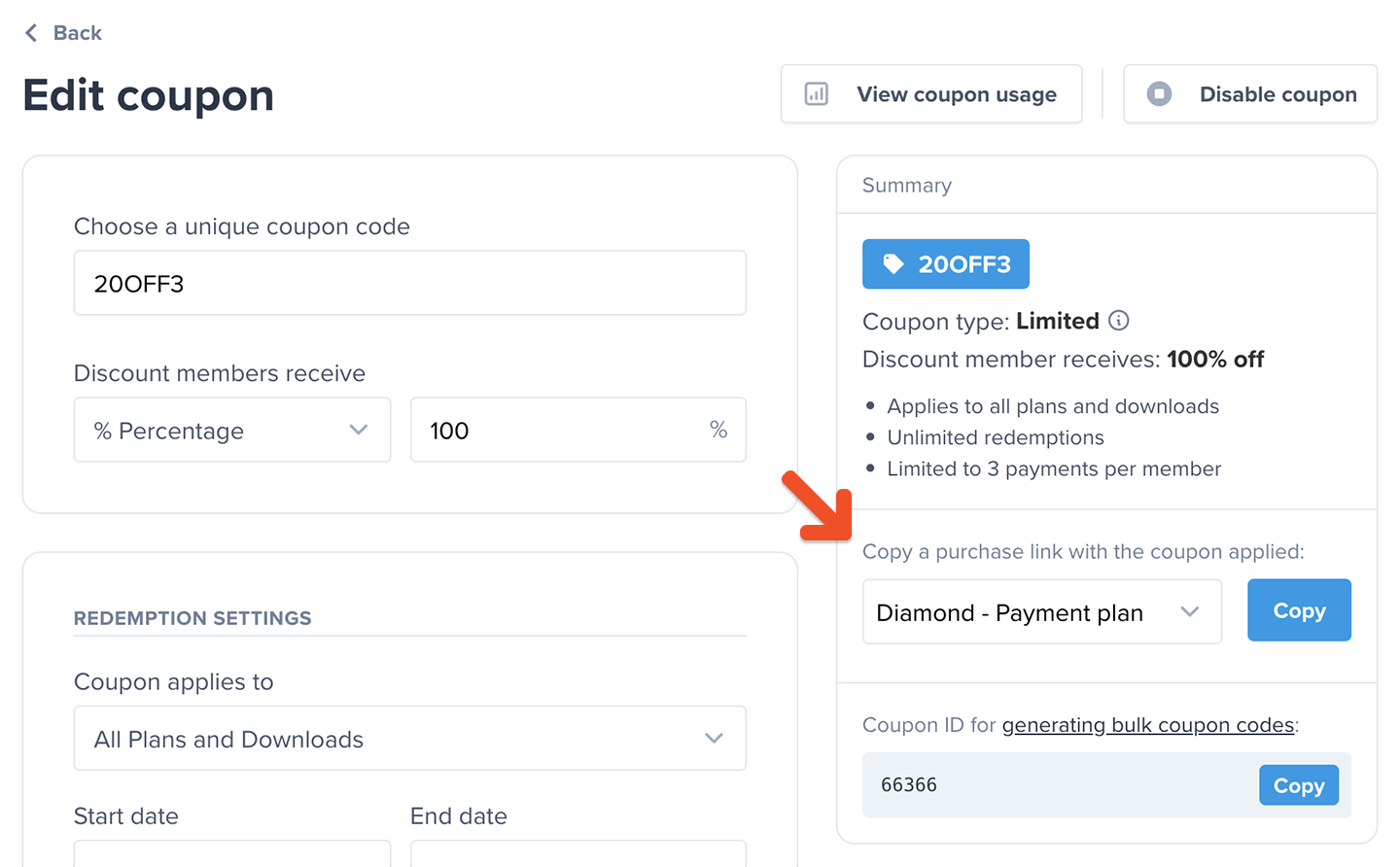
You can generate a special purchase link which automatically applies a coupon.
Go to *Revenue → Coupons*, and click the desired coupon to edit it.
Select a plan under *Copy a purchase link with the coupon applied,* and click **Copy**.
### Include a coupon code in a purchase link
You can generate a special purchase link which automatically applies a coupon.
Go to *Revenue → Coupons*, and click the desired coupon to edit it.
Select a plan under *Copy a purchase link with the coupon applied,* and click **Copy**.
 ### How a member can apply a coupon code to an existing subscription
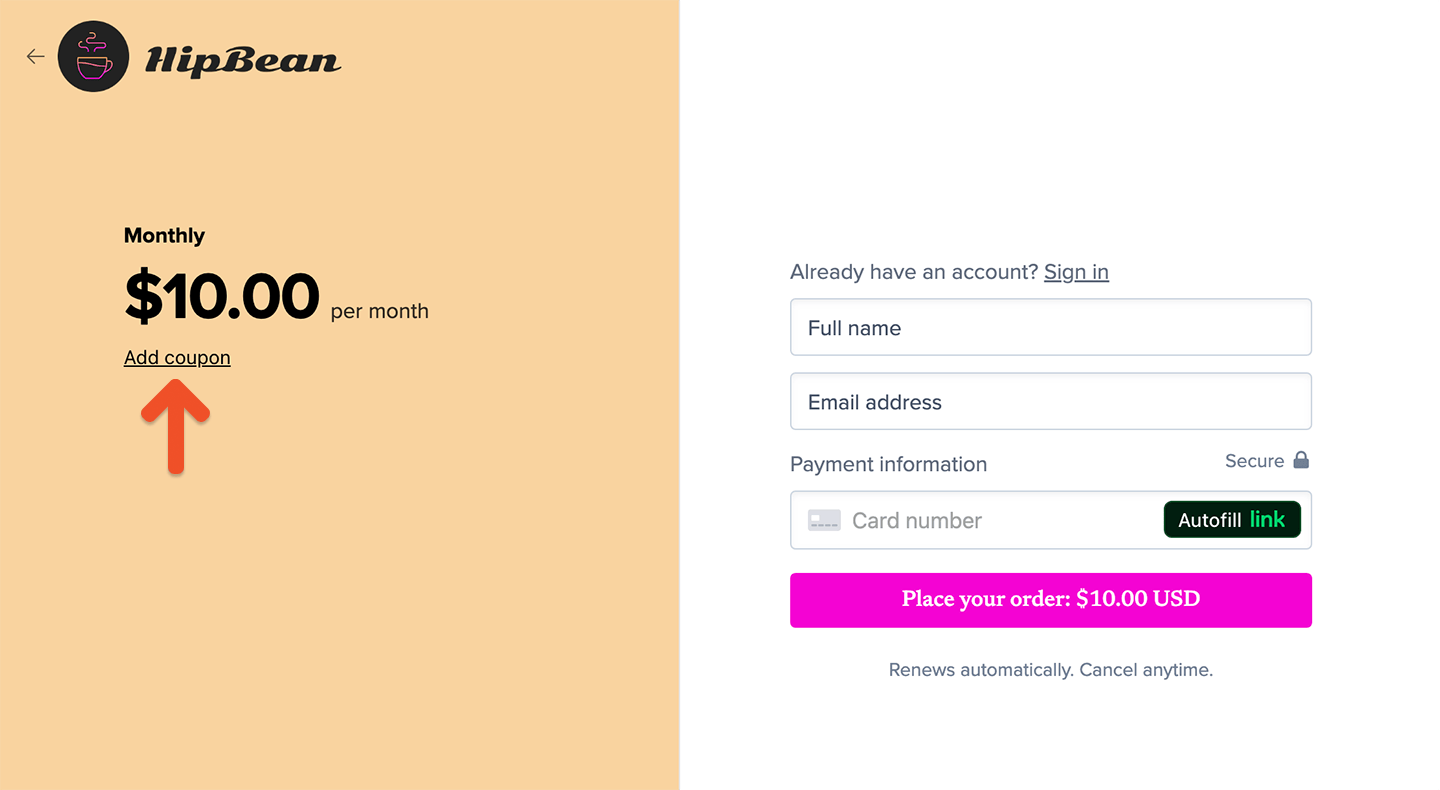
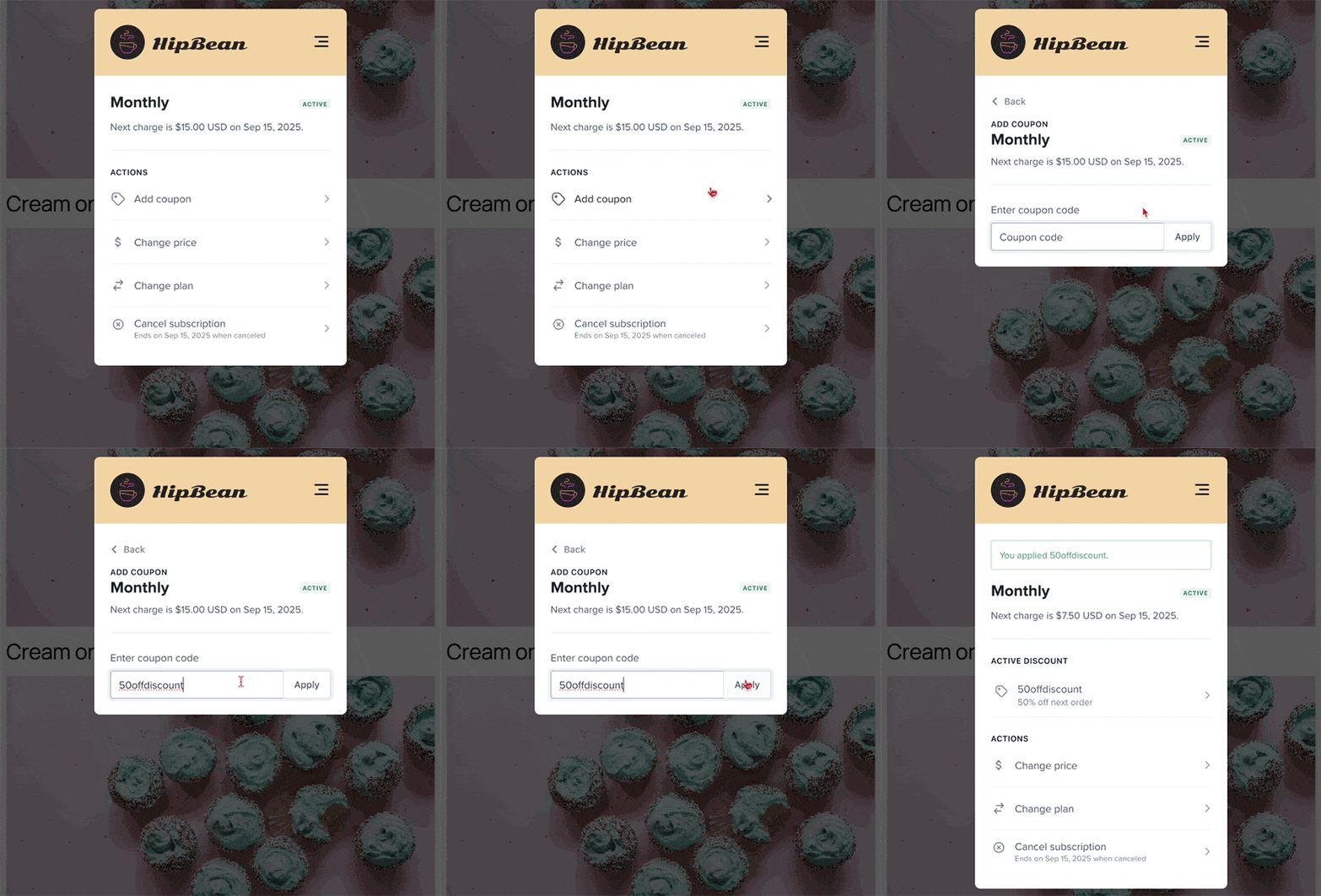
To add a coupon to an existing subscription, members can go to the Subscriptions menu item in their account, click **Add coupon,** and apply the coupon code.
### How a member can apply a coupon code to an existing subscription
To add a coupon to an existing subscription, members can go to the Subscriptions menu item in their account, click **Add coupon,** and apply the coupon code.
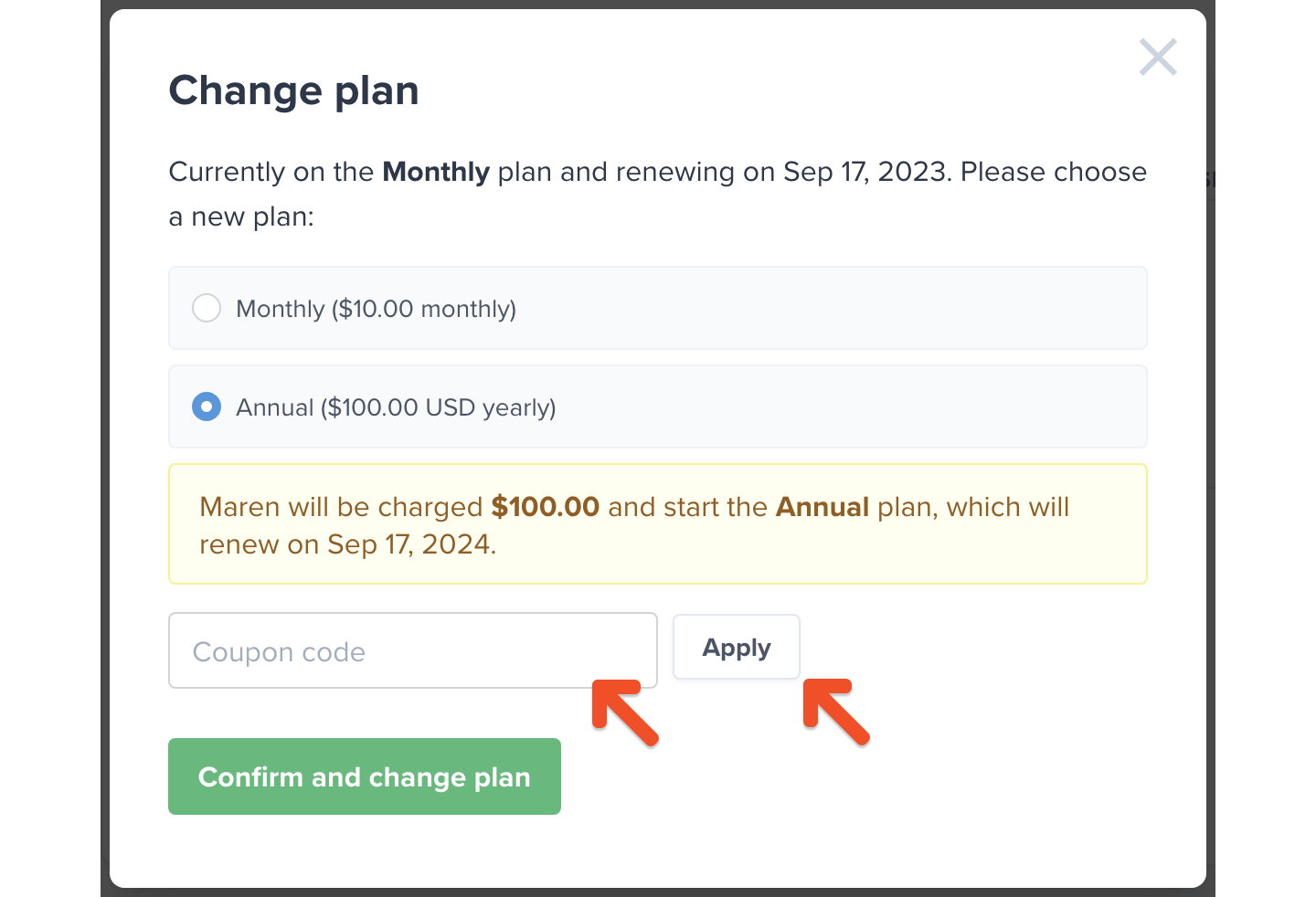
 ### How a member can apply a coupon code during a plan upgrade
To add a coupon during a [plan upgrade,](/plans/plan-options/configure-upgrade-settings/) members can go to the Subscriptions menu item in their account, click **Change plan,** and apply the coupon code.
### How a member can apply a coupon code during a plan upgrade
To add a coupon during a [plan upgrade,](/plans/plan-options/configure-upgrade-settings/) members can go to the Subscriptions menu item in their account, click **Change plan,** and apply the coupon code.
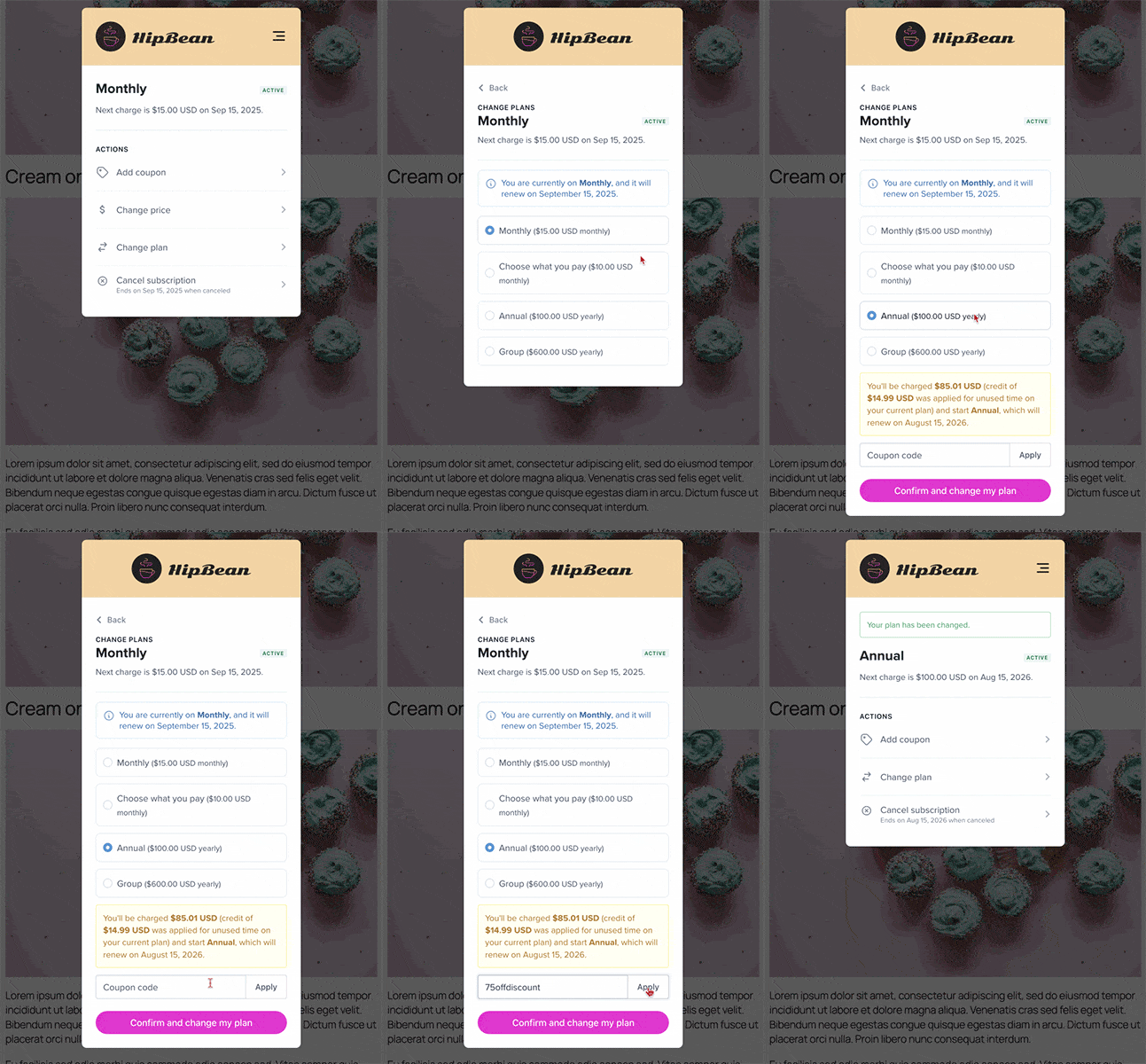 If you've chosen to apply a prorated credit to upgrades in your [plan group settings](/plans/plan-options/configure-upgrade-settings/#upgrade), and the charge-after-coupon is less than the credit for unused time, the credit will not be carried over to the new subscription.
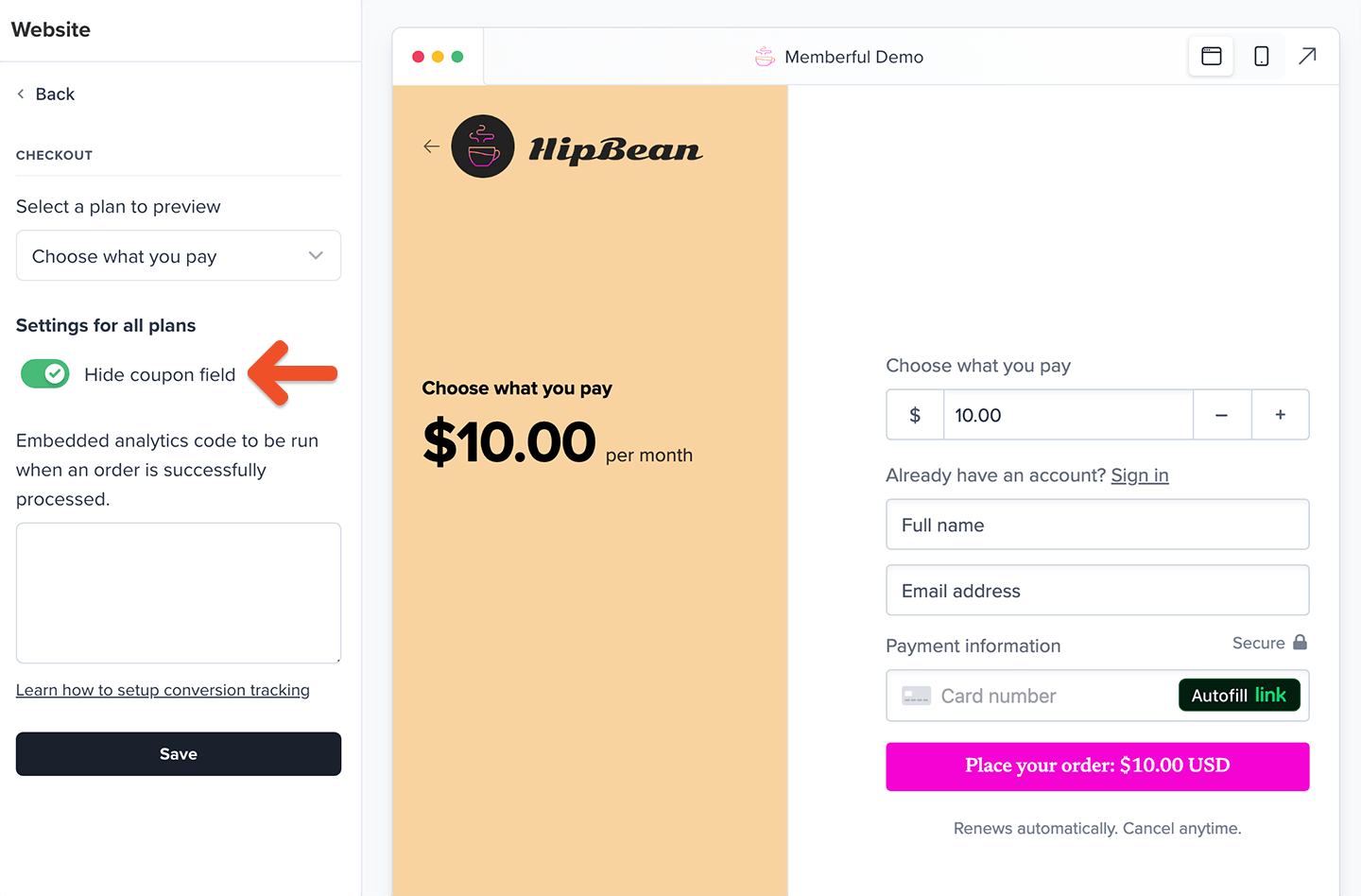 When this setting is enabled, [coupons can still be applied by URL](#how-a-member-can-apply-a-coupon-code-at-checkout), but not by entering the coupon code in the checkout form.
This setting doesn't affect manual renewals and plan changes. So even with this setting checked, if the account has coupons that can be applied to existing subscriptions, the coupon field will appear in the renewal / plan change form.
## Manage coupons as an admin
From the Memberful dashboard, staff can apply and manage coupons, including applying a coupon code to a member's subscription even if certain settings would normally prevent it. For example, staff can apply the same coupon multiple times to the same member.
### Staff apply a coupon code to an existing subscription
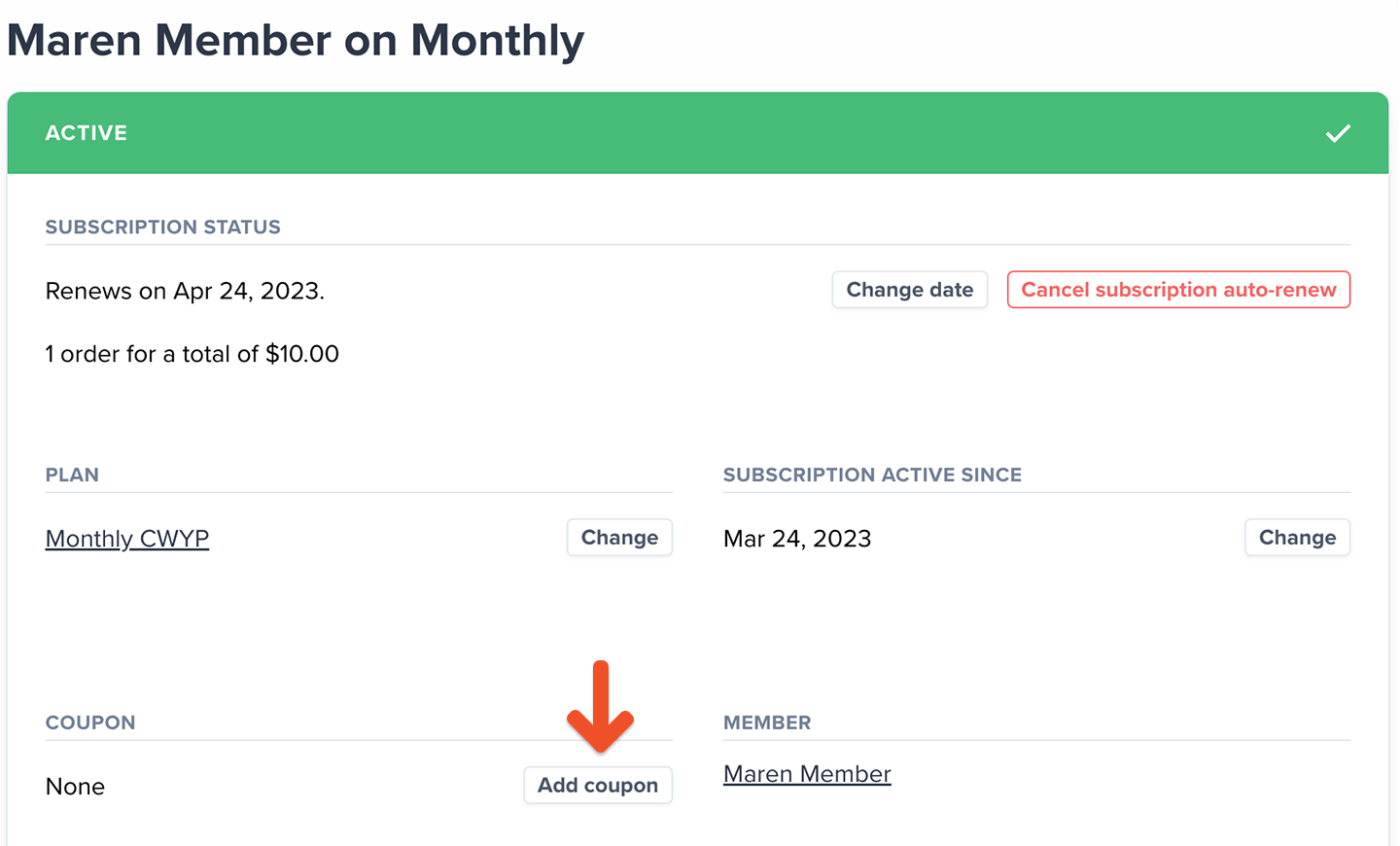
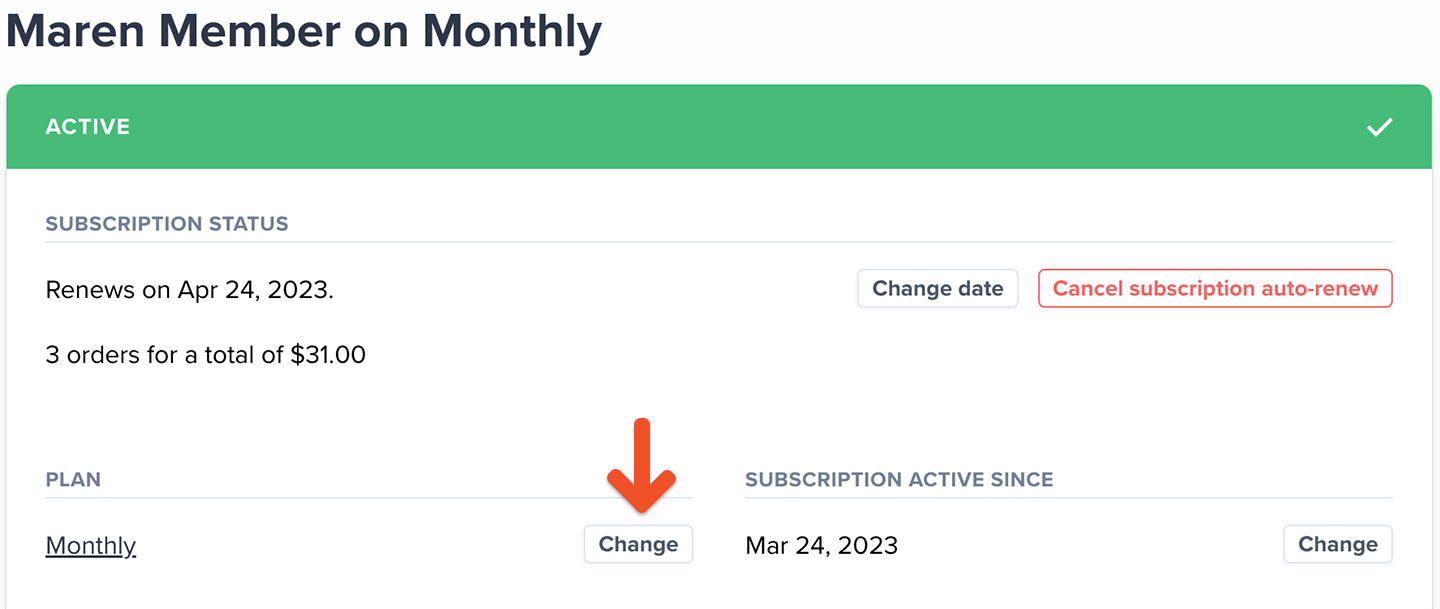
To apply a coupon to an existing subscription, go to the member's profile, click the subscription link, and add the coupon code.
When this setting is enabled, [coupons can still be applied by URL](#how-a-member-can-apply-a-coupon-code-at-checkout), but not by entering the coupon code in the checkout form.
This setting doesn't affect manual renewals and plan changes. So even with this setting checked, if the account has coupons that can be applied to existing subscriptions, the coupon field will appear in the renewal / plan change form.
## Manage coupons as an admin
From the Memberful dashboard, staff can apply and manage coupons, including applying a coupon code to a member's subscription even if certain settings would normally prevent it. For example, staff can apply the same coupon multiple times to the same member.
### Staff apply a coupon code to an existing subscription
To apply a coupon to an existing subscription, go to the member's profile, click the subscription link, and add the coupon code.
 ### Staff apply a coupon code to a new subscription
To apply a coupon for an existing member to a new subscription, go to the member's profile, click **Add a new subscription**, then add the subscription without charging them.
### Staff apply a coupon code to a new subscription
To apply a coupon for an existing member to a new subscription, go to the member's profile, click **Add a new subscription**, then add the subscription without charging them.
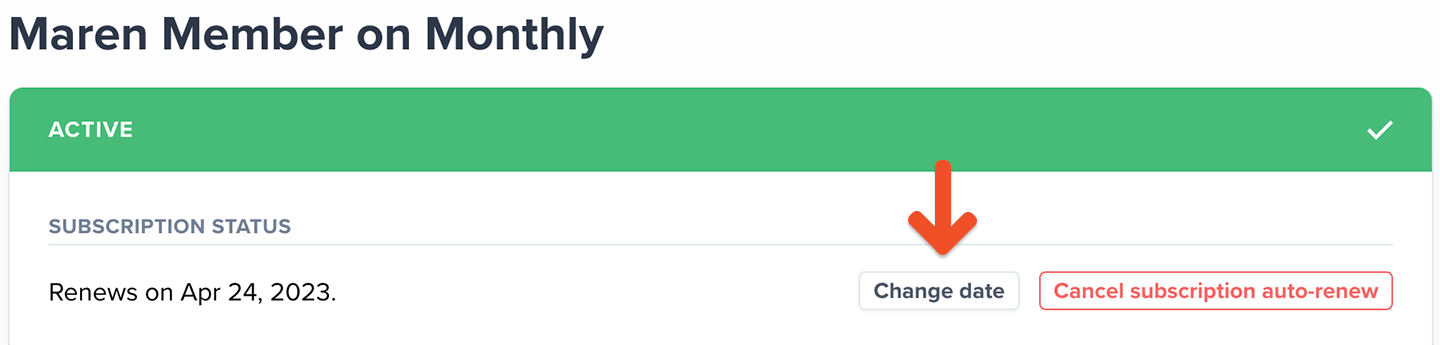
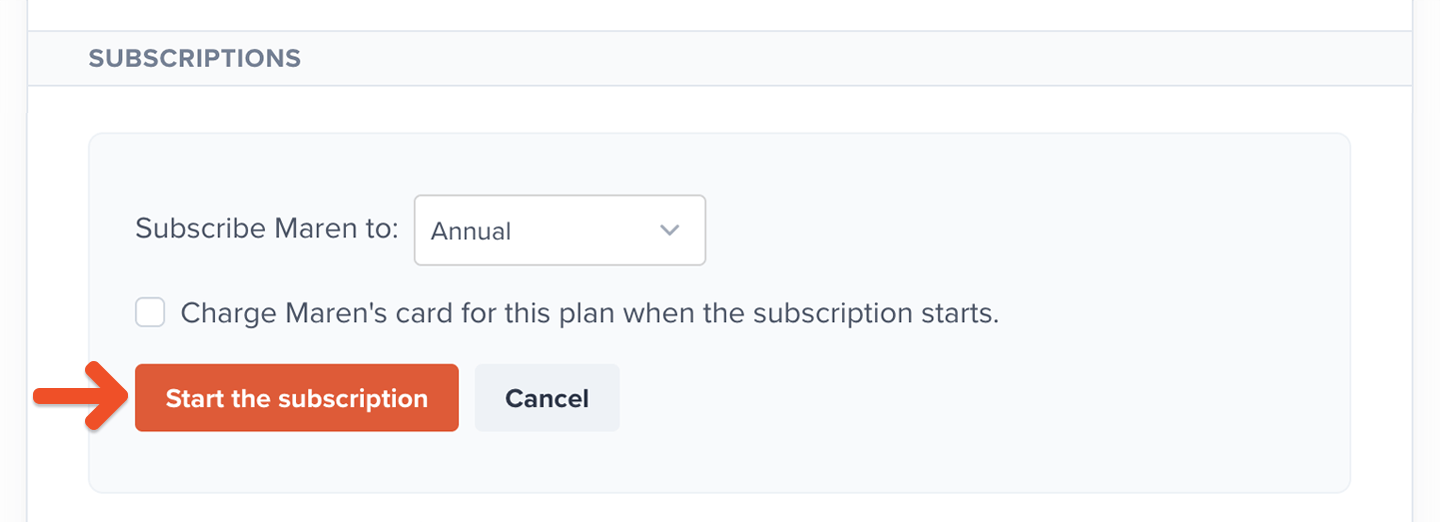 Then [change the renewal date](/member-management/subscription-management/modify-a-member-s-subscription/#change-a-member-s-renewal-date) to the following day. This will trigger the coupon and initiate the paid renewal.
 ### Staff remove a coupon code from an existing subscription
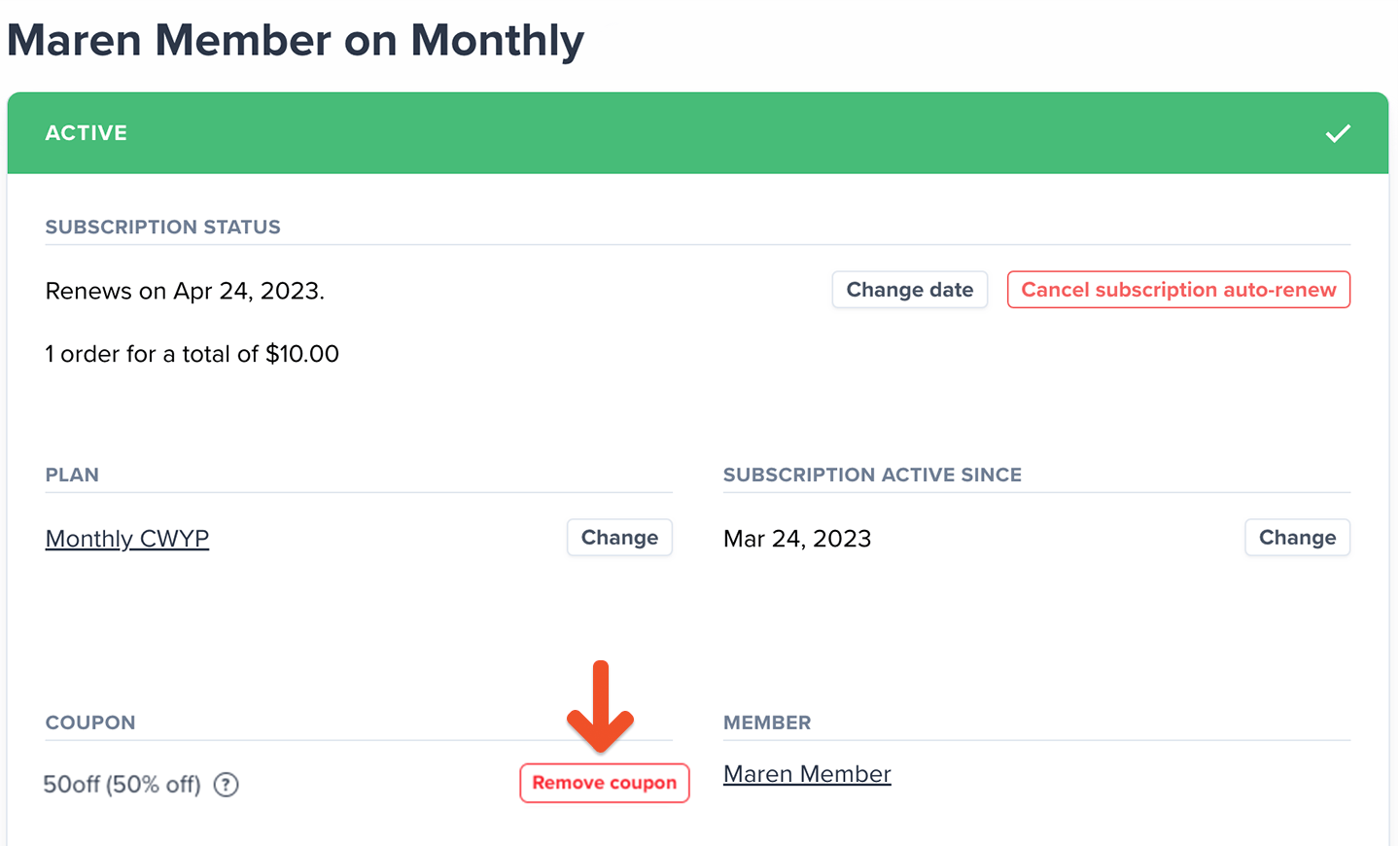
To remove a coupon from an existing subscription, go to the member's profile, click the subscription link, and remove the coupon code.
### Staff remove a coupon code from an existing subscription
To remove a coupon from an existing subscription, go to the member's profile, click the subscription link, and remove the coupon code.
 ### Edit, disable, or delete your coupon
Go to *Revenue → Coupons* to see a list of all your coupons.
### Edit, disable, or delete your coupon
Go to *Revenue → Coupons* to see a list of all your coupons.
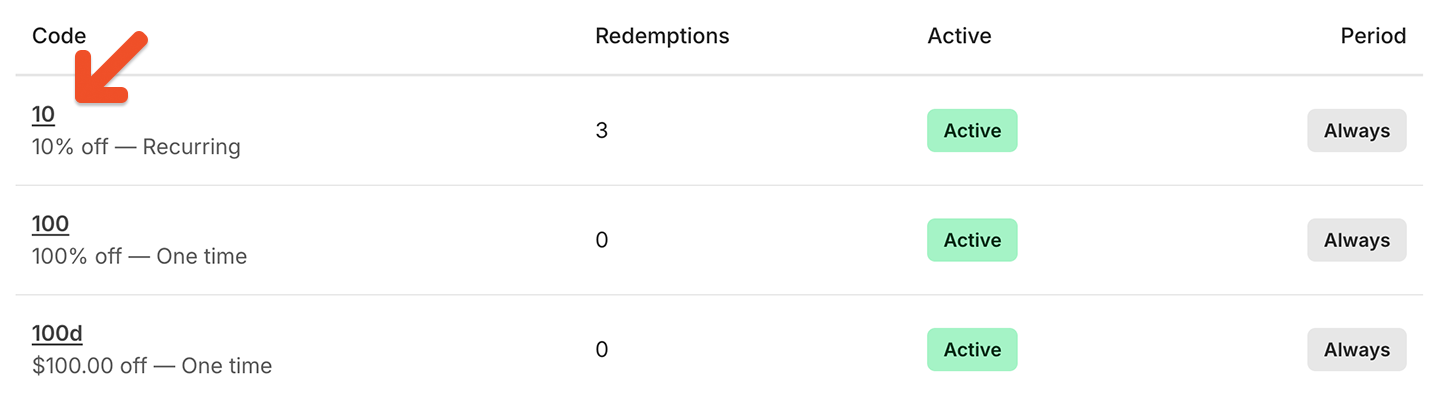 Click a **coupon code** to edit, disable, or delete it.
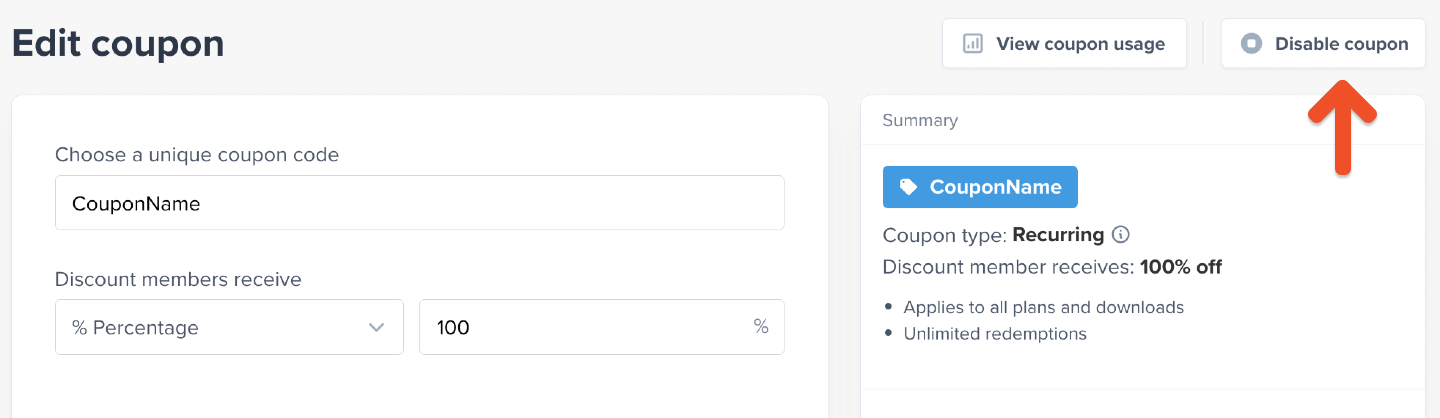
#### Disable a coupon
If you **disable** a coupon, it won't affect members who are already using it, but it will no longer be applicable.
Click a **coupon code** to edit, disable, or delete it.
#### Disable a coupon
If you **disable** a coupon, it won't affect members who are already using it, but it will no longer be applicable.
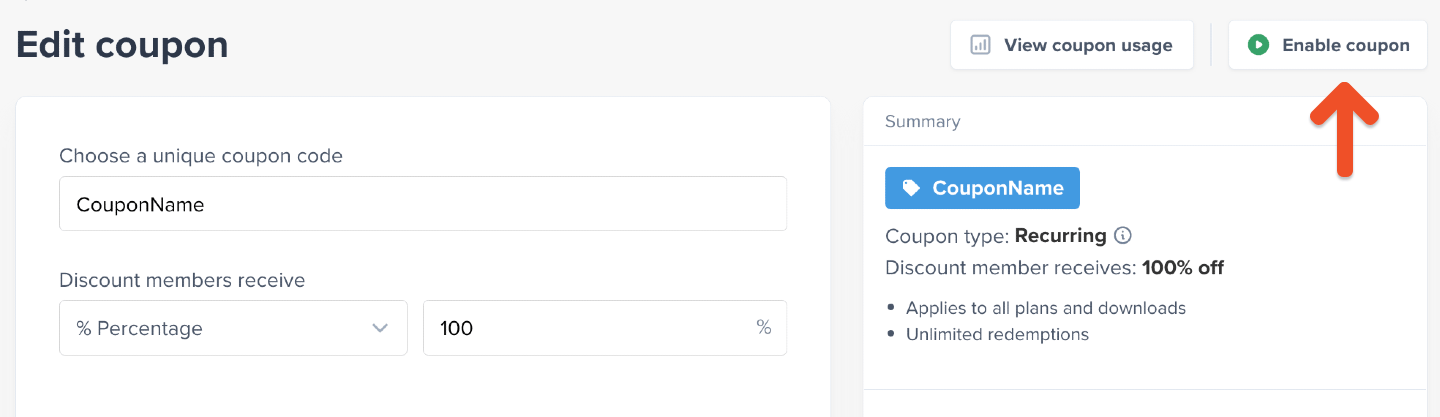
 #### Enable a coupon
Click **Enable coupon** to make a coupon available for use.
#### Enable a coupon
Click **Enable coupon** to make a coupon available for use.
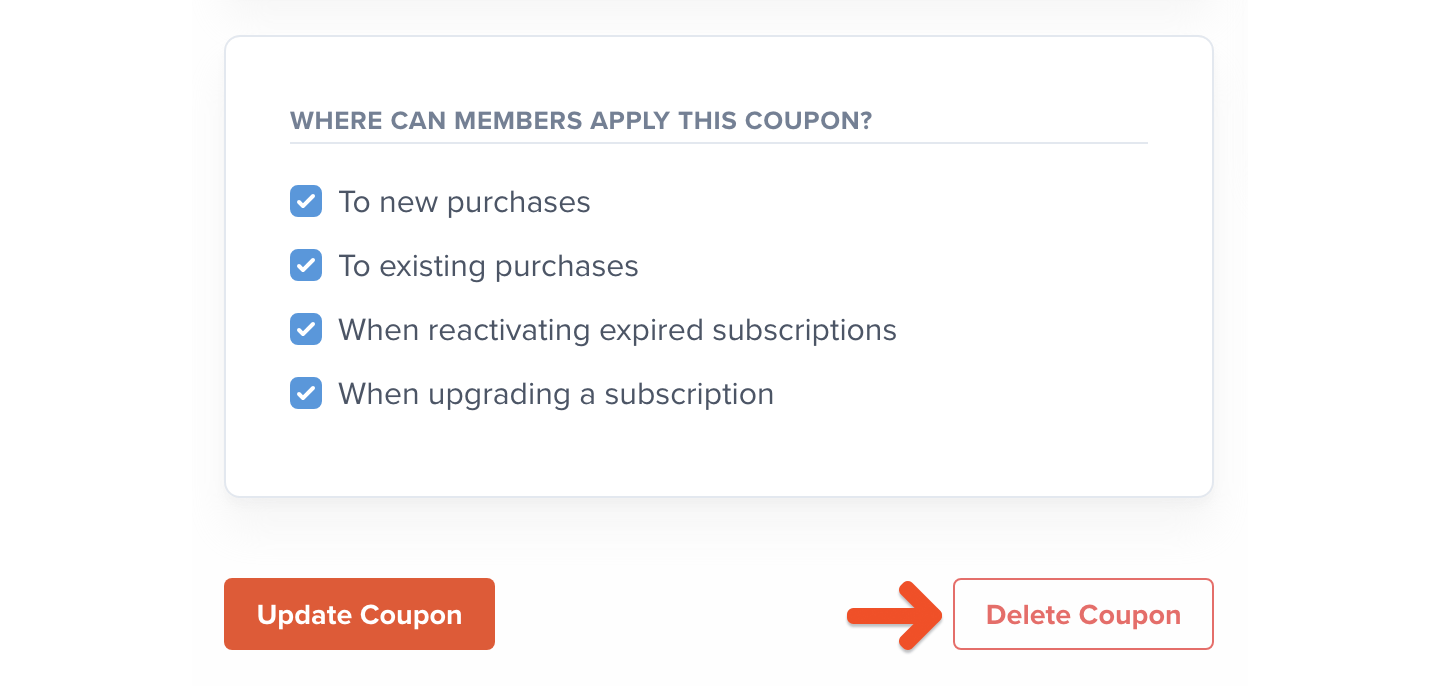
 #### Delete a coupon
If you **delete** the coupon, it will be removed from all subscriptions that use it. This action is not reversible.
#### Delete a coupon
If you **delete** the coupon, it will be removed from all subscriptions that use it. This action is not reversible.
 ## Track coupon usage
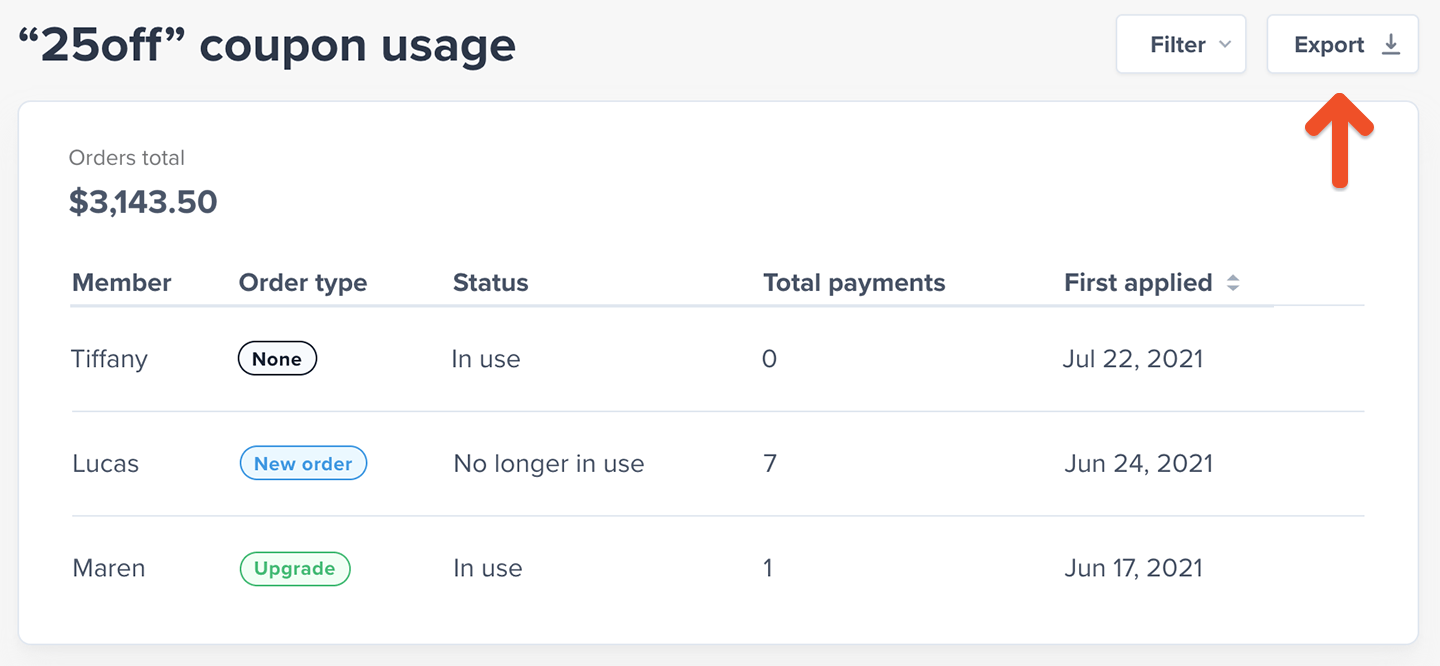
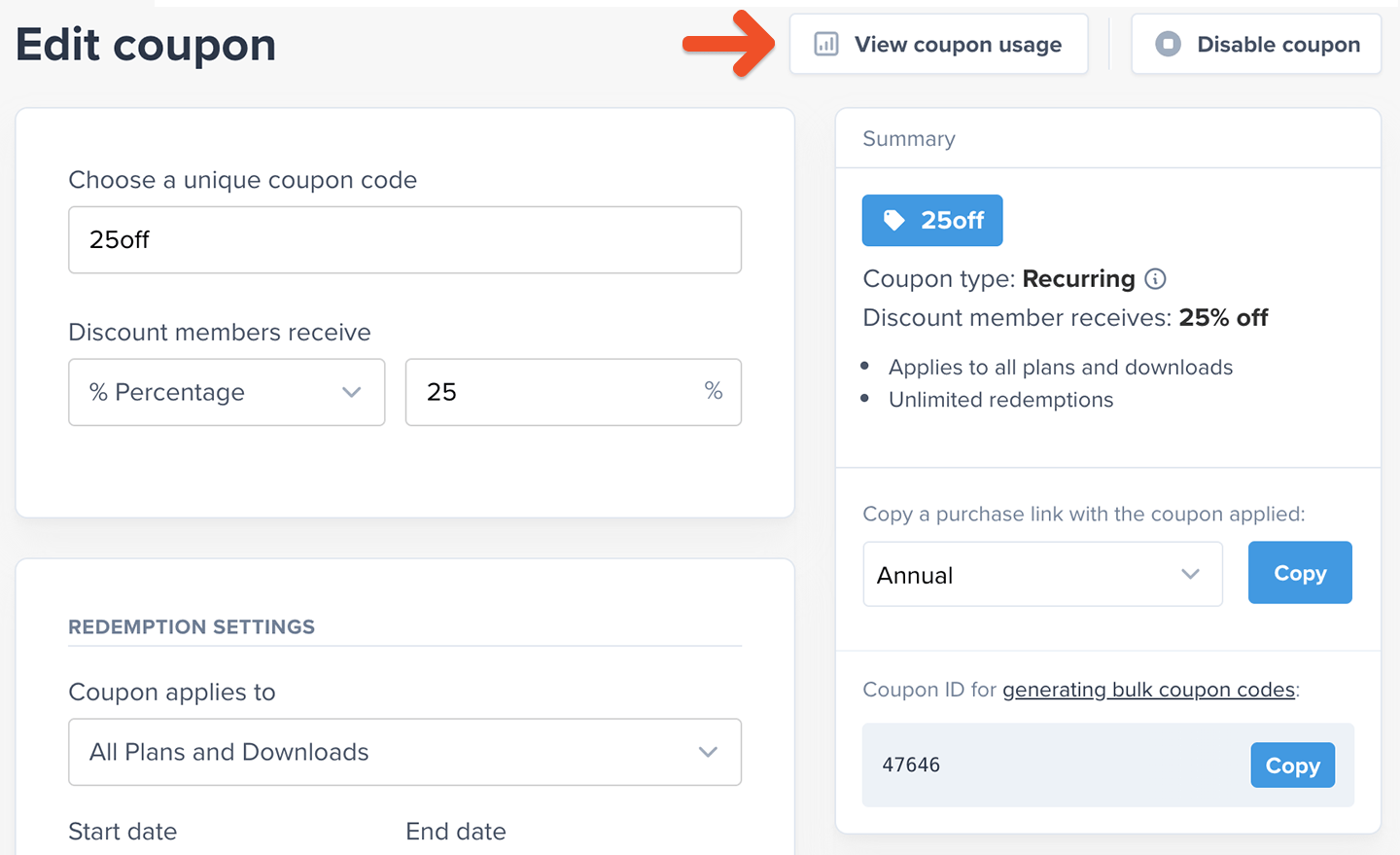
You can see a list of all the instances in which members used your coupon by clicking **View coupon usage** from the coupon's edit page.
## Track coupon usage
You can see a list of all the instances in which members used your coupon by clicking **View coupon usage** from the coupon's edit page.
 On this page you can see the total revenue generated from the coupon, which members used the coupon, which order type it was used on (new order, renewal, etc.), whether it's still in use, how many payments it's been applied to, and when it was first applied.
You can also filter the list or export it using the buttons in the top right.
On this page you can see the total revenue generated from the coupon, which members used the coupon, which order type it was used on (new order, renewal, etc.), whether it's still in use, how many payments it's been applied to, and when it was first applied.
You can also filter the list or export it using the buttons in the top right.