> ## Documentation Index
> Fetch the complete documentation index at: https://memberful.com/docs/llms.txt
> Use this file to discover all available pages before exploring further.
# Disable creation of passwords
> Disable password creation in Memberful so members sign in with a one-time magic link instead. Reduce friction and support requests from forgotten passwords.
export const RelatedDocs = ({link1, link2, link3, link4, link5, link6, link7, link8, link9, link10, className = ""}) => {
const links = [link1, link2, link3, link4, link5, link6, link7, link8, link9, link10].filter(Boolean);
if (!links.length) return null;
return ;
};
By default, members sign in to their accounts using [**a magic link emailed to them**](/member-interface/account/access-their-account#sign-in-with-a-sign-in-email). However, members also have the option to create a password for their account and sign in using that instead.
In this help article, we'll show how to handle logins with a password or a magic link.
## Ways members can create a password
Members can set a password through several methods:
* Immediately after signing up via a custom field
* Right after requesting magic sign-in link
* From the magic sign-in email
* By performing a password reset from their account
[Learn more about these sign-in methods.](/member-interface/account/access-their-account/#create-a-password)
## Disable password support
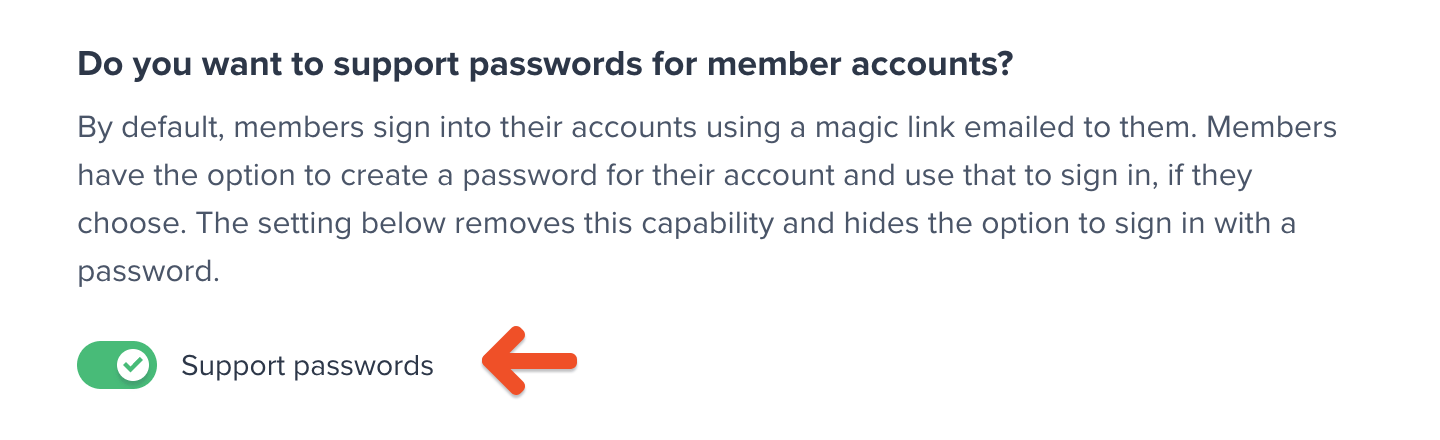
If you'd prefer to disable password-based sign-in entirely, you can do so by going to *Settings → Passwords.* From there, toggle off **Support passwords.**
 Disabling support for passwords does not automatically hide the *Account Password* custom field that can appear after sign-up. If you've previously added that custom field, be sure to [disable it](/configuration/feedback-and-policies/create-custom-fields/).