Related help docs:
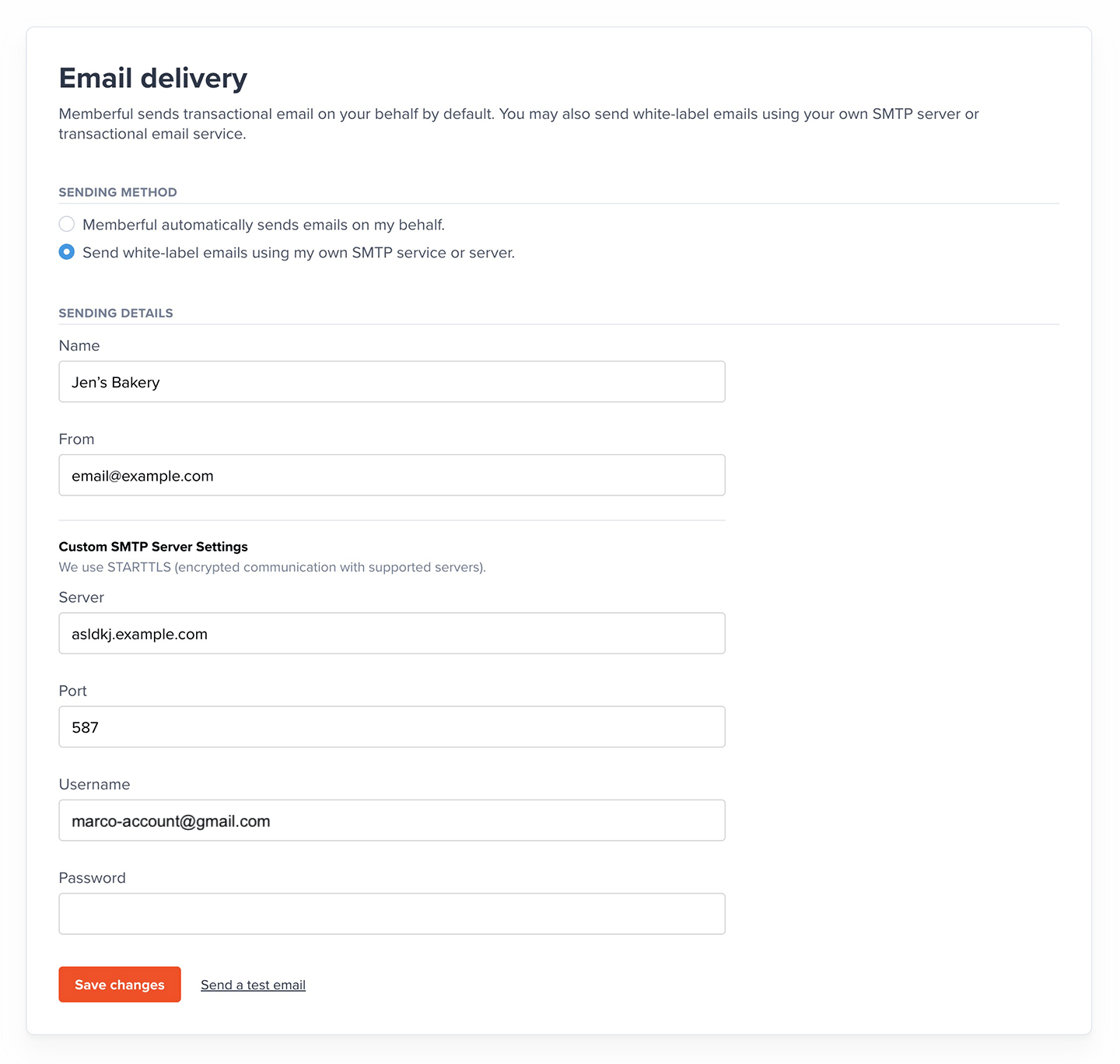
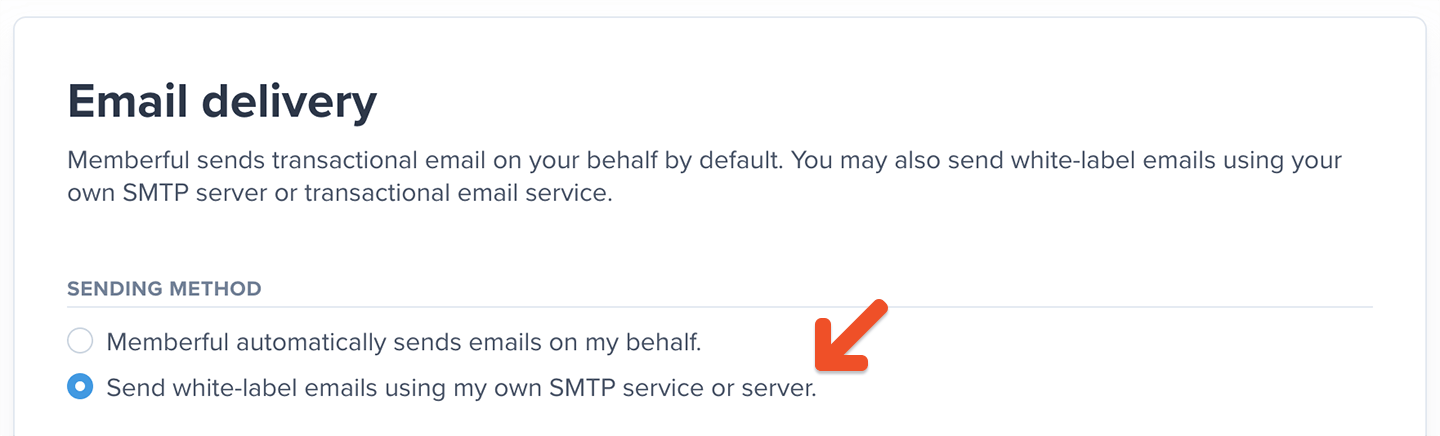 Fill in the form details and then click **Save Changes.**
 ## Test your settings
After you click **Save Changes,** click **Send a test email.** If your test emails are not coming through, there may be an issue with your SMTP settings.
## Test your settings
After you click **Save Changes,** click **Send a test email.** If your test emails are not coming through, there may be an issue with your SMTP settings.
 You can test your SMTP settings with any standard email app that lets you configure send settings. For example [Outlook](https://support.microsoft.com/en-us/office/change-or-update-email-account-settings-in-outlook-for-windows-560a9065-3c3a-4ec5-a24f-cdb9a8d622a2), [Apple Mail](https://support.apple.com/en-ca/guide/mail/cpmlprefacctadv/mac#:~:text=Use%20Server%20Settings%20preferences%20in,Accounts%2C%20then%20click%20Server%20Settings.\&text=Note%3A%20The%20settings%20you%20see%20vary%20depending%20on%20your%20account%20type.), or [Thunderbird](https://support.mozilla.org/en-US/kb/manual-account-configuration) could be used on a desktop computer. If your SMTP settings work from your own computer, they should also work when sending through Memberful.
## Still not working? Try these troubleshooting tips...
* Check with the administrator of the email server to make sure you have the correct port and username / password details.
* Check if your SMTP provider allows sending from other IP addresses. If you're using the SMTP settings provided by your ISP, there's a chance they only allow sending from their customer's IP addresses and not those from third parties.
* Remove prefixes on the server. For example, instead of `https://memberful.com` set the server to `memberful.com`
* Change the port number to 587. That's the standard SMTP port for most mail servers.
You can test your SMTP settings with any standard email app that lets you configure send settings. For example [Outlook](https://support.microsoft.com/en-us/office/change-or-update-email-account-settings-in-outlook-for-windows-560a9065-3c3a-4ec5-a24f-cdb9a8d622a2), [Apple Mail](https://support.apple.com/en-ca/guide/mail/cpmlprefacctadv/mac#:~:text=Use%20Server%20Settings%20preferences%20in,Accounts%2C%20then%20click%20Server%20Settings.\&text=Note%3A%20The%20settings%20you%20see%20vary%20depending%20on%20your%20account%20type.), or [Thunderbird](https://support.mozilla.org/en-US/kb/manual-account-configuration) could be used on a desktop computer. If your SMTP settings work from your own computer, they should also work when sending through Memberful.
## Still not working? Try these troubleshooting tips...
* Check with the administrator of the email server to make sure you have the correct port and username / password details.
* Check if your SMTP provider allows sending from other IP addresses. If you're using the SMTP settings provided by your ISP, there's a chance they only allow sending from their customer's IP addresses and not those from third parties.
* Remove prefixes on the server. For example, instead of `https://memberful.com` set the server to `memberful.com`
* Change the port number to 587. That's the standard SMTP port for most mail servers.